

This connection is for the DigiCert CertCentral Services API. If you’re using DigiCert’s
ACME endpoint with External Account Binding (EAB) credentials, use the
ACME Certificate Authority instead.
Prerequisites
- A CertCentral account with sufficient permissions to create API keys and place certificate orders
- At least one validated CertCentral organization that will be listed on issued certificates
- A CertCentral user with a role that can place and manage orders (typically Manager or Administrator) — the API key inherits its permissions from this user
Create a CertCentral API key
1
Navigate to API Keys
In your CertCentral account, go to Automation → API Keys and select Add API Key.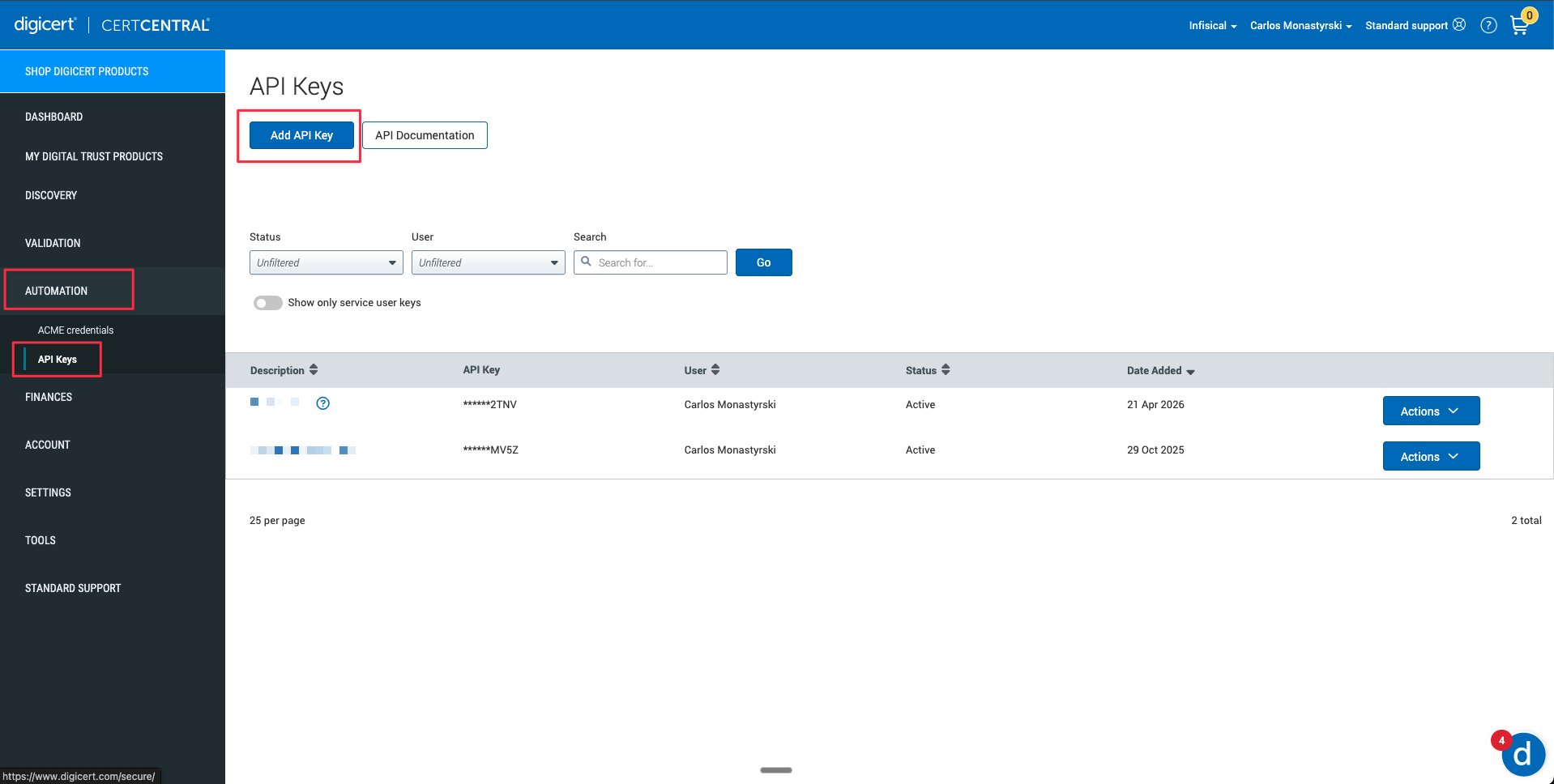
2
Name and create the key
Give the key a descriptive name (e.g. 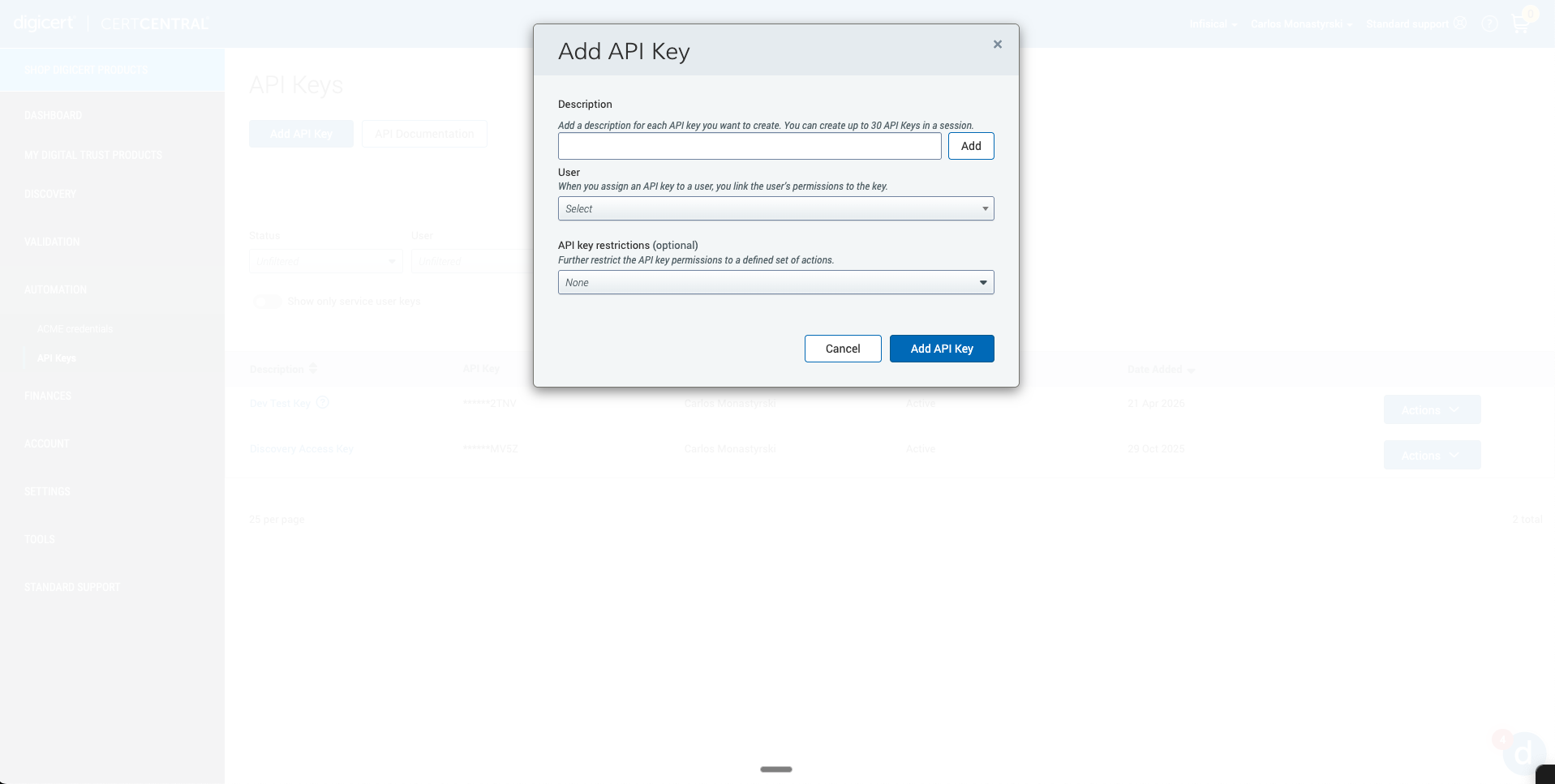
infisical) and assign a user whose role is Manager or Administrator, the key inherits that user’s permissions on CertCentral.Under API key restrictions, leave the default None or select Orders, Domains, OrganizationsCopy the generated key value, it is only shown once.Create DigiCert connection in Infisical
- Infisical UI
- API
1
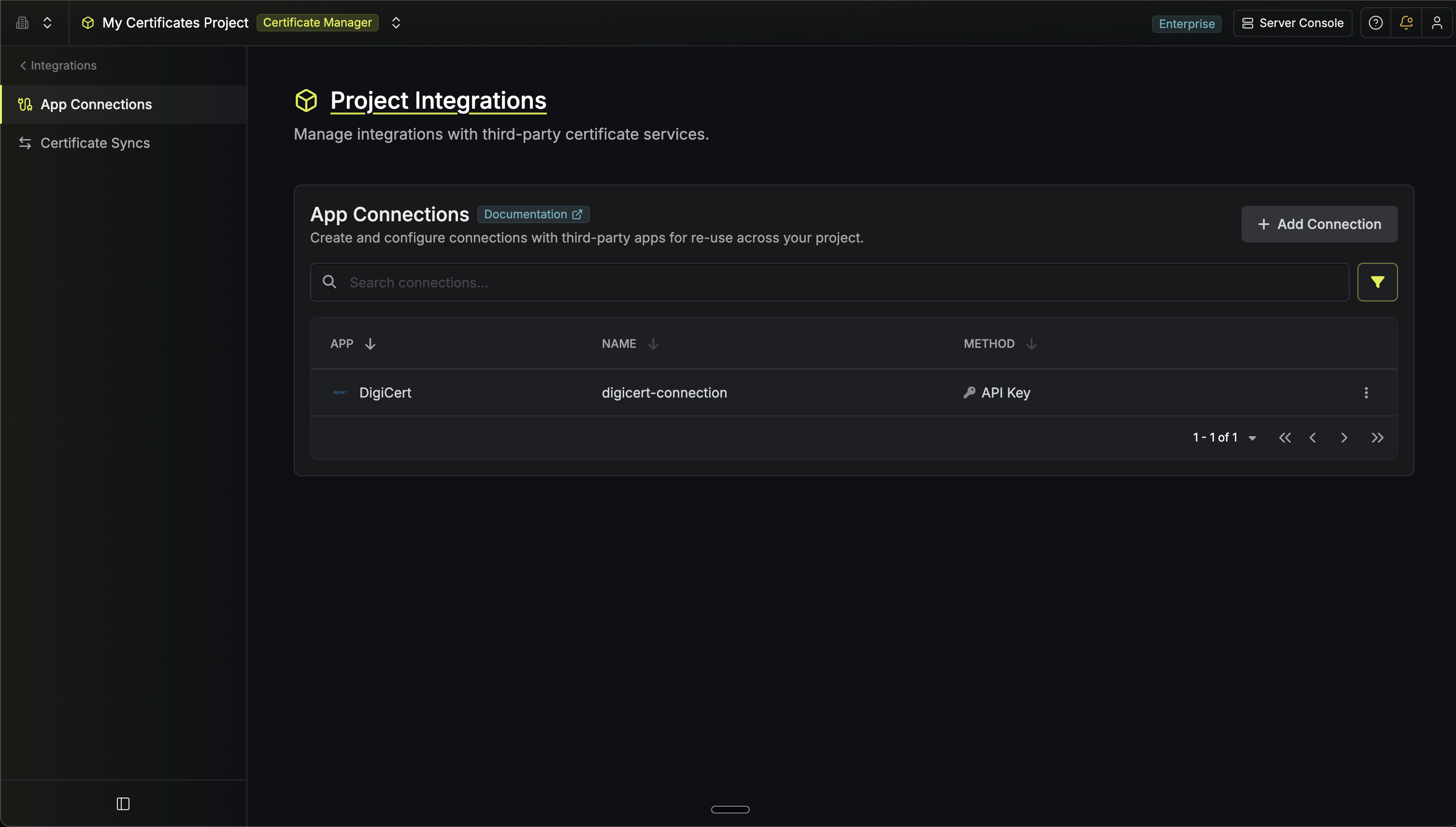
Navigate to App Connections
In Certificate Manager, go to Settings → App Connections.
2
Select DigiCert Connection
Click Add Connection and choose DigiCert from the list of available connections.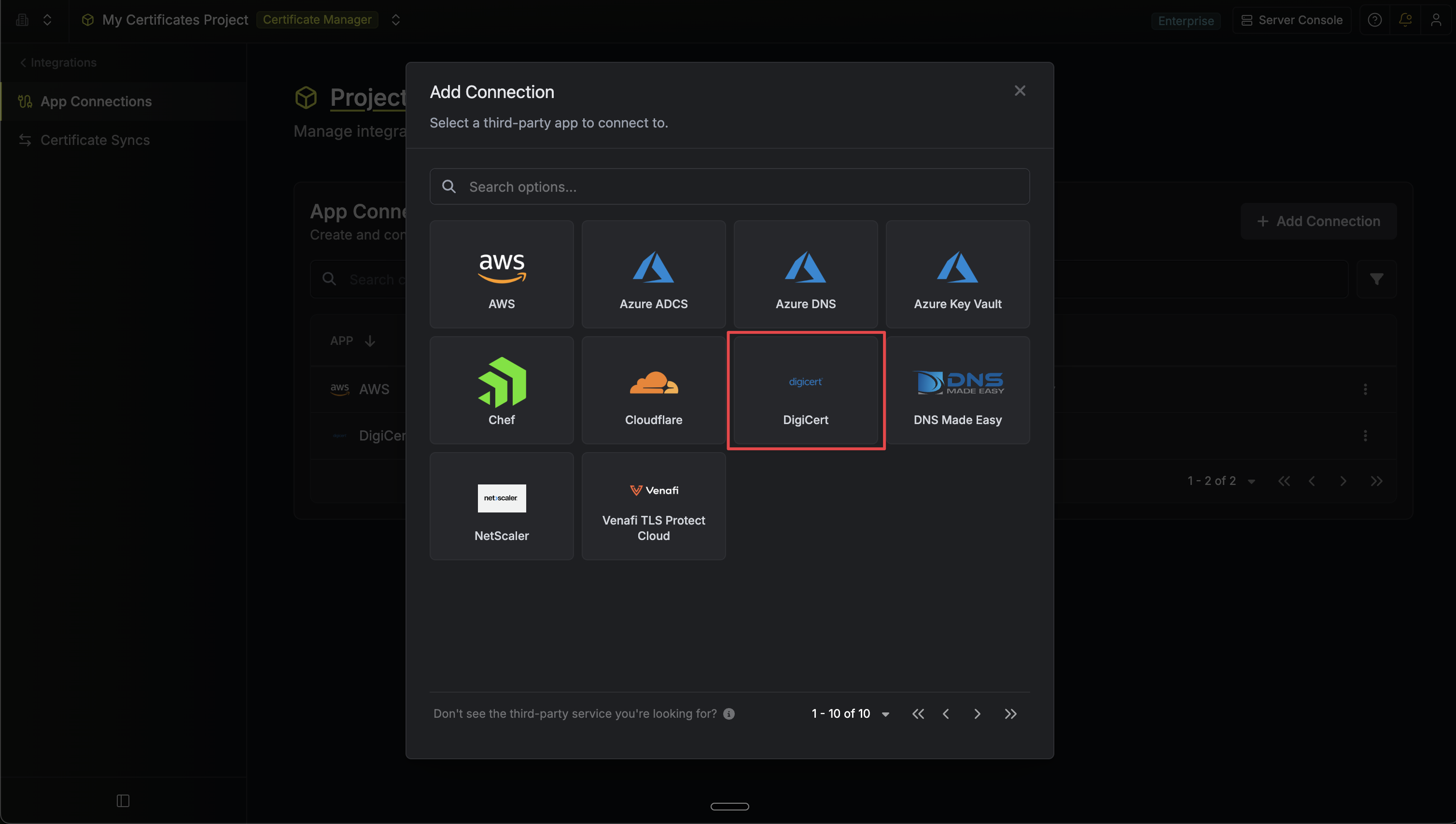
3
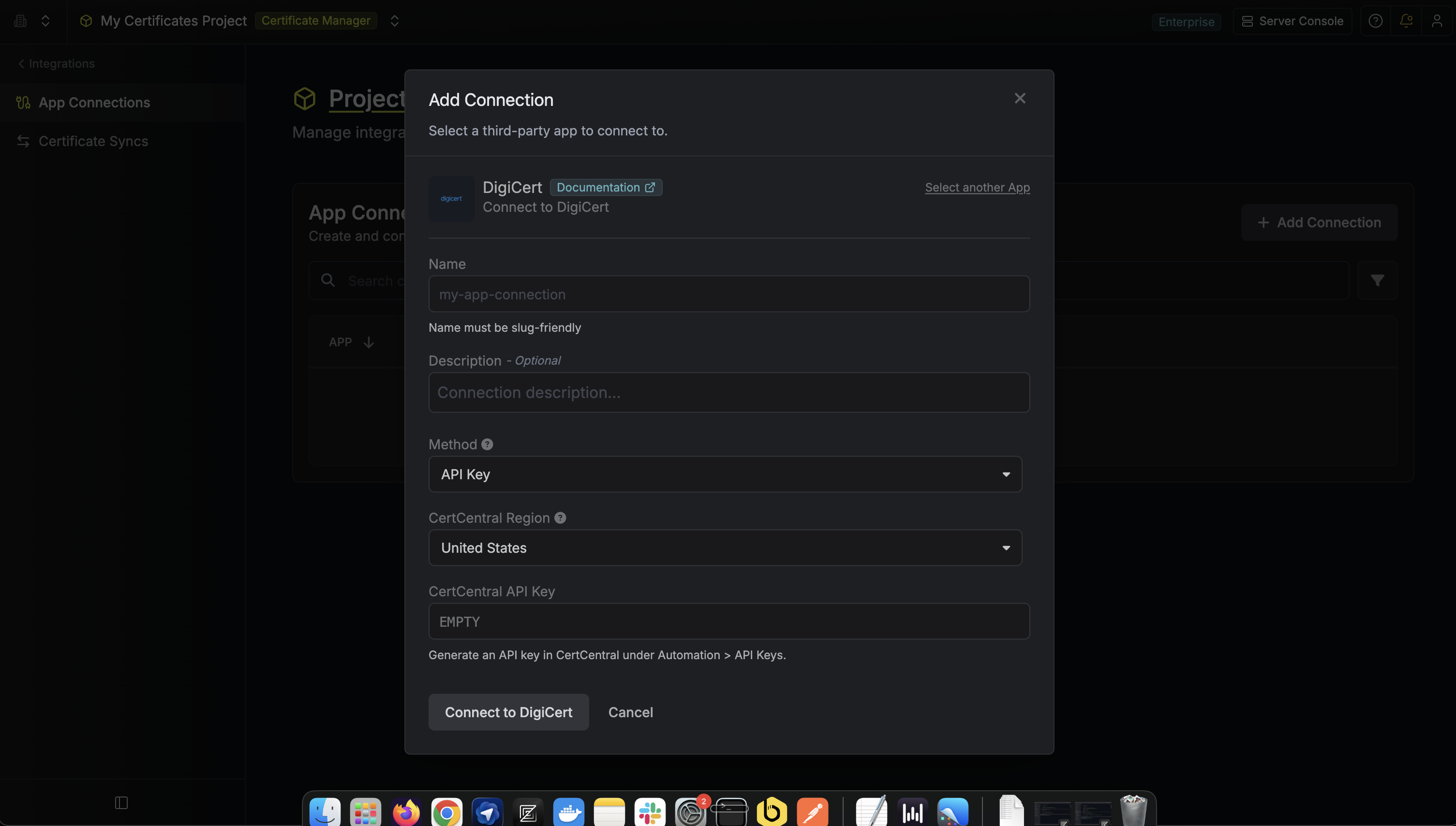
Fill out Connection Form
Complete the form with:
-
A name for the connection (e.g.
digicert-prod) - An optional description
- The CertCentral Region matching your account, US or EU
-
Your CertCentral API Key
4
Connection Created
After clicking Create, Infisical validates the key by calling
GET /services/v2/organization. Once the key is confirmed, the connection is ready to use
in a DigiCert Certificate Authority.