Create a Doppler API token
1
Navigate to the Doppler Tokens tab and click in Service
Log in to your Doppler account and go to the Tokens tab.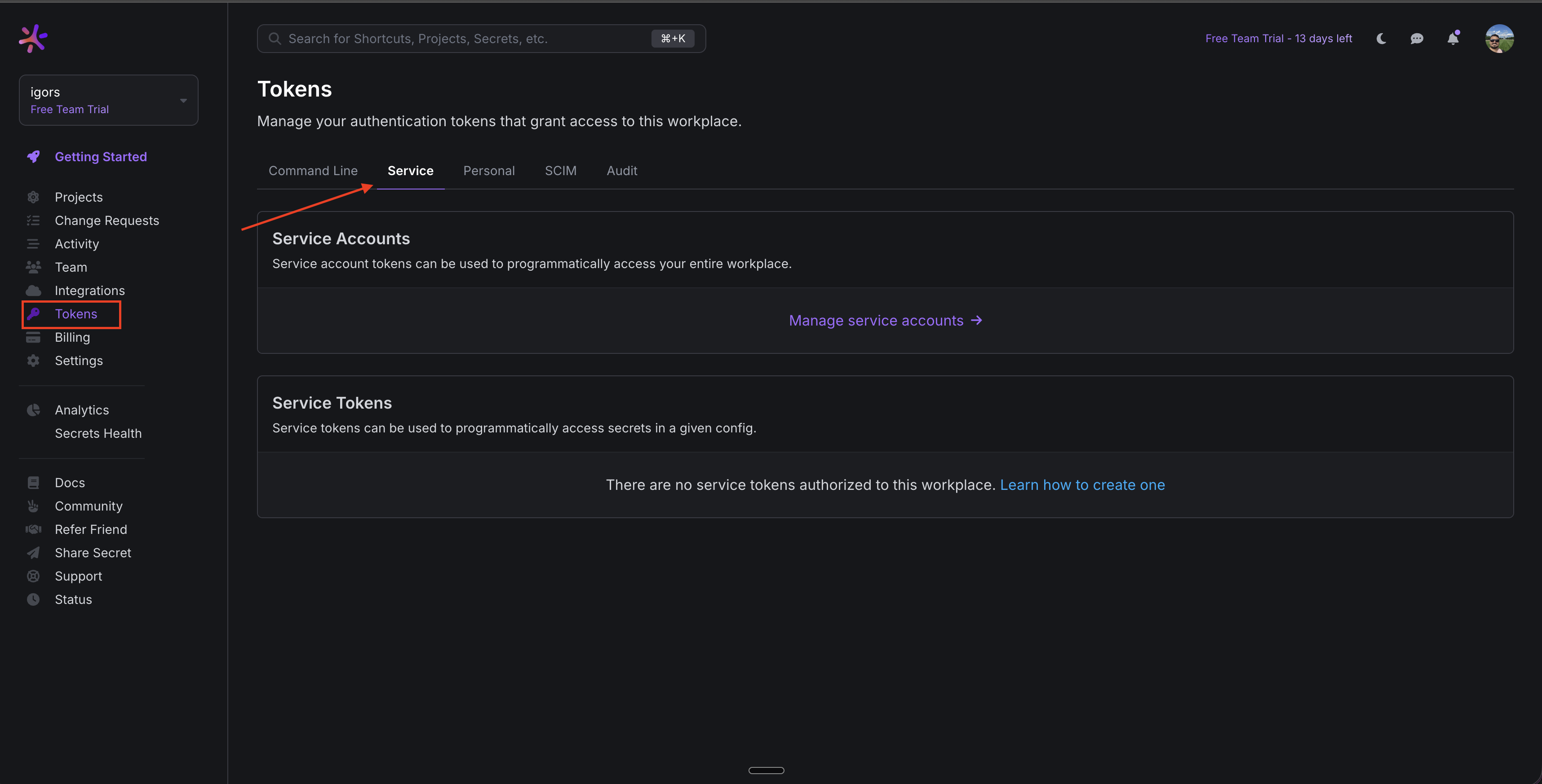
2
Navigate to the Service Accounts section
In the User Tokens page, select in Manage service accounts .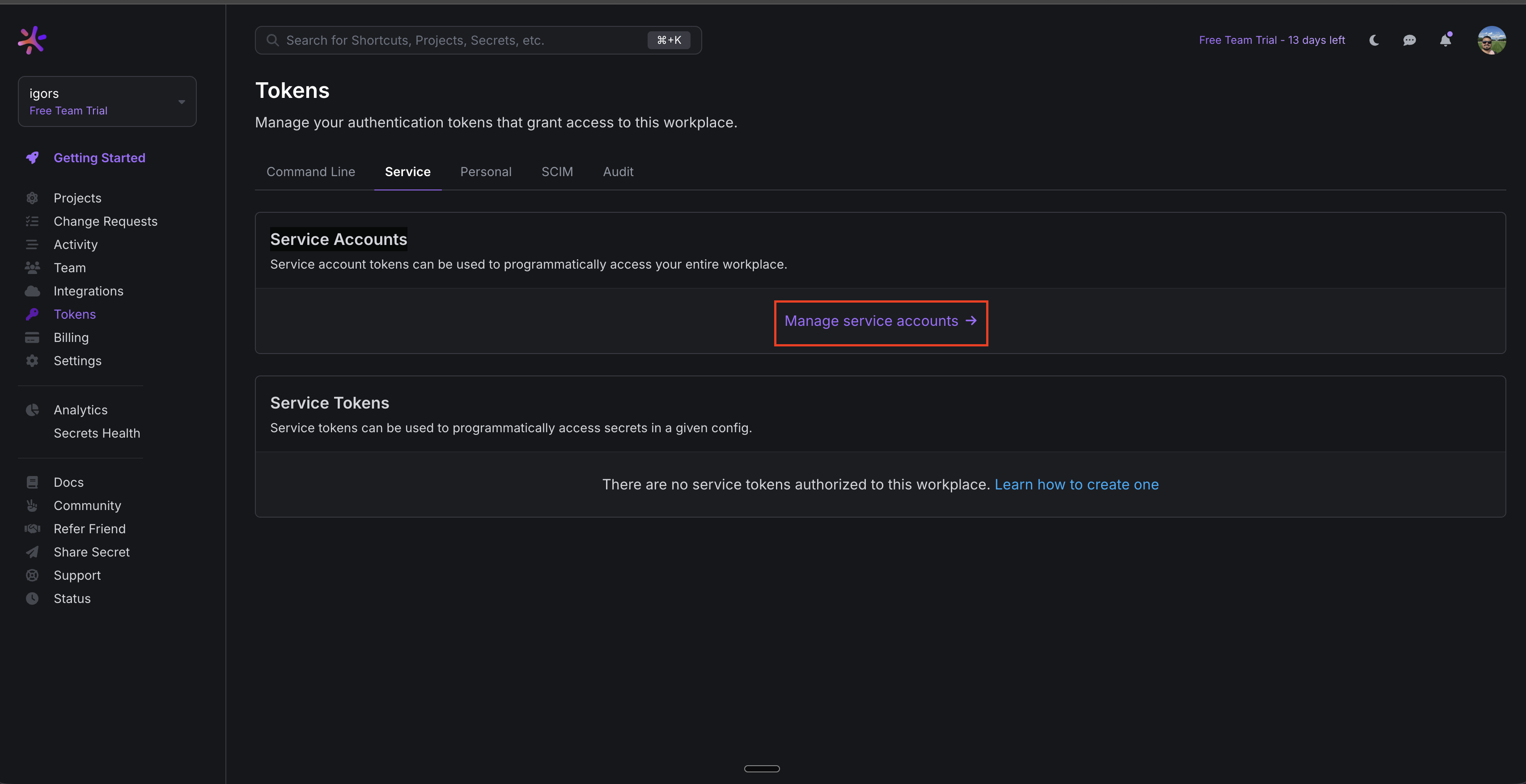
3
Create Service Account
Select in the ”+” icon, provide a descriptive name, and confirm creation.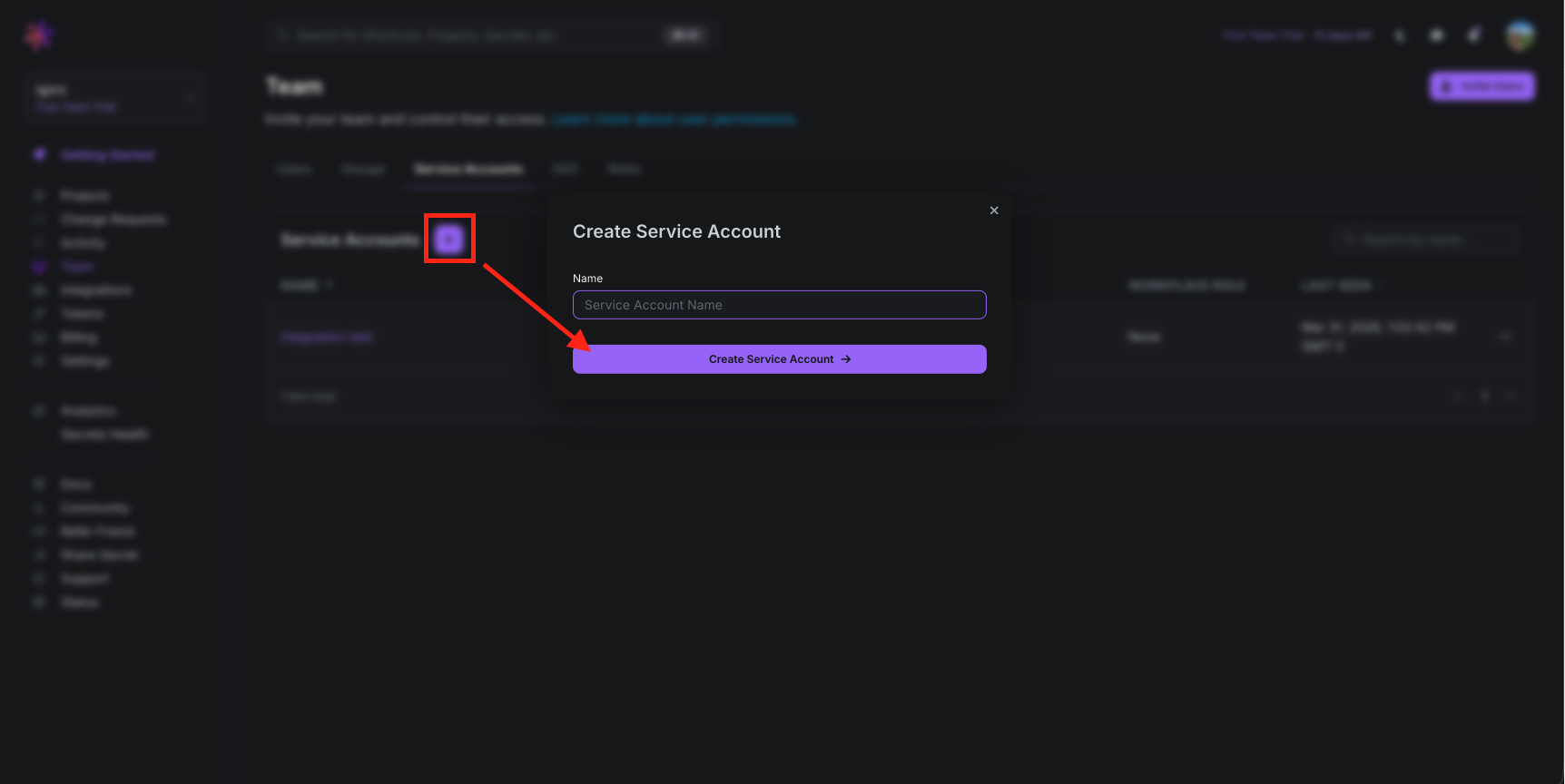
4
Assign permissions to the service account
Select the pencil icon next to your service account role to modify the role of the service account.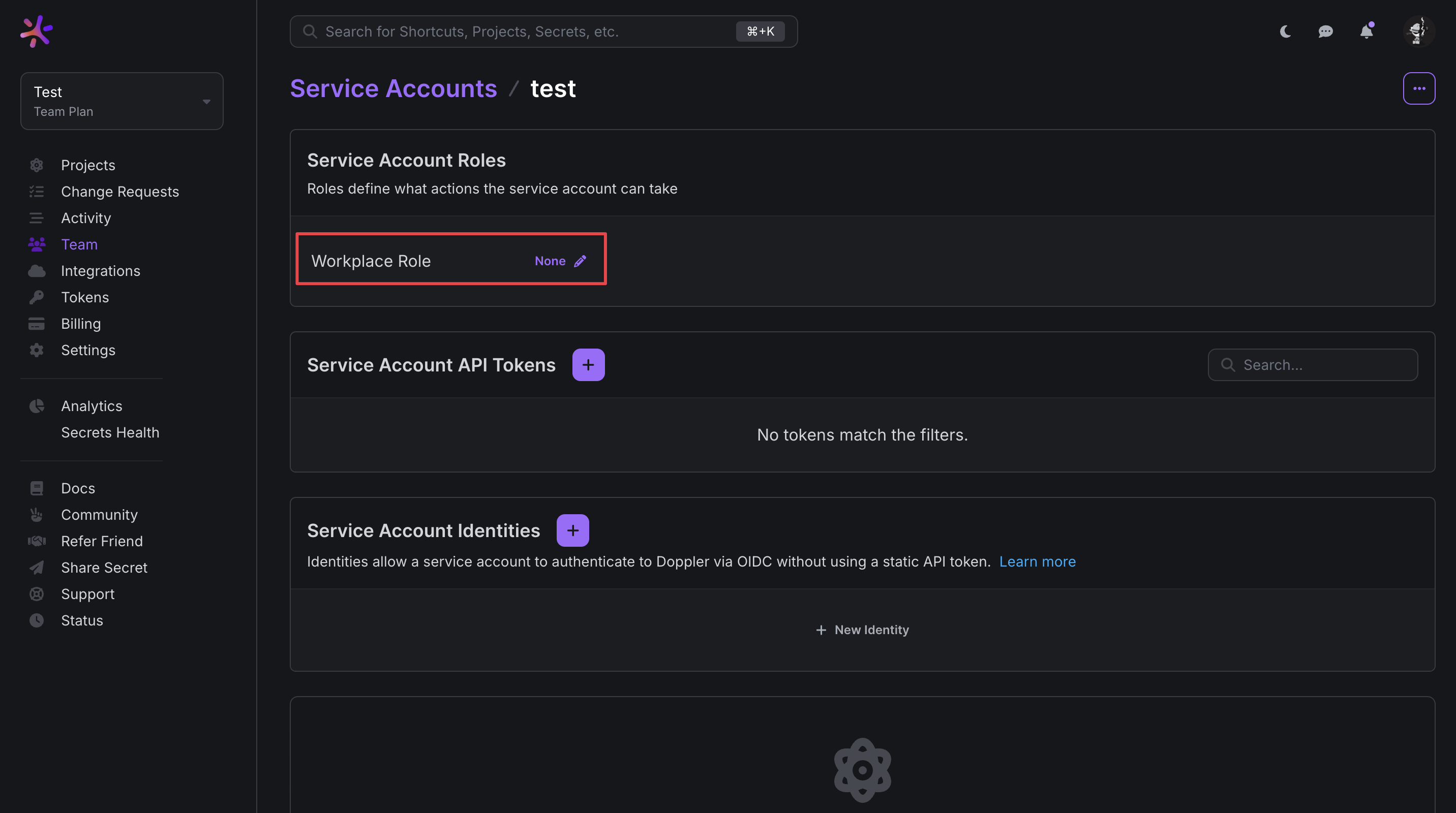 For the best migration experience, we recommend that you give the service account full access to all your projects in order to migrate from all projects within Doppler.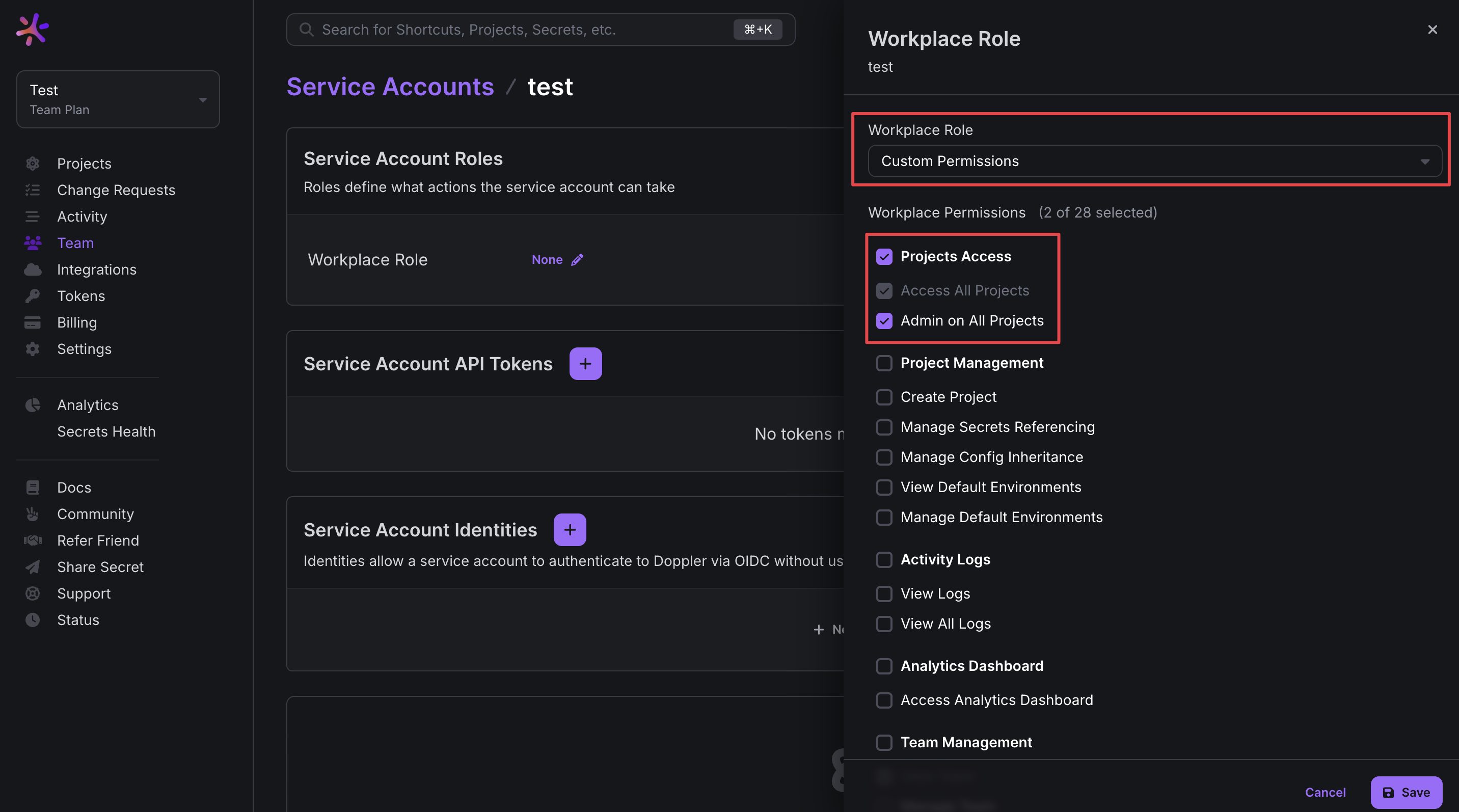
For the best migration experience, we recommend that you give the service account full access to all your projects in order to migrate from all projects within Doppler.5
Click in create service account token
Select in the ”+” icon in the Service Account API Tokens container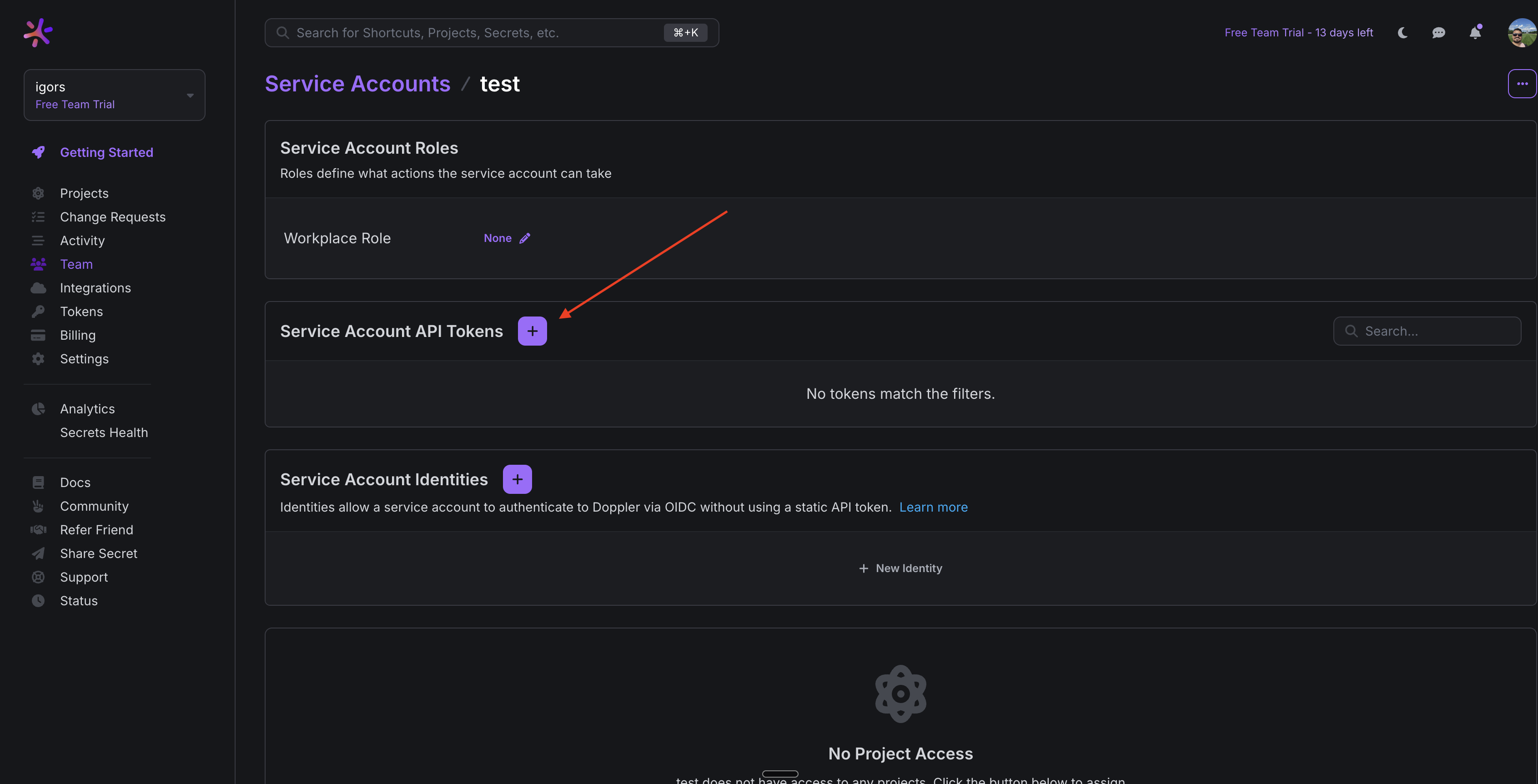
6
Add a name for the API Token
Add a name for the API Token and select in Create API Token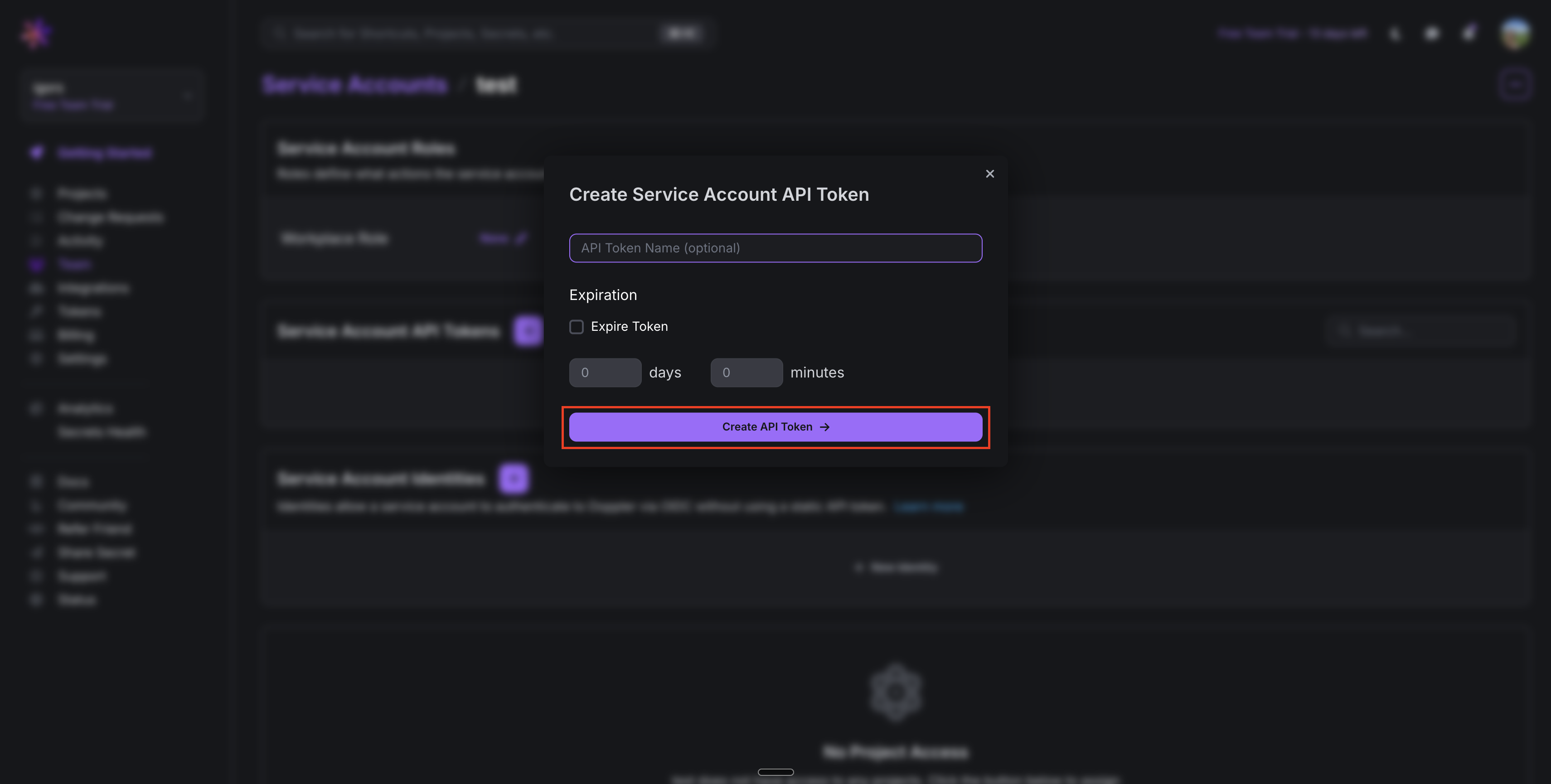
7
Copy the generated token
Copy the generated token and save it, you’ll need it in the next steps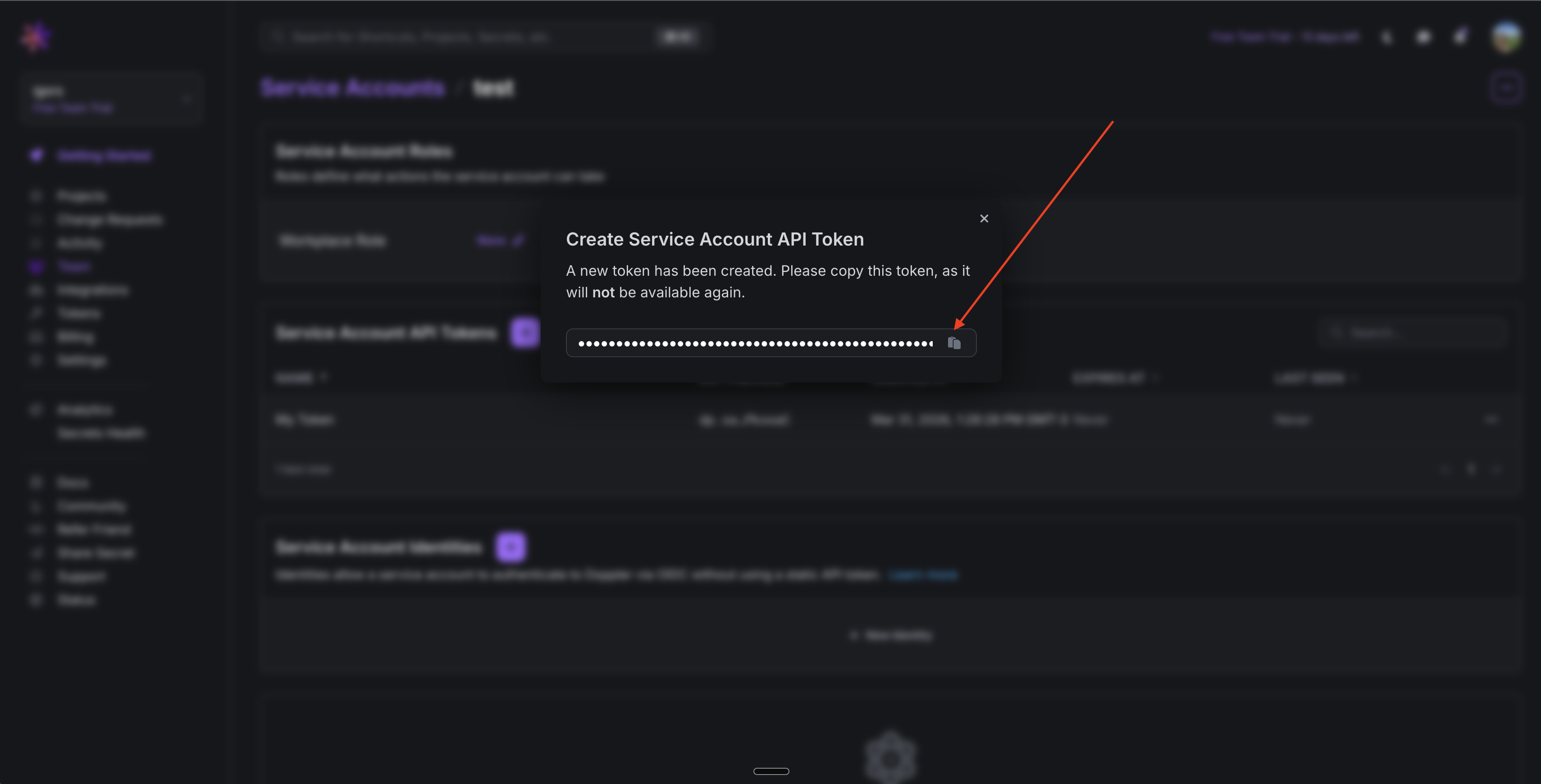
Create a Doppler connection in Infisical
- Infisical UI
- API
1
Navigate to App Connections
In your Infisical dashboard, navigate to Organization Settings and select the App Connections tab.
2
Select Doppler Connection
Click + Add Connection and choose Doppler Connection from the list of available connections.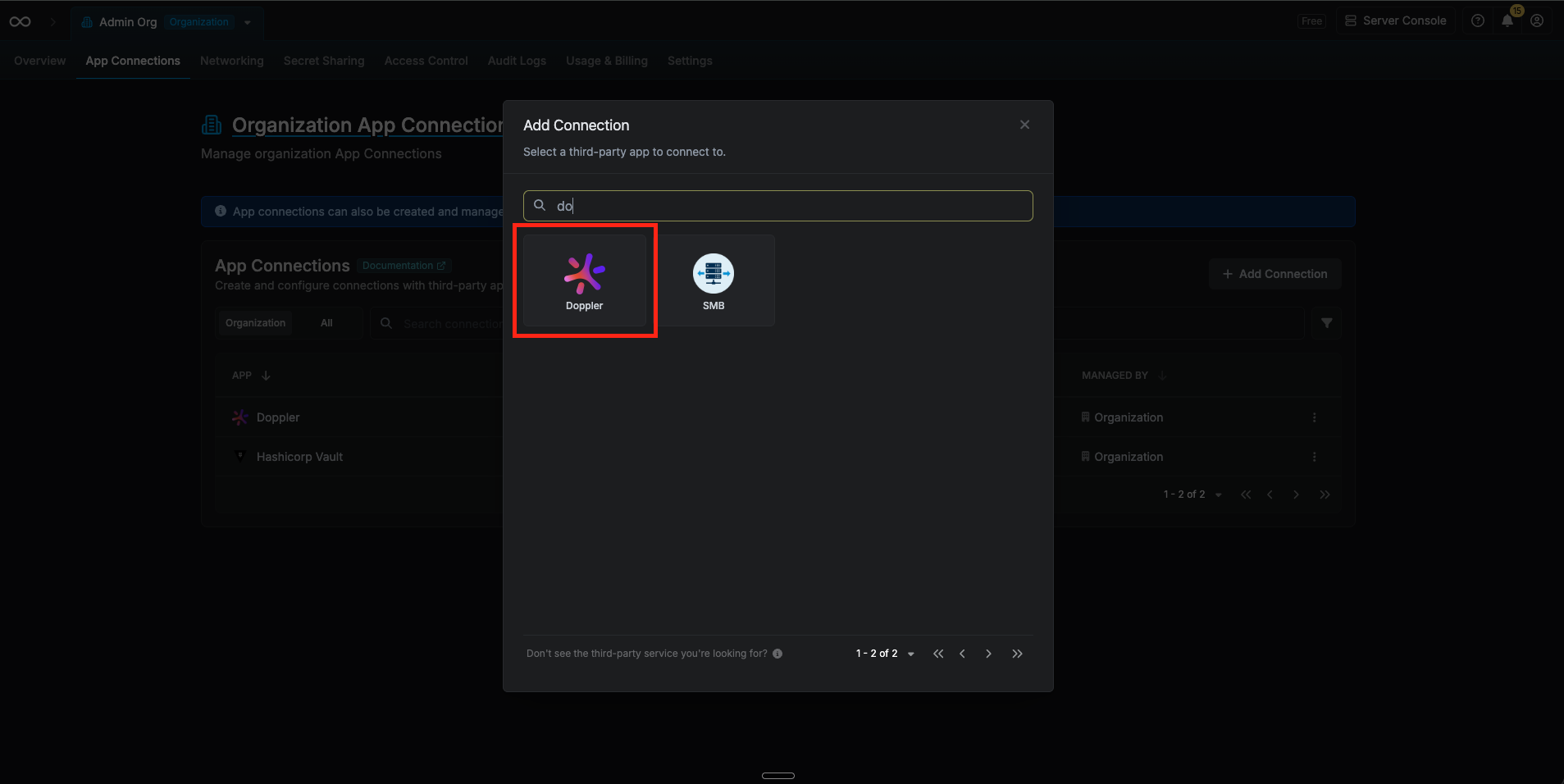
3
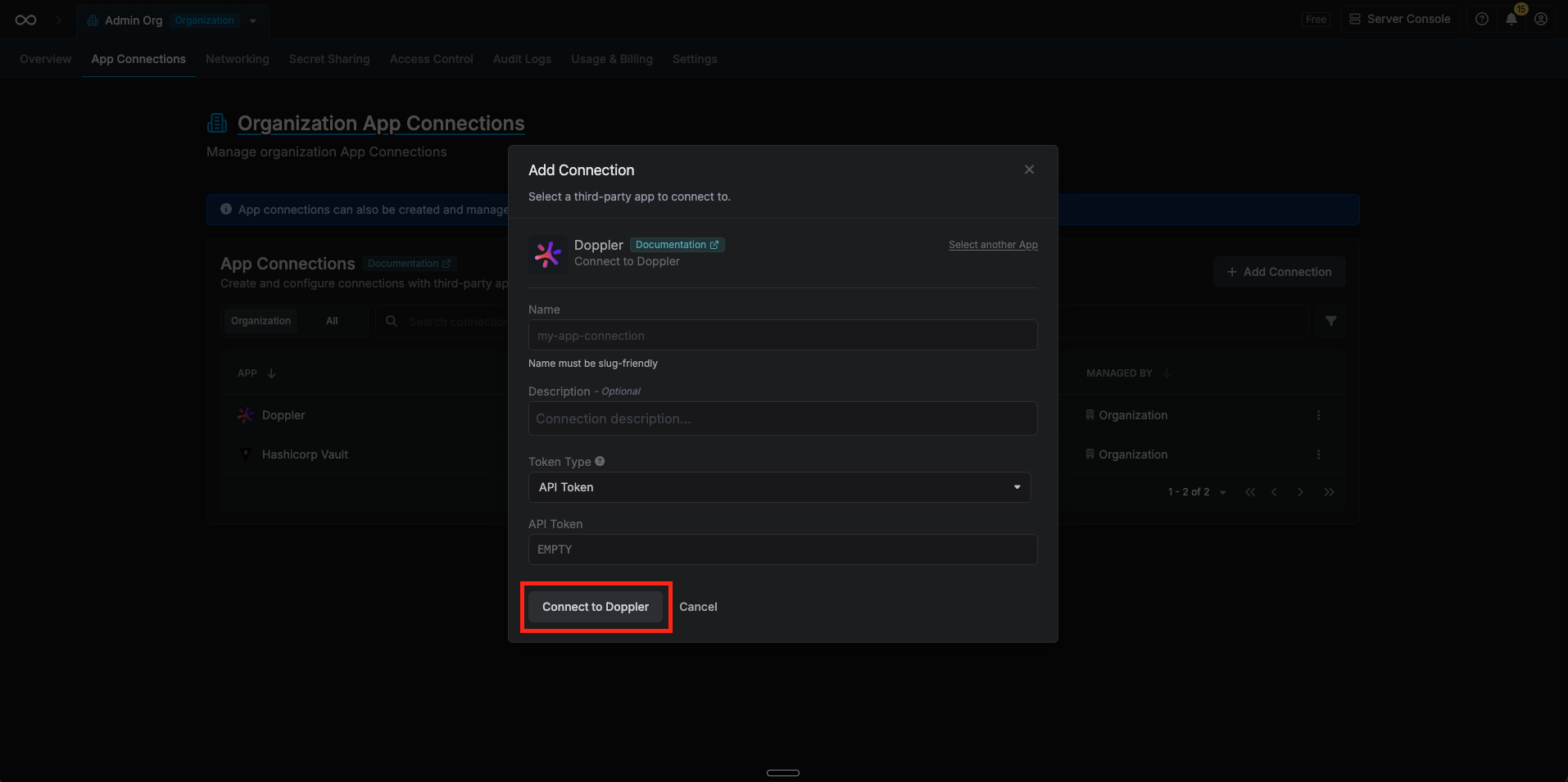
Fill out the Doppler Connection form
Complete the form by providing:
- A descriptive name for the connection
- An optional description
-
The API Token value from the previous step
4
Connection created
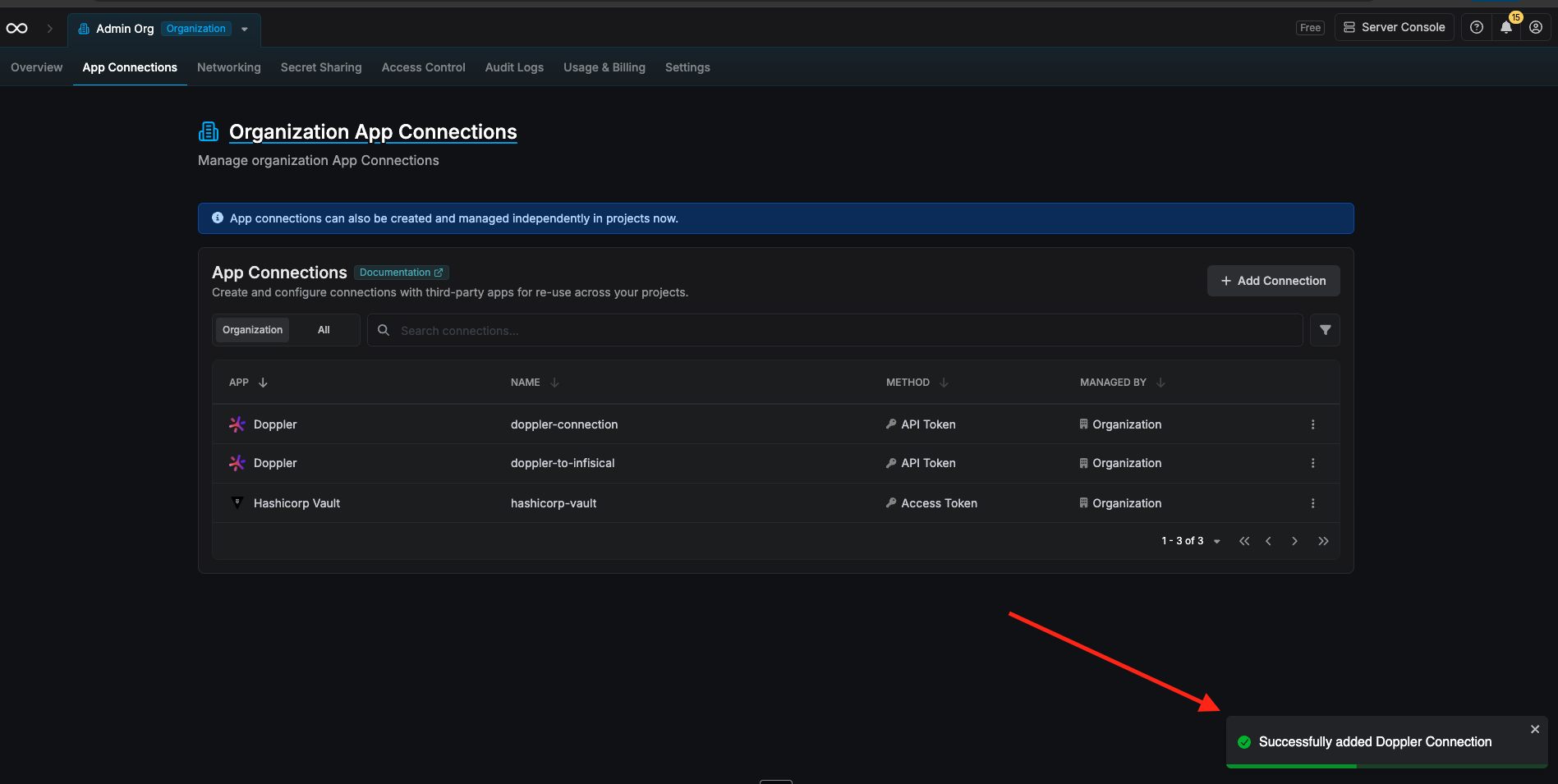
After submitting the form, your Doppler Connection will be successfully created and ready to use for importing secrets into Infisical.