Setup
- Infisical UI
- API
1
Gather NetScaler Credentials
You’ll need the following from your NetScaler appliance:
- Hostname: The management IP address or FQDN of your NetScaler appliance (e.g.,
192.168.1.100ornetscaler.example.com). - Port: The HTTPS management port (default:
443). - Username: A user with administrative access to manage SSL certificates (e.g.,
nsroot). - Password: The password for the user account.
The user account must have permissions to:
- Upload files to
/nsconfig/ssl/ - Create and manage
sslcertkeyobjects - Bind certificates to SSL virtual servers (if vServer binding is used)
- Save the running configuration
2
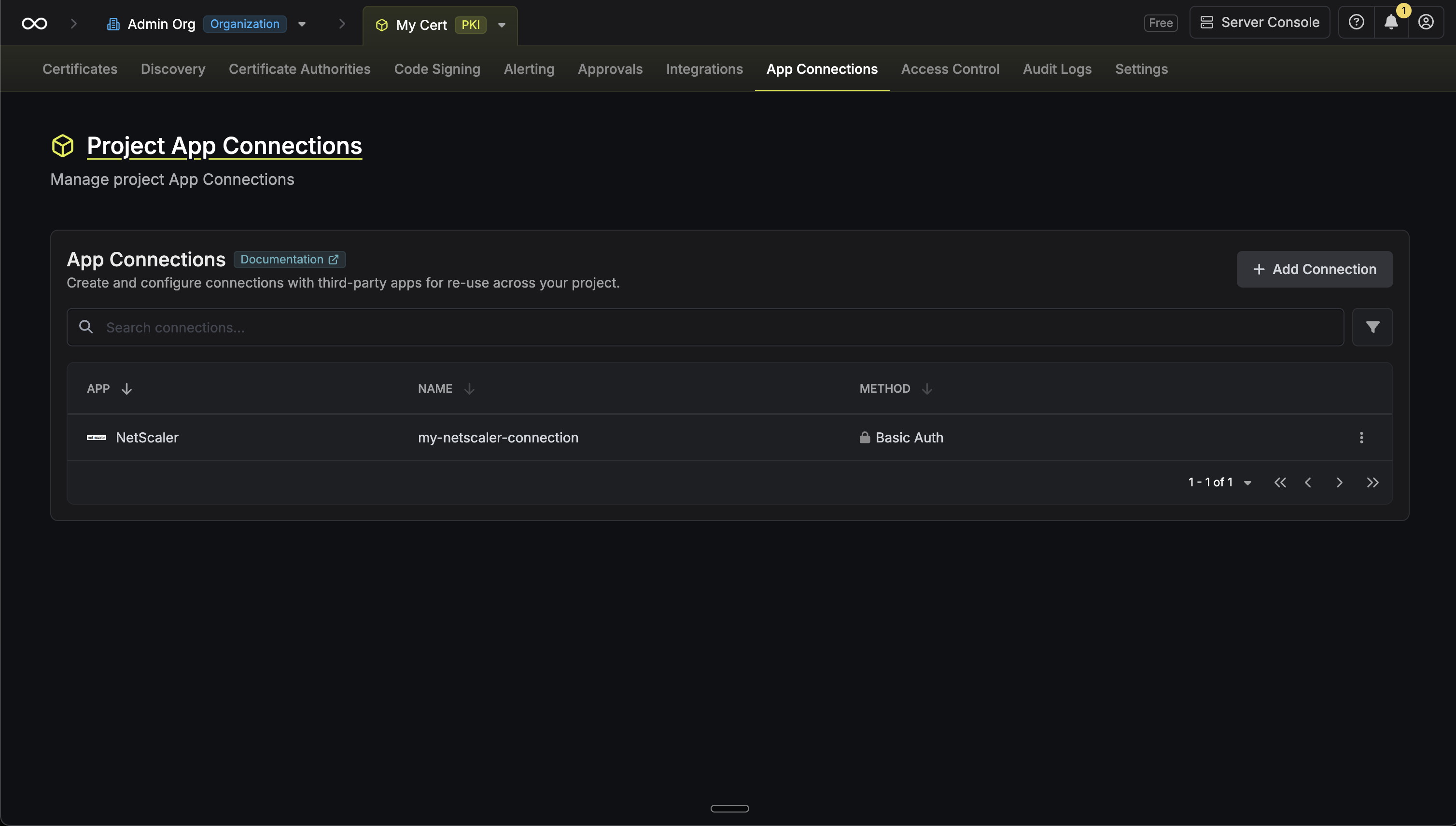
Navigate to App Connections
In Certificate Manager, go to Settings > App Connections and select Add Connection.
3
Select NetScaler
Select the NetScaler option from the list of available connections.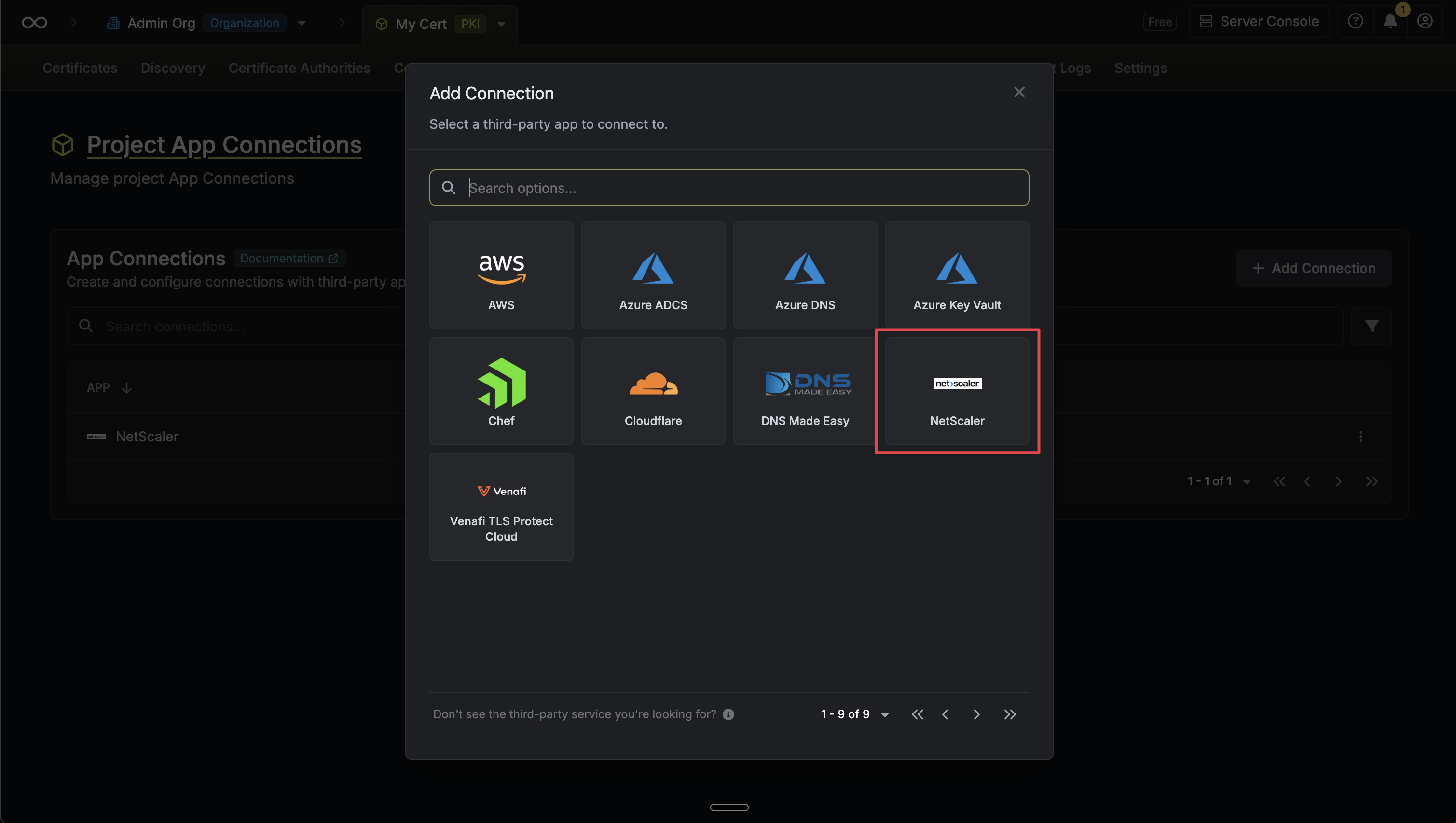
4
Fill in Connection Details
Fill in the Configuration tab: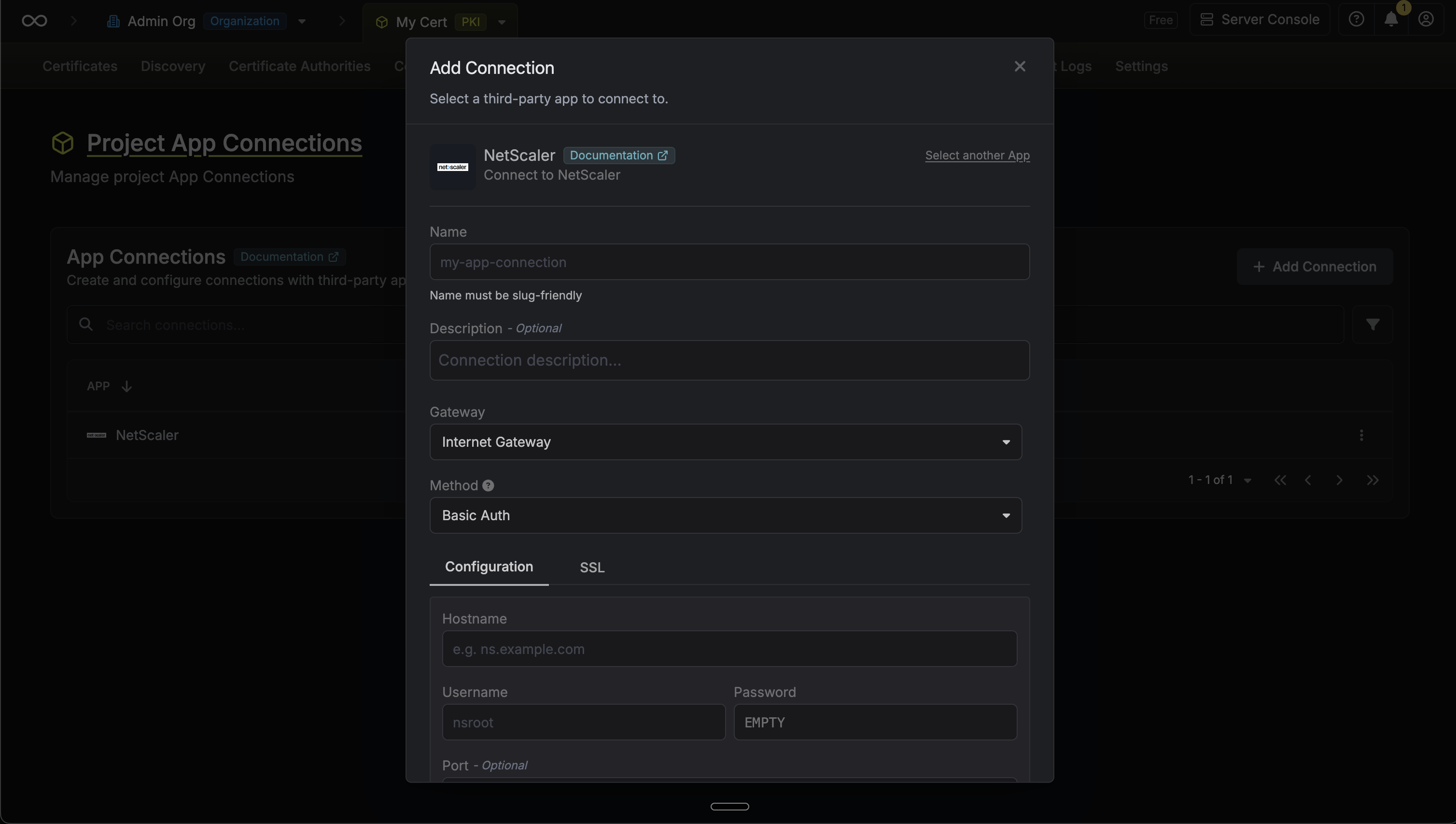 Click Connect to NetScaler to validate and save your connection.
- Hostname: The management IP or FQDN of the NetScaler appliance.
- Username: The NetScaler management username.
- Password: The password for the management user.
- Port (Optional): HTTPS port for the management interface (default:
443).
- SSL Certificate (Optional): A CA certificate in PEM format to verify the NetScaler management interface’s TLS certificate.
- Reject Unauthorized: When enabled, Infisical will only connect if the NetScaler has a valid, trusted TLS certificate. Disable for self-signed certificates or provide a CA certificate.
Click Connect to NetScaler to validate and save your connection.5
Connection Created
Your NetScaler Connection is now available for use with certificate syncs.