Prerequisites
You need an OpenAI Admin API key created by an Organization Owner. Admin API keys are organization-scoped and can manage organization resources such as users, projects, and API keys. A regular project API key (for example, one starting withsk-) doesn’t have these permissions and will fail validation.
Create an OpenAI admin API key
1
Open your account menu
In the OpenAI dashboard, select your account in the bottom-left corner to open the menu.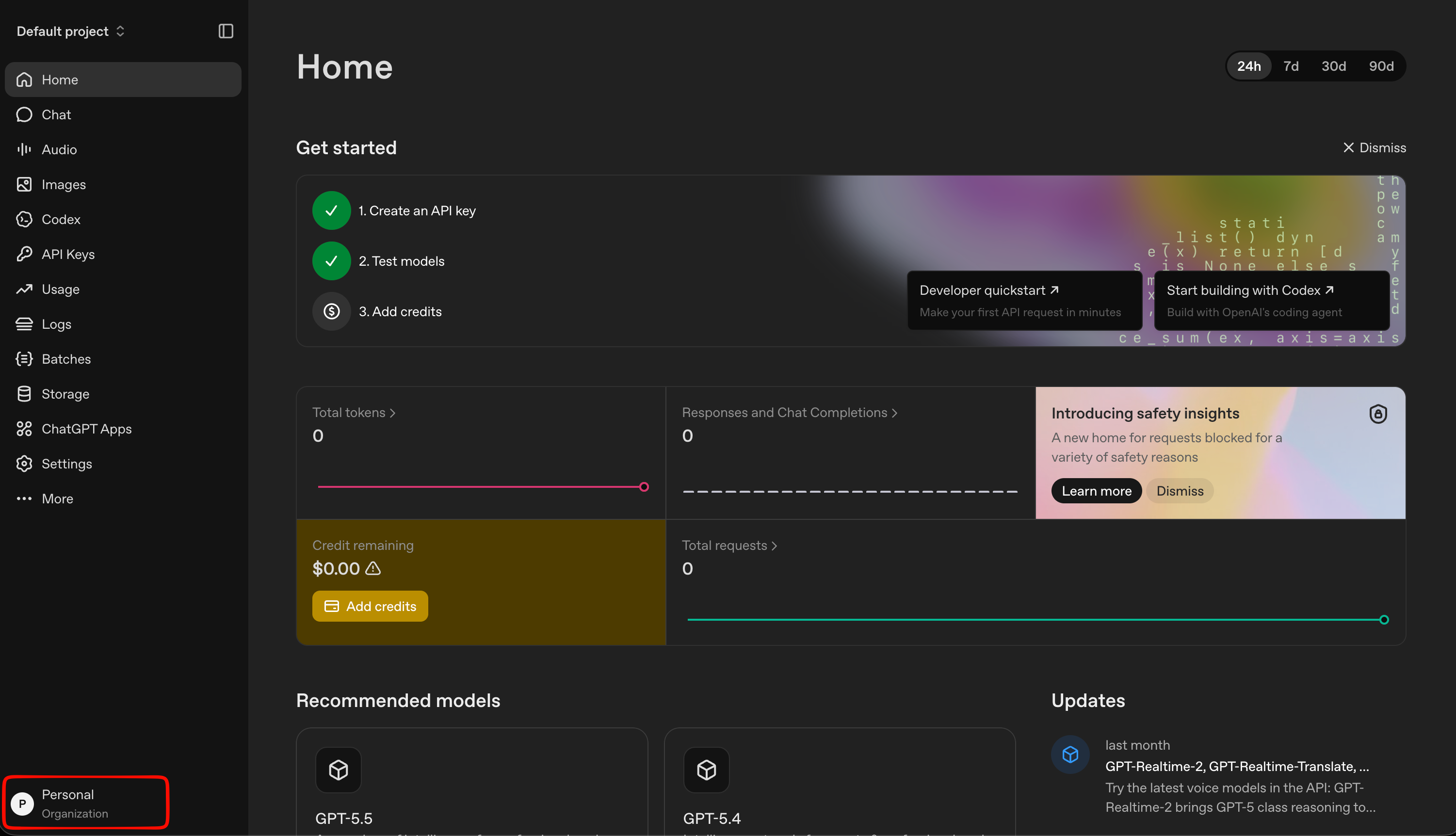
2
Open Organization settings
Select Organization settings from the menu.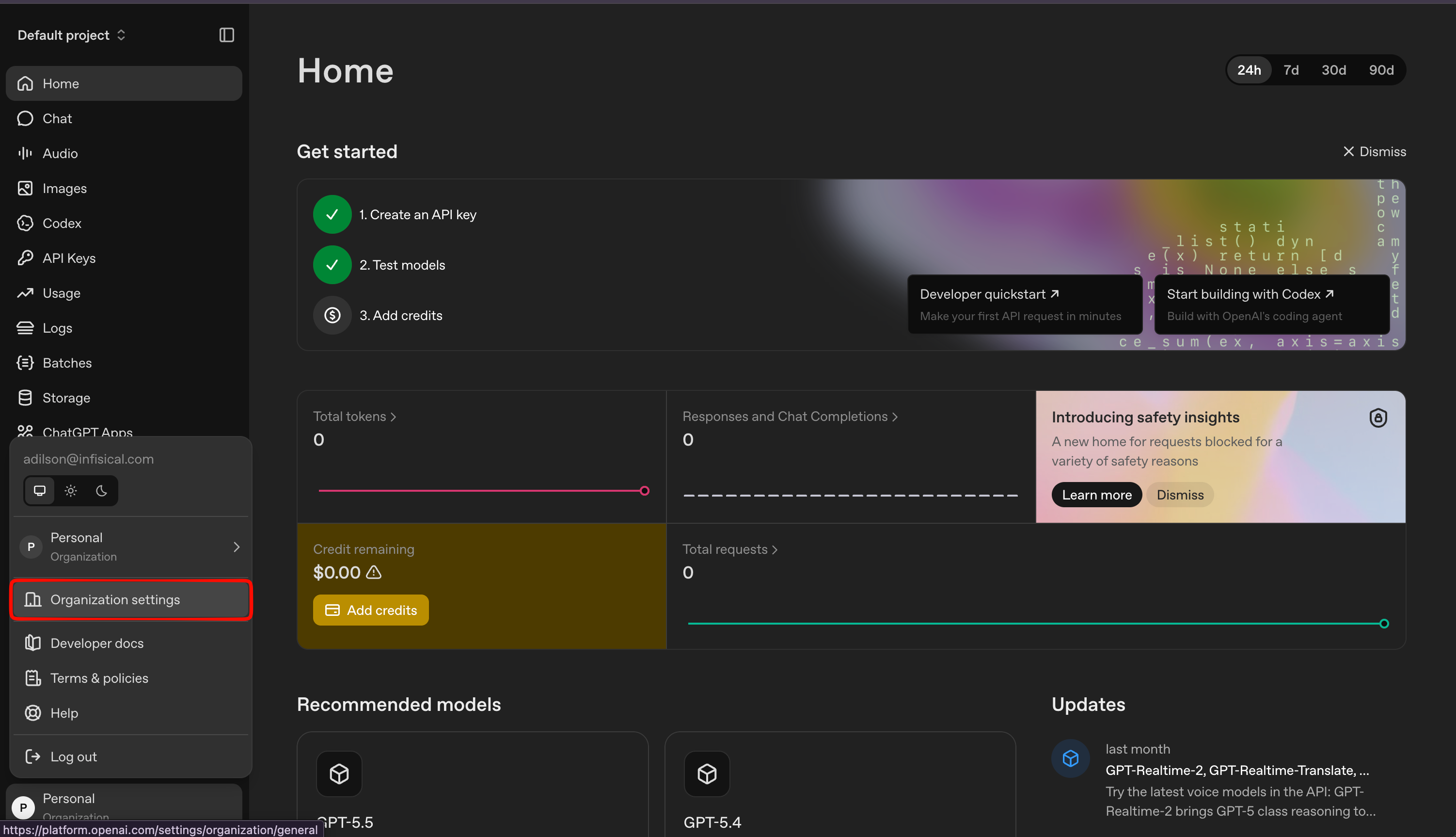
3
Navigate to Admin keys
In the organization settings, open the Admin keys tab.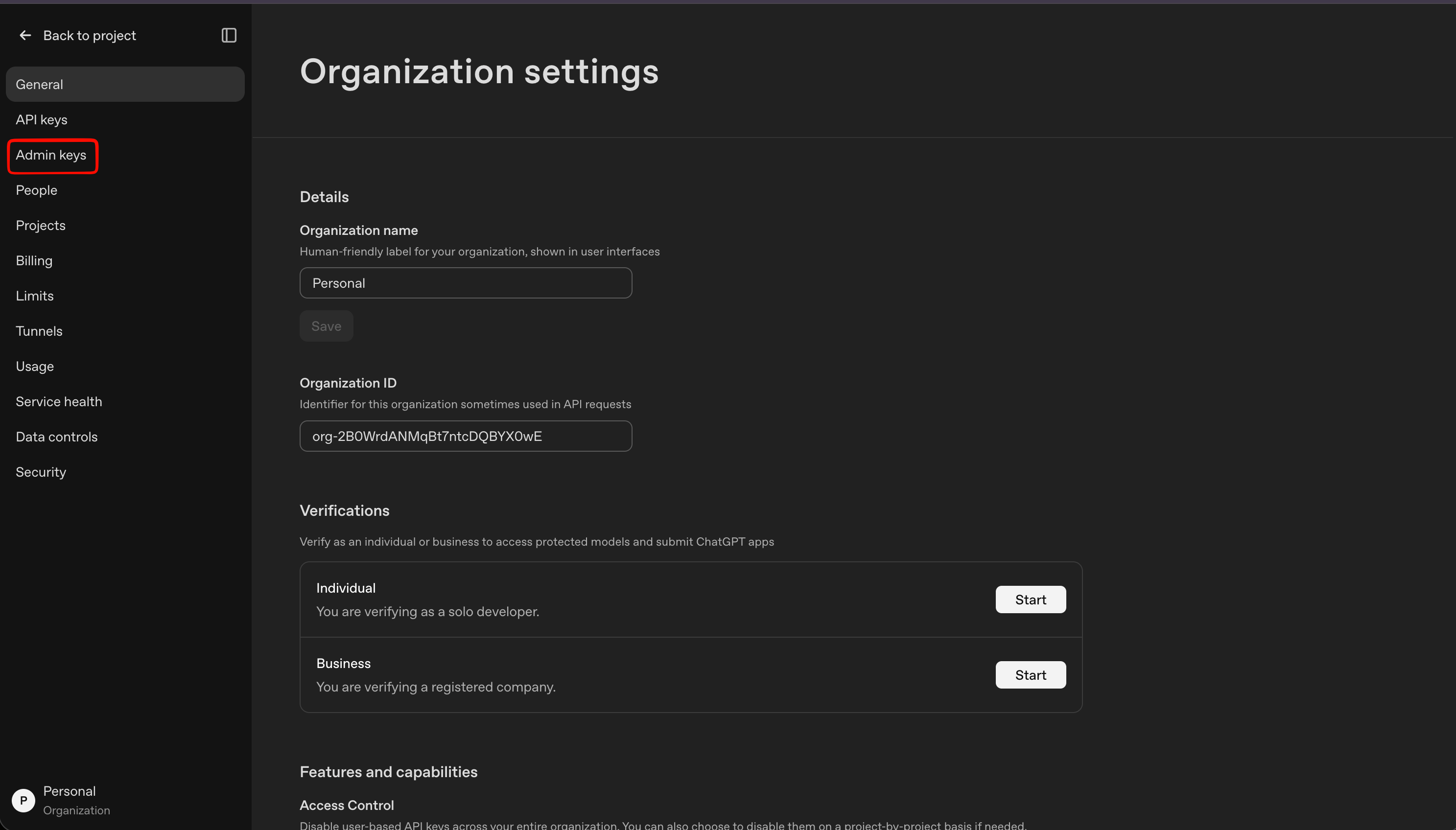
4
Create a new Admin key
Click Create new Admin key on the top right corner.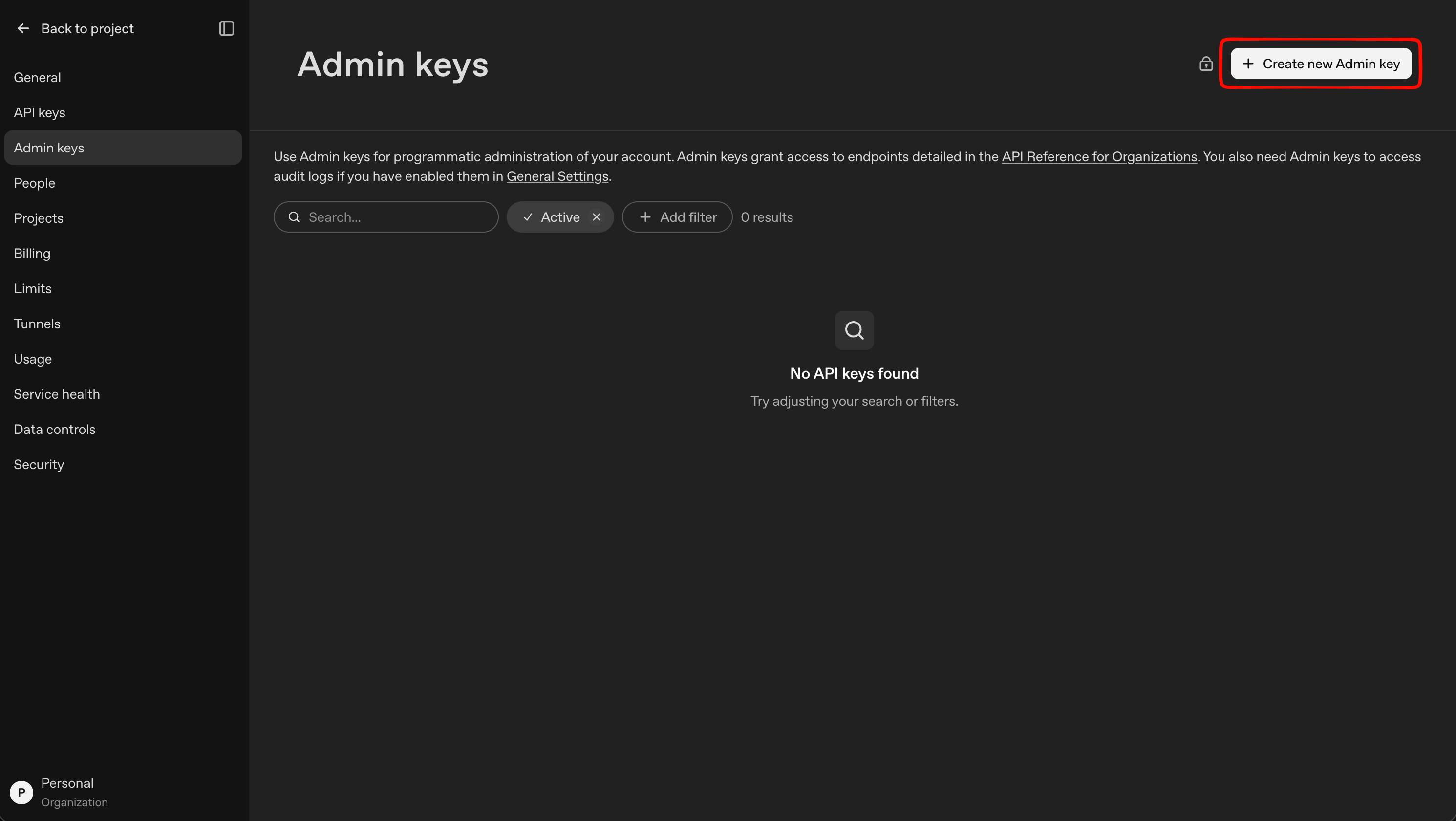
5
Name and create the key
Give the key a descriptive name (e.g. 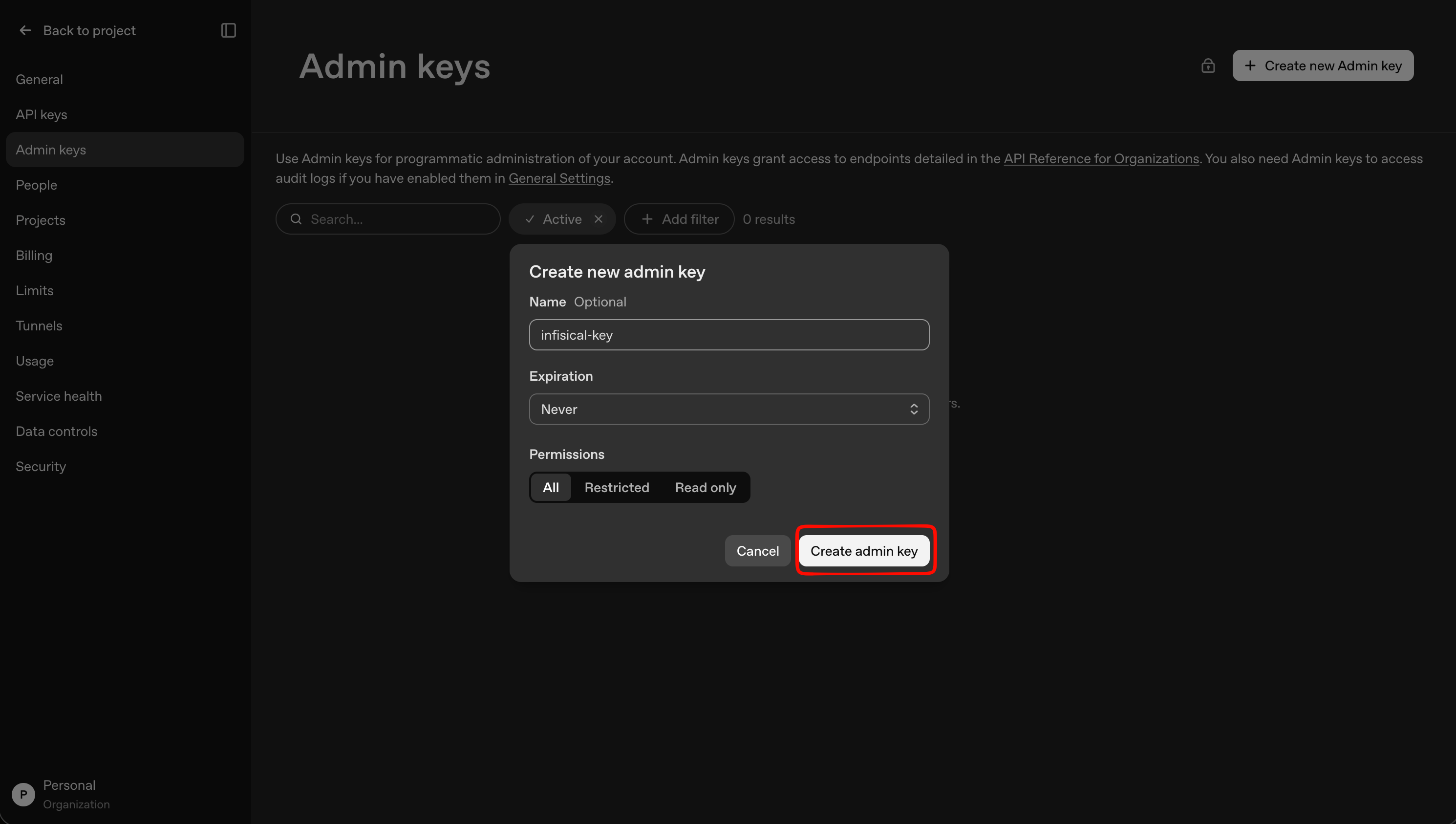
infisical-key), set the permissions as needed, and click Create admin key.6
Copy the Admin API key
Copy the generated Admin API key and store it securely. It will only be shown once.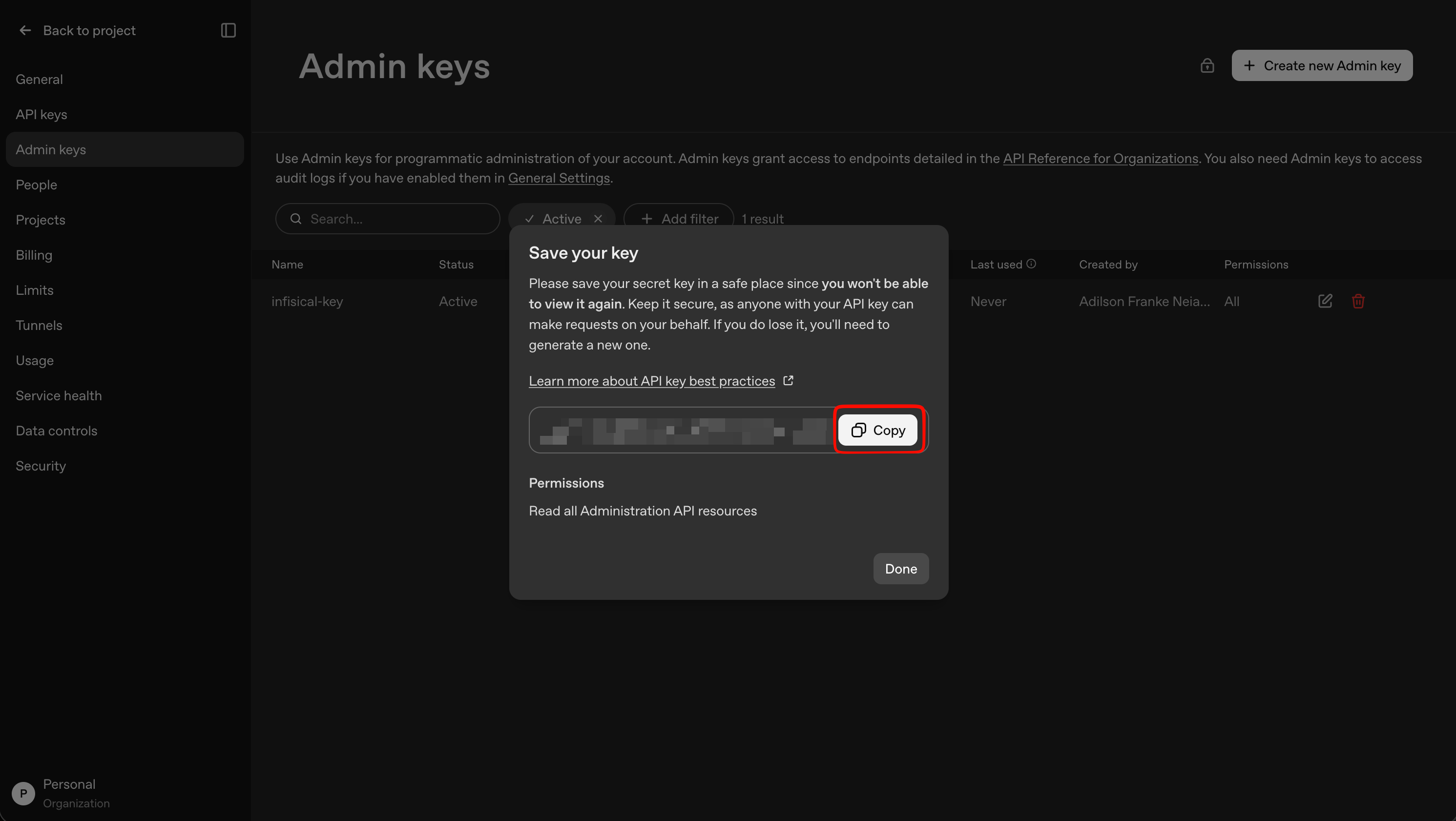
Create OpenAI connection in Infisical
- Infisical UI
- API
1
Navigate to App Connections
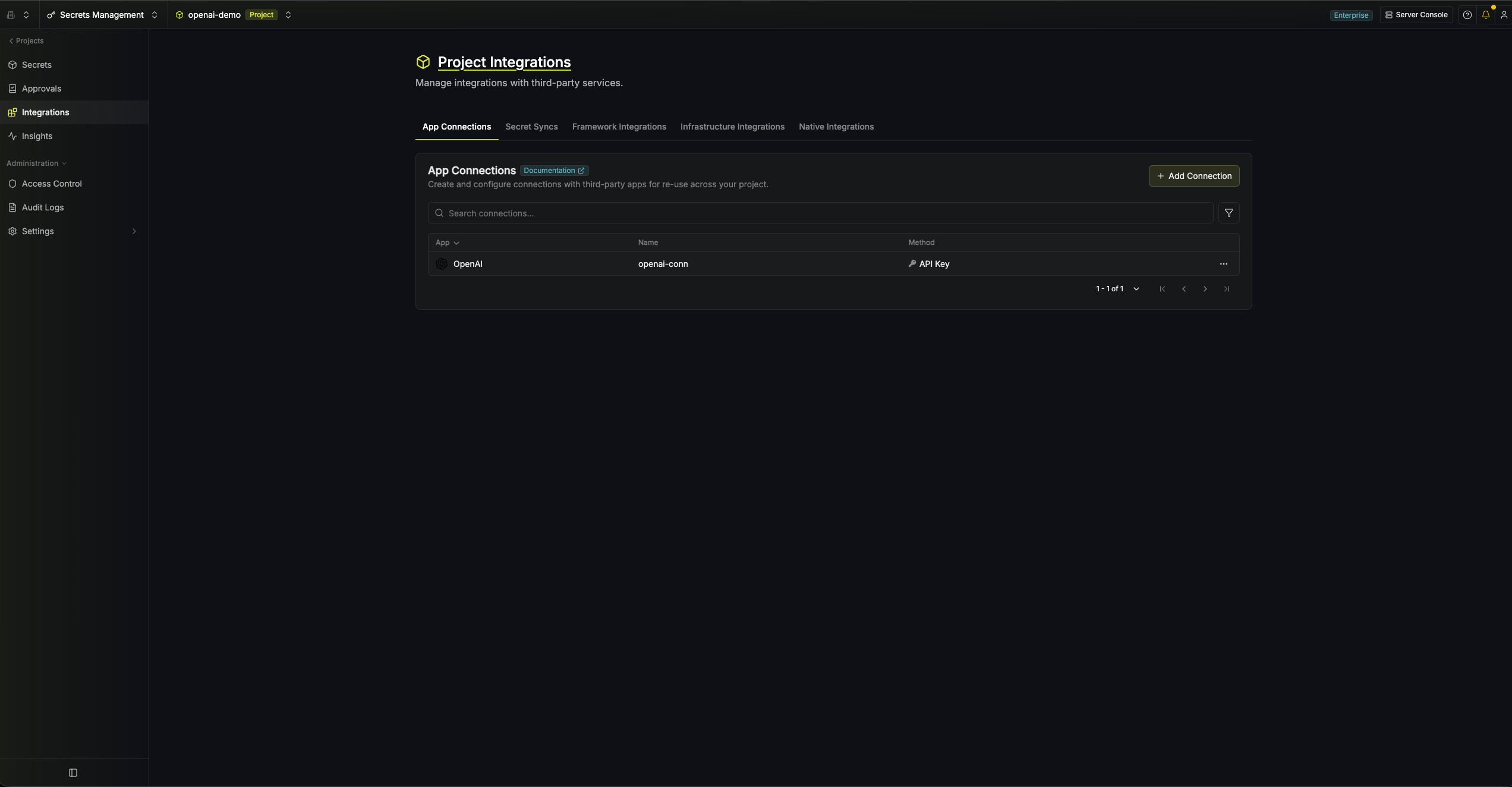
In your Infisical dashboard, go to Integrations → App Connections tab in your project.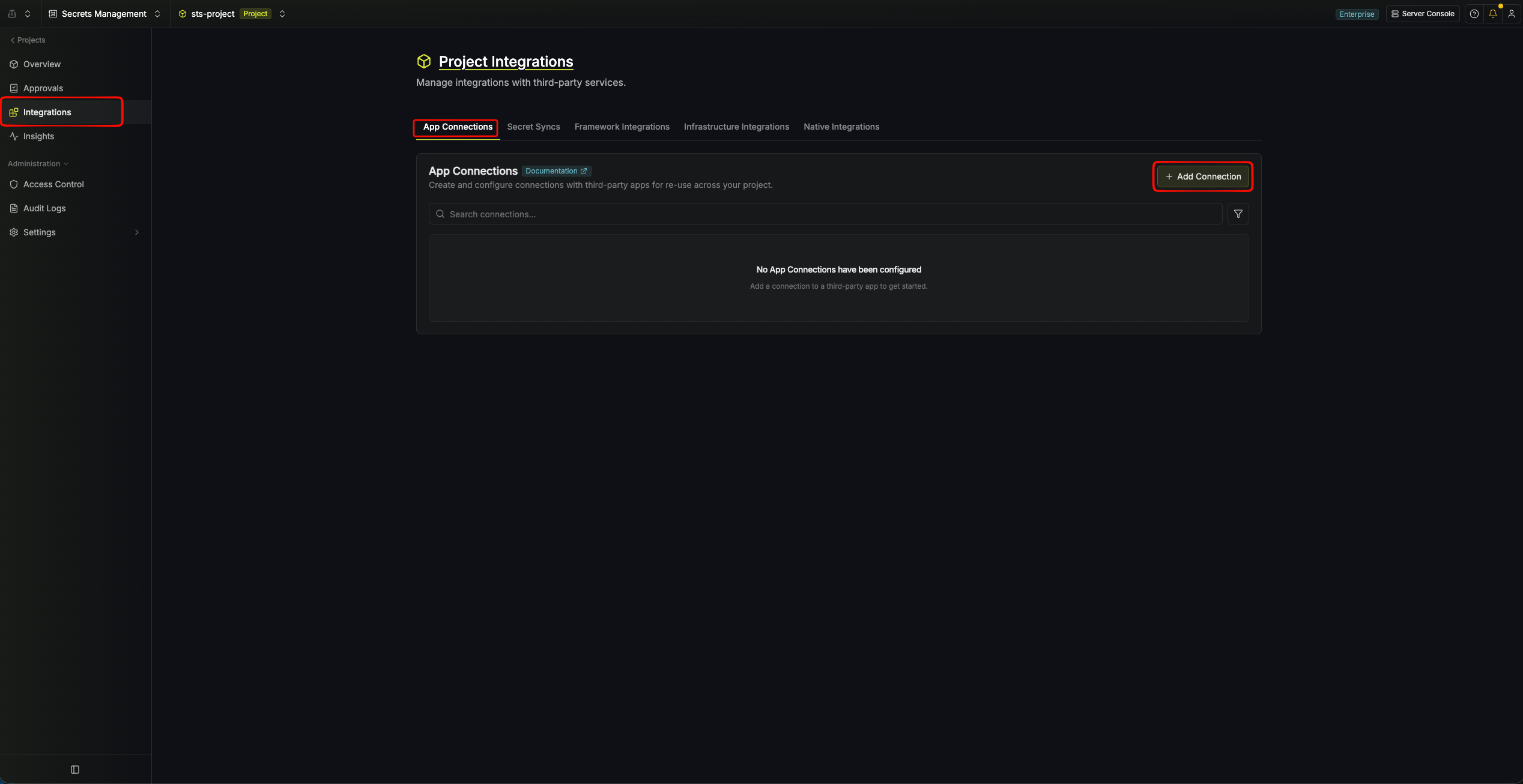
2
Select OpenAI Connection
Click Add Connection and choose OpenAI from the list of available connections.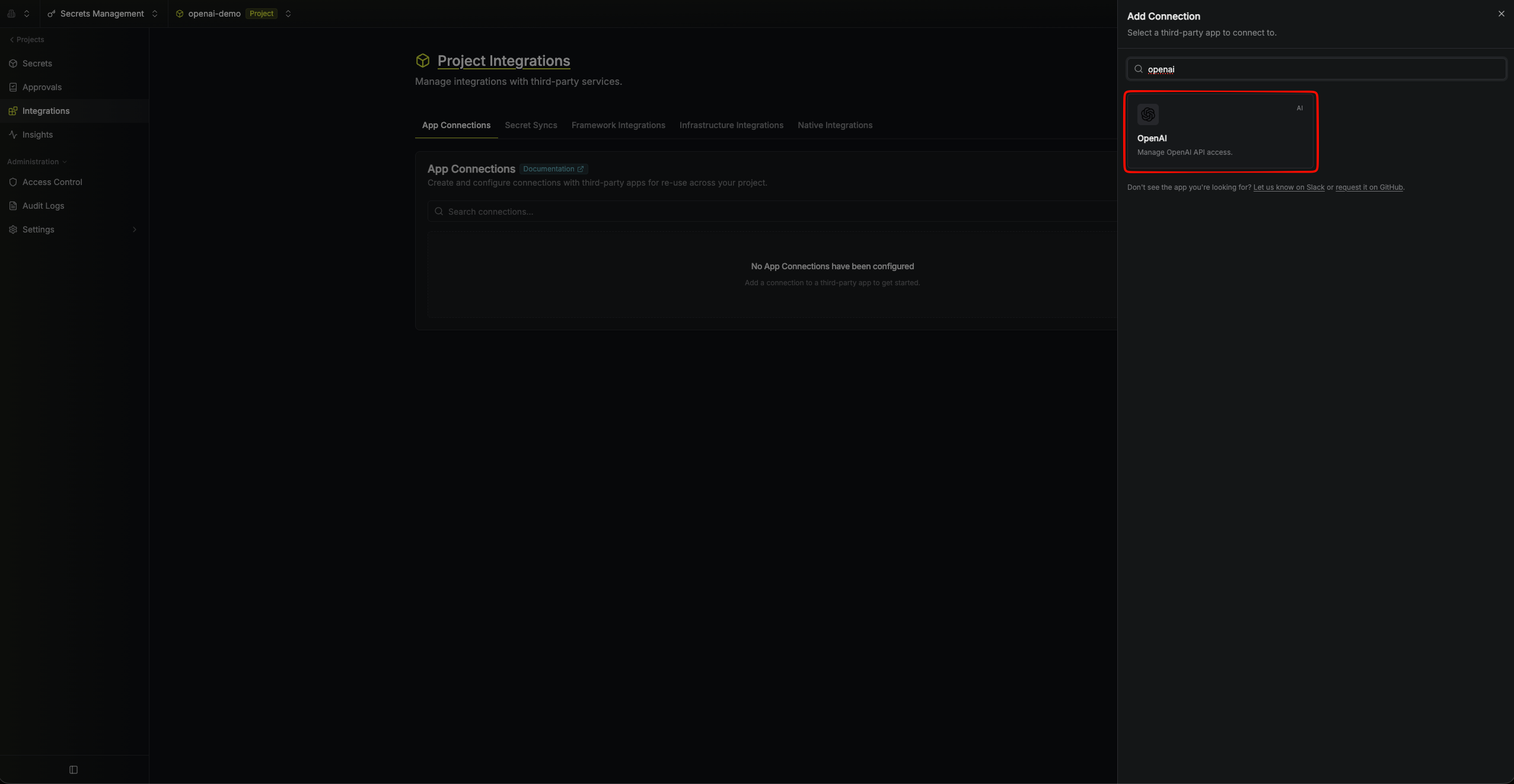
3
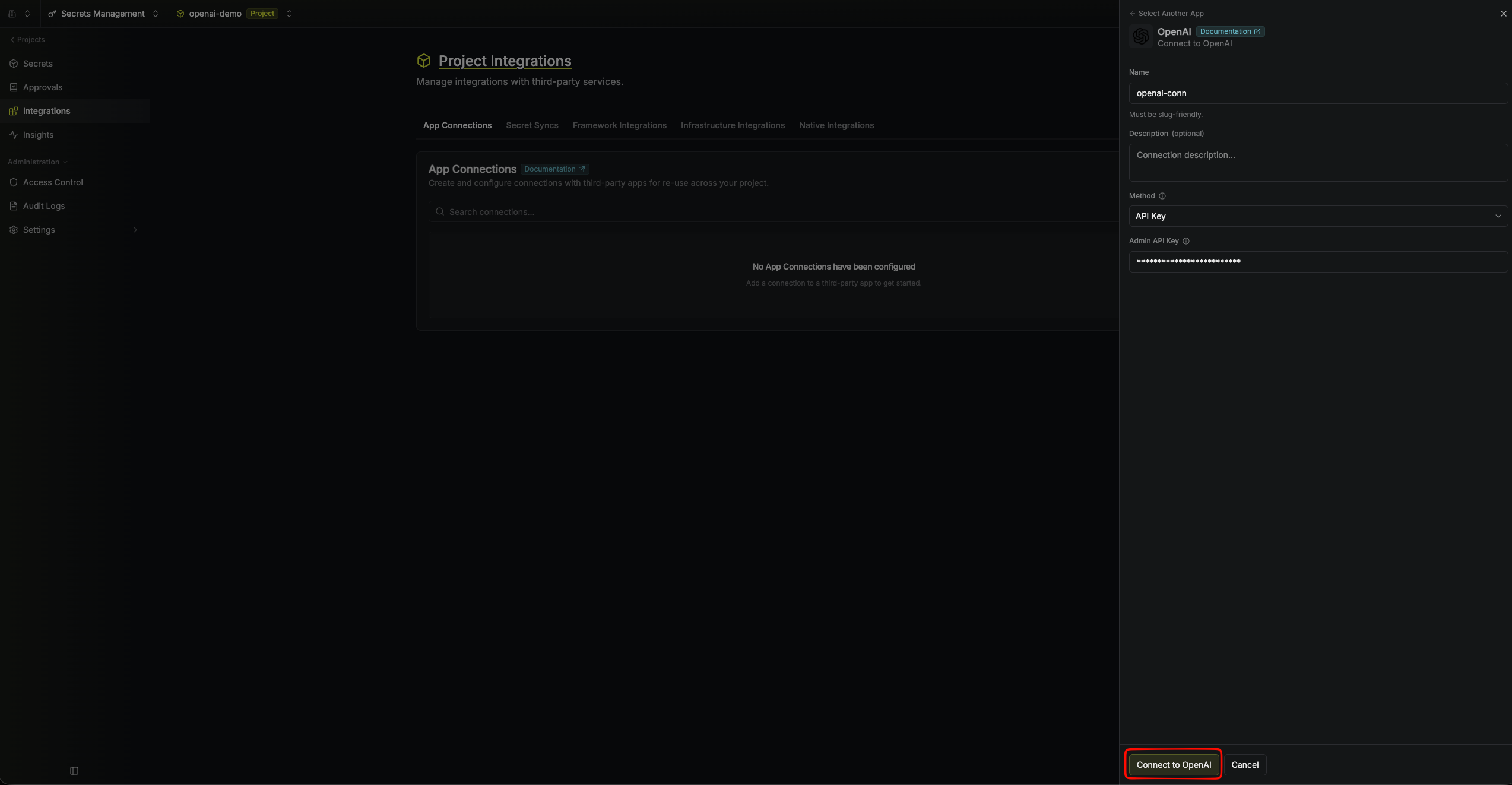
Fill out Connection Form
Complete the form with:
- A name for the connection
- An optional description
-
Your Admin API Key (from the steps above)
4
Connection Created
After clicking Connect to OpenAI, Infisical validates the key against the OpenAI API. Your OpenAI Connection is then ready to use for OpenAI Service Account Secret Rotation.