

The API Token must belong to a user with sufficient permissions to manage
environment variables on the repositories you plan to sync with Infisical.
Create a Travis CI API token
1
Sign in to Travis CI and open your profile
Navigate to https://app.travis-ci.com and select your profile avatar in the top-right corner, then select Settings.
2
Copy your API Token
In the Settings tab, locate the API authentication section. Select Copy Token to reveal and copy your personal API token.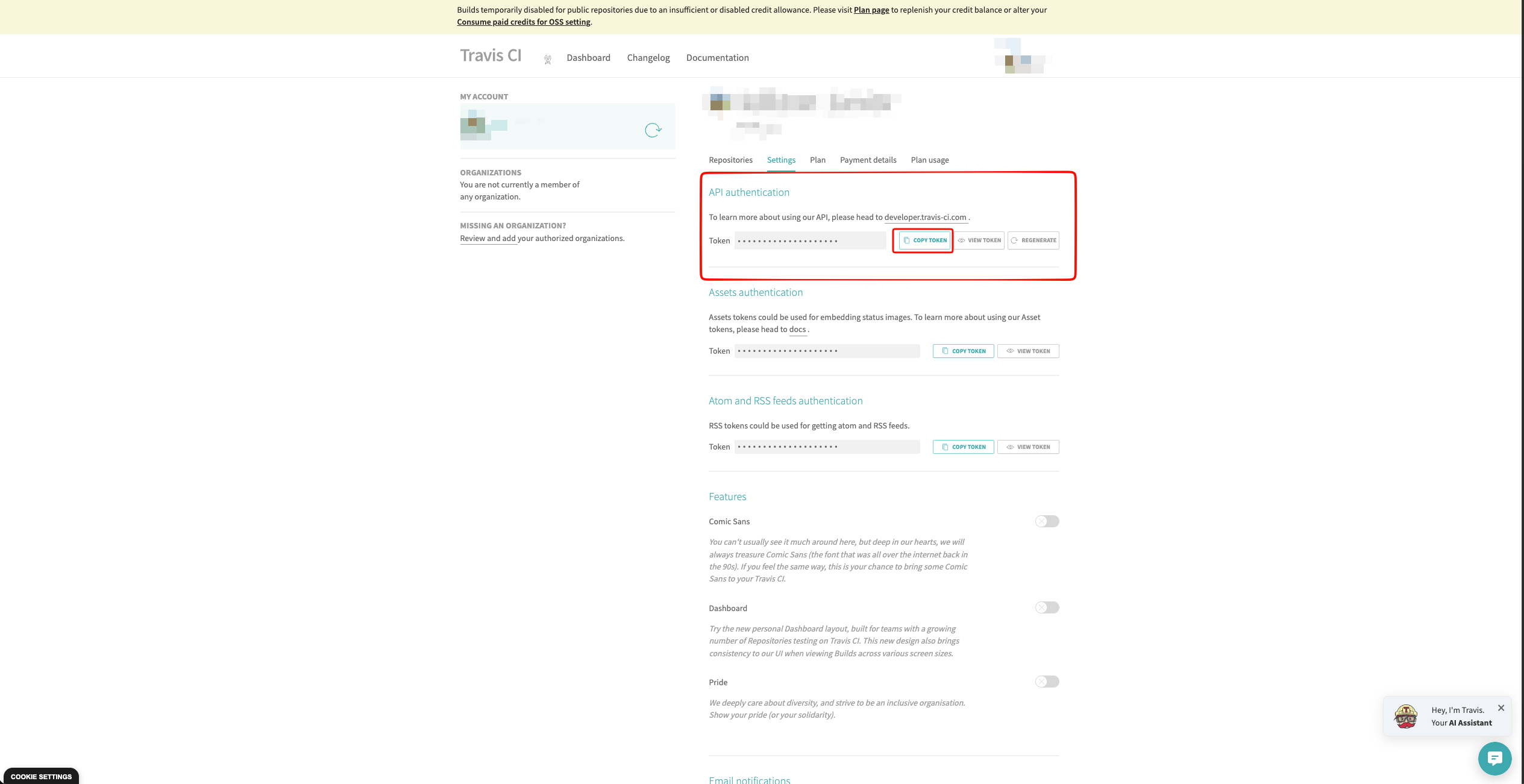
Treat this token like a password — it grants access to every repository you
have permission to administer. Store it somewhere safe; Infisical will
encrypt it at rest once the connection is created.
Create a Travis CI connection in Infisical
- Infisical UI
- API
1
Navigate to App Connections
In your Infisical dashboard, open the Integrations tab in the target project and select App Connections.
2
Select Travis CI Connection
Click + Add Connection and choose Travis CI Connection from the list.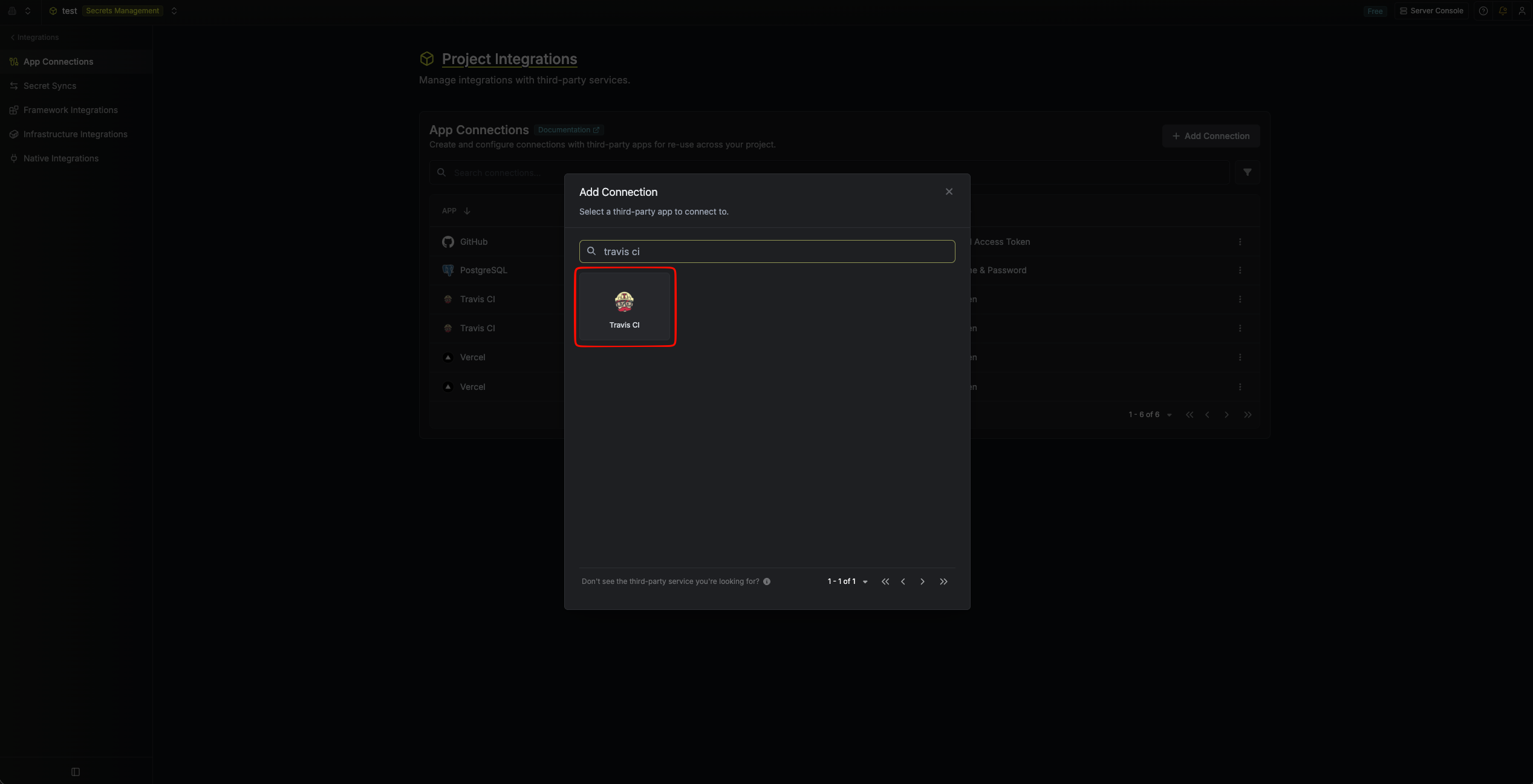
3
Fill out the Travis CI Connection form
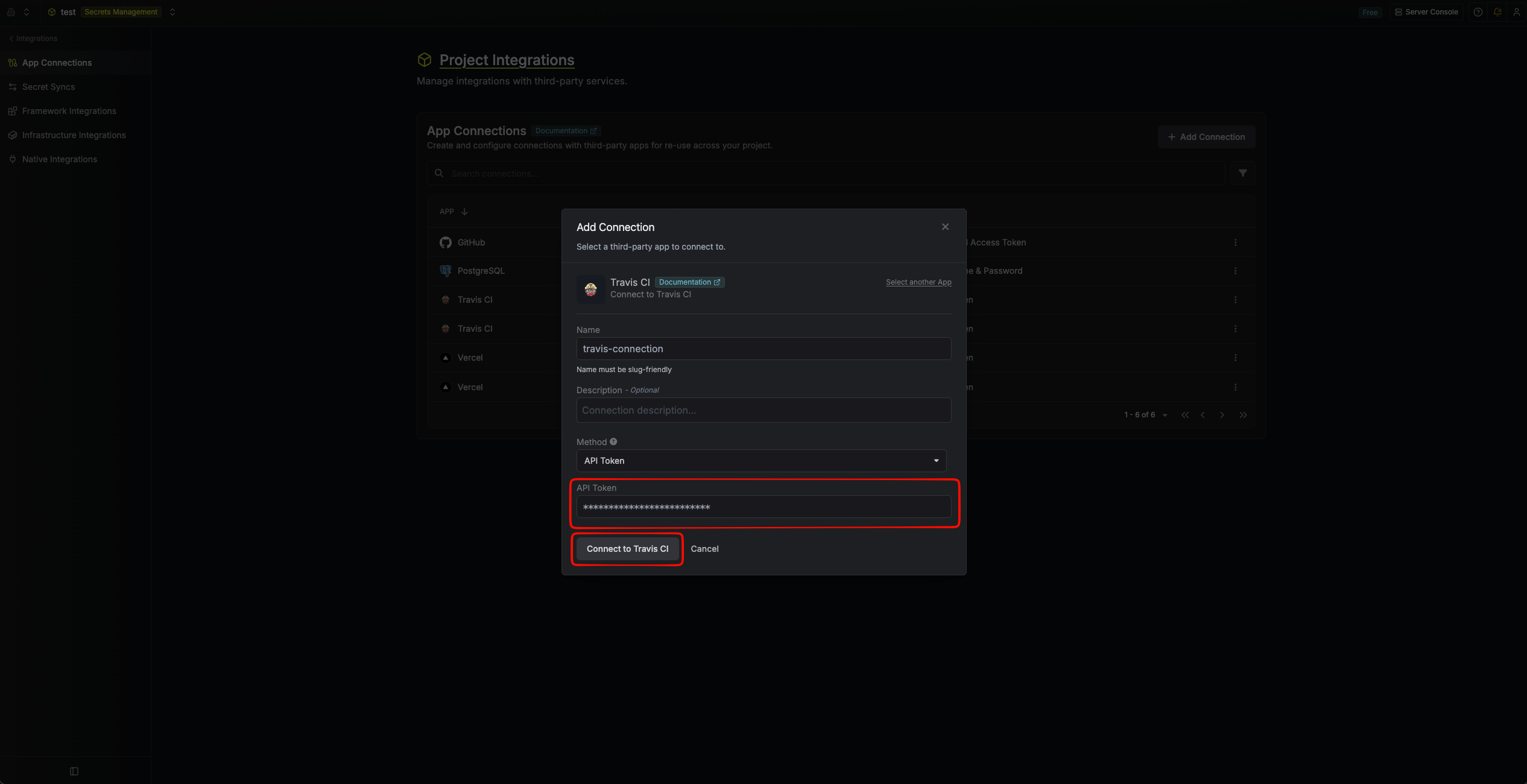
Complete the form by providing:
- A descriptive Name for the connection
- An optional Description
-
The API Token you copied from Travis CI
4
Connection created
After submitting, your Travis CI Connection is ready to be used by Secret Syncs and other Infisical features.