Create a personal access token in Convex
1
Navigate to Profile Settings
Log in to the Convex Dashboard, select your profile avatar in the top right, and select Profile Settings.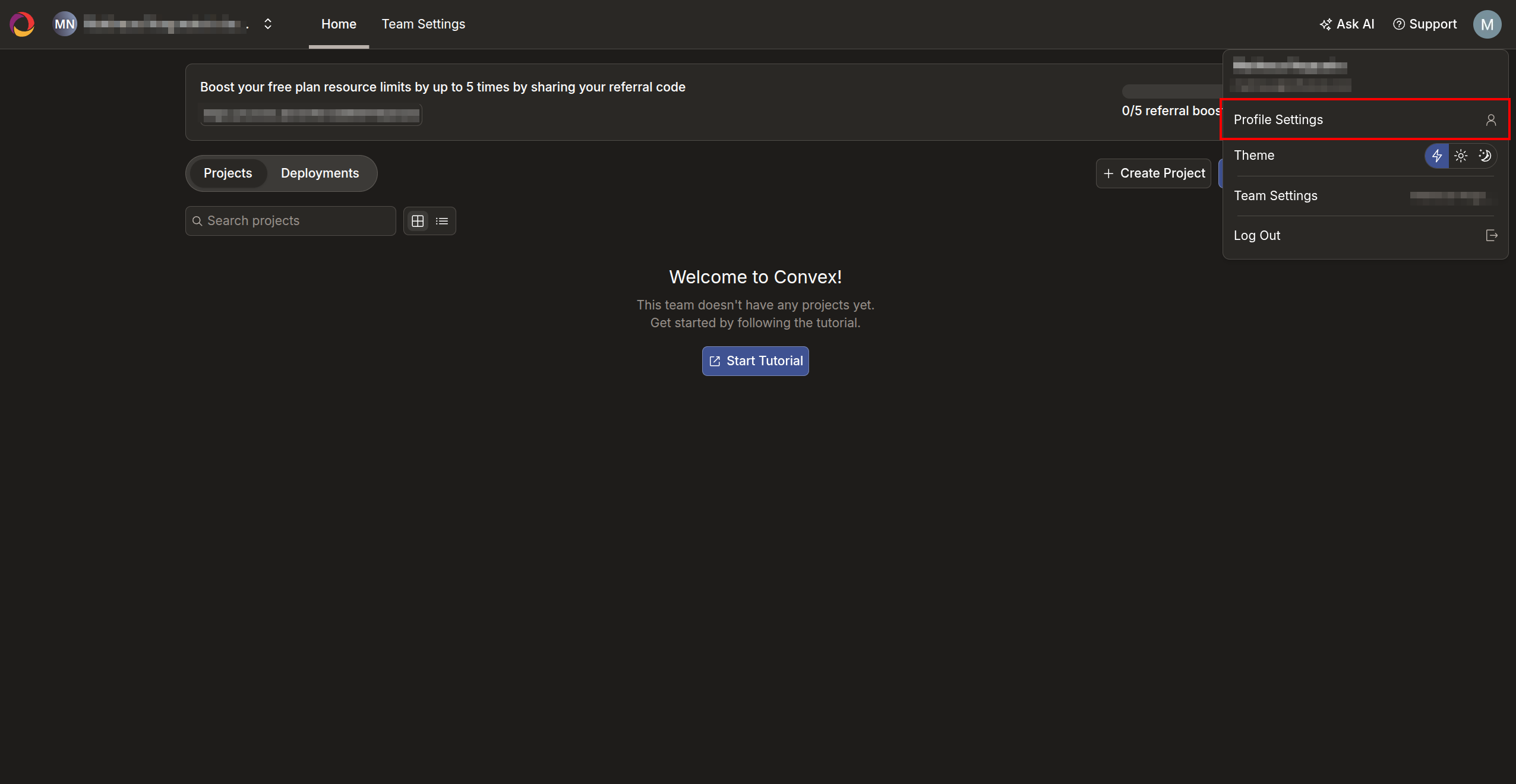
2
Create a Personal Access Token
Scroll down to the Personal Access Tokens section and click the + Create Token button.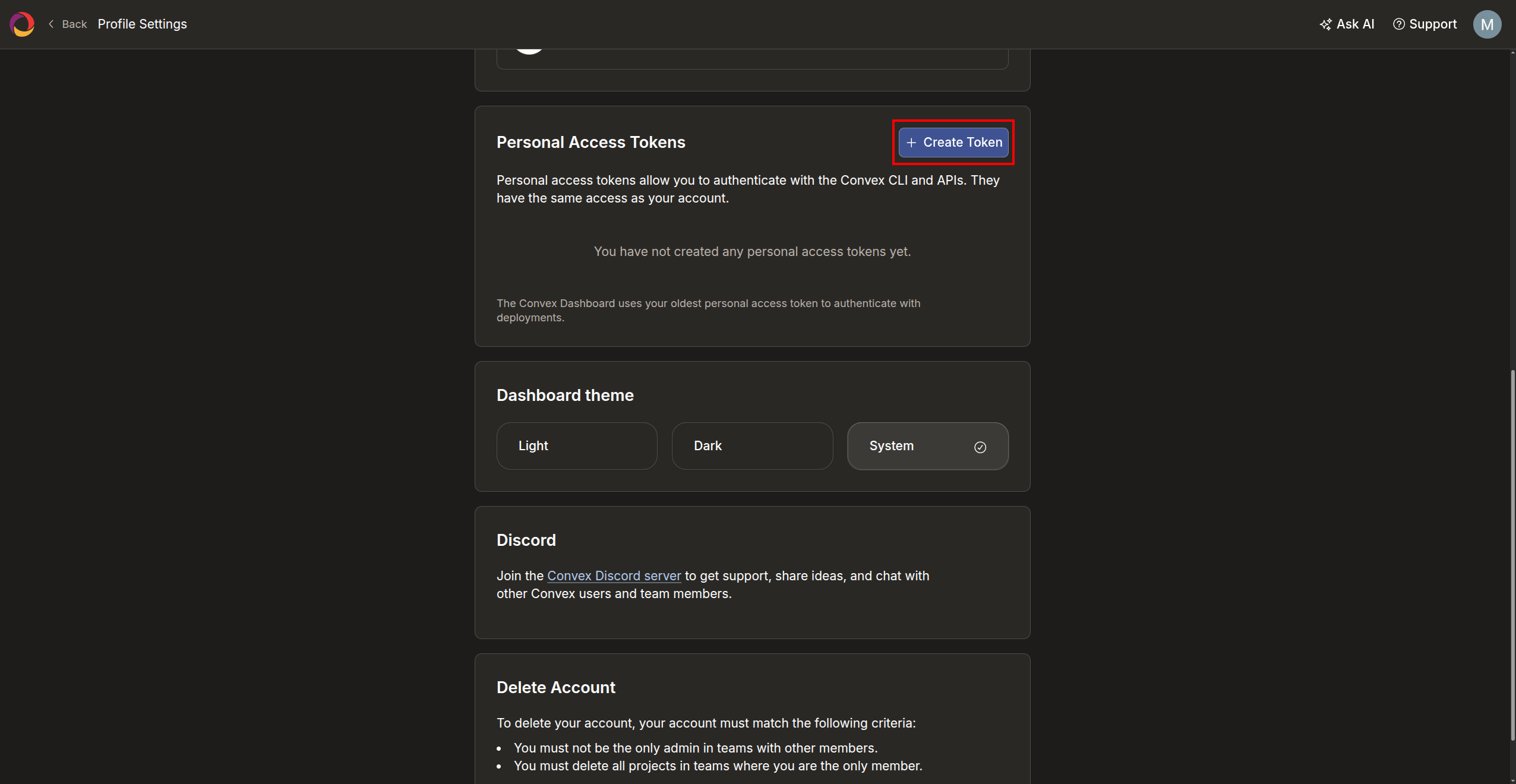
3
Configure the Token
Enter a Token Name (e.g. 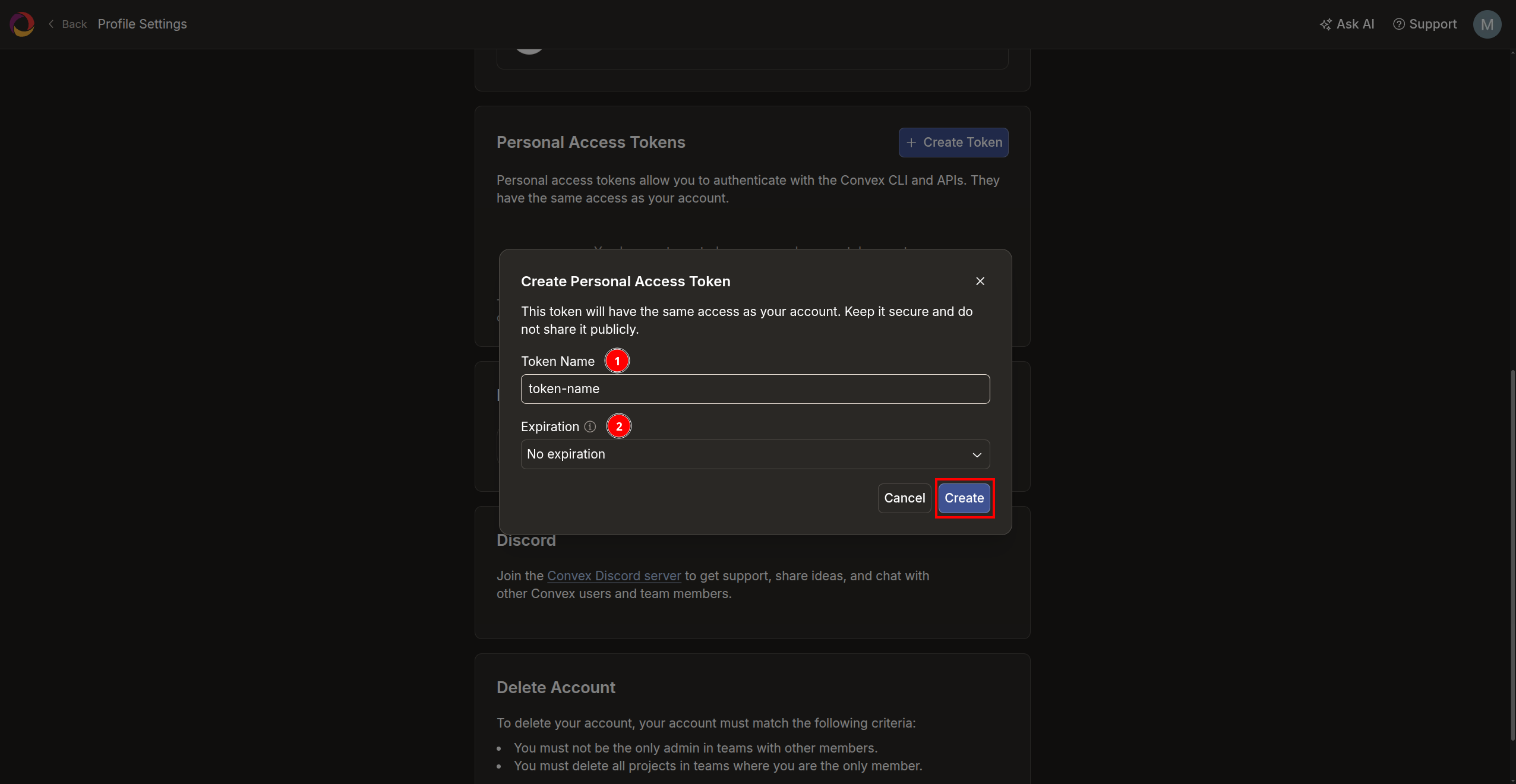
infisical) and select an Expiration period, then click Create.4
Copy the Token
Copy the generated token and store it securely. You will not be able to see it again. You will need it to configure the Convex connection in Infisical.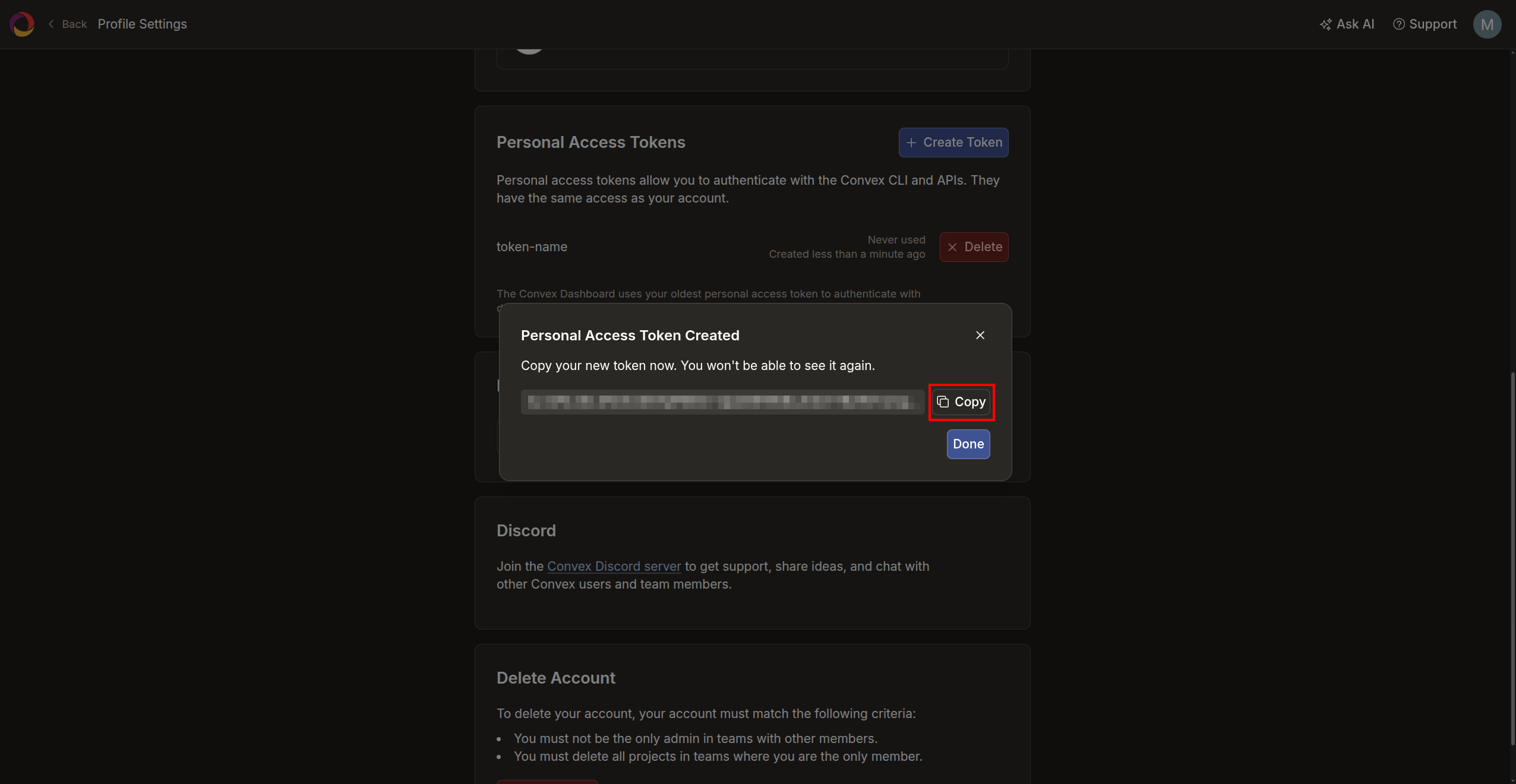
Setup Convex connection in Infisical
1
Navigate to App Connections
Navigate to the App Connections tab in your organization and select + Add Connection.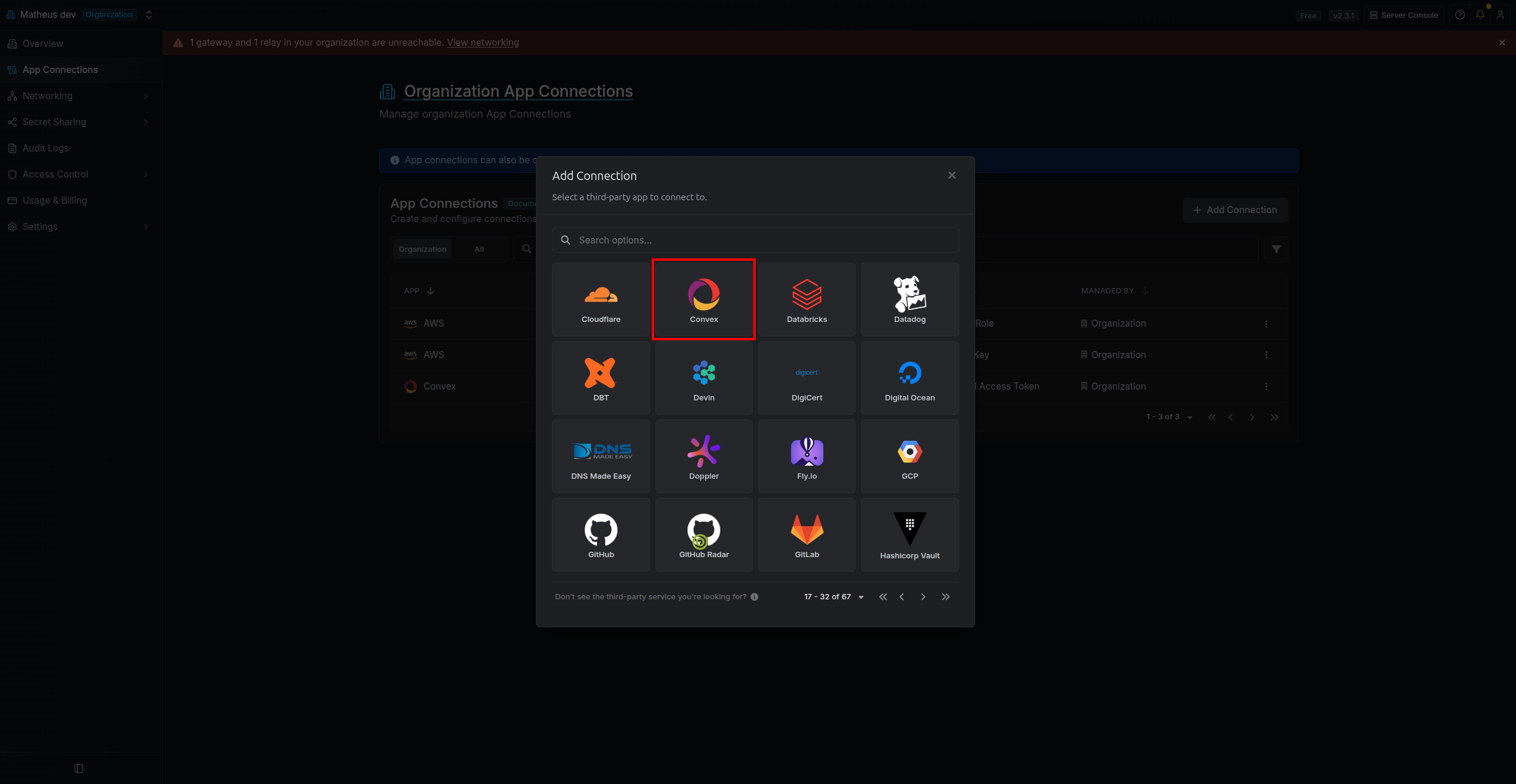
2
Create the Connection
Select the Convex option, fill in the connection Name, select the Personal Access Token method, paste the Access Token you copied earlier, and click Connect to Convex.Optionally, you can provide an Instance URL if you are self-hosting Convex. If left empty, 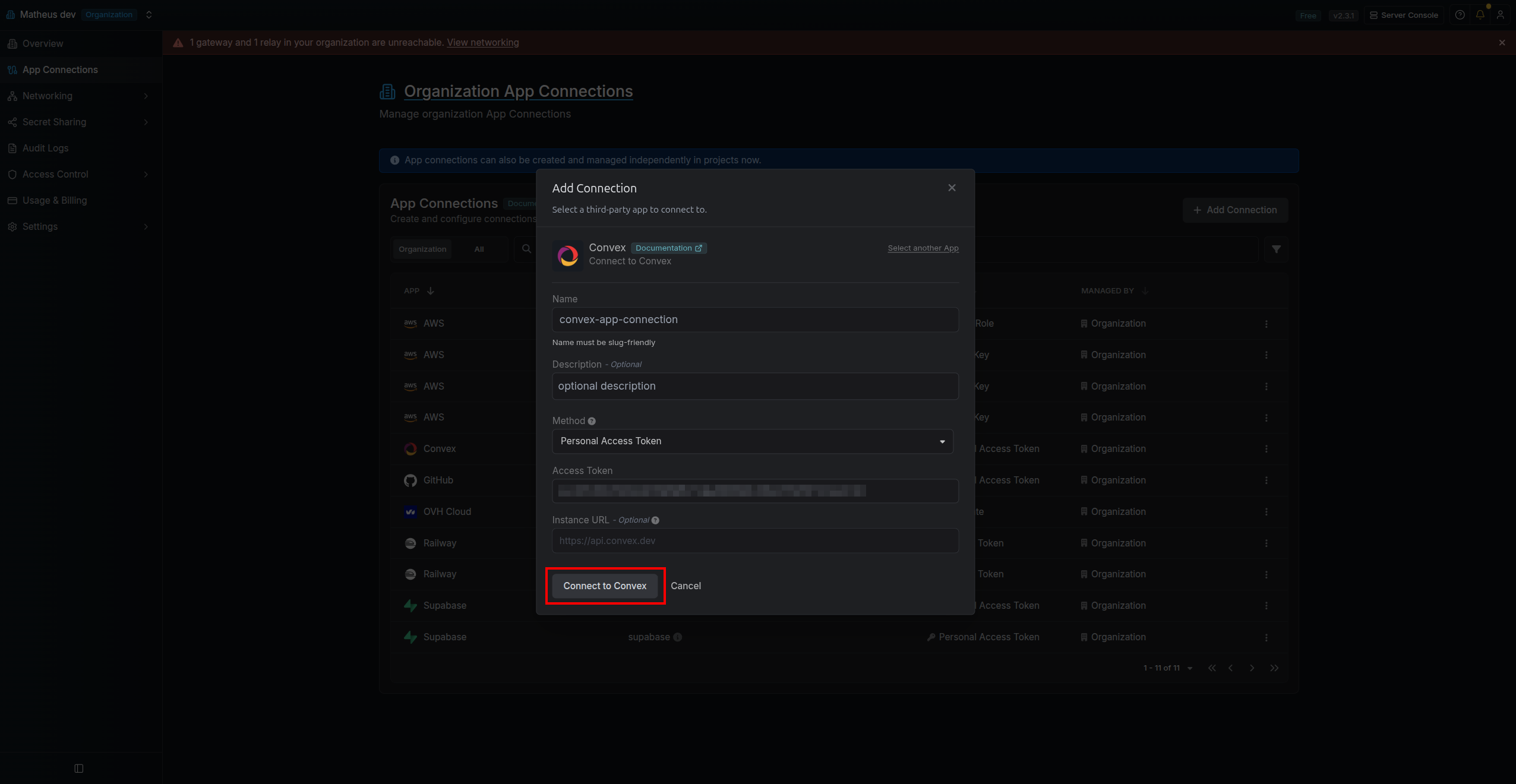
https://api.convex.dev is used by default.3
Connection Created
Your Convex Connection is now available for use.