Create Qovery access token
1
Navigate to your organization Settings
In the Qovery console, select the Settings tab for your organization.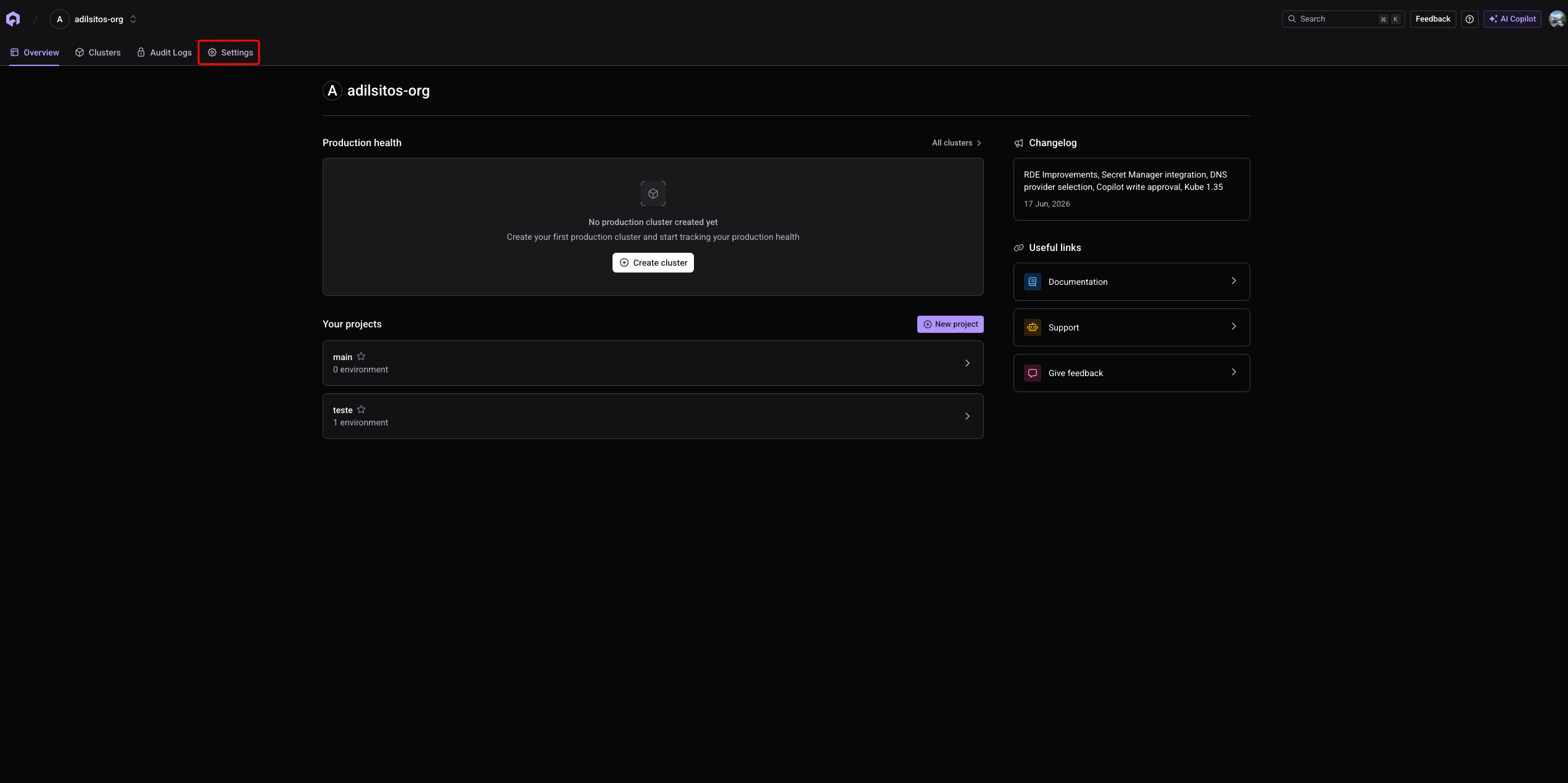
2
Open the 'API token' section
In the settings sidebar, select API token.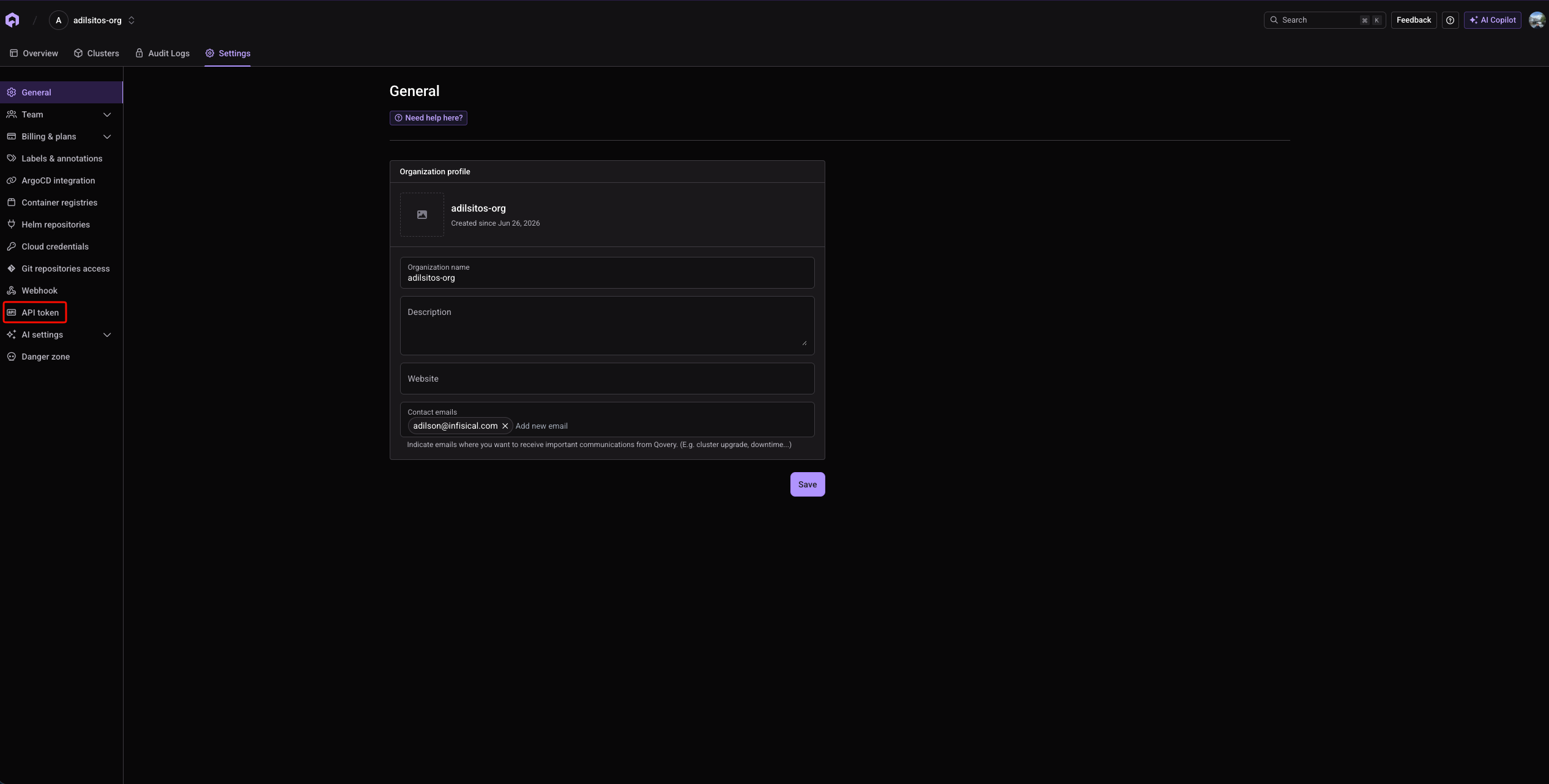
3
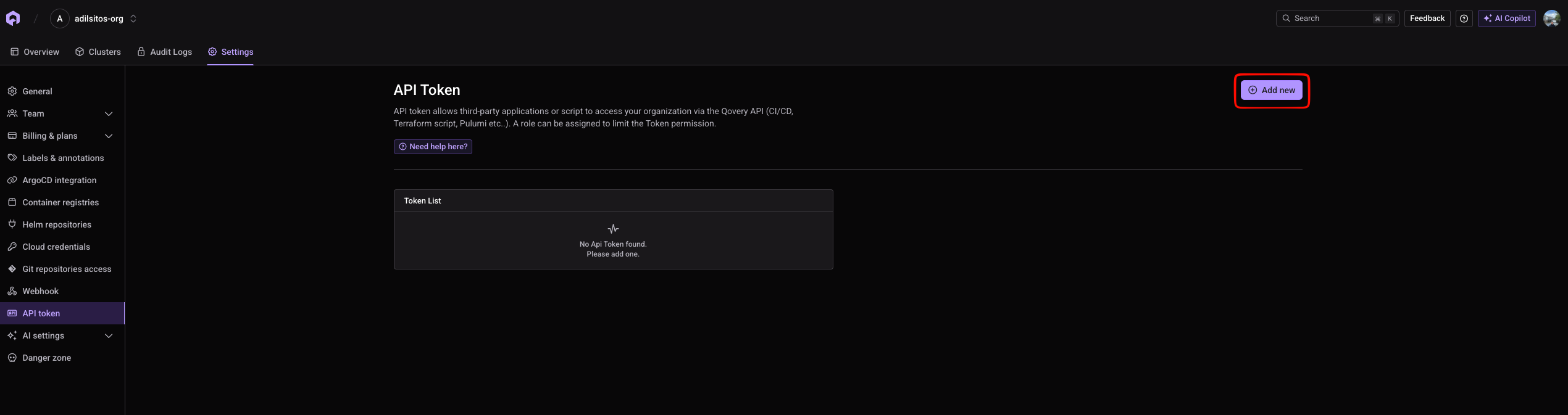
Click 'Add new'
4
Create the token
Give the token a name and assign it a role that can read organizations, projects, and environments and manage variables at the scope you intend to sync to, then click Create. After creating the token, a modal containing your project access token will appear. Save this token for later steps.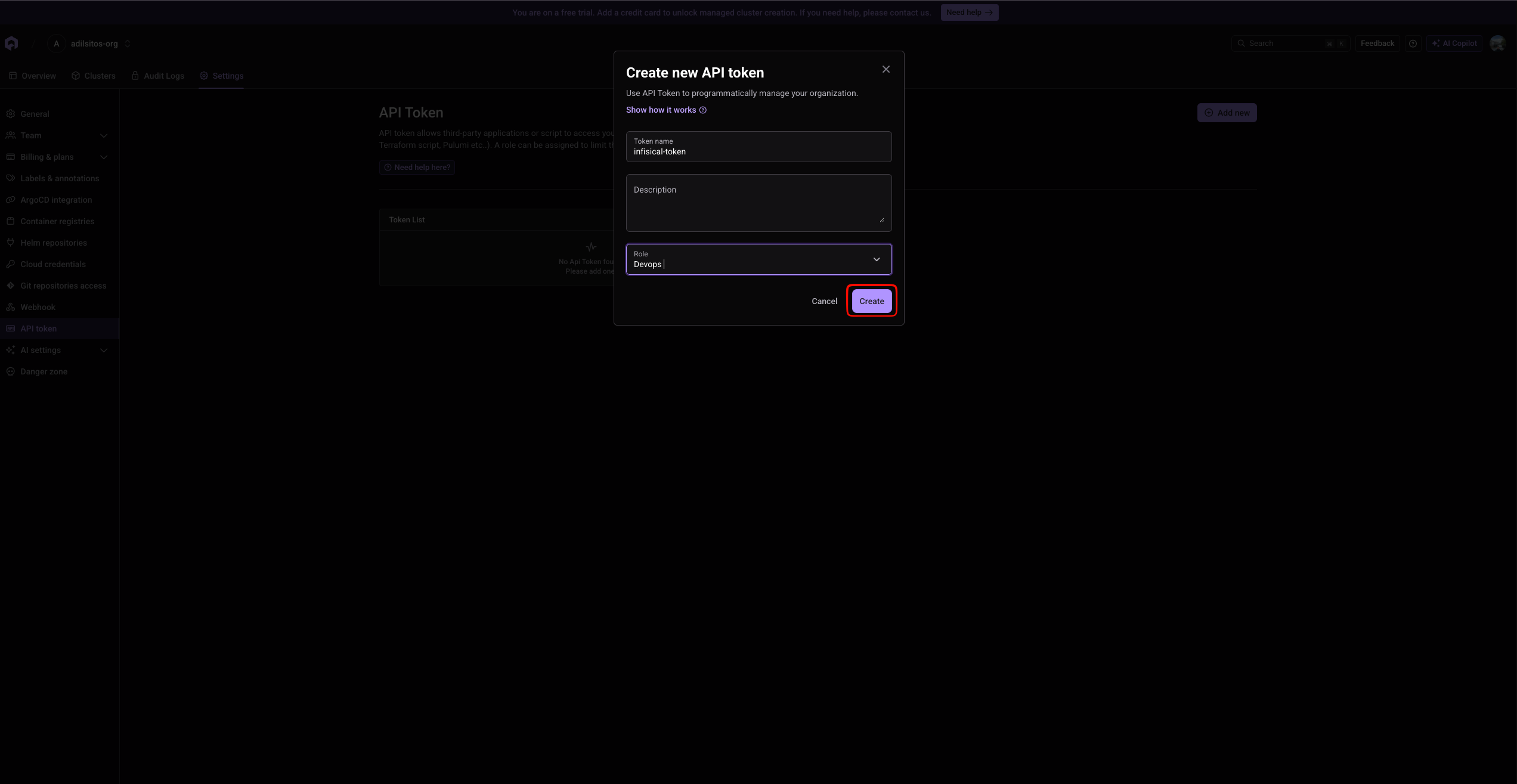
Create Qovery connection in Infisical
- Infisical UI
- API
1
Navigate to App Connections
In your Infisical dashboard, navigate to the Integrations tab in the desired project, then select App Connections.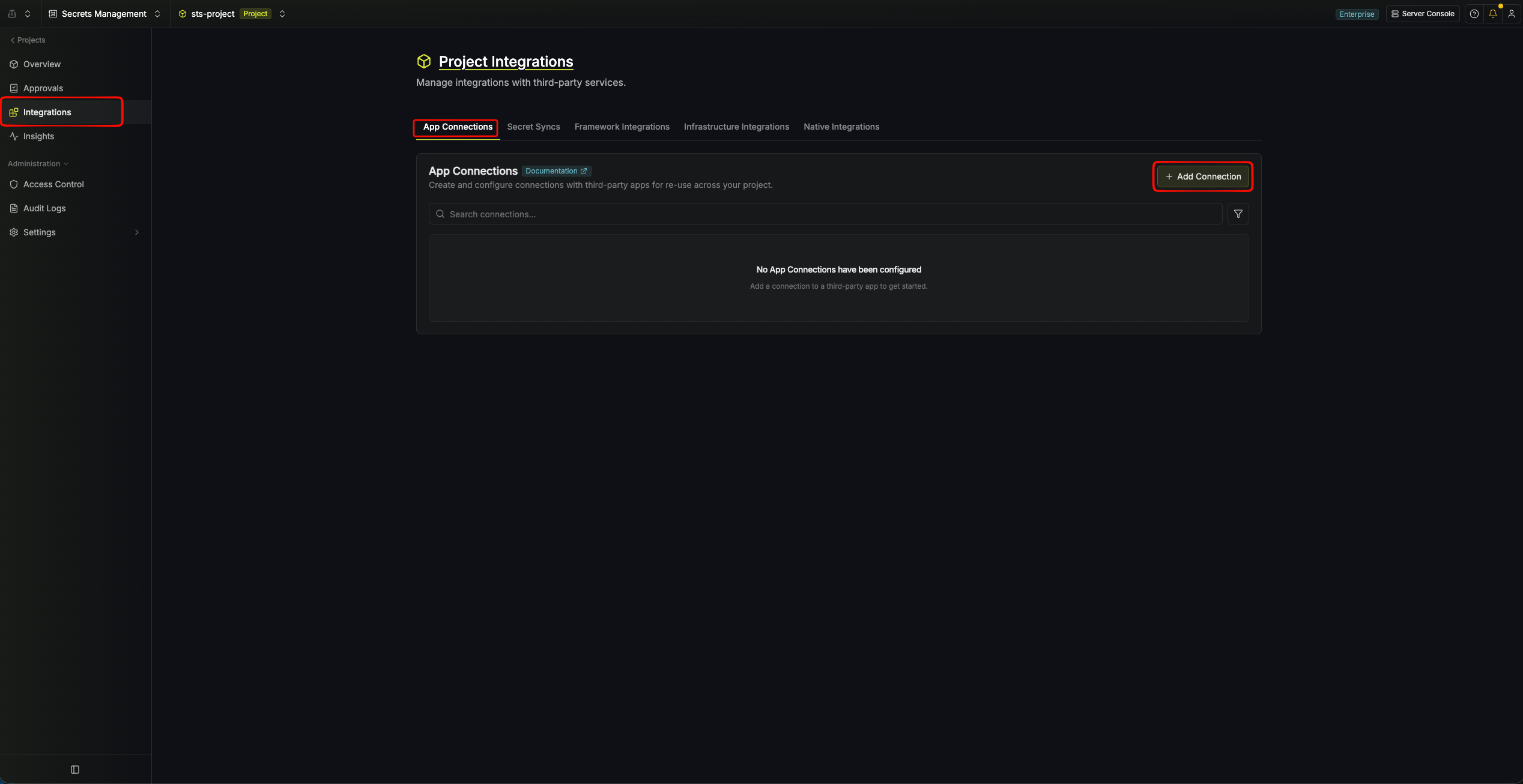
2
Select Qovery Connection
Click the + Add Connection button and select the Qovery Connection option from the available integrations.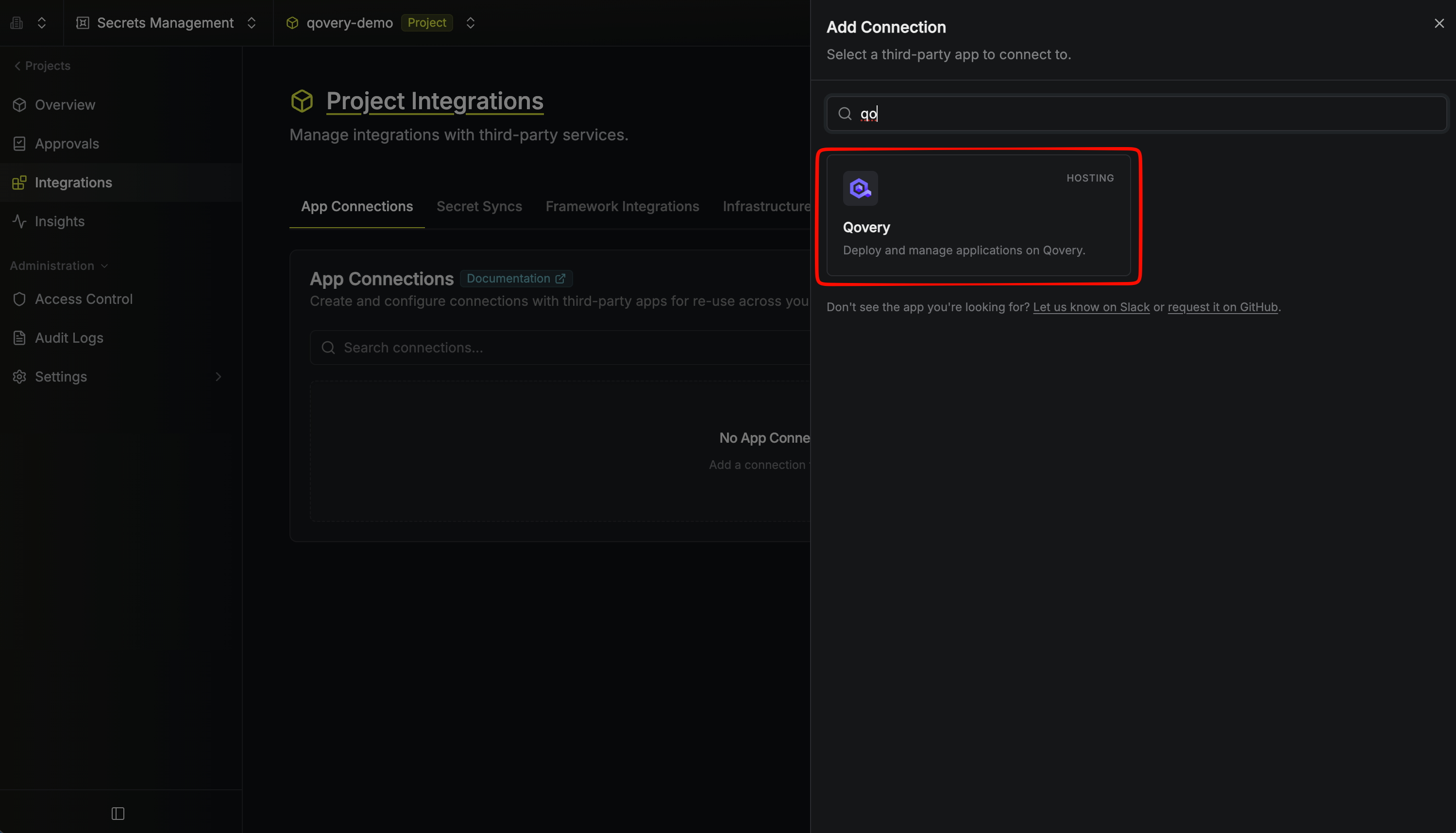
3
Fill out the Qovery Connection form
Complete the Qovery Connection form by entering: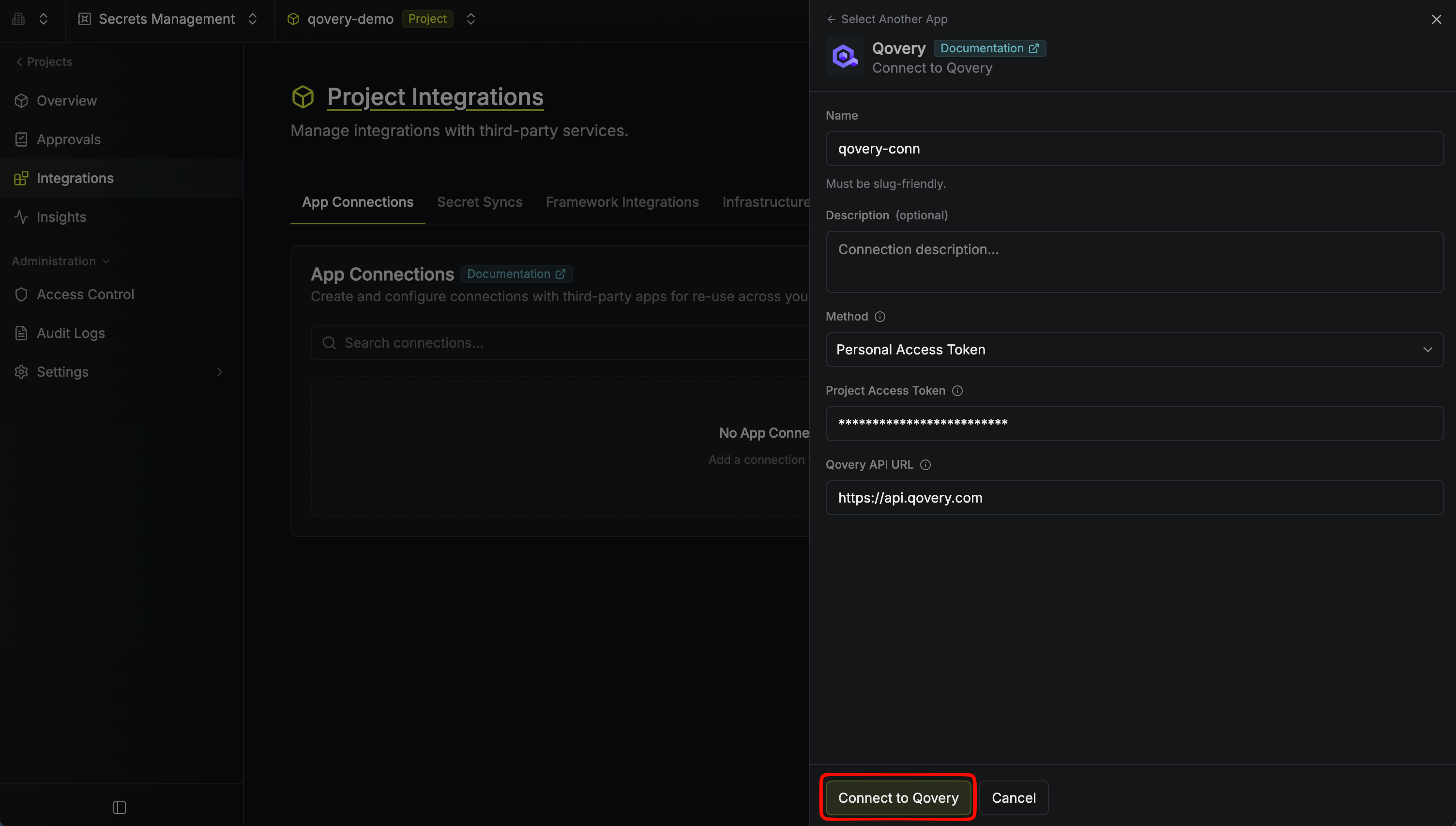
- A descriptive Name for the connection
- An optional Description for future reference
- The Method, set to Personal Access Token
- The Project Access Token from earlier steps
4
Connection Created
After clicking Connect to Qovery, your Qovery Connection is established and ready to use with your Infisical project.