

Create Trigger.dev personal access token
1
Open the account menu
In the Trigger.dev dashboard, select your account avatar in the top-left corner to open the account menu, then select Account.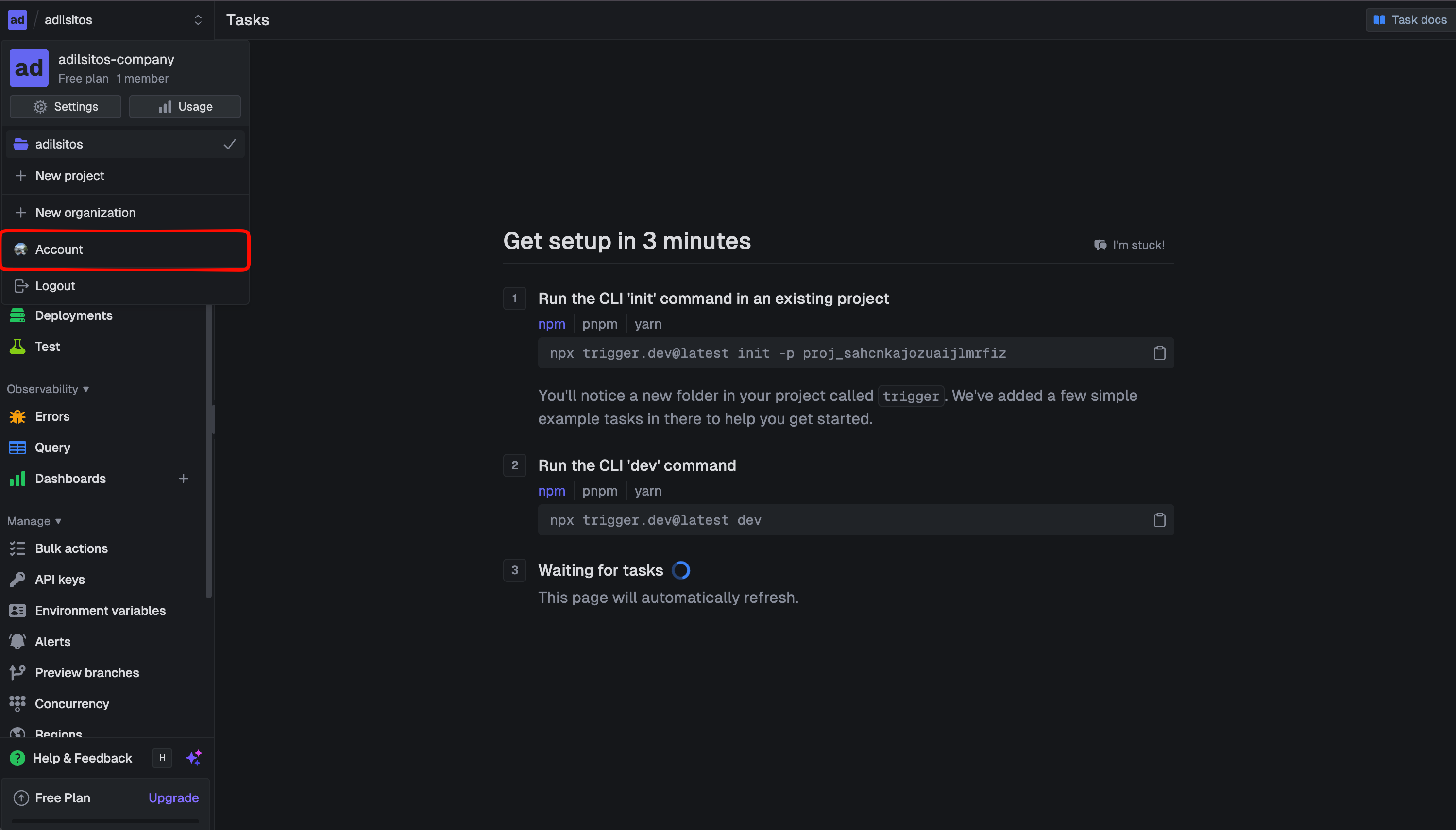
2
Navigate to 'Personal Access Tokens'
Select Personal Access Tokens from the menu.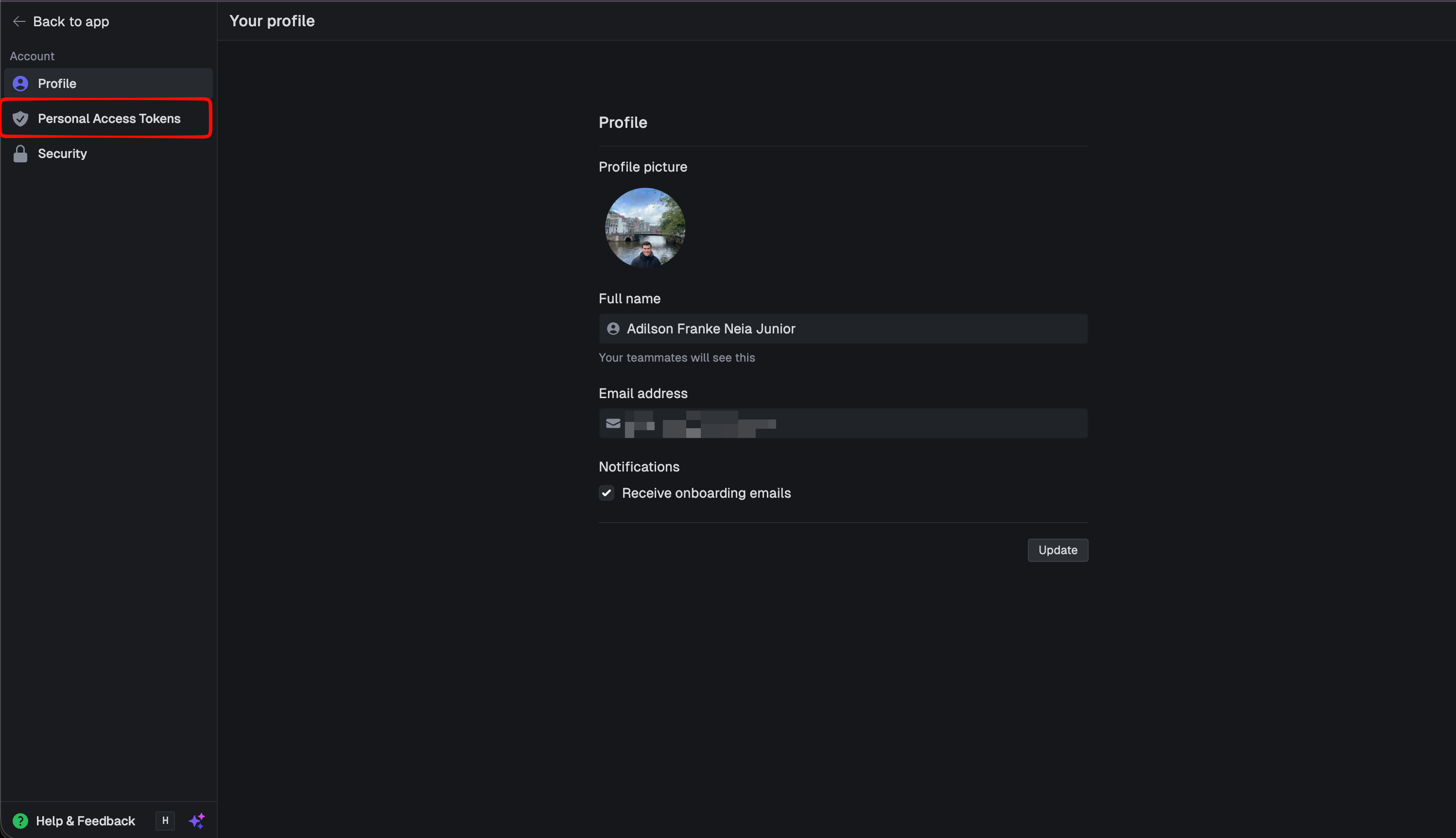
3
Create a new token
Select Create new token.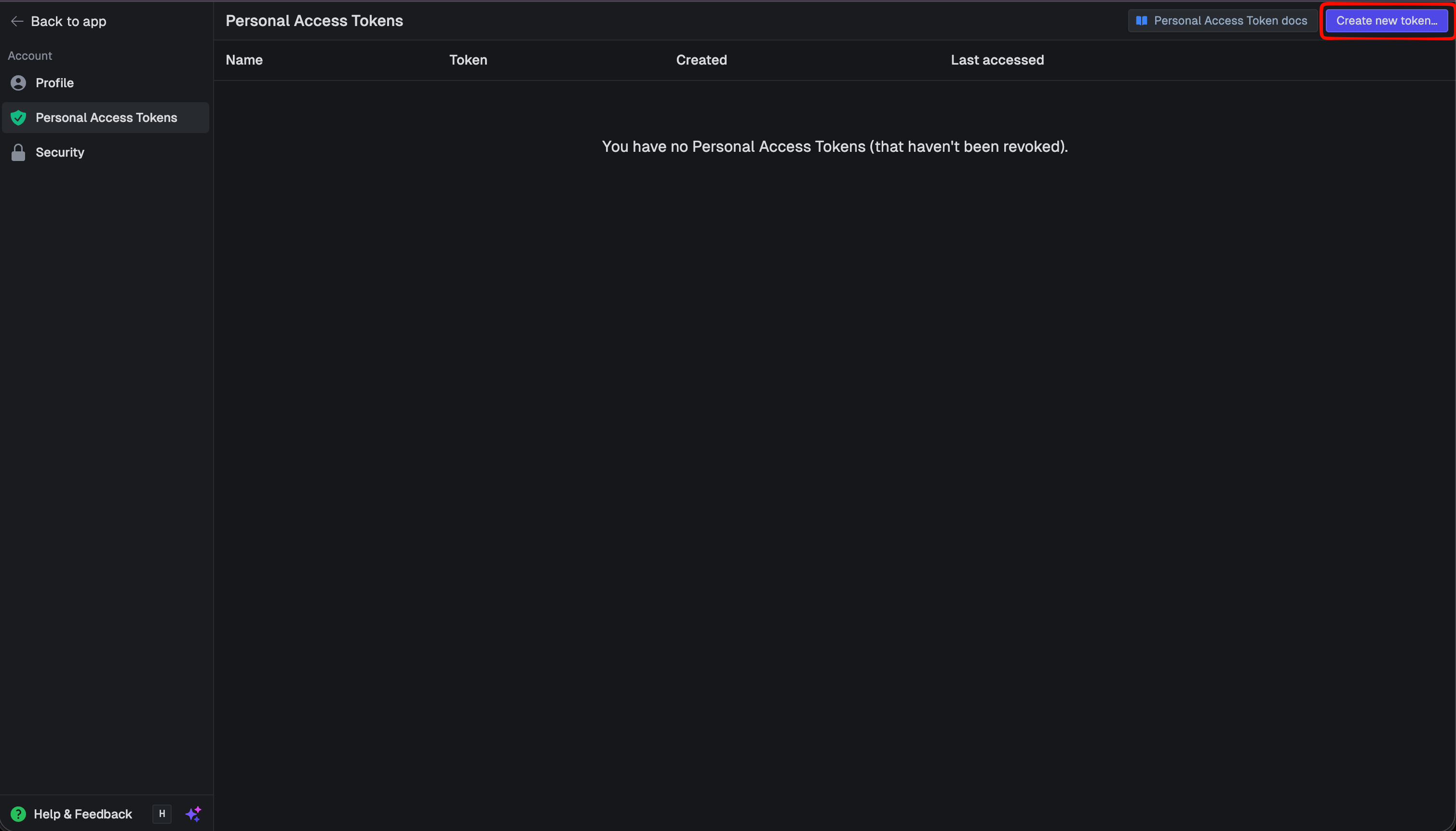 Give the token a descriptive name, then click Create token.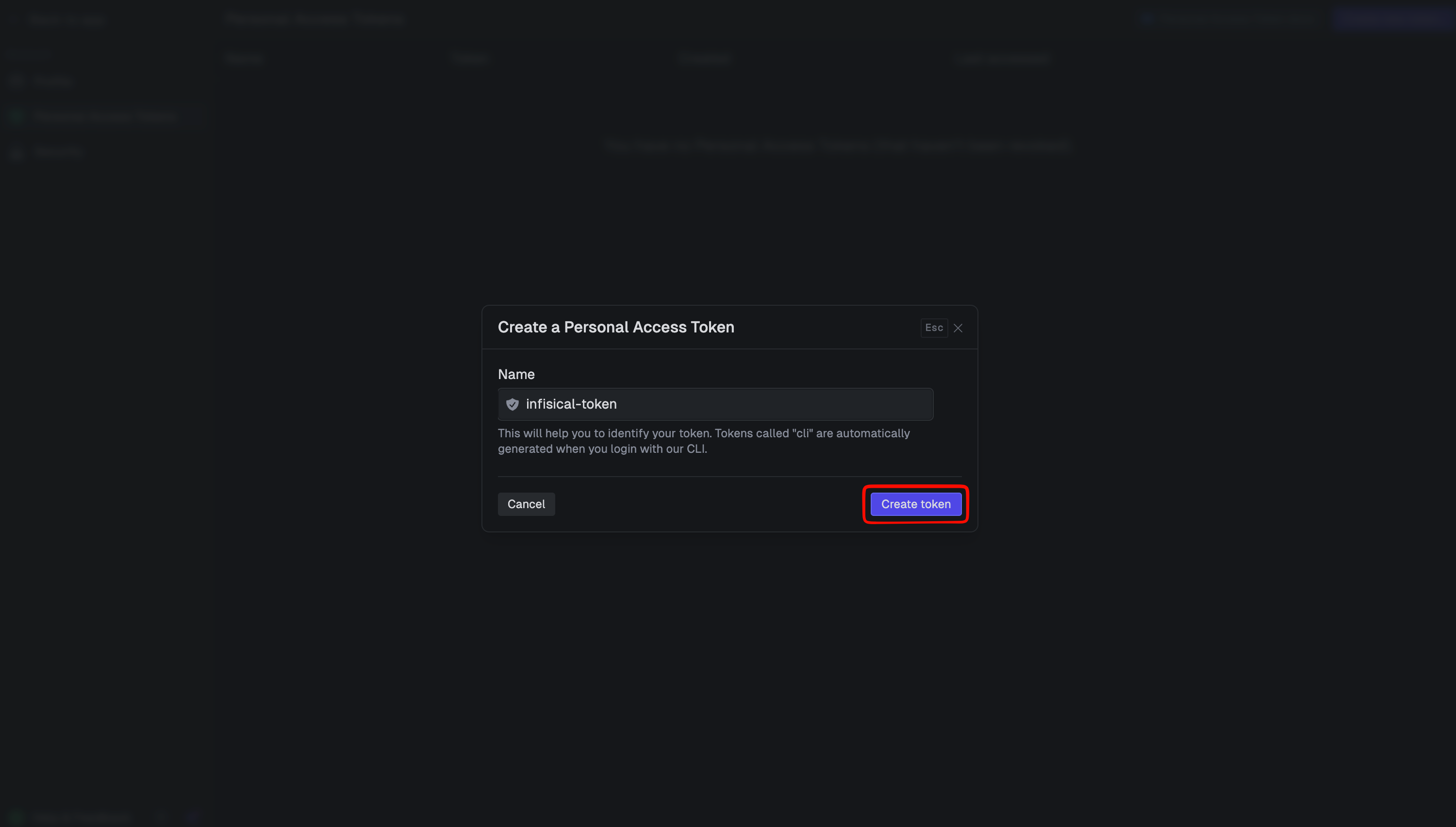
Give the token a descriptive name, then click Create token.4
Save Token
After creating the token, a value beginning with 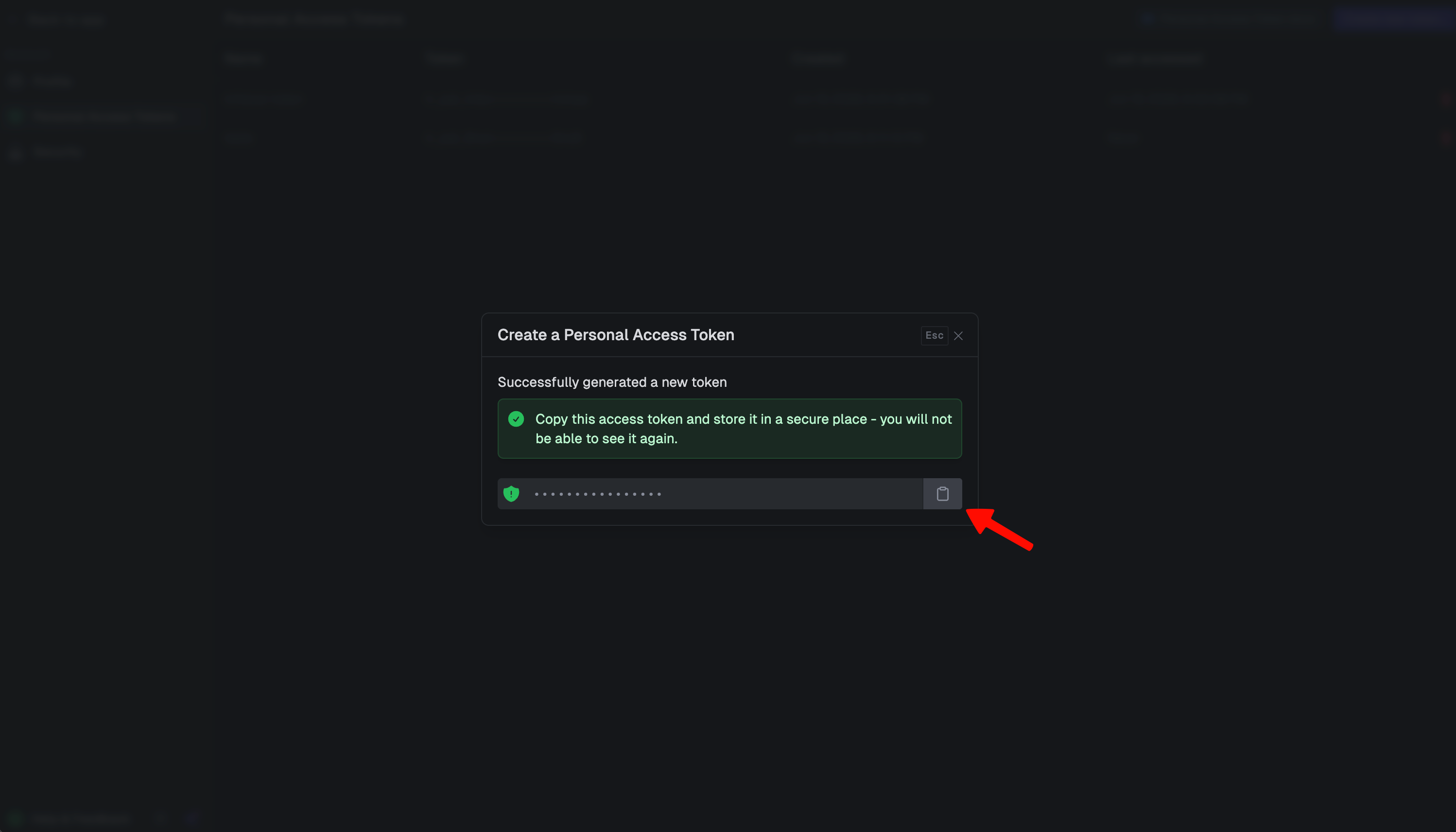
tr_pat_ will appear. Copy and save this token for later steps, as you will not be able to view it again.Create Trigger.dev connection in Infisical
- Infisical UI
- API
1
Navigate to App Connections
In your Infisical dashboard, navigate to the Integrations tab in the desired project, then select App Connections.
2
Select Trigger.dev Connection
Click the + Add Connection button and select the Trigger.dev Connection option from the available integrations.
3
Fill out the Trigger.dev Connection Modal
Complete the Trigger.dev Connection form by entering:
- A descriptive name for the connection
- An optional description for future reference
- The Personal Access Token from earlier steps
- An optional Instance URL if you are connecting to a self-hosted Trigger.dev deployment. Leave this blank to use Trigger.dev Cloud (
https://api.trigger.dev).
4
Connection Created
After clicking Create, your Trigger.dev Connection is established and ready to use with your Infisical project.