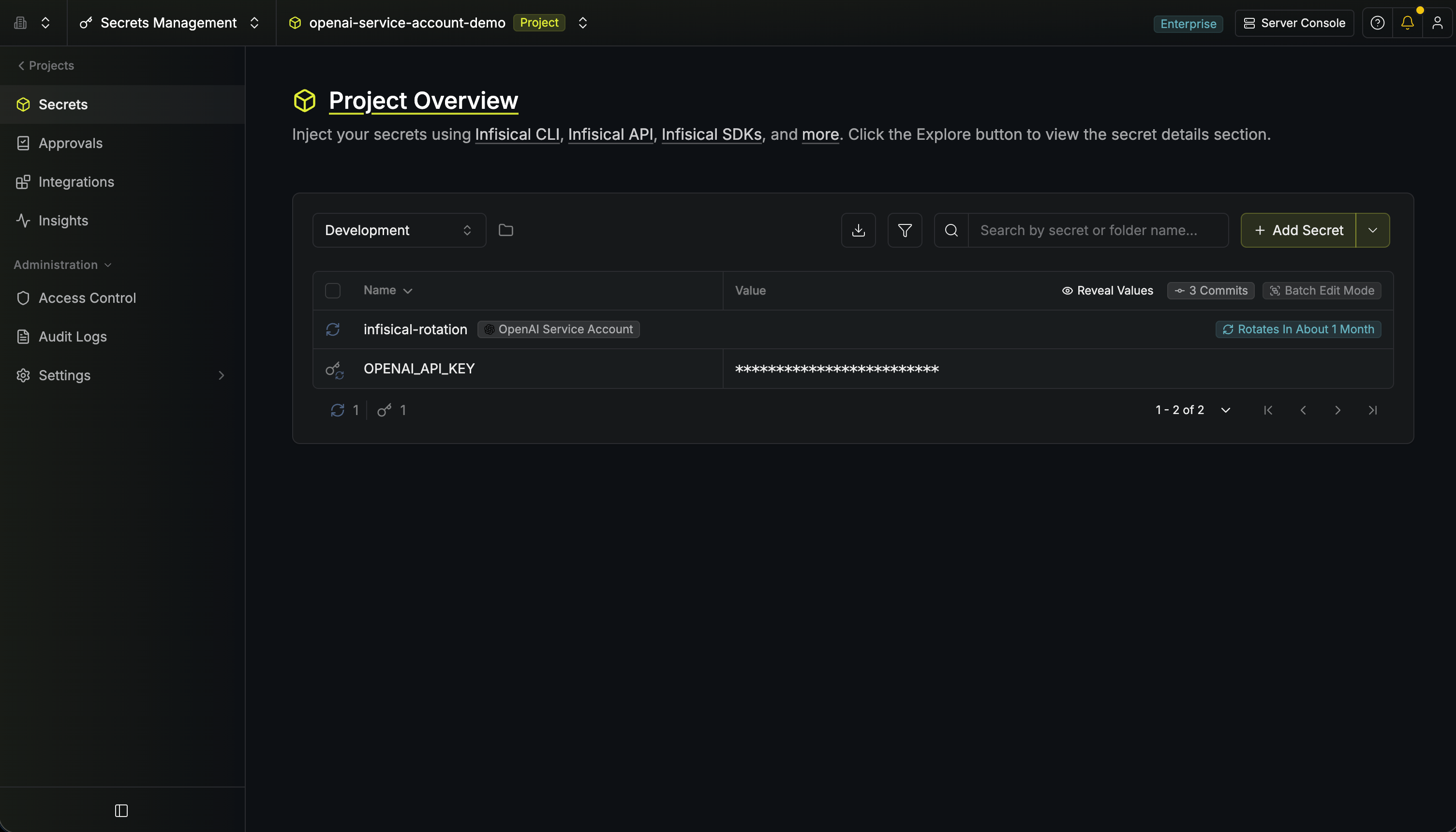
Rotation Type: Dual-PhaseThis rotation maintains two active credential sets with overlapping validity, ensuring zero-downtime during rotation cycles.
Prerequisites
- Create an OpenAI Connection using an Admin API key. That connection is used to create and delete project service accounts on your behalf during rotation.
Create an OpenAI service account rotation in Infisical
- Infisical UI
- API
-
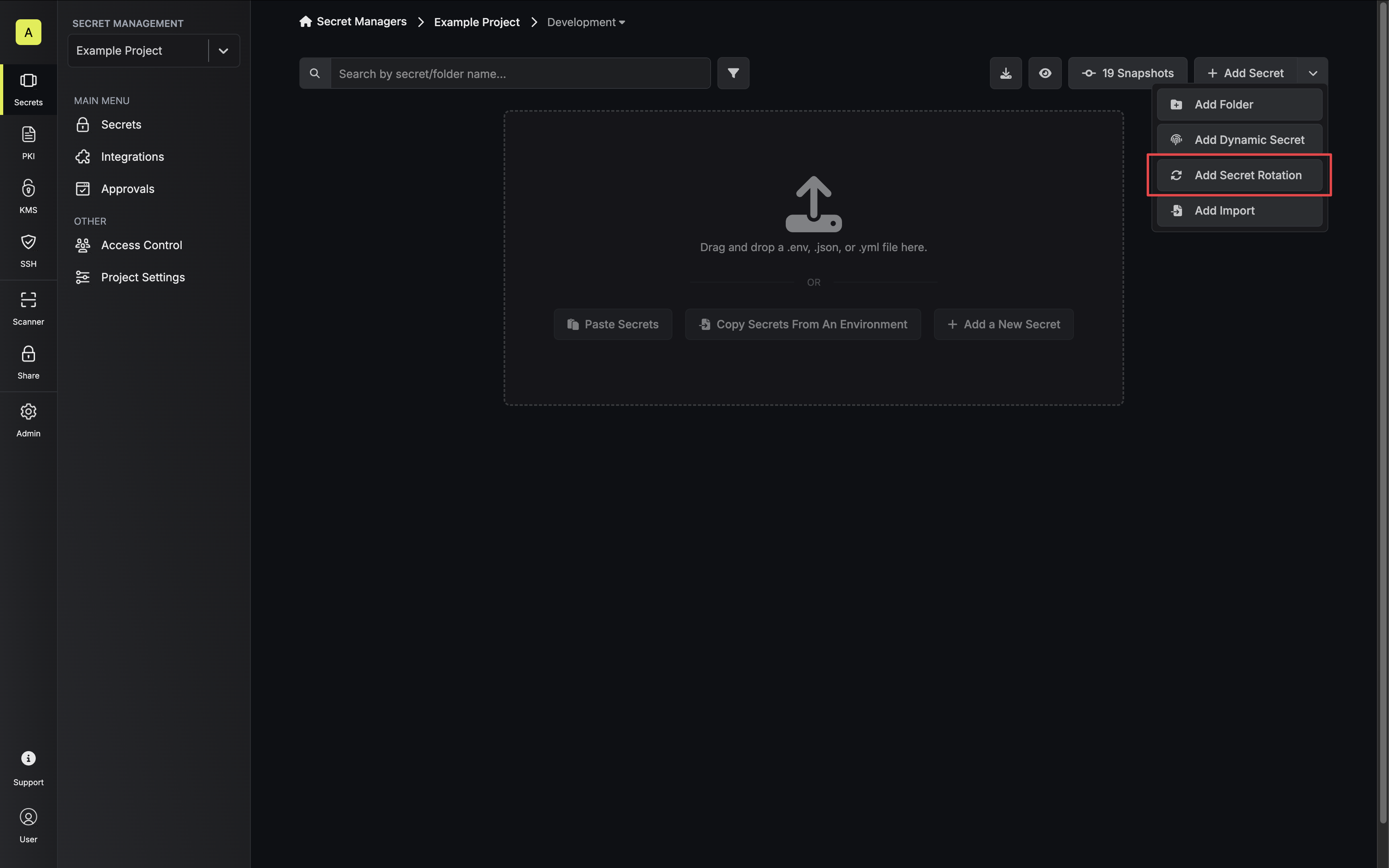
Navigate to your Secrets Management Project’s Dashboard and select Add Secret Rotation from the actions dropdown.
-
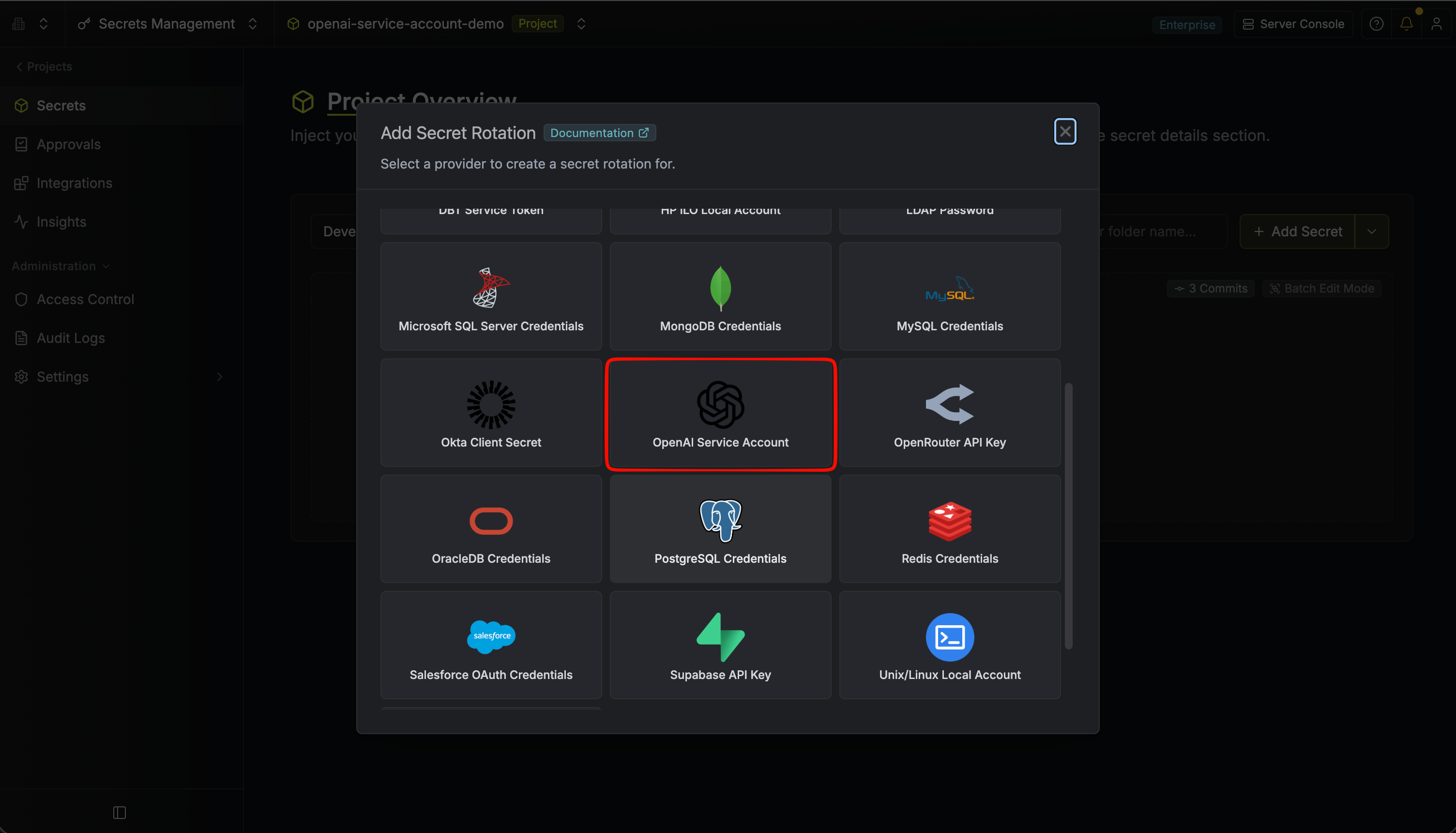
Select the OpenAI Service Account option.
-
Configure the rotation behavior, then click Next.
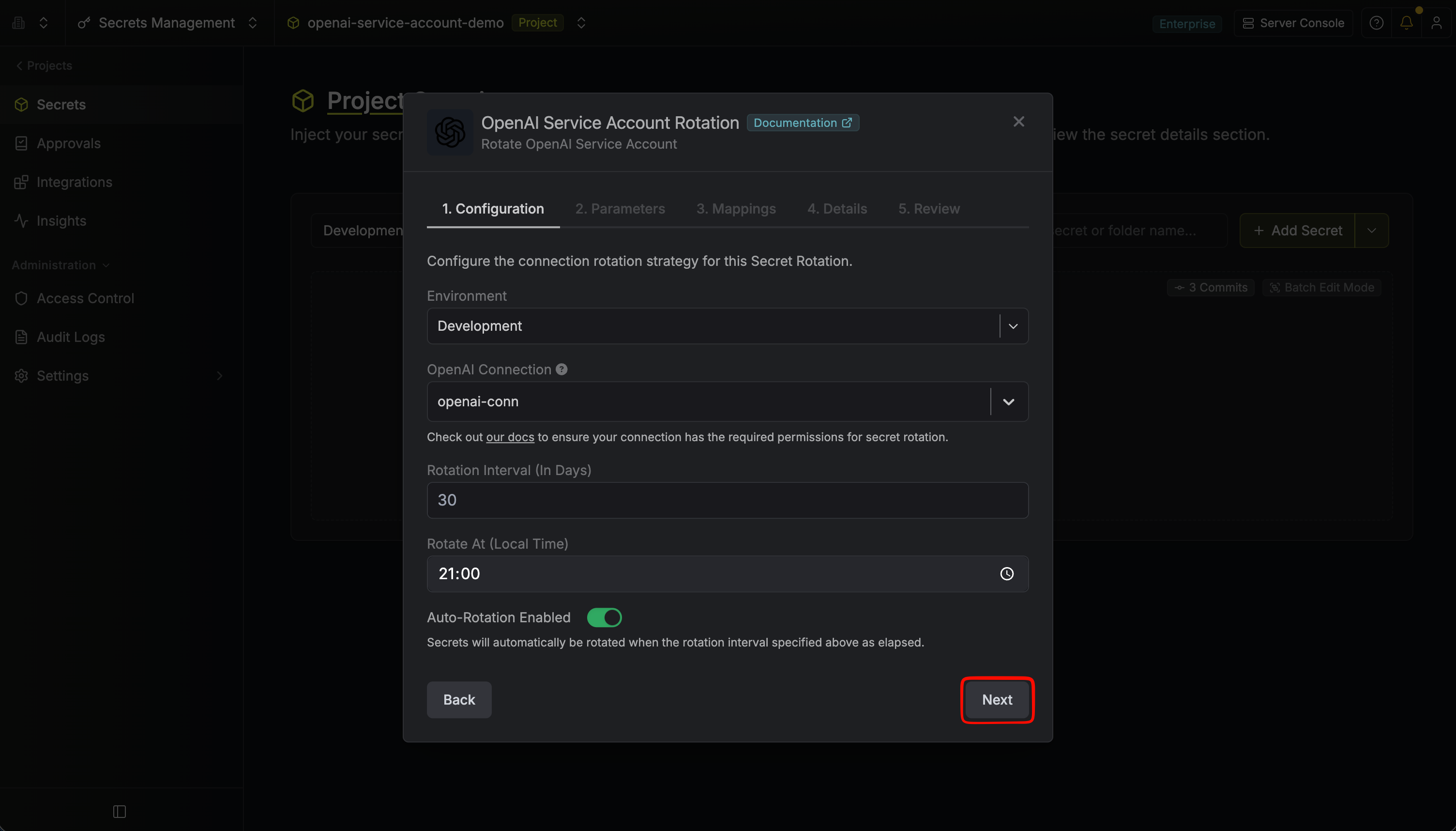
- OpenAI Connection – The connection that will create and delete service accounts during rotation.
- Rotation Interval – The interval, in days, after which a rotation is triggered.
- Rotate At – The local time of day when rotation runs once the interval has elapsed.
- Auto-Rotation Enabled – Whether to rotate automatically on the interval. Turn off to rotate only manually or pause rotation.
-
Set the OpenAI Service Account parameters, then click Next.
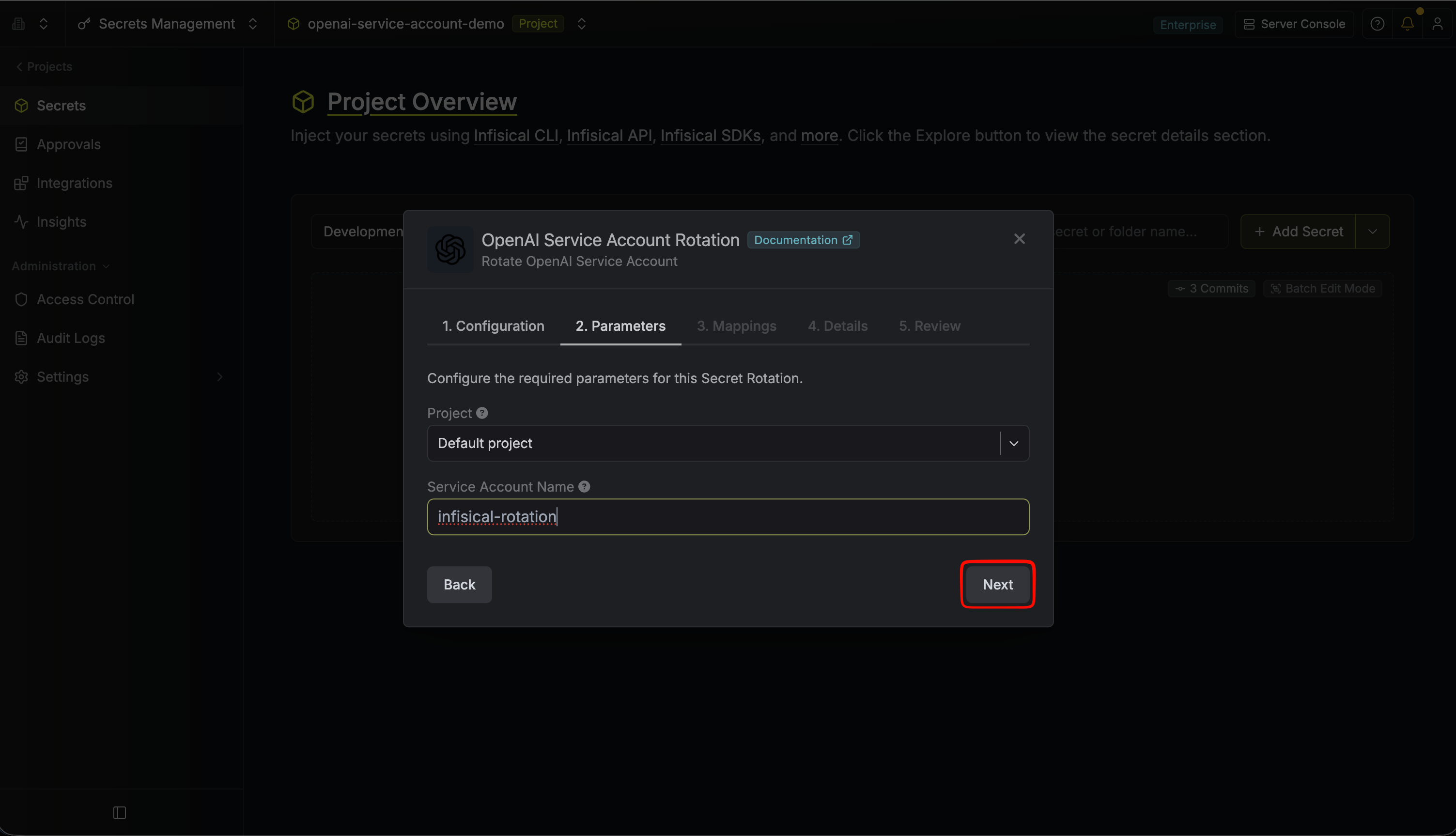
- Project – The OpenAI project to create service accounts in. Projects are listed via your OpenAI connection. This cannot be changed after the rotation is created.
- Service Account Name – The name for the generated OpenAI service account (required, up to 100 characters). Infisical appends a timestamp suffix to this name in the OpenAI dashboard (e.g.
my-app-service-account-1720268400000) so that the active and previous service accounts stay distinguishable during the overlap window. Service accounts are deleted by their ID, so the name is used only for identification.
-
Specify the secret name that the rotated API key will be mapped to. Then click Next.
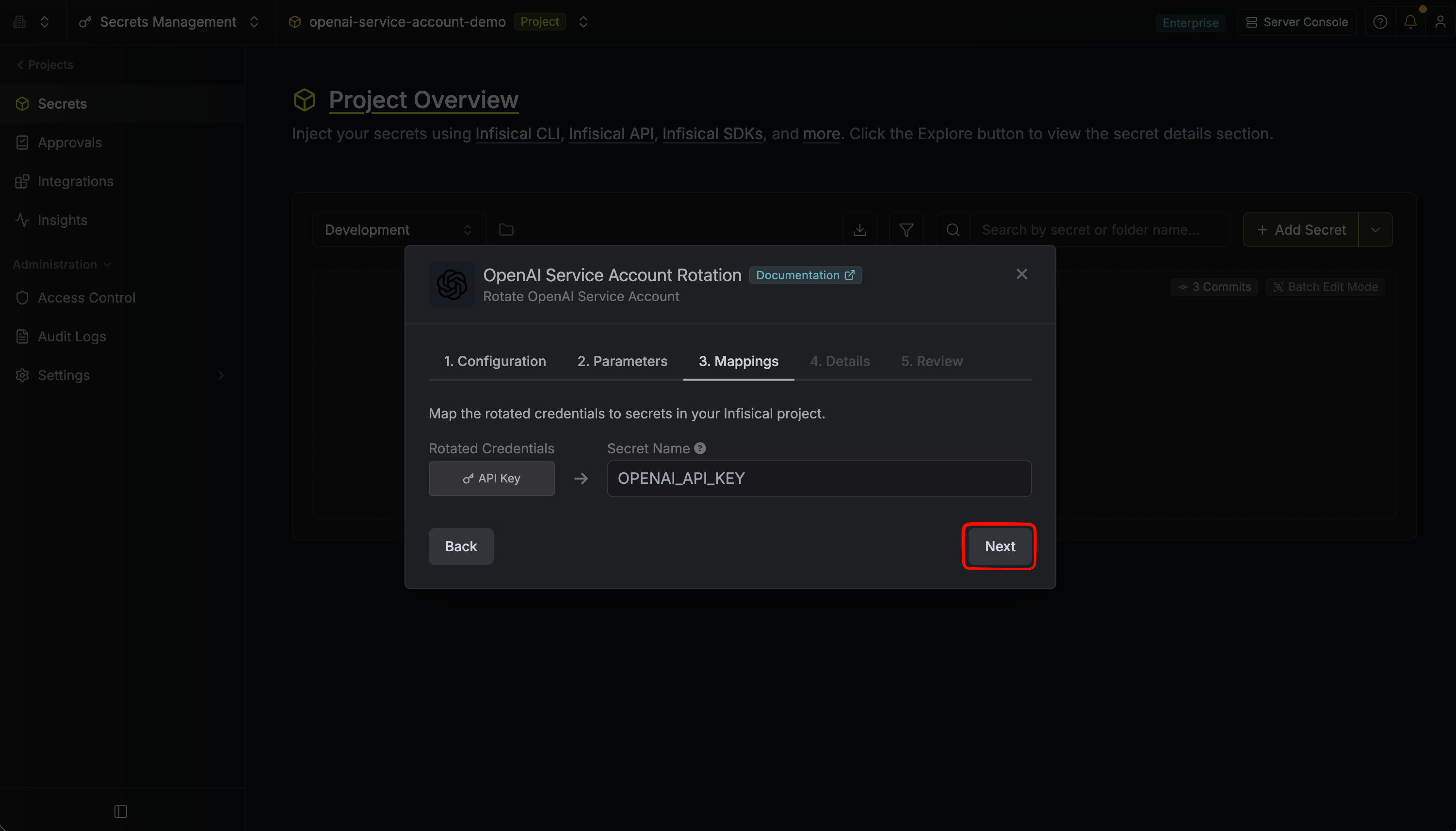
- API Key – The name of the secret in Infisical where the rotated service account API key value will be stored.
-
Give your rotation a name and description (optional). Then click Next.
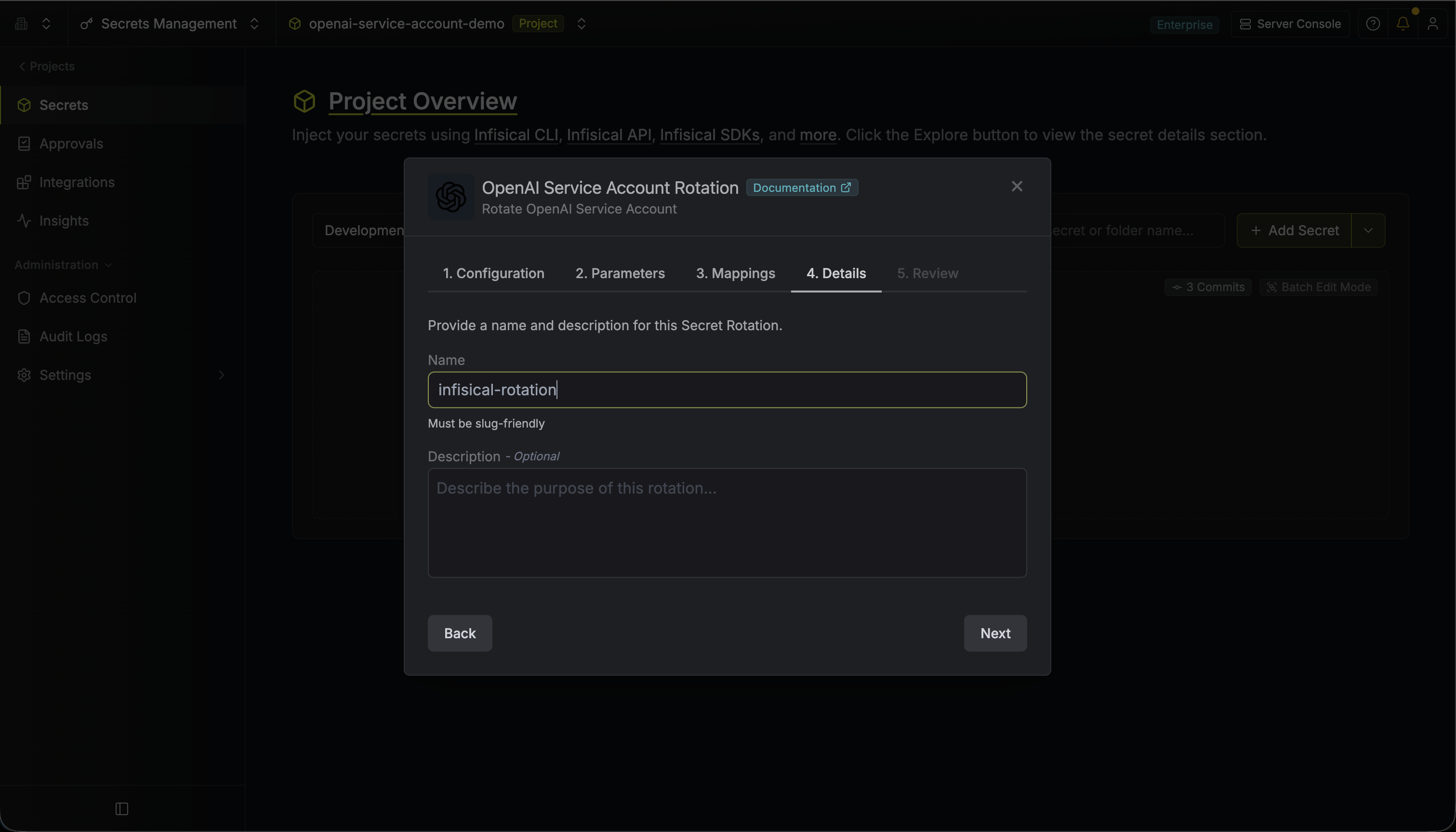
- Name – A slug-friendly name for this rotation configuration.
- Description (optional) – Notes about this rotation.
-
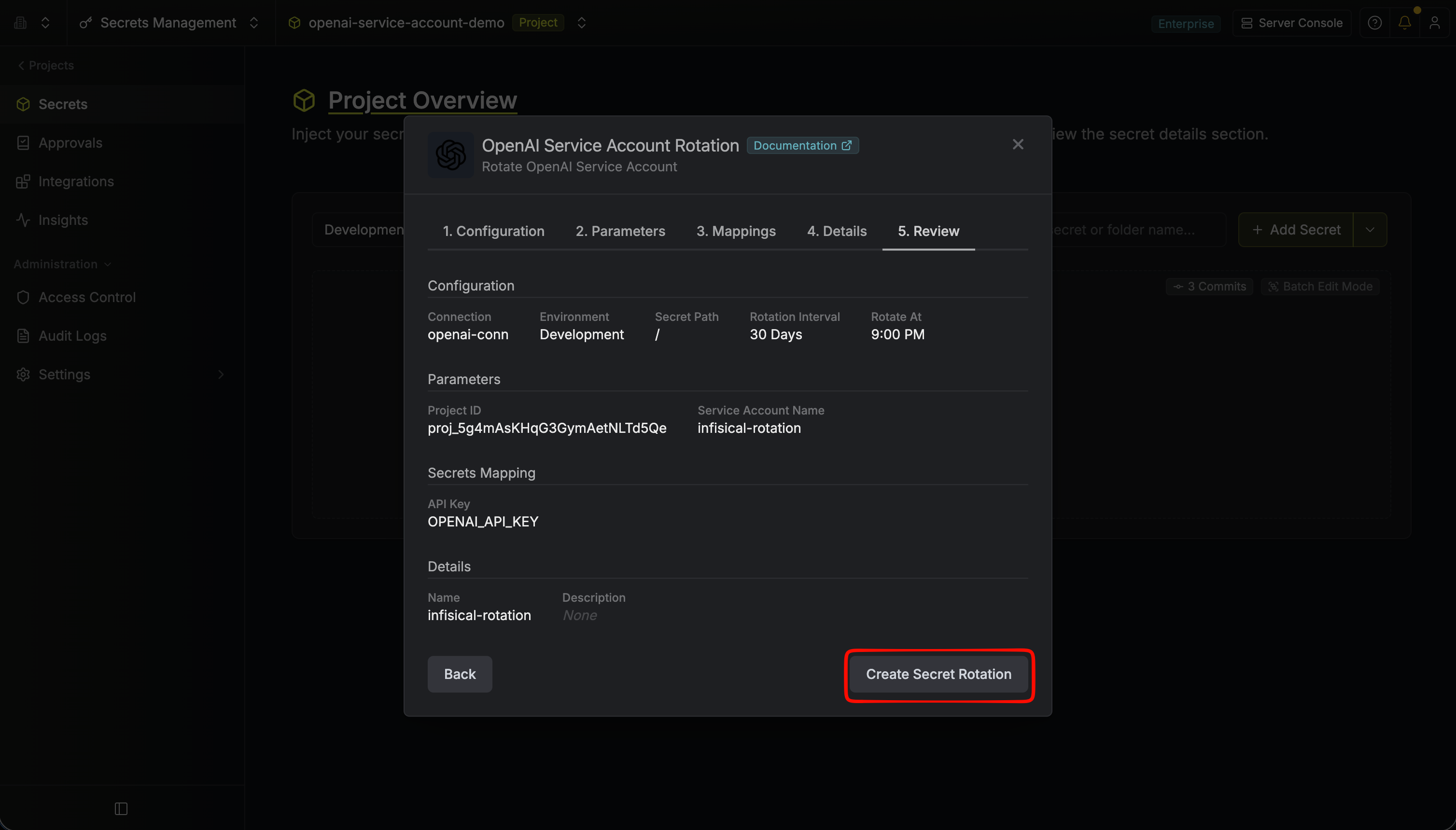
Review your configuration, then click Create Secret Rotation.
-
Your OpenAI Service Account rotation is created. The current service account’s API key is available as a secret at the mapped path. Rotations will create a new service account, switch the active secret to its API key, then delete the previous service account for zero-downtime rotation.