

- Secrets — Key/value pairs from a Doppler project and config (root or branch) are imported into a chosen Infisical project, environment, and secret path (folder). Both root configs and branch configs are supported.
Set up your Doppler connection
1
Create a Doppler token
In Doppler, create an API token that can read the projects and configs you plan to import (for example a Personal or Service token with access to the right projects).Store the token securely; you will paste it into Infisical in the next step.
2
Create a Doppler App Connection in Infisical
In Infisical, create a new App Connection of type Doppler in one of two places:
- Project > Integrations > App Connections — the connection is only visible inside that project.
- Integrations > App Connections in your organization — the connection is visible across every project.
Migrating secrets from Doppler to Infisical
When you’re inside a Secrets Manager project and have one environment selected (not “all environments”):- Open the Secret overview for the folder path where you want the secrets.
- Open the Add Secret split button (caret next to Add Secret).
- Choose Add from Doppler.
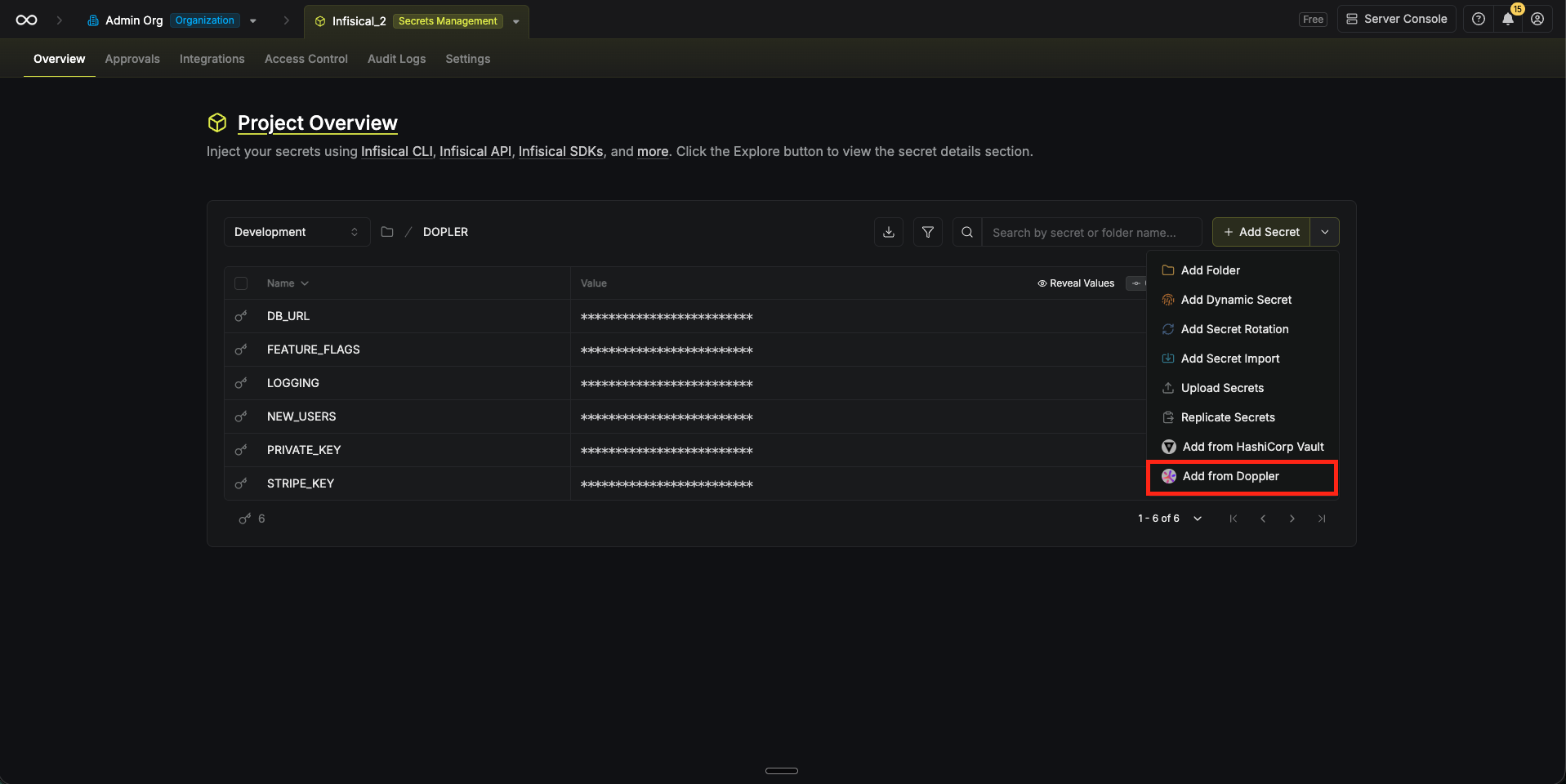
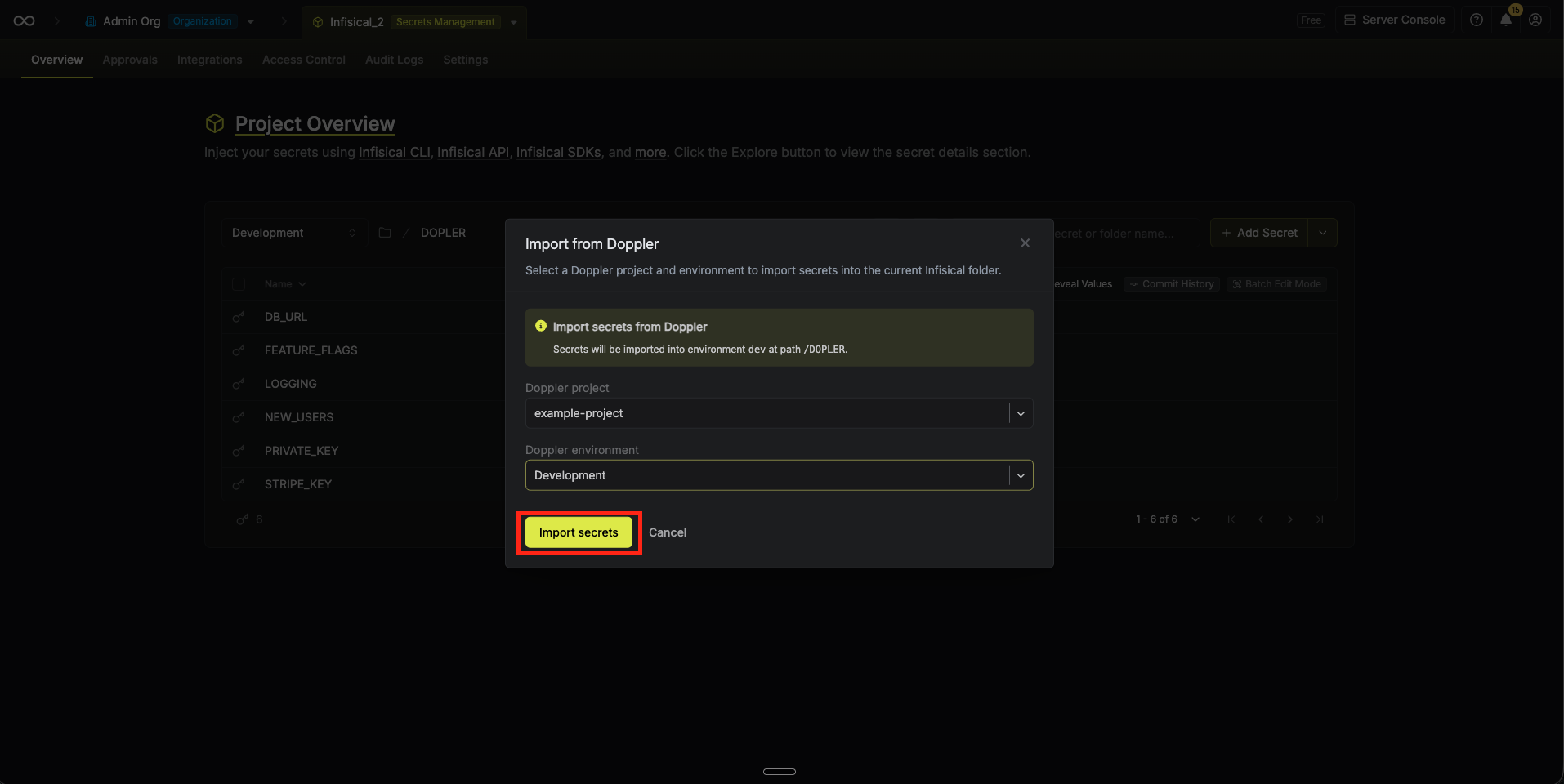
- If more than one Doppler App Connection is available to you (project- or organization-scoped), pick the Doppler Connection in the modal. With a single connection available, it’s selected for you.
- Select the Doppler project and config. Infisical lists every config in the project; root configs are labeled with Root for clarity, and branch configs are grouped under their environment.
- Select Import Secrets. Infisical imports the selected Doppler config’s secrets into the current Infisical environment and folder path.
Next steps
Projects and environments
Structure Infisical projects to mirror how you used Doppler projects and configs
SDKs and agents
Read imported secrets from applications using Infisical clients