

Rotation Type: Dual-PhaseThis rotation maintains two active credential sets with overlapping validity, ensuring zero-downtime during rotation cycles.
Prerequisites
- Create a Cloudflare Connection. That connection is used to create and delete API tokens on your behalf during rotation.
-
The connection’s API token must include:
- Account - API Tokens - Edit, to create and revoke the generated tokens.
- Account - Workers R2 Storage - Read, so Infisical can list your buckets for the bucket picker.
- Account - Account Settings - Read, so Infisical can validate the connection.
Create a Cloudflare R2 access key rotation in Infisical
- Infisical UI
- API
-
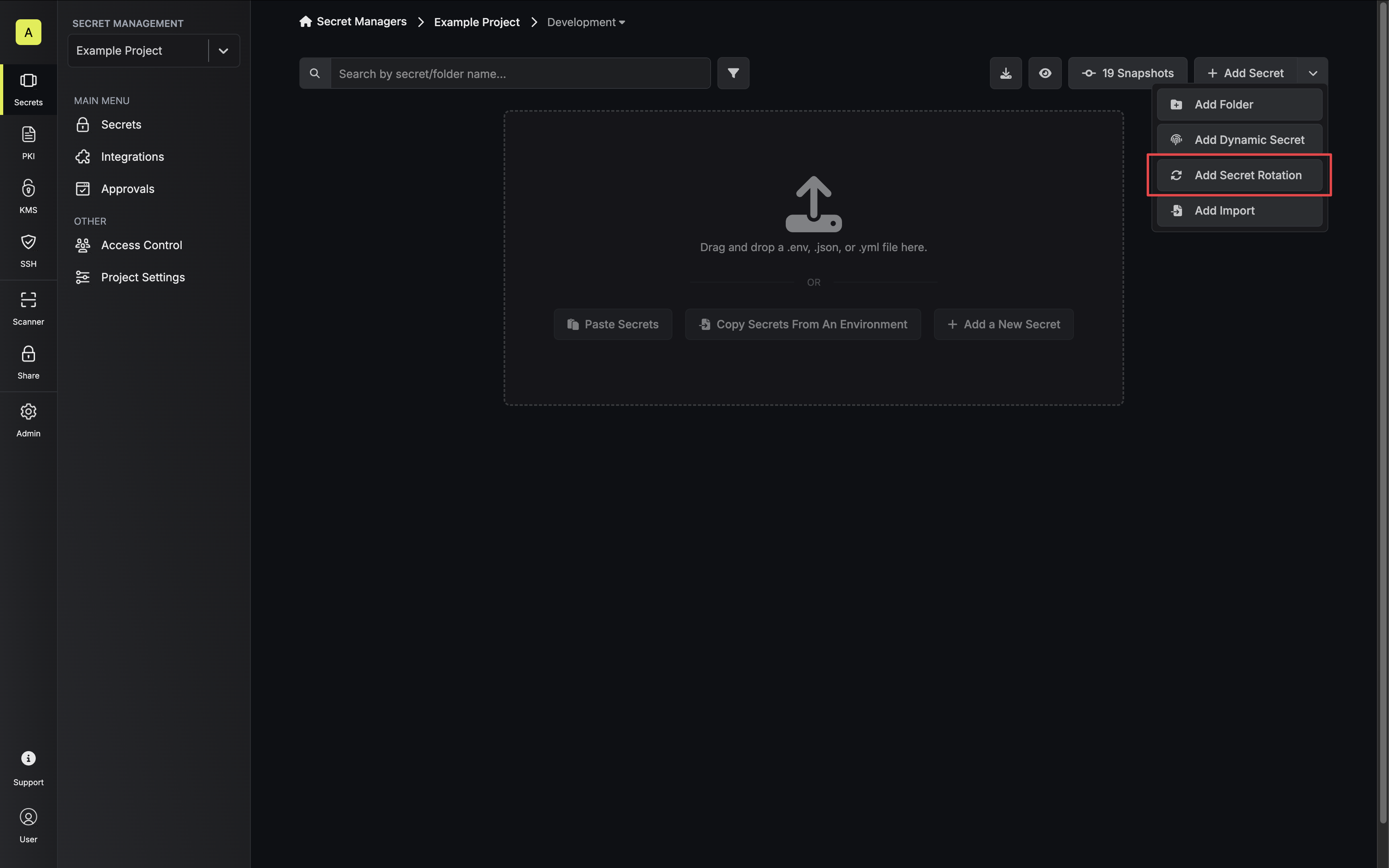
Navigate to your Secrets Manager Project’s Dashboard and select Add Secret Rotation from the actions dropdown.
-
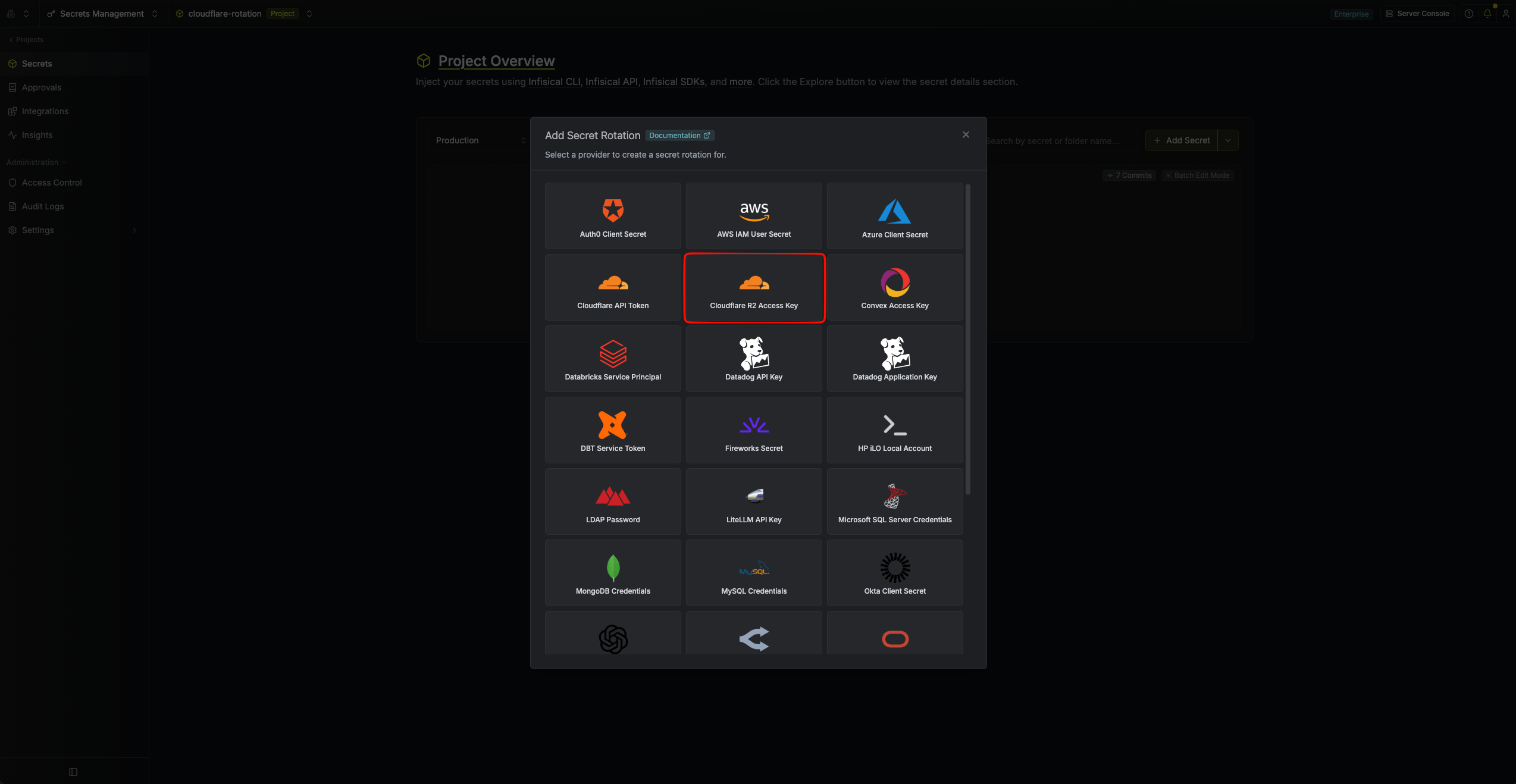
Select the Cloudflare R2 Access Key option.
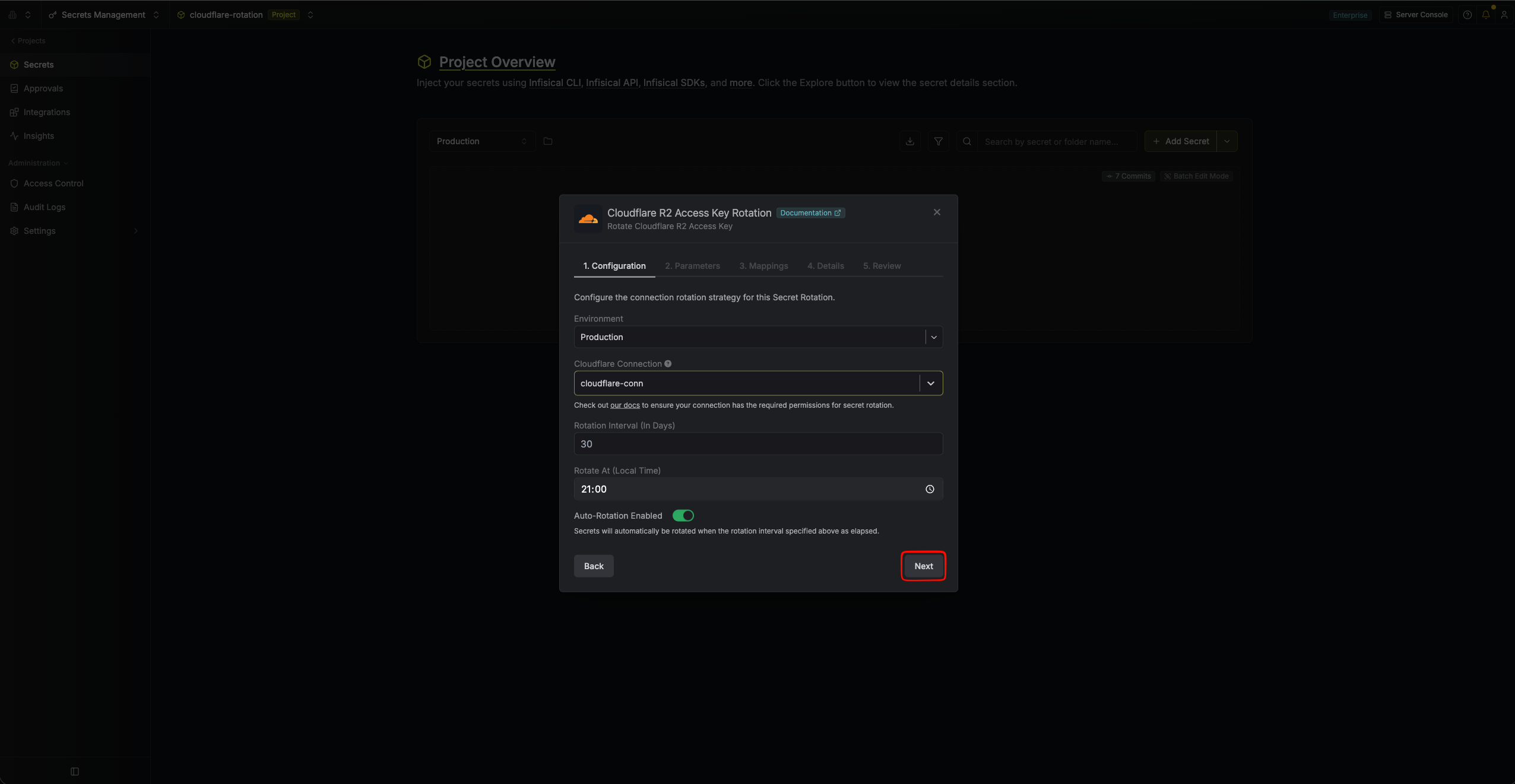
- Configure the rotation behavior, then click Next.
- Cloudflare Connection - The connection that will create and delete access keys during rotation.
- Rotation Interval - The interval, in days, after which a rotation is triggered.
- Rotate At - The local time of day when rotation runs once the interval has elapsed.
-
Auto-Rotation Enabled - Whether to rotate automatically on the interval. Turn off to rotate only manually or pause rotation.
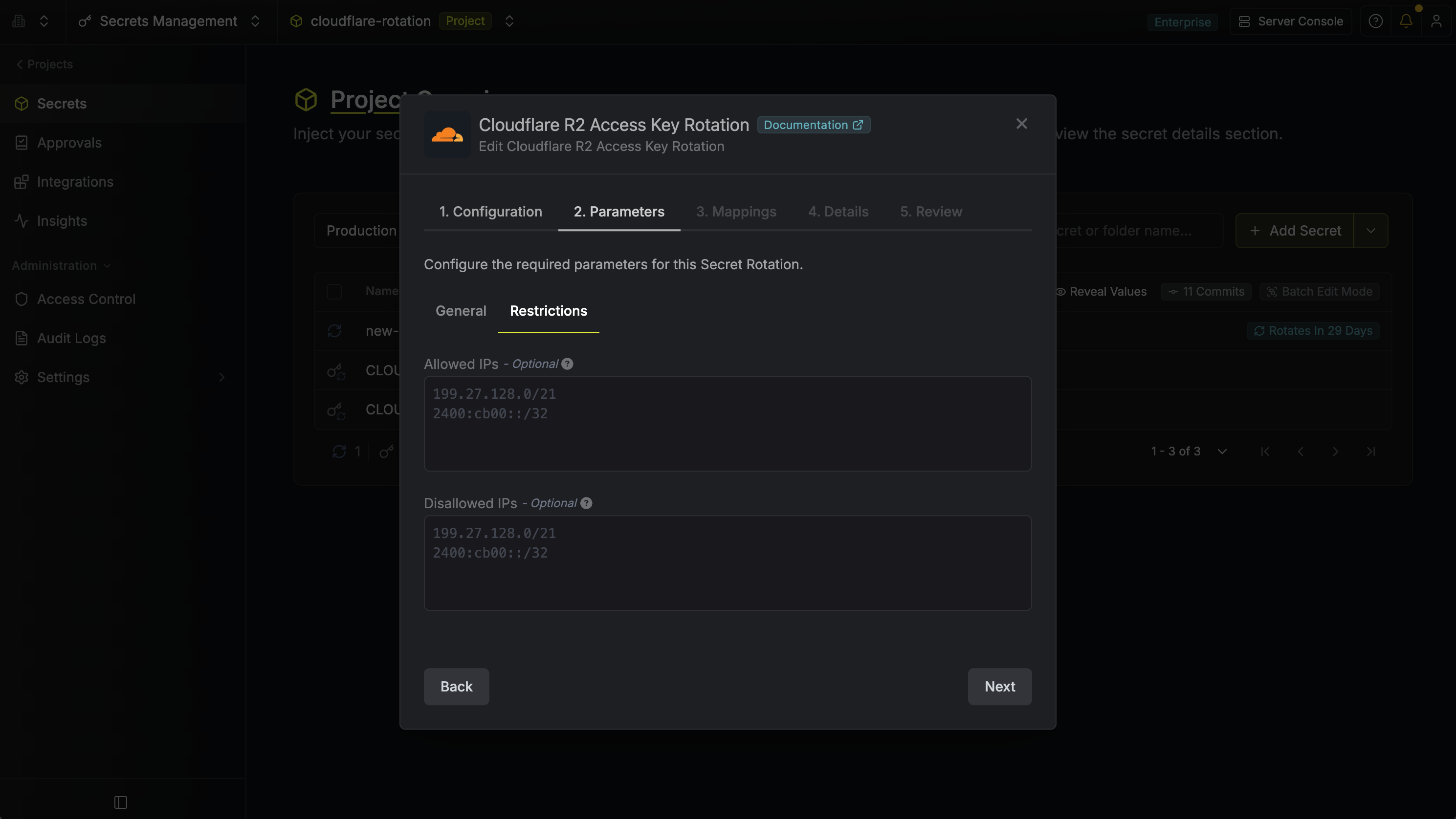
- Set the R2 access key parameters, then click Next.
- Token Name - The name for the generated Cloudflare API token, up to 100 characters. A timestamp is appended to each generated token so every rotation produces a distinct name in Cloudflare.
- Buckets - The R2 buckets the generated key can act on. The list is fetched through your Cloudflare Connection and covers every jurisdiction your account has enabled; buckets outside the
defaultjurisdiction are labelled with theirs. - Access Level - What the generated key can do on the selected buckets:
-
Object Read only- Read and list objects. -
Object Read & Write- Read, list, write, and delete objects.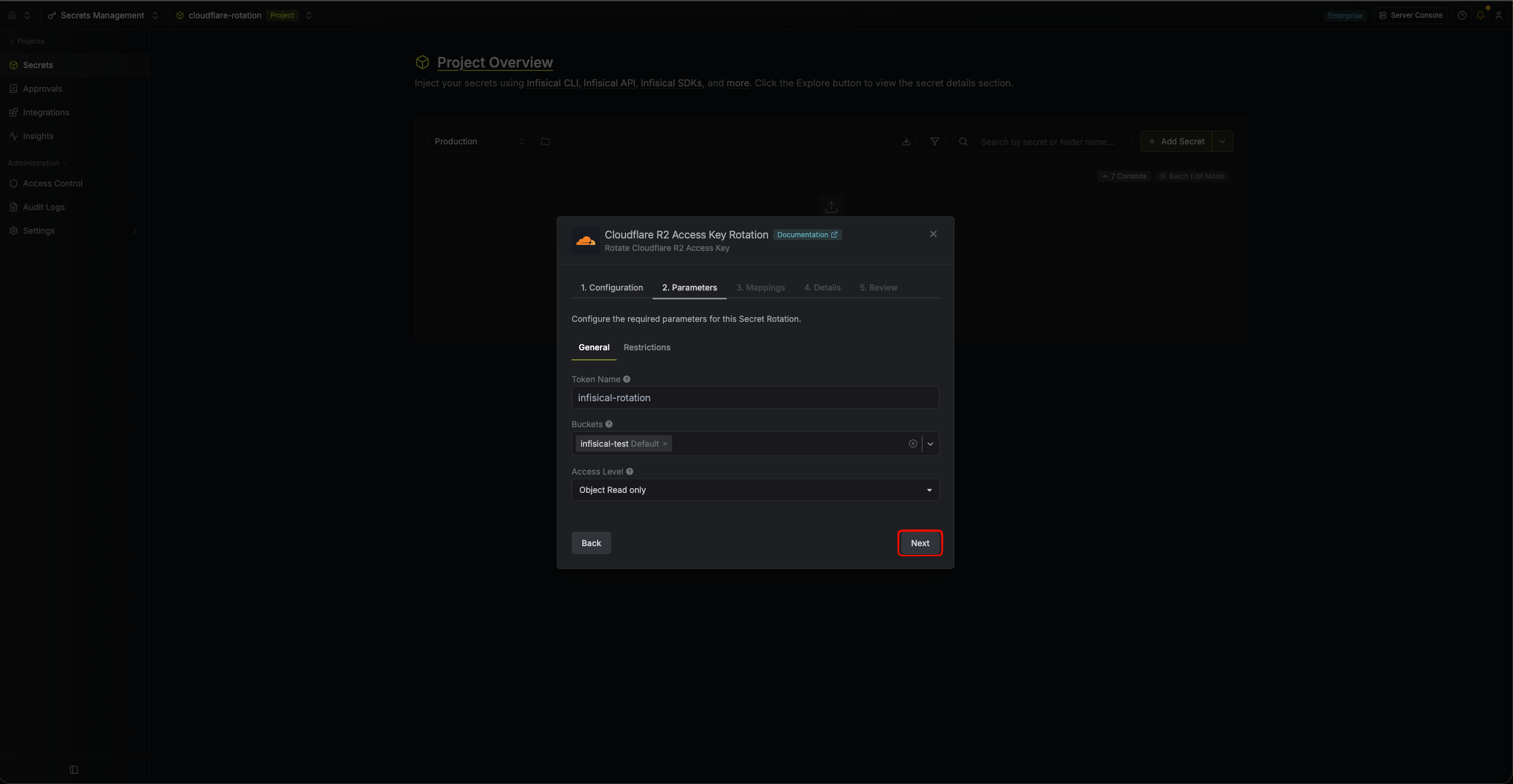
-
- Allowed IPs (optional) - The generated key can only be used from these IP addresses or CIDR blocks, one entry per line. Leave empty to allow any IP.
-
Disallowed IPs (optional) - The generated key cannot be used from these IP addresses or CIDR blocks, one entry per line.
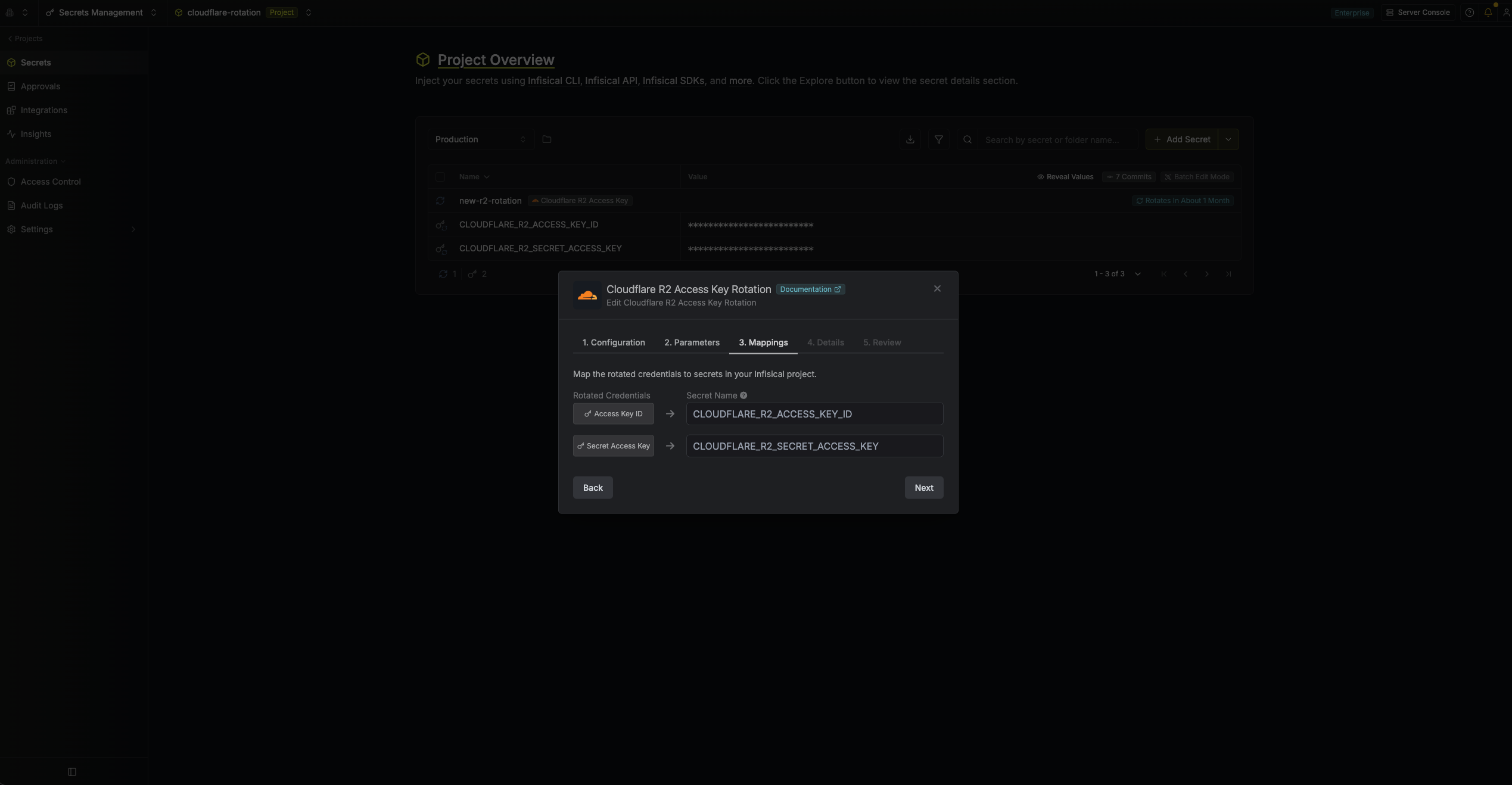
- Specify the secret names that the rotated credentials will be mapped to. Then click Next.
- Access Key ID - The name of the secret in Infisical where the generated access key ID will be stored.
-
Secret Access Key - The name of the secret in Infisical where the generated secret access key will be stored.
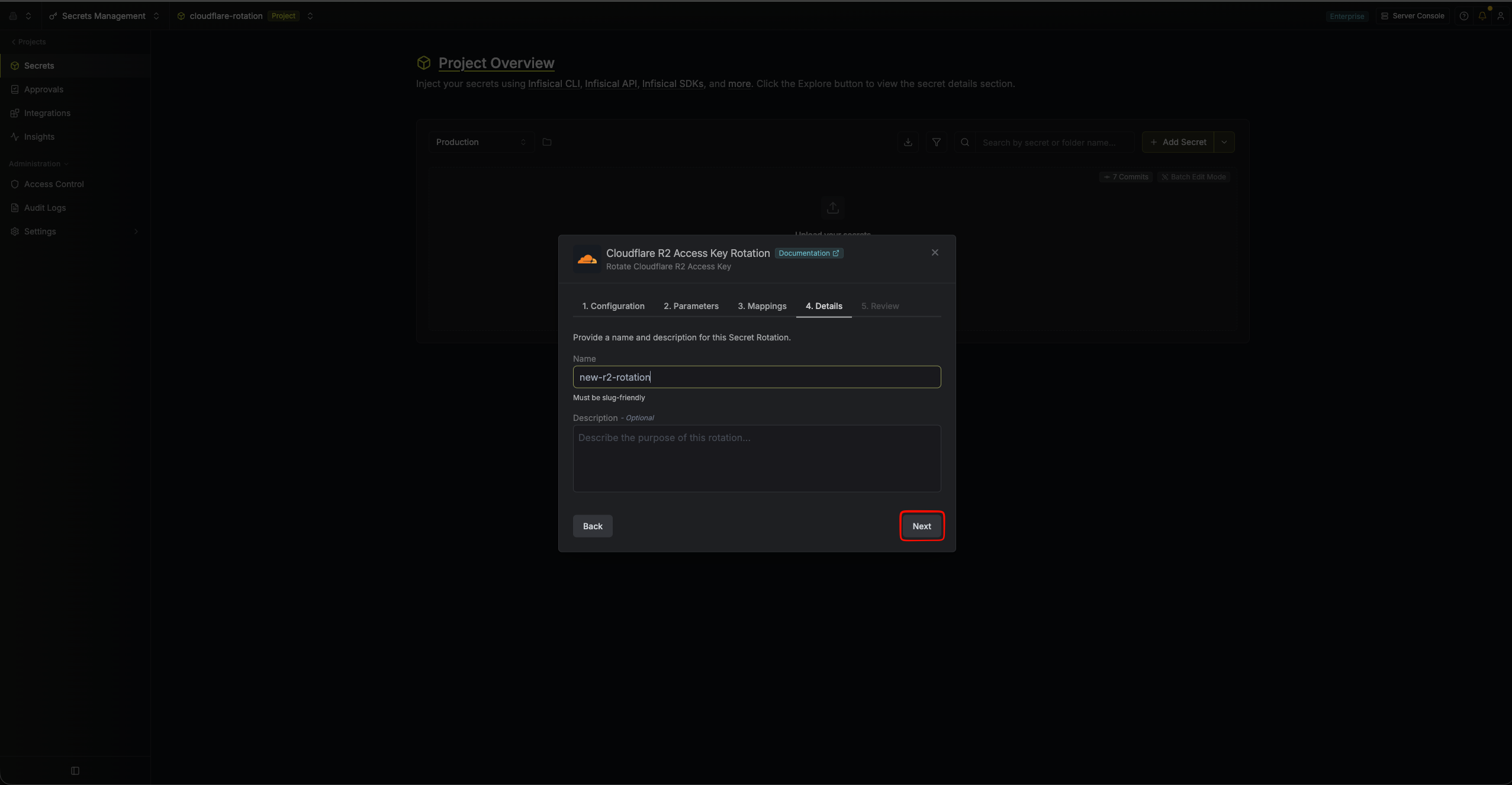
- Give your rotation a name and description (optional). Then click Next.
- Name - A slug-friendly name for this rotation configuration.
-
Description (optional) - Notes about this rotation.
-
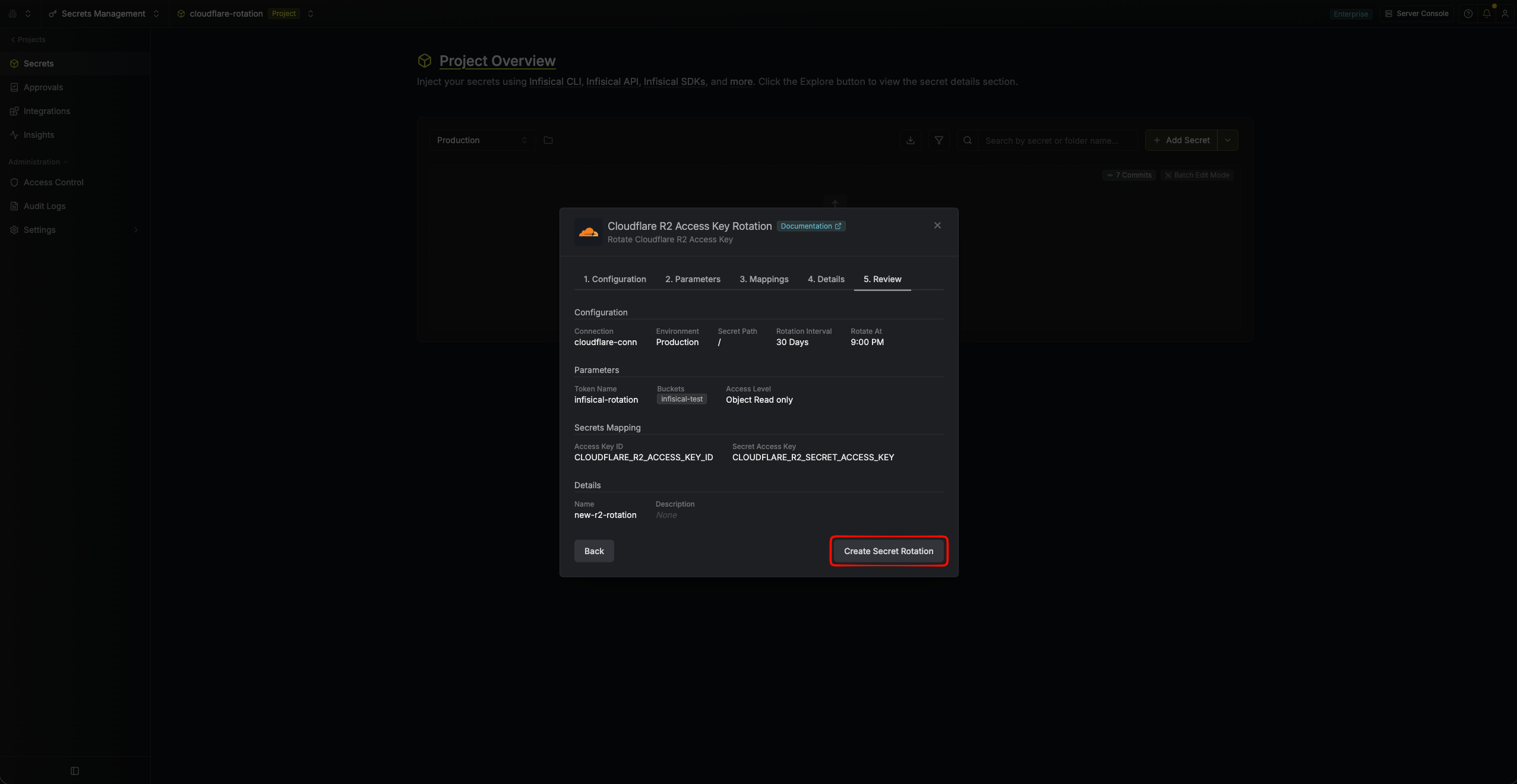
Review your configuration, then click Create Secret Rotation.
-
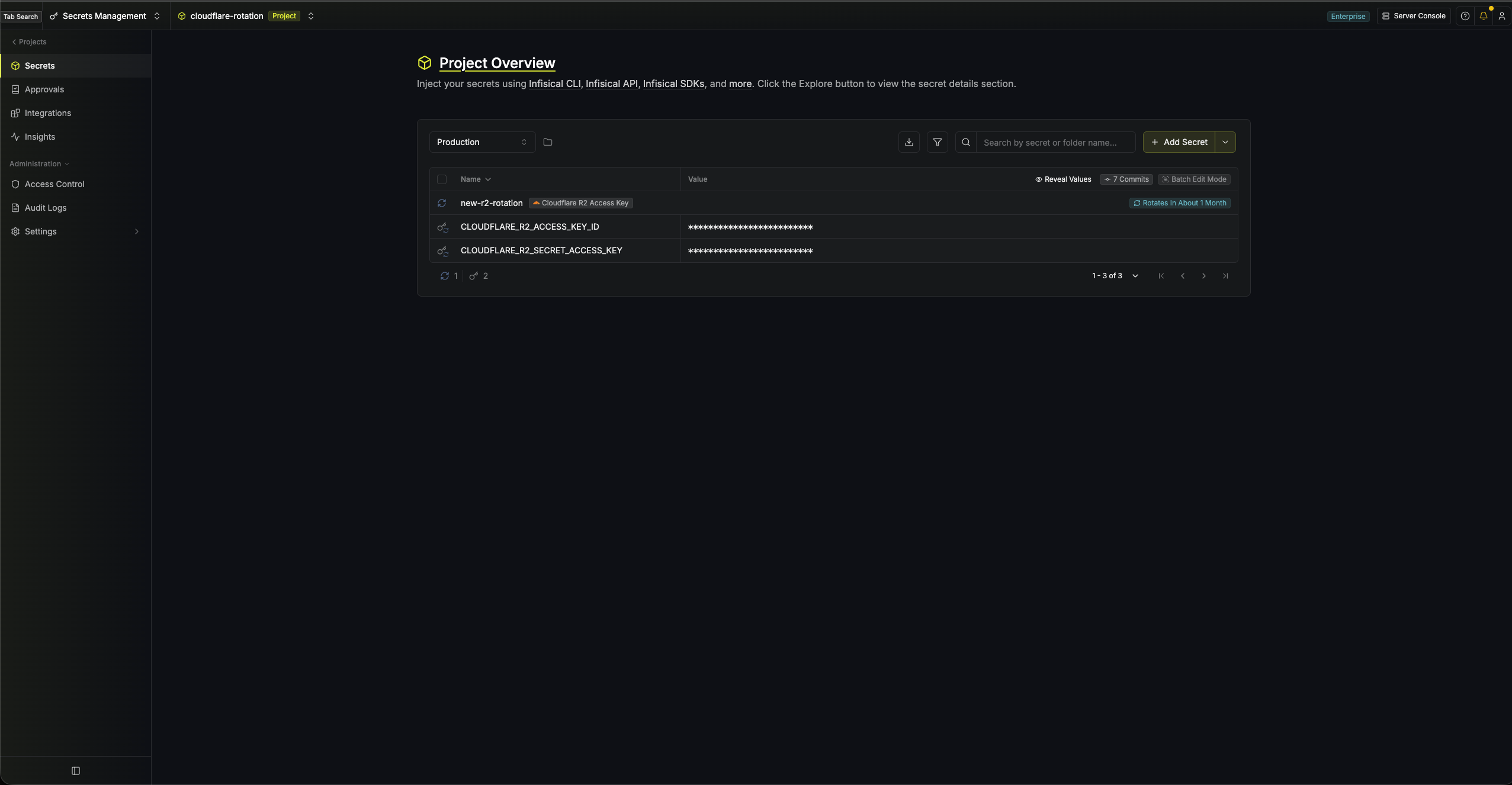
Your Cloudflare R2 Access Key rotation is created. Rotations will create a new key, switch the active secrets to it, then revoke the previous key for zero-downtime rotation.
Infisical sets an expiration on every token it generates, calculated as twice the rotation interval plus one day, with a minimum of 7 days. This guarantees a key can never expire while it is still the active or previous credential.