Rotation Type: Dual-PhaseThis rotation maintains two active credential sets with overlapping validity, ensuring zero-downtime during rotation cycles.
Prerequisites
- Create a Salesforce Connection. That connection authenticates Infisical against your Salesforce org and is used to issue and revoke staged consumer credentials during rotation.
- The target External Client App must have the OAuth Client Credentials flow enabled and a configured Run-As user, the same as the connection’s own ECA.
- The Run-As user backing the Salesforce Connection must be permitted to read and modify the target ECA’s OAuth credentials (the rotation calls
/services/data/v65.0/apps/oauth/credentials/{appId}and the staged-credentials URL returned by Salesforce).
If the target ECA has more than one consumer, only the first consumer is rotated and a warning is logged. Assign each consumer to its own External Client App if all of them need rotation.
Create a Salesforce OAuth credentials rotation in Infisical
- Infisical UI
- API
-
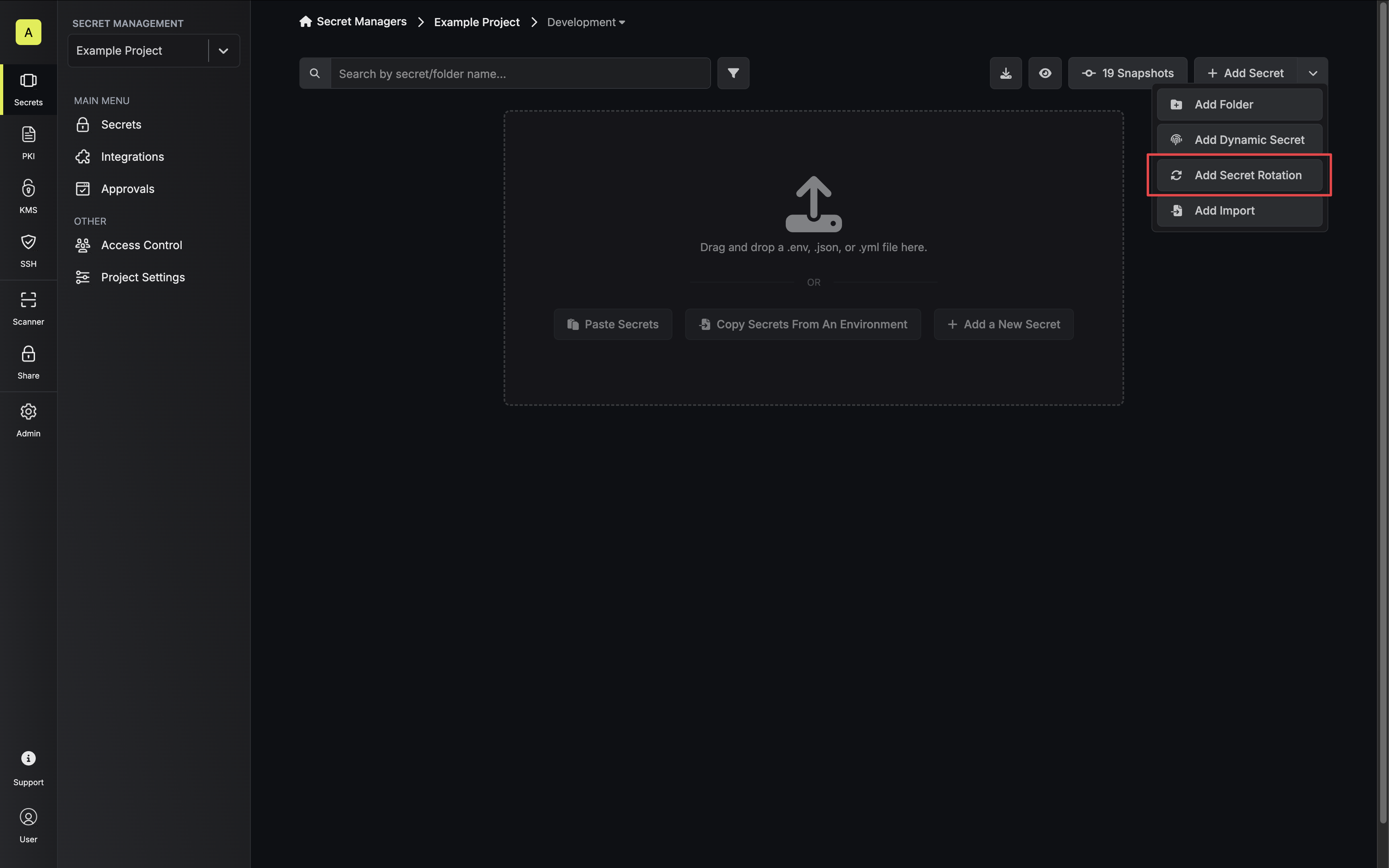
Navigate to your Secrets Management Project’s Dashboard and select Add Secret Rotation from the actions dropdown.
-
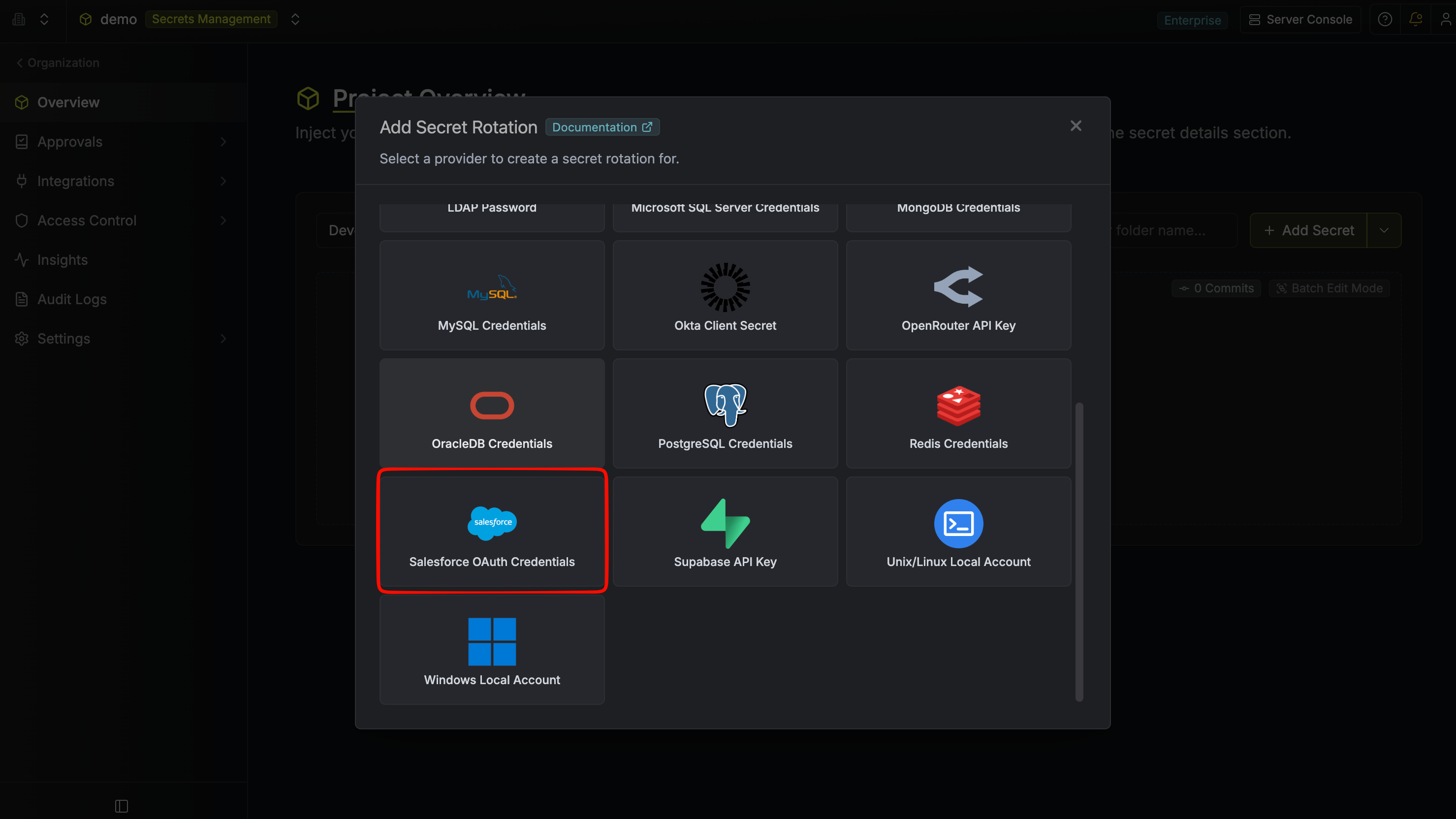
Select the Salesforce OAuth Credentials option.
-
Configure the rotation behavior, then click Next.
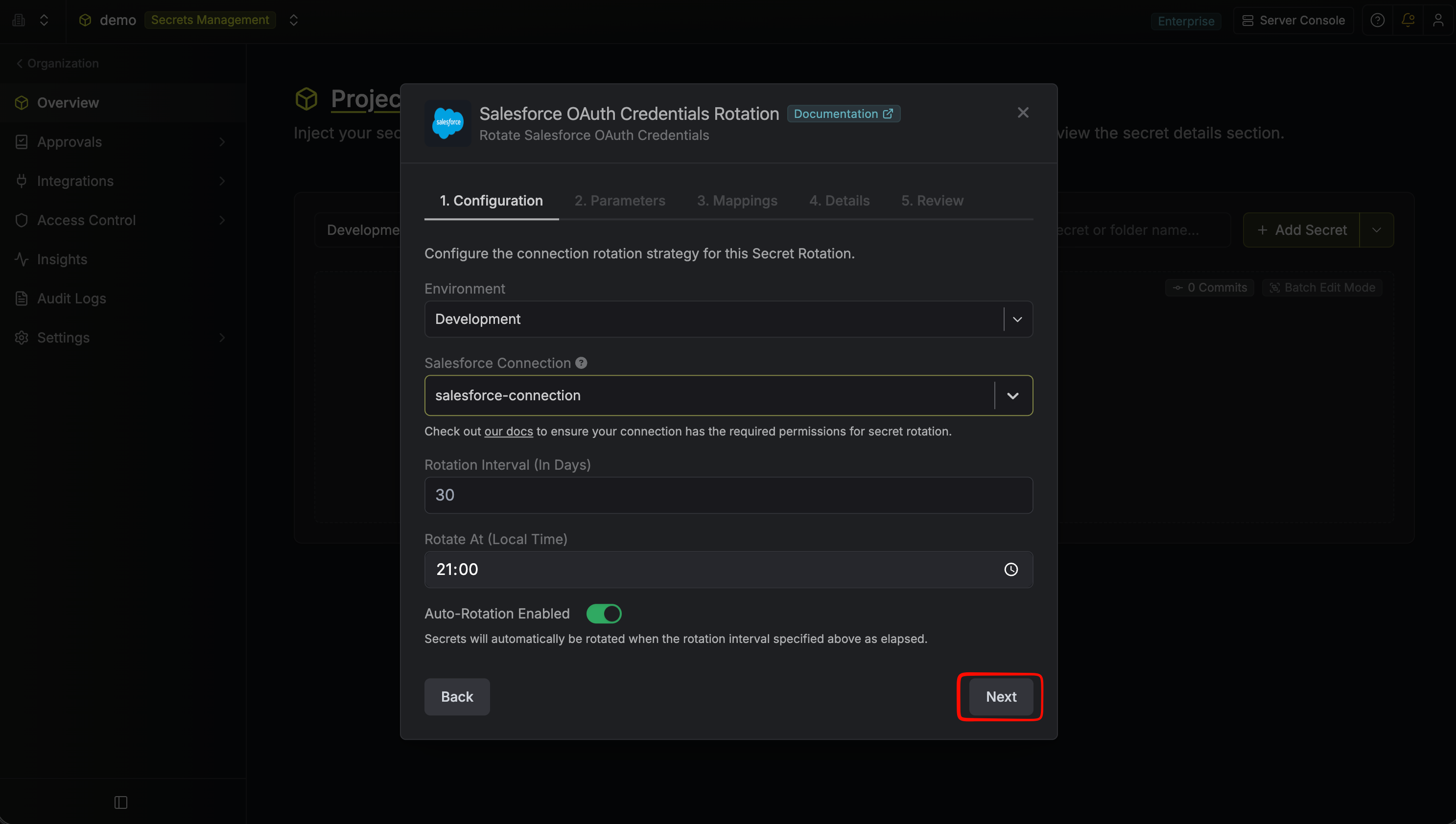
- Salesforce Connection – The connection that will perform the rotation of the target External Client App’s consumer secret.
- Rotation Interval – The interval, in days, after which a rotation is triggered.
- Rotate At – The local time of day when rotation runs once the interval has elapsed.
- Auto-Rotation Enabled – Whether to rotate automatically on the schedule. Turn off to rotate only manually or pause rotation.
-
Select the External Client App whose consumer secret you want to rotate, then click Next.
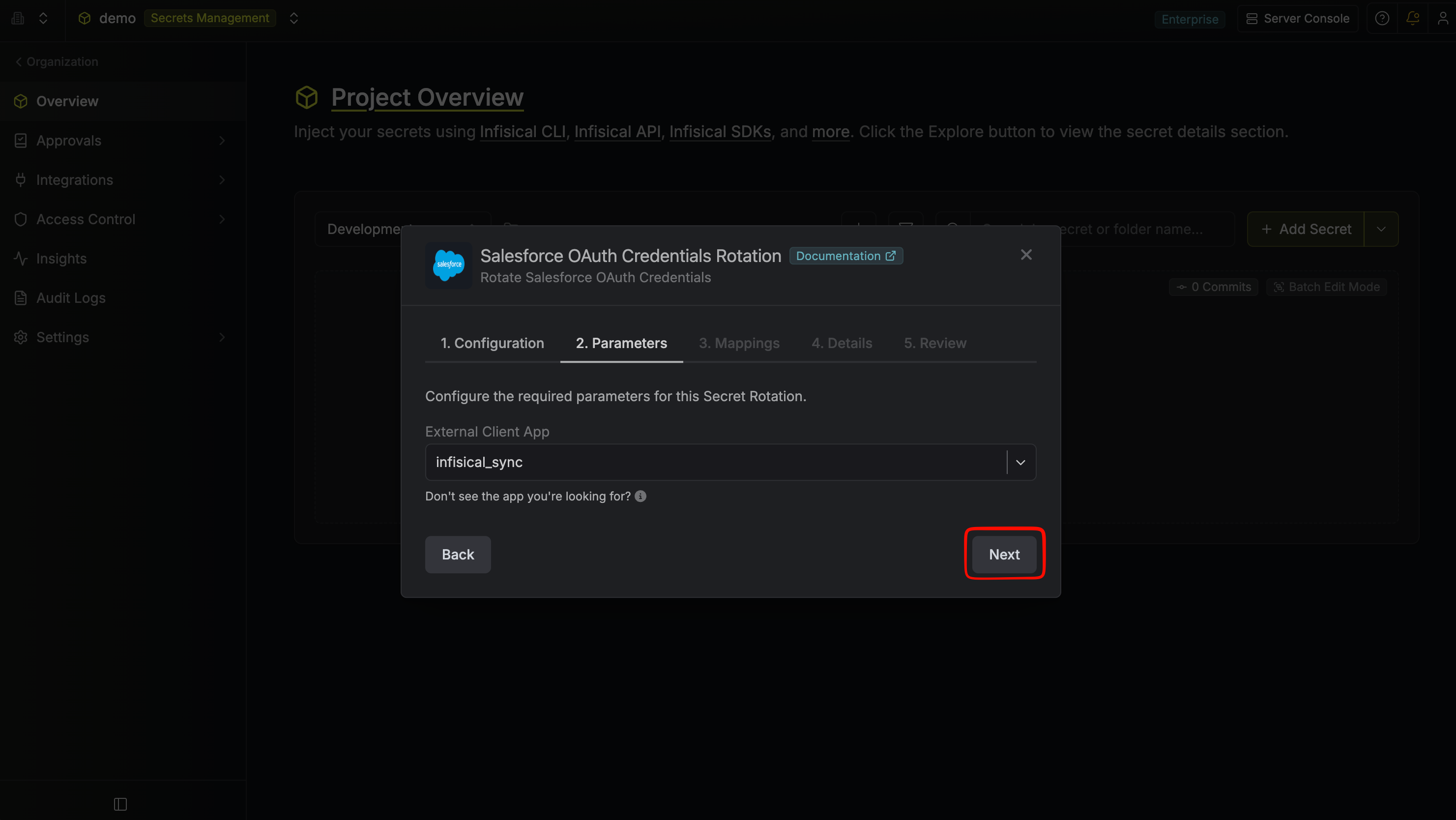
- External Client App – The Salesforce ECA whose consumer secret will be rotated. The dropdown is populated from the connected org via the connection — only ECAs with OAuth client credentials enabled and reachable by the connection appear.
-
Specify the secret names that the rotated consumer credentials should be mapped to, then click Next.
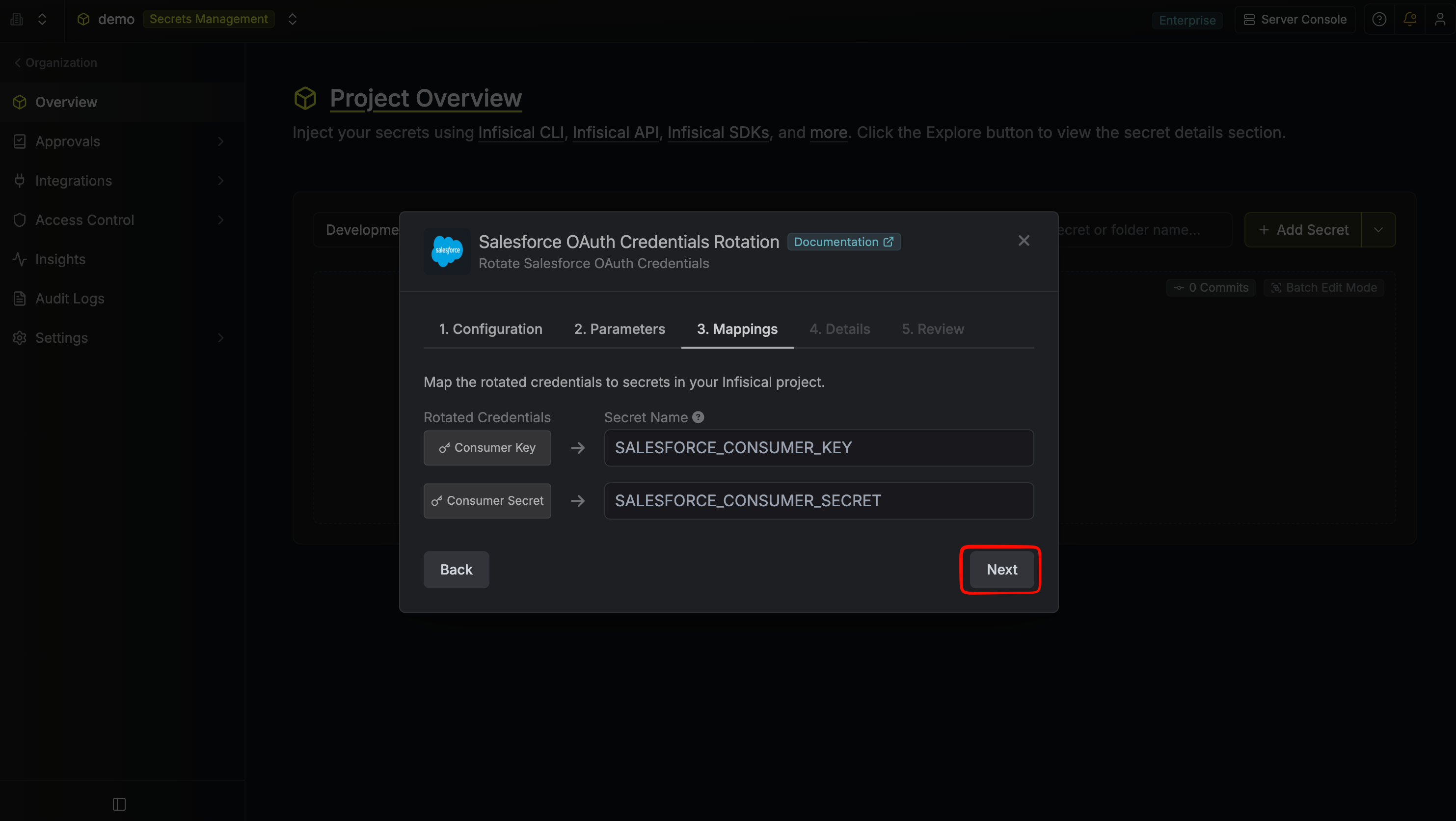
- Consumer Key – The name of the secret in Infisical that the rotated consumer key will be mapped to (default:
SALESFORCE_CONSUMER_KEY). - Consumer Secret – The name of the secret in Infisical that the rotated consumer secret will be mapped to (default:
SALESFORCE_CONSUMER_SECRET).
-
Give your rotation a name and description (optional), then click Next.
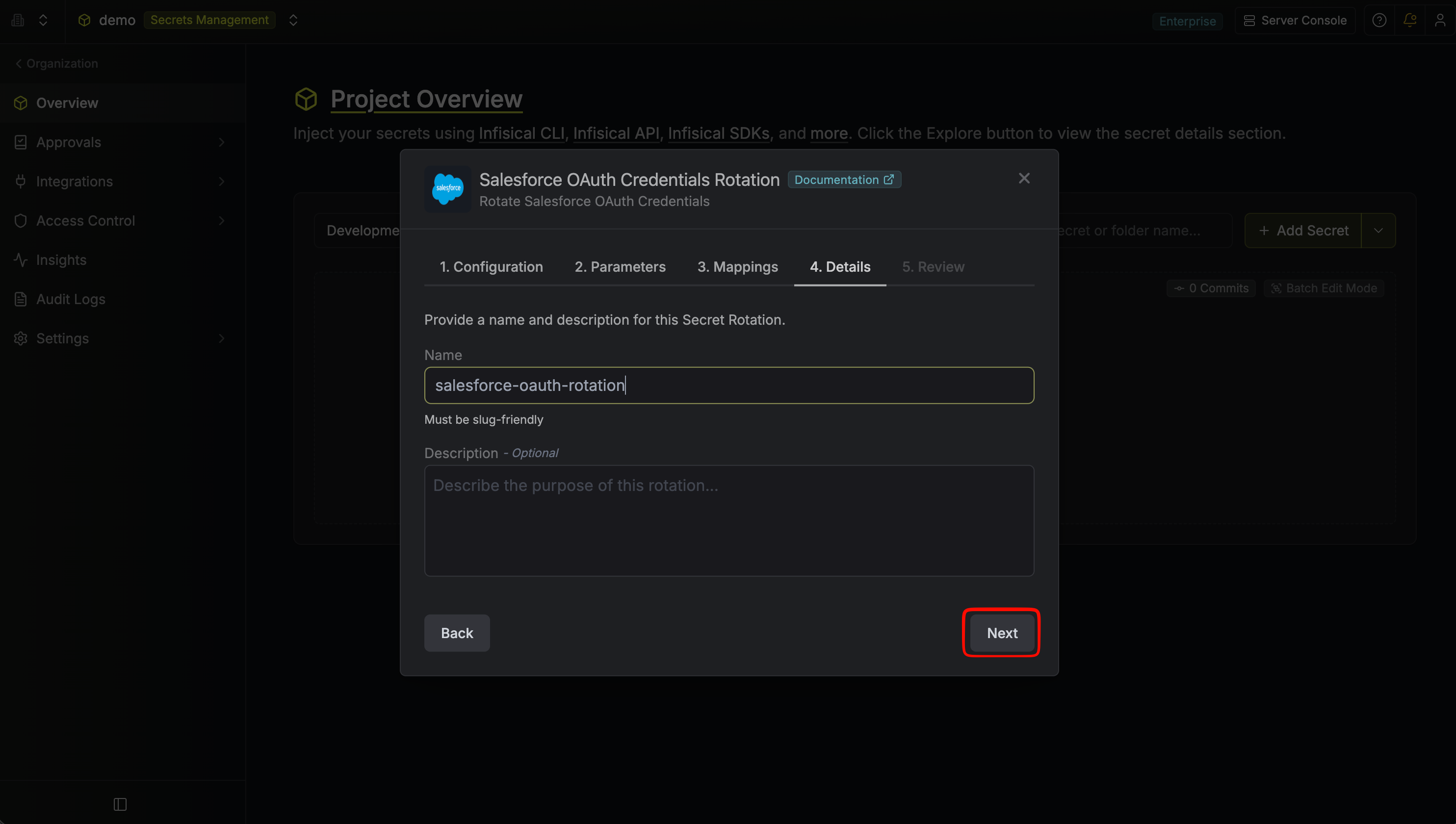
- Name – A slug-friendly name for this rotation configuration.
- Description (optional) – Notes about this rotation.
-
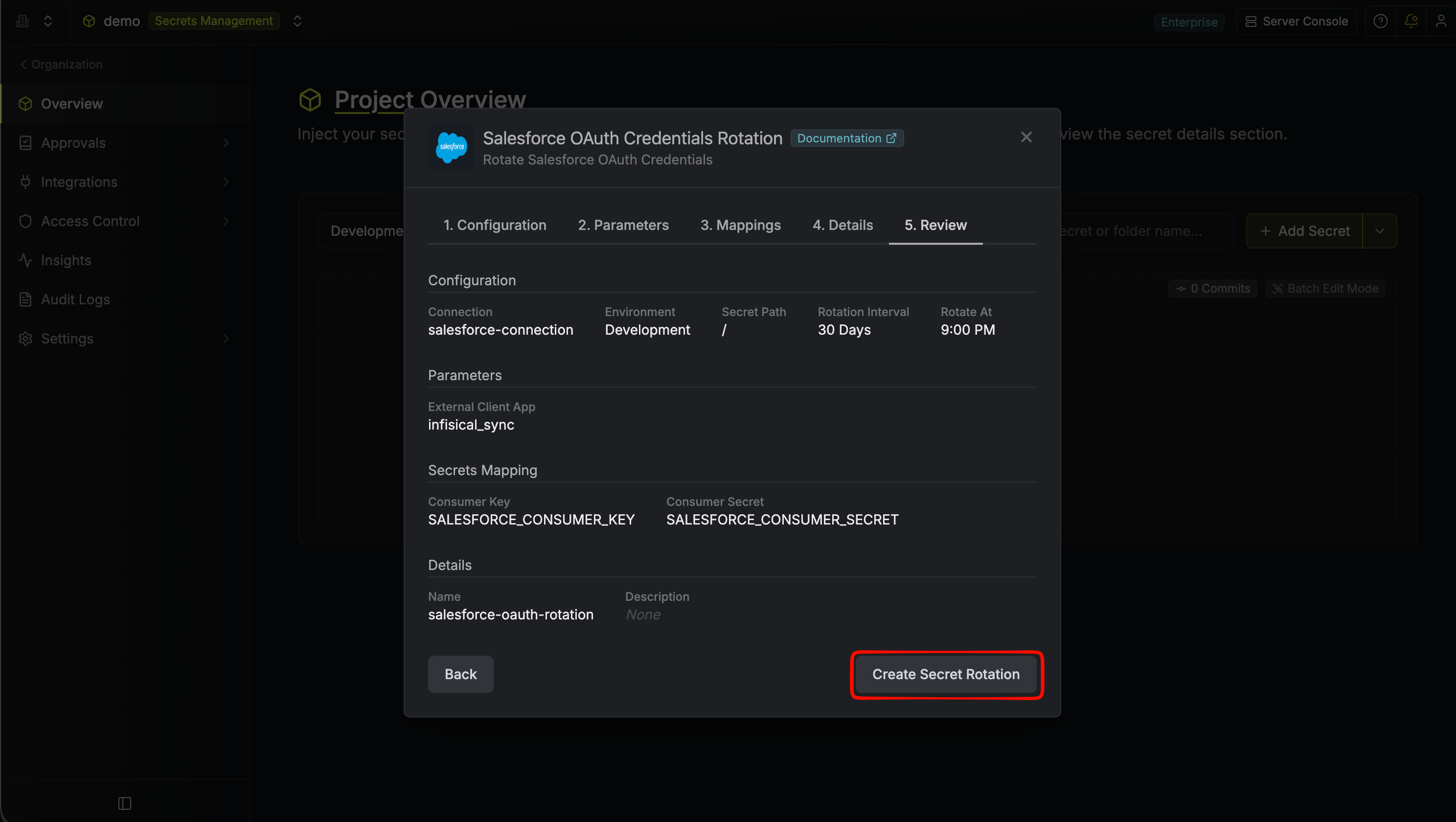
Review your configuration, then click Create Secret Rotation.
-
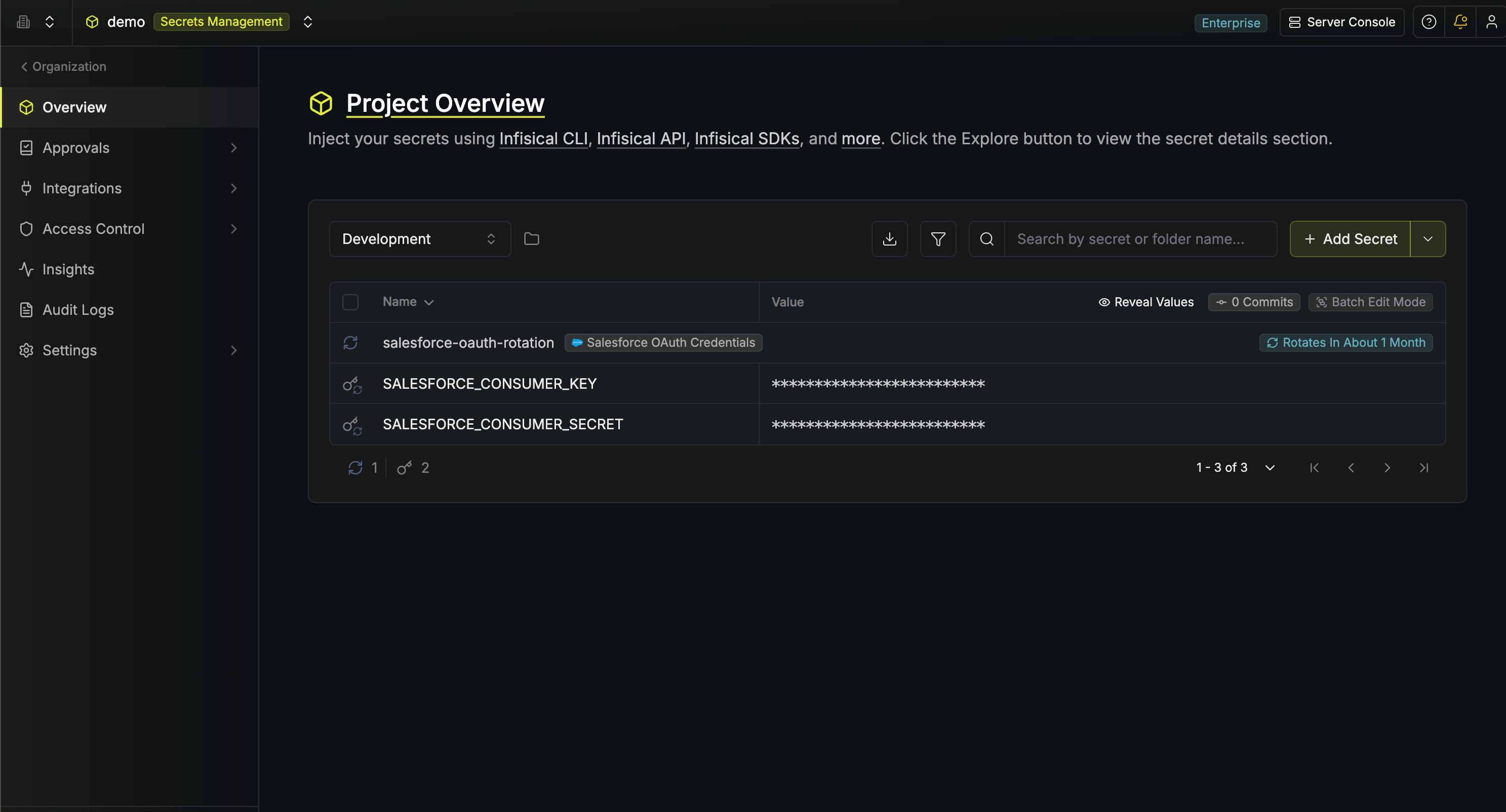
Your Salesforce OAuth Credentials rotation is created. The current consumer key and consumer secret are available as secrets at the mapped paths. Subsequent rotations issue a new staged credential, switch the active secrets to it, then revoke the previous credential for zero-downtime rotation.