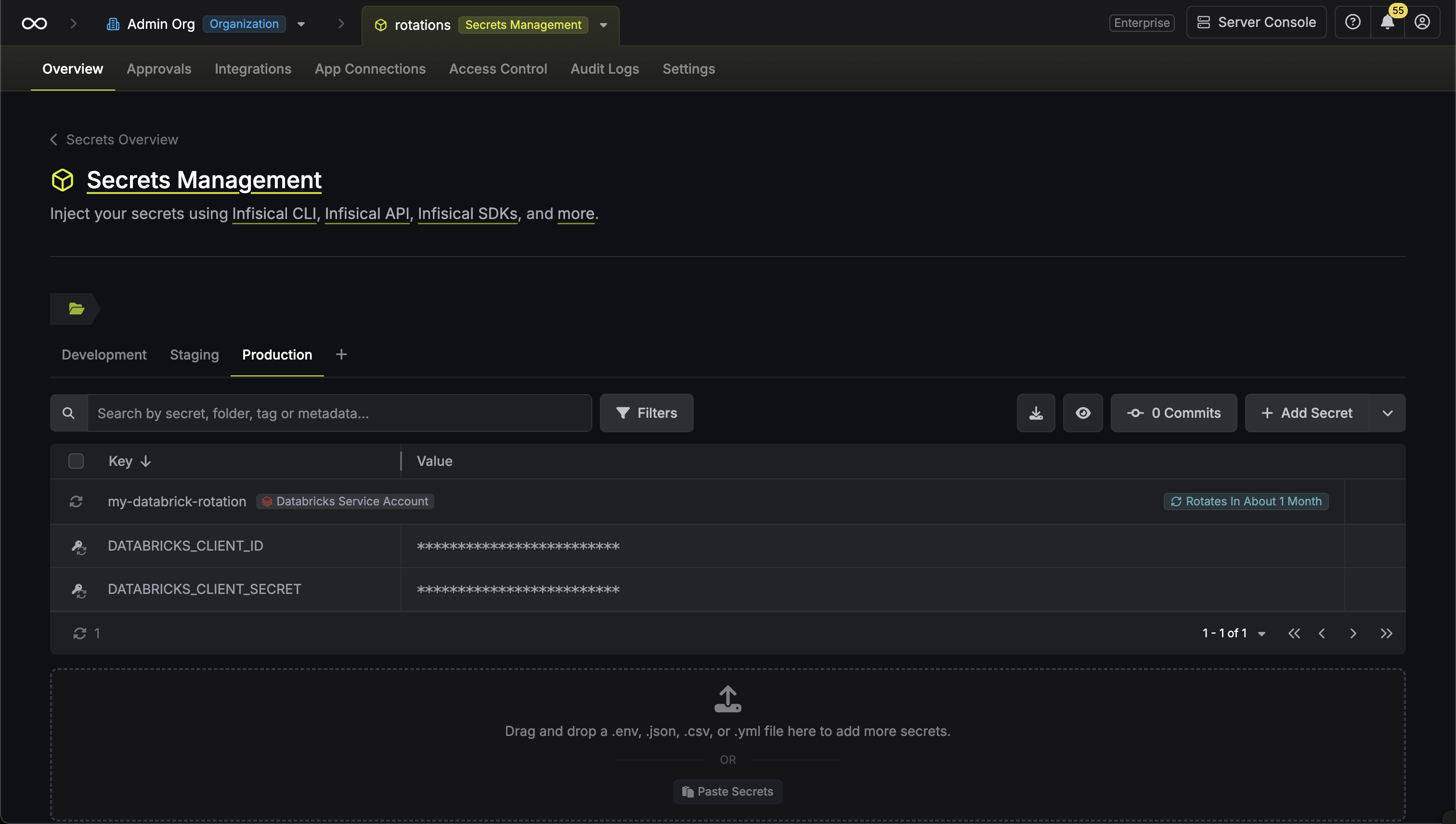
Rotation Type: Dual-PhaseThis rotation maintains two active credential sets with overlapping validity, ensuring zero-downtime during rotation cycles.
This rotation needs a Databricks app connection. This guide walks you through creating a project-scoped app connection.
Prerequisites
- A project with secrets configured
- Network access from Infisical to your Databricks workspace, if network restrictions apply
Step 1: Set up in Databricks
Create a service principal Infisical can use to reach the workspace and grant it permission to reset the secrets of every service principal you want to rotate.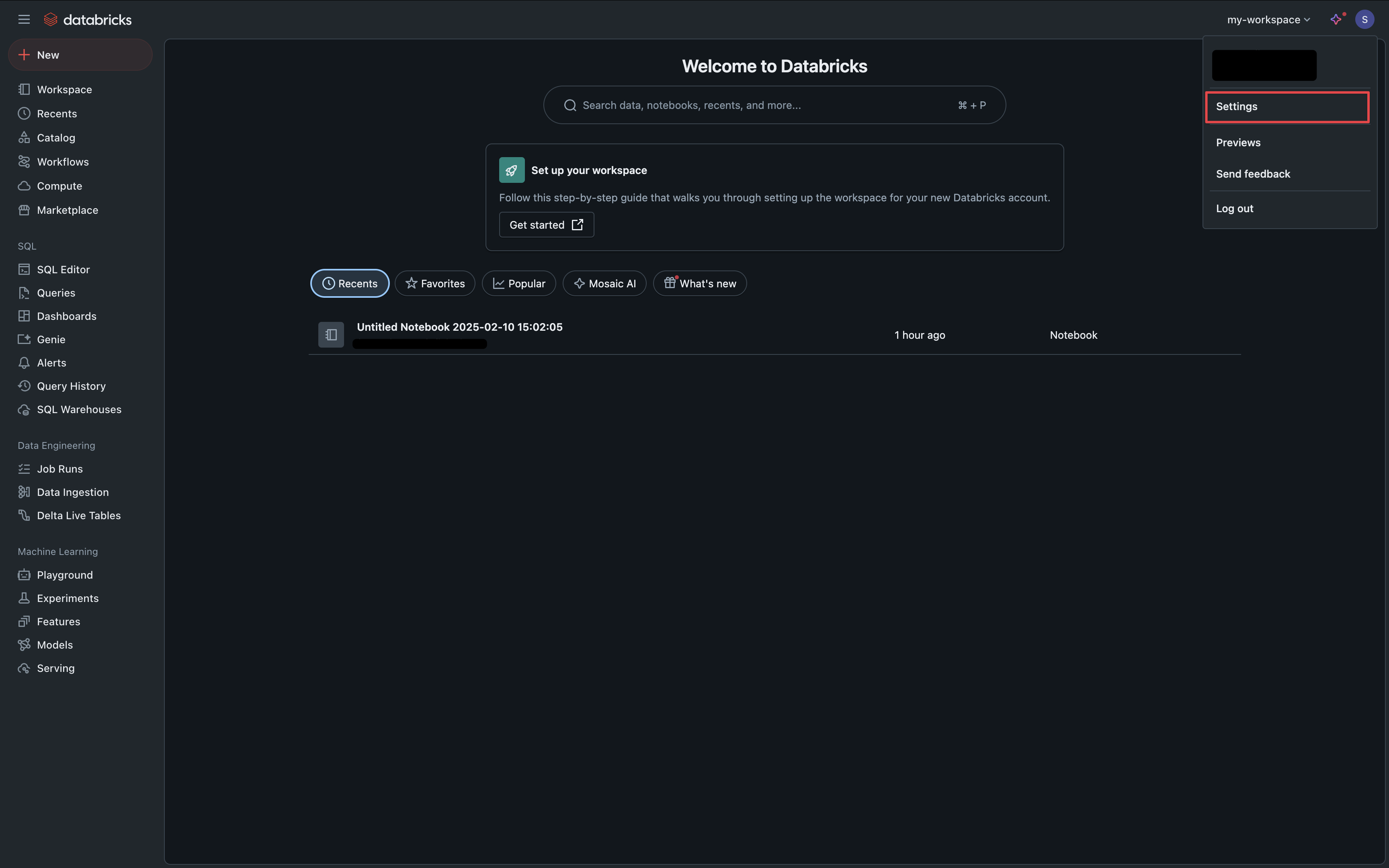
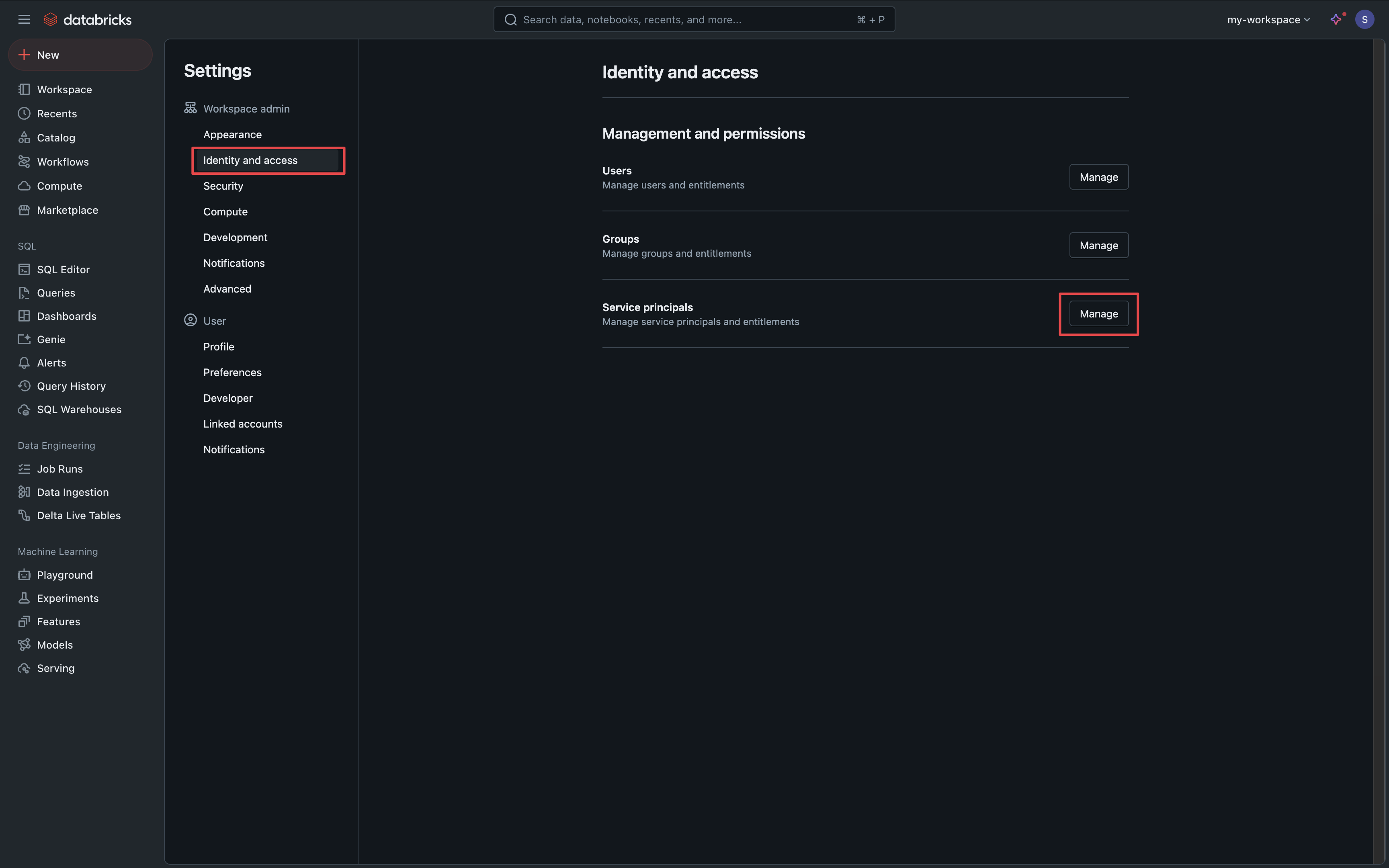
Add a service principal
Select Add Service Principal, then Add New, and create a service principal for Infisical.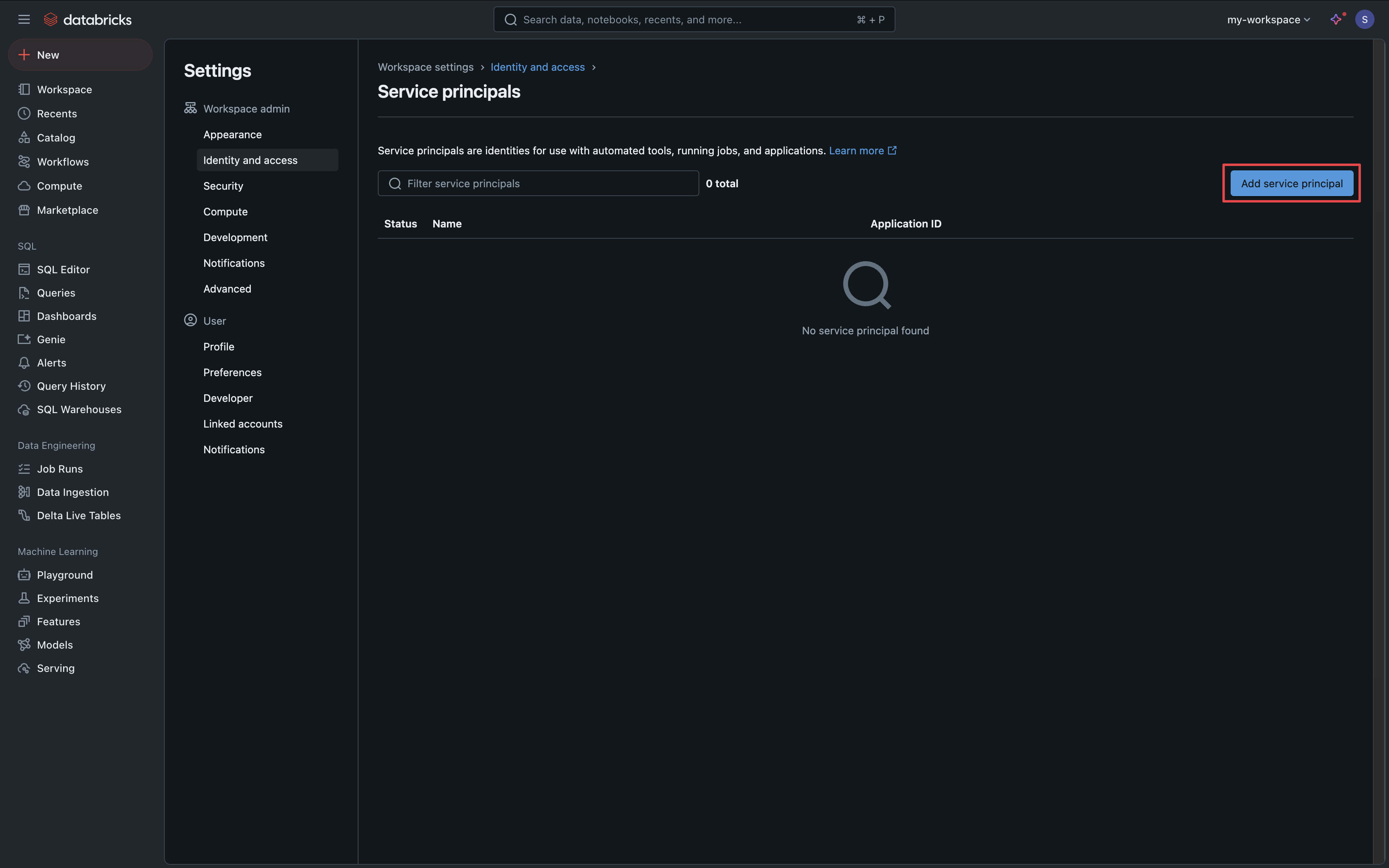
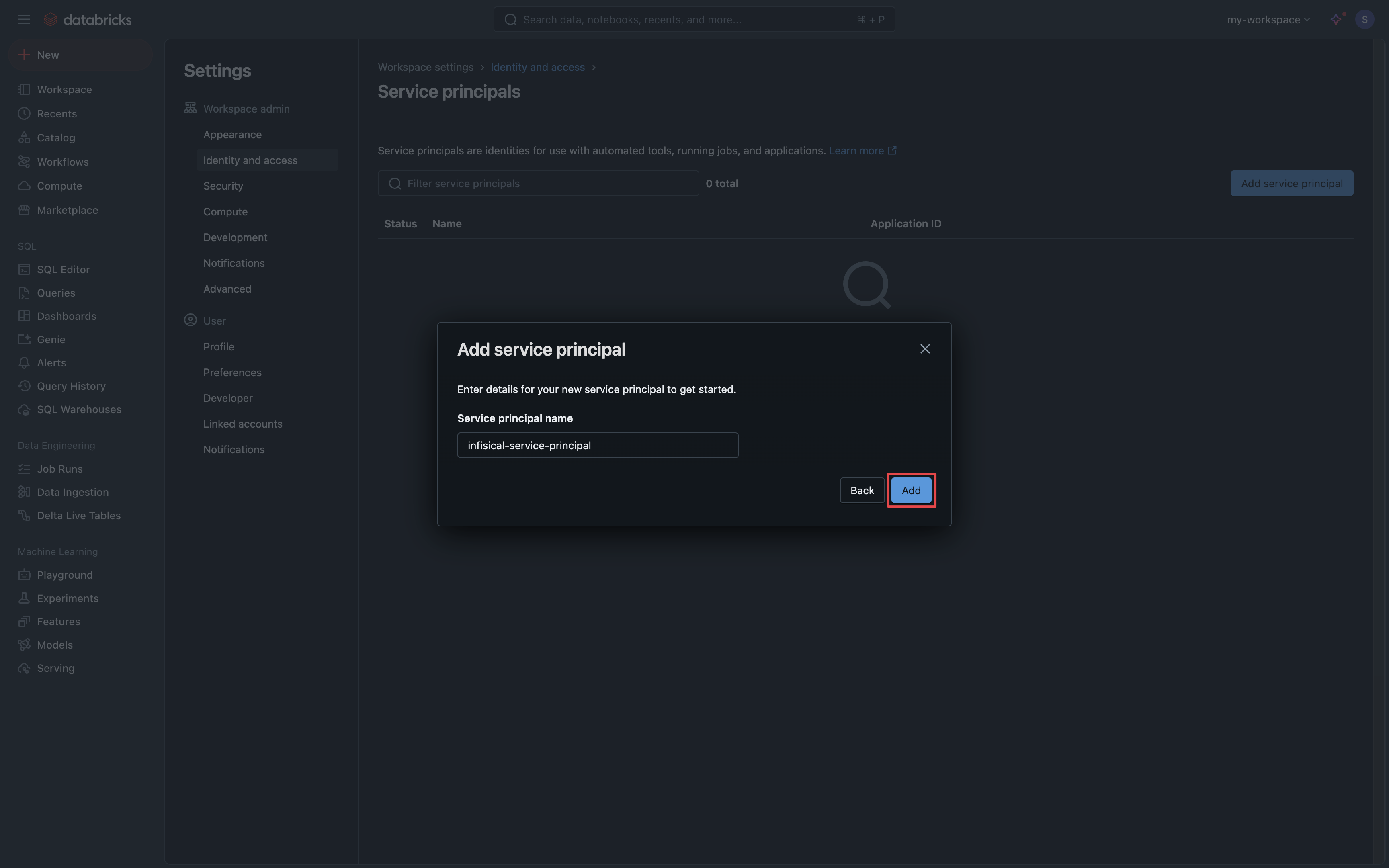
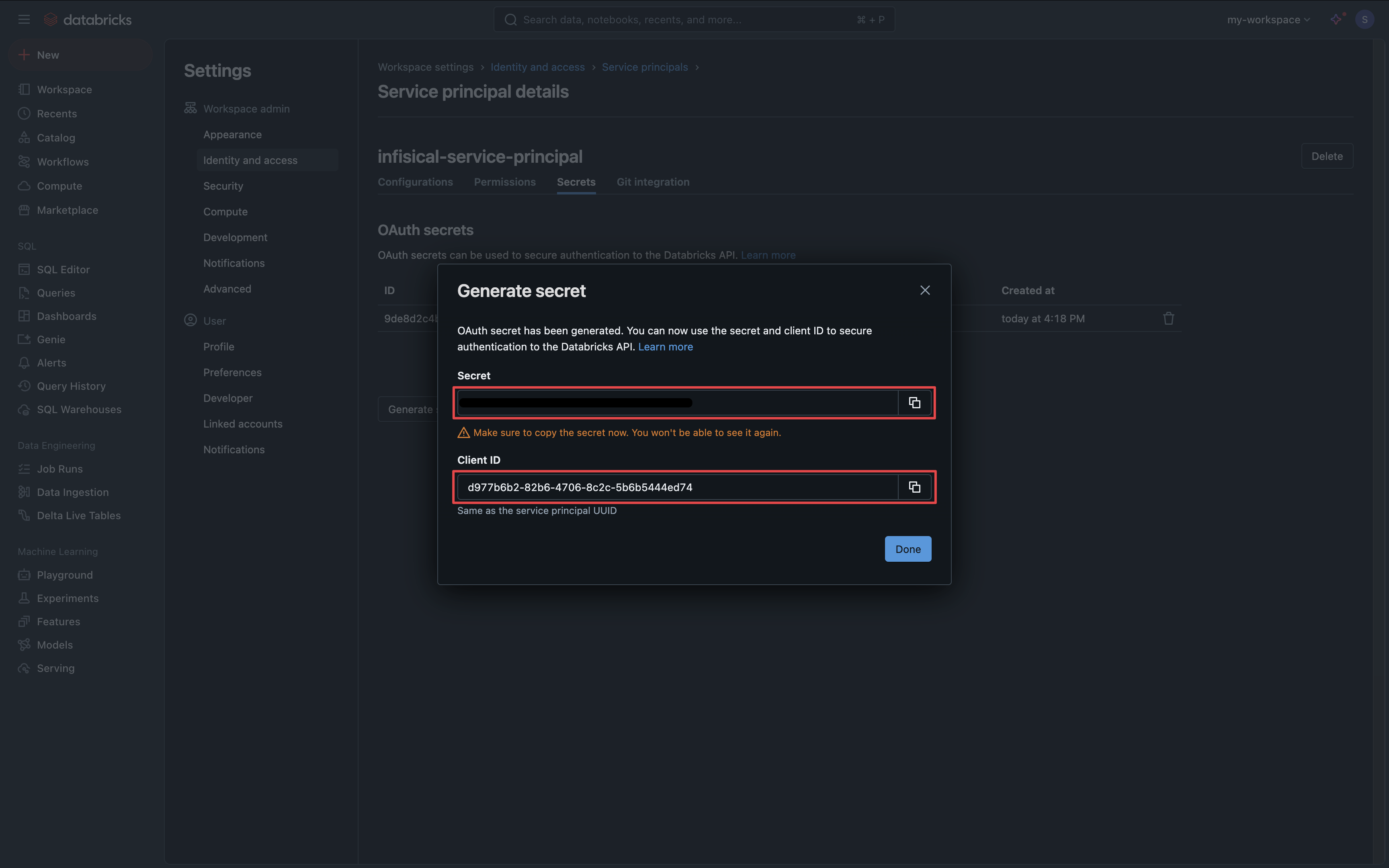
Generate a secret
Open the new service principal, select the Secrets tab, and select Generate Secret. Save the Client ID and Secret for the Infisical form.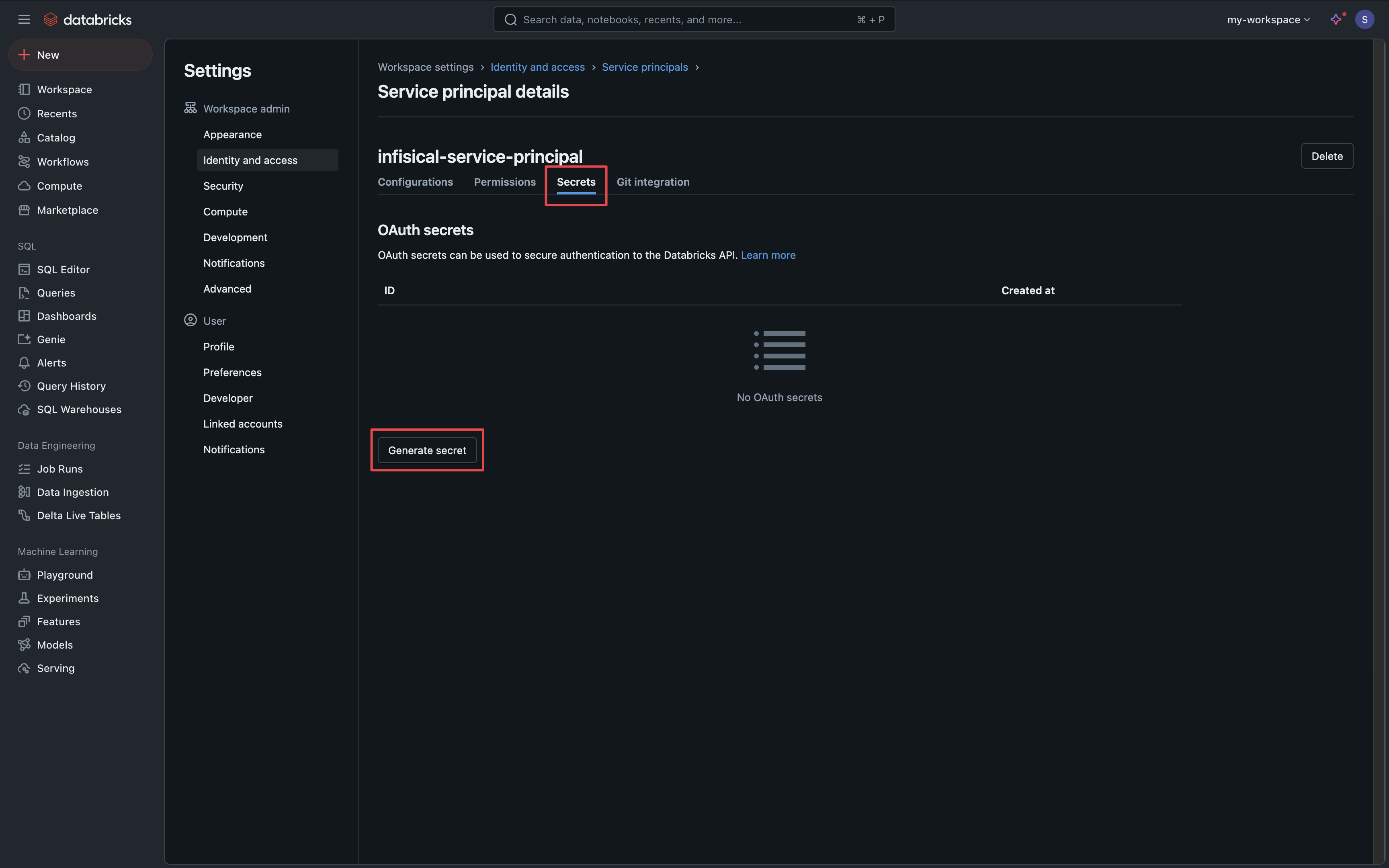
Grant rotation permissions
The Infisical service principal needs to manage the secrets of every service principal whose secrets you want to rotate.
-
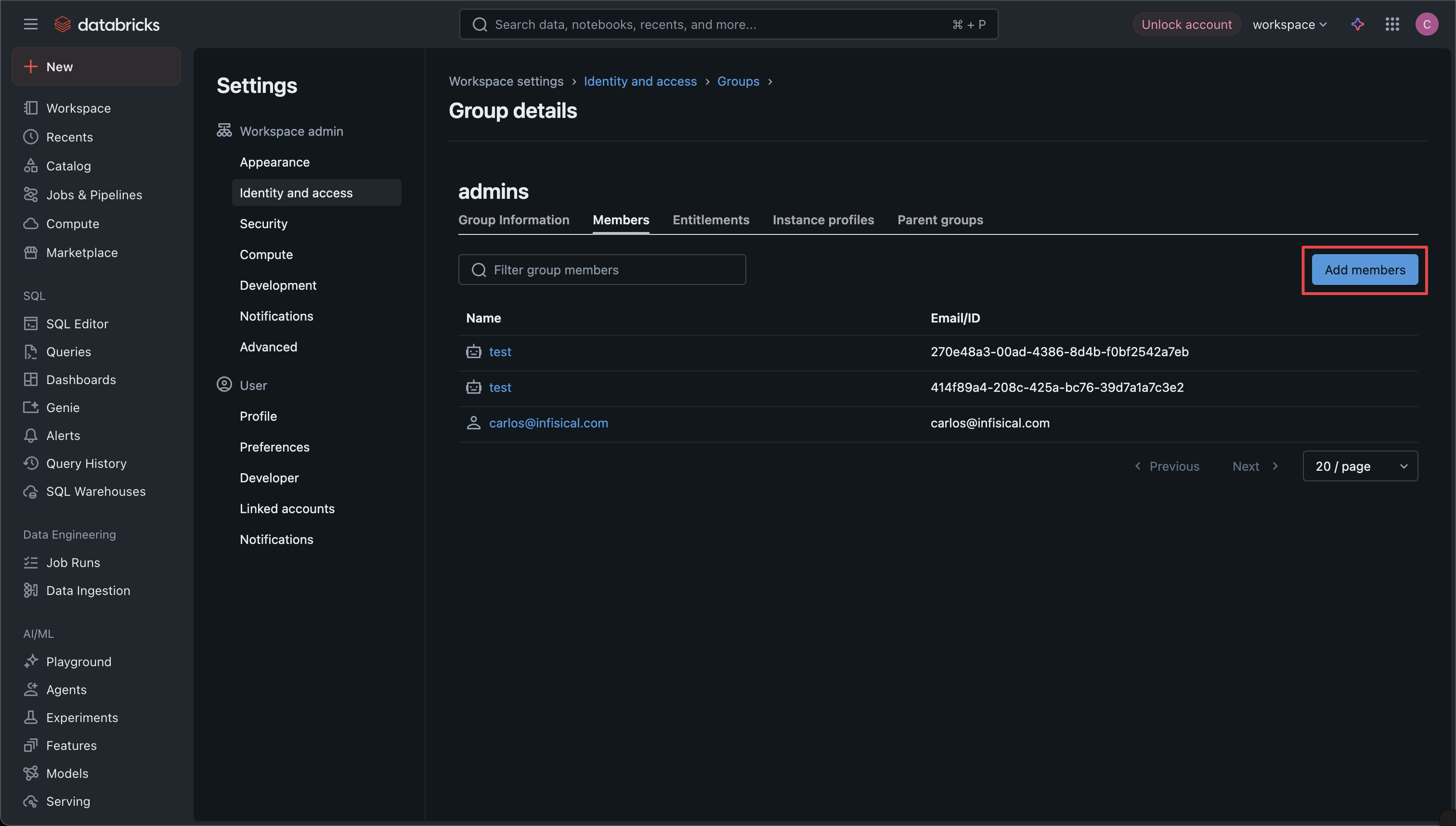
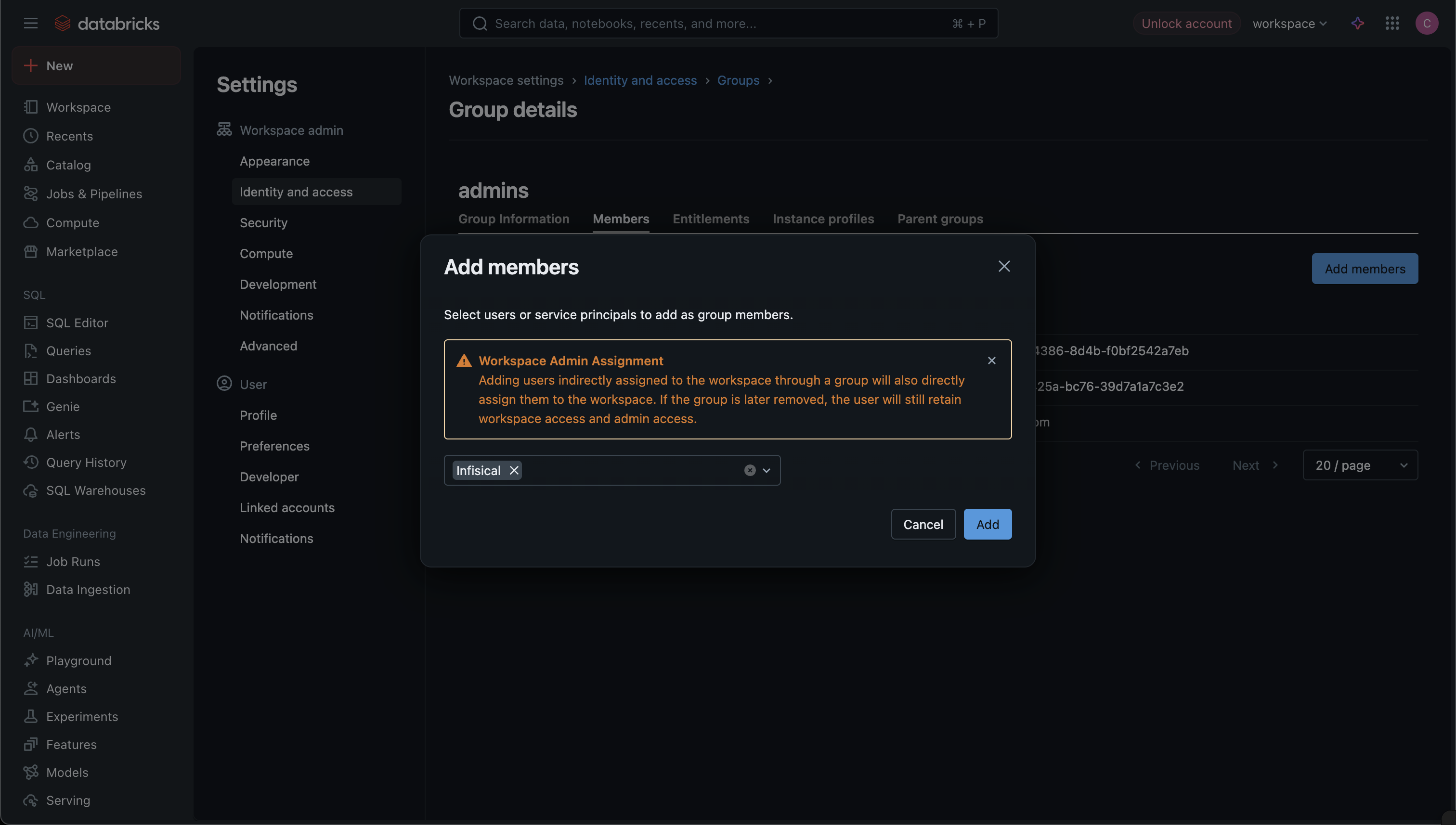
Navigate to Settings > Identity & Access > Groups and select the admin group (typically named
adminsorworkspace-admins). Select Add and pick the Infisical service principal.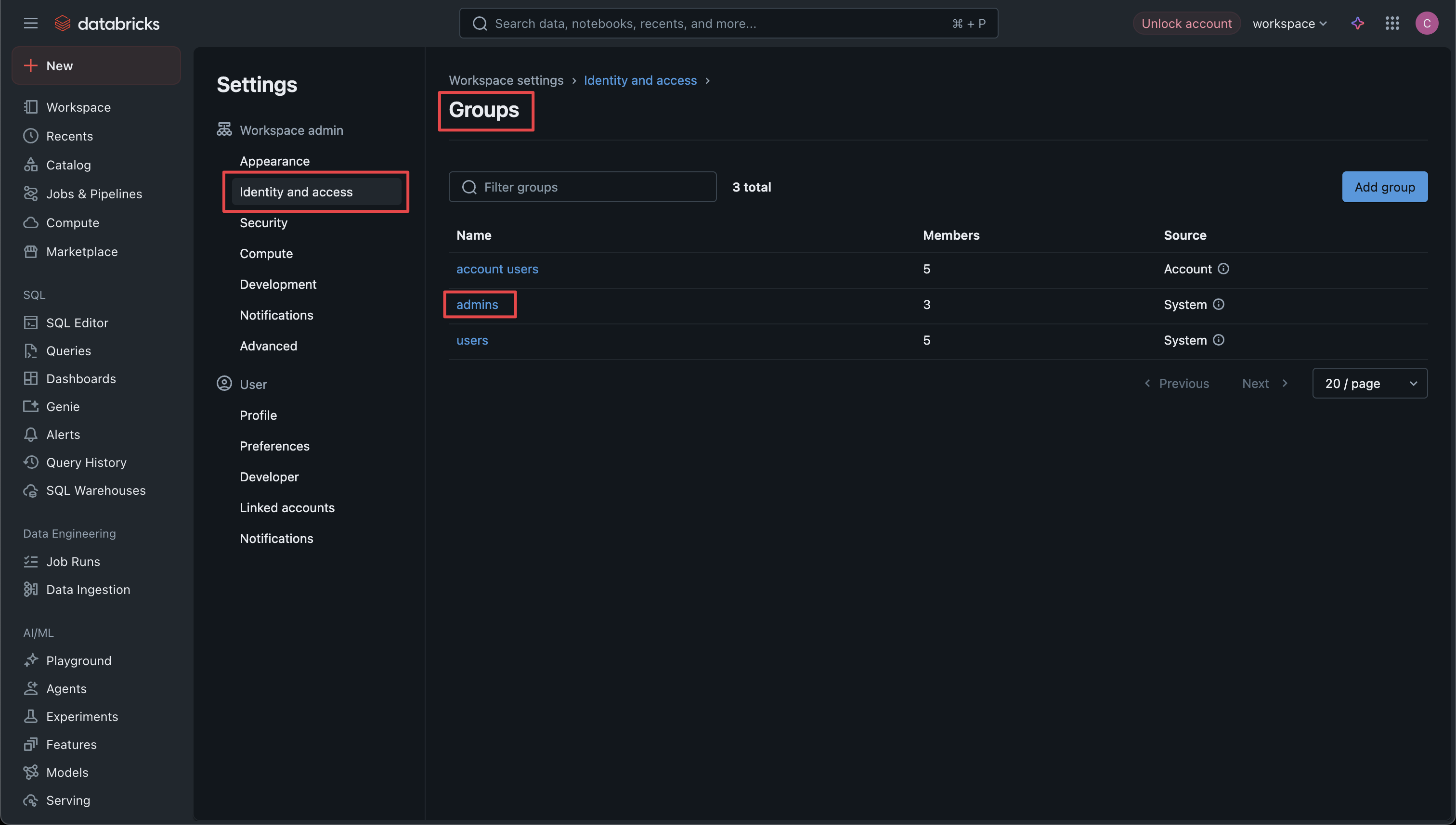
-
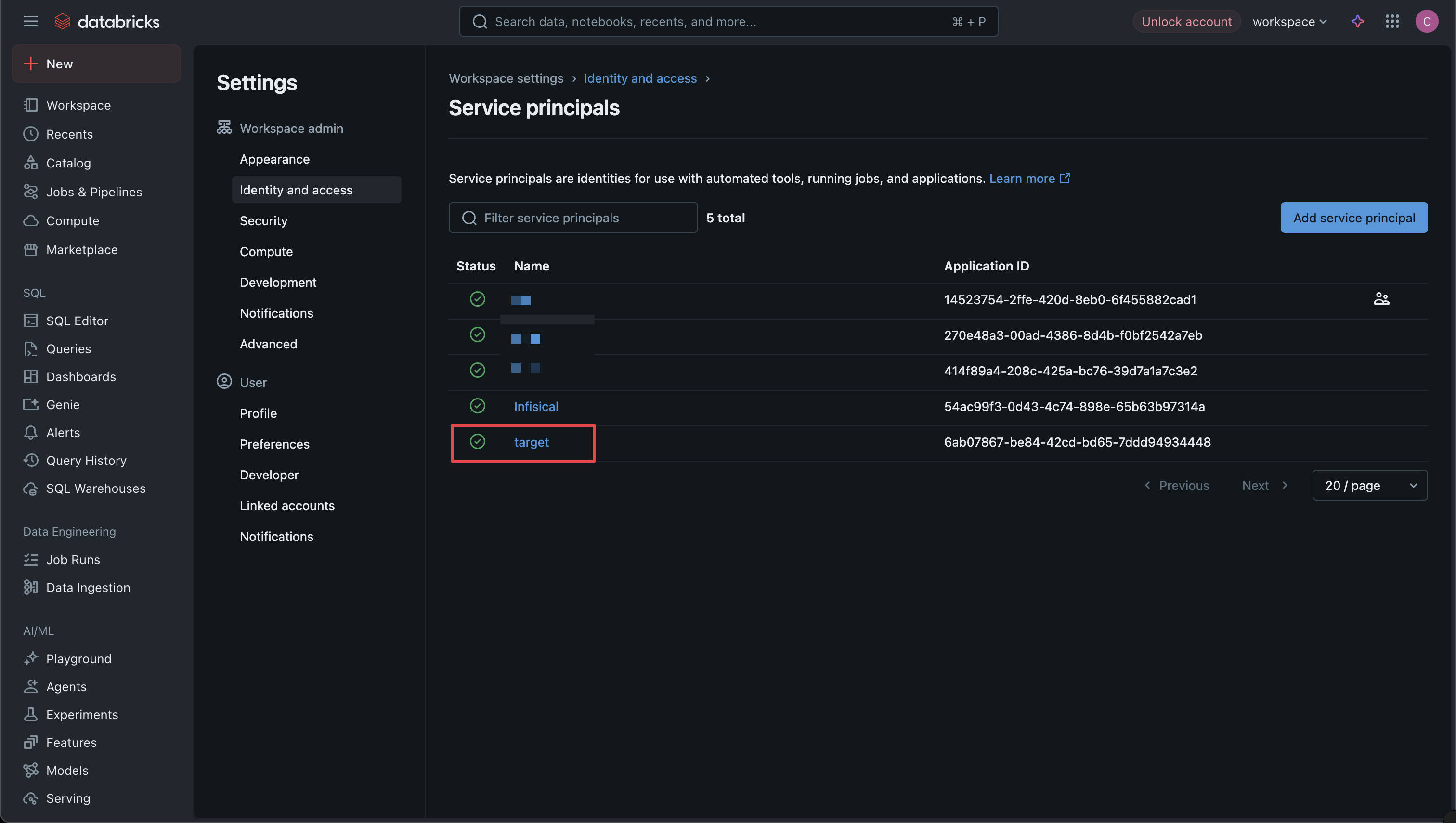
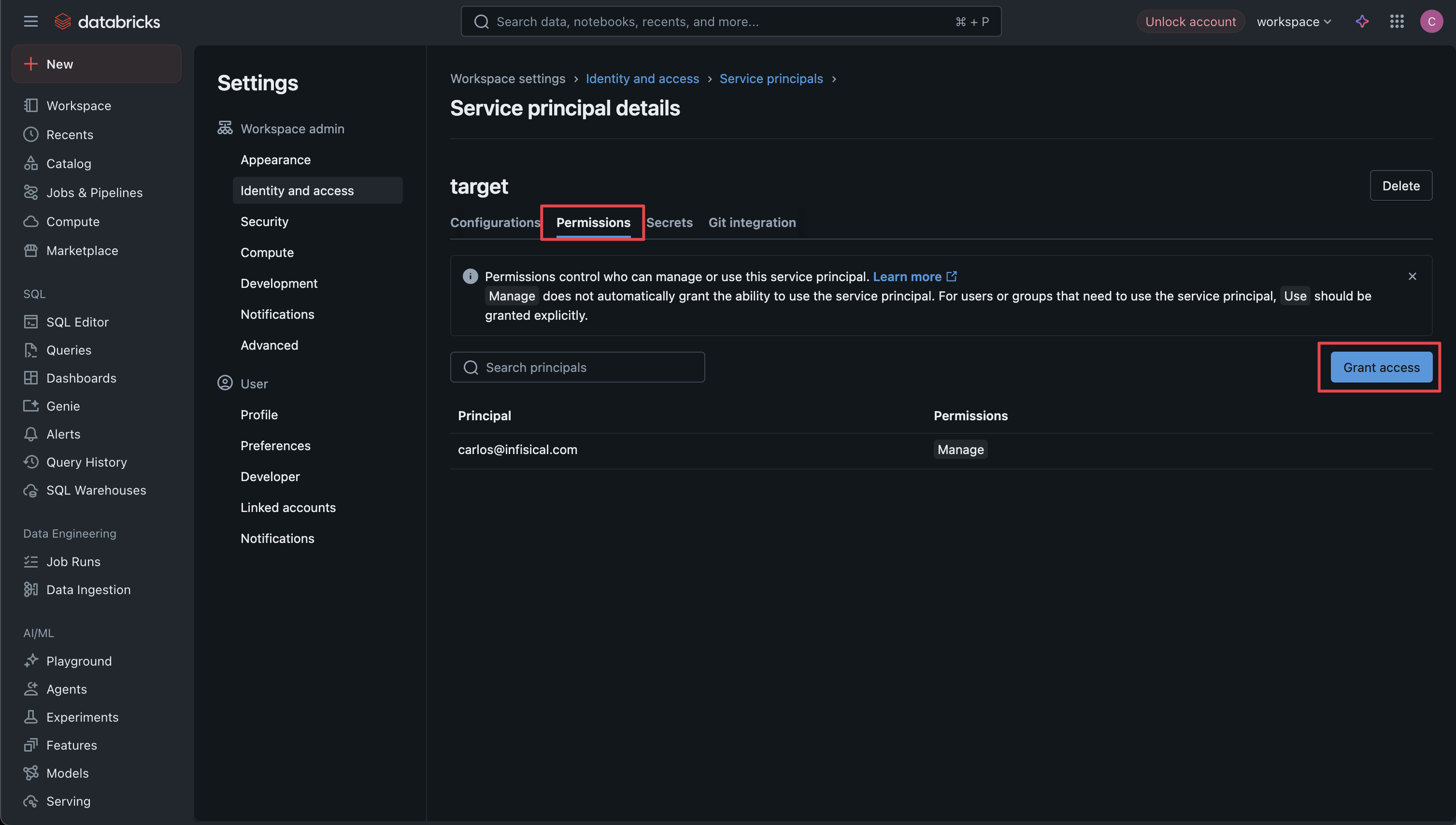
For every service principal whose secrets you want to rotate, open Settings > Identity & Access > Service Principals, select the target, open its Permissions tab, and select Grant access.
-
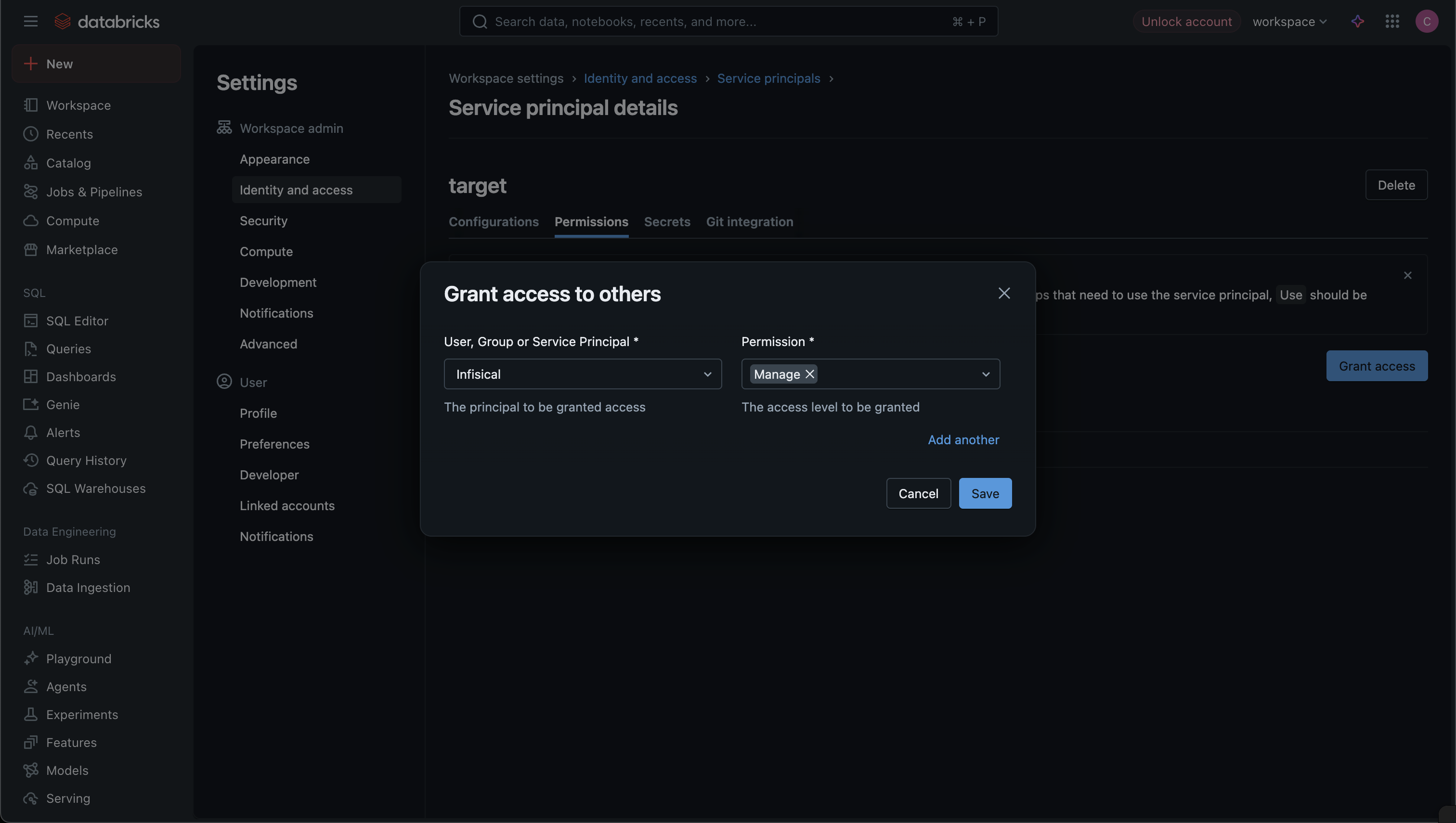
In User, Group or Service Principal, select the Infisical service principal. In Permission, select Manage. Select Save. Repeat for every target.
Step 2: Set up the rotation in Infisical
Add the rotation
In your Secrets Management project, open the dashboard and select Add Secret Rotation from the actions dropdown.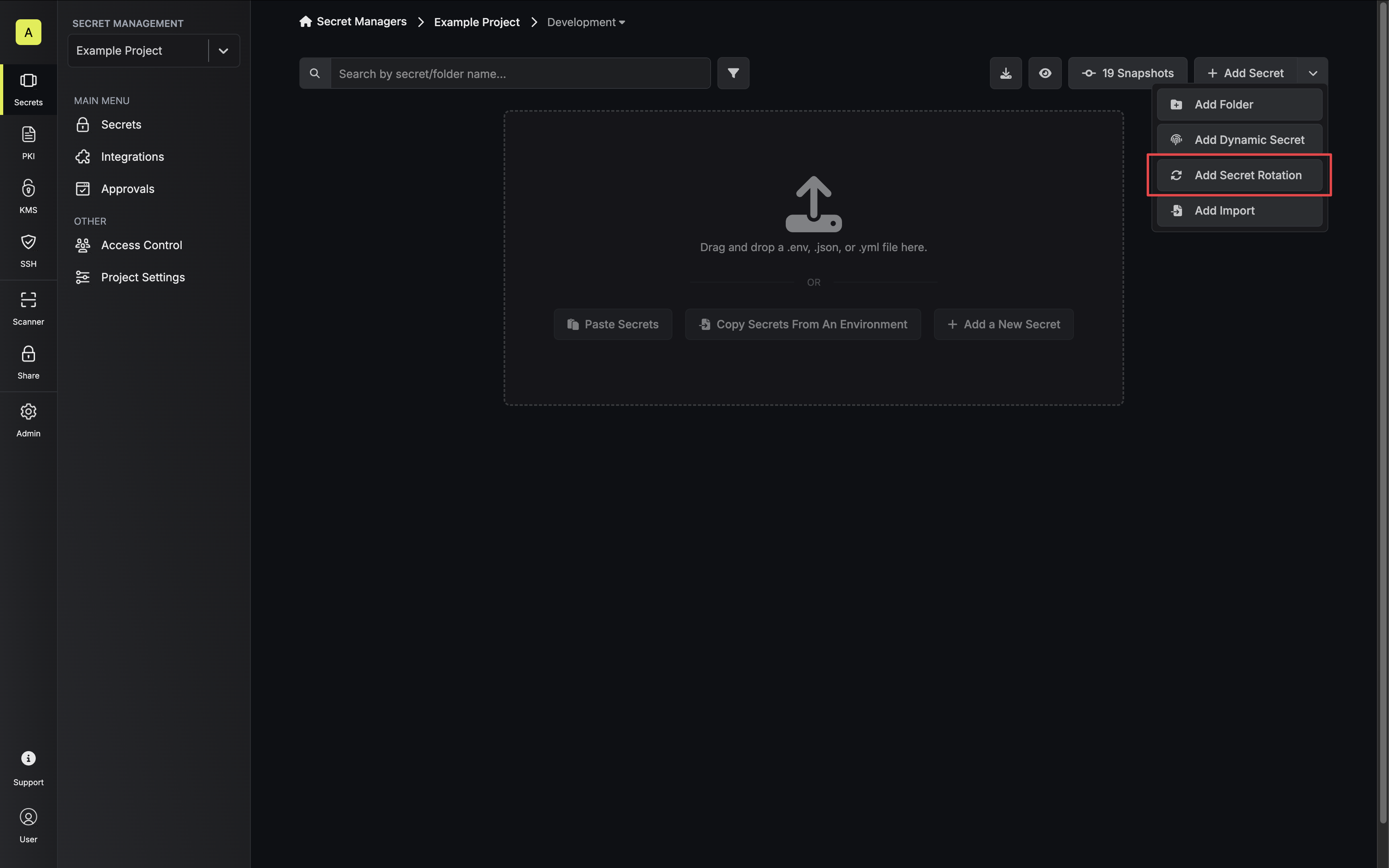 Then, select the Databricks Service Principal rotation: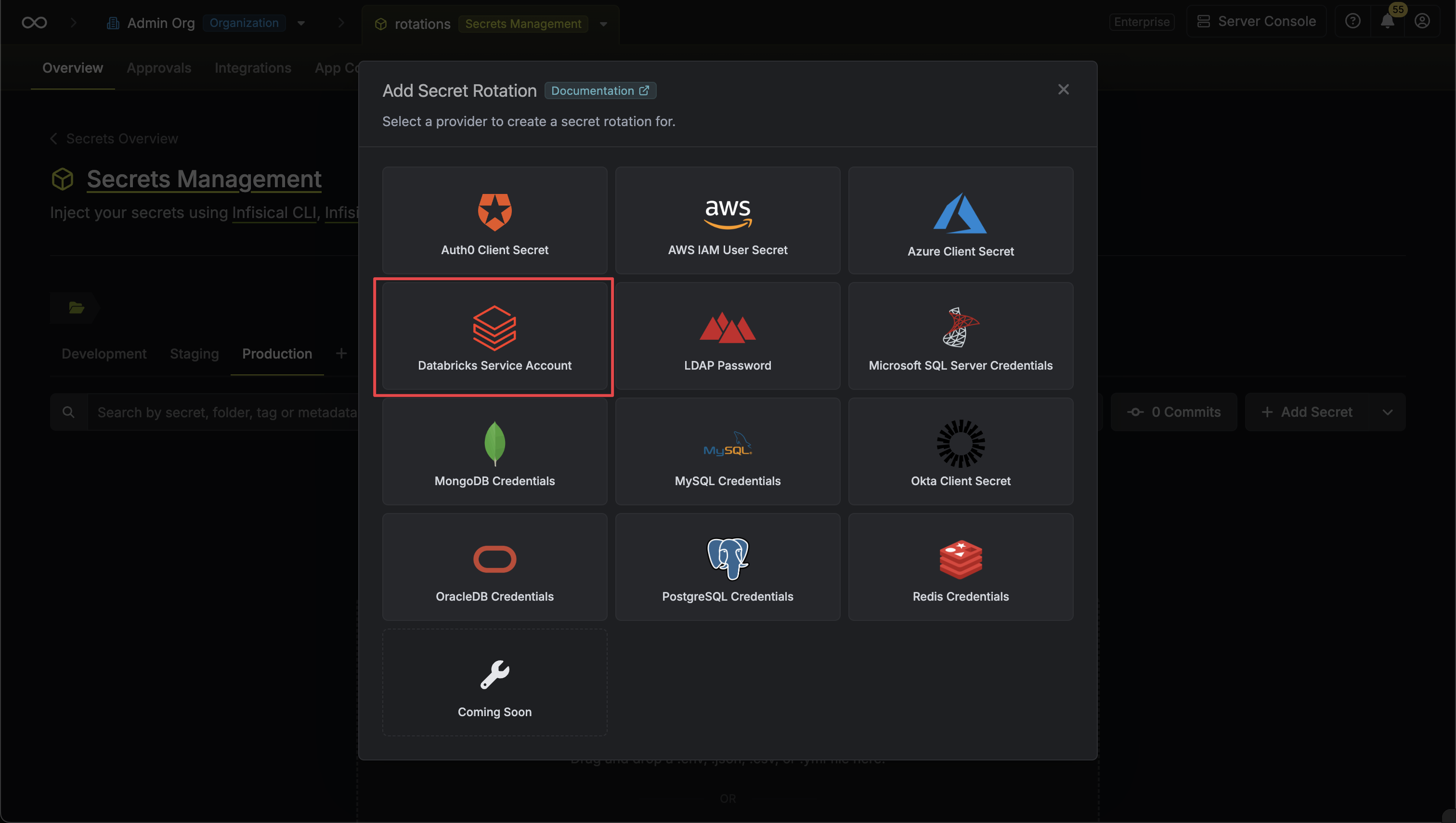
Then, select the Databricks Service Principal rotation:Configure the app connection
Create or select the Databricks app connection the rotation will use.
- Create a new app connection
- Use an existing connection
Under Databricks Connection, select Create Connection, then choose Databricks Connection. Select the Service Principal method and complete the form:
- Name: A descriptive name for the connection.
- Description (optional): A note for future reference.
- Workspace URL: The URL of your Databricks workspace.
- Client ID: The Client ID of the Databricks service principal created for Infisical.
-
Client Secret: The secret generated for that service principal.
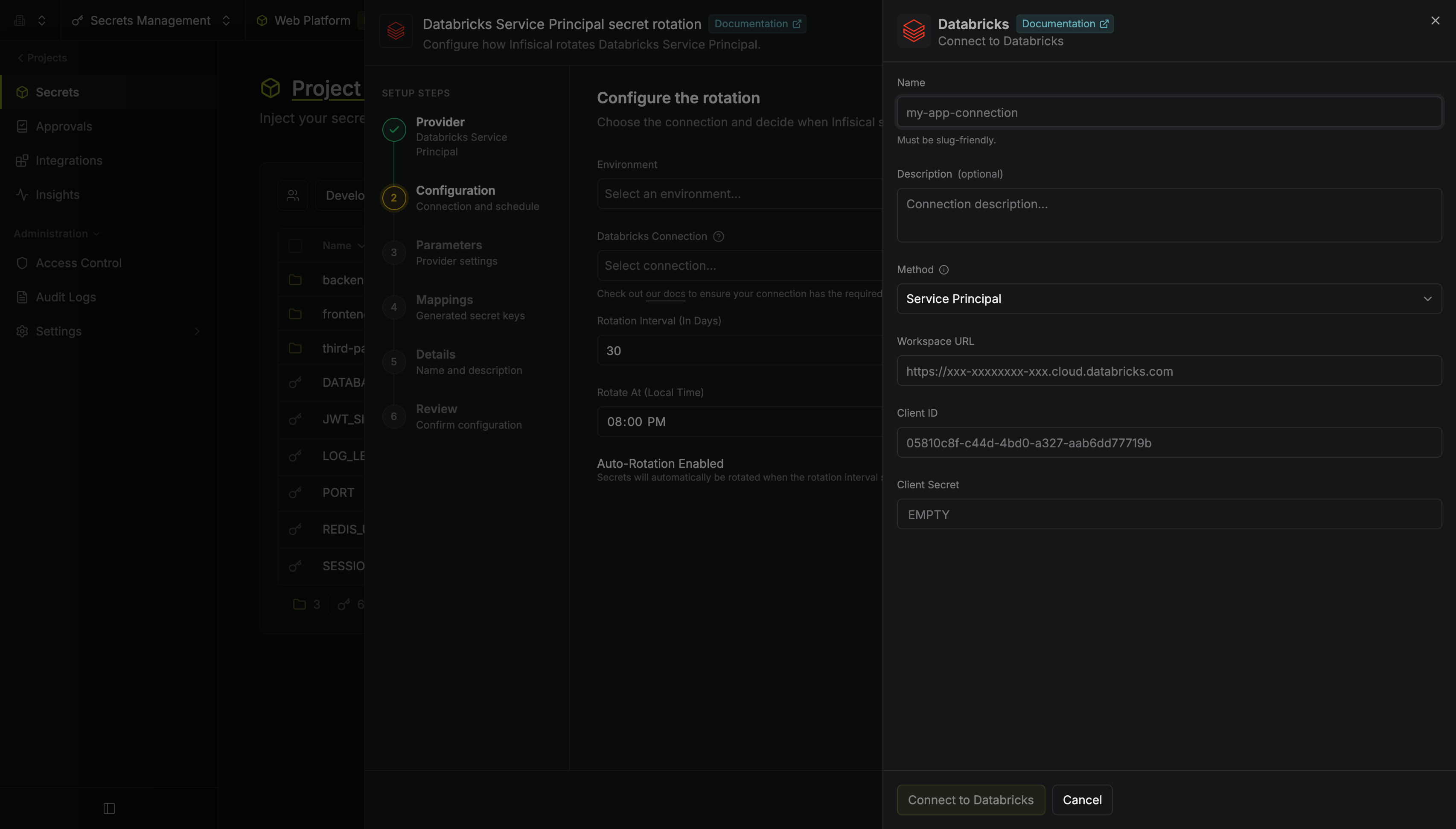
This creates a connection scoped to the current project. To share the connection across other projects, create it at the organization level first, then select it here.
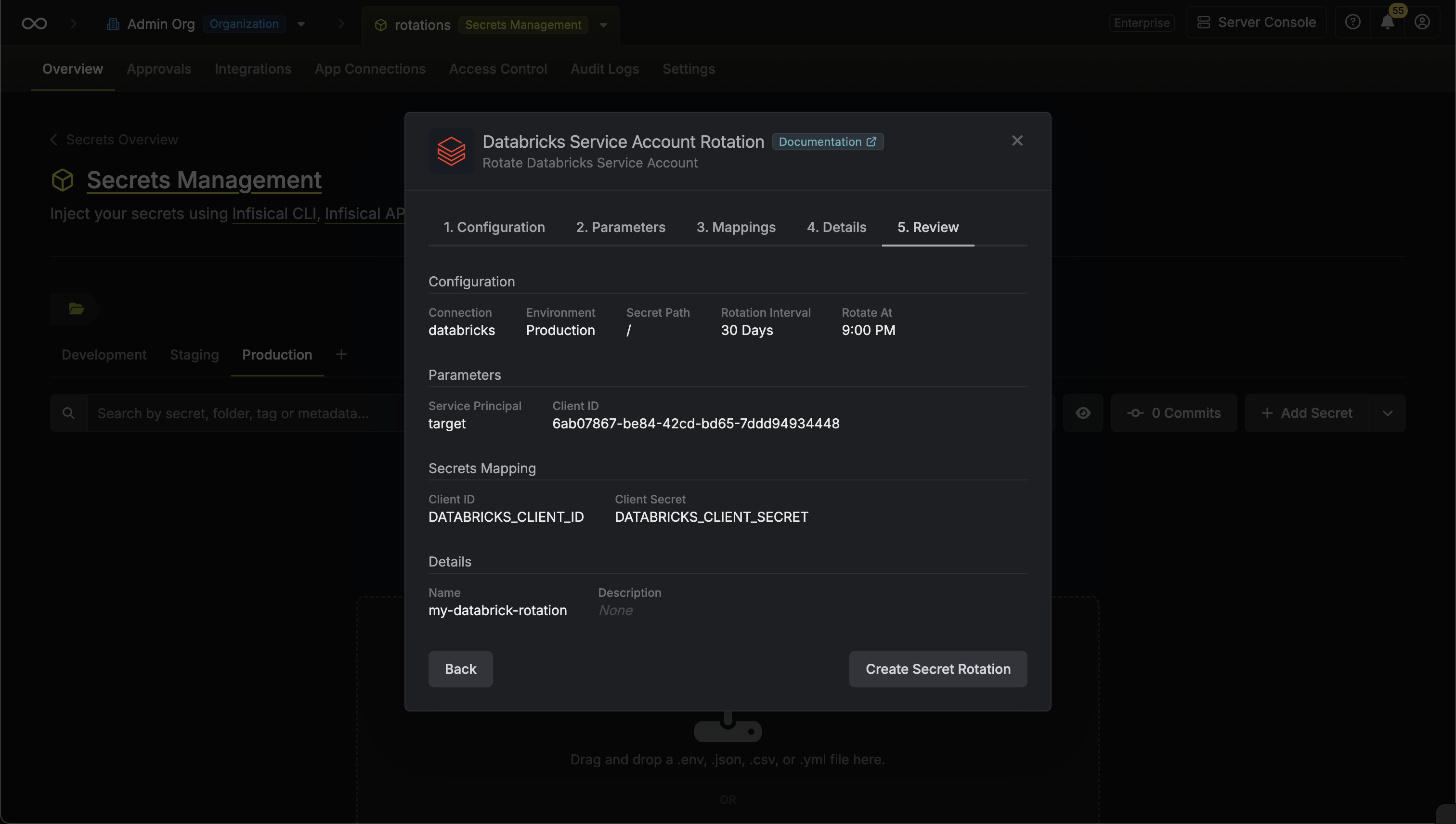
Configure the rotation
Set the rotation behavior.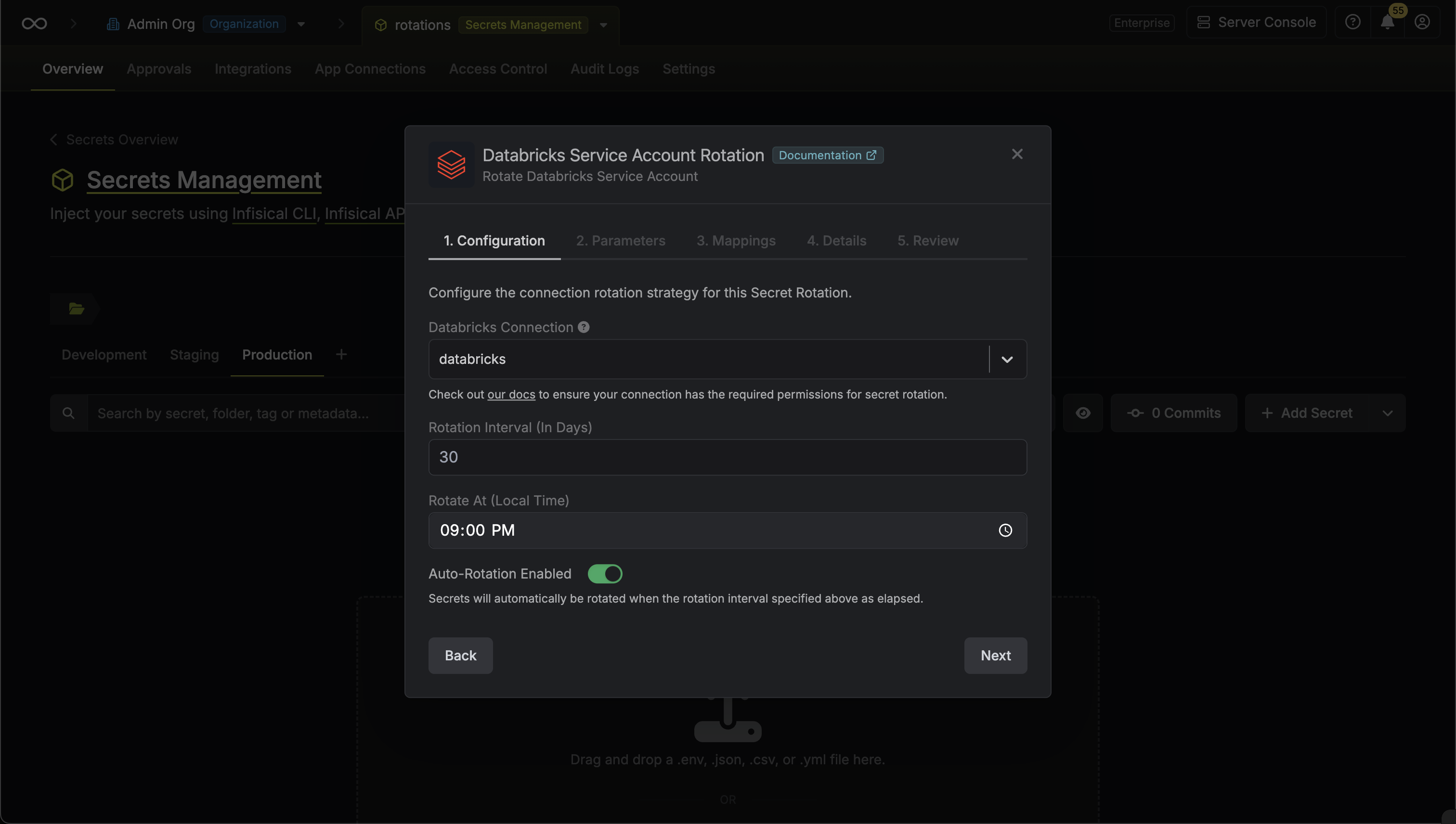
- Rotation Interval: The interval, in days, that once elapsed triggers a rotation.
- Rotate At: The local time of day when rotation should occur once the interval has elapsed.
- Auto-Rotation Enabled: When enabled, secrets rotate automatically once the interval elapses. Disable to rotate manually or pause rotation.
Pick the target service principal
Select the Databricks service principal whose OAuth secret you want to rotate, then select Next.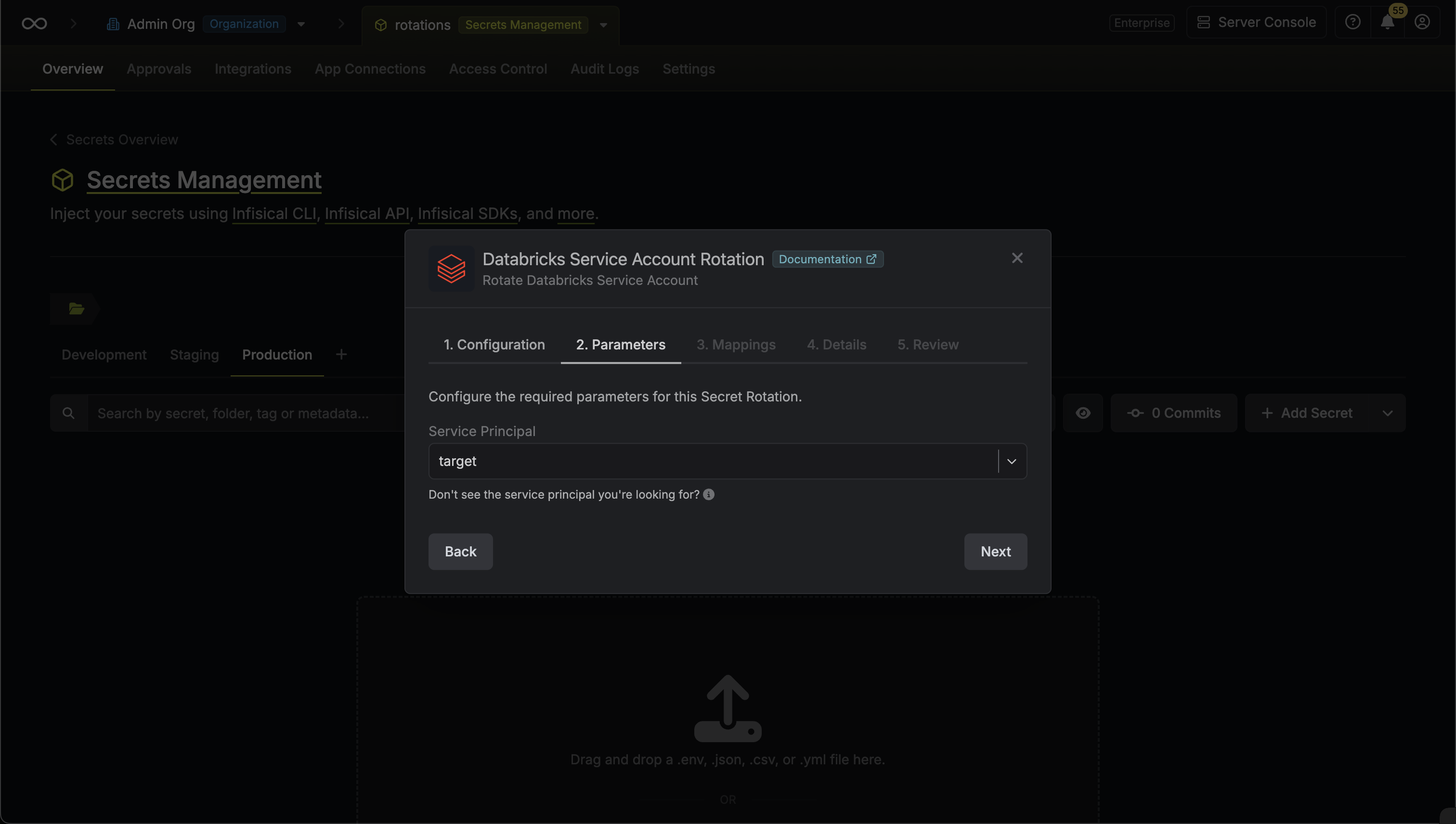
Map the rotated values to secret names
Specify the secret names that the client credentials should be mapped to, then select Next.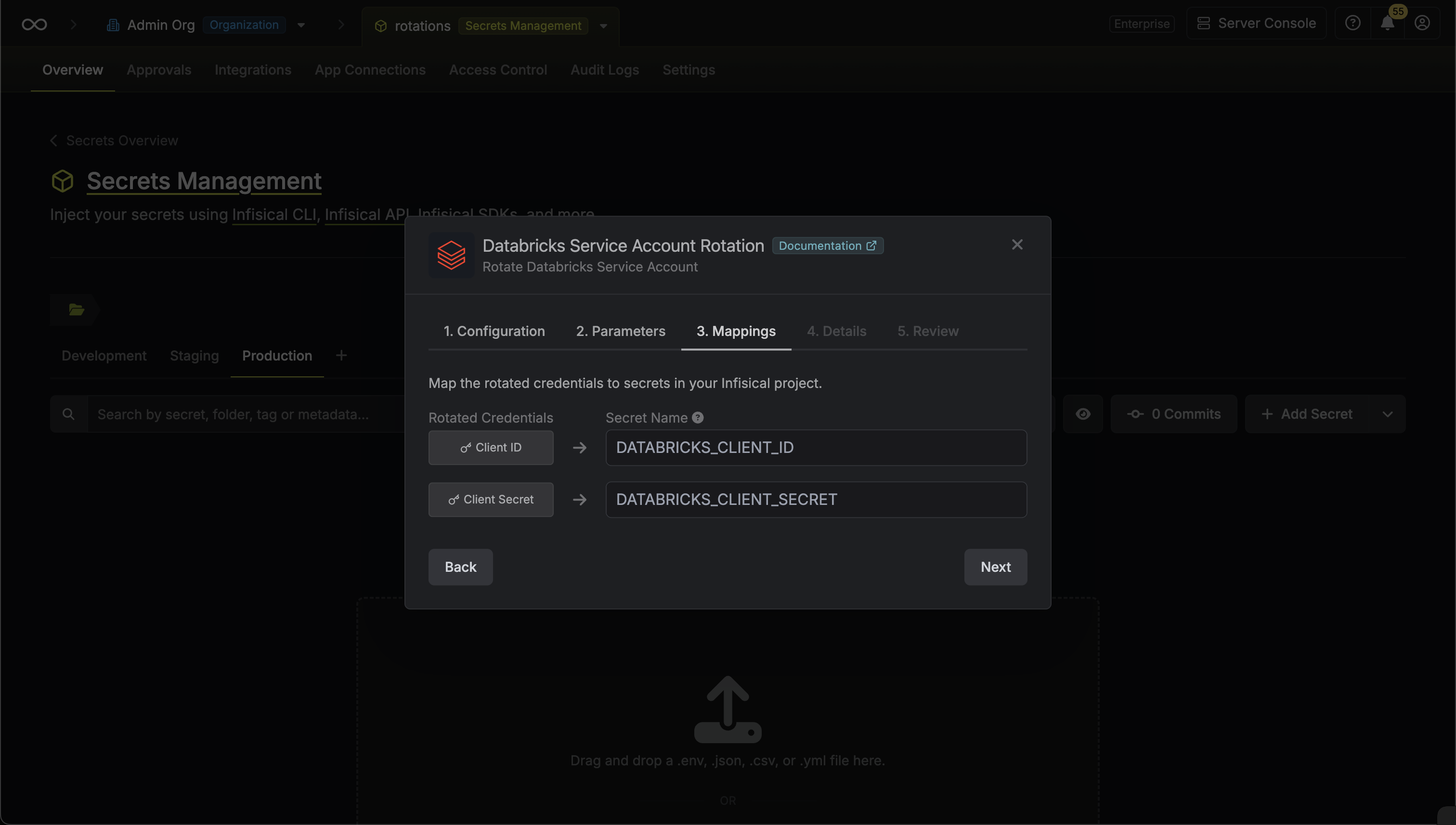
- Client ID: The name of the secret the service principal Client ID is written to.
- Client Secret: The name of the secret the rotated OAuth Client Secret is written to.
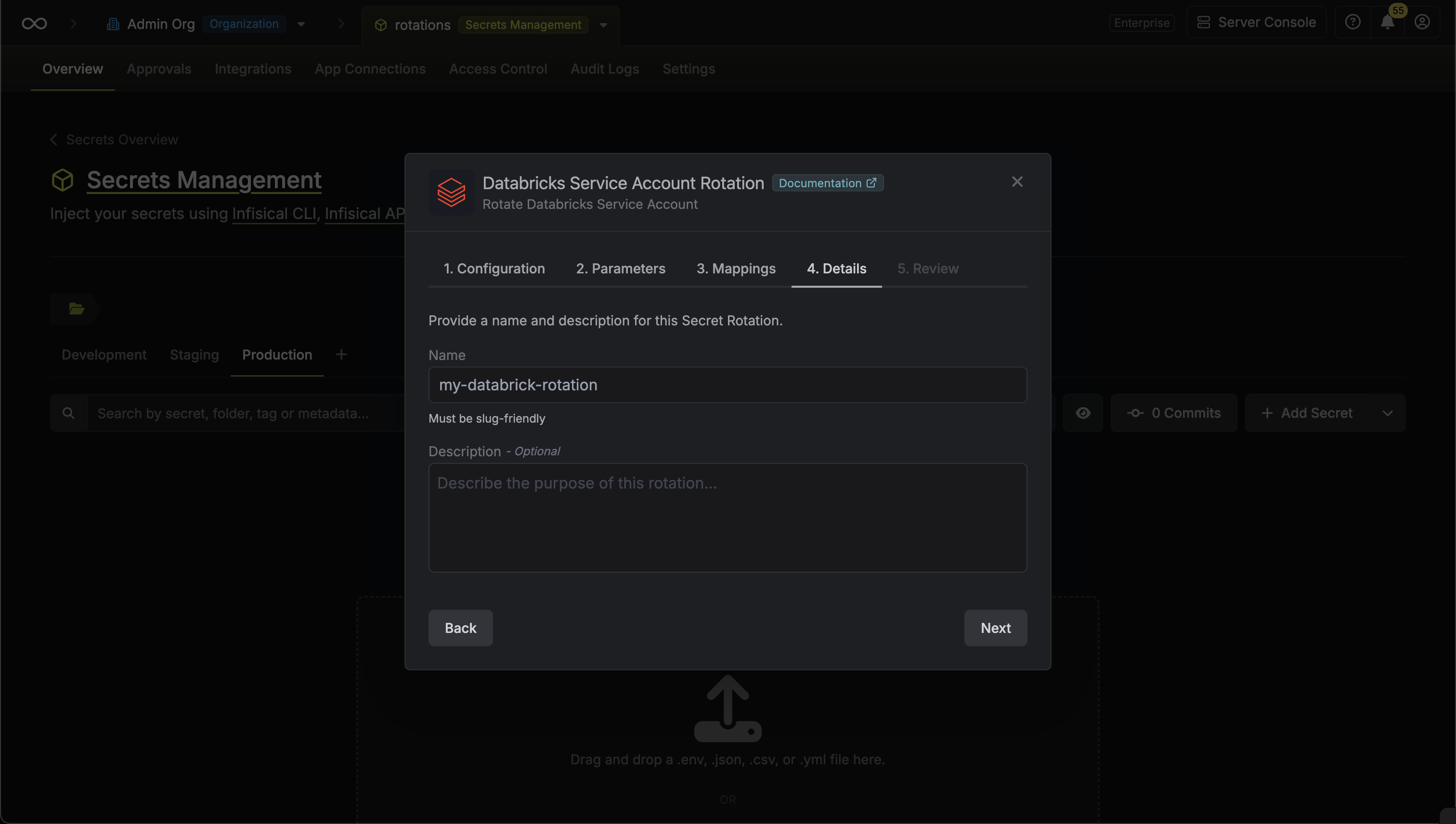
Configure the details
Give the rotation a Name and an optional Description, then select Next. The name must be slug-friendly.