Rotation Type: Dual-PhaseThis rotation maintains two active credential sets with overlapping validity, ensuring zero-downtime during rotation cycles.
Prerequisites
- Create a Datadog Connection using the API Key method (both an API Key and an Application Key are required).
- The Application Key used by the connection must belong to a user with permission to create and delete API keys. Set
api_keys_readandapi_keys_writeunder API and Application Keys in the key’s scopes.
Create a Datadog API key rotation in Infisical
- Infisical UI
- API
-
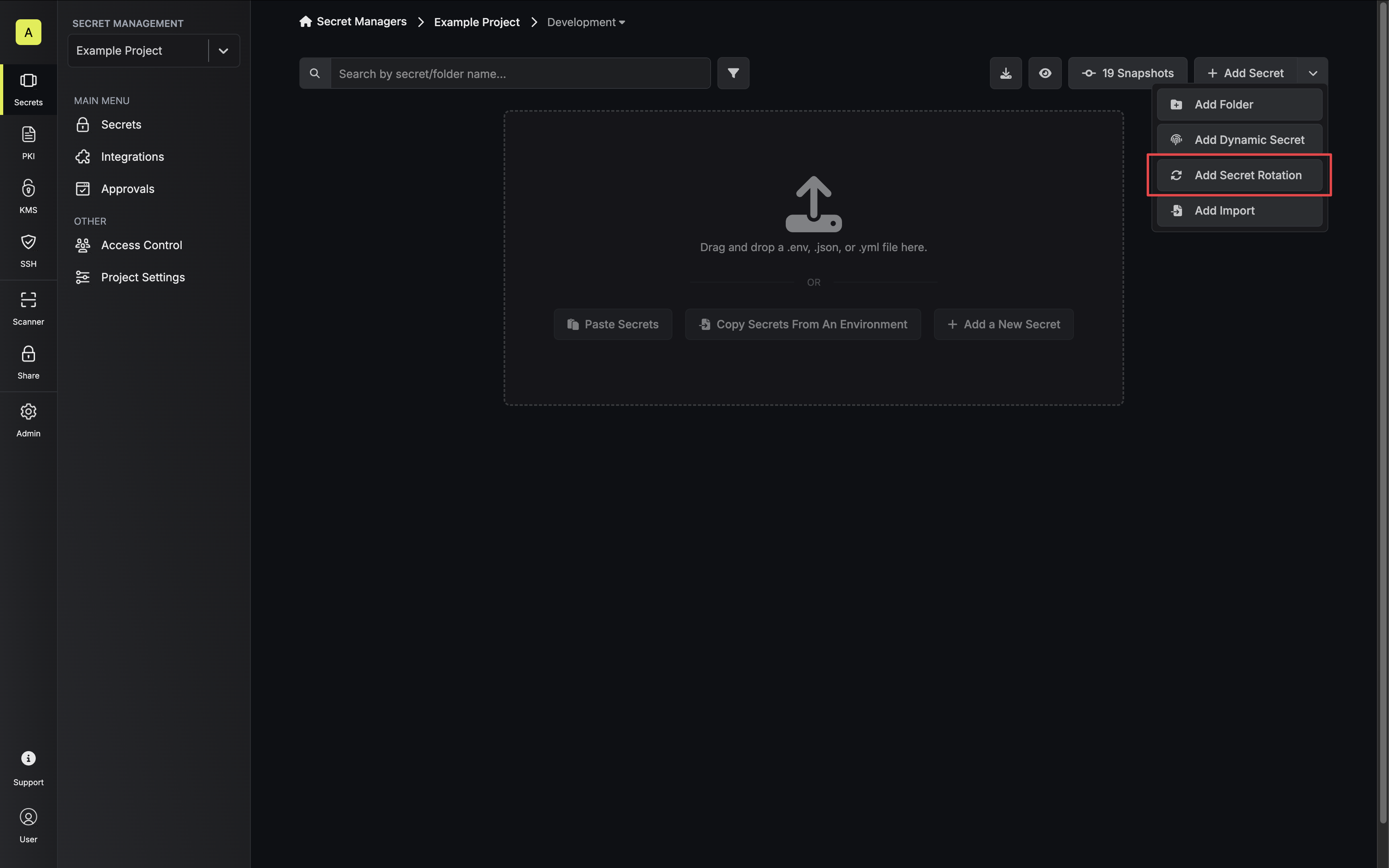
Navigate to your Secrets Management Project’s Dashboard and select Add Secret Rotation from the actions dropdown.
-
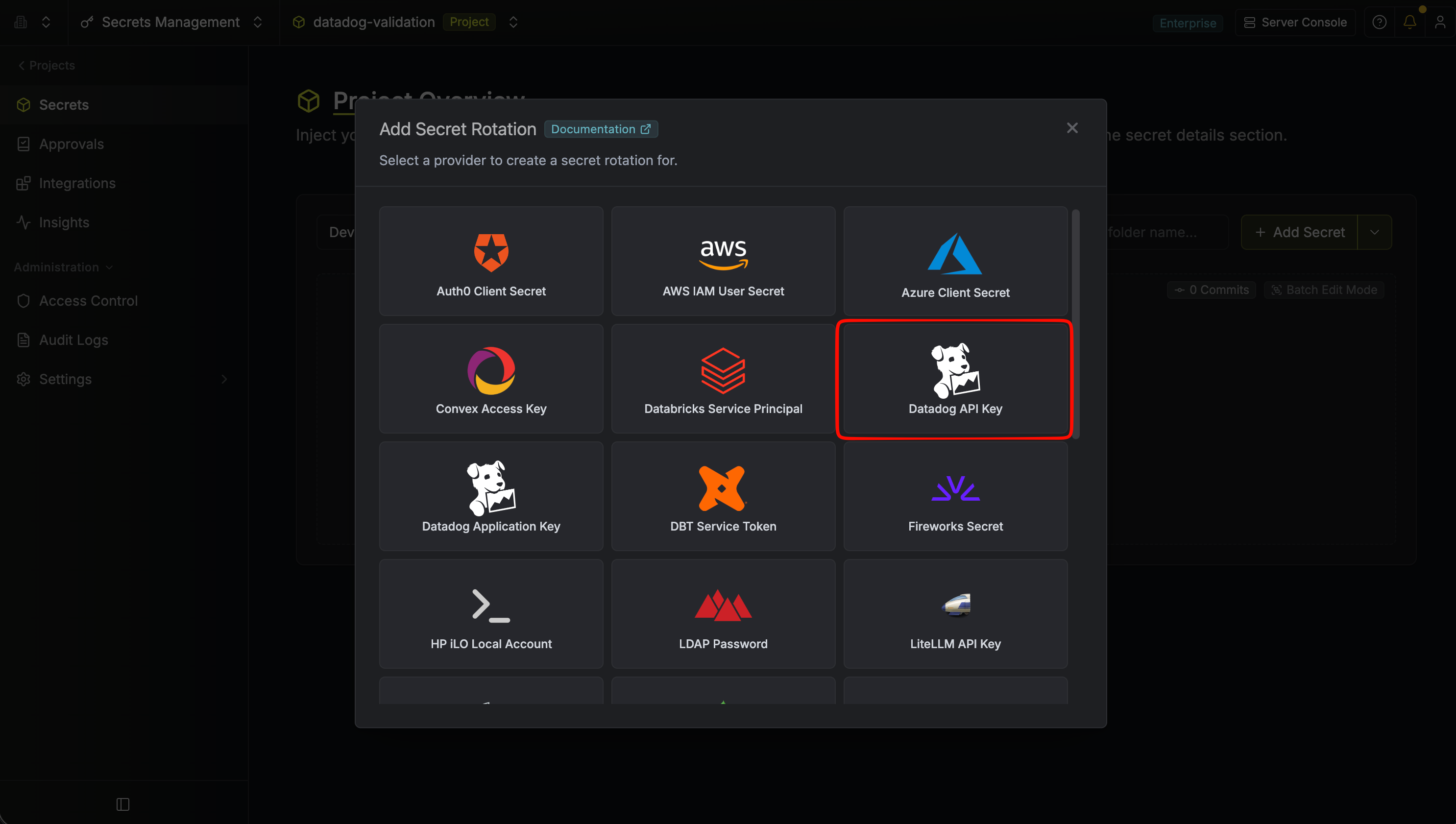
Select the Datadog API Key option.
-
Configure the rotation behavior, then click Next.
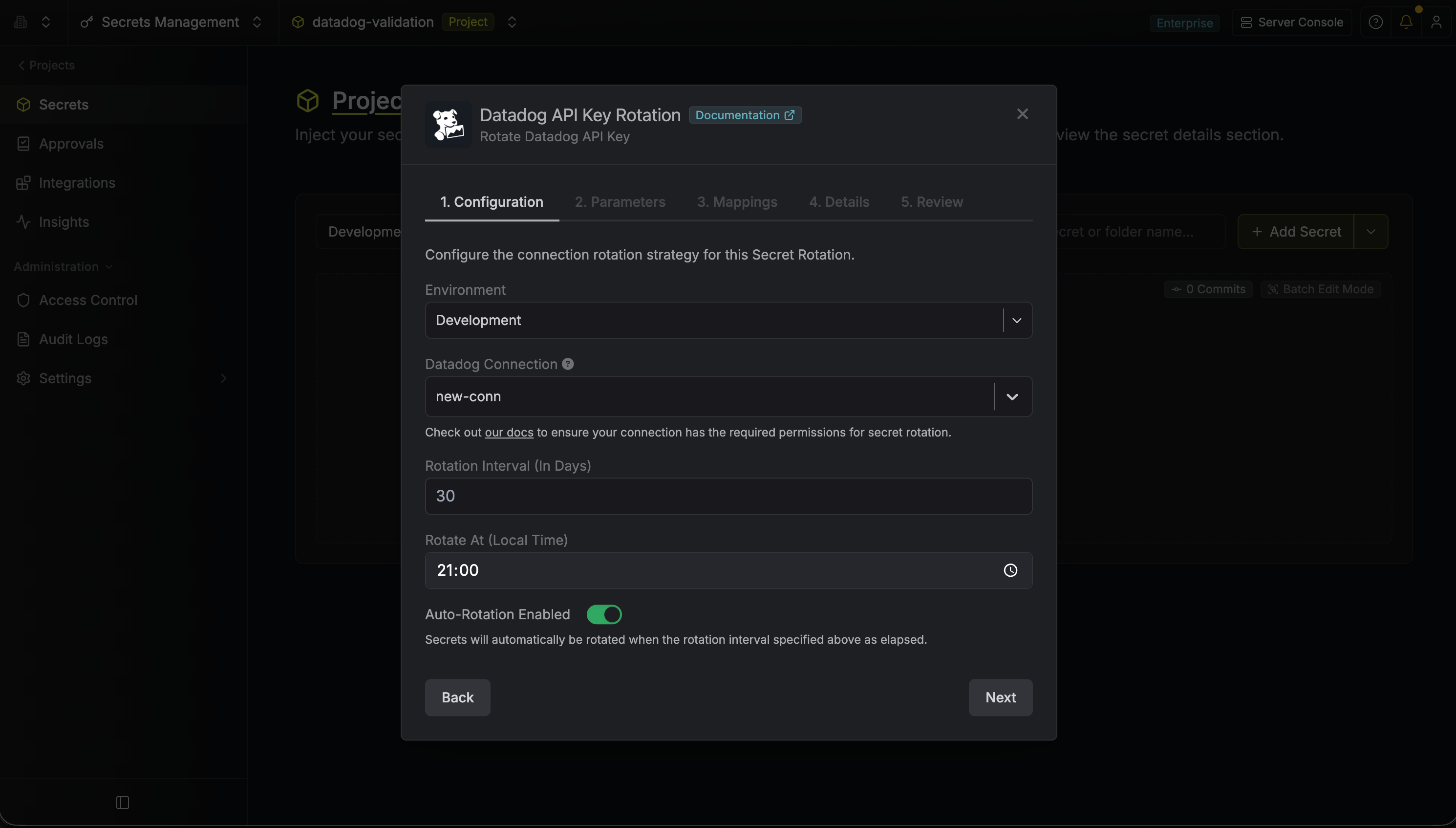
- Datadog Connection - the connection that will perform the rotation of the API Key.
- Rotation Interval - the interval, in days, that once elapsed will trigger a rotation.
- Rotate At - the local time of day when rotation should occur once the interval has elapsed.
- Auto-Rotation Enabled - whether secrets should automatically be rotated once the rotation interval has elapsed. Disable this option to manually rotate secrets or pause secret rotation.
-
Provide a Key Name for the generated Datadog API keys. Then click Next.
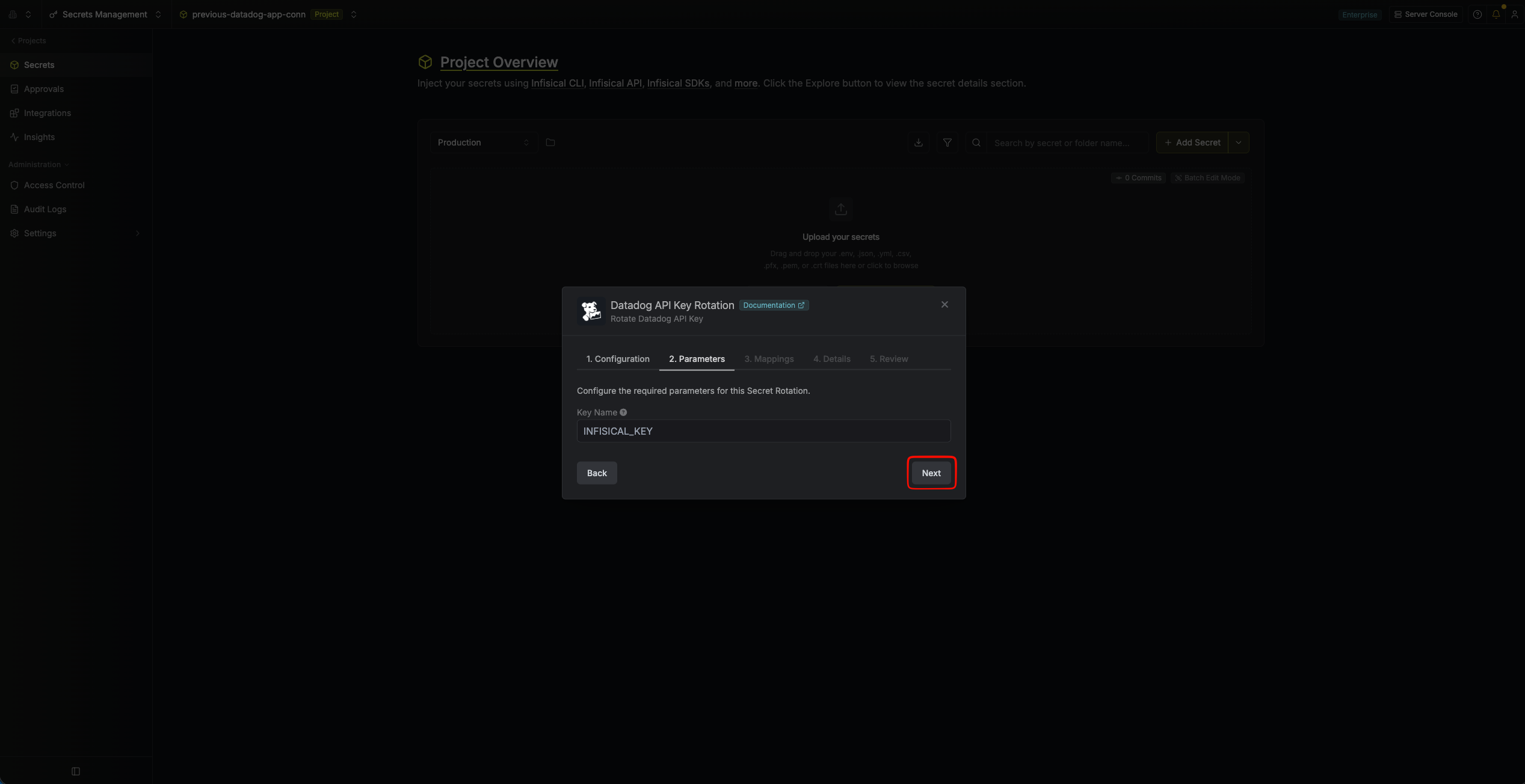
- Key Name - the name assigned to the API keys created by this rotation in Datadog. Each rotation creates a new key using this name.
-
Specify the secret names that the rotated credentials should be mapped to. Then click Next.
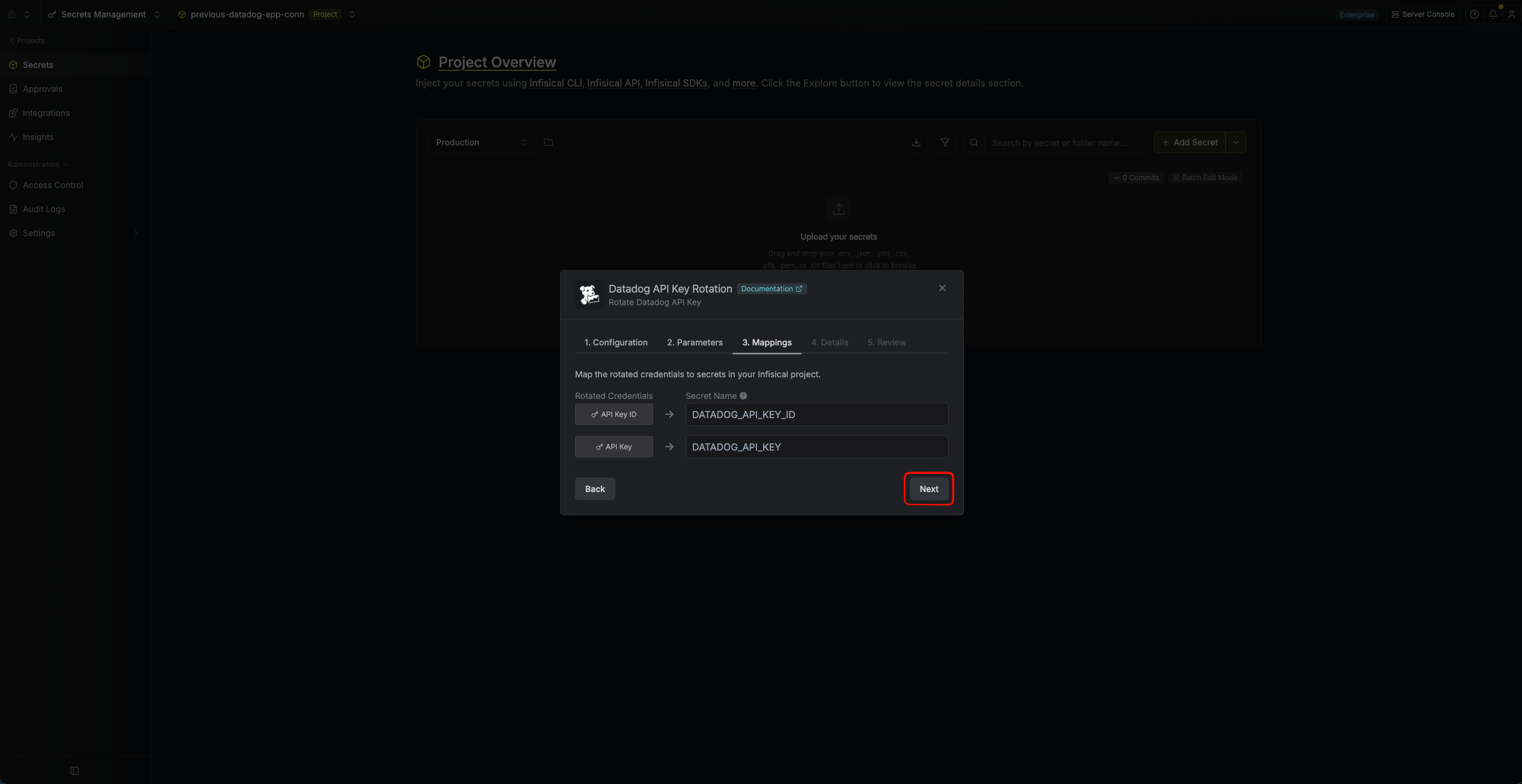
- API Key ID - the name of the secret that the Datadog API Key ID will be mapped to.
- API Key - the name of the secret that the rotated Datadog API Key value will be mapped to.
-
Give your rotation a name and description (optional). Then click Next.
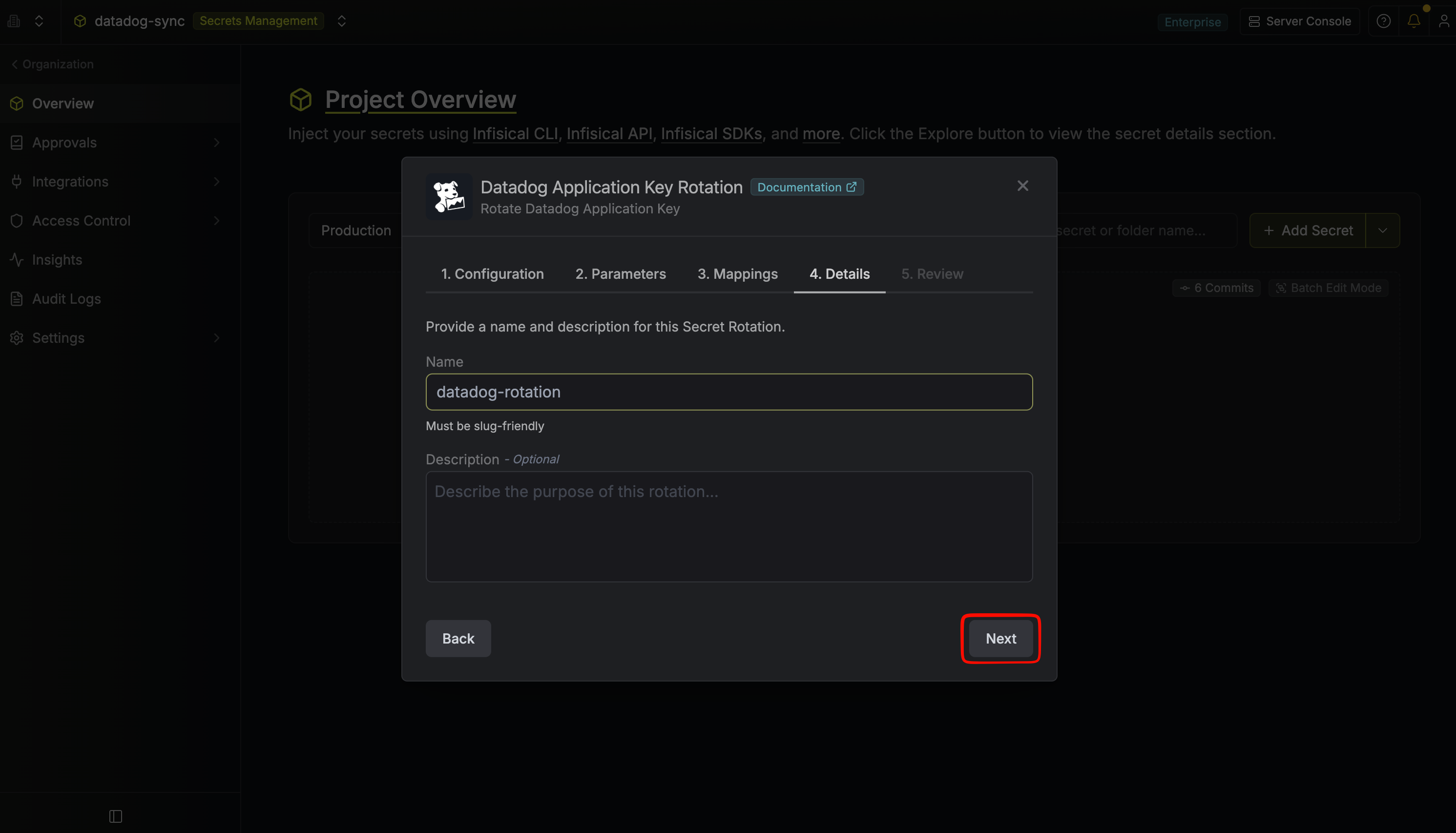
- Name - the name of the secret rotation configuration. Must be slug-friendly.
- Description (optional) - a description of this rotation configuration.
-
Review your configuration, then click Create Secret Rotation.
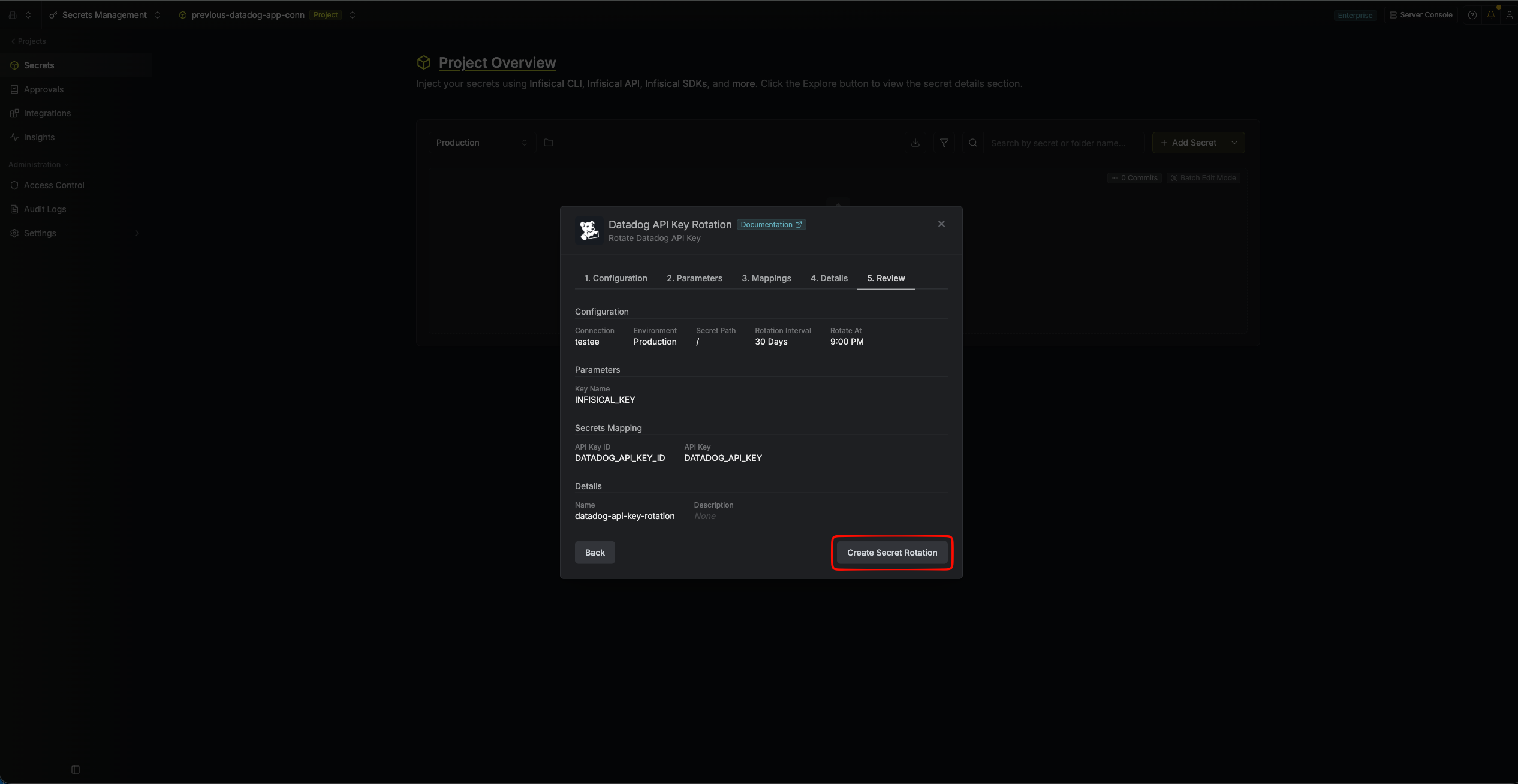
-
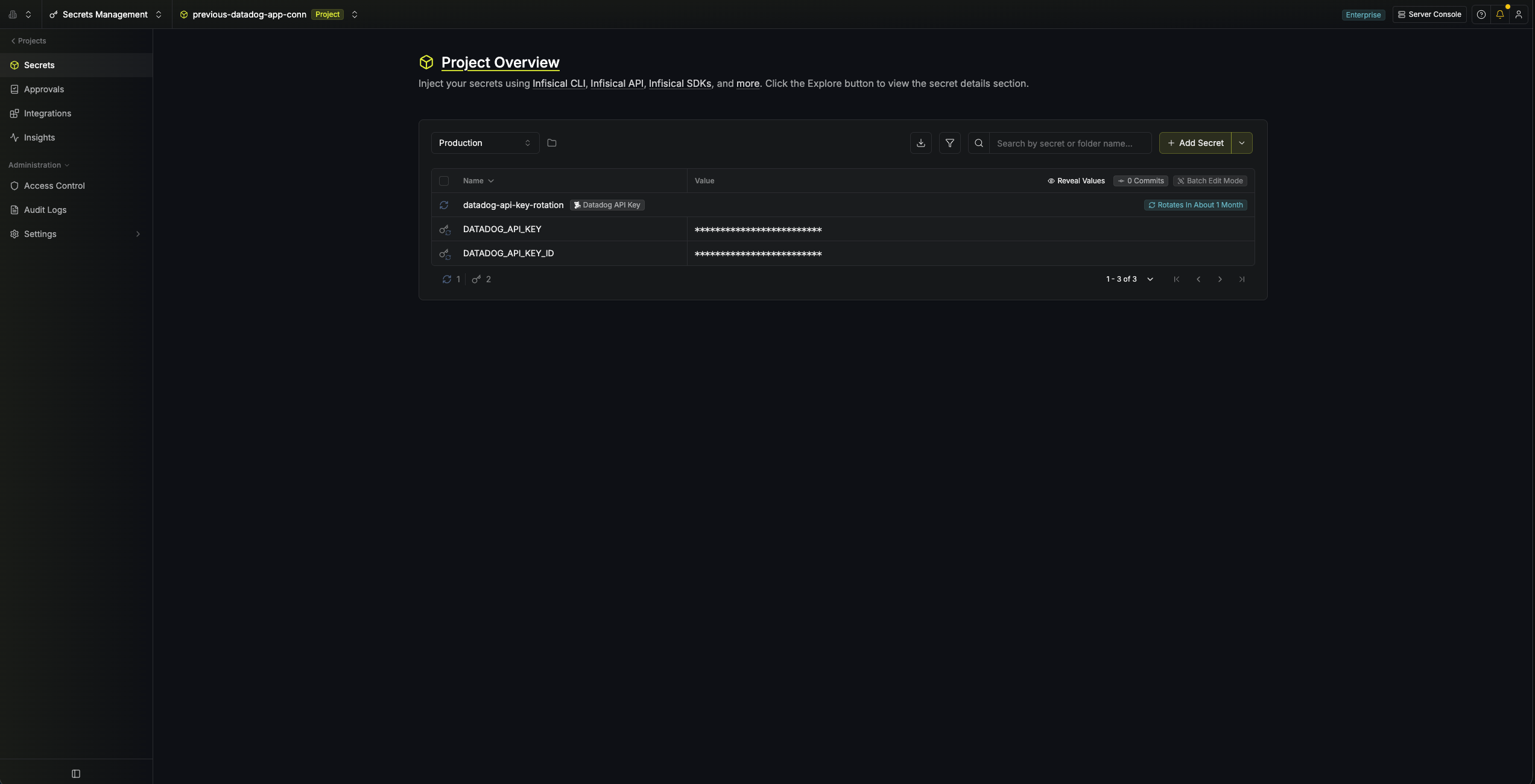
Your Datadog API Key credentials are now available for use via the mapped secrets.