

Prerequisites
- Create an OpenRouter Connection using a Provisioning API key. That connection is used to create and delete API keys on your behalf during rotation.
Create an OpenRouter API Key Rotation in Infisical
- Infisical UI
- API
-
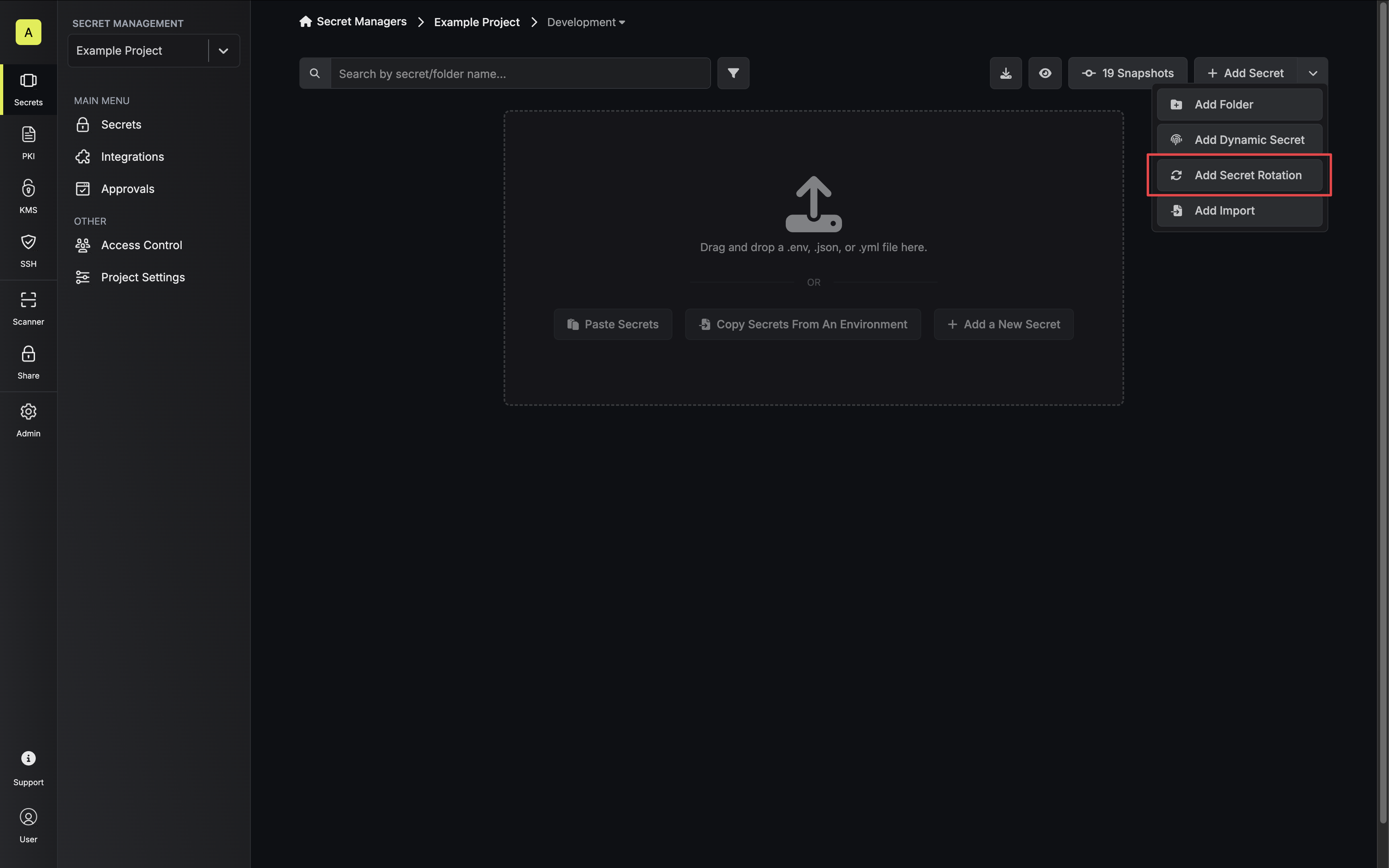
Navigate to your Secret Manager Project’s Dashboard and select Add Secret Rotation from the actions dropdown.
-
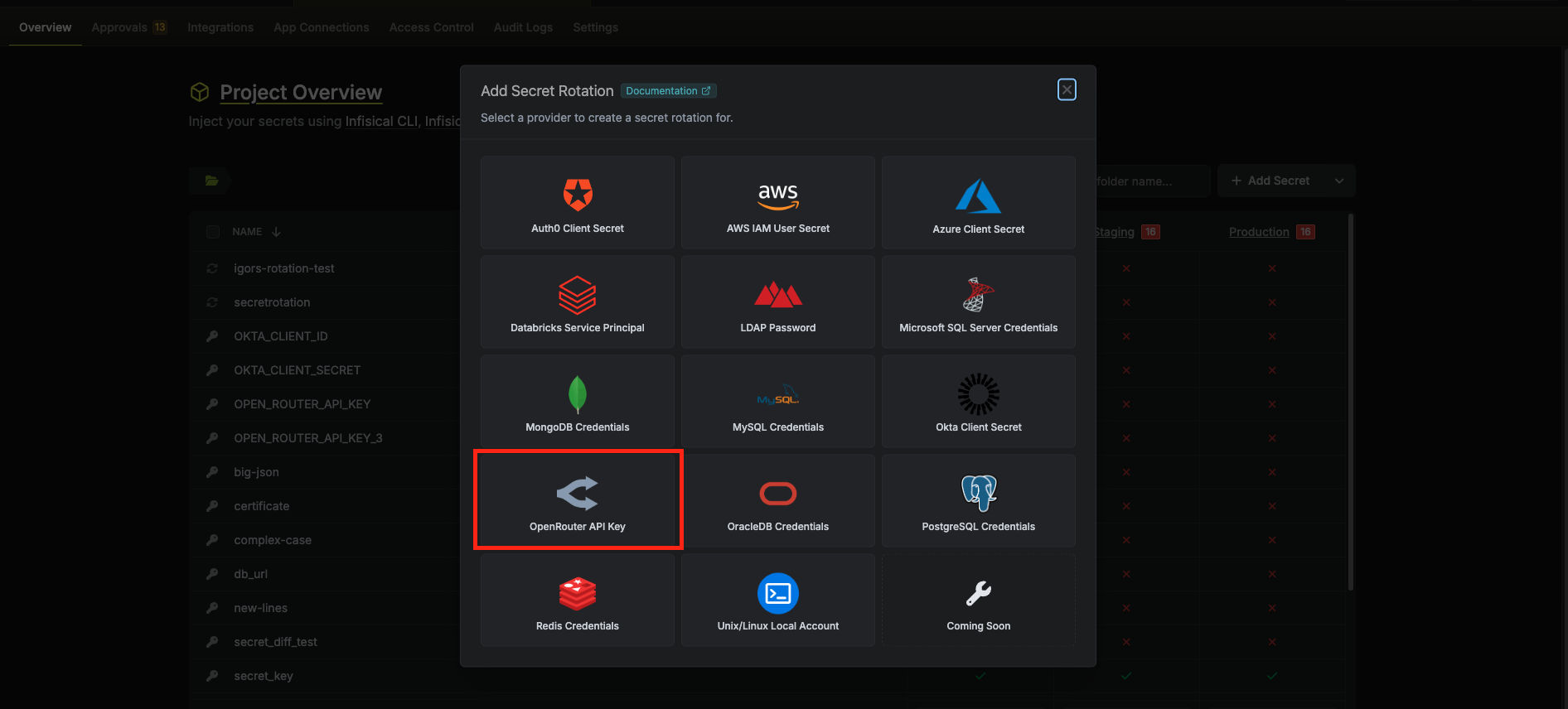
Select the OpenRouter API Key option.
-
Configure the rotation behavior, then click Next.
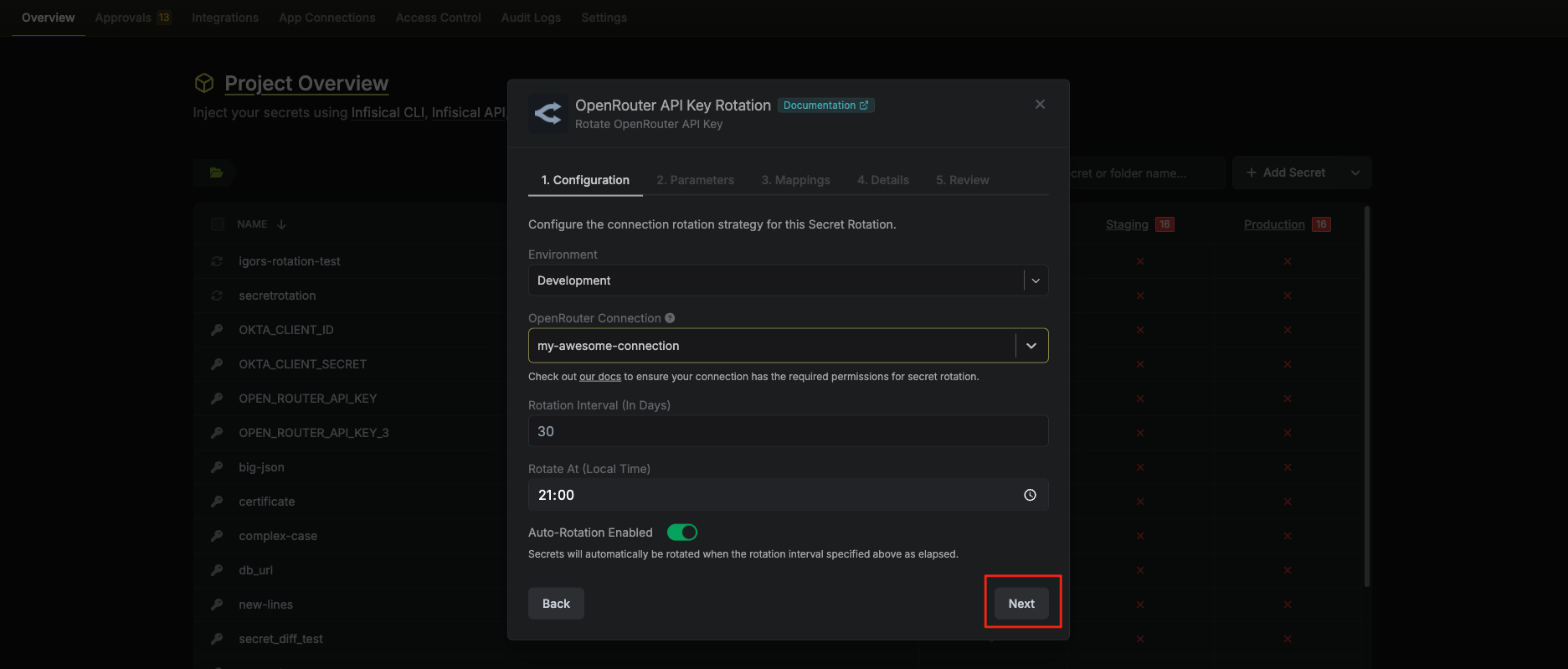
- OpenRouter Connection – The connection (with a Provisioning API key) that will create and delete API keys during rotation.
- Rotation Interval – The interval, in days, after which a rotation is triggered.
- Rotate At – The local time of day when rotation runs once the interval has elapsed.
- Auto-Rotation Enabled – Whether to rotate automatically on the interval. Turn off to rotate only manually or pause rotation.
-
Set the OpenRouter API key parameters, then click Next.
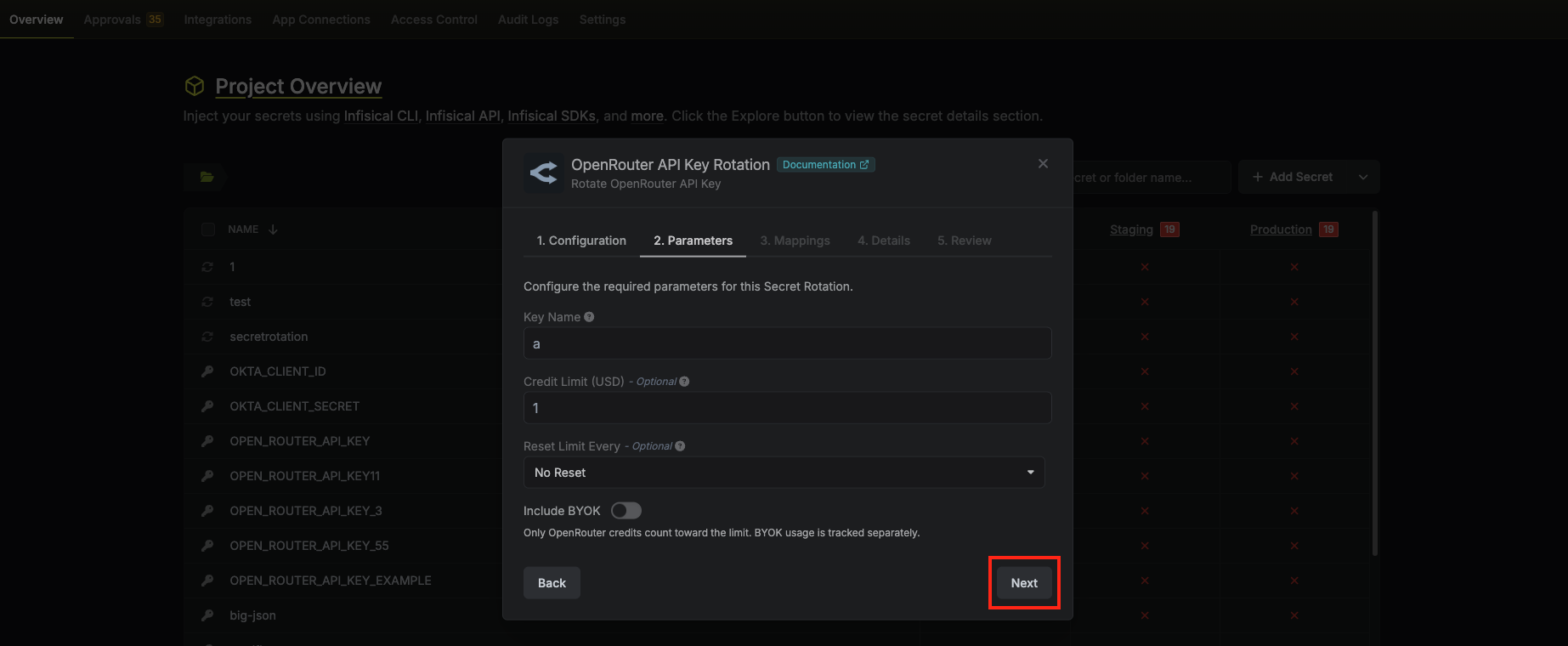
- Key name – Display name for the key in OpenRouter (required).
- Limit (optional) – Spending limit in USD for this key.
- Limit reset (optional) – How often the limit resets: daily, weekly, or monthly.
- Include BYOK in limit (optional) – When enabled, usage from your own provider keys (BYOK—Bring Your Own Key) counts toward this key’s spending limit. When disabled, only OpenRouter credits are counted. See OpenRouter BYOK for details.
-
Specify the secret name that the rotated API key will be mapped to. Then click Next.
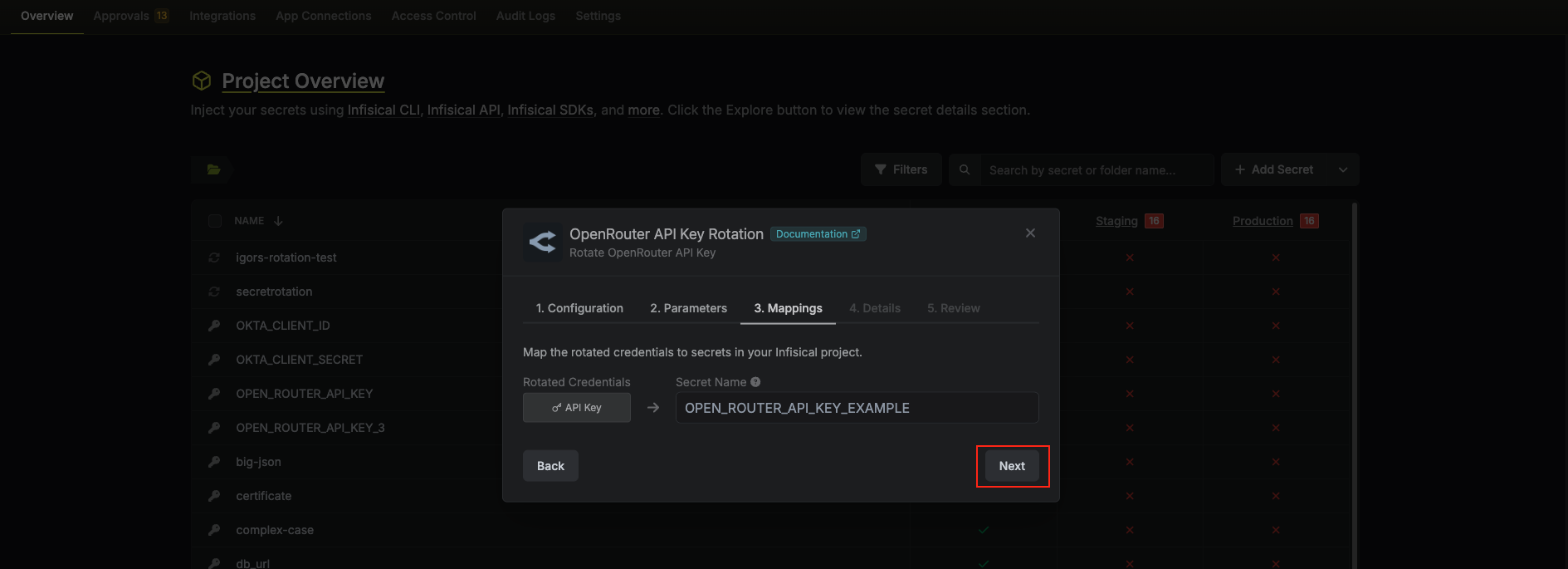
- API Key – The name of the secret in Infisical where the rotated API key value will be stored.
-
Give your rotation a name and description (optional). Then click Next.
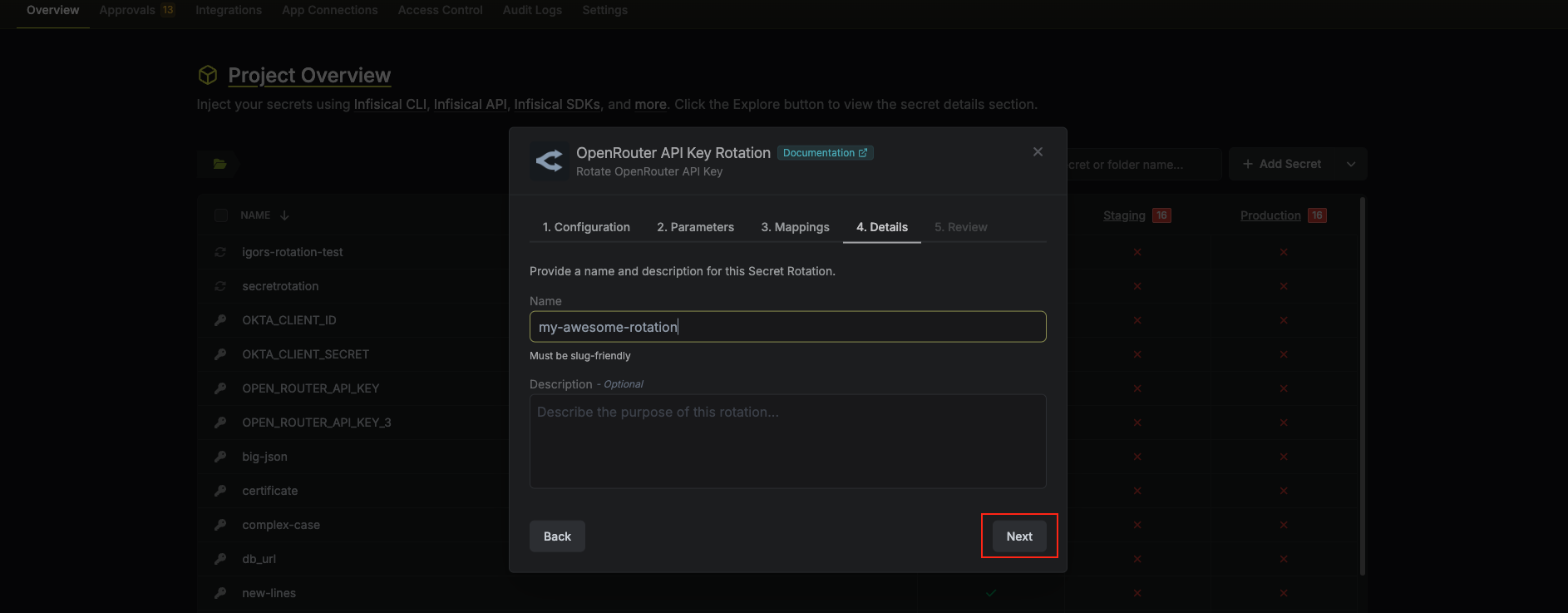
- Name – A slug-friendly name for this rotation configuration.
- Description (optional) – Notes about this rotation.
-
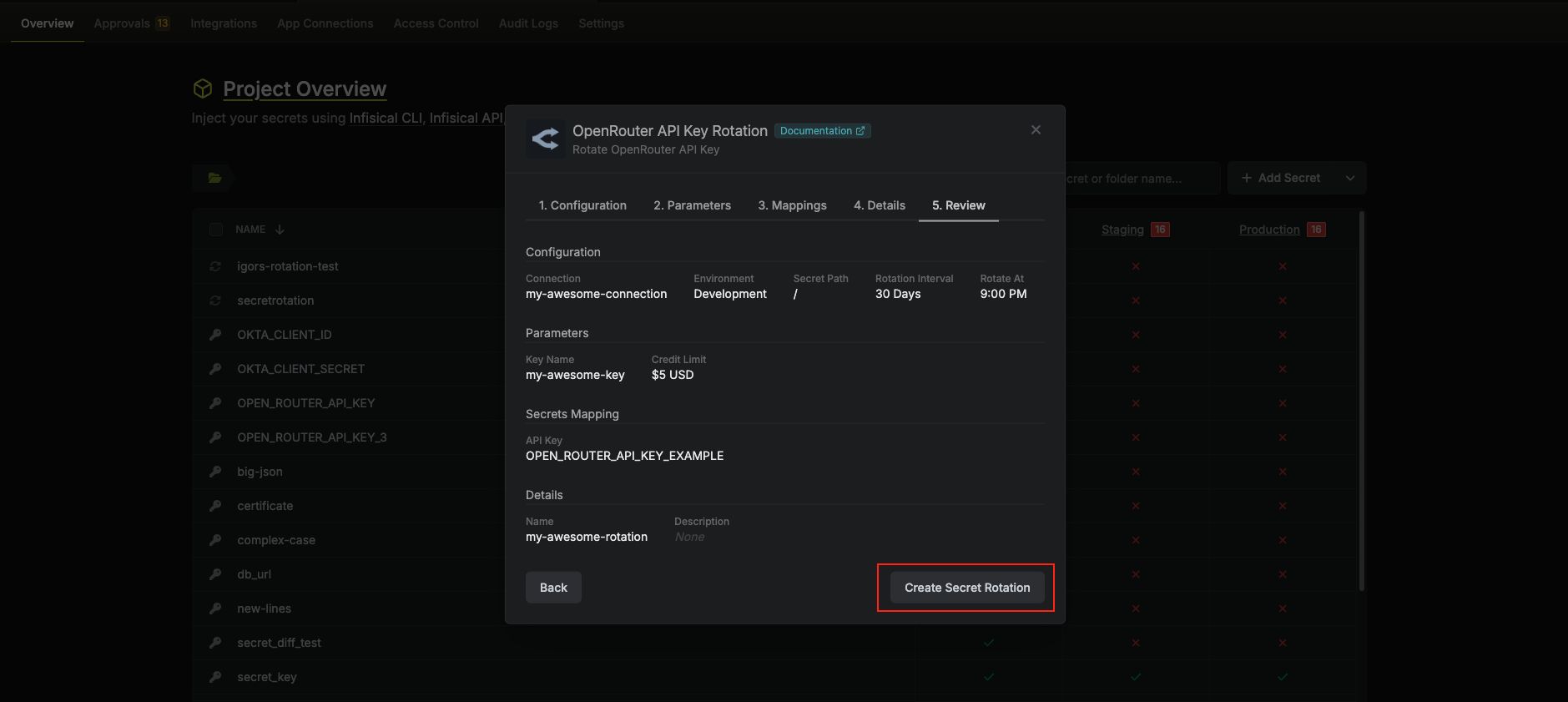
Review your configuration, then click Create Secret Rotation.
-
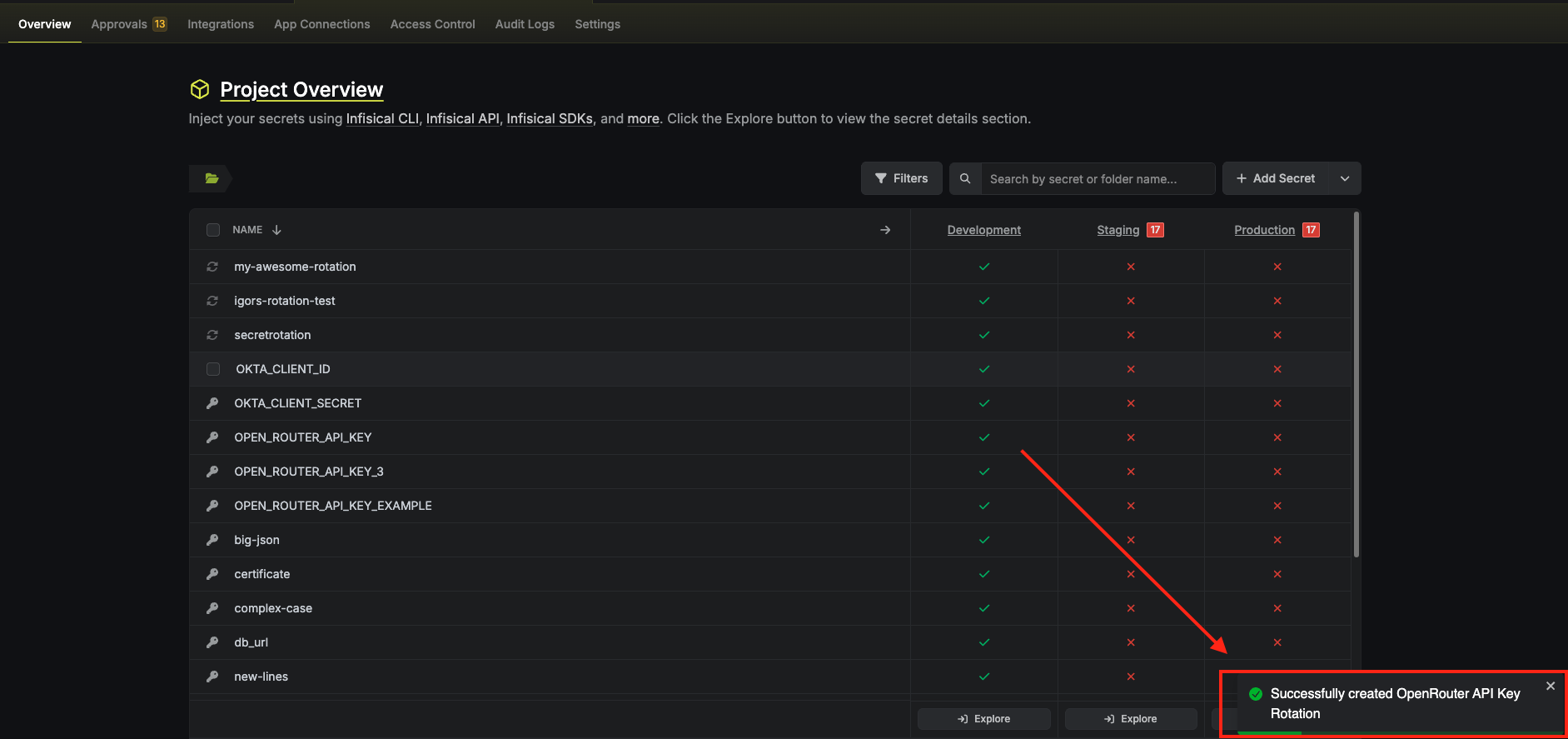
Your OpenRouter API Key rotation is created. The current API key is available as a secret at the mapped path. Rotations will create a new key, switch the active secret to it, then revoke the previous key for zero-downtime rotation.
Include BYOK in limit (optional)
BYOK (Bring Your Own Key) on OpenRouter lets you use your own provider API keys (e.g. OpenAI, Anthropic) so you pay providers directly; OpenRouter charges a small fee on those requests. The Include BYOK in limit option controls whether that BYOK usage counts toward this key’s spending limit:- Enabled (Yes) – Usage from your own provider keys is included in the limit. Once the limit is reached, the key is subject to OpenRouter’s rate limits until the next reset.
- Disabled (No) – Only OpenRouter credit usage counts toward the limit. BYOK usage is tracked separately and does not consume the limit.