

Infisical can send PKI certificate alert notifications to a Slack channel using Incoming Webhooks. This guide walks through creating a Slack app and configuring a Slack alert.Documentation Index
Fetch the complete documentation index at: https://infisical.com/docs/llms.txt
Use this file to discover all available pages before exploring further.
Guide to Creating a Slack Alert
Create a Slack App
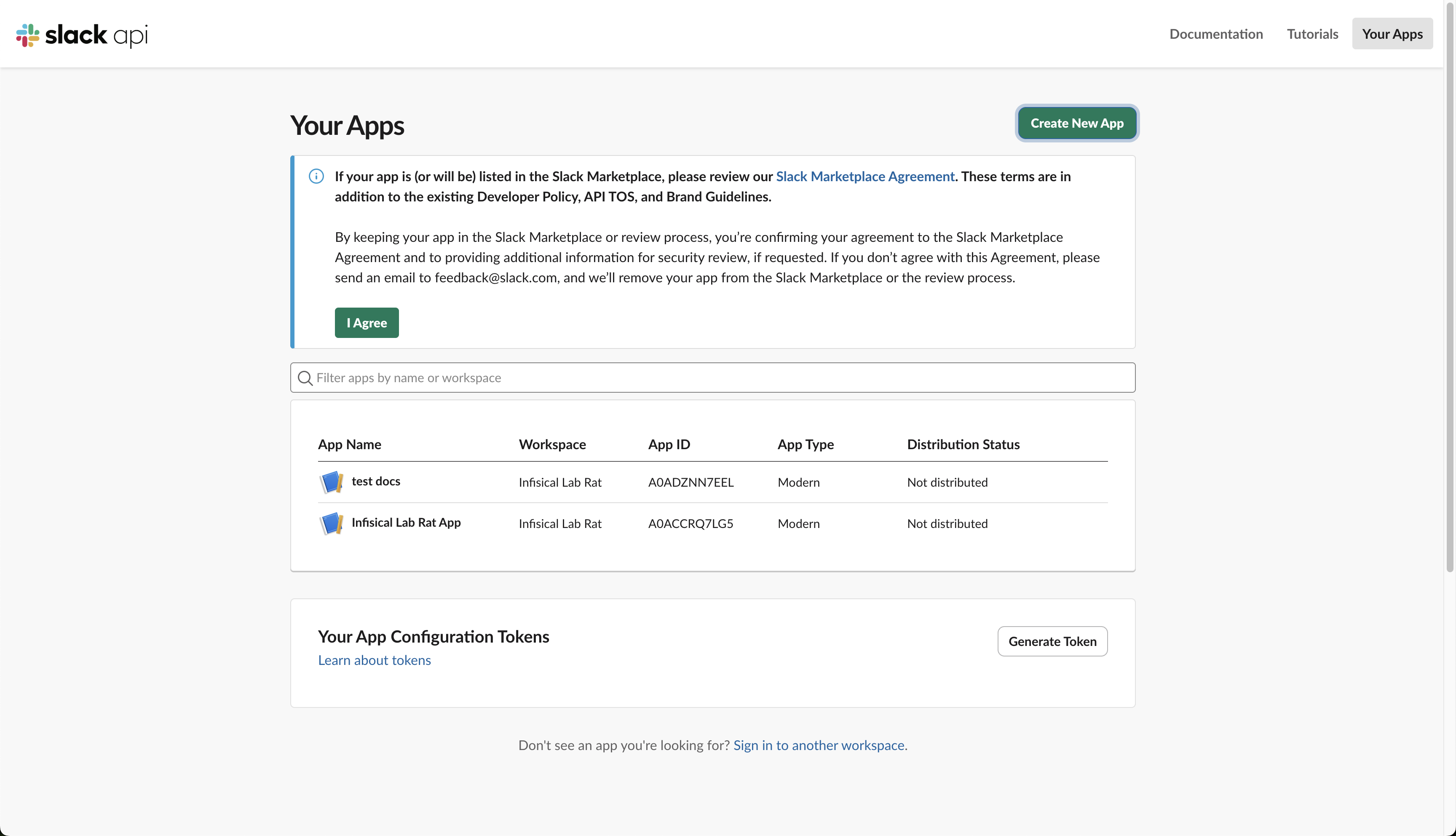
- Go to the Slack API Apps page and click Create New App
- Select From scratch
- Give your app a name (e.g., “Infisical PKI Alerts”) and select the Slack workspace where you want to receive notifications
-
Click Create App
Enable Incoming Webhooks
- In your app settings, navigate to Incoming Webhooks in the left sidebar under “Features”
- Toggle Activate Incoming Webhooks to On
- Click Add New Webhook at the bottom of the page
- Select the channel where you want to receive alerts and click Allow
-
Copy the generated Webhook URL (it will look like
https://hooks.slack.com/services/T00000000/B00000000/XXXXXXXXXXXXXXXXXXXXXXXX)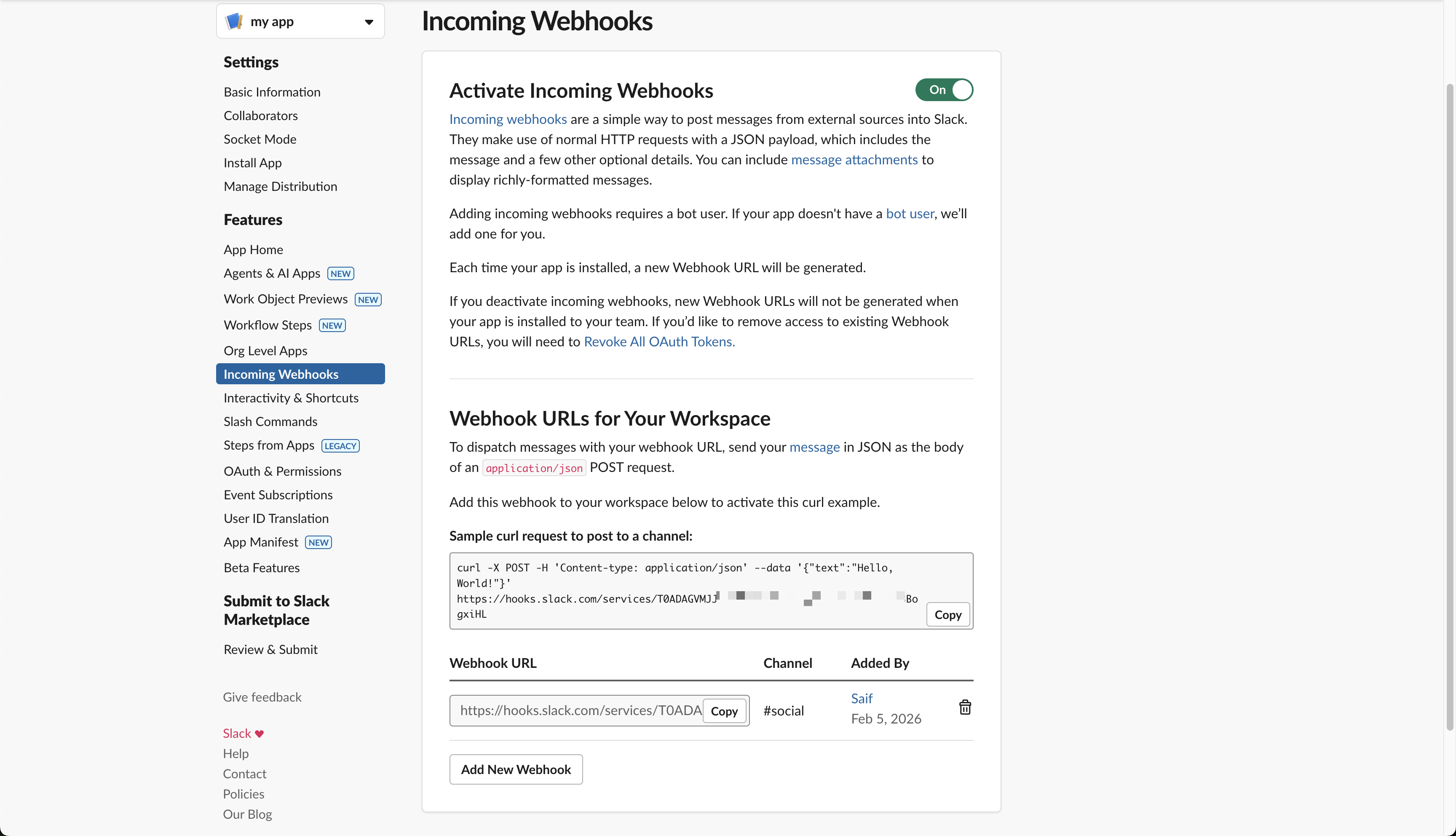
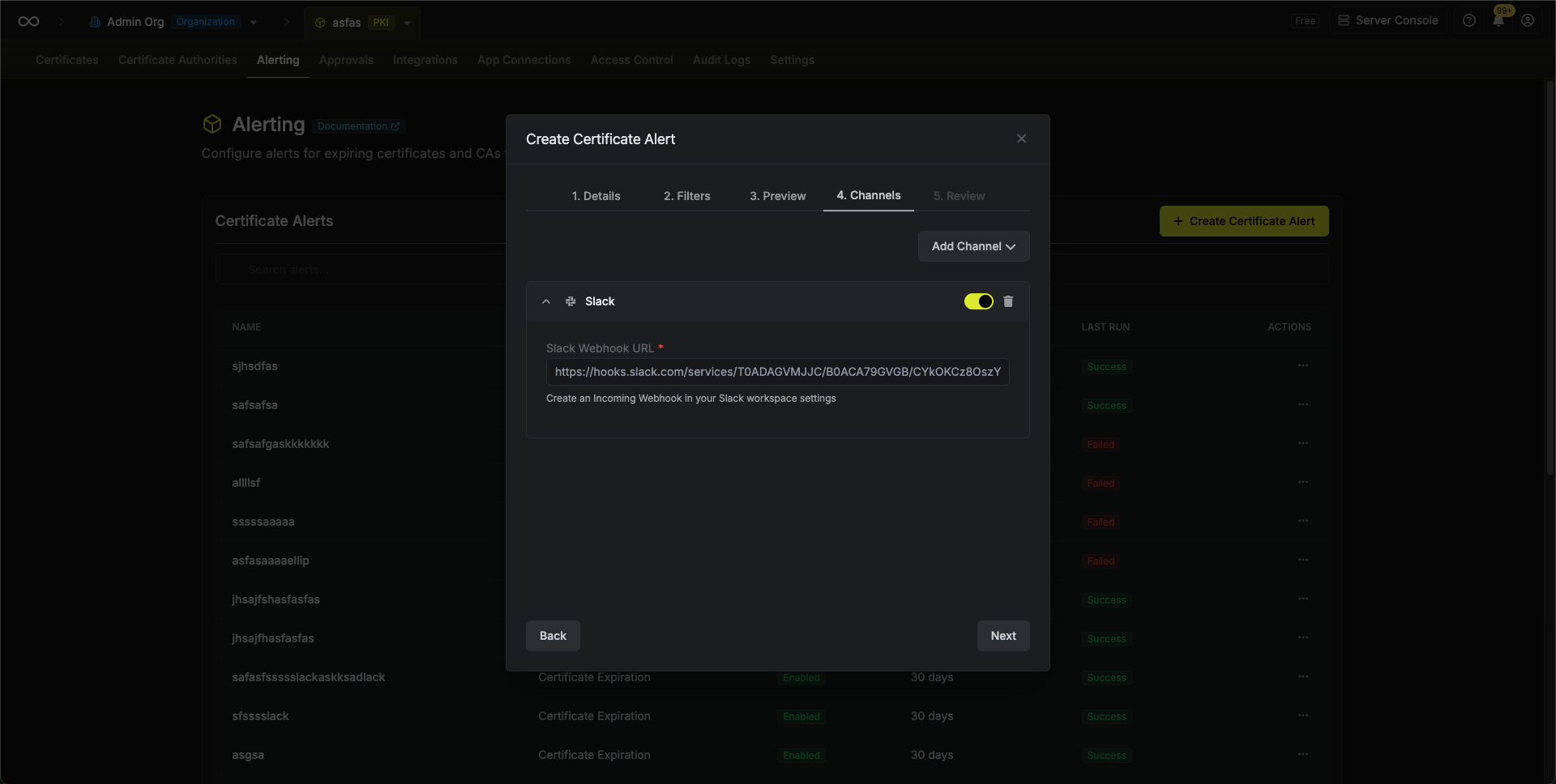
Create the Alert in Infisical
Head to your Certificate Management Project > Alerting and press Create Certificate Alert.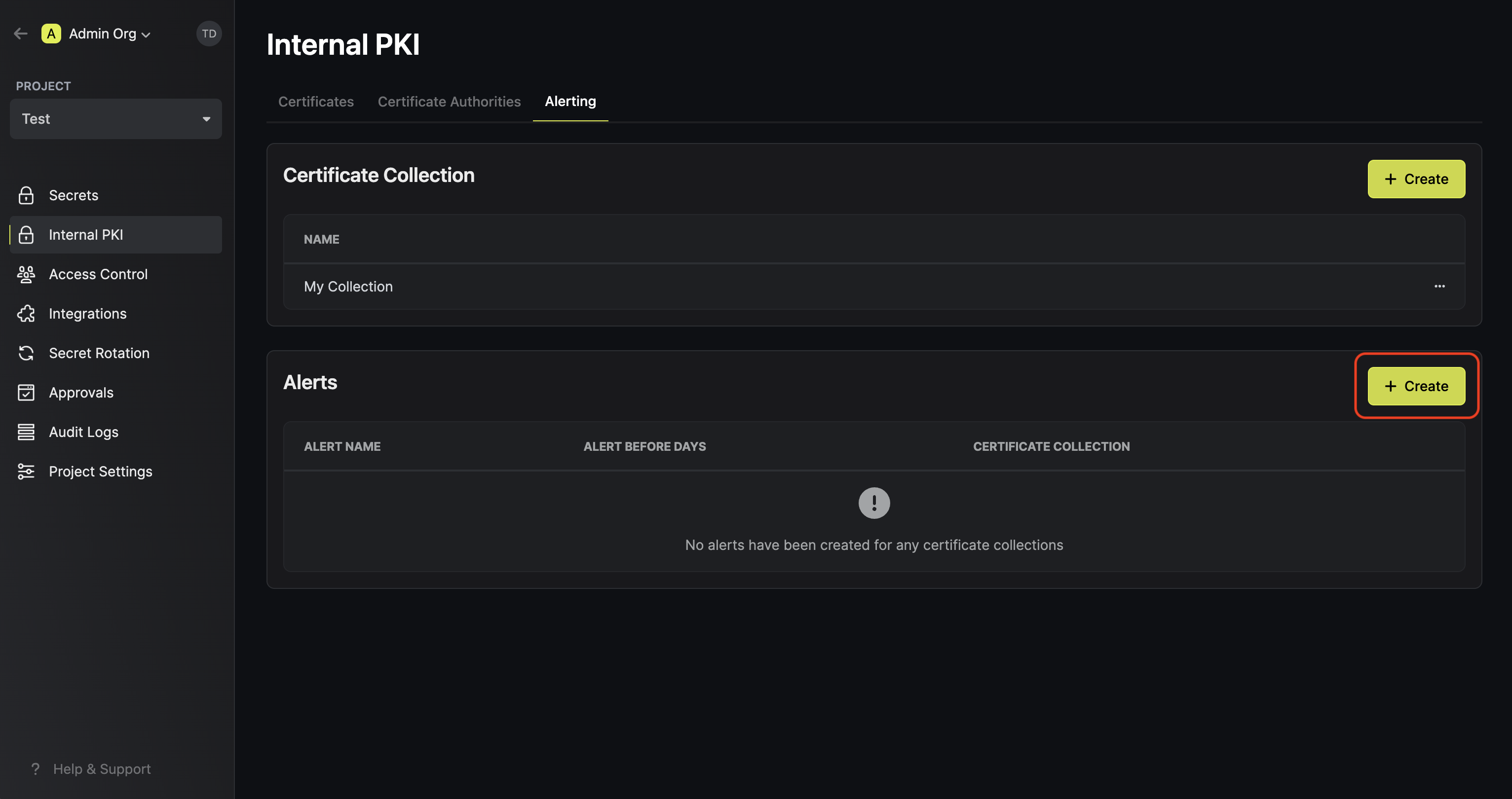
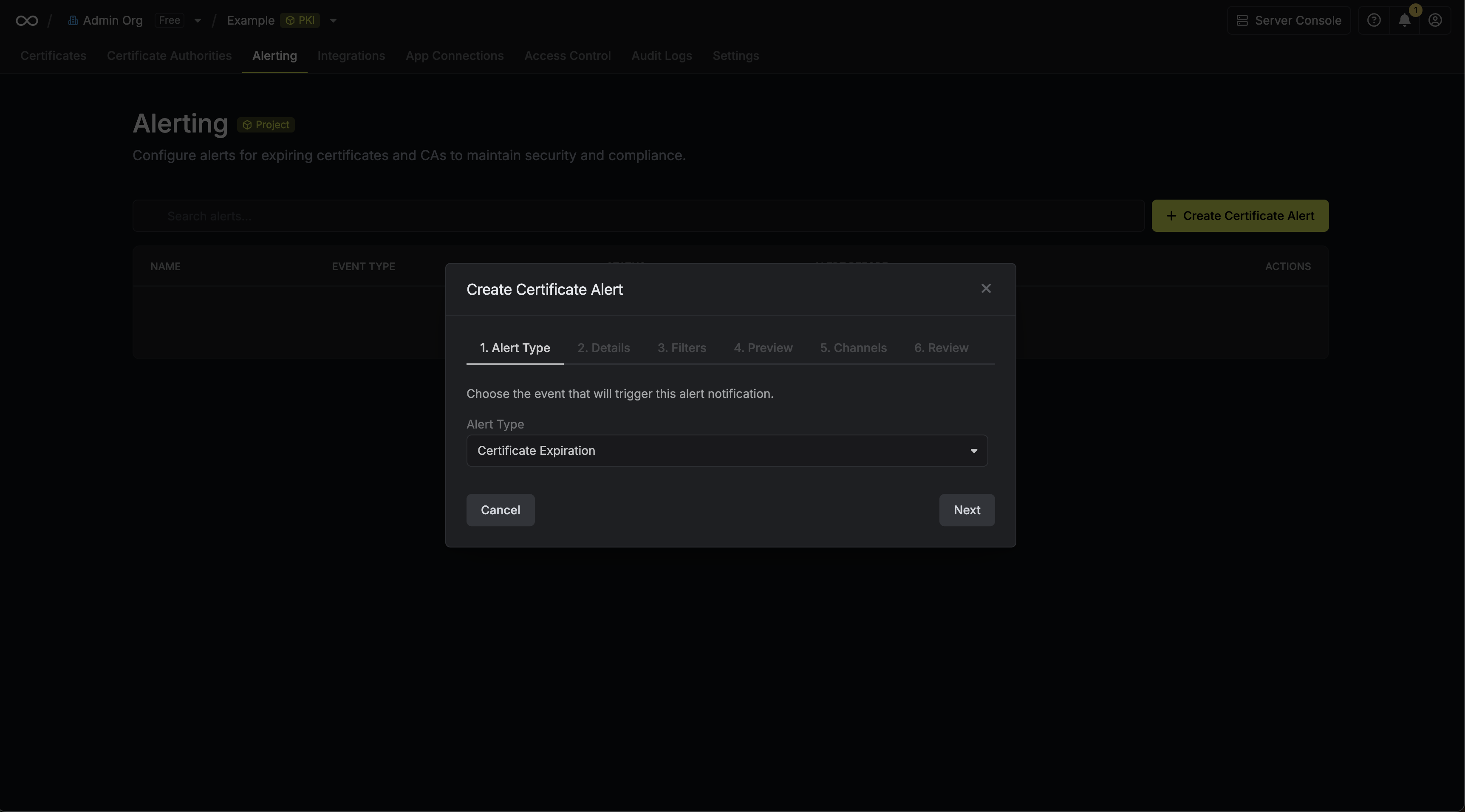 Here’s some guidance for each field in the alert configuration sequence:
Here’s some guidance for each field in the alert configuration sequence:- Alert Type: The type of certificate event to alert on. Options are Certificate Expiration, Certificate Issuance, Certificate Renewal, and Certificate Revocation.
- Alert Name: A slug friendly name for the alert such as
tls-expiry-alert. - Description: An optional description for the alert.
- Alert Before (Expiration alerts only): The time before certificate expiration to trigger the alert such as 30 days denoted by
30d. - Filters: A list of filters that determine which certificates the alert applies to. Each row includes a Field, Operator, and Value to match against. For example, you can filter for certificates with a common name containing
example.comby setting the field to Common Name, the operator to Contains, and the value toexample.com.
Keep your webhook URL secure. Anyone with access to it can post messages to your Slack channel.