

Concept
Infisical can connect to Sectigo using the ACME-compatible CA integration to issue certificates back to your end-entities. Sectigo Certificate Manager (SCM) supports the ACME protocol and requires External Account Binding (EAB) for all ACME registrations. You’ll need to obtain the ACME Directory URL, a Key Identifier (KID), and an HMAC Key from your Sectigo account before registering the ACME CA in Infisical.Guide to connecting Infisical to Sectigo
1
Retrieve ACME credentials from Sectigo
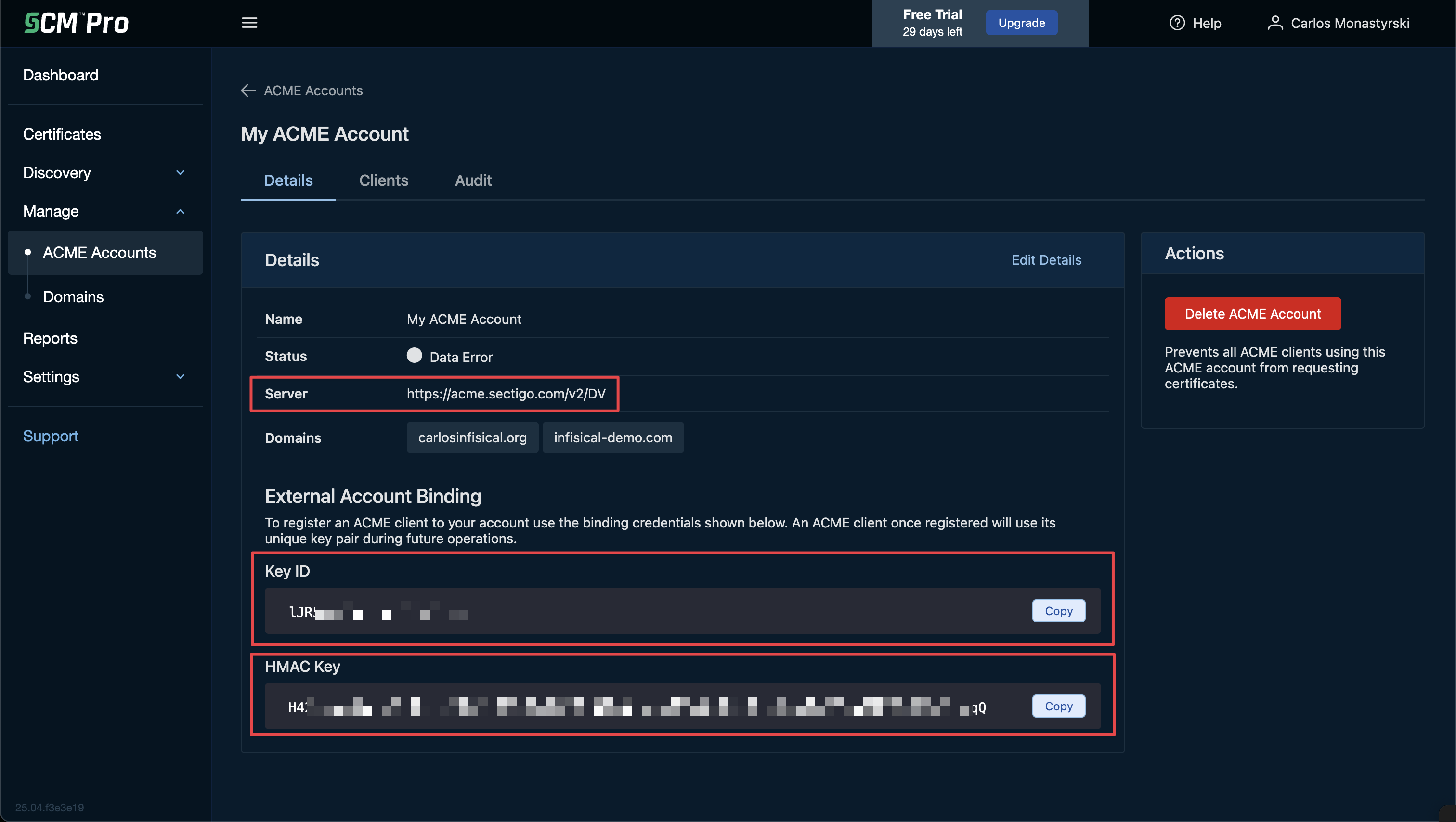
Log in to your Sectigo Certificate Manager (SCM) portal and navigate to Manage > ACME Accounts in the left sidebar. Select Manage on the ACME account you want to use.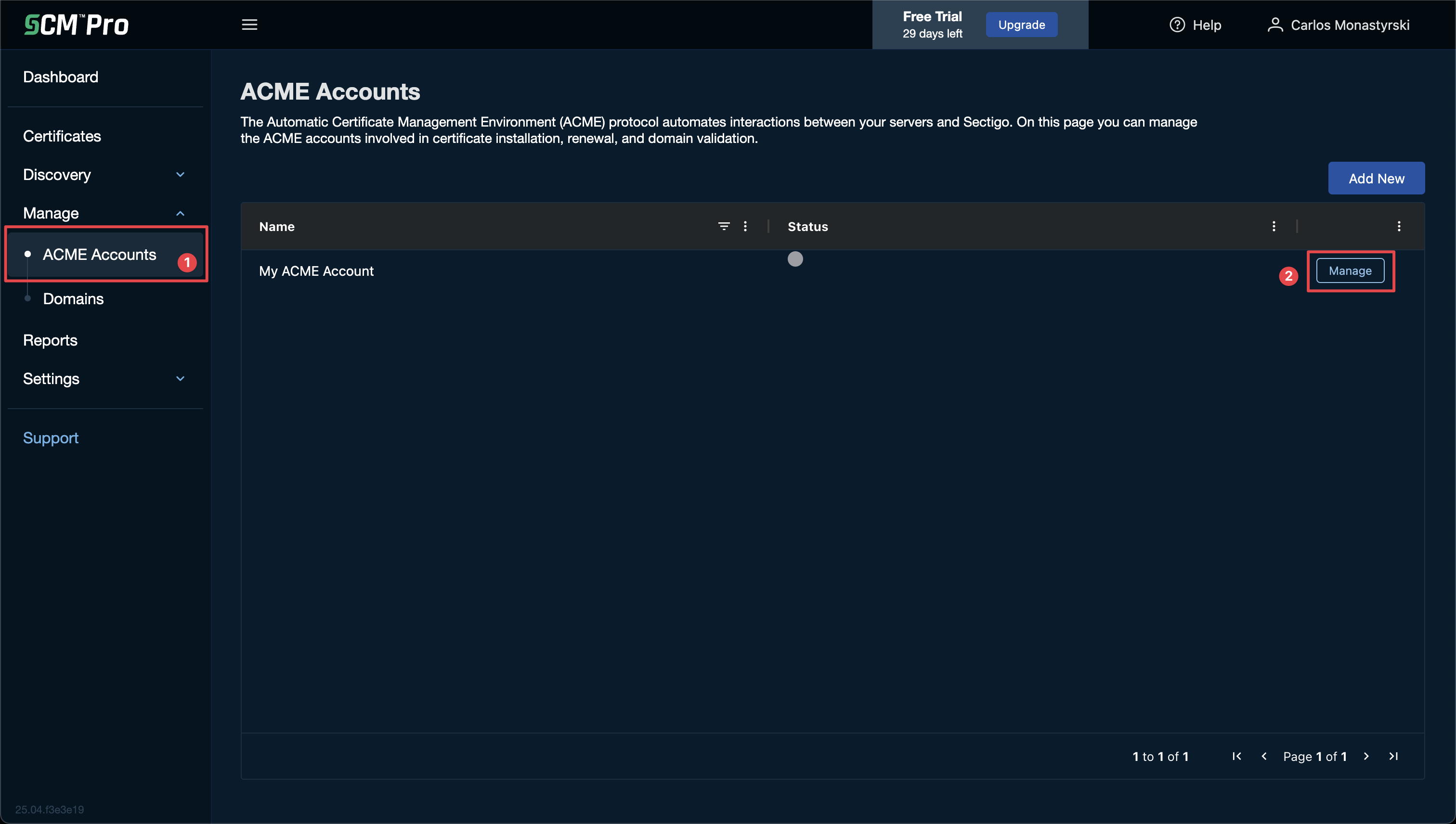 On the account details page, copy the following values:
On the account details page, copy the following values:-
Server: This is your ACME Directory URL (e.g.,
https://acme.sectigo.com/v2/DV). - Key ID: Found under the External Account Binding section.
-
HMAC Key: Found under the External Account Binding section.
2
Create an External CA in Infisical
Follow the steps in the ACME-compatible CA integration guide to create an External CA in Infisical with the ACME CA type. When filling out the form, use the values from Sectigo:
- Directory URL: Paste the Server URL from Sectigo (e.g.,
https://acme.sectigo.com/v2/DV). - EAB Key Identifier (KID): Paste the Key ID from Sectigo.
- EAB HMAC Key: Paste the HMAC Key from Sectigo.
Sectigo ACME accounts are tied to specific domains configured in SCM. Ensure the domains you want to issue certificates for are added to your ACME account in Sectigo before requesting certificates through Infisical.
What’s next
Now that your Sectigo CA is configured, set up the infrastructure to issue certificates:Certificate Profiles
Create a profile that references your Sectigo CA.
Applications
Create an Application, attach a profile, and configure enrollment.
Enrollment Methods
Choose how certificates are requested — API, ACME, EST, or SCEP.
Quick Start
Issue your first certificate end-to-end.