

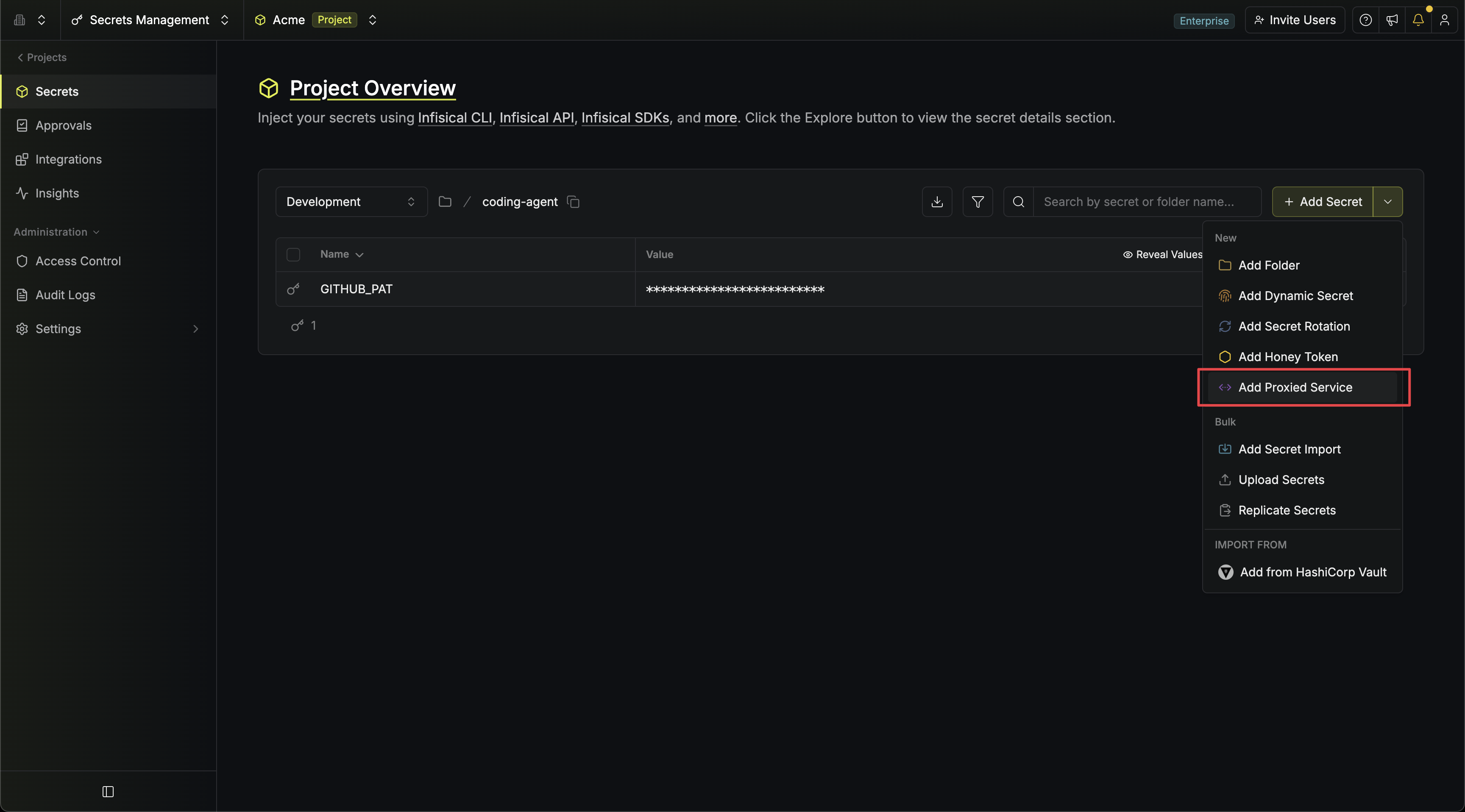
 A service applies each secret through a header rewrite, a secret substitution, or both; each is covered in its own section below.
Configuration
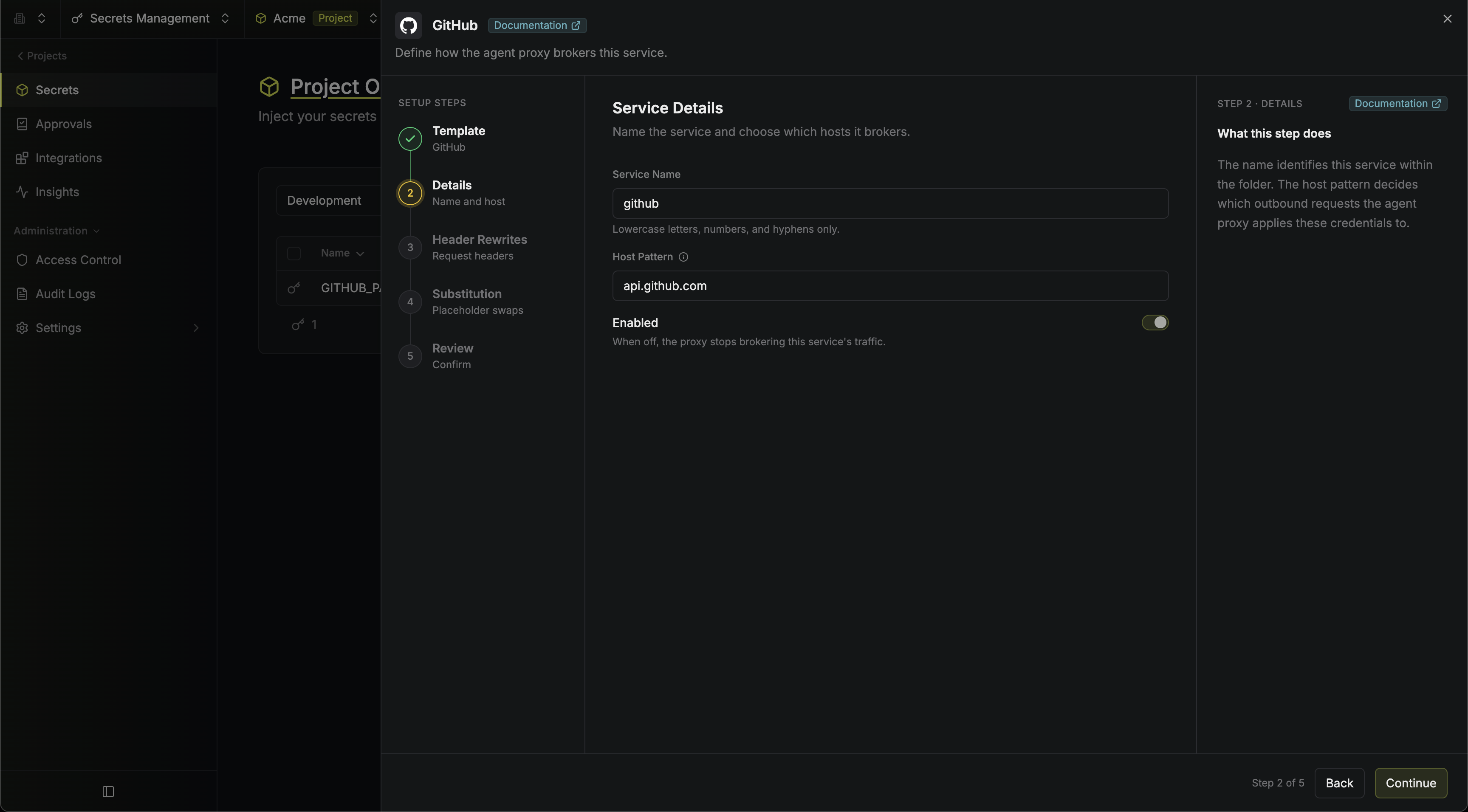
Every service has these core fields, plus one or more credential rules described below.string
required
A slug (lowercase letters, numbers, hyphens) that identifies the service, such as
github. Names are unique within a folder.string
required
One or more comma-separated patterns describing which hosts this service applies to. See Host patterns below.
boolean
default:"true"
Toggle a service off without deleting it. A disabled service is skipped entirely: its placeholder environment variables aren’t set, no credentials are applied, and traffic to its hosts falls back to the unmatched host policy.
Host patterns
A host pattern routes requests to the right service. Each pattern is ahost[:port][/path], and multiple patterns can be combined with commas:
- A
*.wildcard matches exactly one label:*.github.commatchesapi.github.combut nota.b.github.comor baregithub.com. - Host matching is case-insensitive. A pattern without a port matches any port.
- Don’t include a scheme (
https://); patterns are hosts, not URLs.
- Exact host beats wildcard host.
- A pattern with a specific port beats one that matches any port.
- The longest matching path prefix wins.
- If still tied, the service whose name sorts first alphabetically wins.
Host patterns are for routing only. Proxied services are also scoped to their folder: an agent connected with
--env=dev --path=/coding-agent only ever matches services defined in that folder, so the same hostname can be configured differently in different folders, environments, or projects.Header rewrites
A header rewrite adds or replaces an HTTP header on the outbound request. The agent doesn’t need to send any credential; if it sends a made-up one, the header is overwritten with the real value. This covers most APIs:
The password is optional for basic auth. Many APIs pass an API key as the username with an empty password; omitting the password produces
Authorization: Basic base64(username:).
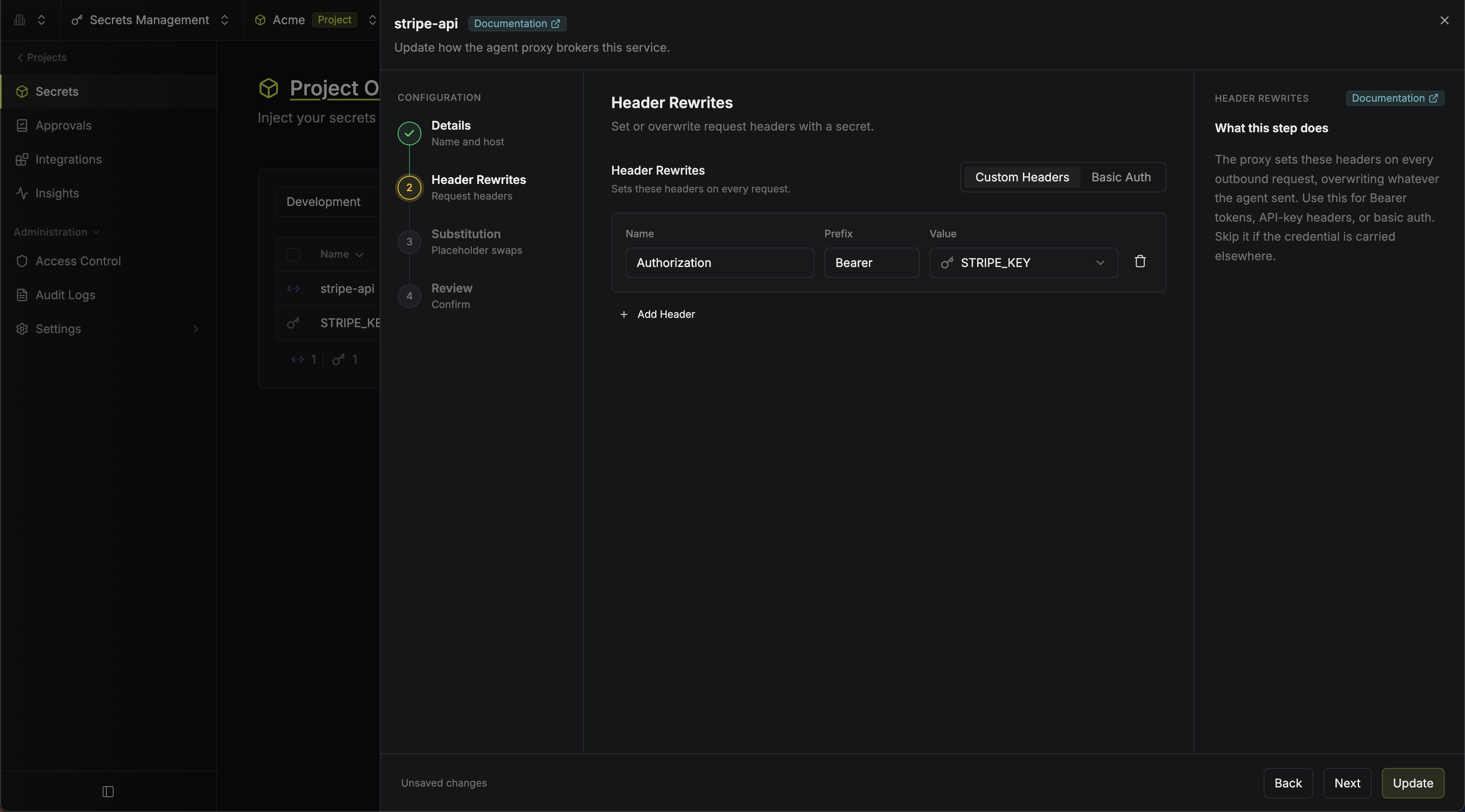 A service can rewrite multiple distinct headers (for example, an API key header plus a tenant header), but each header name can only be set by one secret. To build one header value out of several secrets, or use a secret kept elsewhere, see using secrets from other folders and environments.
Secret substitution
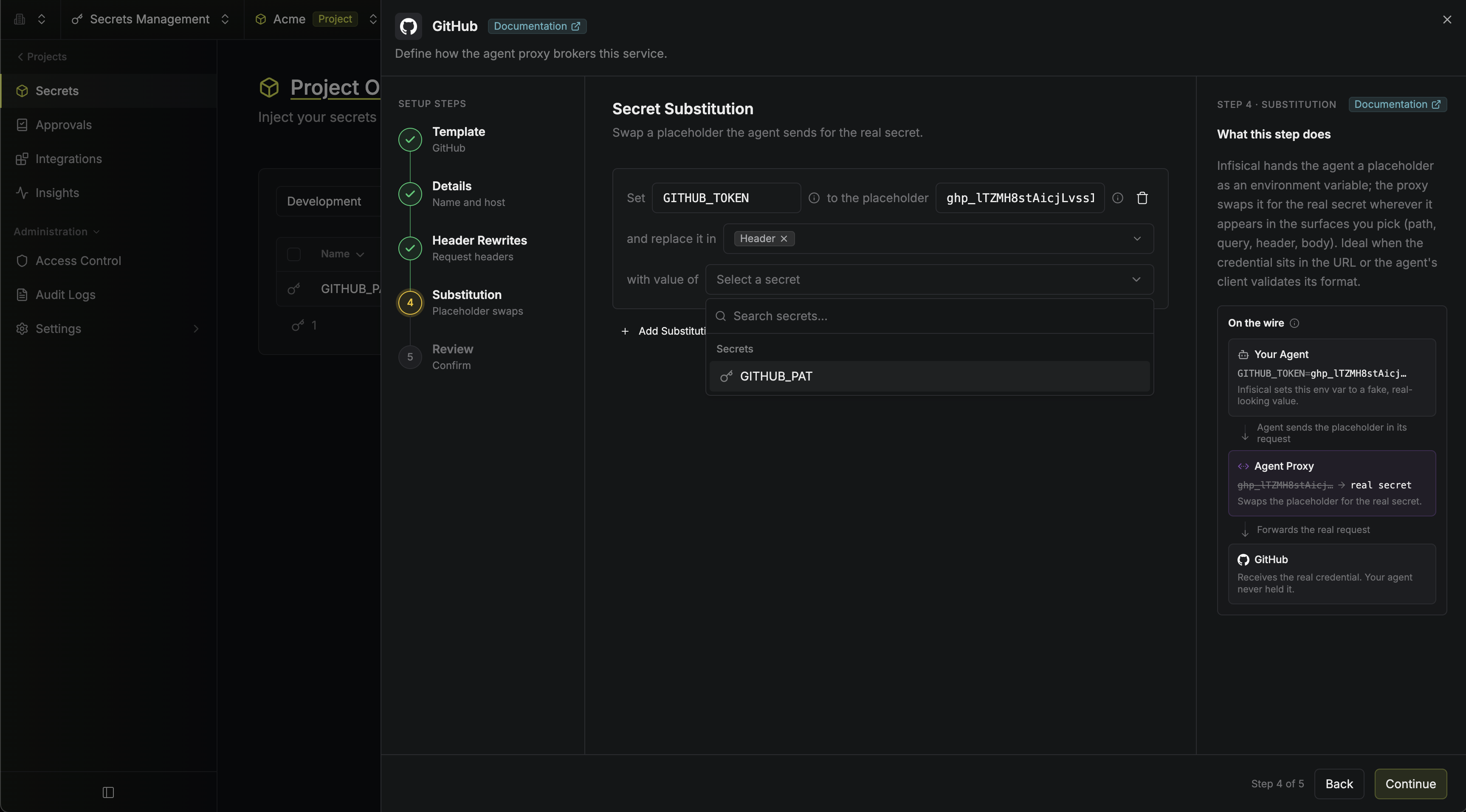
With secret substitution, the agent is handed a dummy placeholder value. The agent proxy swaps it for the real credential wherever it appears in the request. It’s useful in two situations:- The API carries the credential somewhere other than a header. Telegram, for example, puts the bot token in the URL path:
api.telegram.org/bot<token>/sendMessage. - The agent has to see a value before it will make the call at all, headers included. Some HTTP clients validate that a credential is set, and agents often refuse to attempt a request without a real-looking key. The placeholder satisfies them, and the proxy swaps in the real value on the way out.
agent-proxy connect and agent-proxy run set it as an environment variable in the agent’s environment, so there is nothing to hand out.
string
required
The environment variable name the agent receives, such as
TELEGRAM_BOT_TOKEN. When the agent starts, the CLI sets this variable to the placeholder, so the agent uses it like a normal credential.string
required
The dummy value the agent sends in its requests. A distinctive random string is generated for you, but you can override it, for example when the agent’s HTTP client validates the credential’s format.
string[]
required
The request surfaces the agent proxy scans for the placeholder:
path, query, header, and/or body. Scoping is the security boundary: the proxy only substitutes in the surfaces you list.string
required
The secret (from the same folder) whose real value replaces the placeholder.
Using secrets from other folders and environments
You can’t point a proxied service at another folder directly, but you can bring an outside value into its folder so the service can use it. There are two ways, both using features that already exist in Infisical:Using dynamic secrets
A credential can reference a dynamic secret instead of a static secret. Rather than injecting a fixed value, the agent proxy mints a short-lived lease and injects one of its output fields (for example a GCP access token, a GitHub App token, or a Kubernetes service-account token). How the agent proxy handles the lease:- Minted lazily, per agent session. The first request that needs the credential mints a lease; each agent session gets its own, and later requests reuse it.
- Refreshed before expiry. A fresh lease is swapped in shortly before the current one expires, with no failed requests in between.
Give Manage Leases on the dynamic secret to the proxy identity only. If the agent identity also has it, it could mint the credential itself and skip the proxy, so
connect refuses to start by default.This reads the other way around for local runs, where the proxy mints as you: there, you need Manage Leases on the dynamic secret, and the sandbox is what stops the agent minting for itself.Example: API request
Proxied services can also be managed via the API. For example, creating the Telegram service described above:"role": "header-rewrite" with headerName and an optional headerPrefix, or headerPurpose (username/password) for basic auth.
To reference a dynamic secret, replace secretKey on a credential with dynamicSecretName and dynamicSecretField:
Next steps
Standalone Agent Proxy
For agents running on your infrastructure.
Local Agent Proxy
For agents that live as long as your terminal session.