

Before you begin
- Set up credentials finished, so you have a
GITHUB_PATsecret and agithubproxied service in/coding-agent. - Two hosts in the same private network, one for the proxy and one for the agent, with the agent host able to reach the proxy on port
17322. - The Infisical CLI installed on both hosts.
- Optional: GitHub’s
ghCLI, used for the check at the end. Acurlfallback is provided, so this isn’t required.
1. Create the proxy identity
This identity reads the secrets. In your project, go to Access Control → Machine Identities and select Add Machine Identity to Project → Create New. Name itagent-proxy, leave the Role as No Access, select the Agent Proxy Policies template under Additional Privileges, and create it.
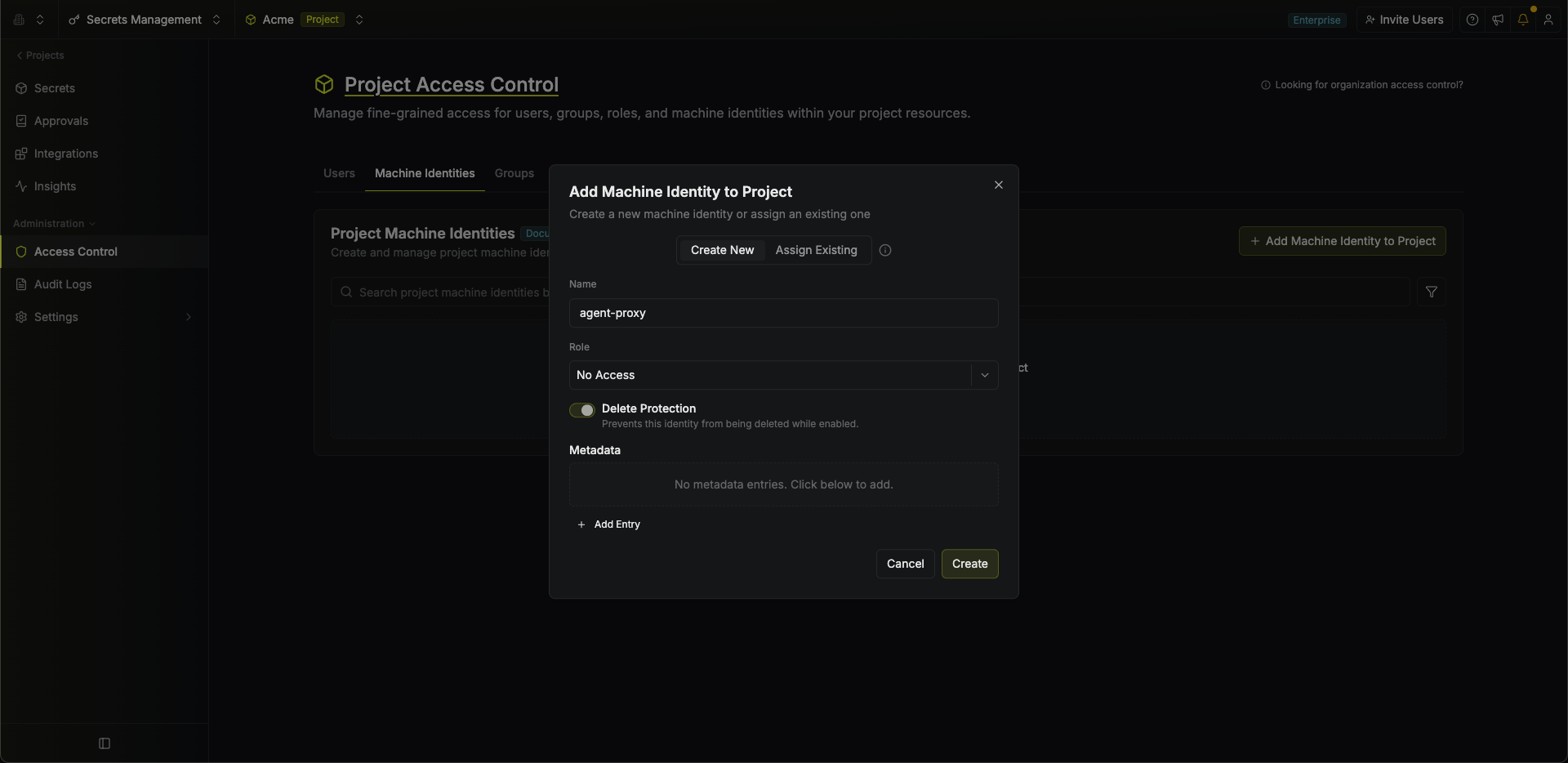
The template grants exactly what a proxy needs: read access to secret values, leases for dynamic secrets, and usage reporting. That is the identity’s entire access, which is why its Role stays No Access. For production, scope the same permissions to specific environments and paths: see Permissions.
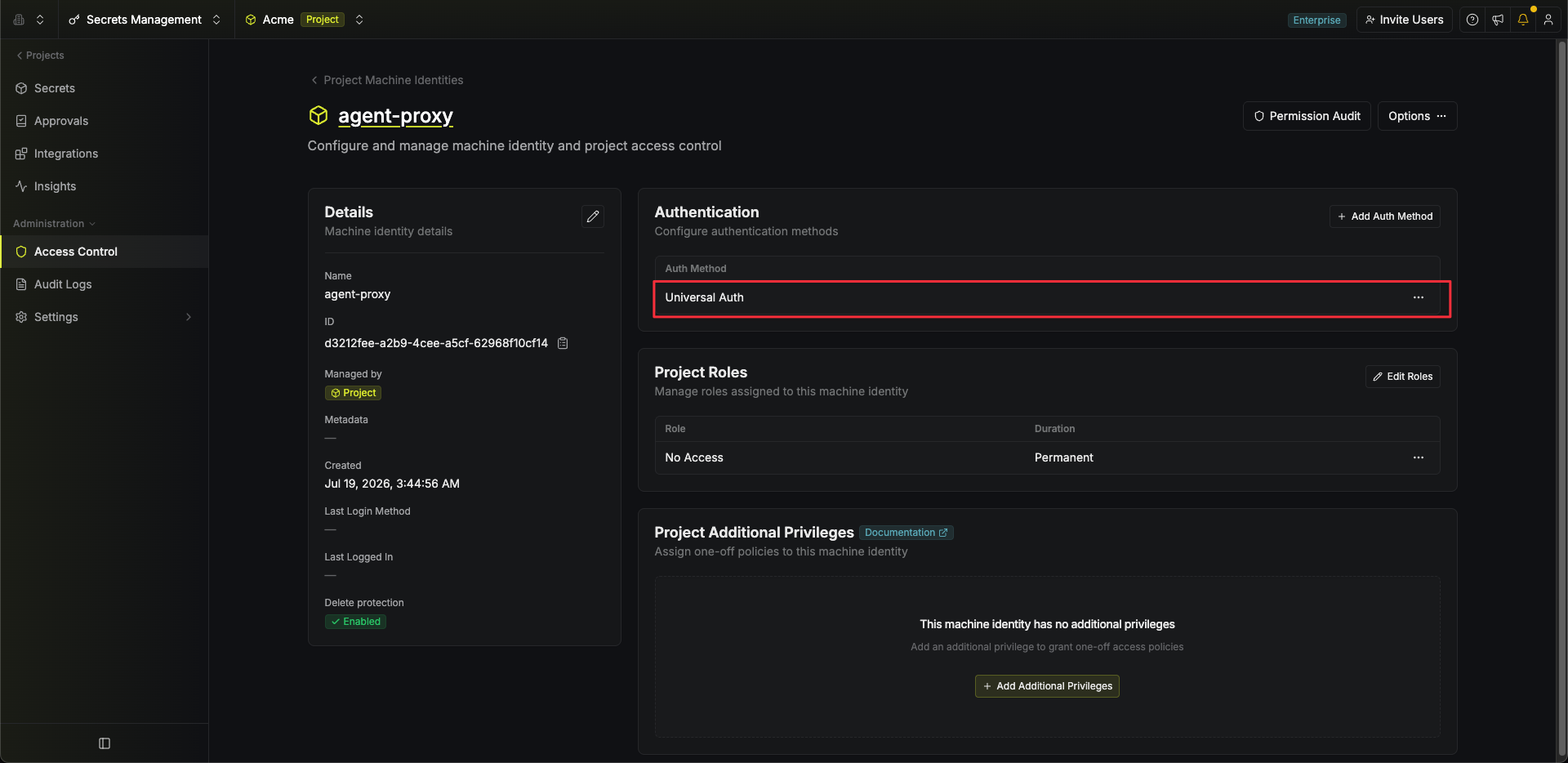 Select Add Client Secret.
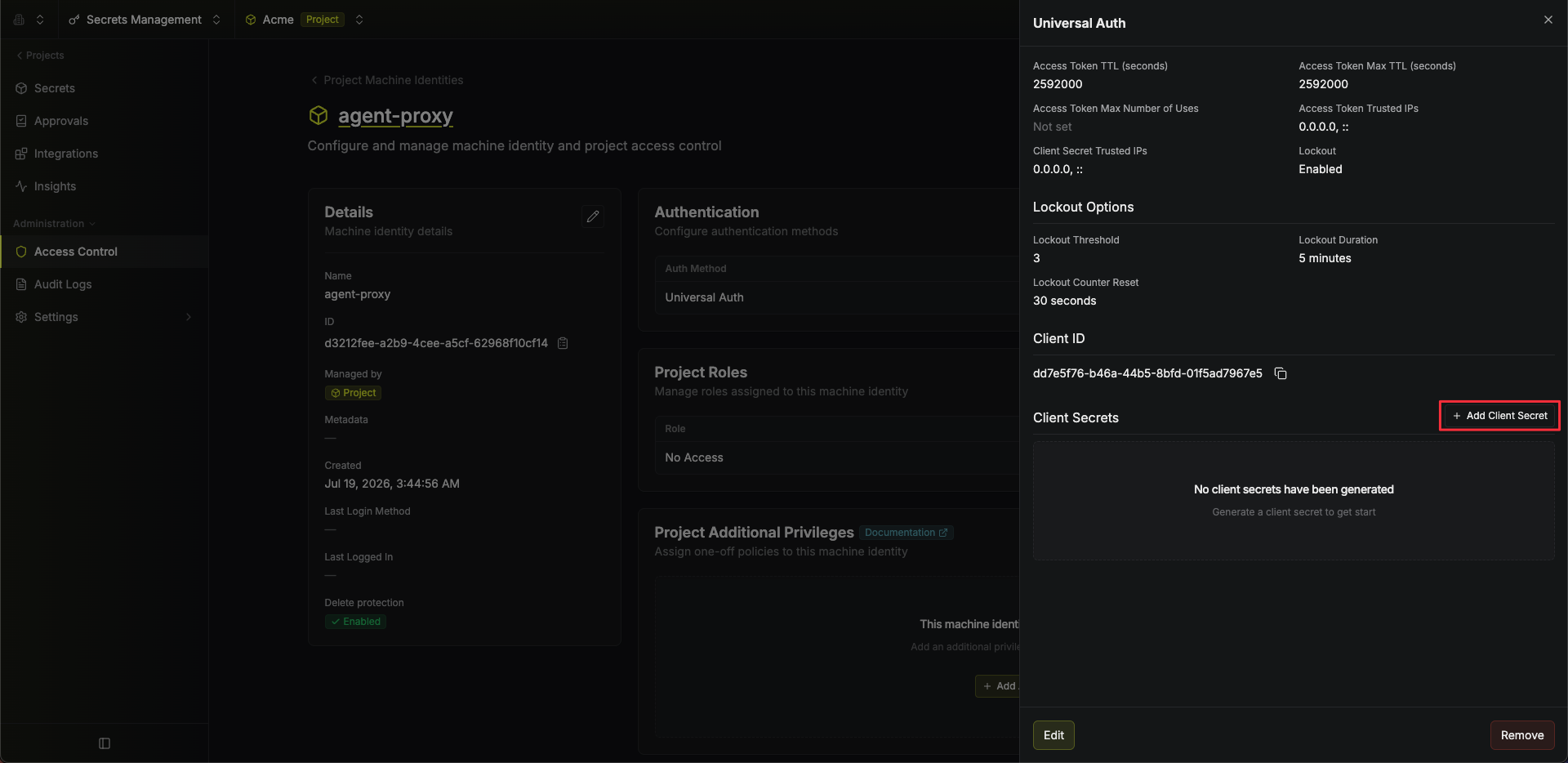 Save the Client ID and the Client Secret. You’ll pass both to the proxy in a moment.
2. Create the agent identity
This identity routes traffic but reads no secrets. Create a second identity the same way, namedagent, again with Role as No Access, this time selecting the Agent Policies template.
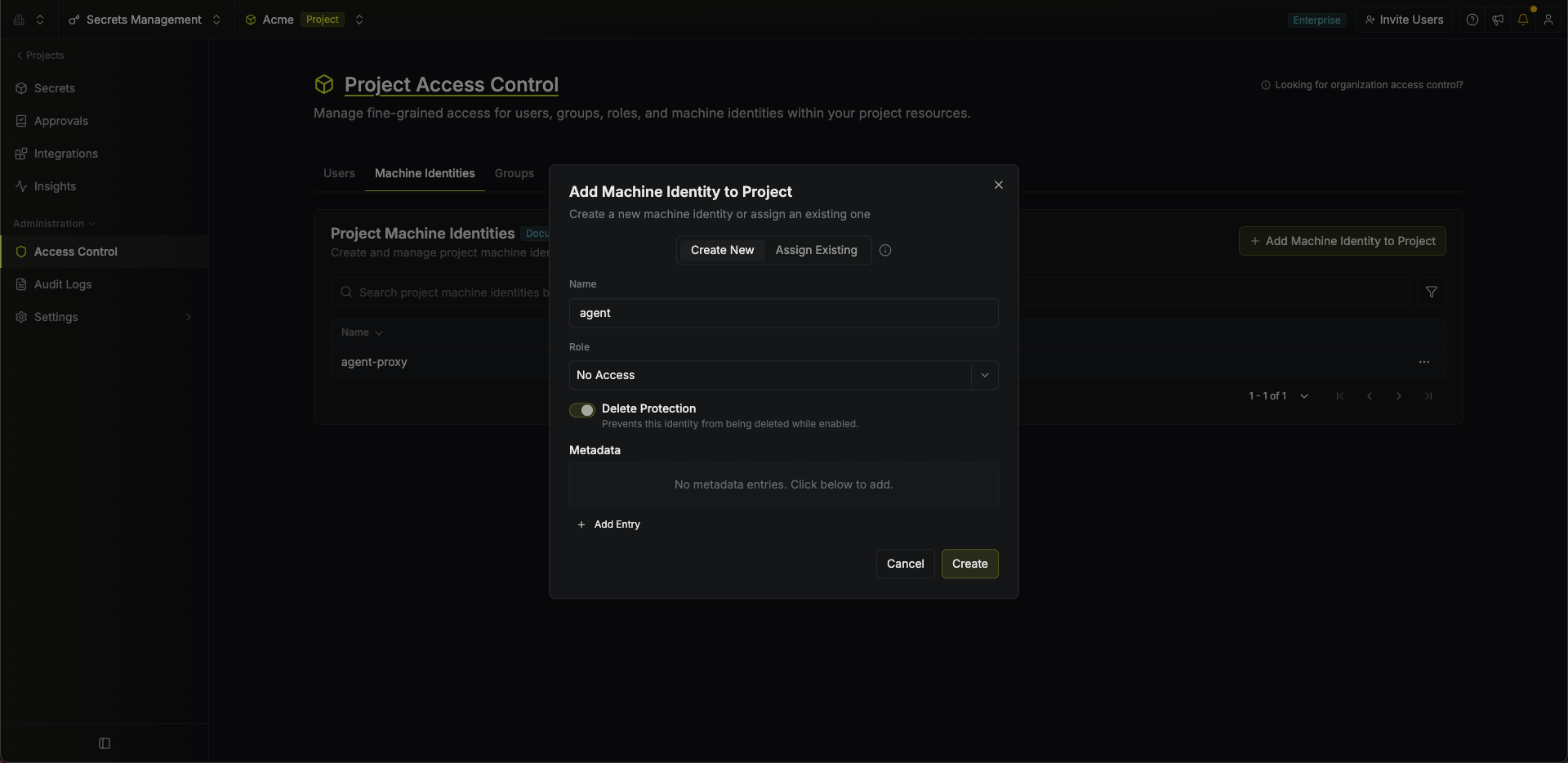
This template grants one permission,
Proxy on proxied services: route traffic and have credentials applied, with no ability to read a secret.3. Start the proxy on its own host
On the proxy machine, authenticate as the proxy identity from step 1 and start it. It listens on port17322:
Fine for trying it out, but this dies with your terminal. Deployment covers systemd, Docker, and PaaS.
4. Launch your agent on its host
On the agent machine, authenticate as the agent identity from step 2, point it at the proxy, and scope it to the folder holding your secret and proxied service:-- is the agent’s own command. It starts as if you had launched it directly, finds GITHUB_TOKEN set to the fake ghp_… placeholder, and uses it like a normal token; the proxy swaps in the real value on calls to api.github.com.
5. Verify it works
Each check below makes the sameGET /user call to api.github.com, and the client only ever sends the fake ghp_… placeholder. As the request passes through the proxy, on its own host, the placeholder is swapped for the real value of your GITHUB_PAT, so GitHub returns your account profile even though the real token never reached the client. That is the whole point: real authenticated work without the caller ever holding the credential.
- Ask your agent
- gh CLI
- curl
The agent you just launched is already brokering. In its session, send:
Run gh api user and show me the output.
GitHub’s gh CLI reads GITHUB_TOKEN from the environment on its own, so the agent needs no token wiring: it runs the command and GitHub answers with your profile. Requires gh on the agent host.Getting a
401? The credential wasn’t applied and the placeholder went out unchanged. Confirm the agent identity has Proxy on the service and the proxy identity has Read Value on GITHUB_PAT. A 407 or 403 from the proxy itself means the agent’s token was missing, invalid, or revoked.For agents that live as long as your terminal session, follow the Local Proxy quickstart instead.