

This guide is for instances that use
ENCRYPTION_KEY. If you use an
HSM, rotate the key on the HSM
instead.ENCRYPTION_KEY protects every secret in your
instance. Rotating it means a key that leaks stops being useful once you finish, and some compliance
programs require it on a fixed schedule.
Infisical generates the new key. The rotation takes effect when an instance first starts with the new
value, so generating a key changes nothing until you deploy it.
Secrets remain encrypted throughout the rotation process. Both the previous
and new keys remain valid simultaneously until all instances have completed
the transition, ensuring continuous availability with no scheduled downtime.
Before you start
- You need server admin access.
- Have somewhere to store two keys. You hold both the new and the old key until you finish.
- Know which rotation you’re doing. A scheduled rotation can take its time. If you’re responding to a leaked key, your exposure isn’t reduced until you remove the old key in step 5.
Rotate
1
Generate a new key
In the Server Console, go to Encryption and select Generate New Key under Root Encryption Keys.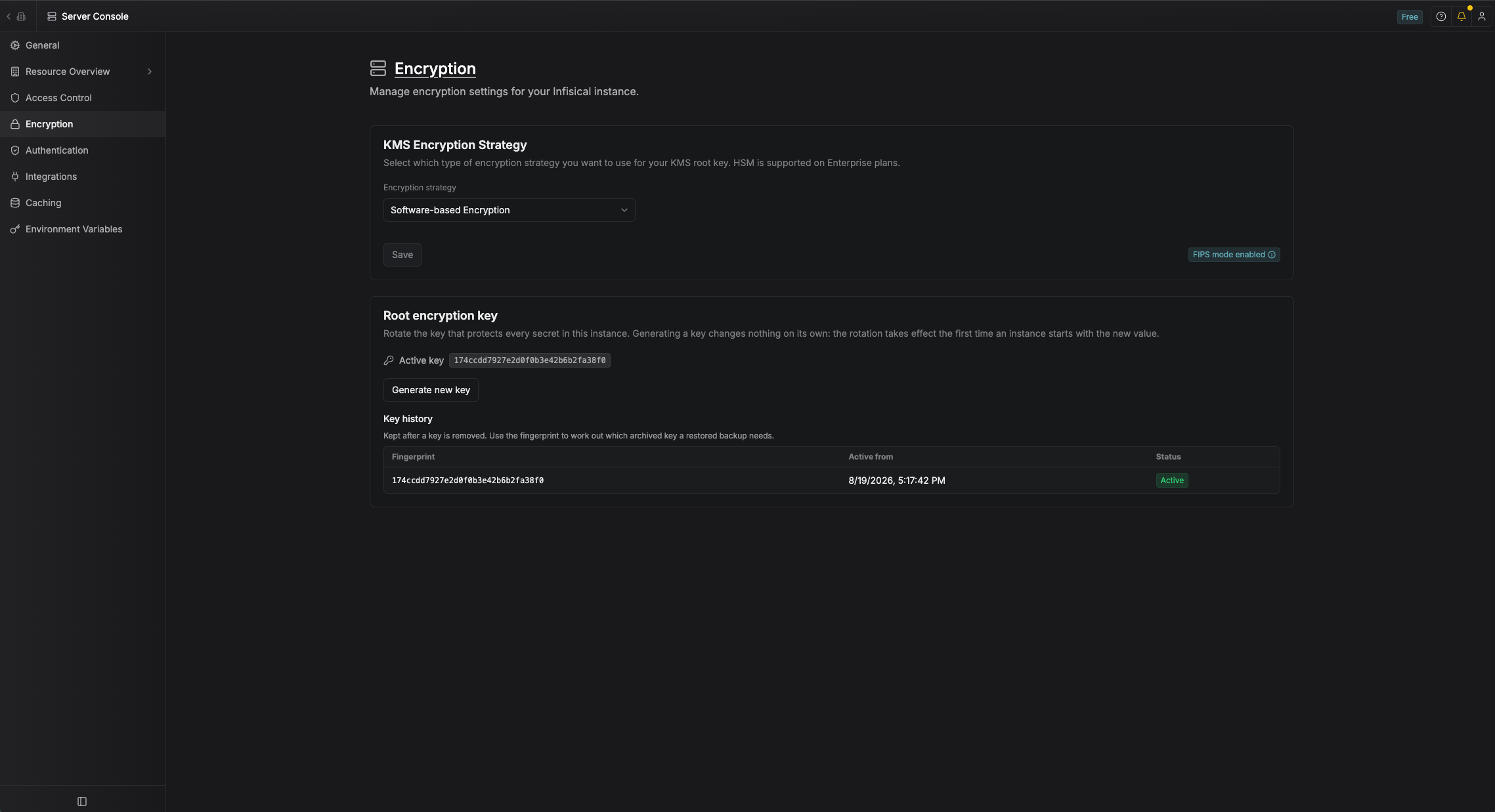
2
Store the key
The key is shown once and is never recoverable. Copy it into your secret store before you close the
dialog, together with the Label shown below it.If the key may have been exposed while you copied it, select the discard icon on the generated key’s row, or generate another key.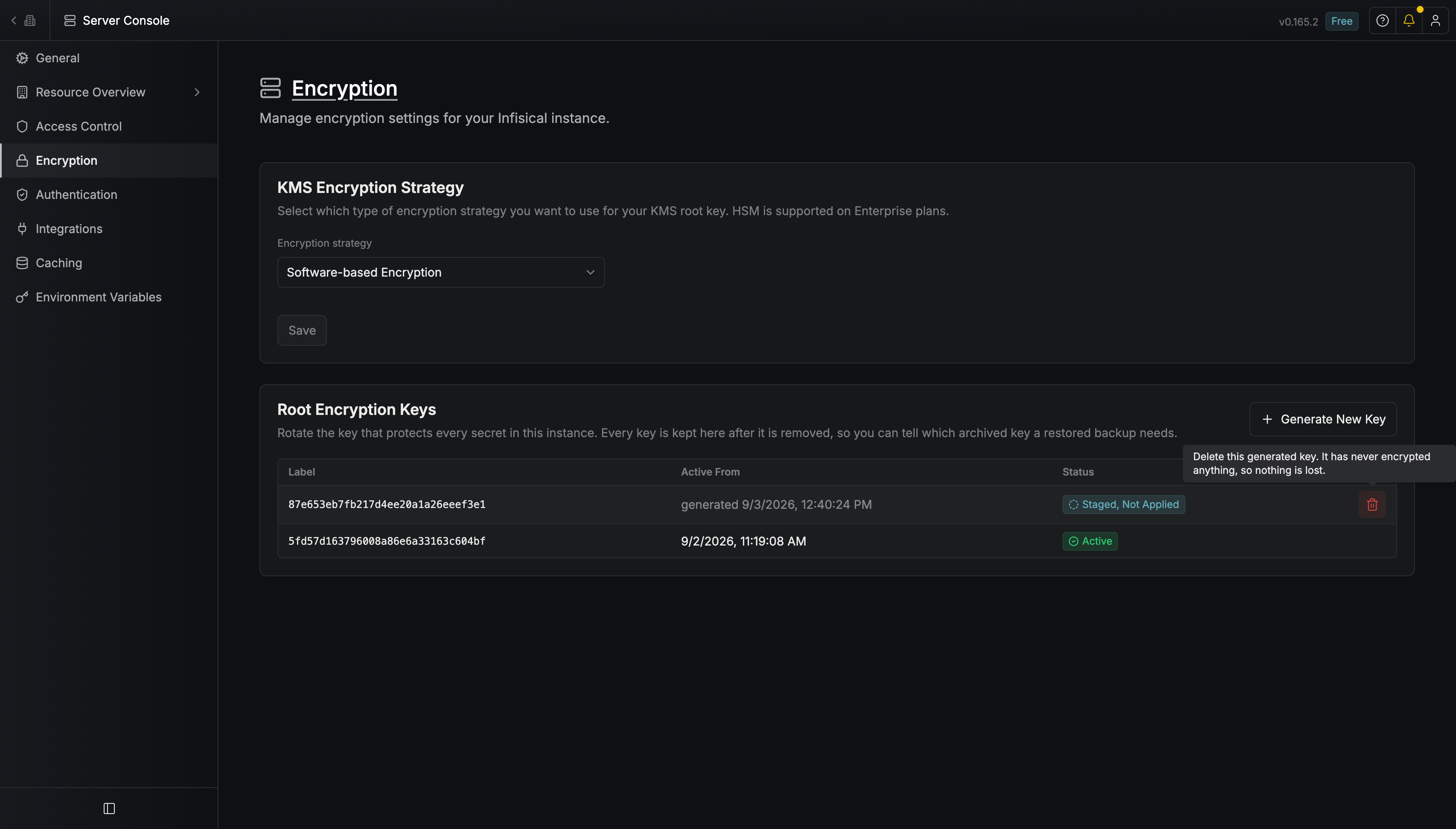
3
Deploy
Set
ENCRYPTION_KEY to the new value and restart your instances as you normally would. A rolling
restart works and needs no downtime.The first instance that starts with the new key applies the rotation. Instances that haven’t restarted
yet keep serving normally, and instances that restart on the old key still start.4
Confirm the rotation applied
Return to Encryption and check the key table under Root Encryption Keys. The new key is
listed as Active, and the old one shows the date it expires.If the new key isn’t listed yet, no instance has started with the new value. Check that
ENCRYPTION_KEY reached your instances, then restart one.5
Remove the old key
Until you remove it, the old key still opens your database, so the rotation hasn’t reduced your
exposure yet.When every instance has restarted on the new key, select Deactivate Now in the rotation banner,
or select the deactivate icon on the previous key’s row. The confirmation dialog tells you when an
instance last started on the old key.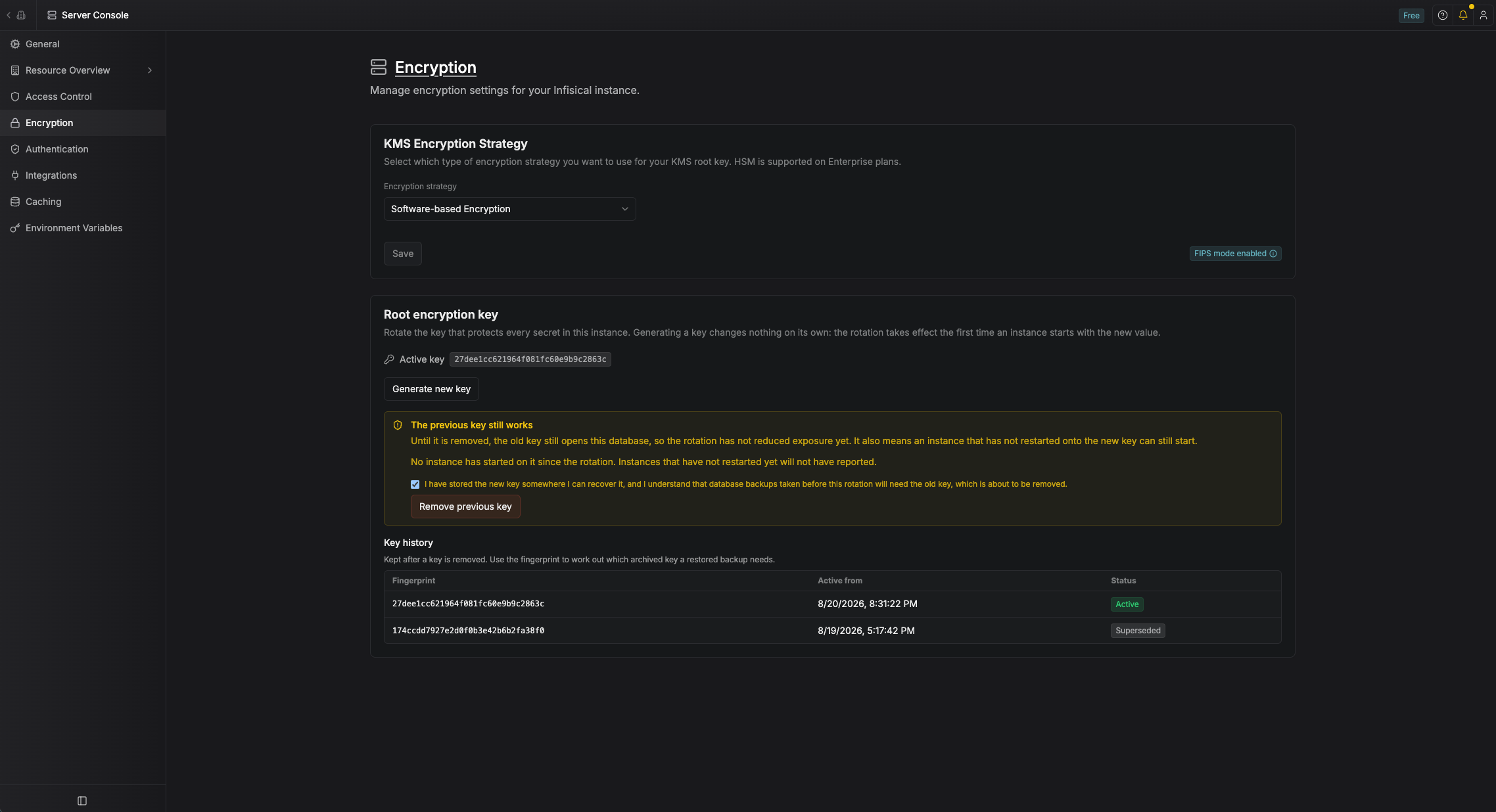 Infisical only sees instances that have restarted, so confirm your rollout is complete yourself
rather than relying on that dialog alone. If you do nothing, Infisical removes the old key on the first
weekly cleanup after it has been superseded for
Infisical only sees instances that have restarted, so confirm your rollout is complete yourself
rather than relying on that dialog alone. If you do nothing, Infisical removes the old key on the first
weekly cleanup after it has been superseded for
Infisical only sees instances that have restarted, so confirm your rollout is complete yourself
rather than relying on that dialog alone. If you do nothing, Infisical removes the old key on the first
weekly cleanup after it has been superseded for KMS_ROOT_KEY_RETENTION_DAYS (7 by default).Rotating again before you remove the old key removes it for you, at the moment the new key is first
used. Infisical warns you about this when it generates the key. Only one old key is ever kept, so an
instance two rotations behind won’t be able to restart.After the rotation
Do one of these:- Archive the old key. Keep it in your secret store for at least as long as your oldest restorable backup, tagged with the label from the key table under Root Encryption Keys. That table is kept permanently, so a restored backup can always be matched to the key it needs.
- Crypto-shred. Remove the old key, take a fresh full backup immediately, and expire backups taken before the rotation. A backup nobody can decrypt is also a backup that can’t leak.
What is reversible when
There is no rollback once a rotation has been applied. What revertingENCRYPTION_KEY does depends on how
far you have got.
The window in the middle row exists so instances can finish rolling over. It isn’t a way to undo the
rotation.