

Prerequisites
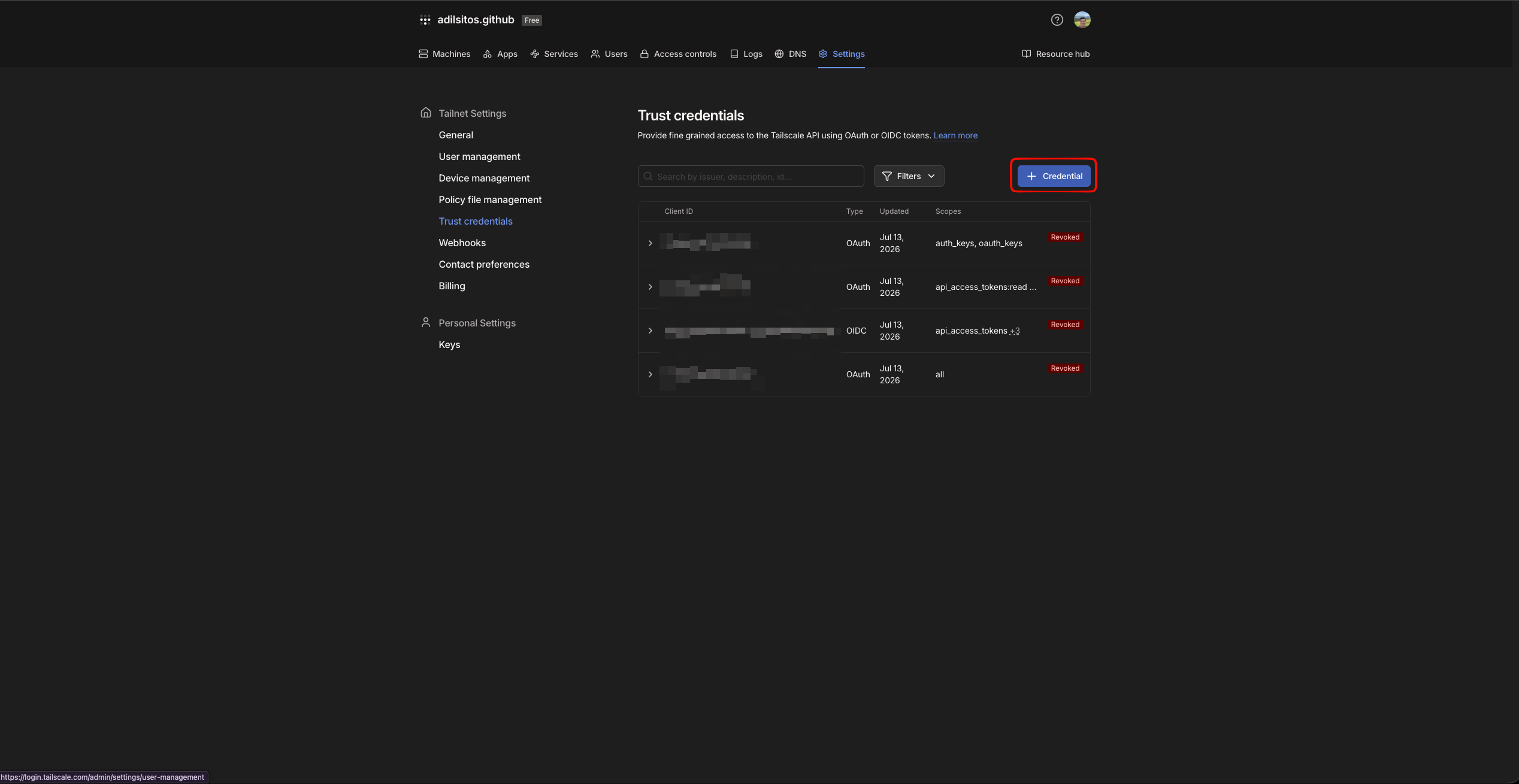
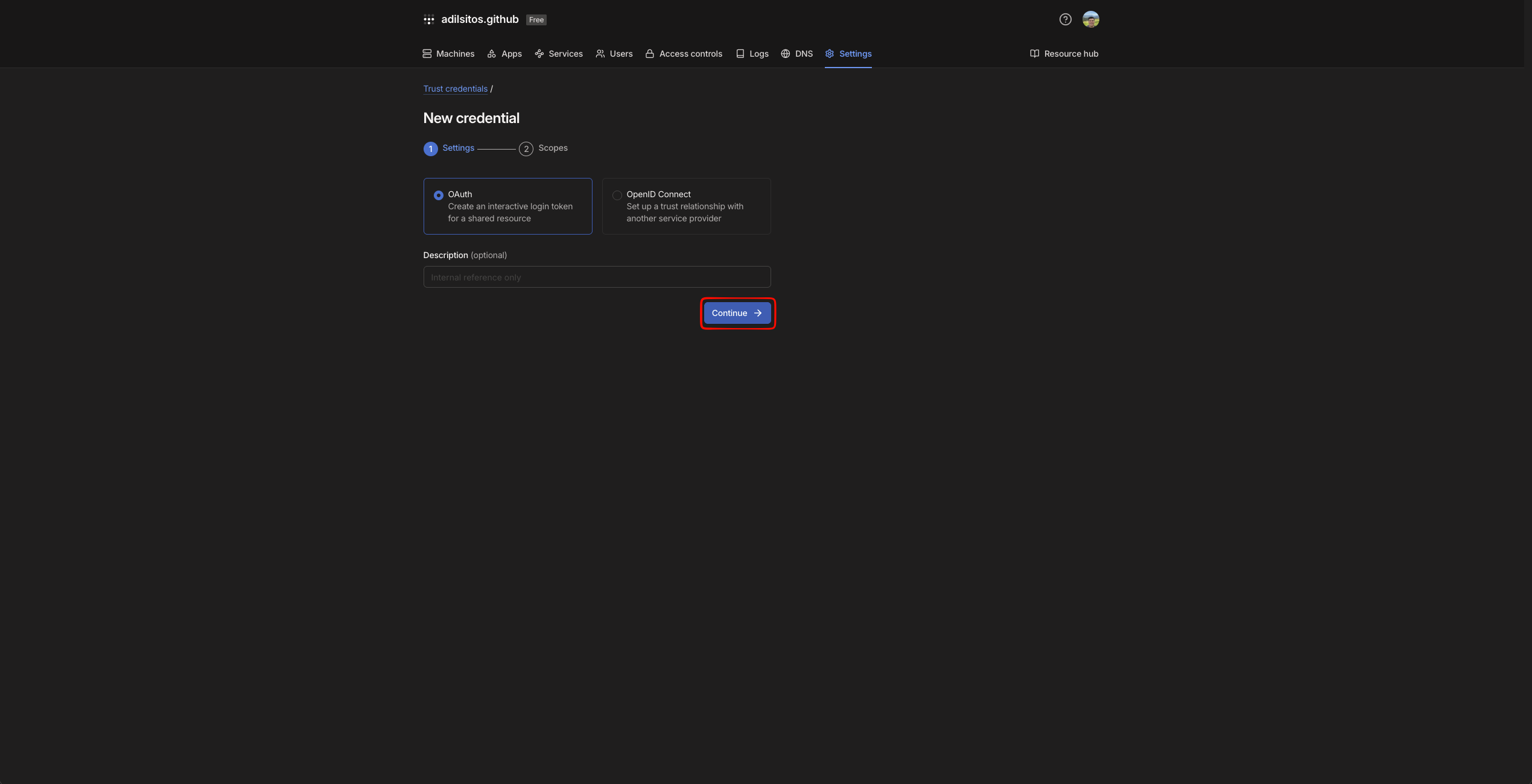
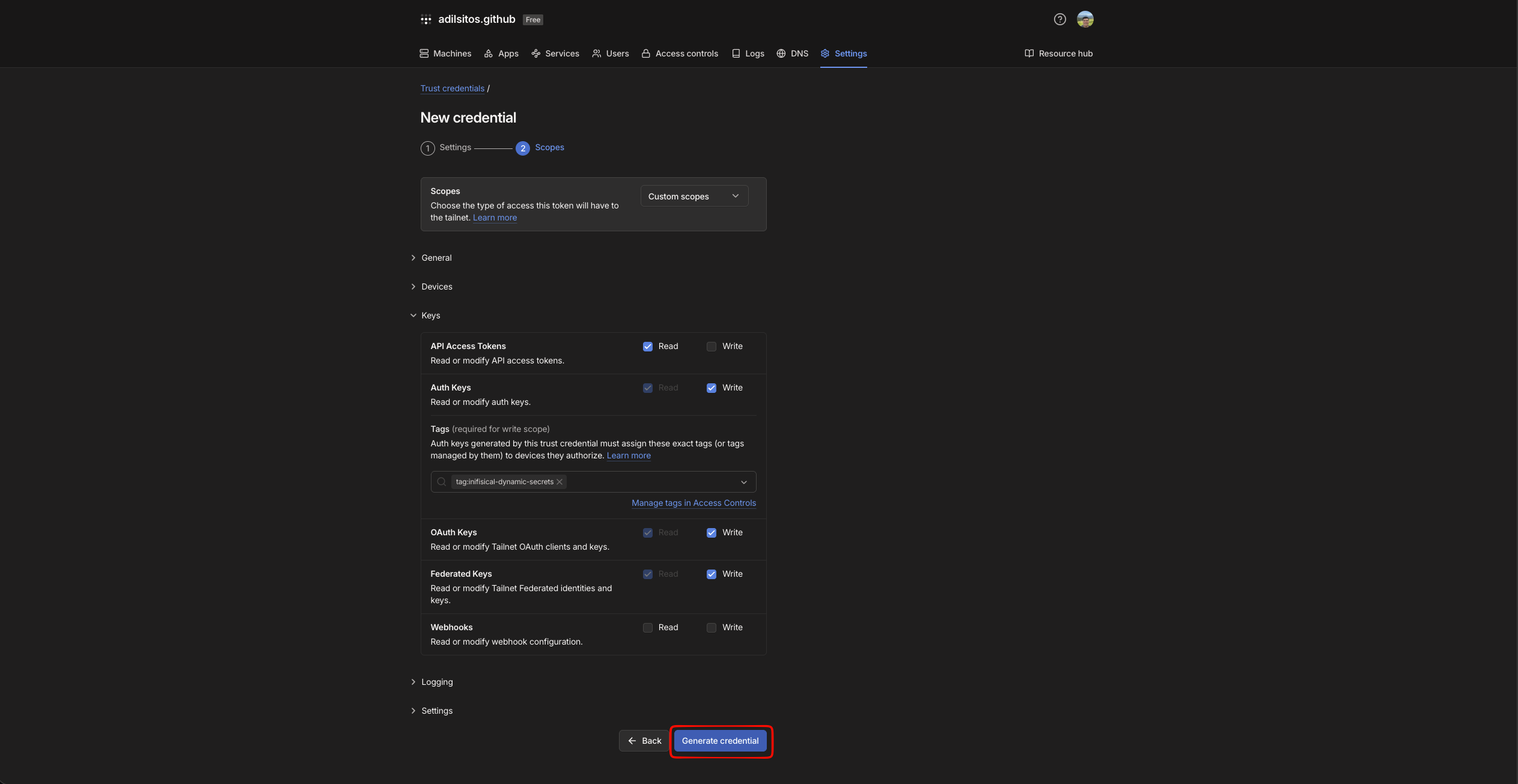
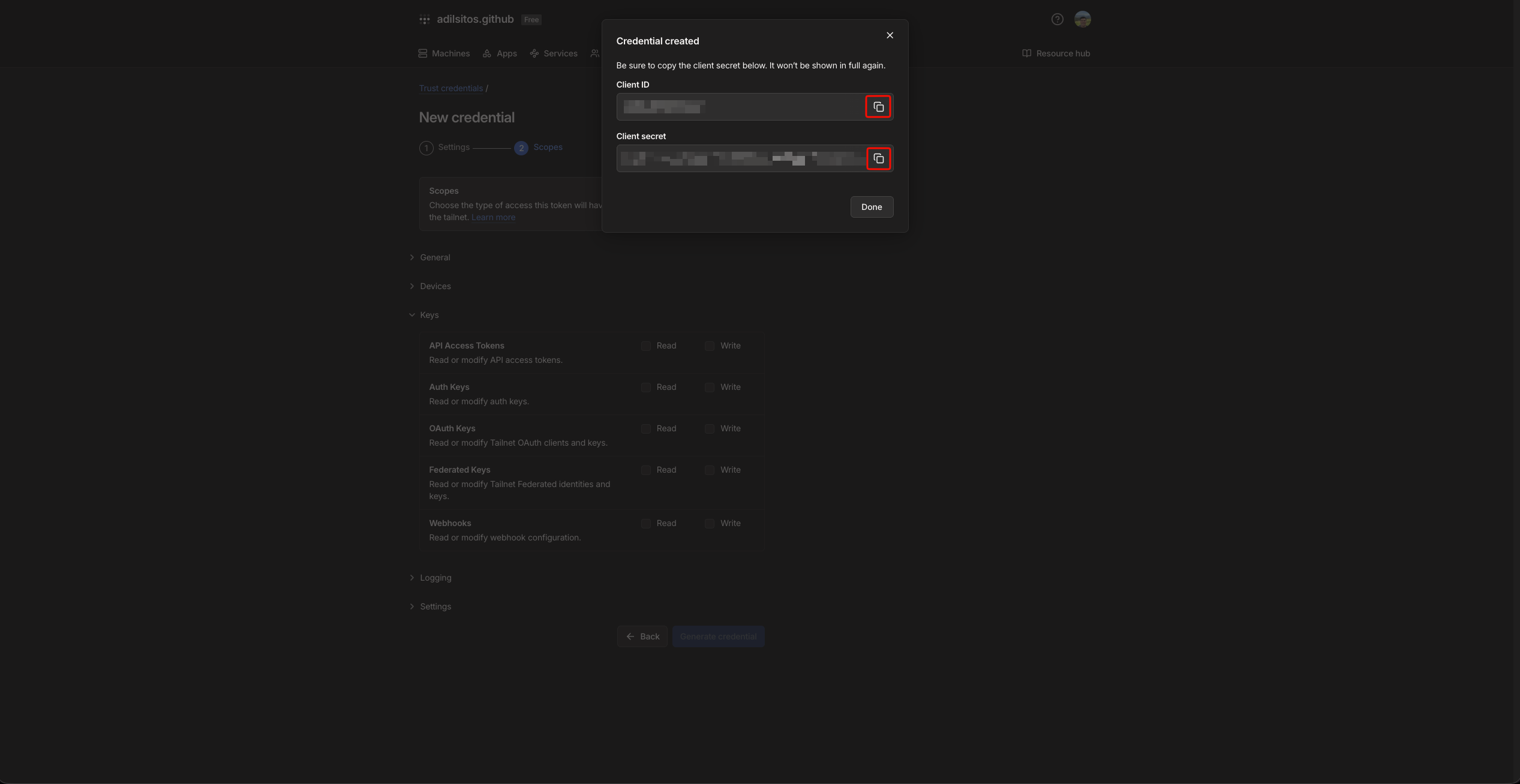
Infisical needs a credential that is allowed to create and revoke keys in your tailnet. You can authenticate with either API access token or OAuth client.- API Key
- OAuth
1
Open the Tailscale admin console
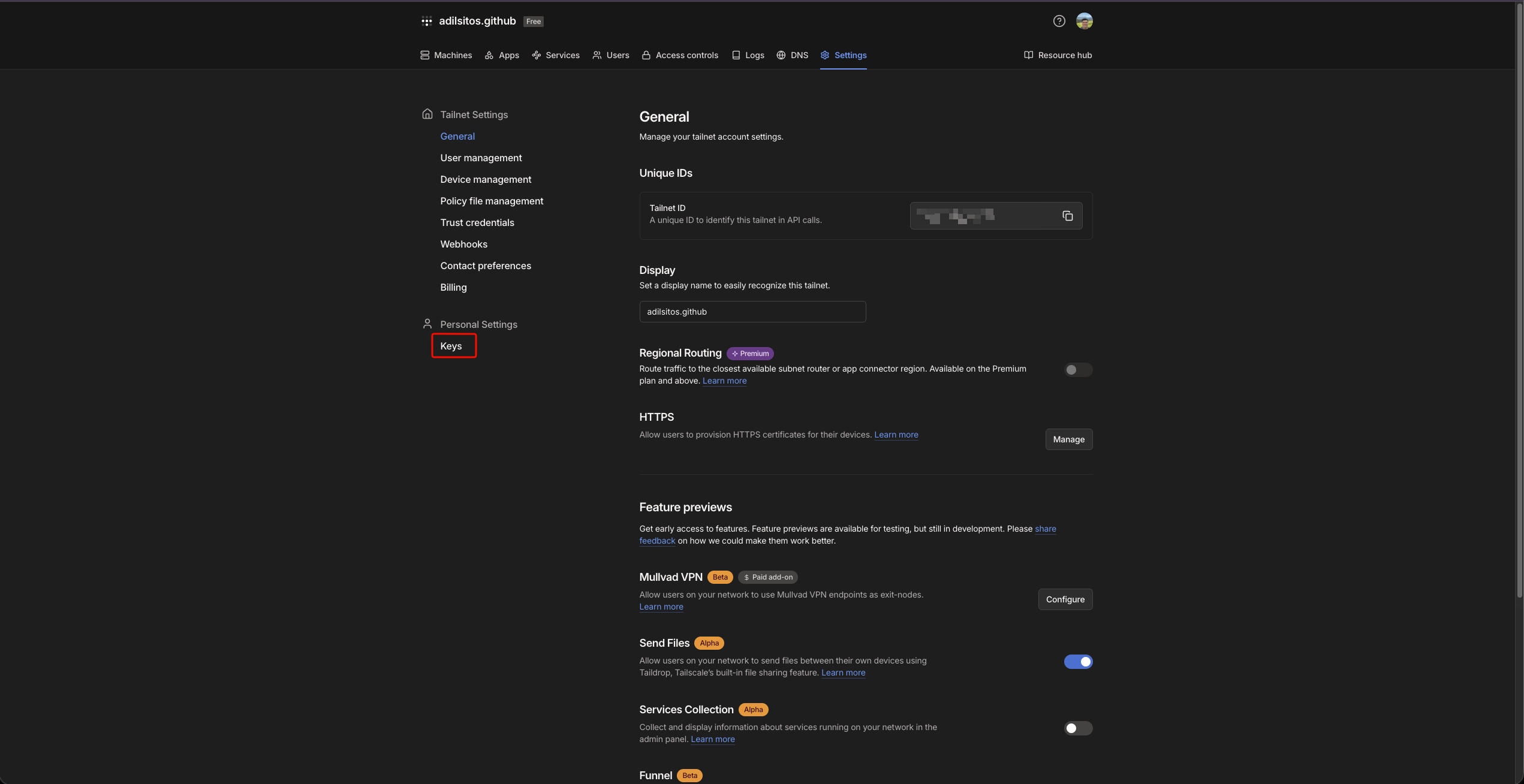
Open the Tailscale admin console and select Settings in the top navigation, then open Settings → Keys.
2
Generate an API access token
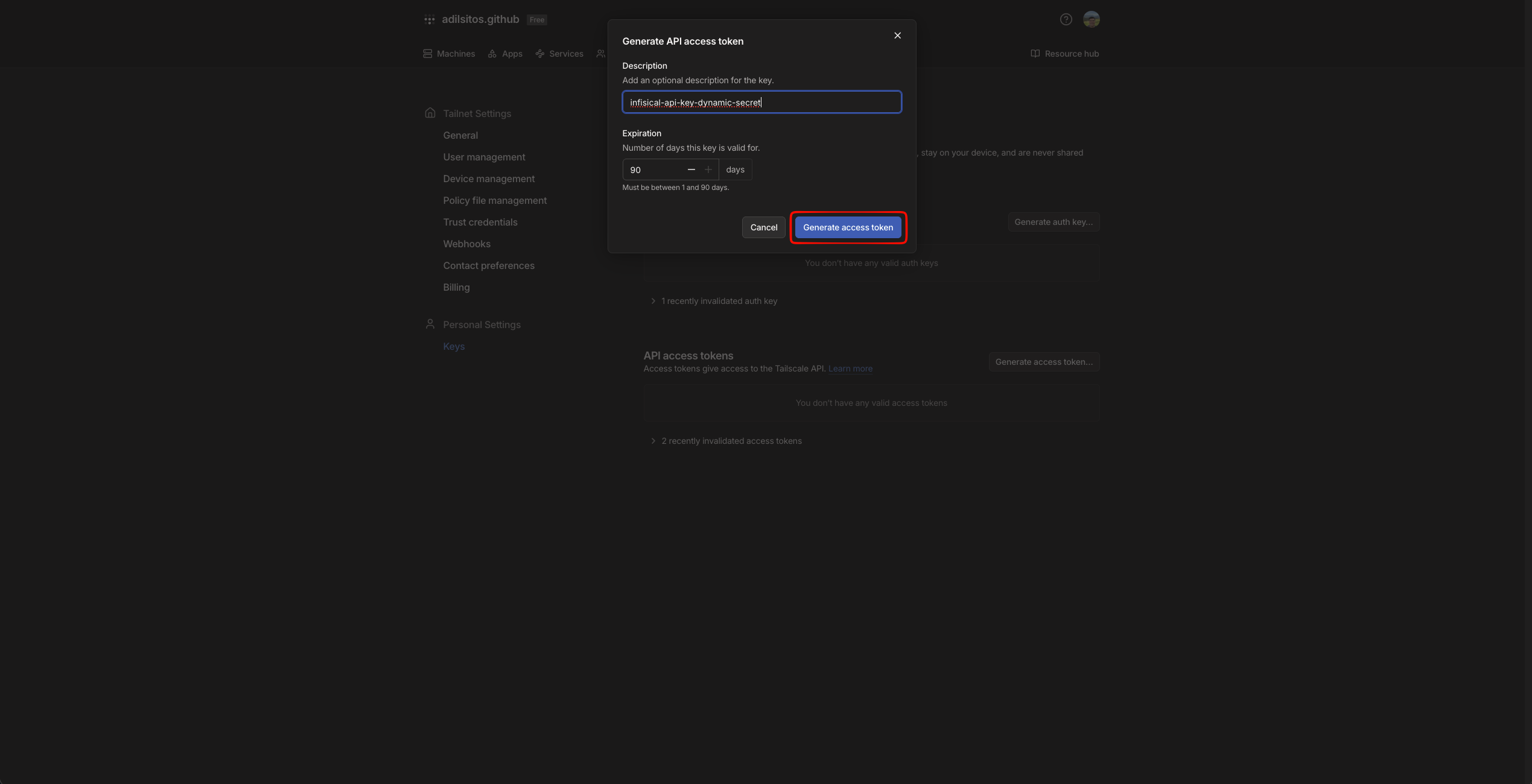
In the API access tokens section, click Generate access token…, give it a description, set an expiration (up to 90 days), and create the token.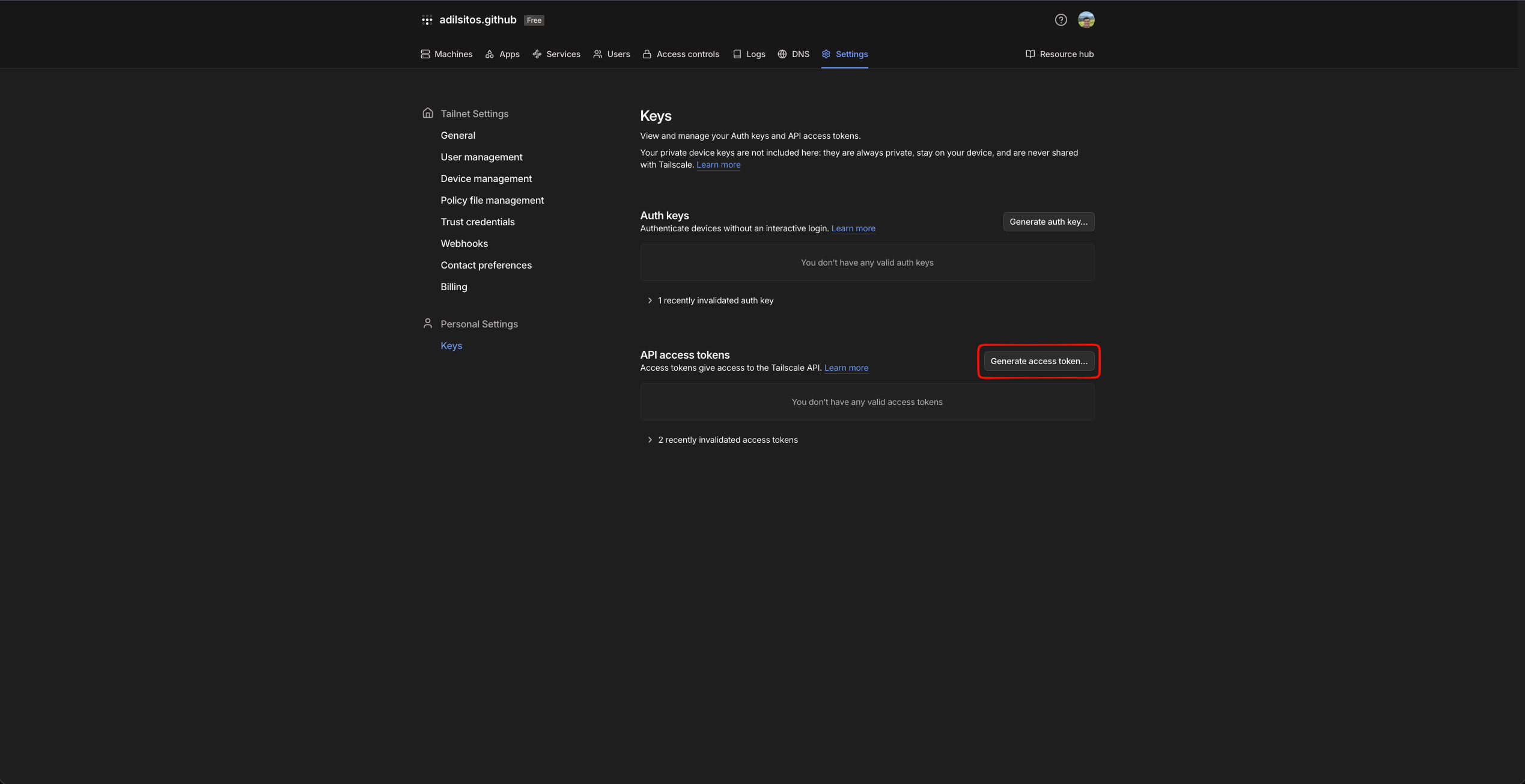
 Copy the token and save it for later steps. This token is used by Infisical to create and revoke keys.
Copy the token and save it for later steps. This token is used by Infisical to create and revoke keys.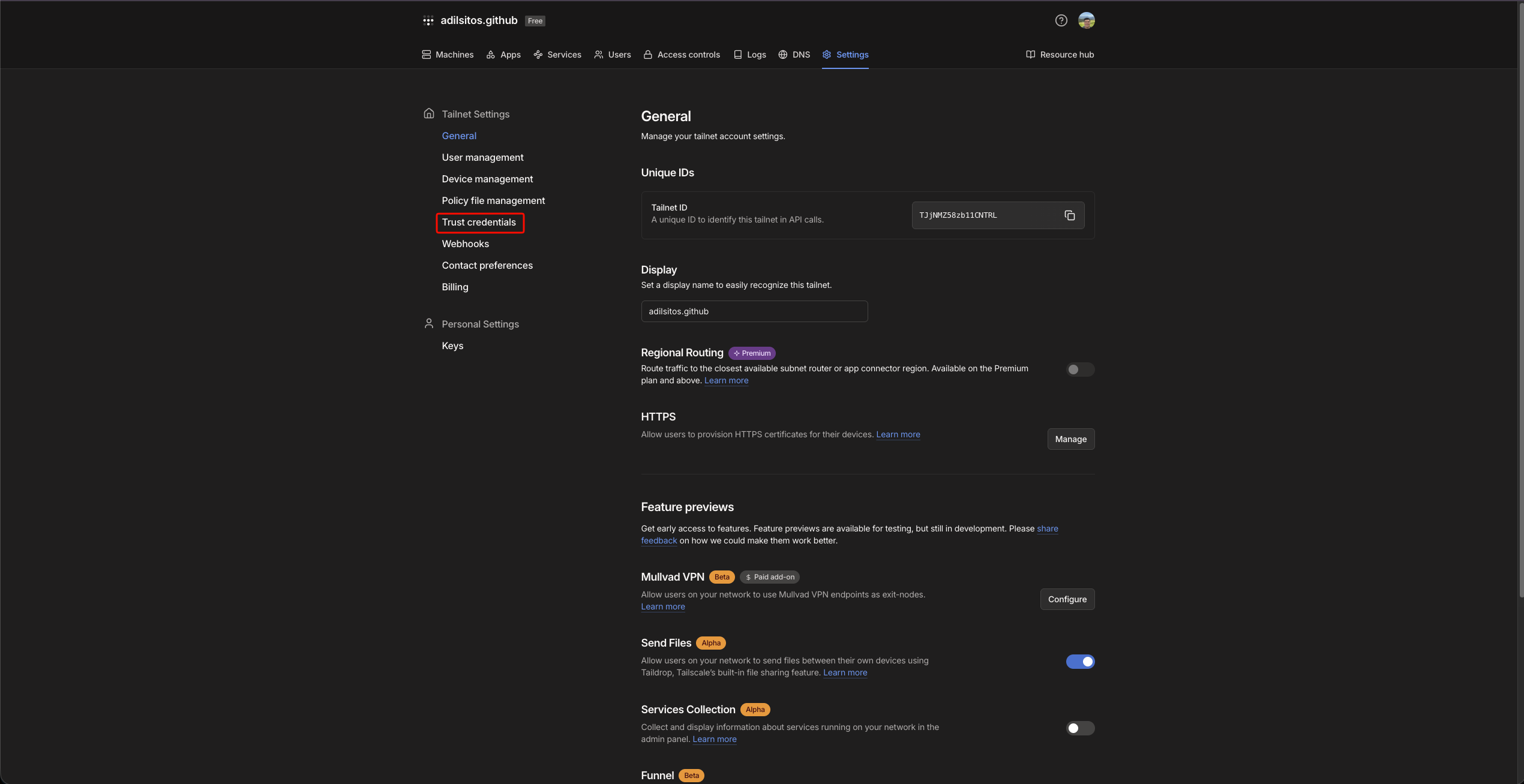
Set up dynamic secrets with Tailscale
1
Open Secret Overview Dashboard
Open the Secret Overview dashboard and select the environment in which you would like to add a dynamic secret.
2
Click on the 'Add Dynamic Secret' button

3
Select 'Tailscale'
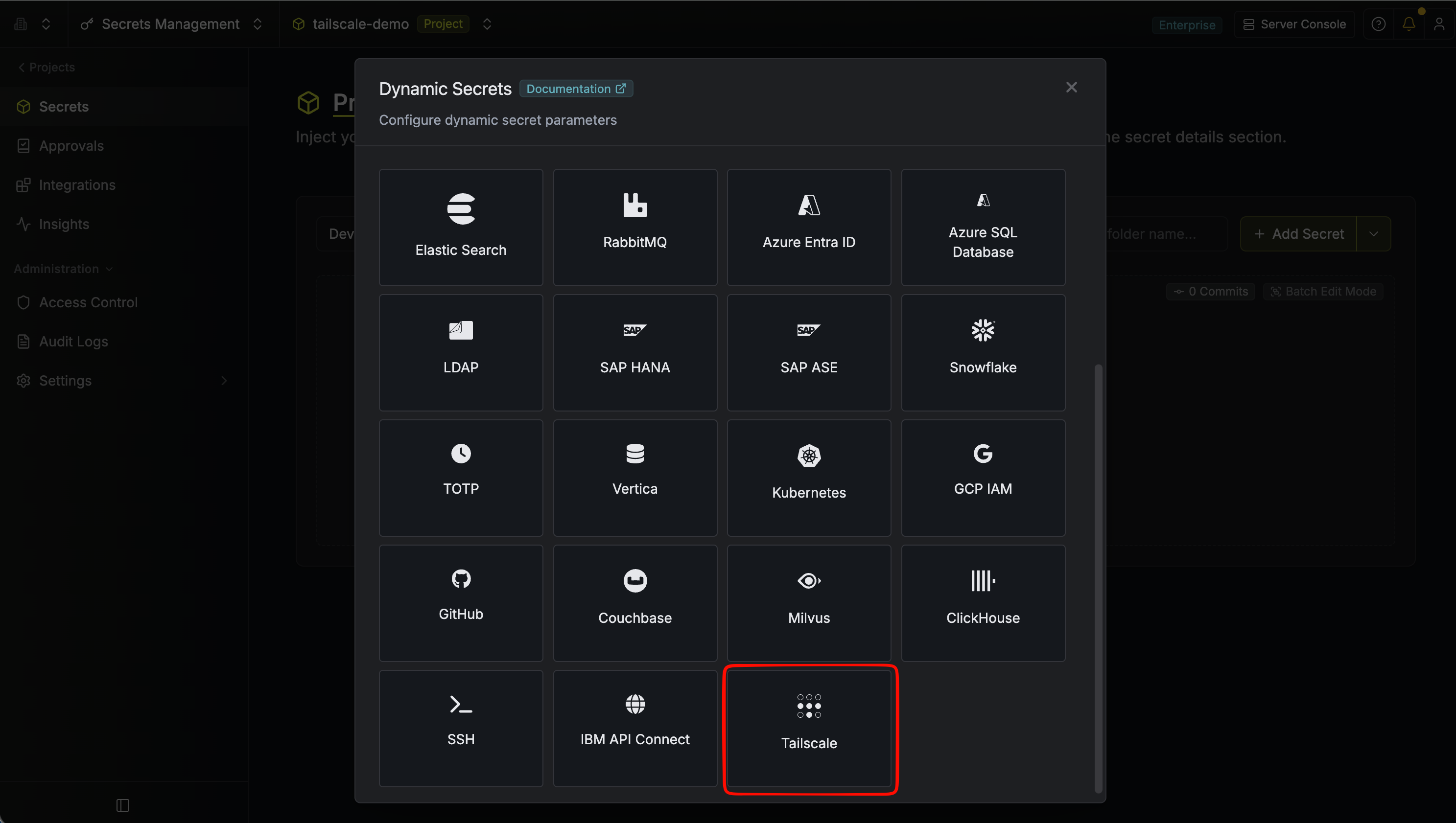
4
Provide the inputs for dynamic secret parameters
string
required
Name by which you want the secret to be referenced.
string
required
Default time-to-live for a generated lease (e.g.
1h). Must be between 1 minute and 90 days.string
Maximum time-to-live for a generated lease (e.g.
24h). Must be between 1 minute and 90 days.string
required
How Infisical authenticates to the Tailscale API. Choose API Key to use a Tailscale API access token, or OAuth to use an OAuth client’s credentials.
string
required
The type of credential to mint on each lease. Choose Auth Key to generate a device auth key, OAuth Client to generate a tailnet OAuth client, or Federated Identity to create a workload identity federation trust. A federated identity returns an identifier and audience rather than a secret. The additional parameters below depend on the key type you select.
string
required
Required when the authentication method is API Key. The Tailscale API access token with permission to create and revoke keys.
string
required
Required when the authentication method is OAuth. The Tailscale OAuth client ID.
string
required
Required when the authentication method is OAuth. The Tailscale OAuth client secret with permission to create and revoke keys.
string
default:"-"
required
The tailnet identifier. Use
- for the token owner’s default tailnet, or provide a tailnet name (e.g. example.com).string
Optional description applied to the created key or OAuth client (max 50 characters).
string
Comma-separated ACL tags to attach (e.g.
tag:ci, tag:prod). Required when the key type is Auth Key and the authentication method is OAuth; optional otherwise.- Auth Key
- OAuth Client
- Federated Identity
boolean
default:"false"
Whether the auth key can register multiple devices.
boolean
default:"false"
Whether devices registered with the key are pre-authorized.
Auth keys are always created as
ephemeral. Revoking a lease deletes the corresponding credential in your tailnet, but Tailscale does not remove the devices that already registered with it. Marking the devices ephemeral ensures Tailscale automatically removes them from the tailnet shortly after they go offline, so devices provisioned through a lease are cleaned up without manual intervention.5
Click Submit
After submitting the form, you’ll see a dynamic secret created in the dashboard.
6
Generate dynamic secrets
Once you’ve successfully configured the dynamic secret, you’re ready to generate on-demand credentials.
To do this, simply select the ‘Generate’ button which appears when hovering over the dynamic secret item.
Alternatively, you can initiate the creation of a new lease by selecting ‘New Lease’ from the dynamic secret lease list section.
 Specify the Time to Live (TTL) for the lease, then click the
  Once you click the
Specify the Time to Live (TTL) for the lease, then click the Submit button.Once you click the Submit button, a new lease will be generated and its values will be shown to you. The values returned depend on the key type:-
Auth Key: an
AUTH_KEYand itsKEY_ID. -
OAuth Client: a
CLIENT_IDandCLIENT_SECRET. -
Federated Identity: a
FEDERATED_CREDENTIAL_IDand anAUDIENCE. No secret is issued; the workload authenticates by exchanging its own OIDC token for a short-lived Tailscale token.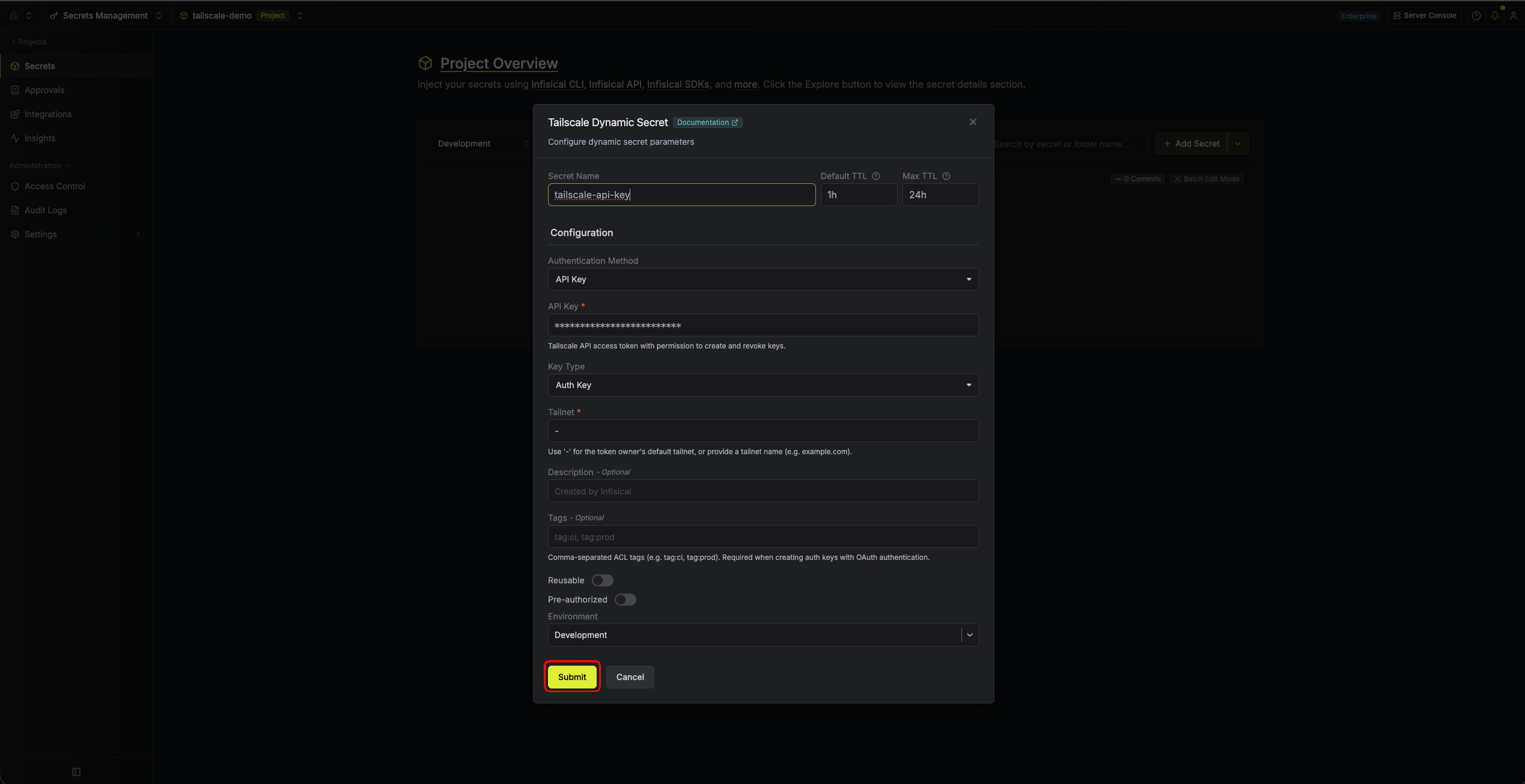
Audit or revoke leases
Once you have created one or more leases, you’ll be able to access them by selecting the respective dynamic secret item on the dashboard. This will allow you to see the expiration time of the lease or delete a lease before its set time to live. Revoking a lease deletes the corresponding credential in your tailnet.
Renew leases
Tailscale credentials are immutable once created and can’t be renewed. To obtain a fresh credential, generate a new lease instead.