

Prerequisite
Create a user with the required permissions in your ClickHouse instance. This user will be used to create new accounts on-demand.The
GRANT OPTION privilege is required so that the service user can grant permissions to the dynamically created users.Set up dynamic secrets with ClickHouse
1
Open Secret Overview Dashboard
Open the Secret Overview dashboard and select the environment in which you would like to add a dynamic secret.
2
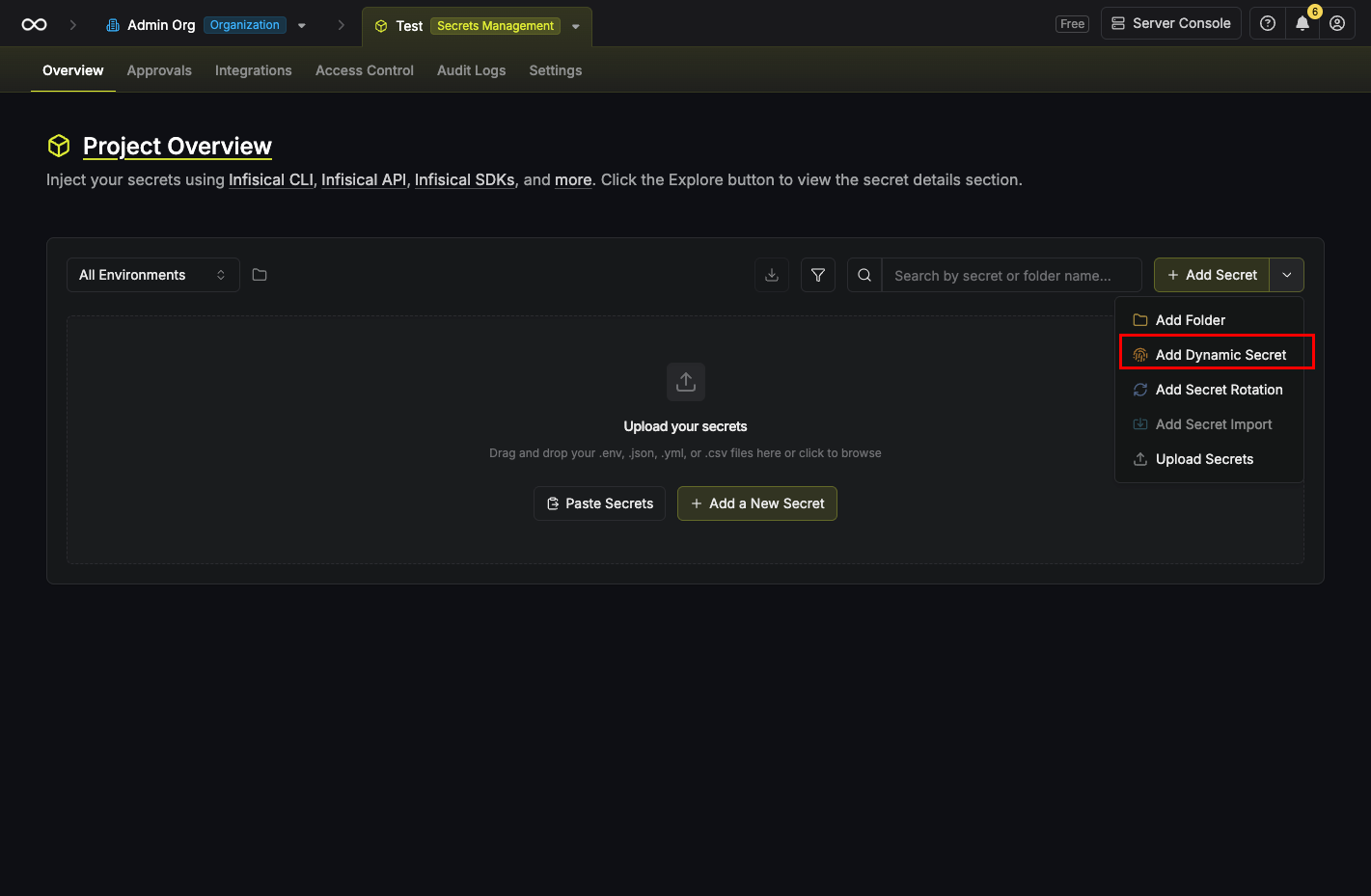
Click on the 'Add Dynamic Secret' button
3
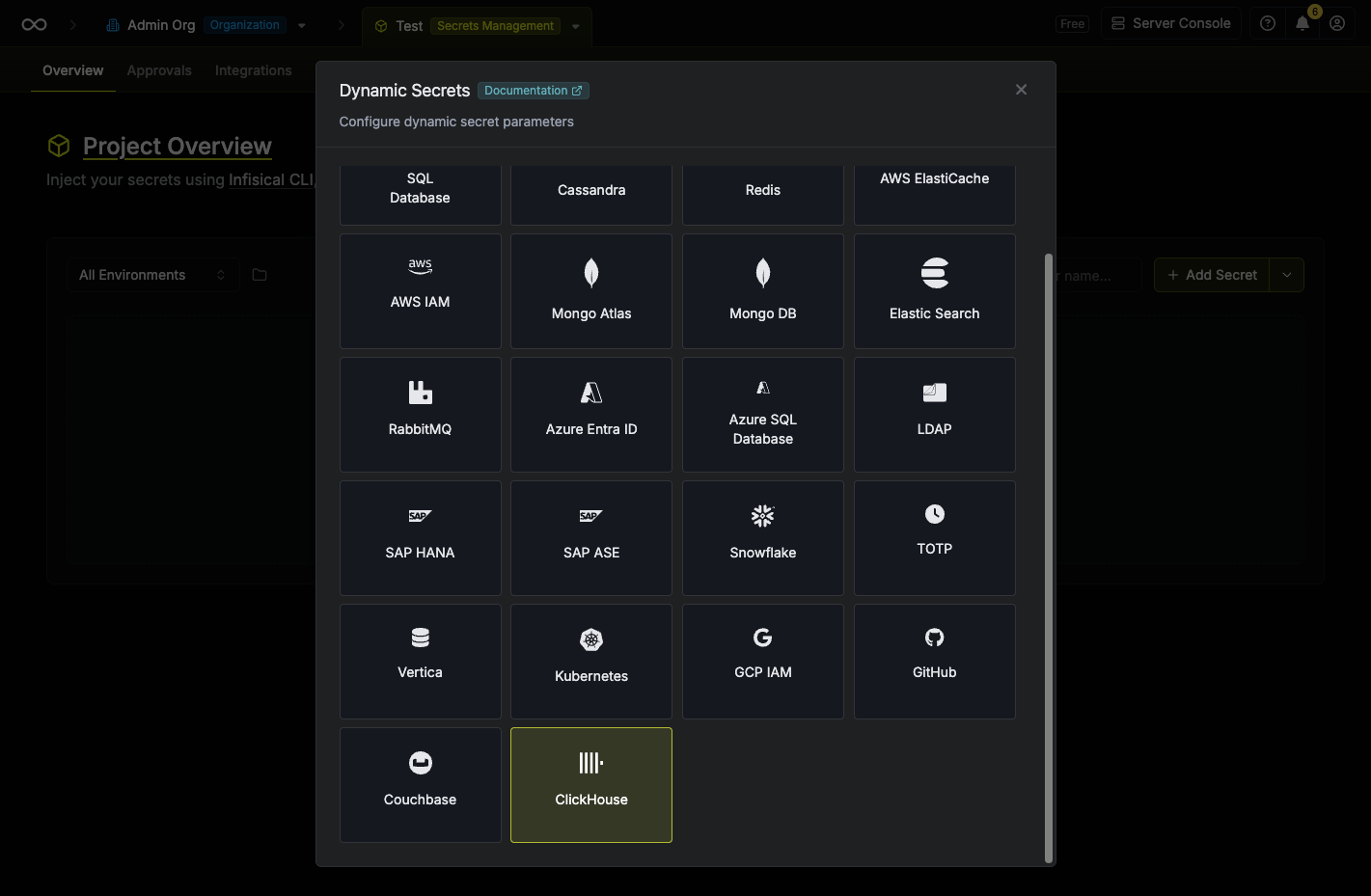
Select 'ClickHouse'
4
Provide the inputs for dynamic secret parameters
string
required
Name by which you want the secret to be referenced
string
required
Default time-to-live for a generated secret (it is possible to modify this value after a secret is generated)
string
required
Maximum time-to-live for a generated secret
list
List of key/value metadata pairs
string
required
ClickHouse server hostname or IP address (e.g.,
https://your-host.clickhouse.cloud)number
required
ClickHouse HTTP interface port. Use
8123 for HTTP or 8443 for HTTPS / ClickHouse Cloud.string
required
Username of the service account that will be used to create dynamic credentials
string
required
Password of the service account that will be used to create dynamic credentials
string
required
Name of the database for which you want to create dynamic secrets. Defaults to
default.string
A gateway may be required if your ClickHouse instance is not publicly accessible (e.g. in a private VPC). Select a configured gateway to route traffic through it.
string
Only needed if your ClickHouse instance uses a self-signed or private CA certificate. ClickHouse Cloud uses publicly trusted certificates, so no CA is required — just include
https:// in the host. Providing a CA also enables HTTPS automatically.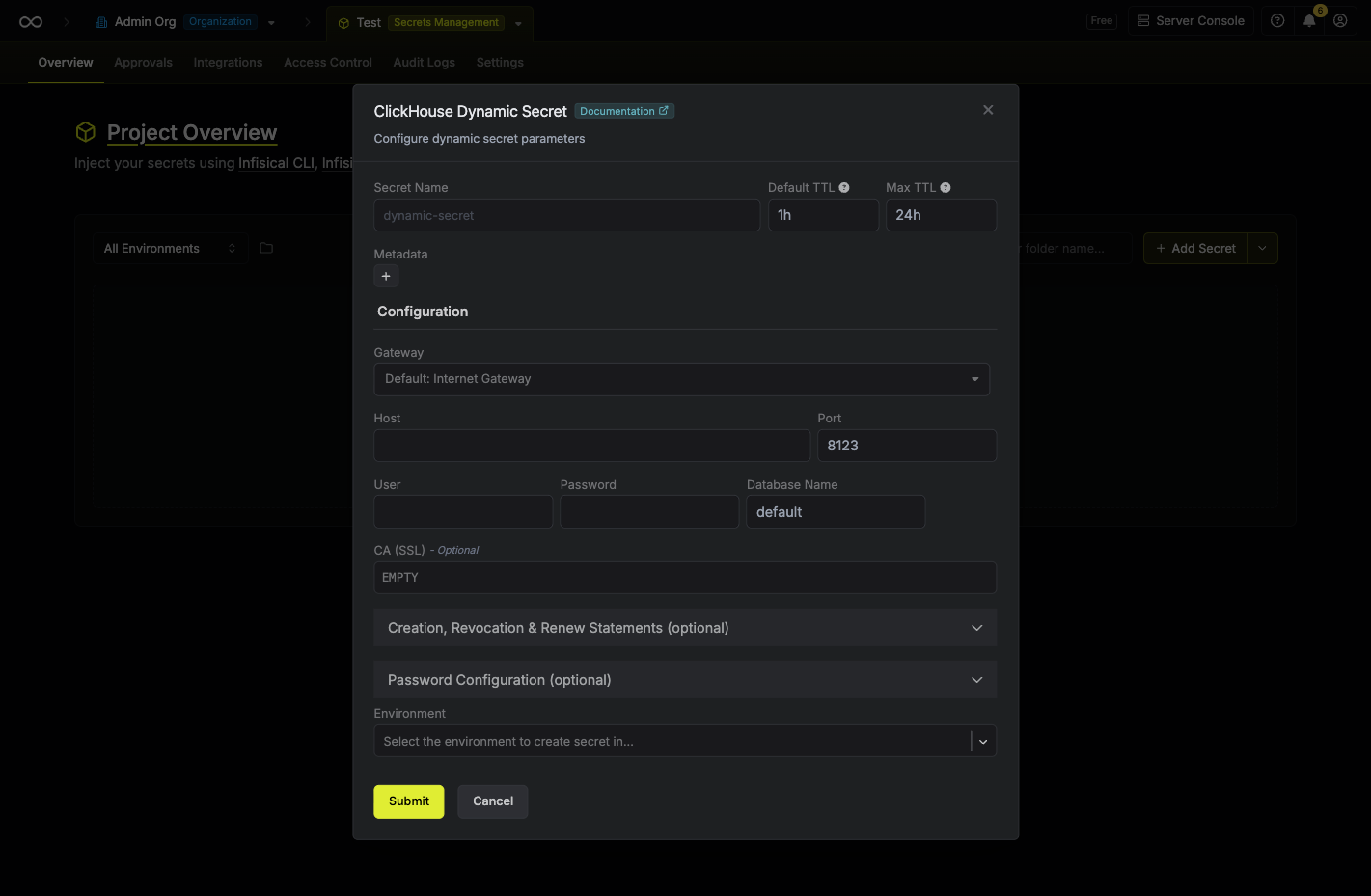
5
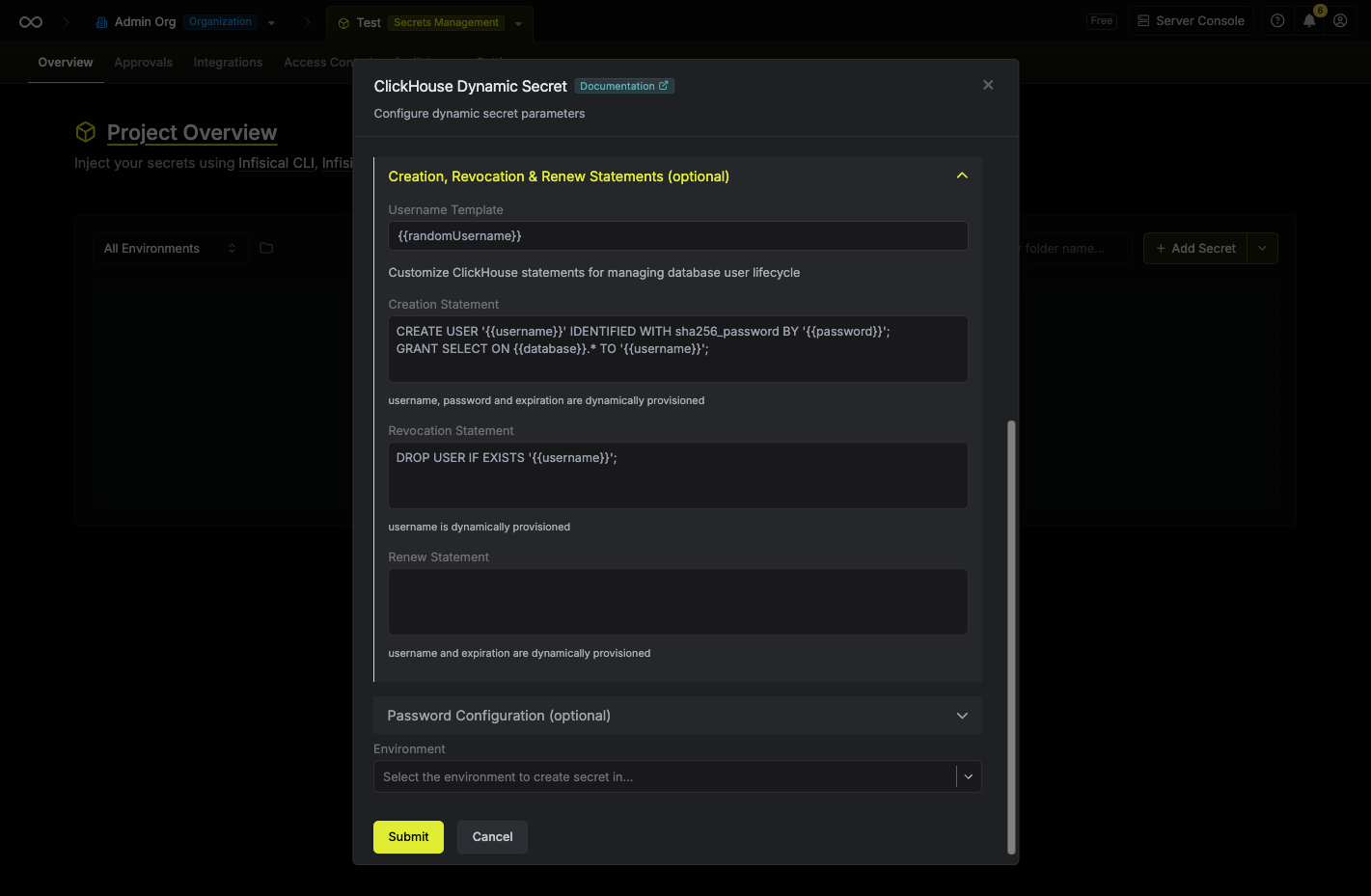
(Optional) Modify ClickHouse Statements
string
default:"{{randomUsername}}"
Specifies a template for generating usernames. This field allows customization of how usernames are automatically created.Allowed template variables are:
{{randomUsername}}: Random username string.{{unixTimestamp}}: Current Unix timestamp at the time of lease creation.{{identity.name}}: Name of the identity that is generating the lease.{{dynamicSecret.name}}: Name of the associated dynamic secret.{{dynamicSecret.type}}: Type of the associated dynamic secret.{{random N}}: Random string of N characters.
truncate: Truncates a string to a specified length.replace: Replaces a substring with another value.uppercase: Converts a string to uppercase.lowercase: Converts a string to lowercase.
string
ClickHouse statement used to create the dynamic user. The default creates a user with SHA-256 password authentication and grants
SELECT on all tables in the configured database.Available template variables: {{username}}, {{password}}, {{database}}, {{expiration}}.string
ClickHouse statement used to revoke the dynamic user when a lease expires or is manually deleted.
string
Optional ClickHouse statement executed when a lease is renewed. Leave blank if no action is required on renewal.
ClickHouse does not support DDL transactions, so statements are executed sequentially. Ensure that each statement is separated by a semicolon (
;).6
Click 'Submit'
After submitting the form, you’ll see a dynamic secret created in the dashboard.
If this step fails, verify that the service user has the
CREATE USER, DROP USER, and GRANT OPTION privileges, and that the host and port are reachable from Infisical.7
Generate dynamic secrets
Once you’ve successfully configured the dynamic secret, you’re ready to generate on-demand credentials.
To do this, simply select the Generate button which appears when hovering over the dynamic secret item.
Alternatively, you can initiate the creation of a new lease by selecting New Lease from the dynamic secret lease list section.
 When generating these secrets, it’s important to specify a Time-to-Live (TTL) duration. This will dictate how long the credentials are valid for.
 Once you click the Submit button, a new secret lease will be generated and the credentials from it will be shown to you.
When generating these secrets, it’s important to specify a Time-to-Live (TTL) duration. This will dictate how long the credentials are valid for.Once you click the Submit button, a new secret lease will be generated and the credentials from it will be shown to you.Audit or revoke leases
Once you have created one or more leases, you’ll be able to access them by selecting the respective dynamic secret item on the dashboard. This will allow you to see the expiration time of the lease or delete a lease before its set time to live.
Renew leases
To extend the life of the generated dynamic secret leases past its initial time to live, simply select the Renew button as illustrated below.