

How It Works
When a session ends (whether the user disconnects, it times out, or an admin terminates it), Infisical asynchronously processes the session logs using the AI model configured for that resource. The model produces a structured output containing:- Summary: A 2–4 sentence overview of what the user was trying to accomplish during the session, grouping related actions together.
- Warnings: Specific actions the model flagged as potentially destructive or suspicious (e.g., a
DROP TABLEon a production database or arm -rfon a server). Each warning includes a short description and, for database sessions, a reference to the specific log entry.
Supported Resources
AI Session Insights are currently supported for the following resource types:- PostgreSQL: Summarizes SQL queries and flags destructive or suspicious operations such as dropping tables, bulk deletes, and privilege changes.
- SSH: Summarizes terminal commands and flags dangerous operations such as file deletion, privilege escalation, or data exfiltration attempts.
Support for additional resource types is planned for future releases.
Prerequisites
- An Anthropic App Connection configured in your organization. This is the connection Infisical uses to call the Claude API on your behalf.
Configuration
AI Session Insights are configured per resource. To enable them:Edit Session Recording settings
On the resource detail page, click the Edit button in the Session Recording section.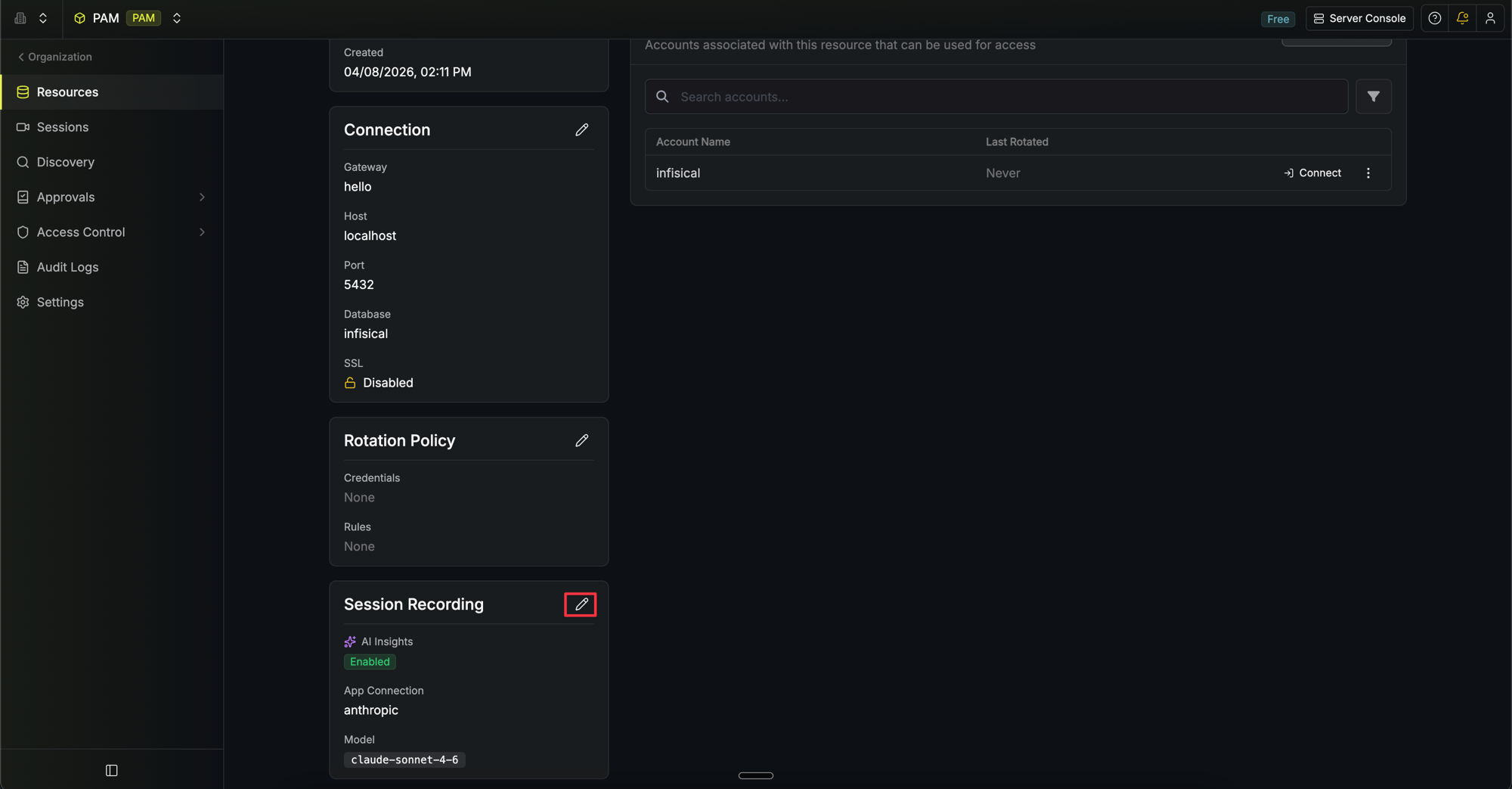
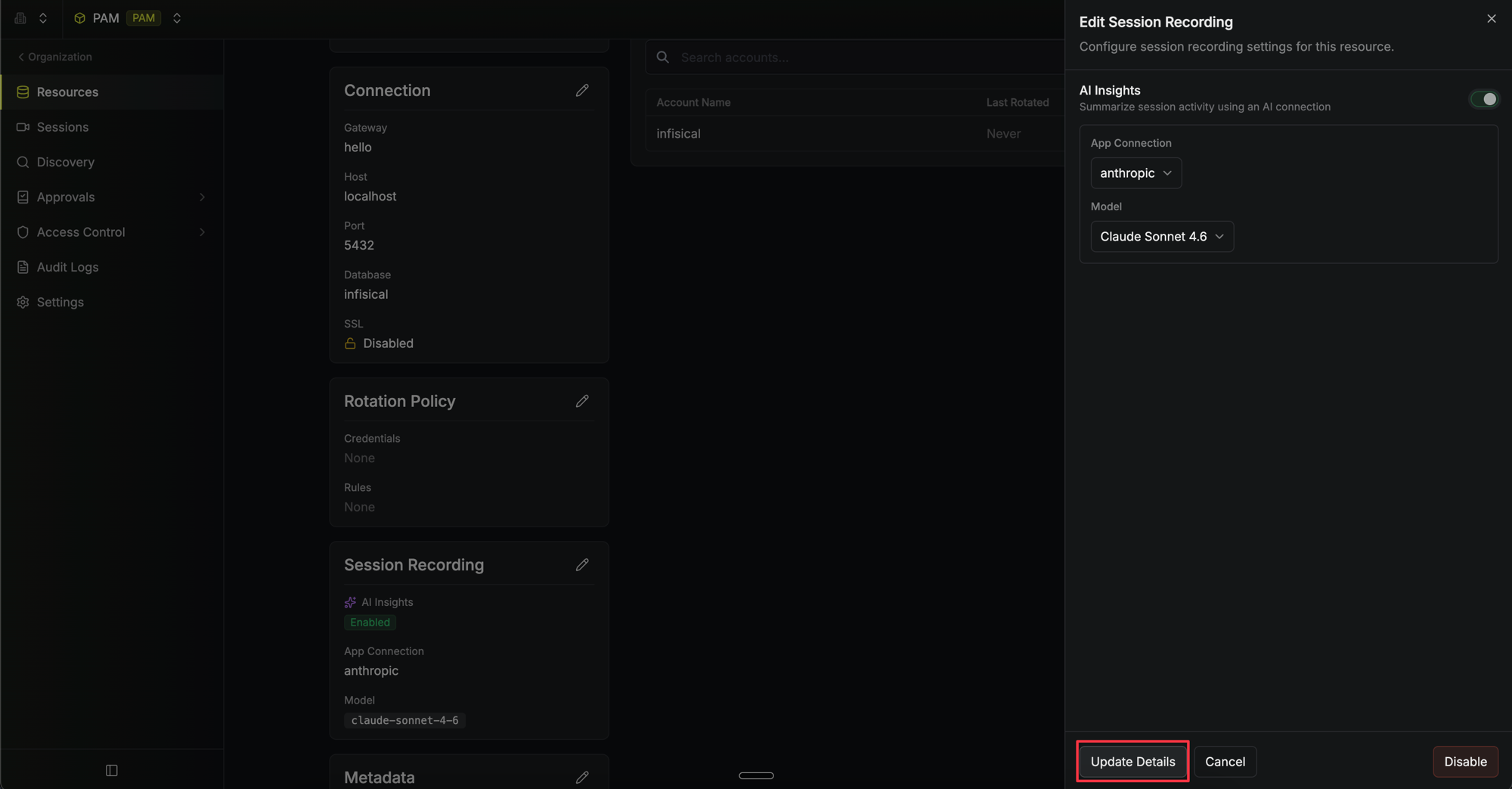
Enable AI Insights
Toggle AI Insights on. Two additional fields will appear:
- App Connection: Select the Anthropic connection to use for generating summaries.
-
Model: Choose the Claude model to use. We recommend Claude Sonnet 4.6 for a balance of quality and cost, or Claude Opus 4.6 for the most detailed analysis.
Viewing AI Insights
After a session ends, Infisical processes the logs and generates insights in the background. To view them:- Navigate to the Sessions page in your PAM project.
- Click on a completed session.
- The AI Insights card appears at the top of the session detail page, showing the summary and any warnings.
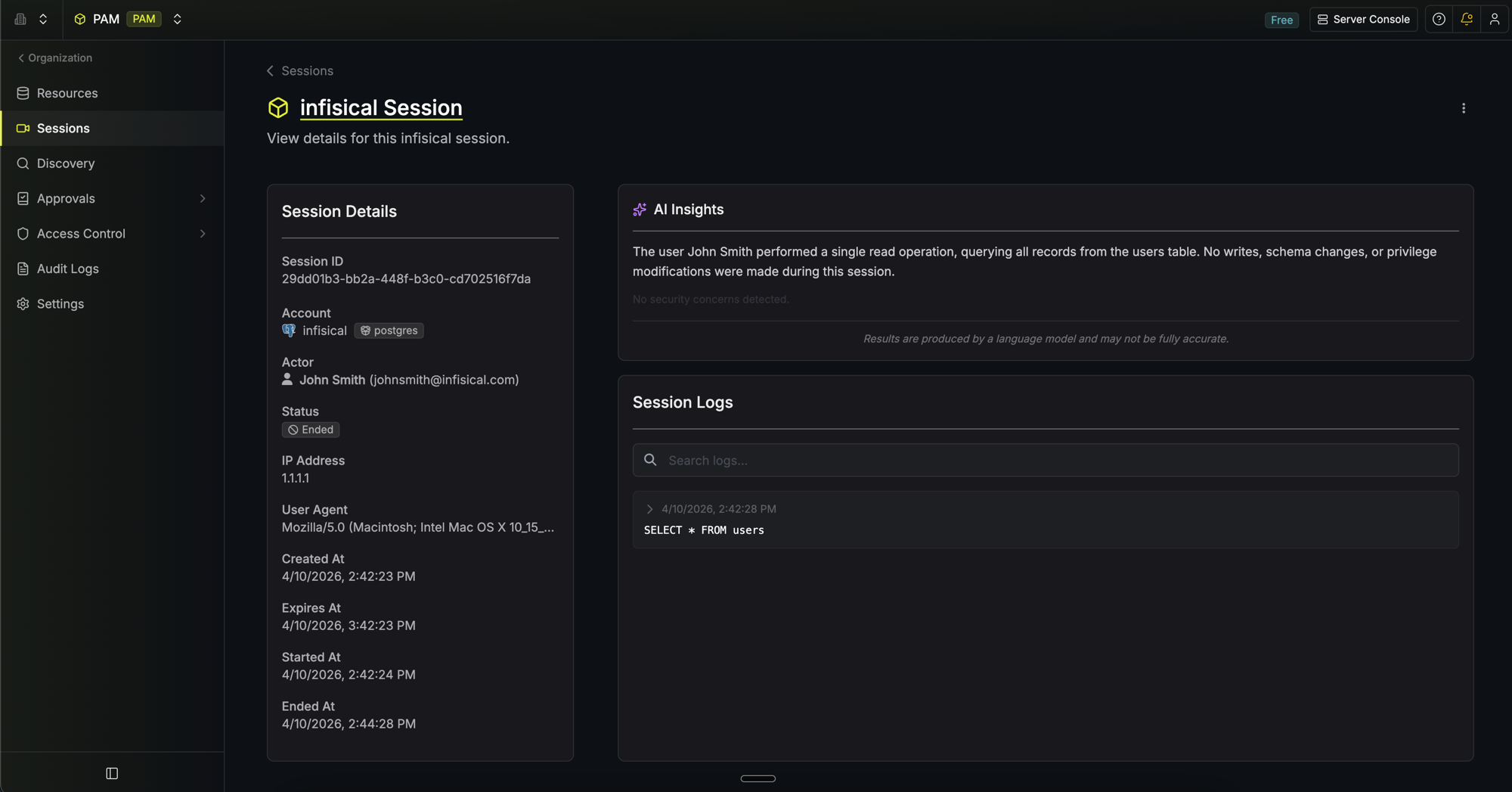 For PostgreSQL sessions, each warning links directly to the relevant log entry so you can inspect the raw activity in context. SSH warnings do not include log entry references.
FAQ
Does Infisical share my session data with Anthropic?
Does Infisical share my session data with Anthropic?
Can I use AI Insights with any Claude model?
Can I use AI Insights with any Claude model?
AI Insights supports Claude Sonnet 4.6, Claude Opus 4.6, and Claude Haiku 4.5. Sonnet 4.6 is recommended for most use cases as a balance of quality and cost.
How long does it take for insights to appear after a session ends?
How long does it take for insights to appear after a session ends?
Insights are generated asynchronously and typically appear within a few seconds to a minute after a session ends, depending on the length of the session logs and the model selected. For very long sessions, generation may take longer.
Can I configure different AI models for different resources?
Can I configure different AI models for different resources?
Yes. AI Insights are configured per resource, so each resource can use a different Anthropic connection or Claude model. This lets you apply a more powerful model to high-risk resources and a lighter model elsewhere.
What happens if the session log is very long?
What happens if the session log is very long?
If the session logs exceed the size limit, Infisical will not generate an AI summary for that session. The raw logs are always available to review regardless of session length.