

Concepts
An account policy is a named, project-scoped configuration that contains one or more rules. Each rule targets a specific behavior:| Rule Type | Description | Supported Resources |
|---|---|---|
| Command Blocking | Prevents execution of commands matching specified regex patterns. | SSH |
| Session Log Masking | Redacts data matching specified regex patterns from session logs. | All resource types |
| Require Access Reason | Requires the user to provide a reason before a session can start. The reason is stored for audit. | All resource types |
Creating an Account Policy
Navigate to your PAM project sidebar and click Account Policies, then click Create Policy.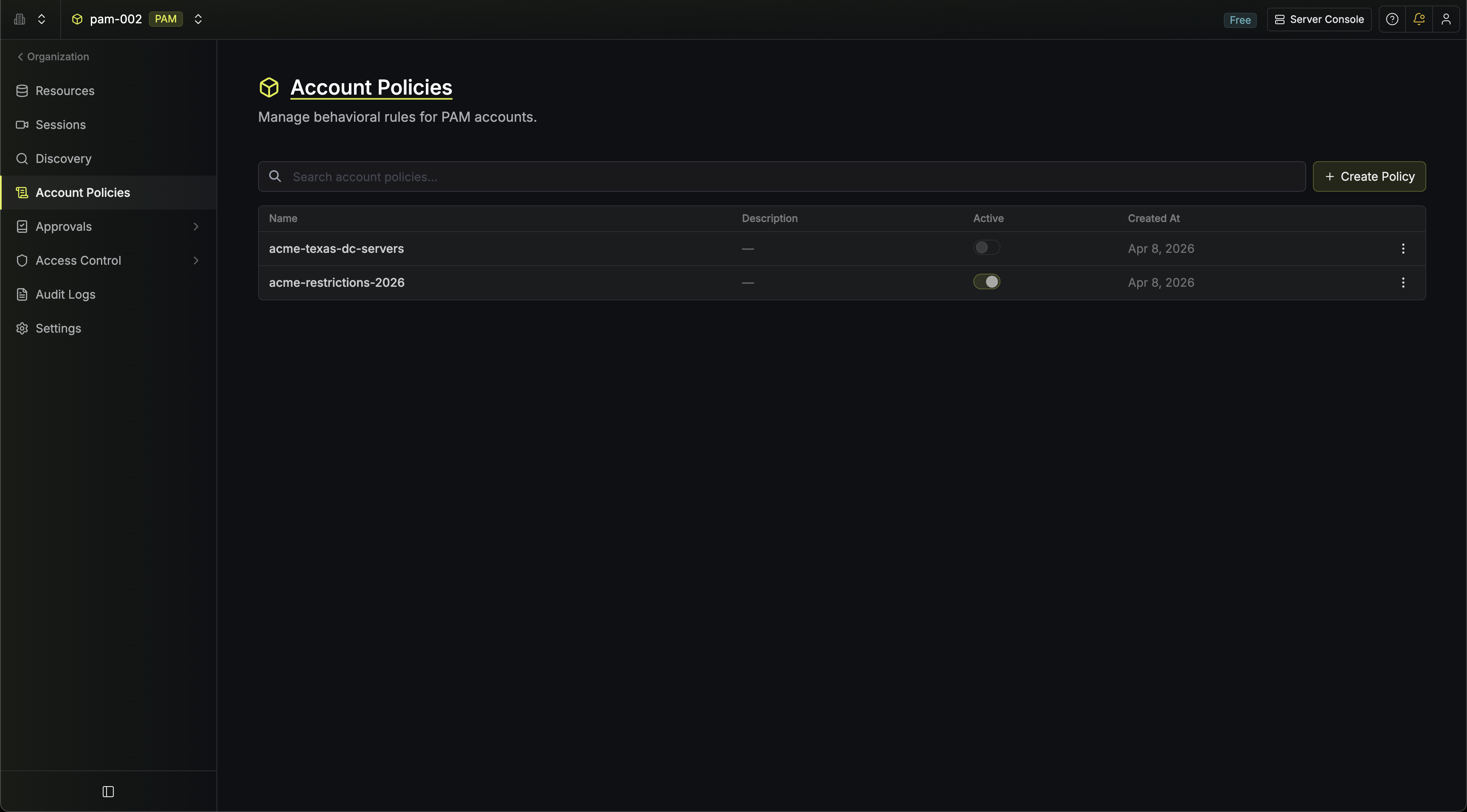
Name and Description
Provide a name for the policy (must be unique within the project) and an optional description.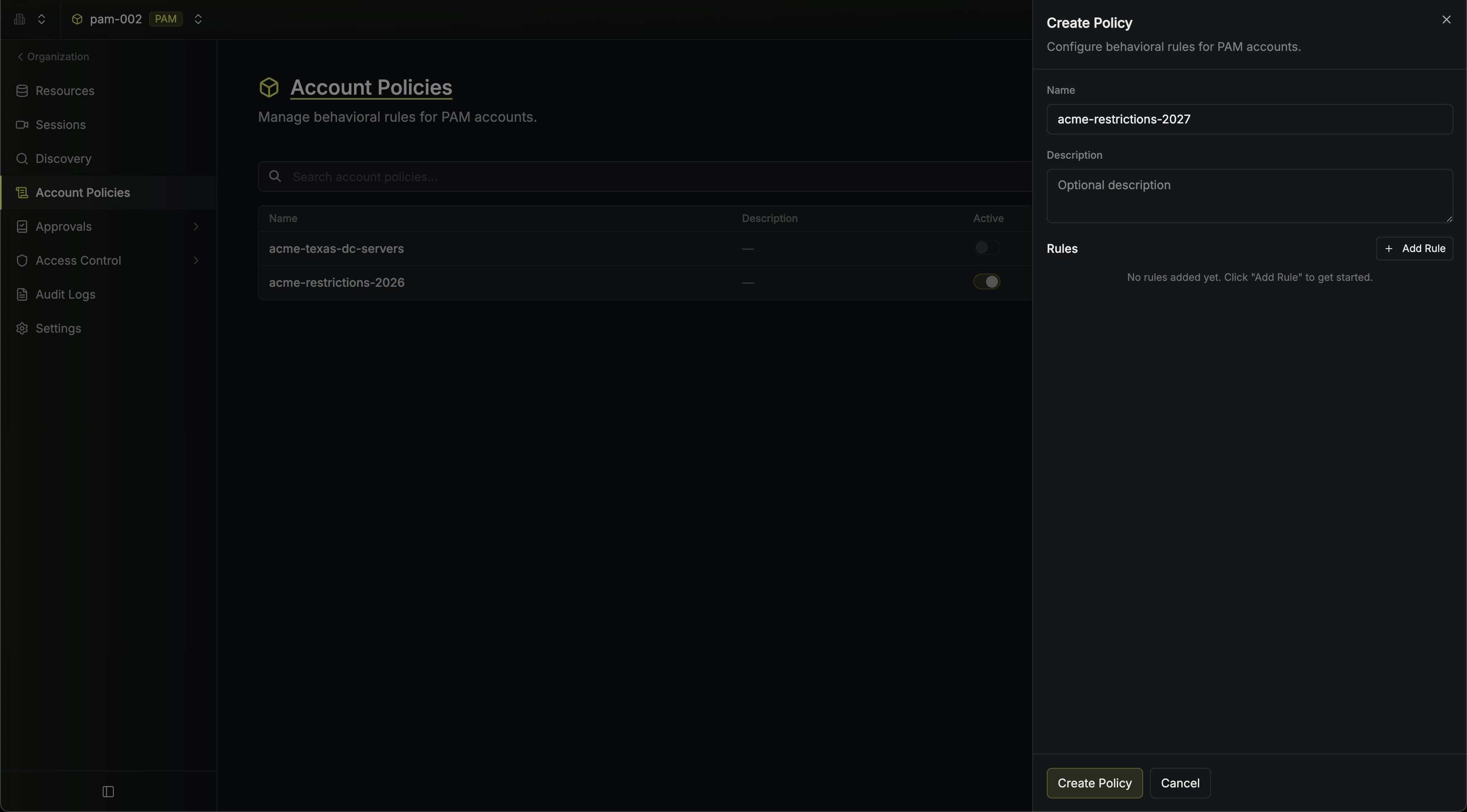
Add Rules
Click Add Rule and select a rule type from the menu. Each rule type can only be added once per policy.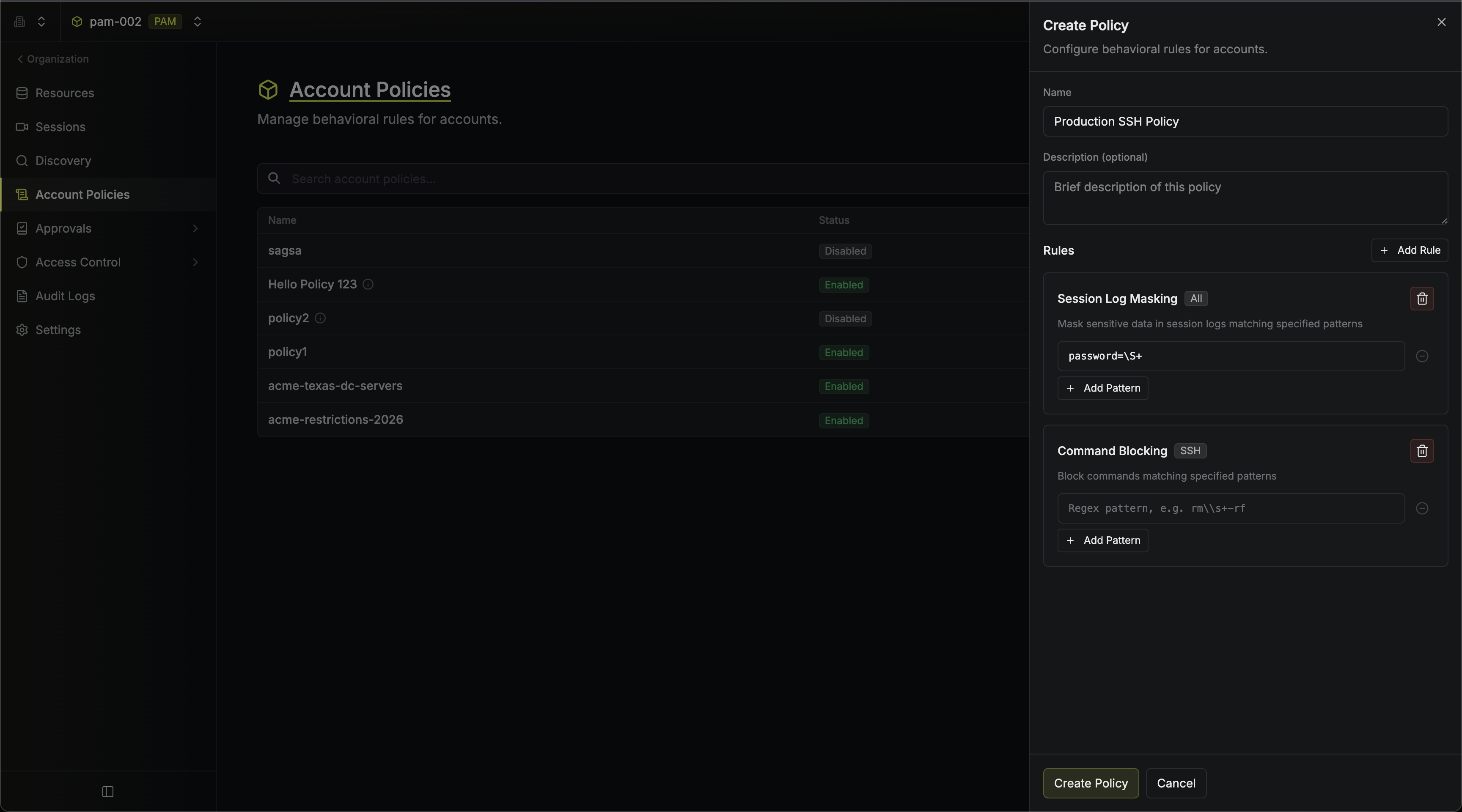 Here’s an example of command blocking in action during a live SSH session:
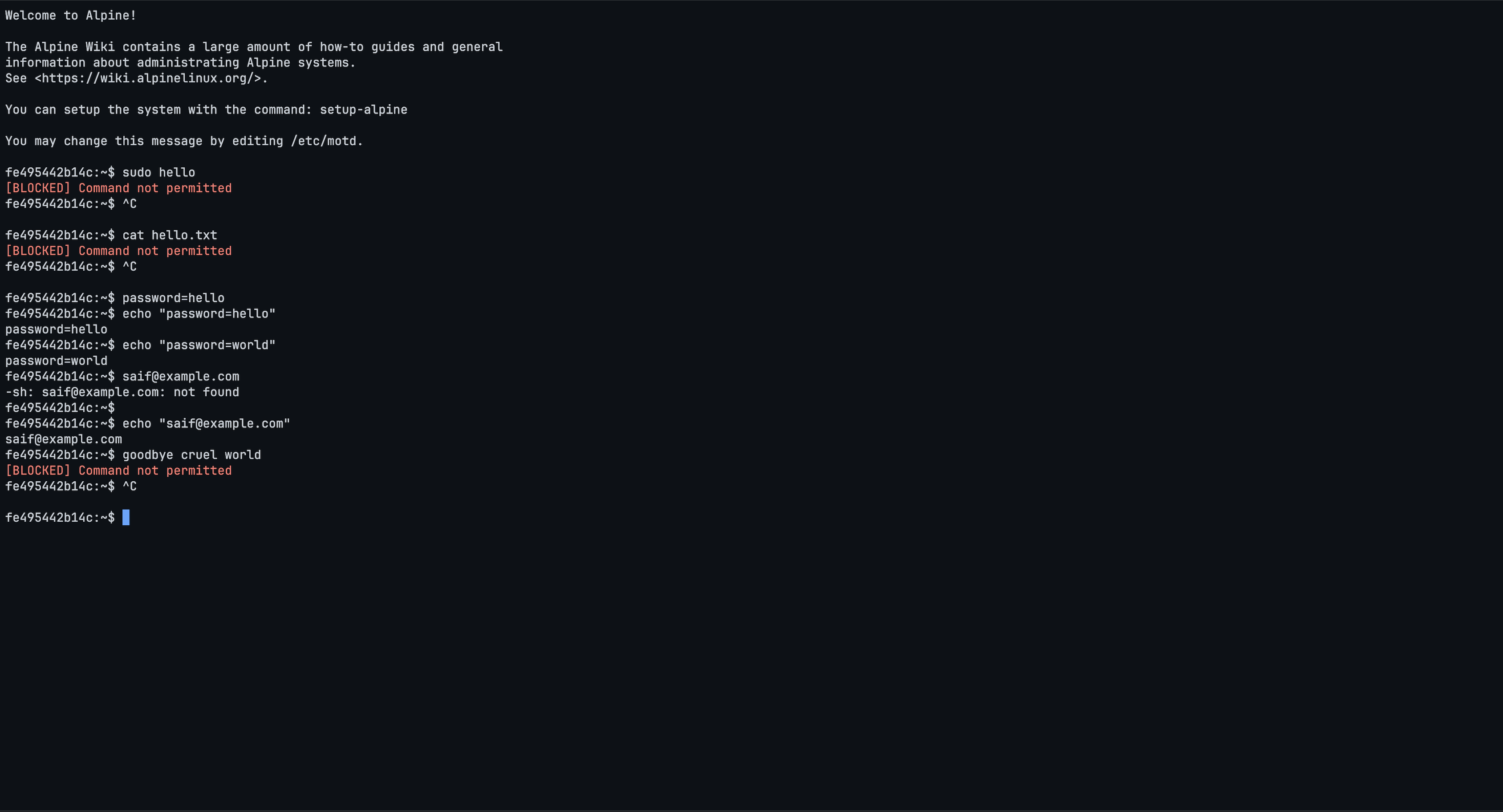 And session logs with masked sensitive data: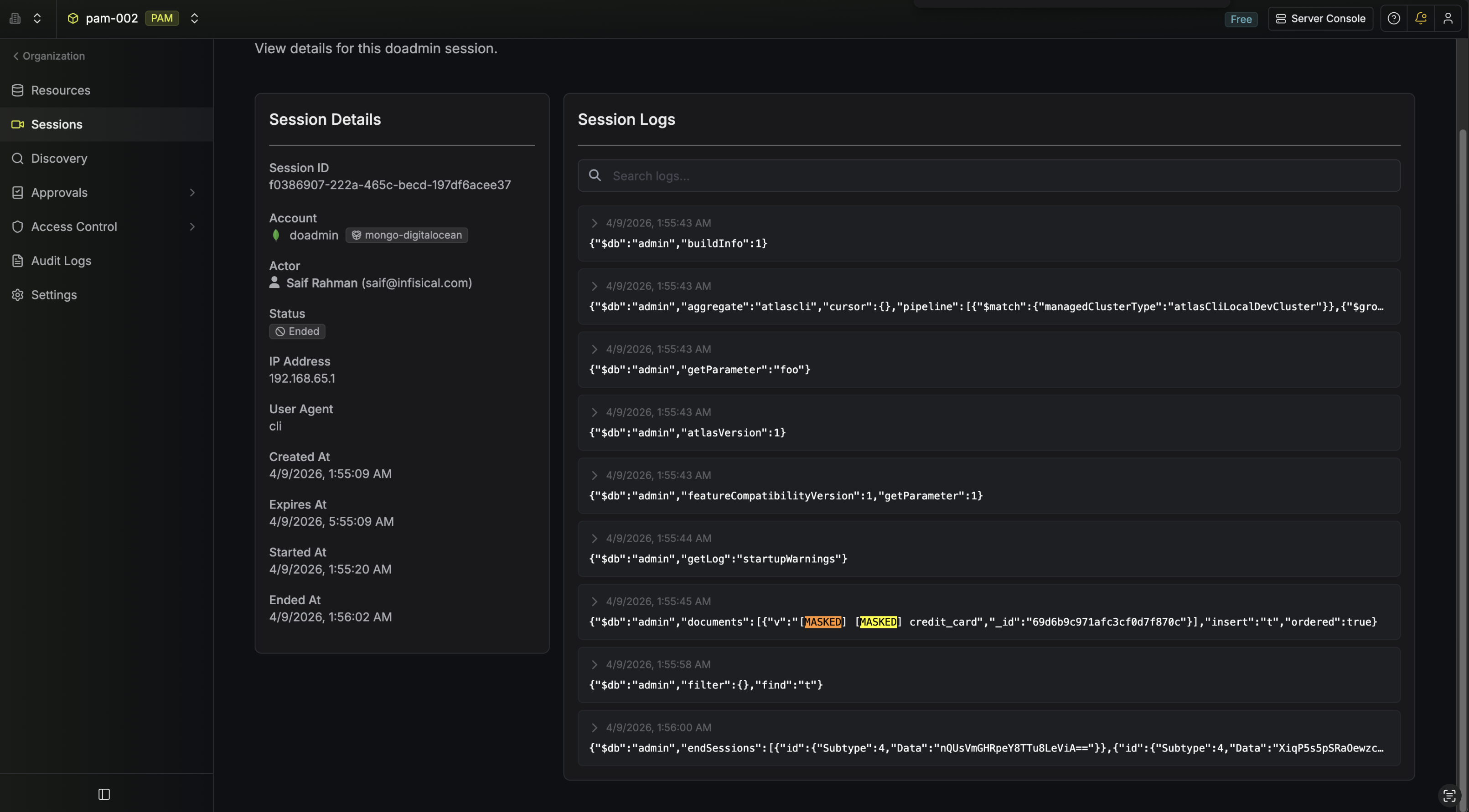
- Command Blocking: Add one or more regex patterns. Commands matching any of these patterns will be blocked during SSH sessions.
- Session Log Masking: Add one or more regex patterns. Any data matching these patterns will be redacted in session logs.
- Require Access Reason: Forces the user to provide a non-empty reason before they can start a session. When the rule is active, the CLI prompts for a reason (or accepts the
--reasonflag) and the browser shows a Reason Required screen before the session is created.
Here’s an example of command blocking in action during a live SSH session:And session logs with masked sensitive data:Assigning a Policy to an Account
When creating or editing an Account, select a policy from the Account Policy dropdown. Each account can have at most one policy assigned. Multiple accounts can share the same policy.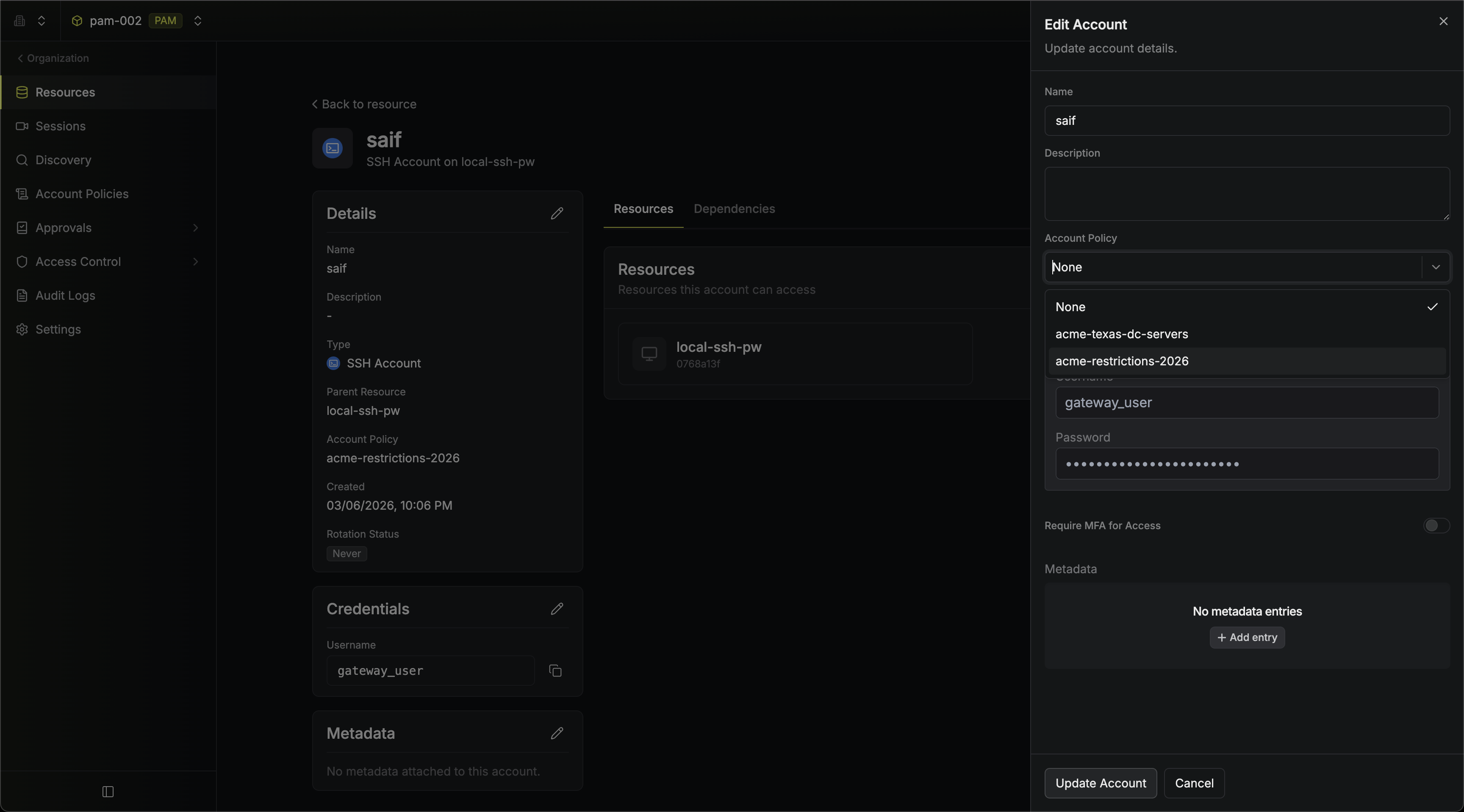 If a policy is deleted, any accounts that were using it will have their policy reference removed automatically.
Toggling a Policy
You can toggle a policy between active and inactive from the account policies list page using the switch in the Active column. Inactive policies are not enforced during sessions.Editing a Policy
Click the three-dot menu on any policy row and select Edit to open the policy sheet. You can modify the name, description, and rules of the policy.Deleting a Policy
Click the three-dot menu on any policy row and select Delete. Deleting a policy removes it from all accounts that reference it.Writing Regex Patterns
Patterns use standard regular expression syntax. Some examples:| Pattern | Effect |
|---|---|
rm\s+-rf | Blocks rm -rf commands (command blocking) |
sudo\s+su | Blocks sudo su commands (command blocking) |
password=.* | Masks password values in logs (session log masking) |
api[_-]?key=.* | Masks API key values in logs (session log masking) |
Patterns are matched as regular expressions against the full command (for command blocking) or session log content (for session log masking). Test your patterns carefully to avoid overly broad matches.
Command blocking helps prevent unintended or careless commands from reaching the target, adding a guardrail in front of systems where direct controls on the target resource aren’t available.Because matches are evaluated with regular expressions, patterns need to cover the different ways a command might be typed, and exhaustive coverage of every variation is difficult to guarantee in practice. It is highly recommended to pair command blocking with target-side controls like restricted shells or
sudoers rules where those are available.FAQ
Can I assign multiple policies to a single account?
Can I assign multiple policies to a single account?
No. Each account can have at most one policy assigned. If you need to combine rules, create a single policy that includes all the rules you need.
What happens when I deactivate a policy?
What happens when I deactivate a policy?
Deactivating a policy stops it from being enforced during sessions. The policy remains assigned to its accounts and can be reactivated at any time.
What happens when I delete a policy that is assigned to accounts?
What happens when I delete a policy that is assigned to accounts?
The accounts will have their policy reference removed. The accounts themselves are not affected — they will simply have no policy applied.
What happens if a policy has rules that don't apply to the account's resource type?
What happens if a policy has rules that don't apply to the account's resource type?
Only the rules that are applicable to the resource type are enforced. For example, if a policy contains both a command blocking rule and a session log masking rule, and it is assigned to a PostgreSQL account, only the session log masking rule will be enforced — command blocking is specific to SSH resources and will be ignored for non-SSH accounts.