

Prerequisites
- A plan that includes Secret Insights, which secret value search is part of (on Infisical Cloud, the Pro and Enterprise plans)
- An organization role with the Search All Secret Values permission under Secrets Management Insights, such as the built-in Admin role (to grant it to another role, see organization role-based access controls)
Search for a secret value
Secret value search is on by default. If your organization was created before it was released, someone with the permission needs to select Enable in the search panel once, and Infisical then indexes the organization’s existing secrets.
1
In your organization, go to Secrets Management > Projects.
2
Select the search box, then select Locate secrets by value.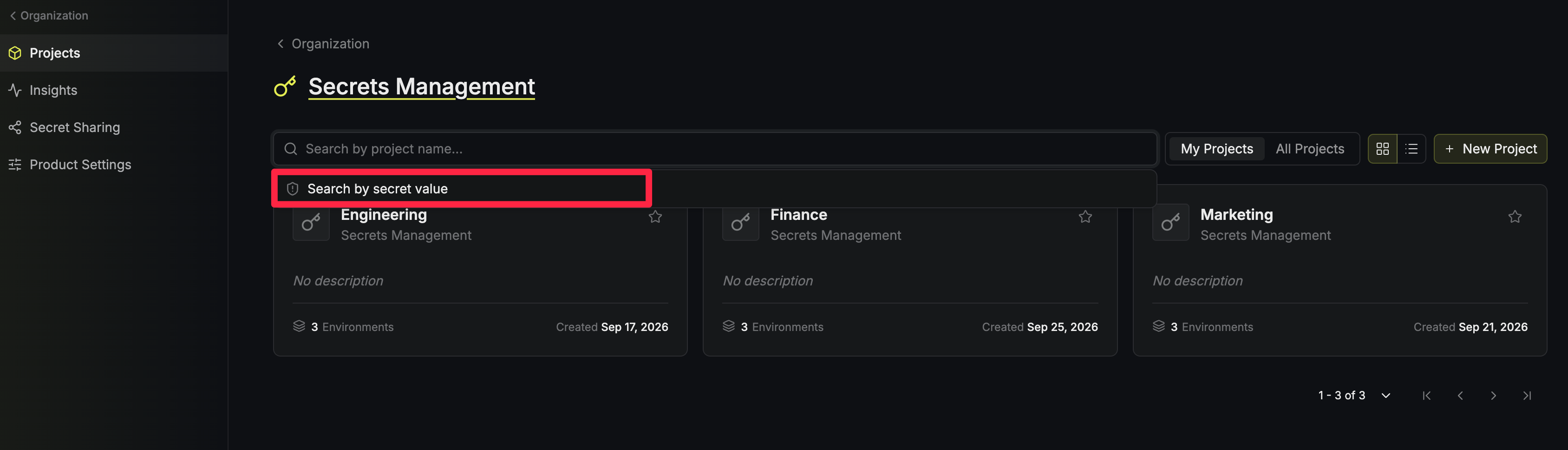
3
Paste the full secret value, then press
Enter or select Search. The search doesn’t run as you type.The value stays masked while you type. To check what you pasted, select the eye icon beside the box. To add a line break to a multi-line value, press Shift+Enter.4
Review the matches. Each row shows the Project, Secret Key, Environment, and Path of a secret that holds the value.To open a match, hover over its row and select the arrow icon. The project’s secrets overview opens at that path, filtered to that environment and secret key.If you aren’t a member of the match’s project, the arrow icon is disabled.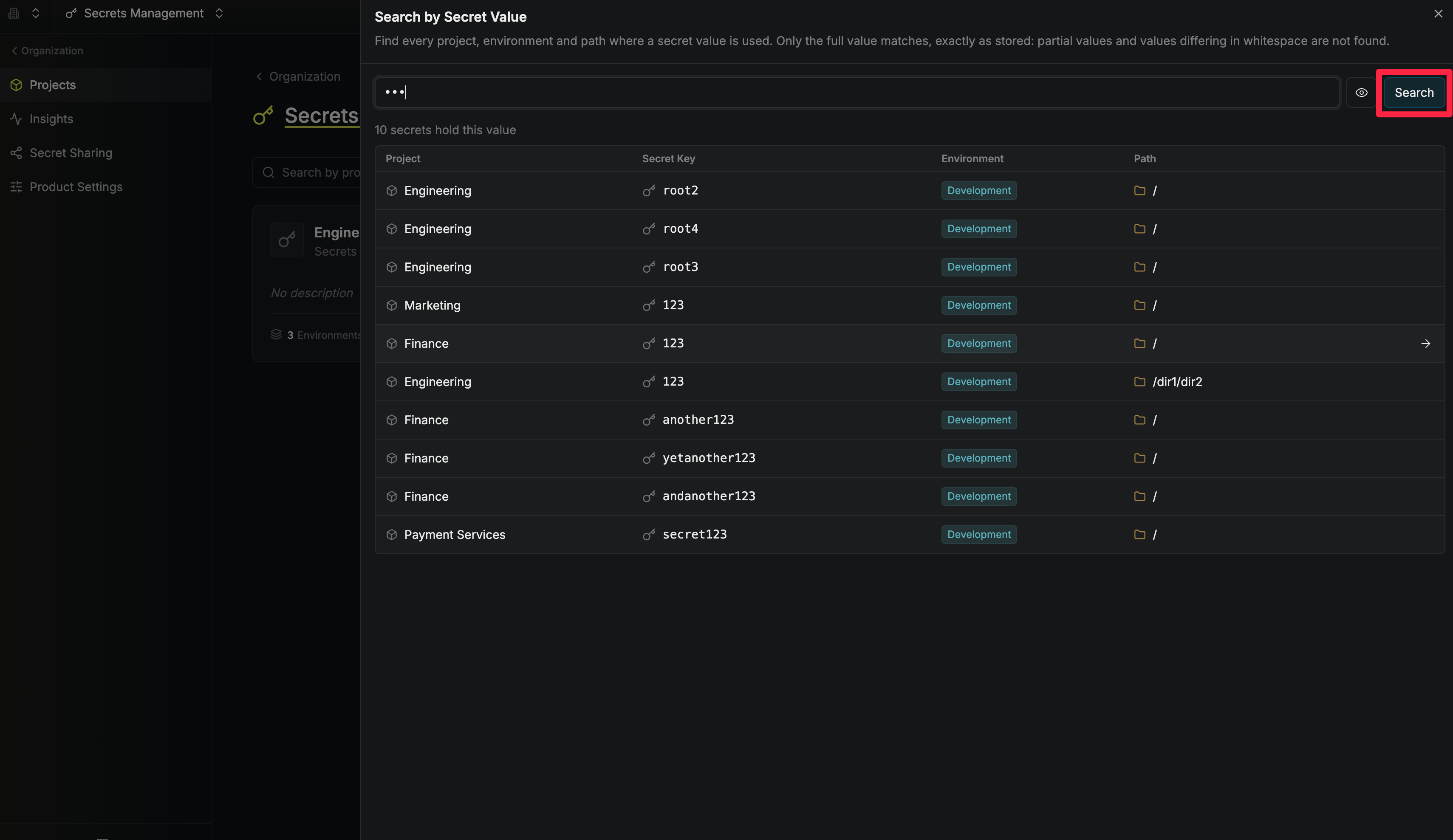
How values are compared
Infisical doesn’t search plain text secret values. When a secret is created or changed, Infisical stores a hash of its value (a fixed-length fingerprint that can’t be turned back into the value) next to the encrypted secret. When you search, Infisical hashes the value you enter the same way and looks for secrets with the same hash. The value you search for isn’t stored. The hash is keyed with your organization’s encryption key, so the hashes stored in the database can’t be matched against guessed values without access to that key. Because Infisical compares hashes, a secret matches only if its value is identical to the value you enter:- Part of a value doesn’t match (searching
sk_live_abcdoesn’t findsk_live_abc123) - A value that differs in case or whitespace, including a trailing newline, doesn’t match
- Only each secret’s current value is searched, not its previous versions
- Personal overrides aren’t searched
- Secrets in projects or environments that are waiting to be deleted aren’t searched
Audit logs
Infisical records each search in the organization’s audit logs as a Search Secrets by Value event, with the number of matches. The event doesn’t include the value you searched for.Next steps
Insights
Find secrets that share a value across projects.
Secret rotation
Rotate a credential automatically on a schedule.