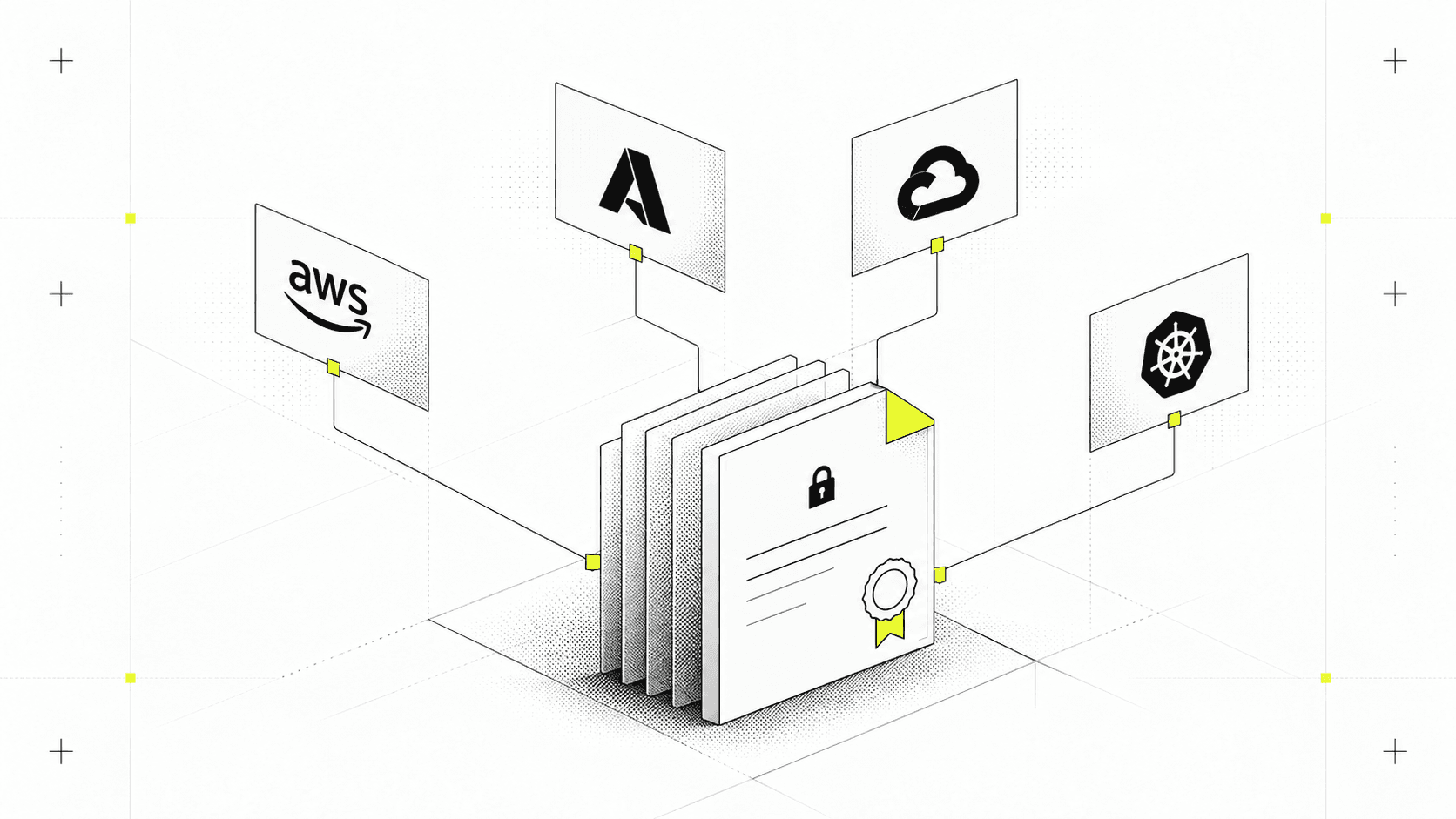
How to Manage Secrets on Terraform Using Infisical

How to Manage Secrets on Terraform Using Infisical
Key Takeaways
- Terraform does not provide native secret storage or lifecycle management, which can expose credentials in logs, state files, and version control.
- Secrets are most at risk during plan, apply, and state persistence without an external secrets manager.
- Common approaches like
.tfvarsfiles and environment variables increase the likelihood of secret leaks. - Infisical integrates with Terraform to inject secrets securely at runtime with centralized access control.
- Ephemeral secrets and automated rotation reduce blast radius and help meet compliance requirements.
- Using Infisical with Terraform improves security without slowing down developer workflows.
Managing secrets is one of the trickiest parts of working with Infrastructure as Code (IaC). The challenge lies in balancing security with accessibility. Careless handling of cloud provider credentials, database passwords, or API tokens can lead to secrets leaking into Git history, state files, or CI/CD logs, which can create significant security vulnerabilities that could result in unauthorized access or data breaches.
Over the past few years, HashiCorp’s Terraform has become an adopted standard for IaC, but it doesn't provide secure, centralized secret storage by default.
This is where Infisical comes in. Infisical provides a flexible platform to securely manage secrets across your team and infrastructure.
This guide shows how to wire Infisical into Terraform so secrets are fetched at runtime, with fewer chances of landing in VCS, logs, plan files, or state.
The Secrets Management Challenge in Terraform Workflows
Organizations have widely adopted Infrastructure as Code (IaC) as a standard part of their development workflows. This fundamental change enables creating standard blueprints for each layer of your infrastructure, all in one central code repository.
This shift in infrastructure deployment introduces a core challenge: how do we store and retrieve sensitive data that is essential for deploying infrastructure code while balancing efficiency and security practices?
While Terraform excels at infrastructure provisioning, it lacks built-in secret management capabilities. Instead, Terraform’s architecture is designed to integrate with external secret management platforms, placing the responsibility for securing sensitive credentials and API keys on the user.
Critical Points Where Terraform Exposes Secrets
There are three critical moments in Terraform’s lifecycle where it must handle sensitive information:
- When planning infrastructure deployments: During
terraform plan, Terraform loads secrets from variables,.tfvarsfiles, or environment variables to validate configurations and prepare an execution plan. At this stage, secrets may be created or accessed, and without proper handling can appear in plan output or logs. If not properly marked assensitive, they can appear in console output or logs. - When applying changes: During
terraform apply, secrets are actively accessed and used to provision resources. This includes authenticating to cloud providers, configuring services, or passing credentials to APIs. It is important to ensure these secrets are retrieved and handled securely by an external secrets management system. Misconfigurations at this stage can lead to accidental exposure of credentials in logs or API calls. - When persisting state: Terraform’s state file
terraform.tfstatecan contain plaintext secrets, whether local or stored in remote backends. Secrets stored in state files must be encrypted and tightly controlled so they cannot be accessed by unauthorized parties. Without encryption and tight access control, this becomes a critical attack vector.
Throughout these stages, secrets can appear in multiple places within a Terraform workflow:
- Variables: Defined in
variables.tfand populated through.tfvarsfiles or environment variables, they are prone to appearing in state files or logs if not explicitly marked as sensitive. Even if variables are markedsensitive = true, providers may still store secrets in state. - Provider blocks: Often contain API keys, tokens, or credentials directly in the configuration. Terraform typically stores these values unencrypted in state.
- Module inputs: Any sensitive values passed into a module propagate to the root module’s state automatically unless explicitly flagged as sensitive.
Risky Secret Management Practices to Avoid
The risks of improper secret management in IaC aren't theoretical. GitGuardian’s State of Secrets Sprawl 2025 report shows a median remediation time for leaked secrets of roughly three months, giving attackers a long window to exploit exposed credentials. In the same 2025 report, 91.6% of secrets were still valid five days after notification, and credential‑driven breaches continue to cost organizations in the mid‑seven‑figure range per incident. In most cases, this exposure stems less from sophisticated zero‑days than from how teams handle secrets in everyday infrastructure workflows.
In practice, those risks often show up first in infrastructure-as-code workflows. The mechanisms most teams rely on for handling secrets in Terraform, such as .tfvars files and environment variables, have significant weaknesses.
Secrets can also be exposed in configuration files, scripts, and source code, leading to secret leaks that compromise security.
.tfvars files are easy to work with but equally easy to leak into version control, leaving credentials exposed in Git history. Environment variables, while more ephemeral, can be inspected by other processes in shared environments, captured in crash reports or debugging output, or accidentally printed to build logs. This creates multiple points of vulnerability.
Some teams turn to traditional vaults or manual encryption methods for additional security. While these offer strong protection in theory, they often introduce operational friction that impacts developer productivity and deployment speed.
These approaches typically require additional authentication steps, complex tooling integrations, and manual secret rotation processes that can slow down deployments and create bottlenecks in the development lifecycle.
In both cases, the operational burden can push teams toward insecure shortcuts such as hardcoding values for a test run, storing secrets in configuration files, scripts, or directly in source code. These shortcuts can expose secrets and increase the risk of secret leaks, undermining the whole point of having a secure system in the first place.
Meeting Regulatory Compliance and Audit Requirements
On top of this, compliance and audit requirements raise the stakes even higher. For organizations subject to SOC 2, ISO 27001, HIPAA, or GDPR, it’s not enough to just store secrets securely.
Security teams play a critical role in enforcing security policies, managing TLS certificates, and monitoring for secret leaks to ensure compliance and prevent unauthorized access or disclosure.
Organizations must also enforce:
- Strict access controls
- Log every access event
- Prove periodic key rotation
- Ensure sensitive data never appears in unprotected logs or files
Meeting these requirements with ad-hoc methods is error-prone, time-consuming, and difficult to scale. Terraform can enforce infrastructure changes, but it cannot natively prove who accessed a secret, when it was accessed, or enforce TTL-based expiration. This combination of lifecycle touchpoints, vulnerable storage patterns, and operationally heavy workarounds creates a broad attack surface. It’s one that’s hard to fully secure without a dedicated, integrated secret management approach.
So, How Do I Manage Secrets on Terraform?!
The solution is not to force Terraform to manage secrets, but to integrate it with a system designed for secure secret lifecycle management.
When working with infrastructure as code, we need a reliable way to handle secrets that fits naturally into our development workflow.
Terraform does not provide native secrets management or secure secret storage, leaving teams to find solutions that provide secure storage, access control, and seamless integration. Effective secrets management is crucial for reducing risks and addressing security issues. This requires systems that can be managed on your own infrastructure or through a cloud provider, supporting both managed and self-hosted deployments across multiple cloud environments.
Infisical fills this gap with a straightforward approach to managing secrets in IaC environments. Its centralized storage system with granular access controls and robust security policies addresses the key challenges outlined above. Infisical lets teams control access for both human users and machine identities, supporting centralized access and integration with DevOps teams and tools. It also enables teams to inject secrets securely into configuration files, scripts, and source code, while preventing the exposure of sensitive information.
Beyond basic secret management, Infisical supports the entire secret lifecycle—from rotation and dynamic credential generation to certificate management and security auditing. It enables dynamic secrets and automated rotation, significantly reducing risk. Infisical can provision dynamic secrets that are fetched at runtime, automate secret rotations, and give machine workloads native authentication methods to securely connect your systems to Infisical.
As an open-source solution, Infisical offers transparency and community-driven development that many infrastructure teams value. Unlike proprietary solutions, its open-source nature means you're not tied to a specific vendor's ecosystem or pricing model, helping you avoid vendor lock-in and supporting deployment on any cloud or your own infrastructure.
Key Advantages for Terraform Users
For Terraform users, Infisical offers more than just a secure place to store credentials.
It integrates directly into your workflow so that secrets can be injected at runtime. Infisical can inject secrets securely without creating temporary files, committing sensitive data to version control, or adding boilerplate provider configurations. By fetching secrets only when needed, Infisical reduces the risk of accidental leaks and ensures sensitive values never appear in plaintext in your .tfvars files, Terraform state, or CI/CD logs.
Its environment-based organization makes it easy to keep development, staging, and production credentials separate while ensuring the right values are used in each run. This separation is especially beneficial for both the production environment and local development, where different security requirements and workflows apply.
Role-based access control, audit logging, and built-in rotation policies help teams meet compliance requirements without layering on extra tooling. Security teams can enforce security policies and control access to secrets, ensuring only authorized users and systems can access sensitive information.
Lastly, since multiple developers and pipelines can work from the same Infisical project with tightly scoped permissions, team collaboration becomes safer and more efficient with centralized access. No more sharing static keys over chat or email.
Integrating Infisical with Terraform: Step-by-Step Guide
Now that we understand the challenges of secret management in Terraform and Infisical’s solutions, let’s walk through a practical integration process.
Prerequisites
Before beginning the integration, make sure you have:
- Terraform CLI installed on your local machine (supports local development workflows)
- An Infisical account with at least one project configured
- Infisical CLI installed and properly authenticated
Step 1: Configure the Infisical Provider
First, add the Infisical provider to your Terraform configuration files:
terraform {
  # Use 1.10+ minimum for ephemeral resources only
  required_version = ">= 1.11.0"

  required_providers {
    infisical = {
      source  = "infisical/infisical"
      version = "~> 0.15.0"
    }
  }
}
Step 2: Set Up Authentication
Machine Identity (Recommended)
Connect Terraform to Infisical securely using machine identities with either OIDC Auth (ideal for cloud provider workflows, supporting granular permissions and secure access for both human and machine-issued credentials) or Universal Auth (for broader compatibility):
# Provider configuration with Universal Auth
provider "infisical" {
  host = "https://app.infisical.com"

  auth {
    universal_auth {
      client_id     = var.infisical_client_id
      client_secret = var.infisical_client_secret
    }
  }
}

# Variables definition
variable "infisical_client_id" {
  description = "Infisical Machine Identity Client ID"
  type        = string
  sensitive   = true
}

variable "infisical_client_secret" {
  description = "Infisical Machine Identity Client Secret"
  type        = string
  sensitive   = true
}

variable "infisical_project_id" {
  description = "Infisical Project ID (formerly workspace_id)"
  type        = string
}
Step 3: Choose Your Secret Access Method
Infisical provides two approaches for accessing secrets in Terraform. These methods allow you to inject secrets securely, use dynamic secrets for enhanced security, and control access to sensitive data. The key decision is whether secrets should ever persist in Terraform state.
Option 1: Ephemeral Resources (Recommended)
Ephemeral resources (available in Terraform 1.10+) fetch secrets during runtime and are designed to avoid persisting values in Terraform state files, making them ideal for highly sensitive credentials. Ephemeral resources can include ephemeral SSH credentials, which are short-lived and provide limited time, centralized access to infrastructure.
This approach ensures that access is streamlined, controlled, and automatically expires, enhancing security and access management:
terraform {
  required_version = ">= 1.10.0"

  required_providers {
    infisical = {
      source  = "infisical/infisical"
      version = "~> 0.15.0"
    }
  }
}

provider "infisical" {
  auth {
    universal_auth {
      client_id     = var.infisical_client_id
      client_secret = var.infisical_client_secret
    }
  }
}

# Fetch a secret at runtime WITHOUT writing its value to state (Terraform 1.10+)
ephemeral "infisical_secret" "db_password" {
  name        = "DB_PASSWORD"
  project_id  = var.infisical_project_id
  env_slug    = var.infisical_env_slug
  folder_path = "/app"
}

# Example use: pass to something without ever outputting it
resource "null_resource" "example" {
  triggers = {
    # NOTE: Don't put secrets into triggers in real infra if you can avoid it—
    # triggers are stored in state. This is just illustrative.
    # Prefer passing secrets directly to providers/resources that don't store them.
    example = "ok"
  }

  provisioner "local-exec" {
    command = "echo 'Secret fetched at runtime (not printed).'"
    environment = {
      DB_PASSWORD = ephemeral.infisical_secret.db_password.value
    }
  }
}

variable "infisical_client_id" {
  type        = string
  description = "Infisical Universal Auth client ID"
  sensitive   = true
}

variable "infisical_client_secret" {
  type        = string
  description = "Infisical Universal Auth client secret"
  sensitive   = true
}

variable "infisical_project_id" {
  type        = string
  description = "Infisical Project ID"
}

variable "infisical_env_slug" {
  type        = string
  description = "Infisical environment slug (e.g., dev, staging, prod)"
}
Option 2: Traditional Data Sources
For older Terraform versions or cases where secret values must be referenced from state:
terraform {
  required_version = ">= 1.3.0"

  required_providers {
    infisical = {
      source  = "infisical/infisical"
      version = "~> 0.15.0"
    }
  }
}

provider "infisical" {
  auth {
    universal_auth {
      client_id     = var.infisical_client_id
      client_secret = var.infisical_client_secret
    }
  }
}

# Fetch a secret via a traditional data source
# WARNING: if you pass this value into resources/args that Terraform stores,
# it can end up persisted in state.
data "infisical_secret" "db_password" {
  name        = "DB_PASSWORD"
  project_id  = var.infisical_project_id
  env_slug    = var.infisical_env_slug
  folder_path = "/app"
}

# Best practice: expose it only as a sensitive output (still ends up in state)
output "db_password" {
  value     = data.infisical_secret.db_password.value
  sensitive = true
}

variable "infisical_client_id" {
  type        = string
  description = "Infisical Universal Auth client ID"
  sensitive   = true
}

variable "infisical_client_secret" {
  type        = string
  description = "Infisical Universal Auth client secret"
  sensitive   = true
}

variable "infisical_project_id" {
  type        = string
  description = "Infisical Project ID"
}

variable "infisical_env_slug" {
  type        = string
  description = "Infisical environment slug (e.g., dev, staging, prod)"
}
Warning: When using data sources, secret values are stored in Terraform’s state file and may also appear in configuration files. Secrets in these files are at risk of leaks if not properly protected. Always ensure your state and configuration files are encrypted and restrict access with proper permissions.
For a more in-depth how-to guide, check out the Infisical Infrastructure Integration guide for Terraform.
Practical Use Cases: Combining Terraform and Infisical
Infisical and Terraform work seamlessly together in various scenarios that require secure infrastructure management.
Cloud Resource Provisioning
When creating AWS, GCP, or Azure resources that require API credentials, Infisical can securely store and inject these credentials into your Terraform workflow. Infisical offers native integrations across multiple cloud providers and allows you to manage secrets centrally across all platforms. This helps you avoid vendor lock-in and manage secrets across different clouds.
Database Deployments
Instead of embedding static database credentials in code or CI pipelines, Infisical uses dynamic secrets to generate short-lived database credentials on demand. Applications and workloads receive just-in-time access with scoped permissions, while credentials automatically expire and rotate. This reduces credential sprawl, limits exposure, and removes the operational burden of manual rotation.
CI/CD Pipeline Integration
When running Terraform in automated pipelines, credentials shouldn’t be hardcoded or exposed in environment variables. DevOps teams use scripts, configuration files, and DevOps tools in their CI/CD workflows, and Infisical helps inject secrets securely, control access, and prevent secret leaks in source code and other tools.
Multi-Environment Management
When maintaining separate development, staging, and production environments with different sets of credentials for each. Infisical supports local development and production environment security, as well as centralized access for your team, making it easier for teams to manage secrets collaboratively and securely.
Best Practices for Managing Secrets with Infisical and Terraform
To ensure the highest level of security when combining Infisical with Terraform, following best practices and using advanced techniques is essential:
- Avoid leaks: Use ephemeral resources, mark variables as sensitive, and implement scanning techniques to detect and prevent secret leaks and security issues in configuration files, scripts, and source code.
- Implement RBAC: Limit access with role-based controls by enforcing security policies, enabling security teams to control access to sensitive resources and ensure only authorized users and machine identities can access secrets.
- Automate updates: Configure pipelines to fetch the latest secrets during deployment, regularly rotate secrets, and leverage dynamic secrets to minimize risks associated with static credentials.
- Track changes: Use version history for comprehensive audit trails, centralized access management, and monitoring of both human and machine identities that have created or accessed secrets.
Unlock Secure Terraform Deployments with Infisical: The Ultimate Secret Management Solution
Managing secrets in Terraform doesn’t have to mean juggling variable files, wrestling with manual encryption, or risking leaks in state files.
Infisical provides a secure, developer-friendly approach to secrets management that integrates seamlessly with Terraform. It helps teams maintain security while accelerating deployment across multiple environments and cloud providers.
If your goal is to make Terraform deployments safer, more collaborative, and maintainable, Infisical is a foundational upgrade to your Infrastructure as Code workflow.