

Concept
Activity Logs provide complete visibility into how AI agents are using tools through your MCP endpoints. Every tool invocation is logged with detailed information including timestamps, the endpoint used, which tool was called, who initiated the request, and the full request/response payloads.Security Auditing
Identify unusual patterns of tool usage, verify authorized access, and detect potential data exfiltration attempts.
Compliance Reporting
Meet SOC 2 requirements, support internal security reviews, and enable incident investigation with complete audit trails.
Debugging & Support
Examine request payloads, review response errors, and trace the sequence of tool calls when issues arise.
Usage Analytics
Identify frequently used tools, track usage trends over time, and measure active users per endpoint.
What Gets Logged
Every tool invocation through an MCP endpoint creates a log entry containing:| Field | Description |
|---|---|
| Timestamp | When the tool was invoked |
| Endpoint | The MCP endpoint used |
| Tool | The name of the tool that was called |
| User | The user who initiated the request |
| Request | The full request payload sent to the tool |
| Response | The full response returned by the tool |
Viewing Activity Logs
- Infisical UI
1
Navigate to Activity Logs
Head to your Agentic Manager project and select Activity Logs from the sidebar.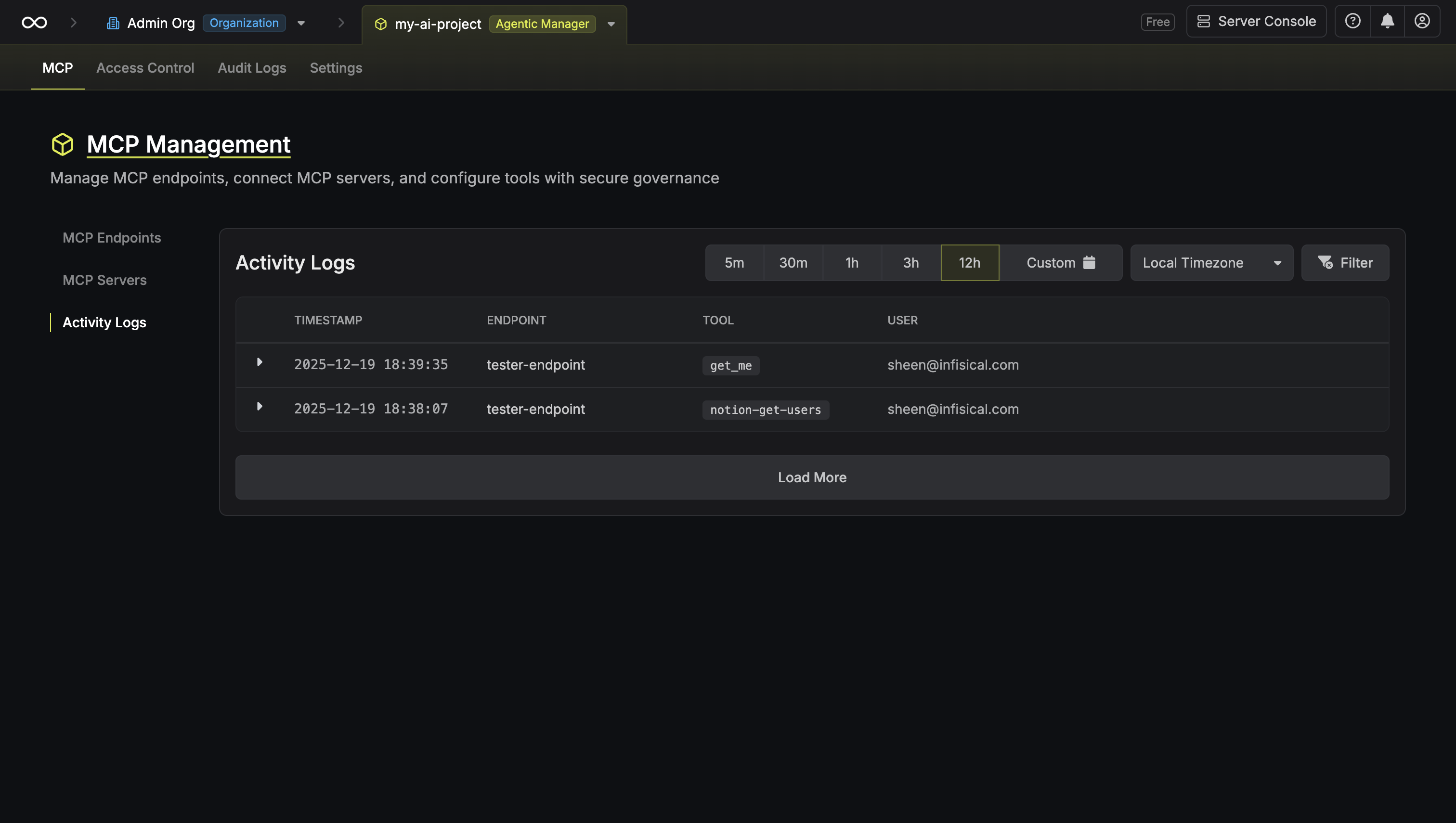
2
Filter by time range
Use the time range selector to filter logs. You can also adjust the timezone using the timezone dropdown.
3
Apply filters
Click Filter to apply additional filters:
- Endpoint: Filter by specific MCP endpoint
- Tool: Filter by specific tool
- User: Filter by specific user
- Server: Filter by specific MCP server
4
View log details
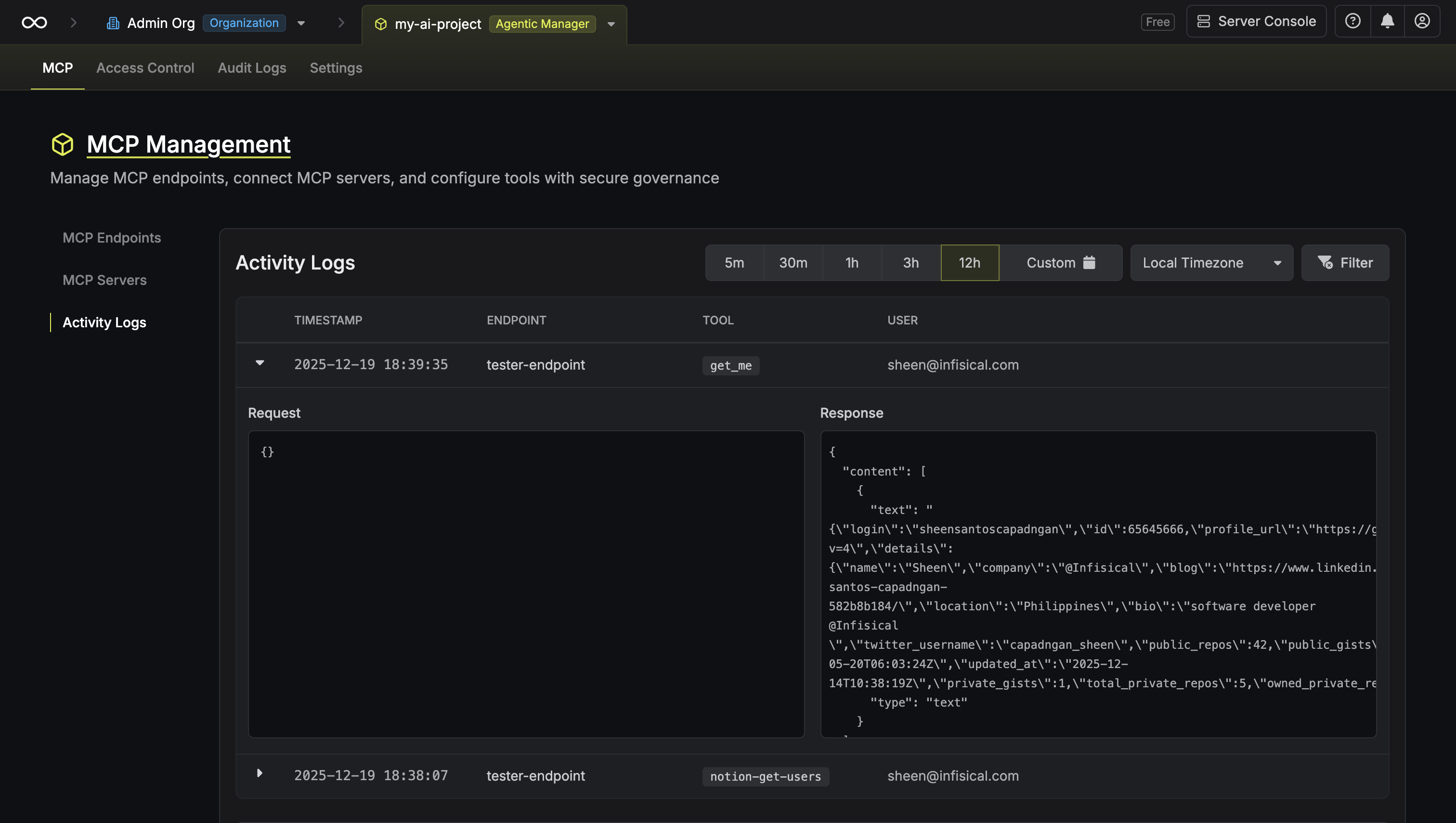
Click on any log entry to expand it and view the full details:
- Request: The JSON payload sent to the tool
-
Response: The JSON response returned by the tool
FAQ
Can I export activity logs?
Can I export activity logs?
Yes, activity logs can be exported for external analysis or long-term storage. Enterprise plans include log streaming to external SIEM systems.
Are sensitive data in requests/responses masked?
Are sensitive data in requests/responses masked?
Infisical supports PII filtering to automatically detect and mask sensitive data in request and response payloads, helping you maintain compliance while preserving audit trail integrity.
Do failed tool invocations get logged?
Do failed tool invocations get logged?
Yes, all tool invocations are logged regardless of success or failure. Failed invocations include error details in the response payload.