

How a scan works
How a scan works
- Infisical checks that each instance is reachable on the ports of the source’s PostgreSQL accounts, and skips the instances it can’t reach
- For each instance, Infisical first tries the account whose host matches the instance, then tries the other accounts until one signs in
- Infisical lists the roles on the instance that can sign in, and stages each one as a PostgreSQL account for that instance
postgres, Infisical stages two separate accounts. If no account can sign in to an instance, the scan reports the instance and continues with the others.Prerequisites
- A Gateway that can reach the instances you want to scan
- One or more PostgreSQL accounts that authenticate with a password, to sign in to the instances with
- The Product Admin role in PAM
- The Operator or Admin role on those PostgreSQL accounts, because the scan sends their passwords to every instance
Step 1: Create a source
1
Go to Privileged Access Management > Discovery and select Add Source.
2
Select PostgreSQL, then select Next.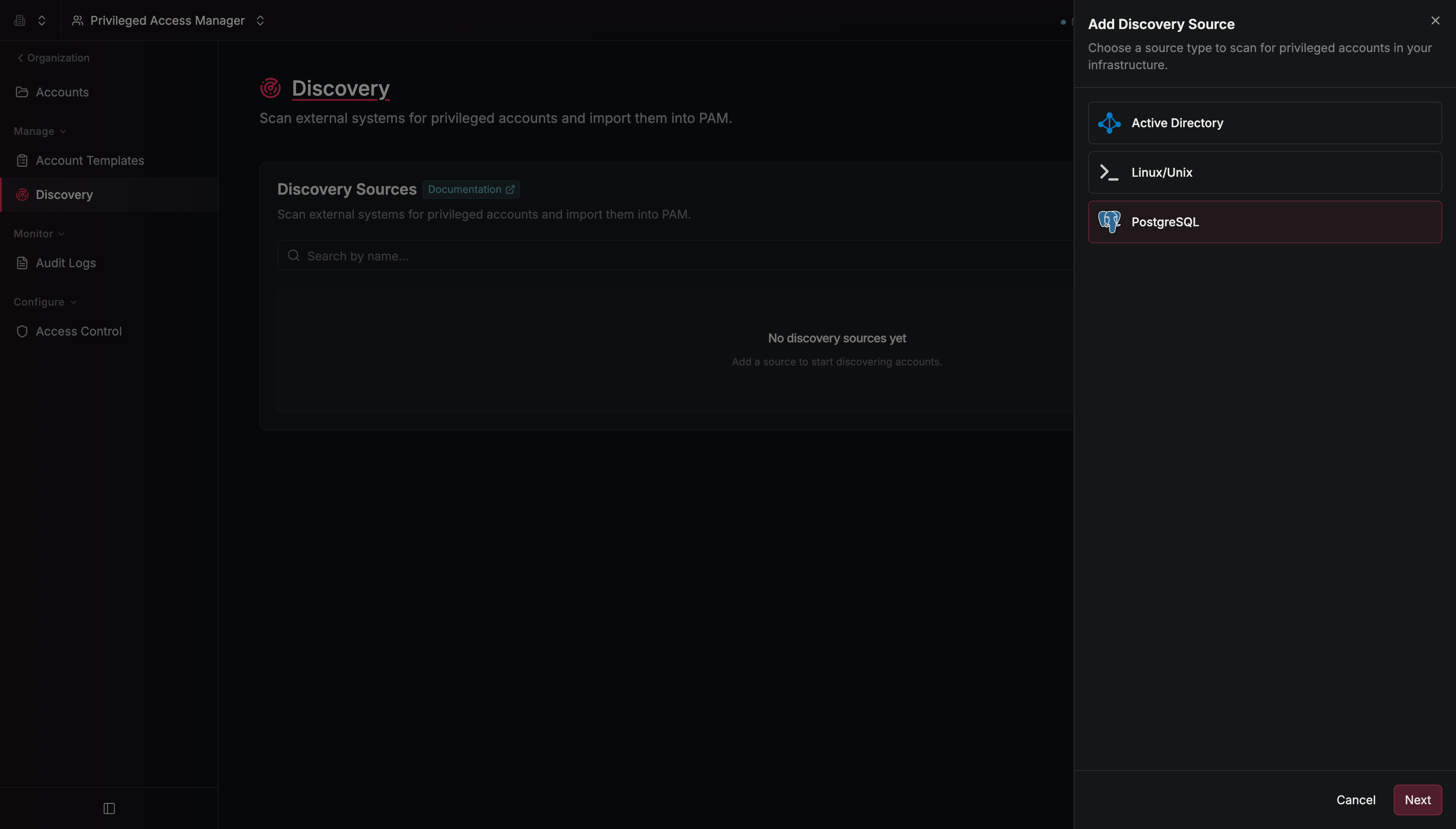
3
Configure the source: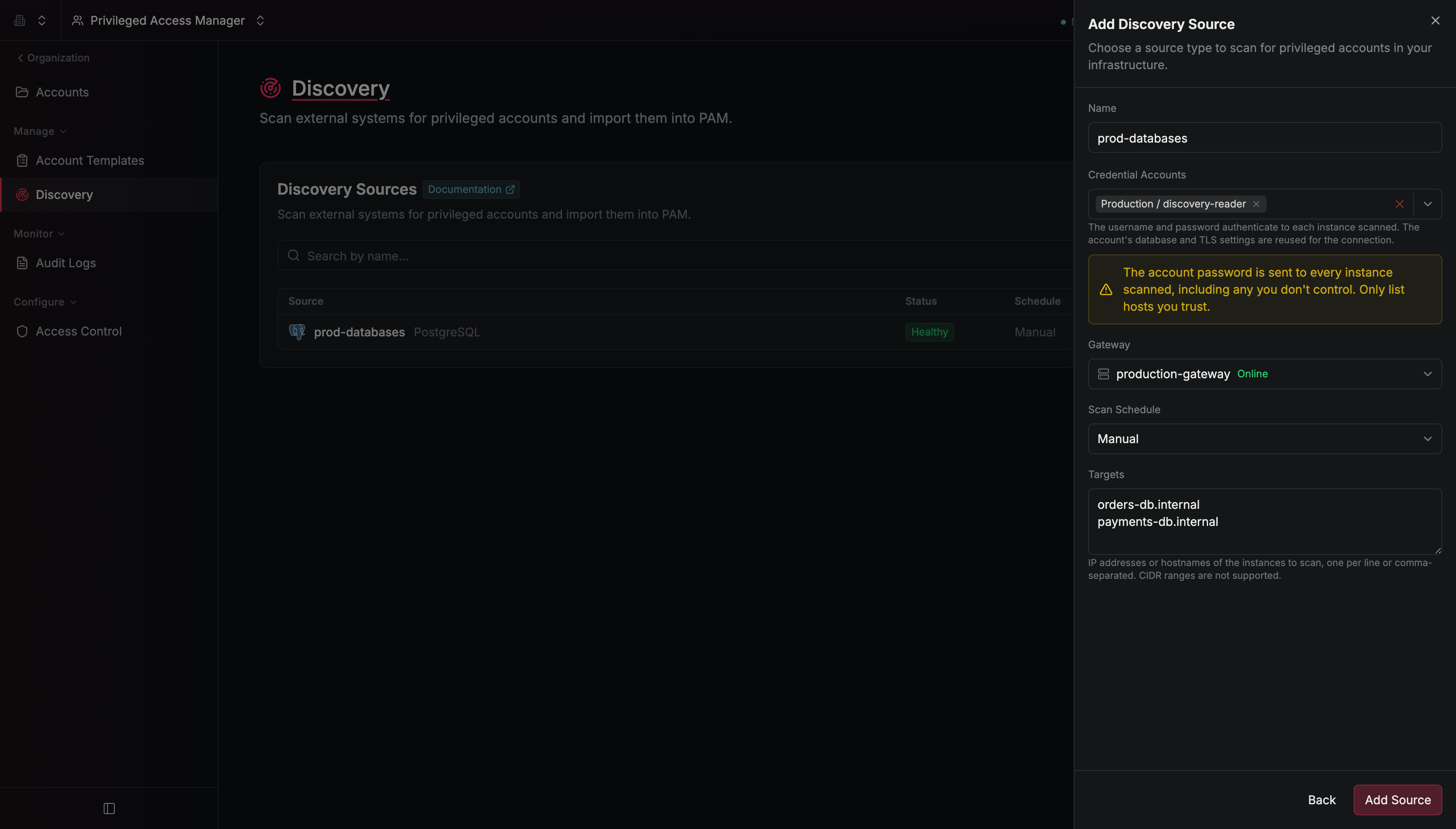
Infisical connects to each instance with the port, database, and TLS settings of the PostgreSQL account it signs in with.
4
Select Add Source.
Step 2: Run a scan
On the Discovery Sources table, select the options menu on the source’s row, then select Scan Now. A source can run one scan at a time.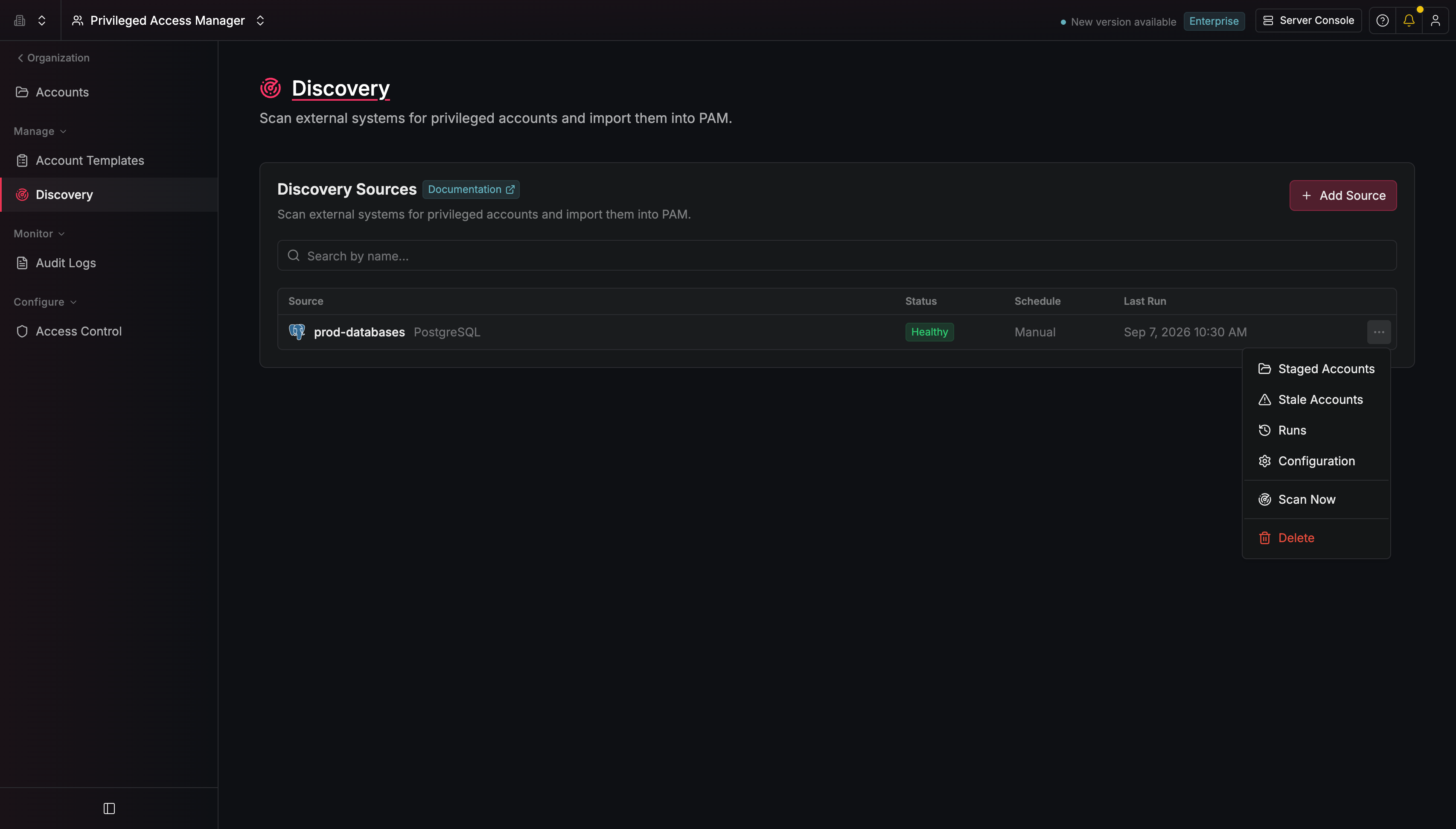
Step 3: Import accounts
1
On the Discovery Sources table, select the source.
2
On the Staged Accounts tab, select the accounts you want, then select Import Accounts.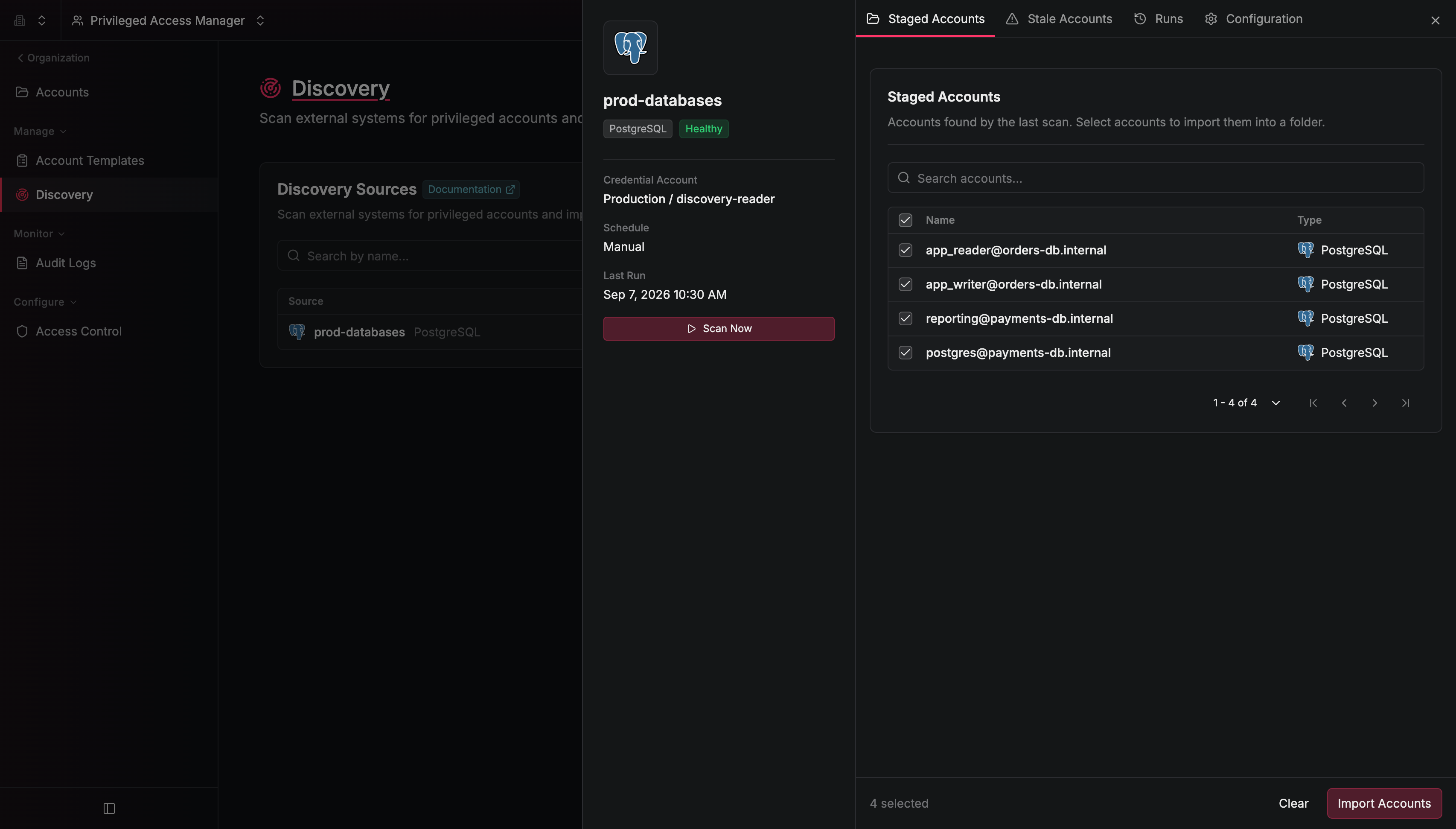
3
Select a Destination Folder and a PostgreSQL Template, then select Import.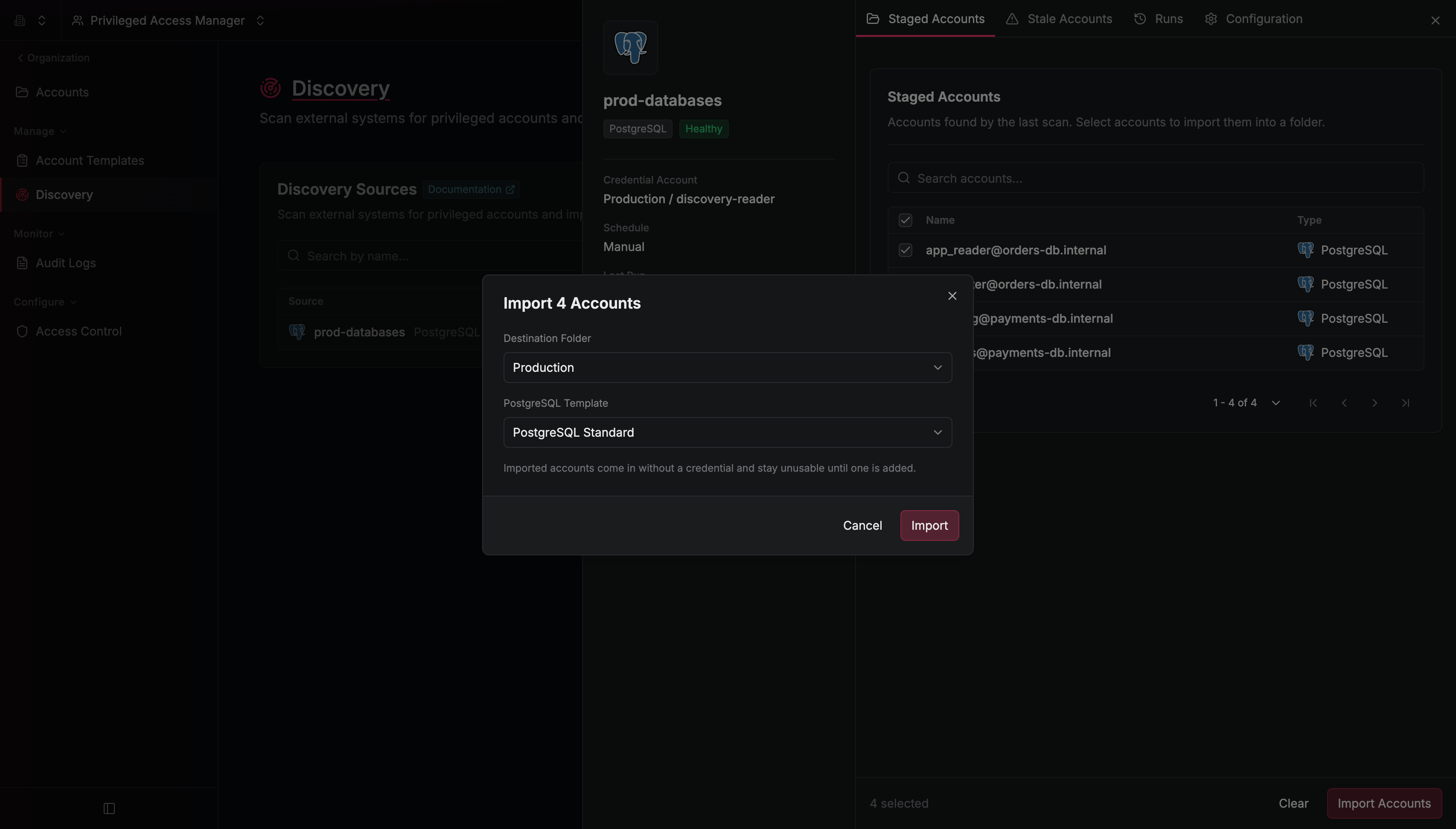
4
Go to Privileged Access Management > Accounts. For each imported account, open the options menu on its row, select Configure, and enter the password for its PostgreSQL role on the Configuration tab. The scan doesn’t read passwords, so you can’t connect to an imported account until you enter its password.
Your PostgreSQL roles are in PAM. Anyone with access to the destination folder can launch sessions on them, and each scan of the source stages any new roles it finds.