

GITHUB_TOKEN. Then, any service can use the variable by referencing the key within double braces: {{GITHUB_TOKEN}}.
When an agent sends a request, the proxy replaces each reference with the variable’s value.
Only Agent Vault admins can view and update variables. If you’re a member, Variables doesn’t appear in the Agent Vault sidebar.
Add a variable
To add a variable:1
In Agent Vault, go to Variables.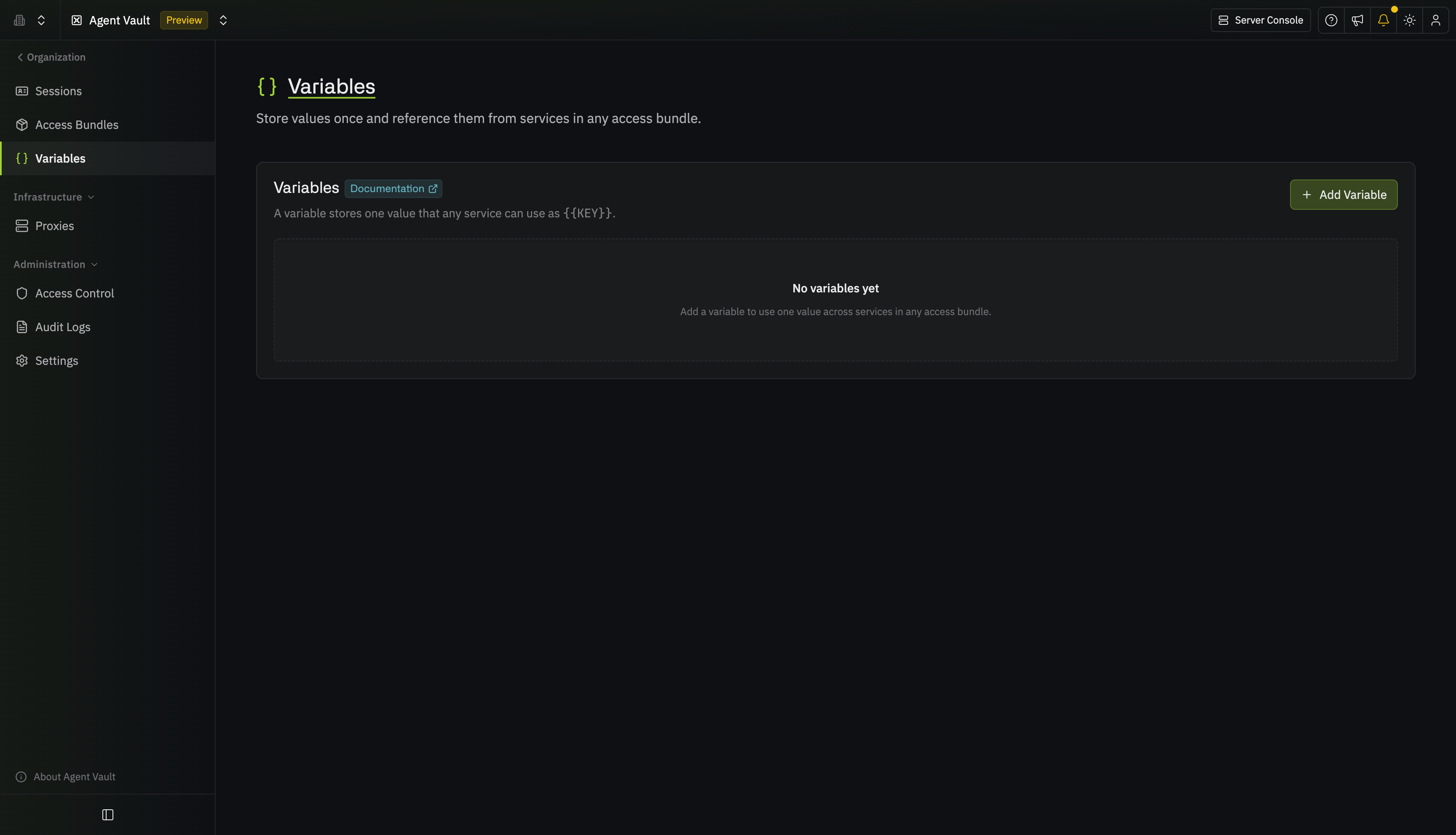
2
Select Add Variable.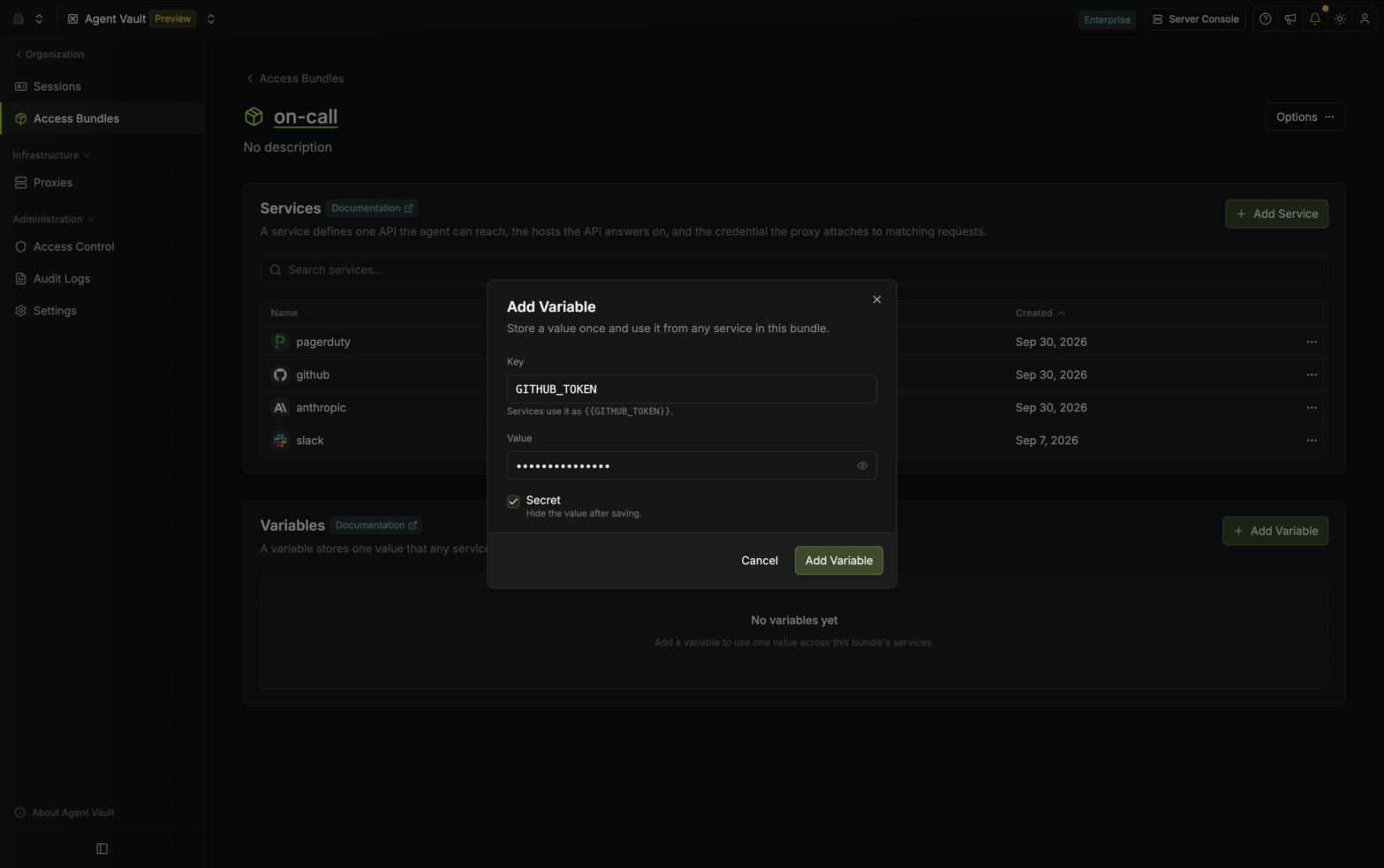
3
Enter a Key and a Value. To view the value later, select the eye icon next to it. Each time someone views or copies a value, Infisical adds an event to the audit log.
A key can be up to 64 characters long. It must start with a letter and use only uppercase letters, numbers, and underscores. No two variables can have the same key.
4
Select Add Variable. The variable appears in the list on the Variables page.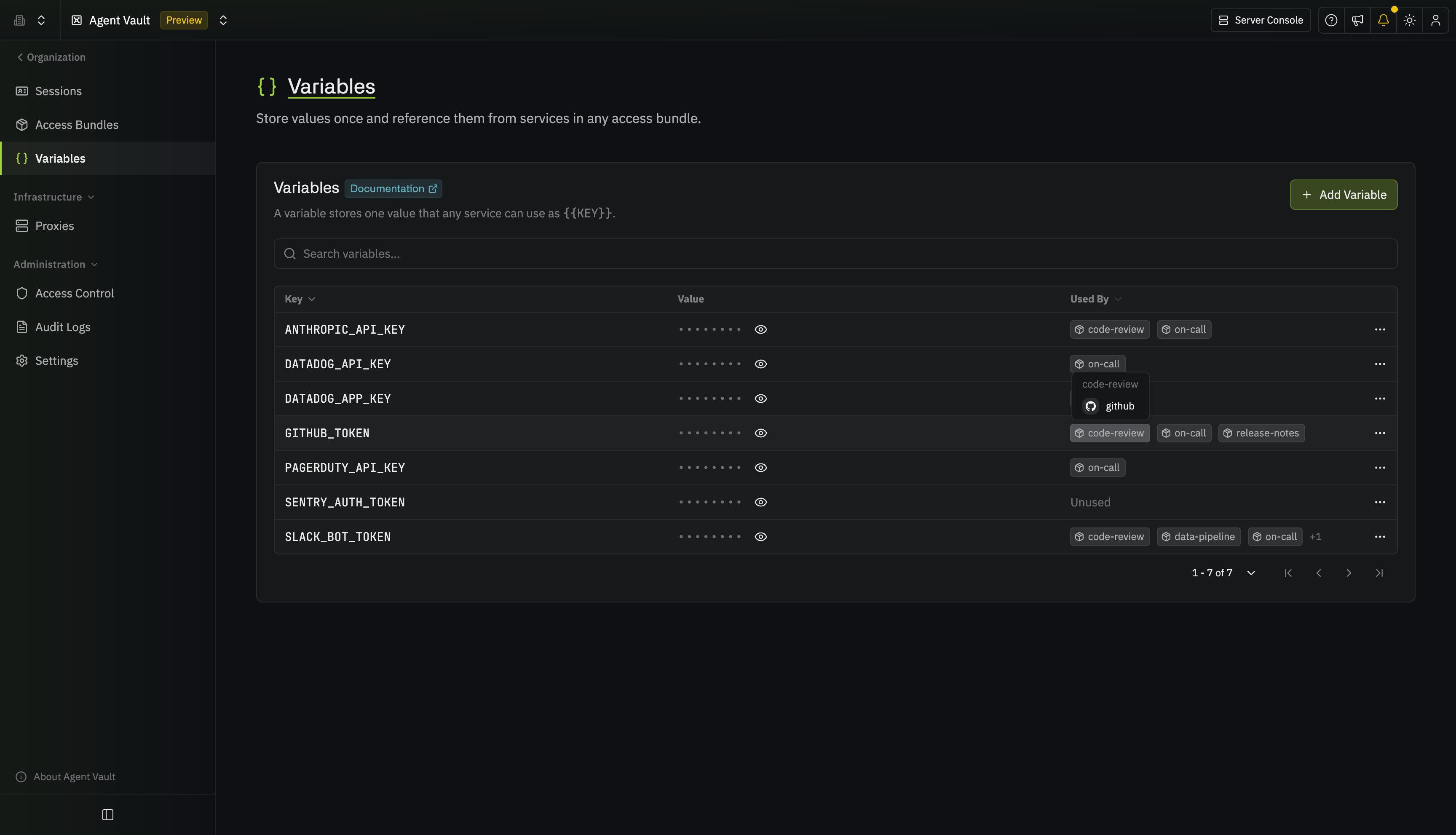
Agent Vault can hold up to 500 variables.
Use a variable in a service
You can use a variable in the following fields when configuring a service:- Token in a Bearer credential
- Username and Password in a Basic credential
- Value in a custom header
- With in a substitution
1
Add a service, or open an existing service’s actions menu and select Edit. Then go to the Credential step.
2
In a field that accepts variables, type 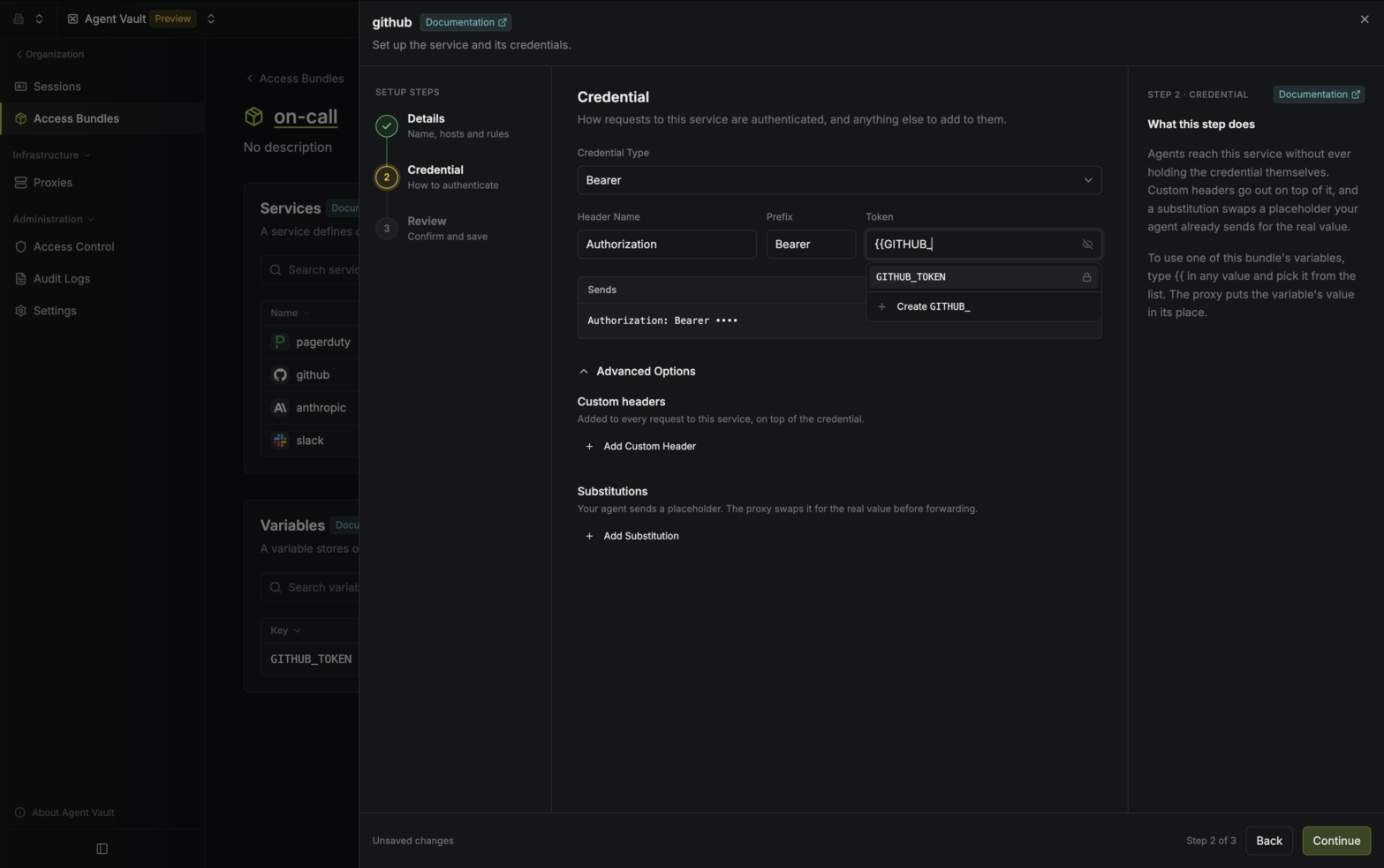
{{. A list of your variables appears.3
Select a variable from the list. Infisical inserts the reference, such as 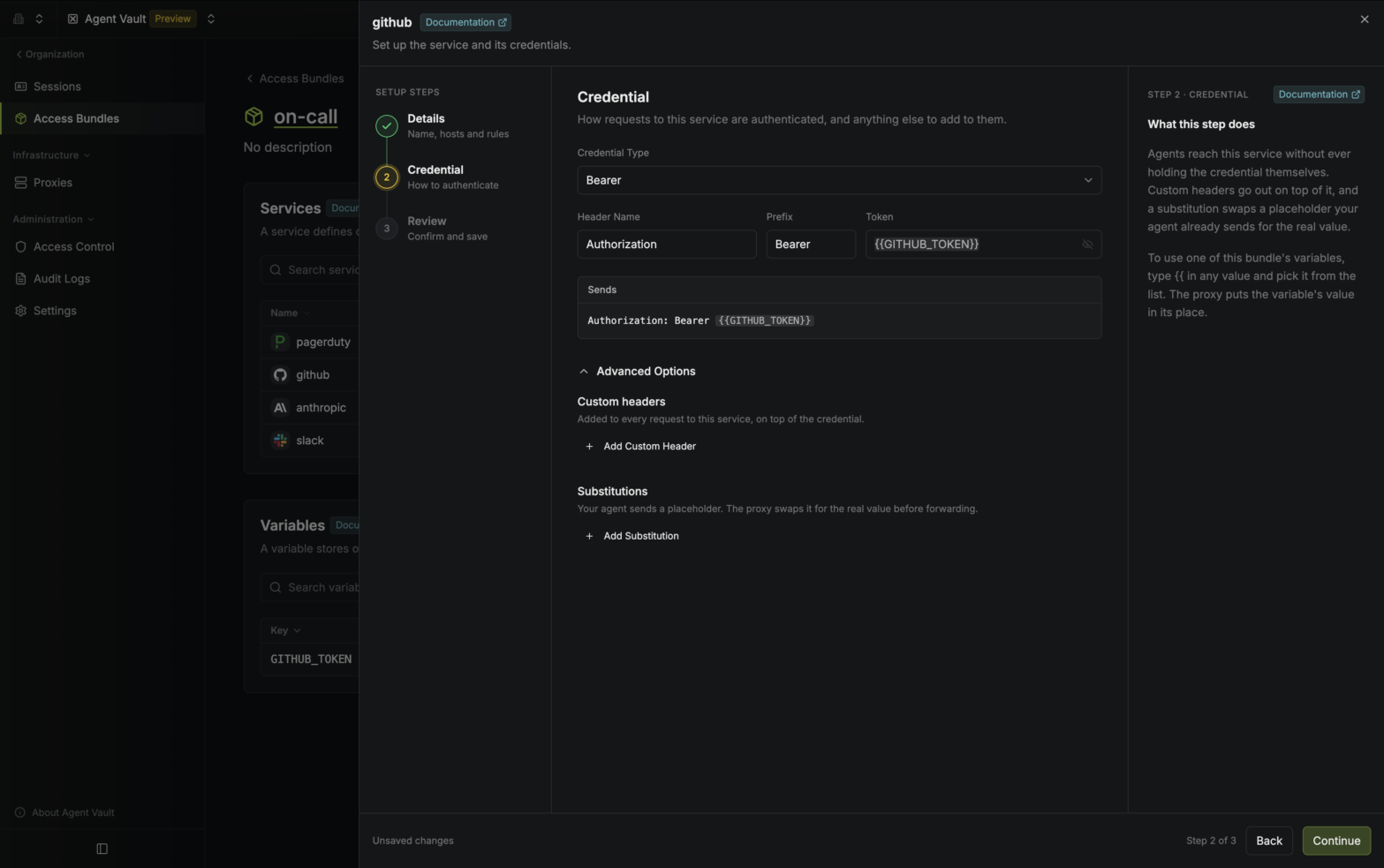 A reference can fill a whole field or part of one. For example, if a custom header’s Value is
{{GITHUB_TOKEN}}.org-{{ORG_ID}}, the proxy sends org- followed by the value of ORG_ID.Check variable usage
To check which services are using a variable:1
In Agent Vault, go to Variables.
2
In the variable’s Used By column, hover over an access bundle to see which of the access bundle’s services use the variable.
Update a variable
To update a variable:1
In Agent Vault, go to Variables.
2
Open the variable’s actions menu and select Edit.
3
Update the key or the value. Leave Value blank to keep the current value.
4
Select Save.
If you rename a variable, the services that use it keep working without changes. If you change a variable’s value, the proxy starts using the new value within one poll interval (60 seconds by default), so you don’t need to restart running agents.
Delete a variable
To delete a variable:1
In Agent Vault, go to Variables.
2
Open the variable’s actions menu and select Delete.
3
Select Delete Variable.
If any service still uses the variable, the dialog lists those services, and you can’t delete the variable until you remove the reference from each one.