--- title: "Introducing Infisical PKI" canonical: "https://infisical.com/blog/introducing-pki" published: "2024-06-20" last-updated: "2026-10-20" tags: ["Product"] source-index: https://infisical.com/llms.txt --- # Introducing Infisical PKI Today, Infisical is launching a new product line: [Infisical PKI](https://infisical.com/docs/documentation/platform/pki/overview). Historically, [Infisical](https://infisical.com) has always been a tool for secrets management that is the storage of application configuration and secrets like API keys and database credentials. At every step of the way, we’ve received a lot of actionable feedback and feature requests — all of which we’ve parsed and used to form the basis of our product roadmap. Today, we're taking one leap forward in our quest to make security more accessible to everyone. With numerous requests coming in for certificate management, we’ve been hard at work building a new product vertical that we’re excited to now announce: Infisical Public Key Infrastructure (PKI). ### **What is Internal PKI?** Internal PKI refers to the implementation of PKI within an organization to manage X.509 digital certificates and public-key encryption internally. This is useful for scenarios like creating encrypted TLS communication channels; authenticating identities for users, machines, IoT devices; and more. Infisical’s new Internal PKI offering provides a framework to help developers create, manage, distribute, use, store, and revoke digital certificates. With it, you can define a Private CA hierarchy and use it to start issuing X.509 digital certificates. 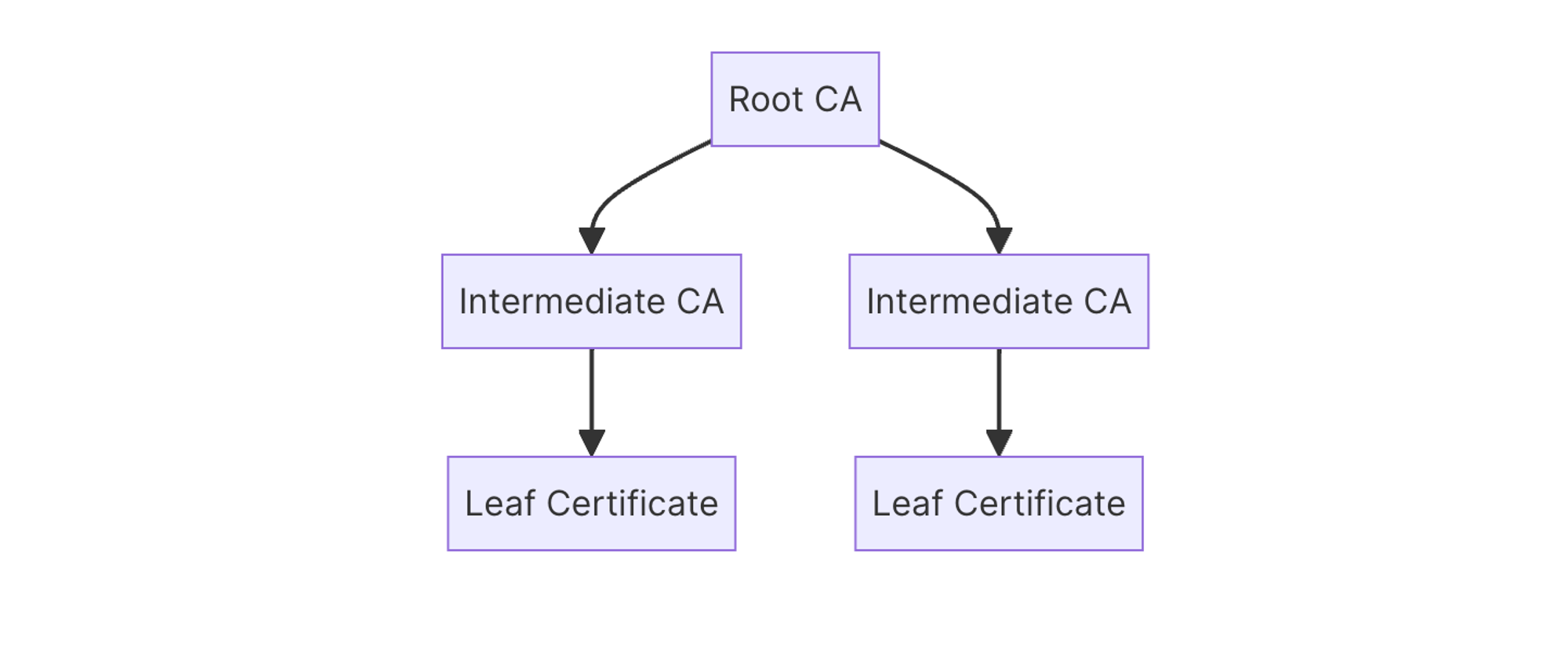 The product is split into two sub-modules: [Private Certificate Authority (CA)](https://infisical.com/docs/documentation/platform/pki/private-ca) and [Certificate Management](https://infisical.com/docs/documentation/platform/pki/certificates). - [Private CA](https://infisical.com/docs/documentation/platform/pki/private-ca): The Private CA module lets you create a custom CA hierarchy with root and intermediate CAs that can be used to issue digital certificates; it supports configuration that you’d typically expect out of a CA management tool including defining validity periods and path lengths as well as importing external certificates and chains as part of CA installation. - [Certificate Management](https://infisical.com/docs/documentation/platform/pki/certificates): The Certificate Management module lets you manage certificates lifecycle events for certificates issued by CAs in the Private CA module. For example, you can revoke certificates and trigger Certificate Revocation List (CRL) rebuild as part of your certificate revocation status check workflow for corresponding CAs. Overall, Infisical’s PKI offering extends the product you already use and trust for your secrets management to be able to manage digital certificates for all of your internal use-cases. This is an exciting development in the history of Infisical as we work toward a broader mission of making security accessible for everyone. ### **How can I get started with Infisical PKI?** As of now, Infisical’s PKI offering is already live on both [Infisical Cloud](https://app.infisical.com/) and Infisical Self-Hosted and can be accessed at the project-level. In this section, we go over briefly how to create a simple Private CA hierarchy and use it to issue a X.509 digital certificate. #### **Creating a CA** To get started, head to your Project > Internal PKI > Certificate Authorities and press **Create CA**. 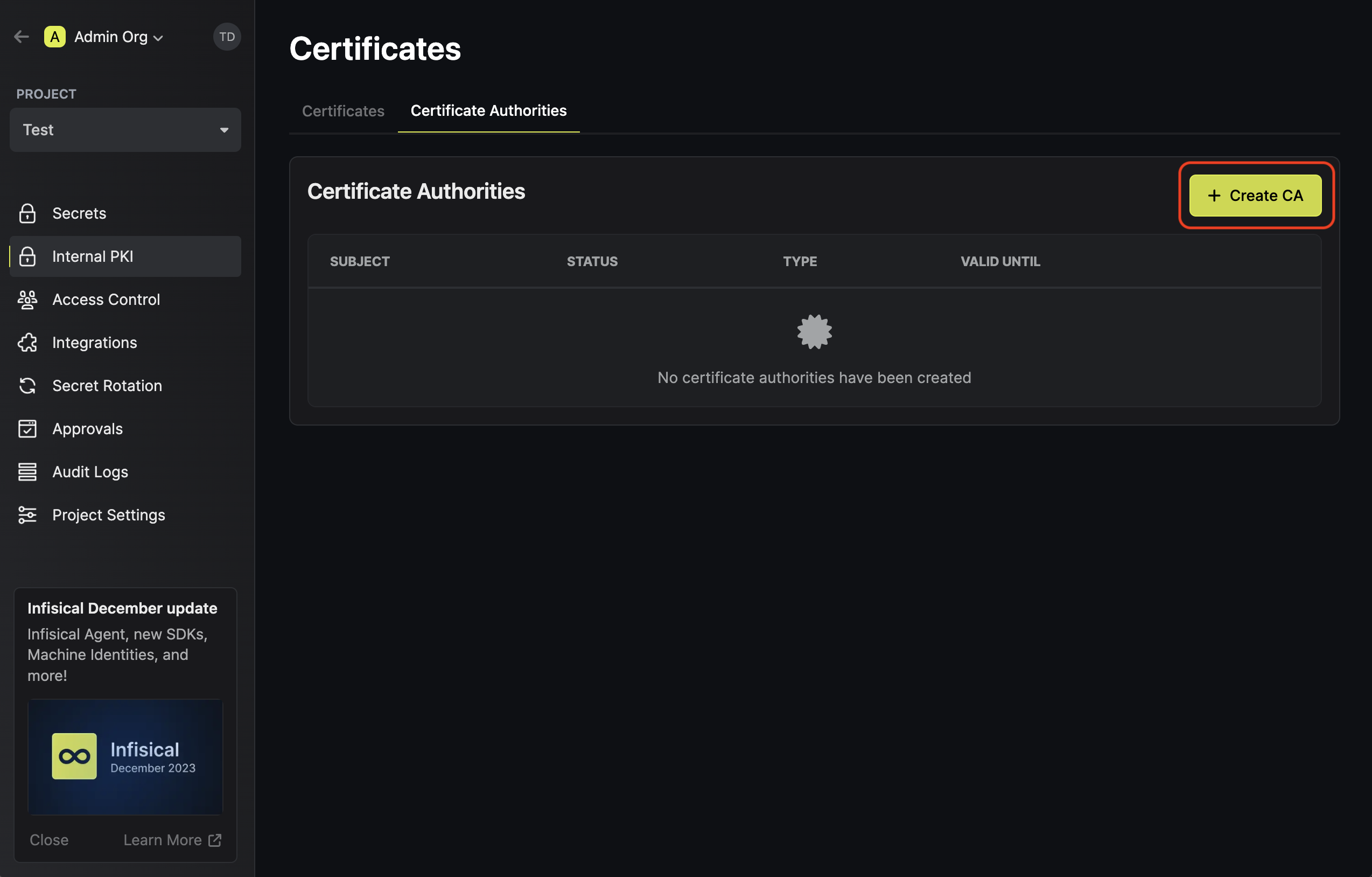 Here, set the **CA Type** to **Root** and fill out details for the root CA. 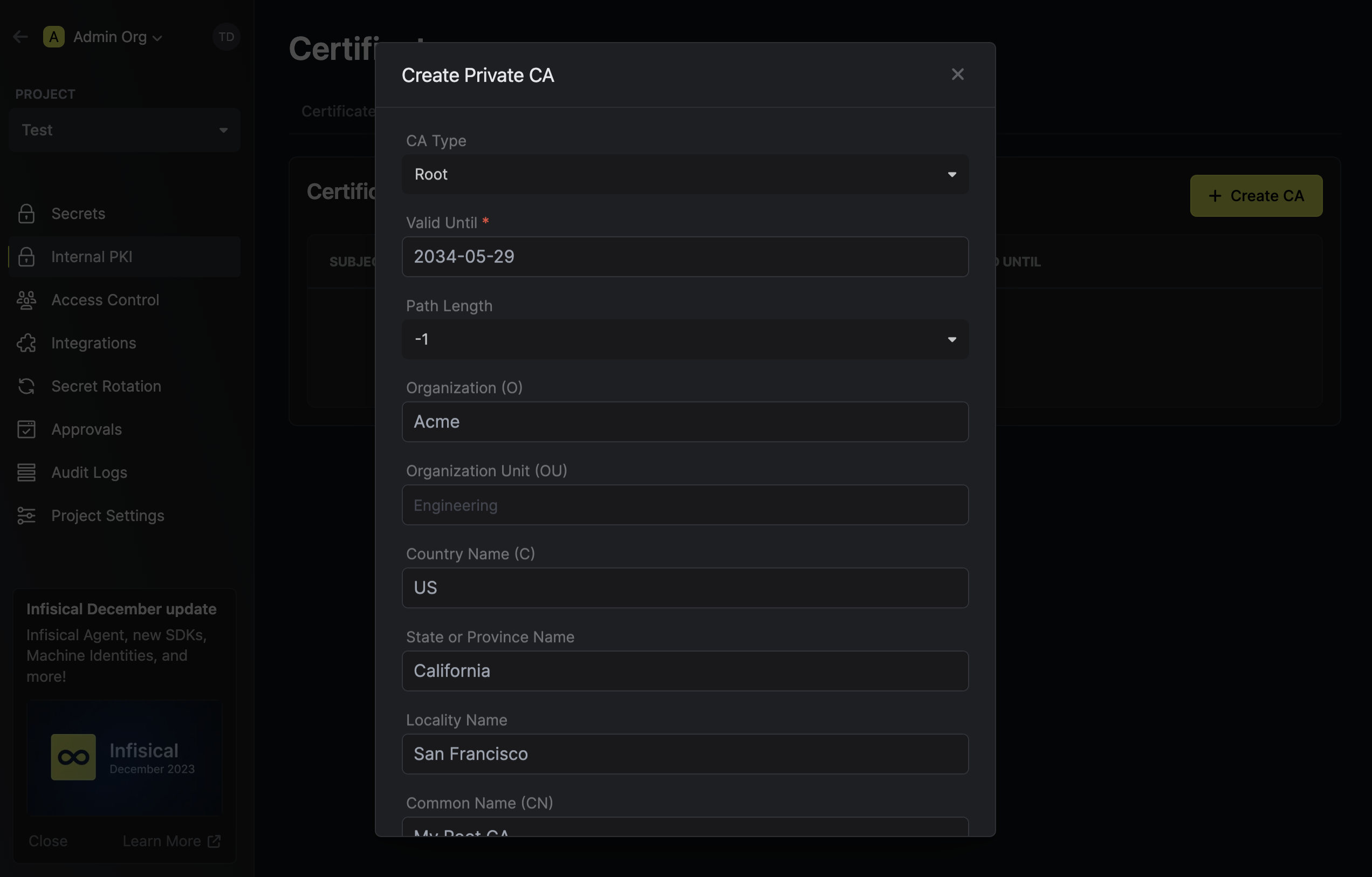 Once you’ve created the Root CA, create an Intermediate CA by pressing **Create CA** but now specifying the **CA Type** to be **Intermediate**. 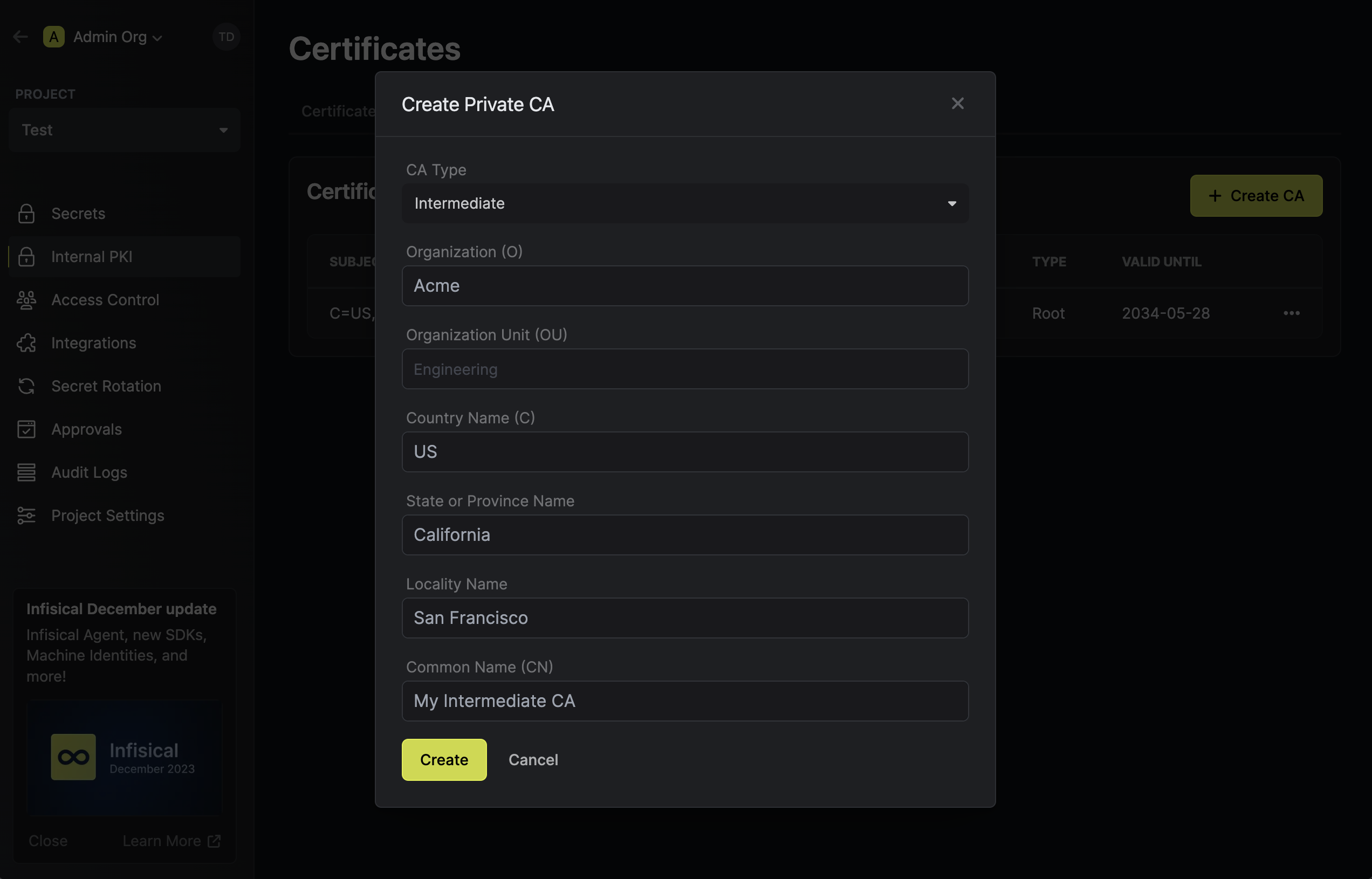 Next, chain the Intermediate CA to the Root CA by pressing the **Install Certificate** option on the Intermediate CA and selecting the Root CA from earlier. 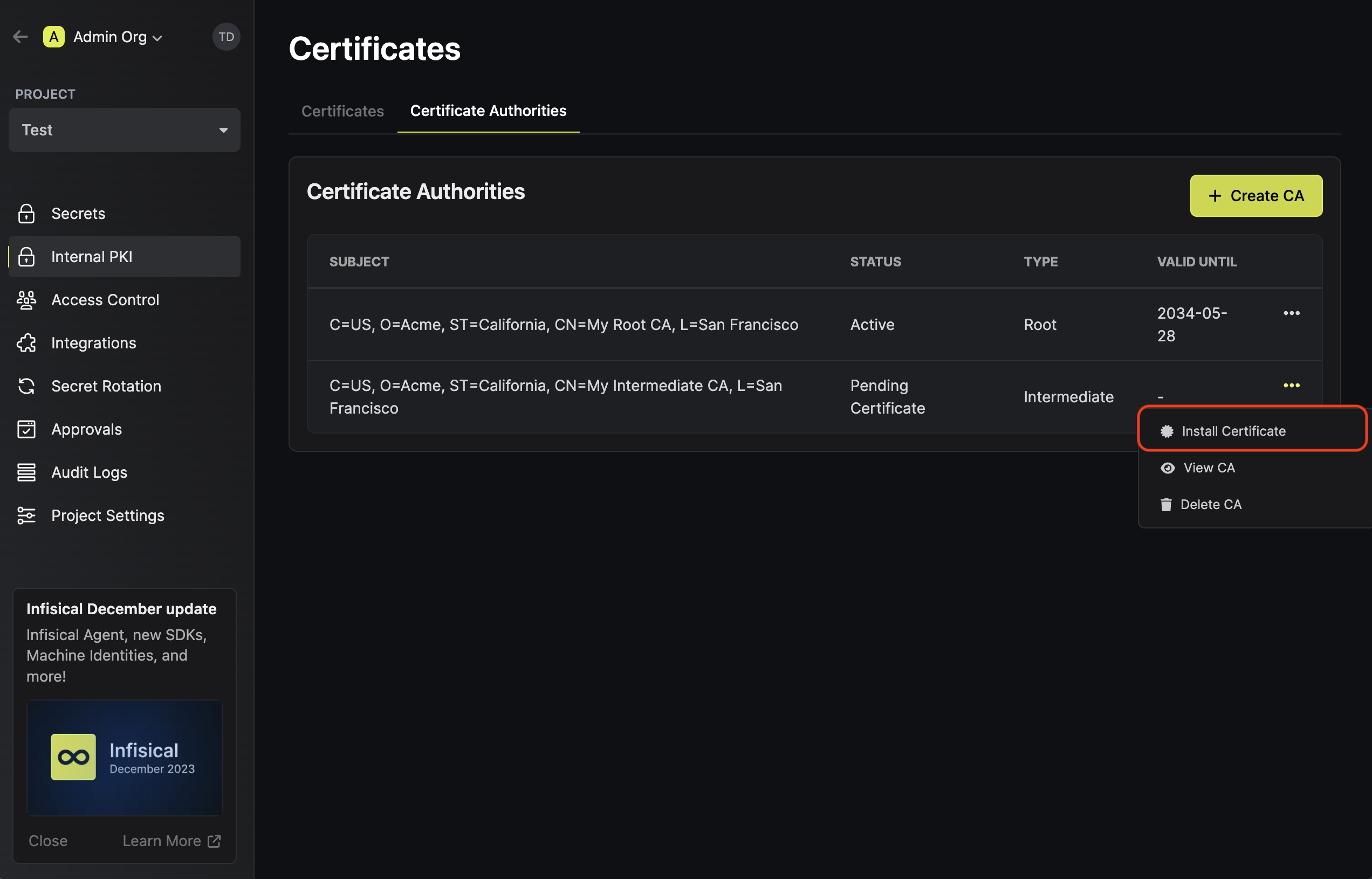 Finally, to issue a X.509 digital certificate, head to the Certificates tab and press **Issue Certificate**. 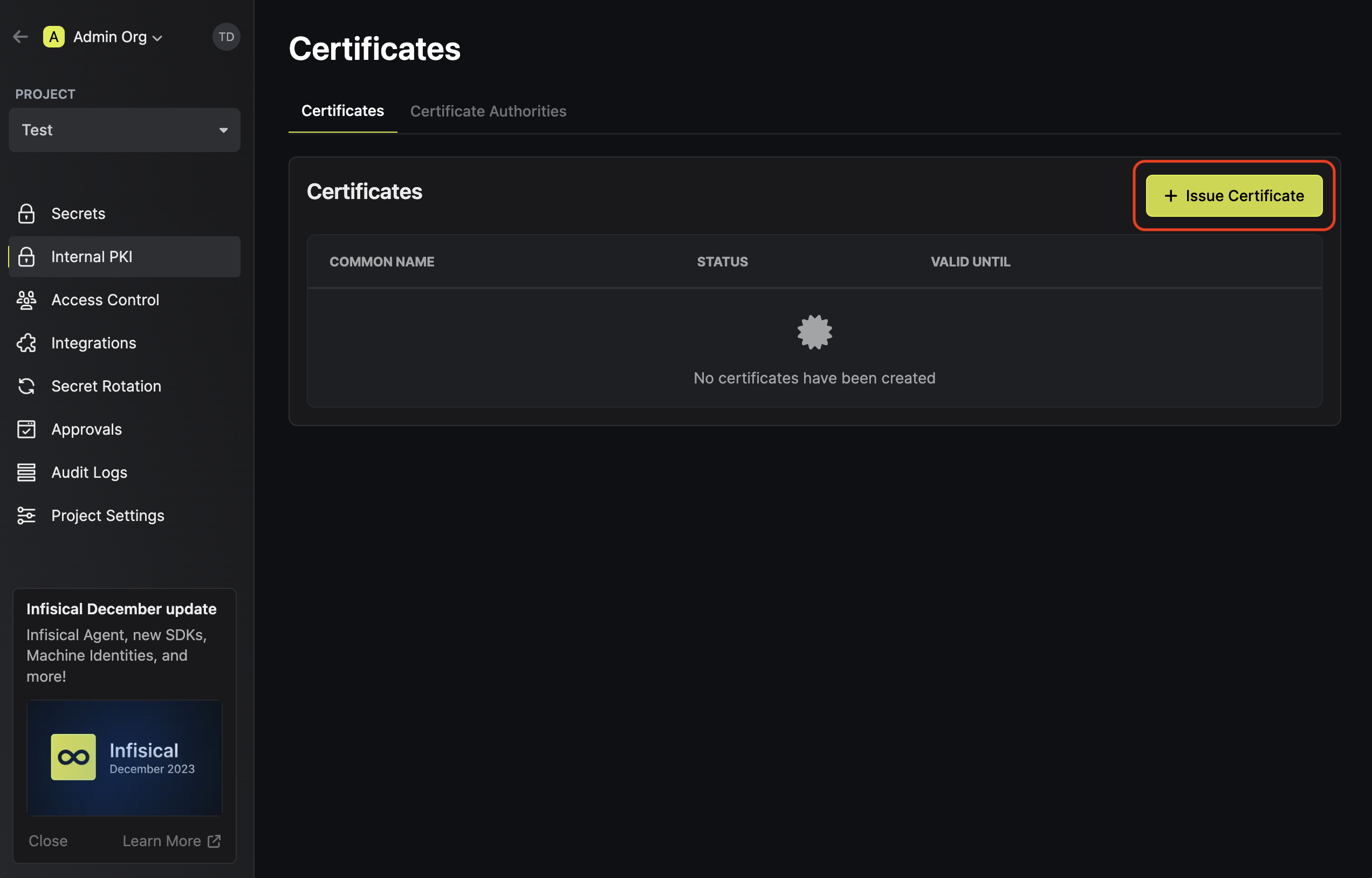 Select the Intermediate CA from earlier and issue the certificate; you should receive the certificate, the certificate chain, and private key for it immediately after issuance. 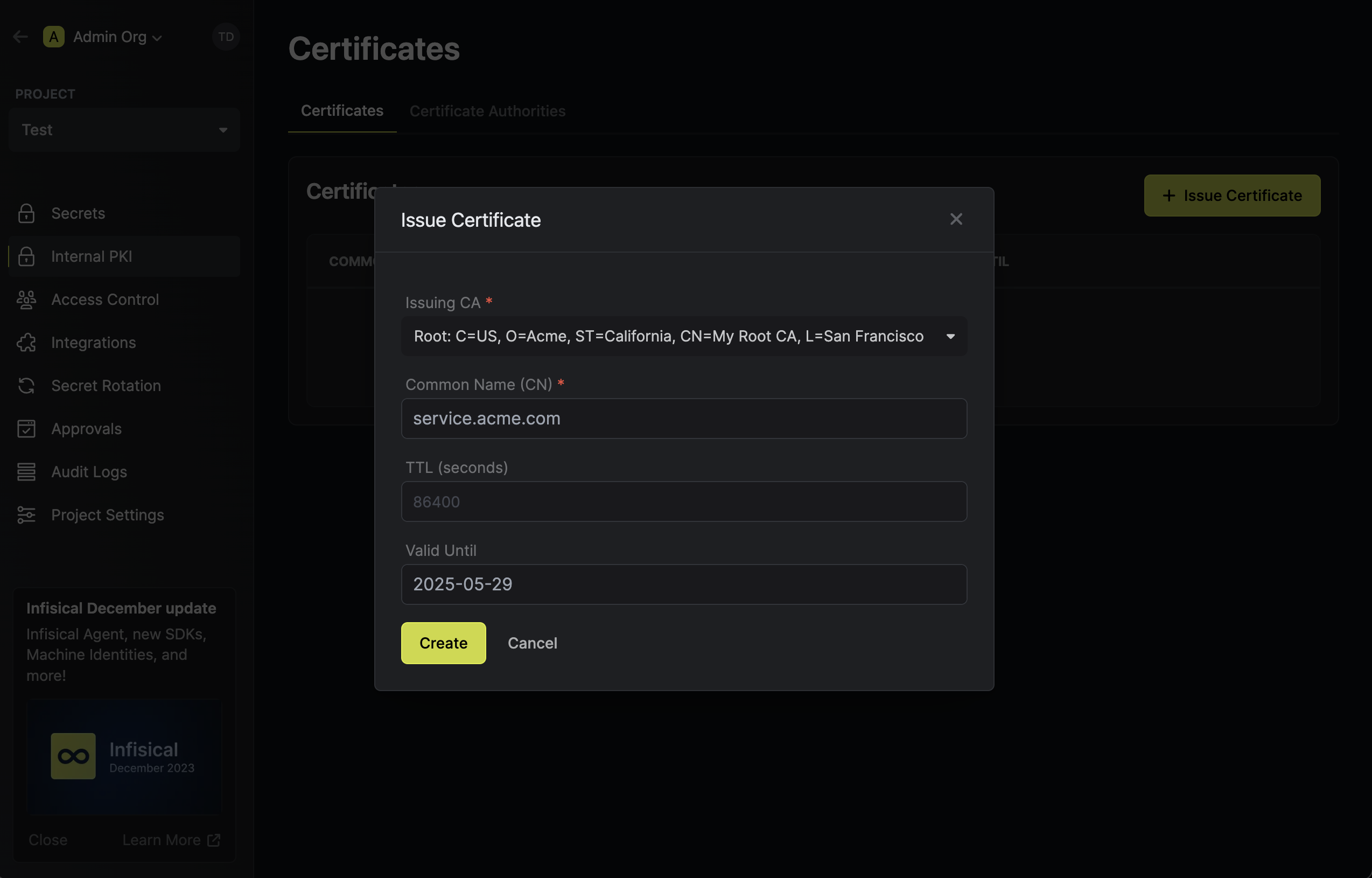 Check out the complete documentation for the Private CA and Certificate Management modules for a more information and guidance for using these modules as well as examples for programmatically managing certificates via the Infisical API. ### **Wrapping up** In this announcement, we went over Infisical’s new PKI offering, a suite of tools spanning Private CA and Certificate Management to help you issue and manage digital certificates. With Infisical PKI, you can now leverage Infisical for more use-cases beyond secrets management. Onward and upward!
](/images/blog/introducing-pki/pki-ca-hierarchy.png)
](/images/blog/introducing-pki/pki-create-ca.png)
](/images/blog/introducing-pki/pki-create-root-ca-modal.png)
](/images/blog/introducing-pki/pki-create-intermediate-ca-modal.png)
](/images/blog/introducing-pki/pki-install-ca.png)
](/images/blog/introducing-pki/pki-issue-cert.png)
](/images/blog/introducing-pki/pki-issue-cert-modal.png)
/blog/introducing-pki.md · raw source