> ## Documentation Index
> Fetch the complete documentation index at: https://infisical.com/docs/llms.txt
> Use this file to discover all available pages before exploring further.
# Daytona sync
> Learn how to configure a Daytona sync for Infisical.
**Prerequisites:**
* Set up and add secrets to [Infisical Cloud](https://app.infisical.com)
* Create a [Daytona connection](/docs/integrations/app-connections/daytona)
Daytona secret names must start with a letter or an underscore, and can contain only letters, digits, hyphens, and underscores. A sync that includes a key Daytona rejects fails and names the offending key, so no secrets are written.
## Allowed hosts stay under your control in Daytona
Daytona never places a secret's value in a sandbox. It sets the environment variable to an opaque placeholder and substitutes the real value in its egress proxy, but only for requests to hosts on that secret's allowed hosts list. A secret with no allowed hosts is unrestricted: Daytona substitutes the value for a request to any host.
Infisical never sets or changes allowed hosts. Creating a secret sends its name and value, and updating one sends only the value, so the allowed hosts you set in Daytona are preserved by every later sync. Nothing you configure here can widen or narrow them.
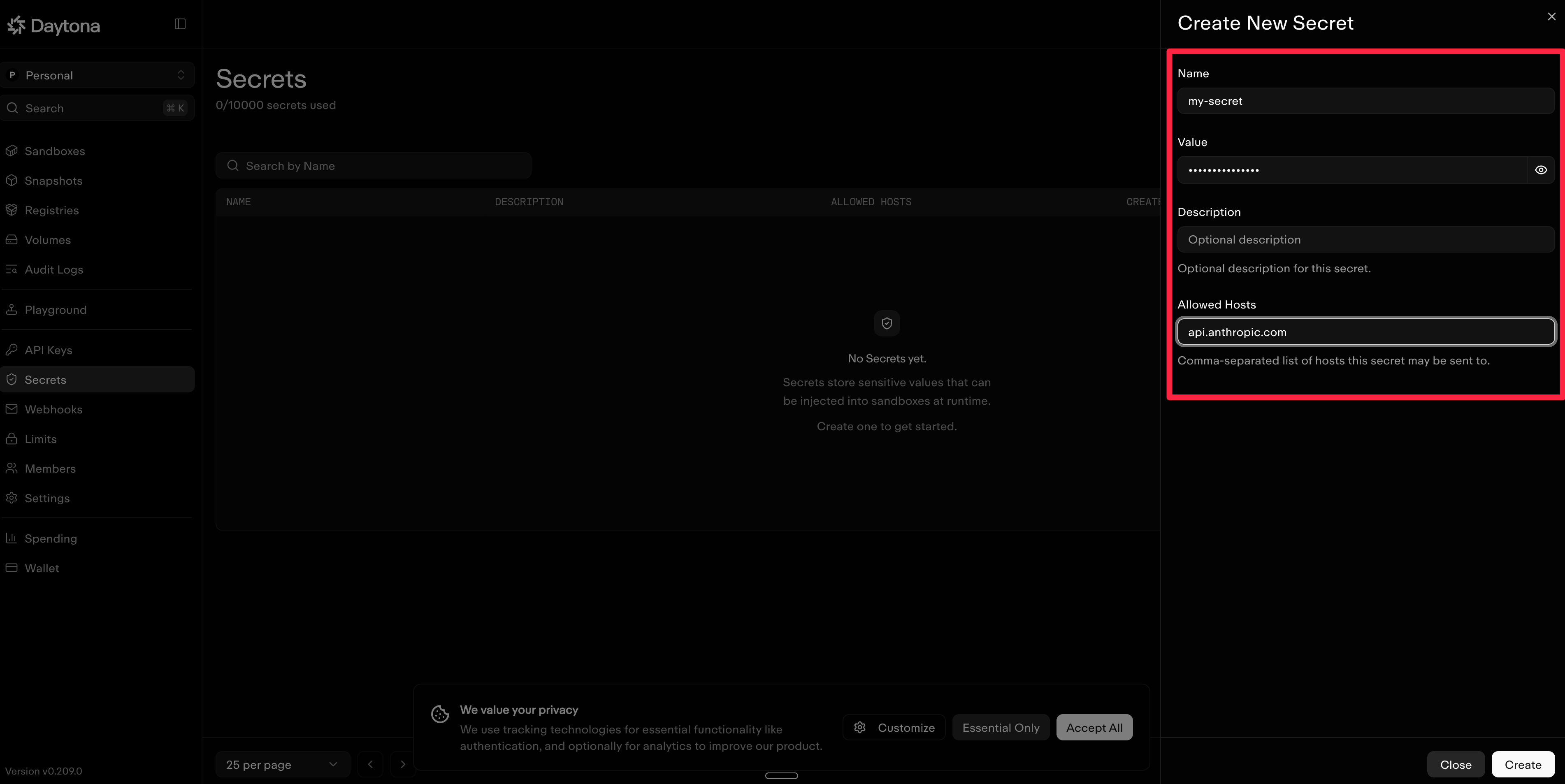
Set allowed hosts on a secret in Daytona after the first sync creates it. The list is per secret, so each one can be restricted to the destinations it's actually used with, and it survives from then on.
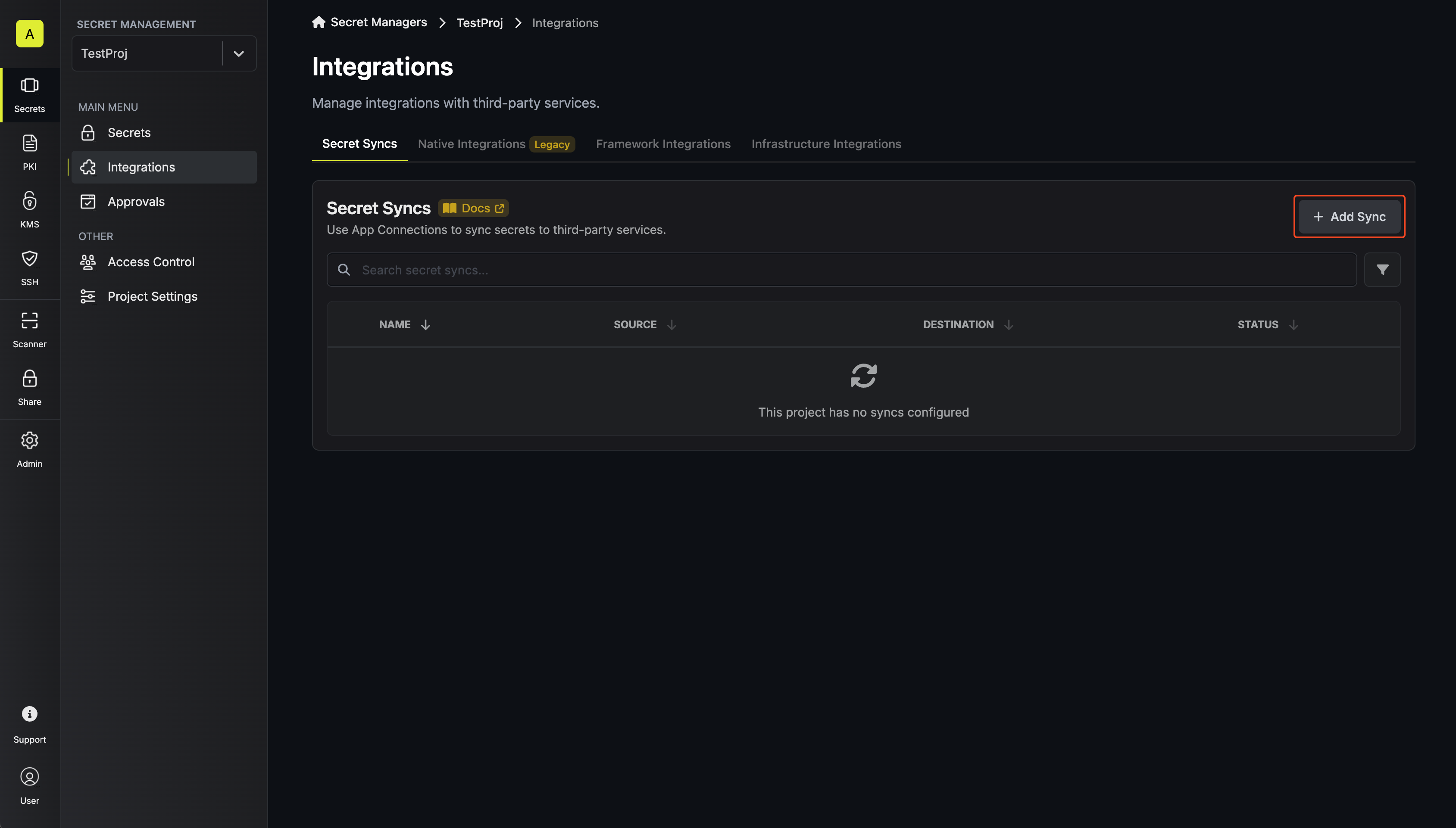
 Navigate to **Project** > **Integrations** and select the **Secret Syncs** tab. Select the **Add Sync** button.
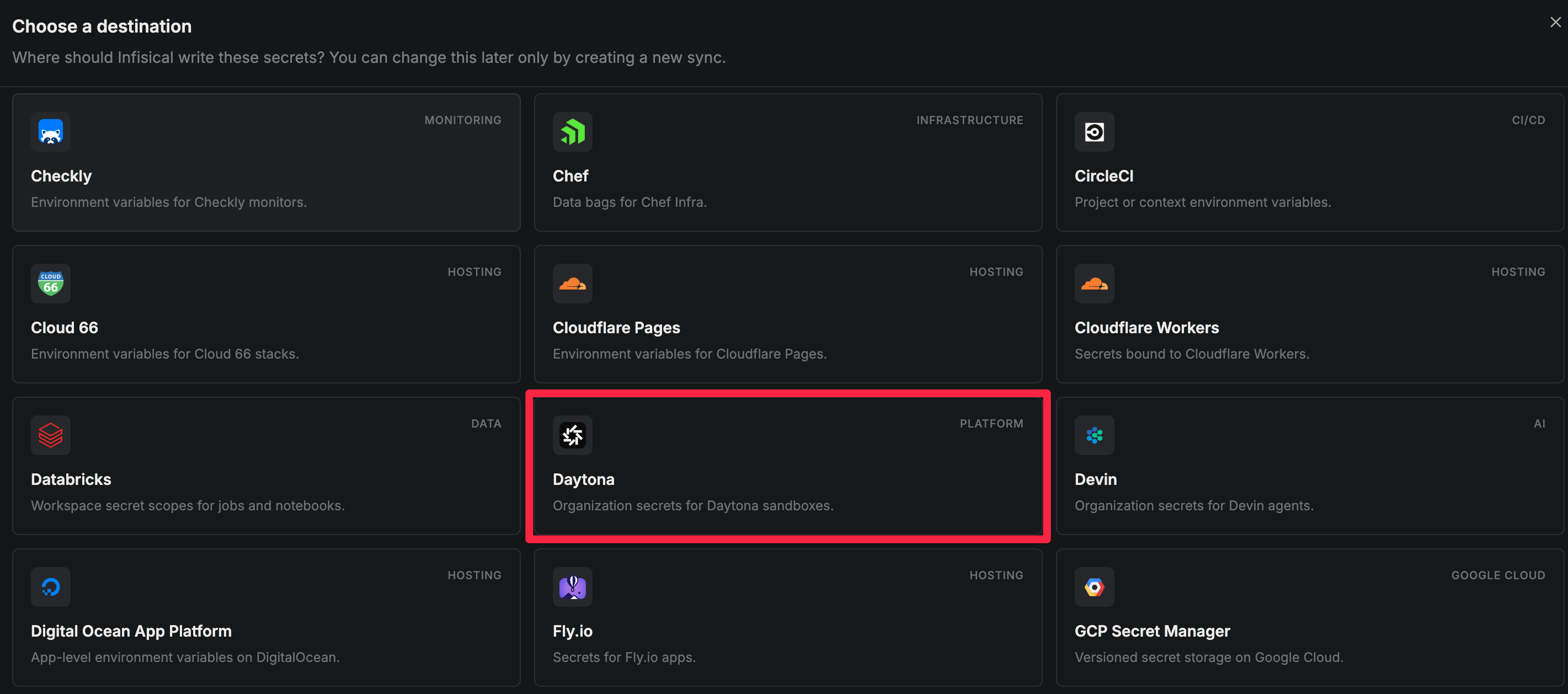
 Select the **Daytona** option from the list of available secret syncs.
 Configure the **Source** from where secrets should be retrieved, then select **Continue**.
* **Environment**: The project environment to retrieve secrets from.
* **Secret Path**: The folder path to retrieve secrets from.
If you need to sync secrets from multiple folder locations, check out [secret imports](/docs/documentation/platform/secret-reference#secret-imports).
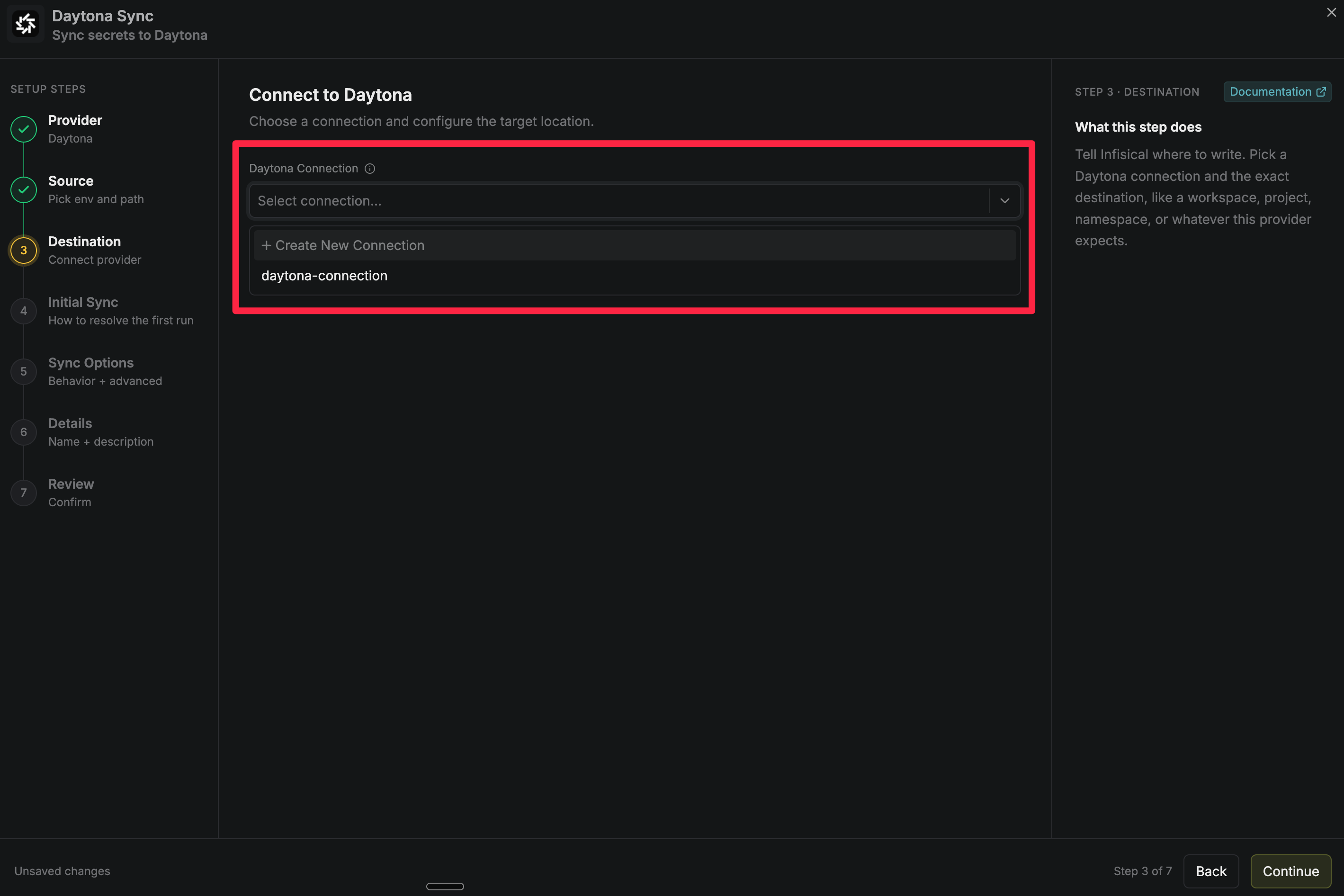
Select the **Daytona Connection** to authenticate with, then select **Continue**. The connection's API key determines which Daytona organization receives the secrets, so there is nothing further to configure.
Configure the **Source** from where secrets should be retrieved, then select **Continue**.
* **Environment**: The project environment to retrieve secrets from.
* **Secret Path**: The folder path to retrieve secrets from.
If you need to sync secrets from multiple folder locations, check out [secret imports](/docs/documentation/platform/secret-reference#secret-imports).
Select the **Daytona Connection** to authenticate with, then select **Continue**. The connection's API key determines which Daytona organization receives the secrets, so there is nothing further to configure.
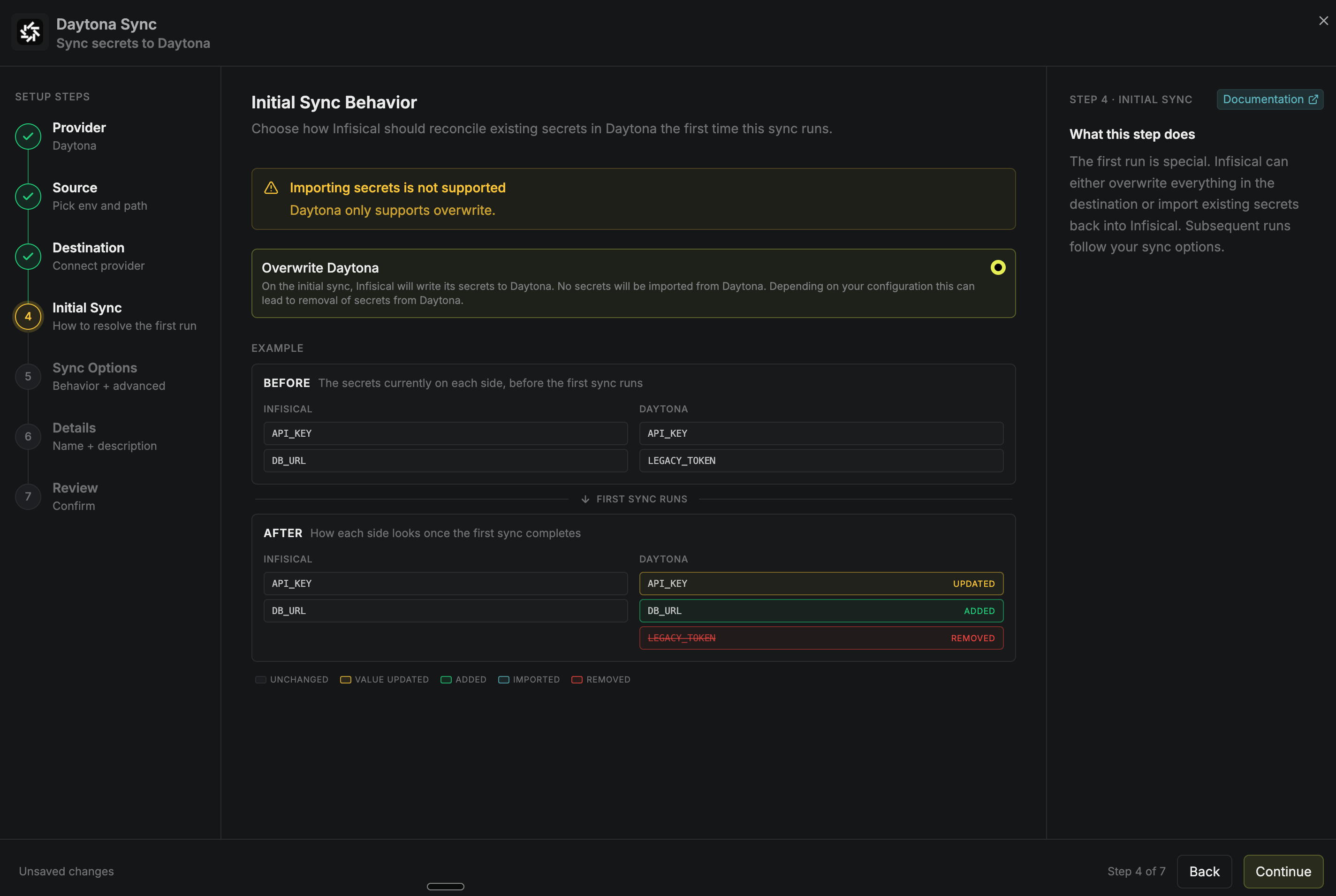
 Choose how Infisical reconciles the secrets already in Daytona on the first run, then select **Continue**.
Daytona never returns a secret's value through its API, so this sync cannot import existing secrets into Infisical. **Overwrite Daytona** is the only behavior available.
Choose how Infisical reconciles the secrets already in Daytona on the first run, then select **Continue**.
Daytona never returns a secret's value through its API, so this sync cannot import existing secrets into Infisical. **Overwrite Daytona** is the only behavior available.
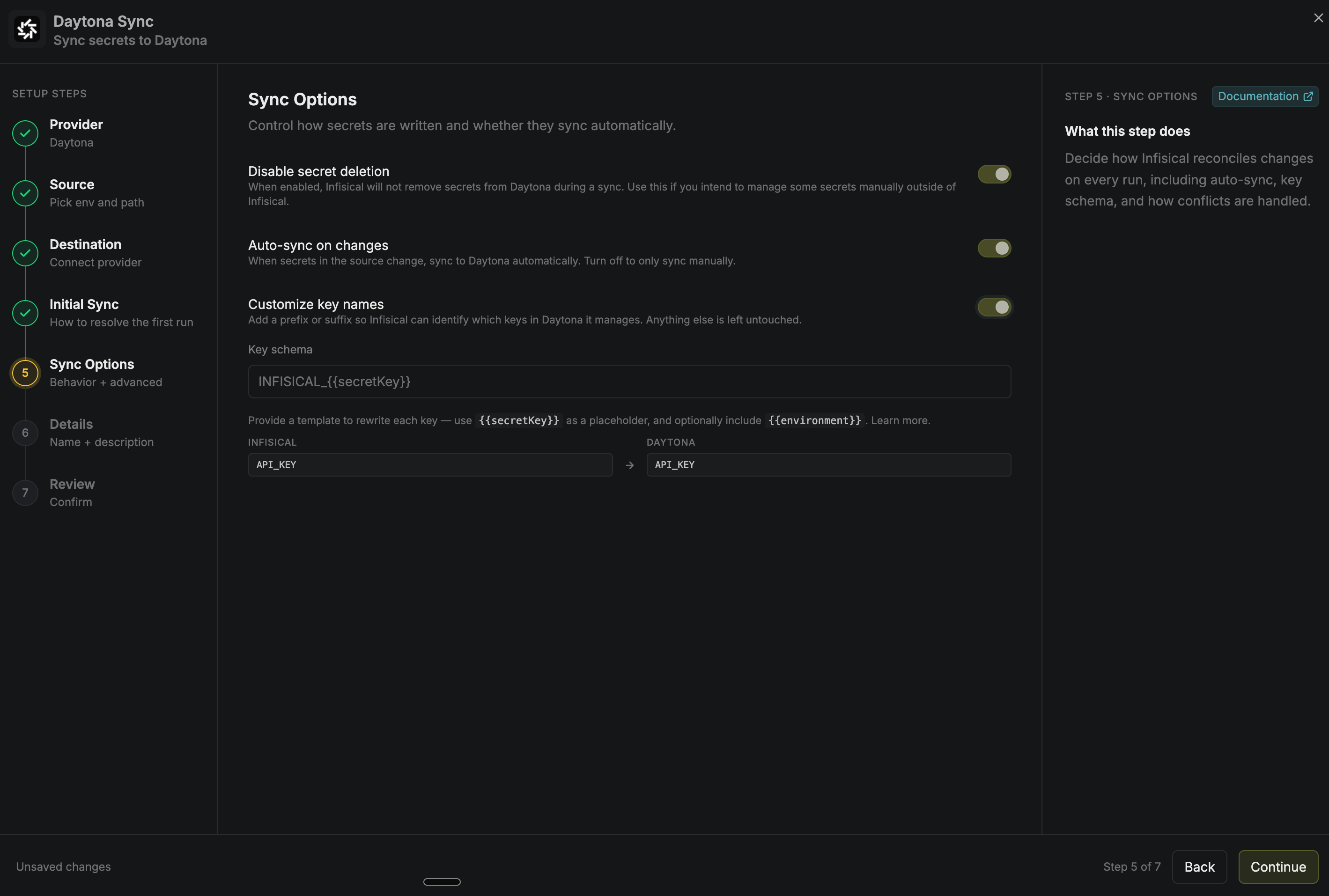
 Configure the **Sync Options** to specify how secrets should be synced, then select **Continue**.
* **Disable secret deletion**: When enabled, Infisical does not remove secrets from the Daytona organization. Enable this if you intend to manage some secrets manually outside of Infisical.
* **Auto-sync on changes**: When enabled, secrets sync to Daytona automatically as the source changes. Turn it off to sync manually only.
* **Customize key names**: Adds a prefix or suffix to every synced name, using `{{secretKey}}` as a placeholder for the original name and `{{environment}}` for the environment.
We highly recommend customizing key names so Infisical only manages the specific keys you intend, keeping everything else untouched.
Configure the **Sync Options** to specify how secrets should be synced, then select **Continue**.
* **Disable secret deletion**: When enabled, Infisical does not remove secrets from the Daytona organization. Enable this if you intend to manage some secrets manually outside of Infisical.
* **Auto-sync on changes**: When enabled, secrets sync to Daytona automatically as the source changes. Turn it off to sync manually only.
* **Customize key names**: Adds a prefix or suffix to every synced name, using `{{secretKey}}` as a placeholder for the original name and `{{environment}}` for the environment.
We highly recommend customizing key names so Infisical only manages the specific keys you intend, keeping everything else untouched.
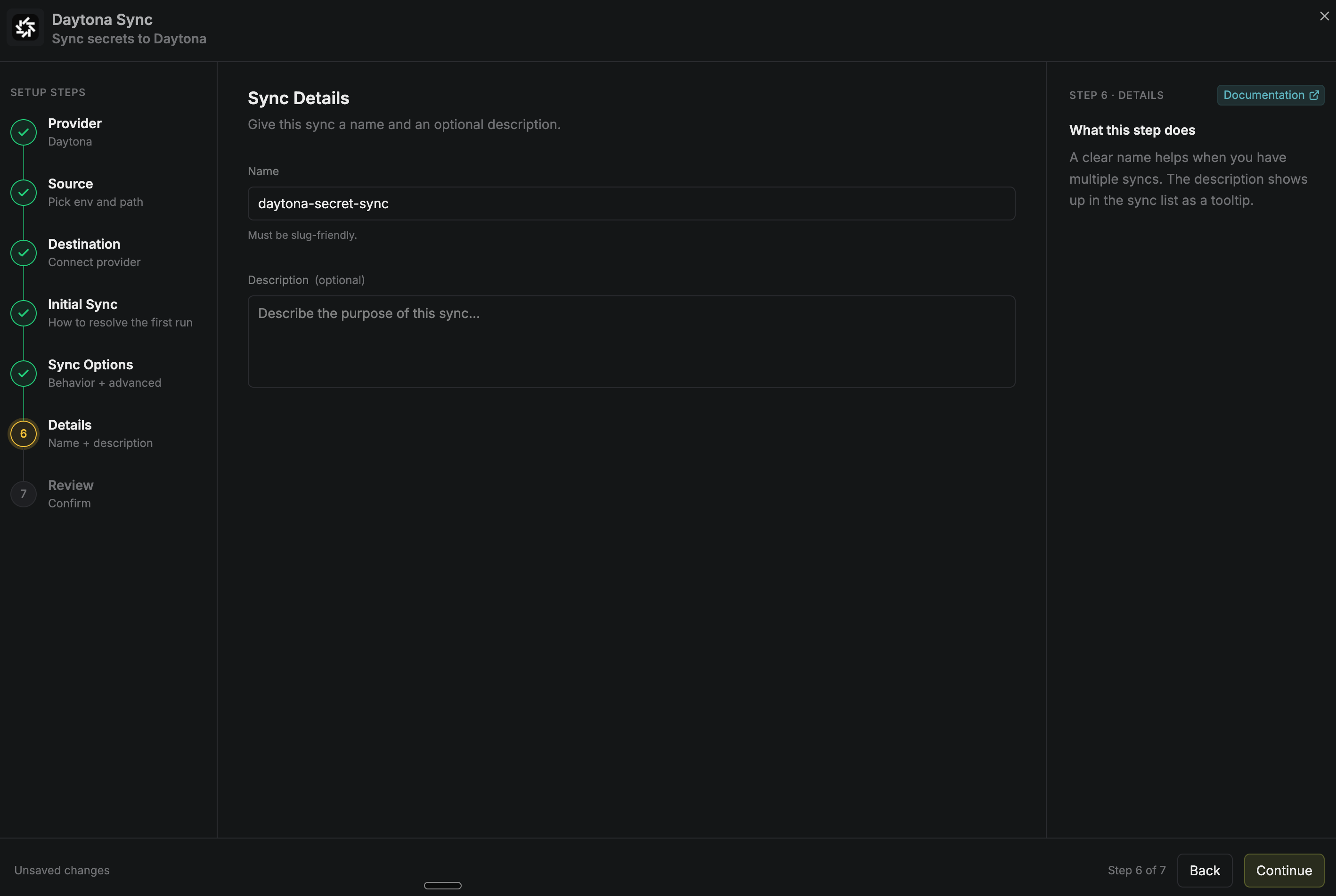
 Give the sync a **Name** and an optional **Description**, then select **Continue**. The name must be slug-friendly.
 Review your Daytona sync configuration, then select **Create Sync**.
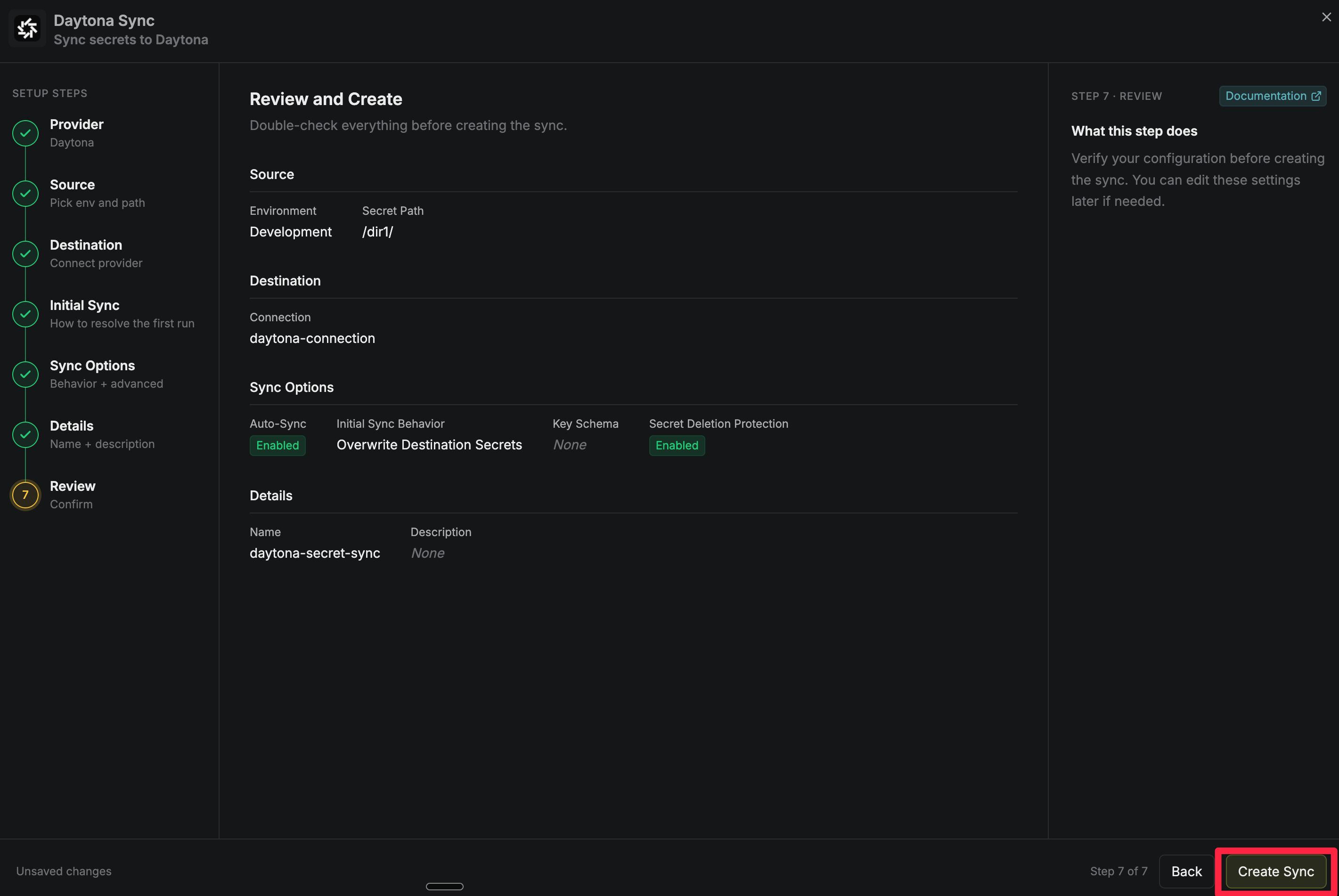 If auto-sync is enabled, your Daytona sync begins syncing your secrets to the destination organization.
To create a **Daytona sync**, make an API request to the [Create Daytona Sync](/docs/api-reference/endpoints/secret-syncs/daytona/create) API endpoint.
### Sample request
```bash Request theme={"dark"}
curl --request POST \
--url https://app.infisical.com/api/v1/secret-syncs/daytona \
--header 'Content-Type: application/json' \
--data '{
"name": "my-daytona-sync",
"projectId": "3c90c3cc-0d44-4b50-8888-8dd25736052a",
"description": "an example sync",
"connectionId": "3c90c3cc-0d44-4b50-8888-8dd25736052a",
"environment": "dev",
"secretPath": "/my-secrets",
"isAutoSyncEnabled": true,
"syncOptions": {
"initialSyncBehavior": "overwrite-destination",
"disableSecretDeletion": false
},
"destinationConfig": {}
}'
```
### Sample response
```bash Response theme={"dark"}
{
"secretSync": {
"id": "3c90c3cc-0d44-4b50-8888-8dd25736052a",
"name": "my-daytona-sync",
"description": "an example sync",
"isAutoSyncEnabled": true,
"version": 1,
"folderId": "3c90c3cc-0d44-4b50-8888-8dd25736052a",
"connectionId": "3c90c3cc-0d44-4b50-8888-8dd25736052a",
"createdAt": "2026-08-28T05:31:56Z",
"updatedAt": "2026-08-28T05:31:56Z",
"syncStatus": "succeeded",
"lastSyncJobId": "123",
"lastSyncMessage": null,
"lastSyncedAt": "2026-08-28T05:31:56Z",
"importStatus": null,
"lastImportJobId": null,
"lastImportMessage": null,
"lastImportedAt": null,
"removeStatus": null,
"lastRemoveJobId": null,
"lastRemoveMessage": null,
"lastRemovedAt": null,
"syncOptions": {
"initialSyncBehavior": "overwrite-destination",
"disableSecretDeletion": false
},
"projectId": "3c90c3cc-0d44-4b50-8888-8dd25736052a",
"connection": {
"app": "daytona",
"name": "my-daytona-connection",
"id": "3c90c3cc-0d44-4b50-8888-8dd25736052a"
},
"environment": {
"slug": "dev",
"name": "Development",
"id": "3c90c3cc-0d44-4b50-8888-8dd25736052a"
},
"folder": {
"id": "3c90c3cc-0d44-4b50-8888-8dd25736052a",
"path": "/my-secrets"
},
"destination": "daytona",
"destinationConfig": {}
}
}
```
If auto-sync is enabled, your Daytona sync begins syncing your secrets to the destination organization.
To create a **Daytona sync**, make an API request to the [Create Daytona Sync](/docs/api-reference/endpoints/secret-syncs/daytona/create) API endpoint.
### Sample request
```bash Request theme={"dark"}
curl --request POST \
--url https://app.infisical.com/api/v1/secret-syncs/daytona \
--header 'Content-Type: application/json' \
--data '{
"name": "my-daytona-sync",
"projectId": "3c90c3cc-0d44-4b50-8888-8dd25736052a",
"description": "an example sync",
"connectionId": "3c90c3cc-0d44-4b50-8888-8dd25736052a",
"environment": "dev",
"secretPath": "/my-secrets",
"isAutoSyncEnabled": true,
"syncOptions": {
"initialSyncBehavior": "overwrite-destination",
"disableSecretDeletion": false
},
"destinationConfig": {}
}'
```
### Sample response
```bash Response theme={"dark"}
{
"secretSync": {
"id": "3c90c3cc-0d44-4b50-8888-8dd25736052a",
"name": "my-daytona-sync",
"description": "an example sync",
"isAutoSyncEnabled": true,
"version": 1,
"folderId": "3c90c3cc-0d44-4b50-8888-8dd25736052a",
"connectionId": "3c90c3cc-0d44-4b50-8888-8dd25736052a",
"createdAt": "2026-08-28T05:31:56Z",
"updatedAt": "2026-08-28T05:31:56Z",
"syncStatus": "succeeded",
"lastSyncJobId": "123",
"lastSyncMessage": null,
"lastSyncedAt": "2026-08-28T05:31:56Z",
"importStatus": null,
"lastImportJobId": null,
"lastImportMessage": null,
"lastImportedAt": null,
"removeStatus": null,
"lastRemoveJobId": null,
"lastRemoveMessage": null,
"lastRemovedAt": null,
"syncOptions": {
"initialSyncBehavior": "overwrite-destination",
"disableSecretDeletion": false
},
"projectId": "3c90c3cc-0d44-4b50-8888-8dd25736052a",
"connection": {
"app": "daytona",
"name": "my-daytona-connection",
"id": "3c90c3cc-0d44-4b50-8888-8dd25736052a"
},
"environment": {
"slug": "dev",
"name": "Development",
"id": "3c90c3cc-0d44-4b50-8888-8dd25736052a"
},
"folder": {
"id": "3c90c3cc-0d44-4b50-8888-8dd25736052a",
"path": "/my-secrets"
},
"destination": "daytona",
"destinationConfig": {}
}
}
```