> ## Documentation Index
> Fetch the complete documentation index at: https://infisical.com/docs/llms.txt
> Use this file to discover all available pages before exploring further.
# Cloud 66 Sync
> Learn how to configure a Cloud 66 Sync for Infisical.
**Prerequisites:**
* Set up and add secrets to [Infisical Cloud](https://app.infisical.com)
* Create a [Cloud 66 Connection](/integrations/app-connections/cloud-66)
Cloud 66 only applies environment variable changes to your servers on the
next deployment. After a sync runs, redeploy the target stack in Cloud 66
for the updated secrets to take effect. System-managed variables (read-only
or generated by Cloud 66) are never modified or removed by Infisical.
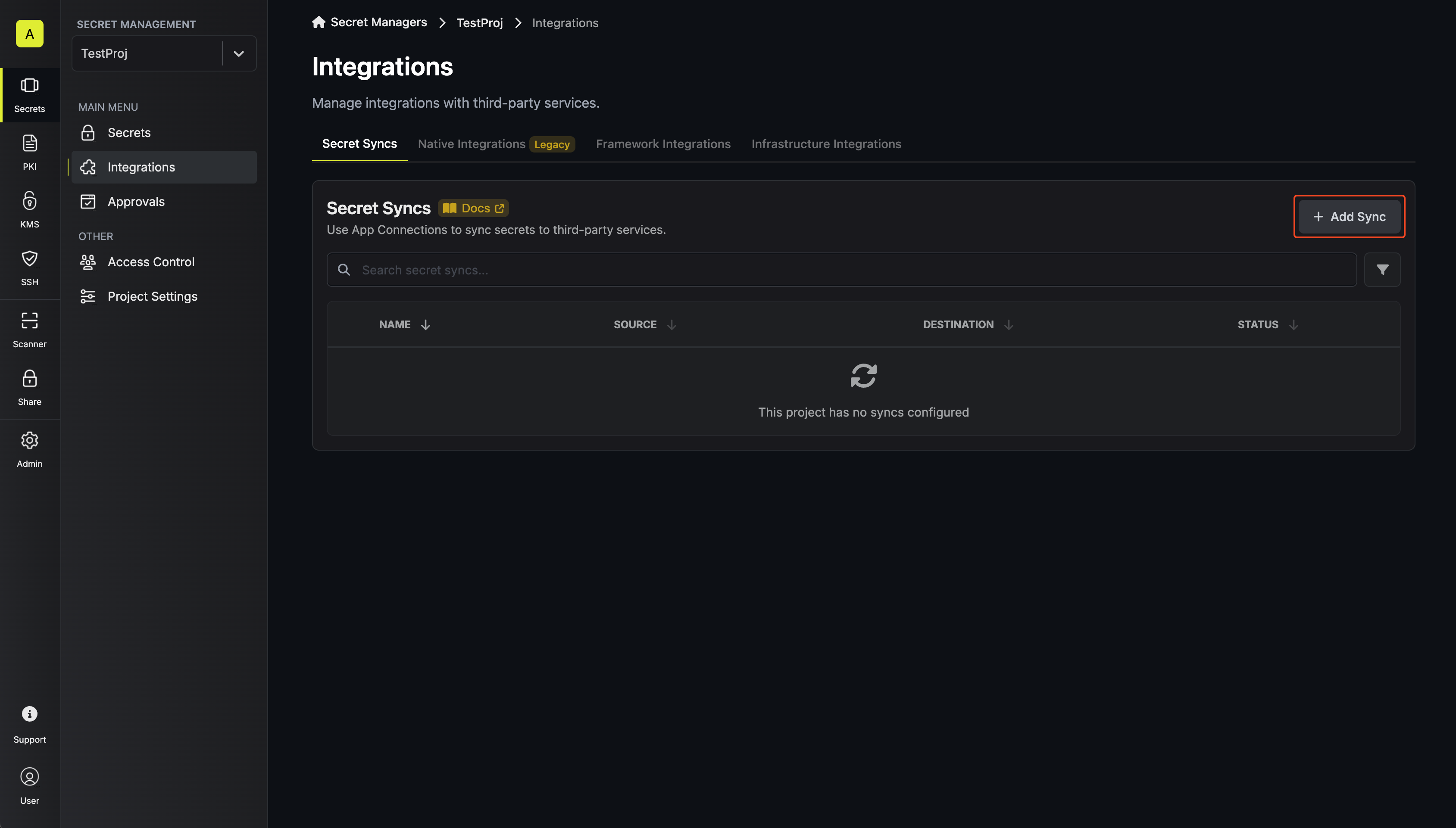
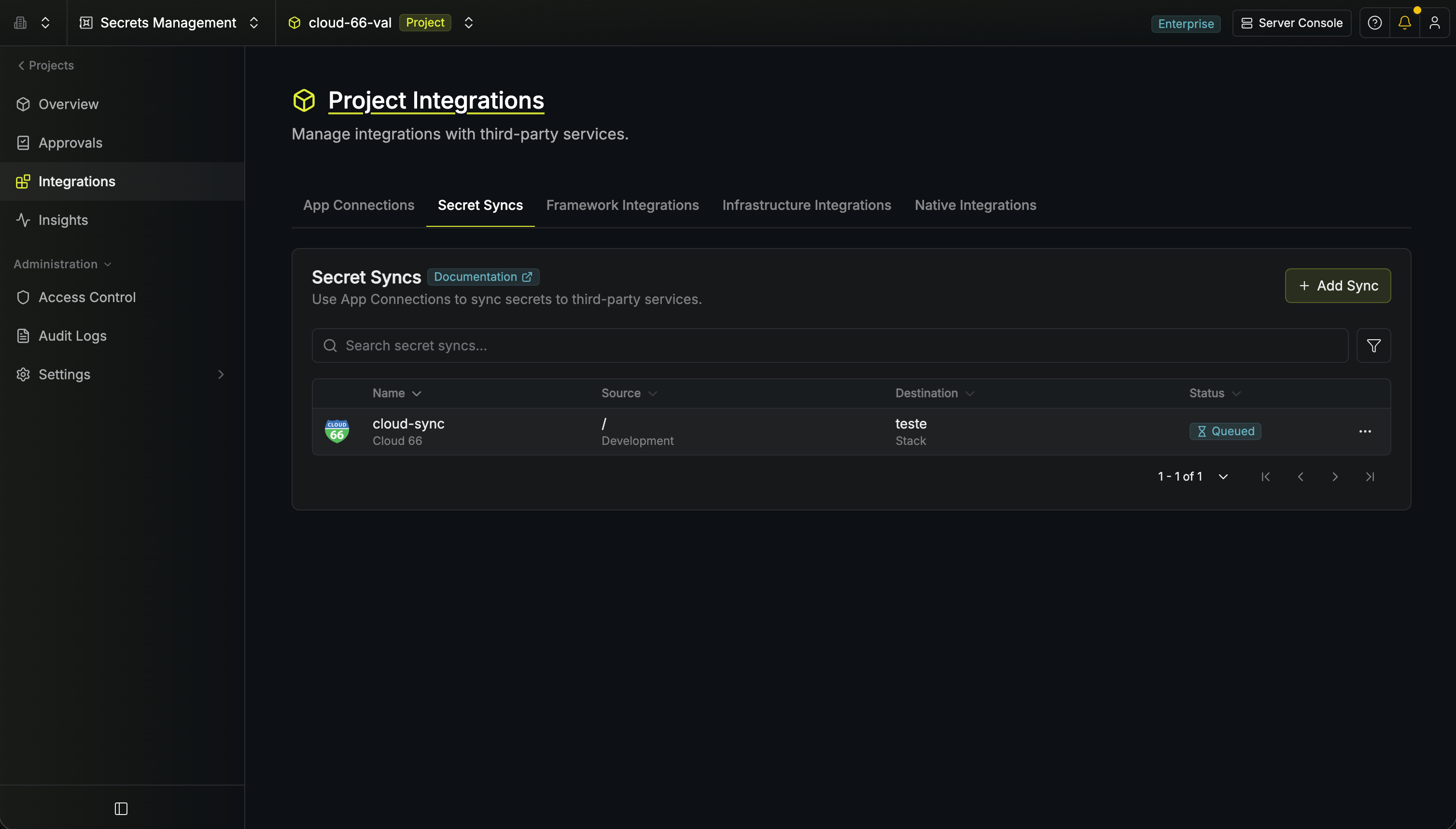
1. Navigate to **Project** > **Integrations** and select the **Secret Syncs** tab. Click on the **Add Sync** button.
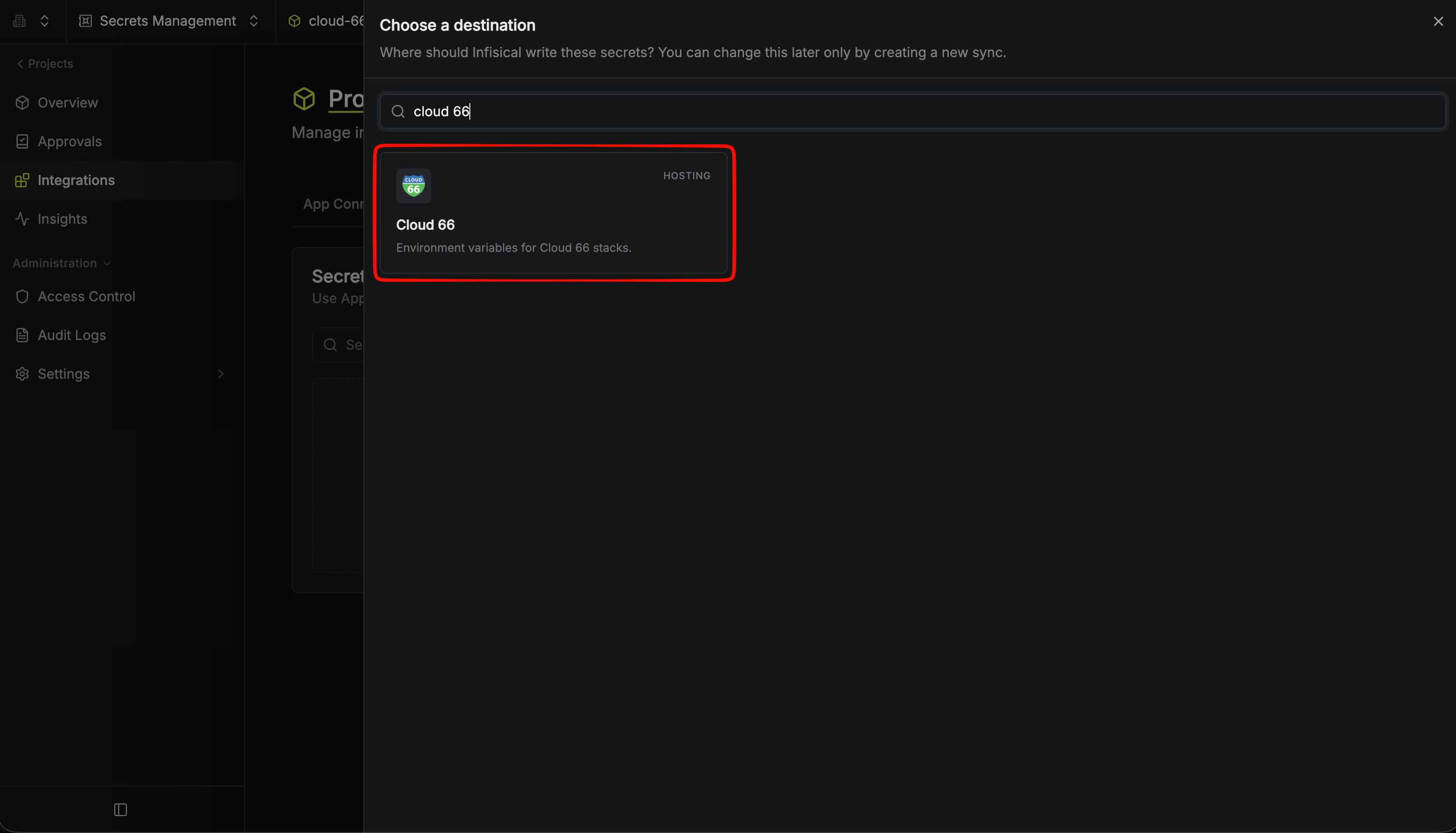
 2. Select the **Cloud 66** option.
 3. Configure the **Source** from where secrets should be retrieved, then click **Continue**.
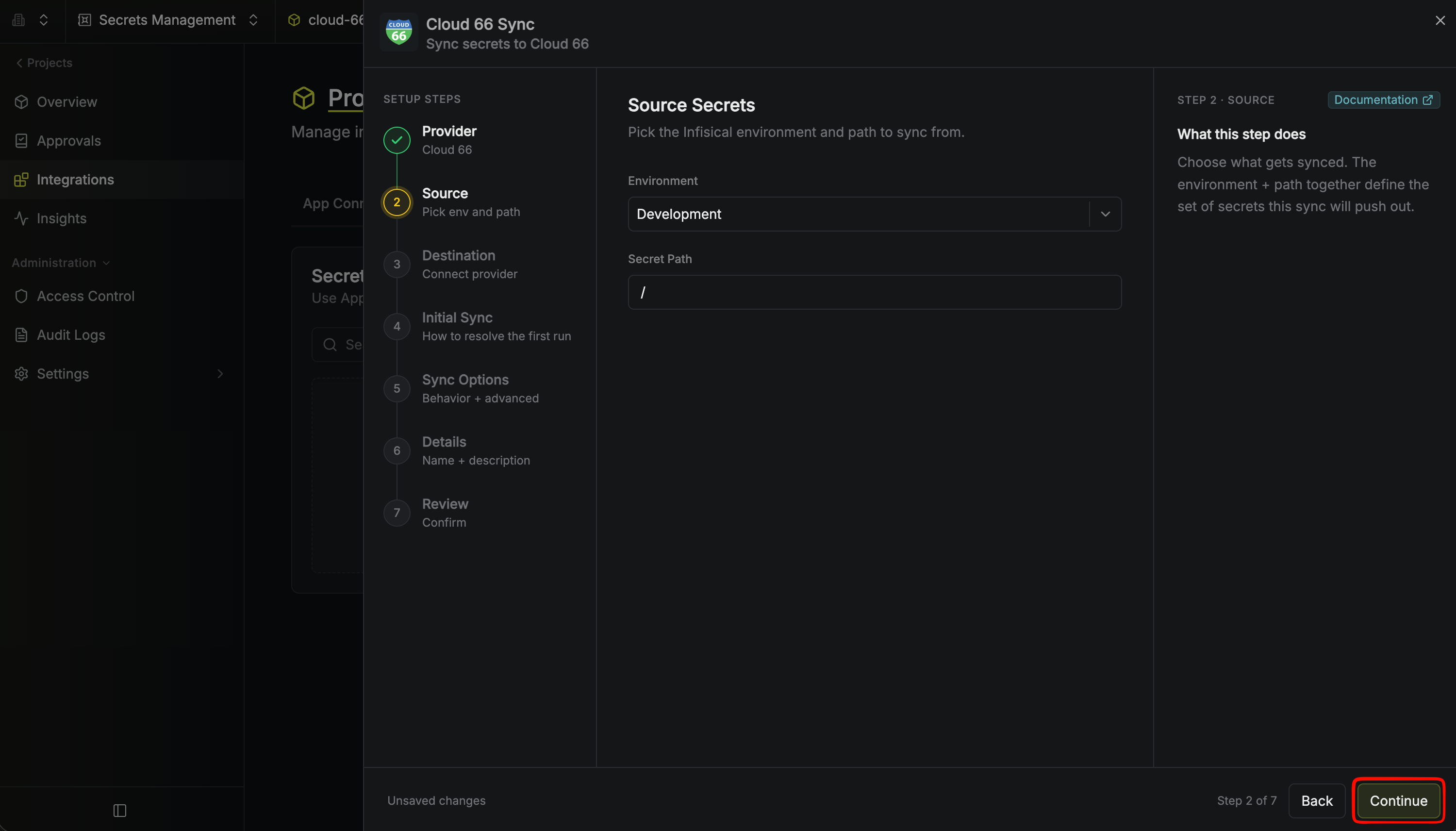 * **Environment**: The project environment to retrieve secrets from.
* **Secret Path**: The folder path to retrieve secrets from.
If you need to sync secrets from multiple folder locations, check out [secret imports](/documentation/platform/secret-reference#secret-imports).
4. Configure the **Destination** to where secrets should be deployed, then click **Continue**.
* **Environment**: The project environment to retrieve secrets from.
* **Secret Path**: The folder path to retrieve secrets from.
If you need to sync secrets from multiple folder locations, check out [secret imports](/documentation/platform/secret-reference#secret-imports).
4. Configure the **Destination** to where secrets should be deployed, then click **Continue**.
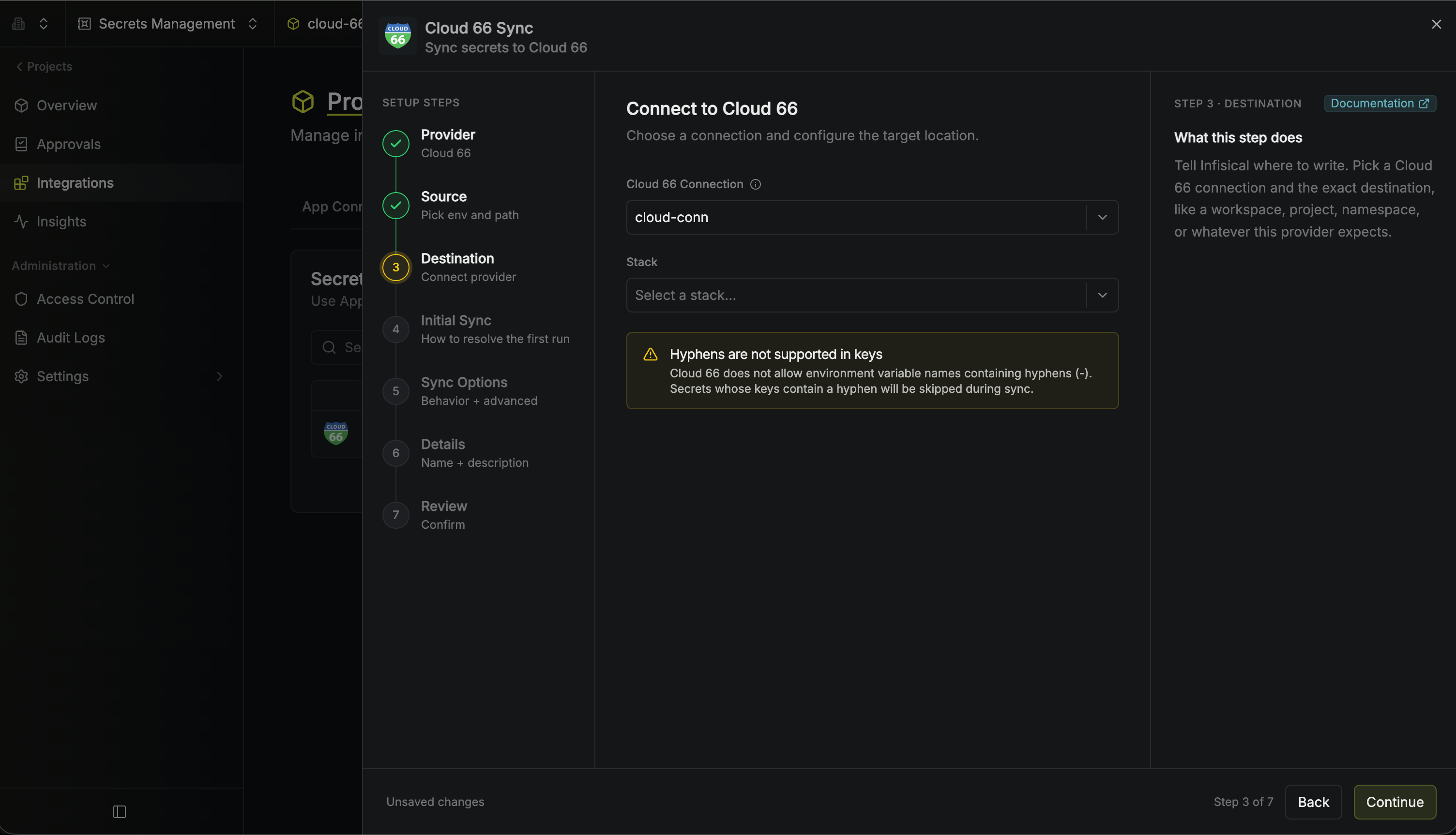 * **Cloud 66 Connection**: The Cloud 66 Connection to authenticate with.
* **Stack**: The Cloud 66 stack (application) to sync secrets to.
Secrets with hyphens are not allowed by Cloud 66, so they are skipped from the sync process.
5. Configure the **Initial Sync Behavior** to determine how Infisical should resolve the first sync, then click **Continue**.
* **Cloud 66 Connection**: The Cloud 66 Connection to authenticate with.
* **Stack**: The Cloud 66 stack (application) to sync secrets to.
Secrets with hyphens are not allowed by Cloud 66, so they are skipped from the sync process.
5. Configure the **Initial Sync Behavior** to determine how Infisical should resolve the first sync, then click **Continue**.
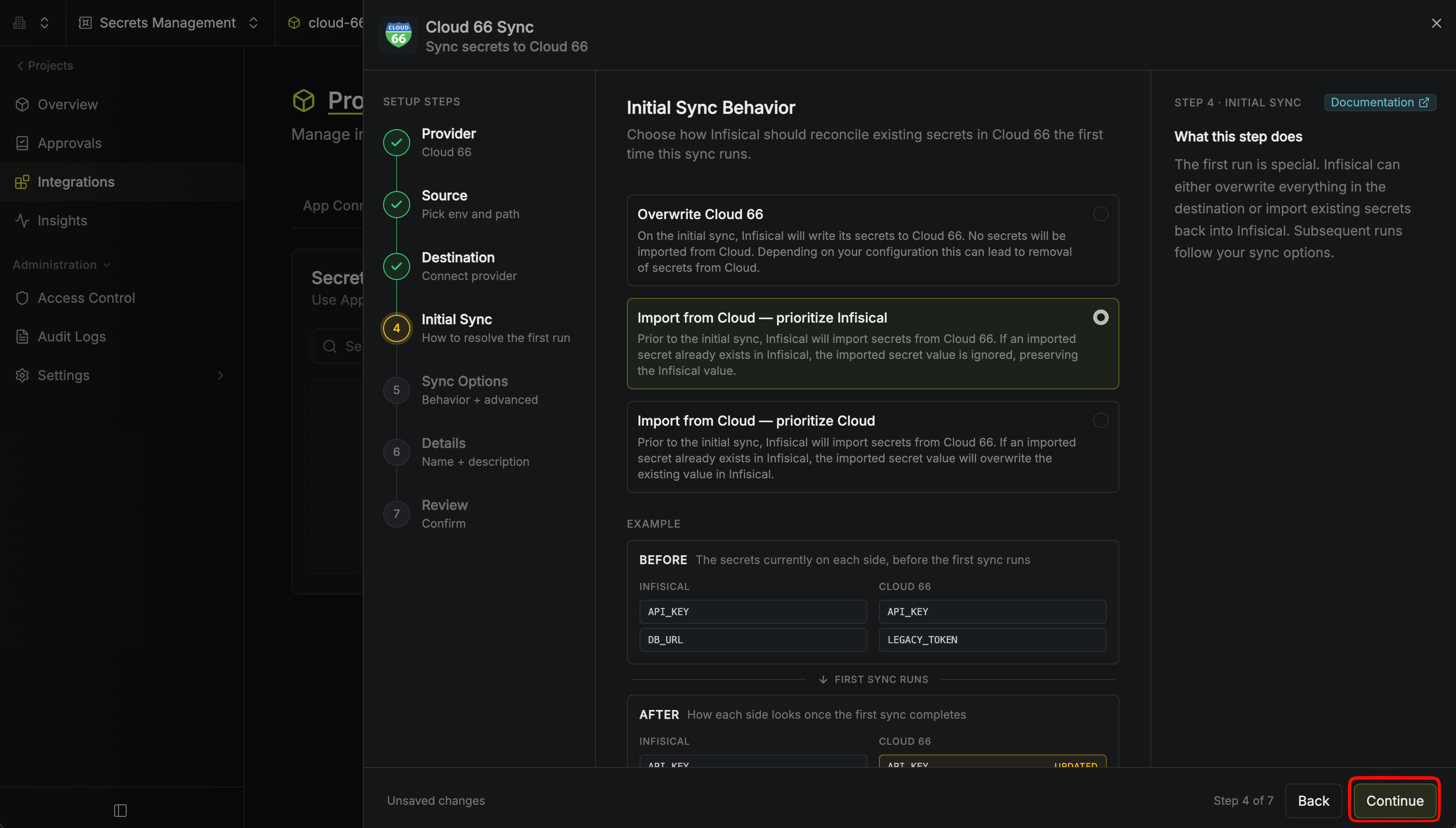 * **Overwrite Cloud 66**: On the initial sync, Infisical writes its secrets to Cloud 66 and imports nothing. Depending on your configuration, this can remove secrets from Cloud 66.
* **Import from Cloud (Prioritize Infisical)**: Imports secrets from Cloud 66 before the initial sync; if a secret with the same name already exists in Infisical, the Infisical value is kept.
* **Import from Cloud (Prioritize Cloud)**: Imports secrets from Cloud 66 before the initial sync; if a secret with the same name already exists in Infisical, its value is replaced with the one from Cloud 66.
6. Configure the **Sync Options** to specify how secrets should be synced, then click **Continue**.
* **Overwrite Cloud 66**: On the initial sync, Infisical writes its secrets to Cloud 66 and imports nothing. Depending on your configuration, this can remove secrets from Cloud 66.
* **Import from Cloud (Prioritize Infisical)**: Imports secrets from Cloud 66 before the initial sync; if a secret with the same name already exists in Infisical, the Infisical value is kept.
* **Import from Cloud (Prioritize Cloud)**: Imports secrets from Cloud 66 before the initial sync; if a secret with the same name already exists in Infisical, its value is replaced with the one from Cloud 66.
6. Configure the **Sync Options** to specify how secrets should be synced, then click **Continue**.
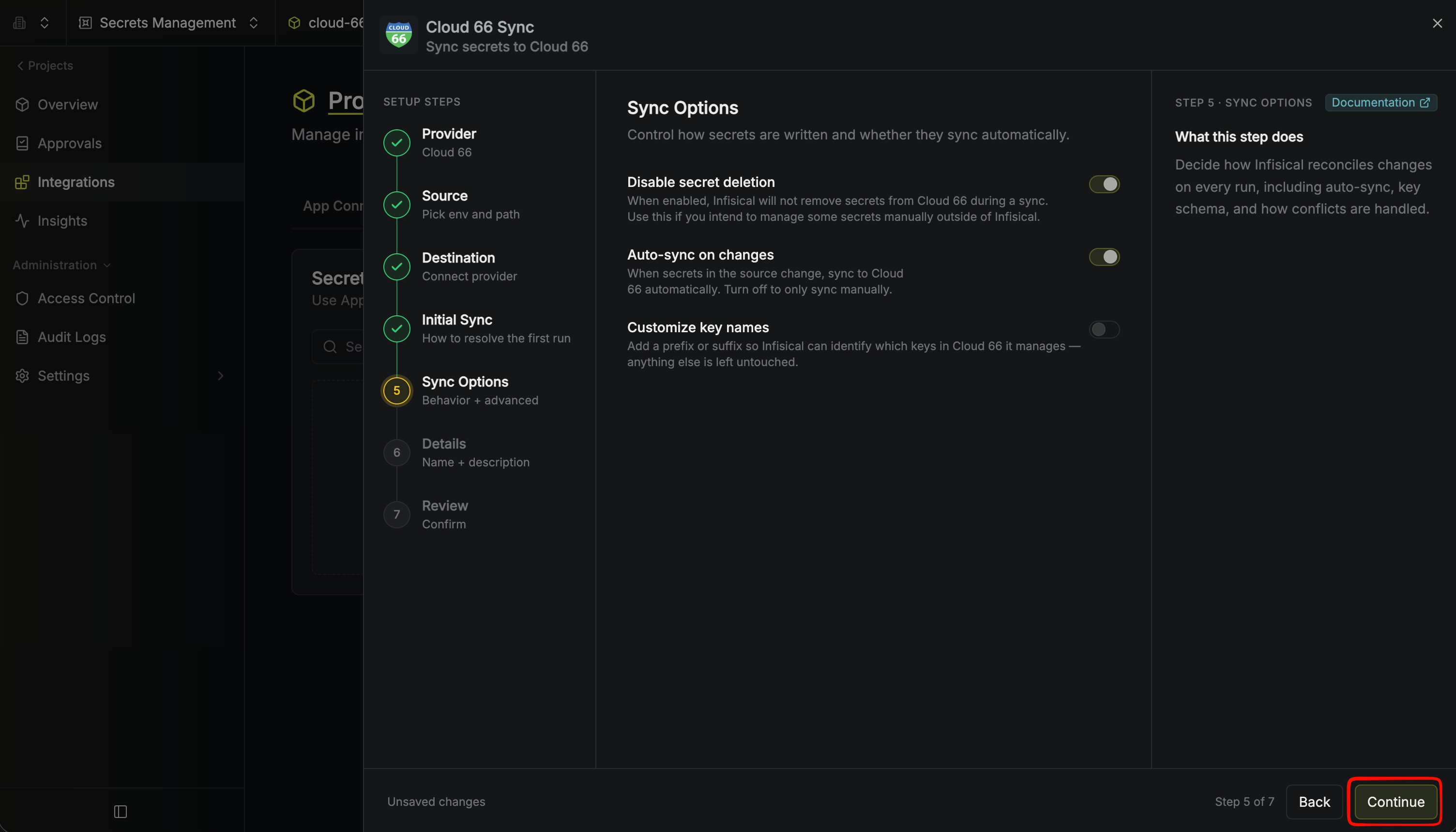 * **Disable secret deletion**: If enabled, Infisical will not remove secrets from Cloud 66 during a sync. Enable this option if you intend to manage some secrets manually outside of Infisical.
* **Auto-sync on changes**: If enabled, secrets will automatically be synced from the source location when changes occur. Disable to enforce manual syncing only.
* **Customize key names**: Add a prefix or suffix so Infisical can identify which keys in Cloud 66 it manages, leaving everything else untouched.
We highly recommend customizing key names to ensure that Infisical only manages the specific keys you intend, keeping everything else untouched.
7. Configure the **Details** of your Cloud 66 Sync, then click **Continue**.
* **Disable secret deletion**: If enabled, Infisical will not remove secrets from Cloud 66 during a sync. Enable this option if you intend to manage some secrets manually outside of Infisical.
* **Auto-sync on changes**: If enabled, secrets will automatically be synced from the source location when changes occur. Disable to enforce manual syncing only.
* **Customize key names**: Add a prefix or suffix so Infisical can identify which keys in Cloud 66 it manages, leaving everything else untouched.
We highly recommend customizing key names to ensure that Infisical only manages the specific keys you intend, keeping everything else untouched.
7. Configure the **Details** of your Cloud 66 Sync, then click **Continue**.
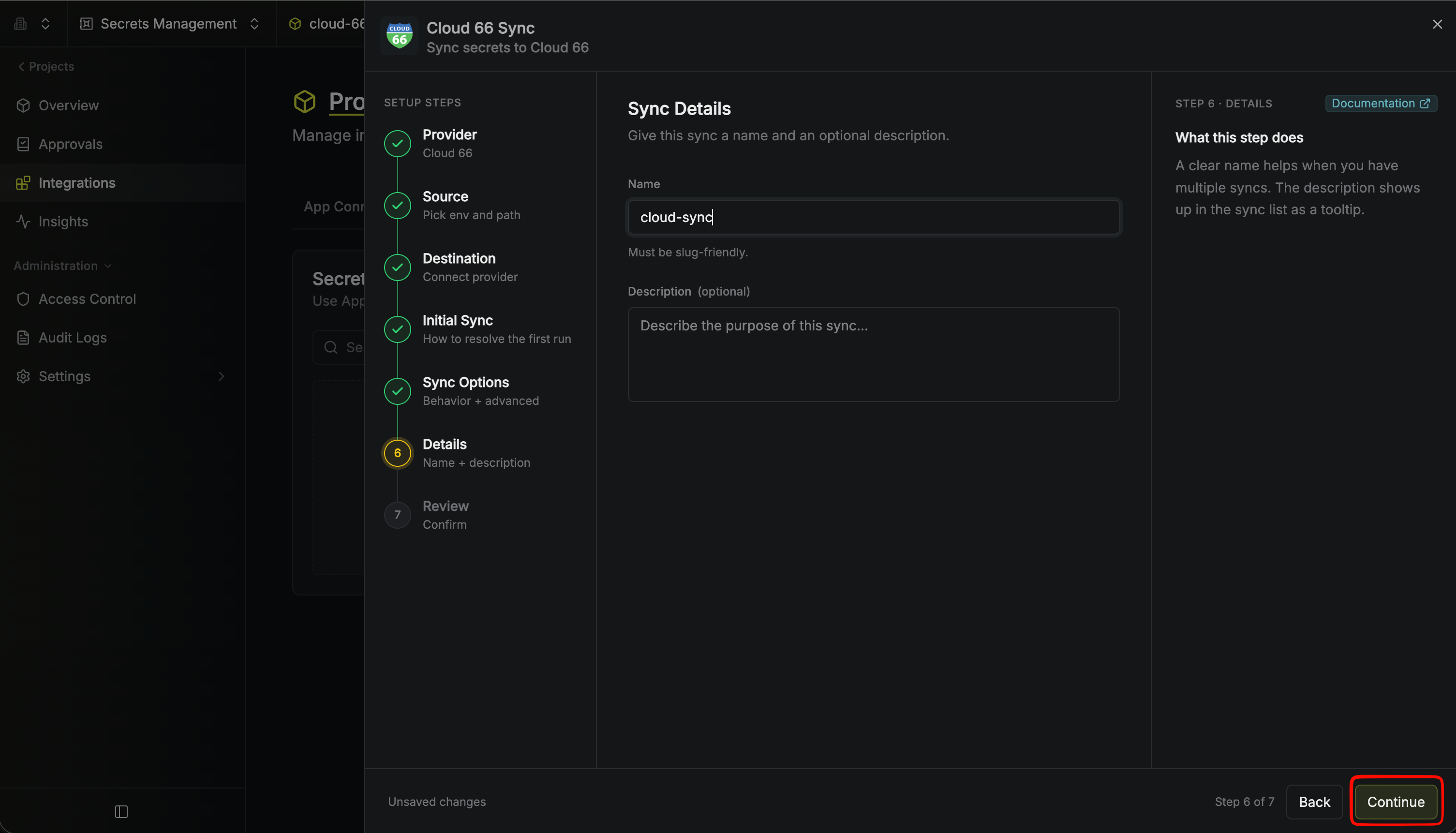 * **Name**: The name of your sync. Must be slug-friendly.
* **Description**: An optional description for your sync.
8. Review your Cloud 66 Sync configuration, then click **Create Sync**.
* **Name**: The name of your sync. Must be slug-friendly.
* **Description**: An optional description for your sync.
8. Review your Cloud 66 Sync configuration, then click **Create Sync**.
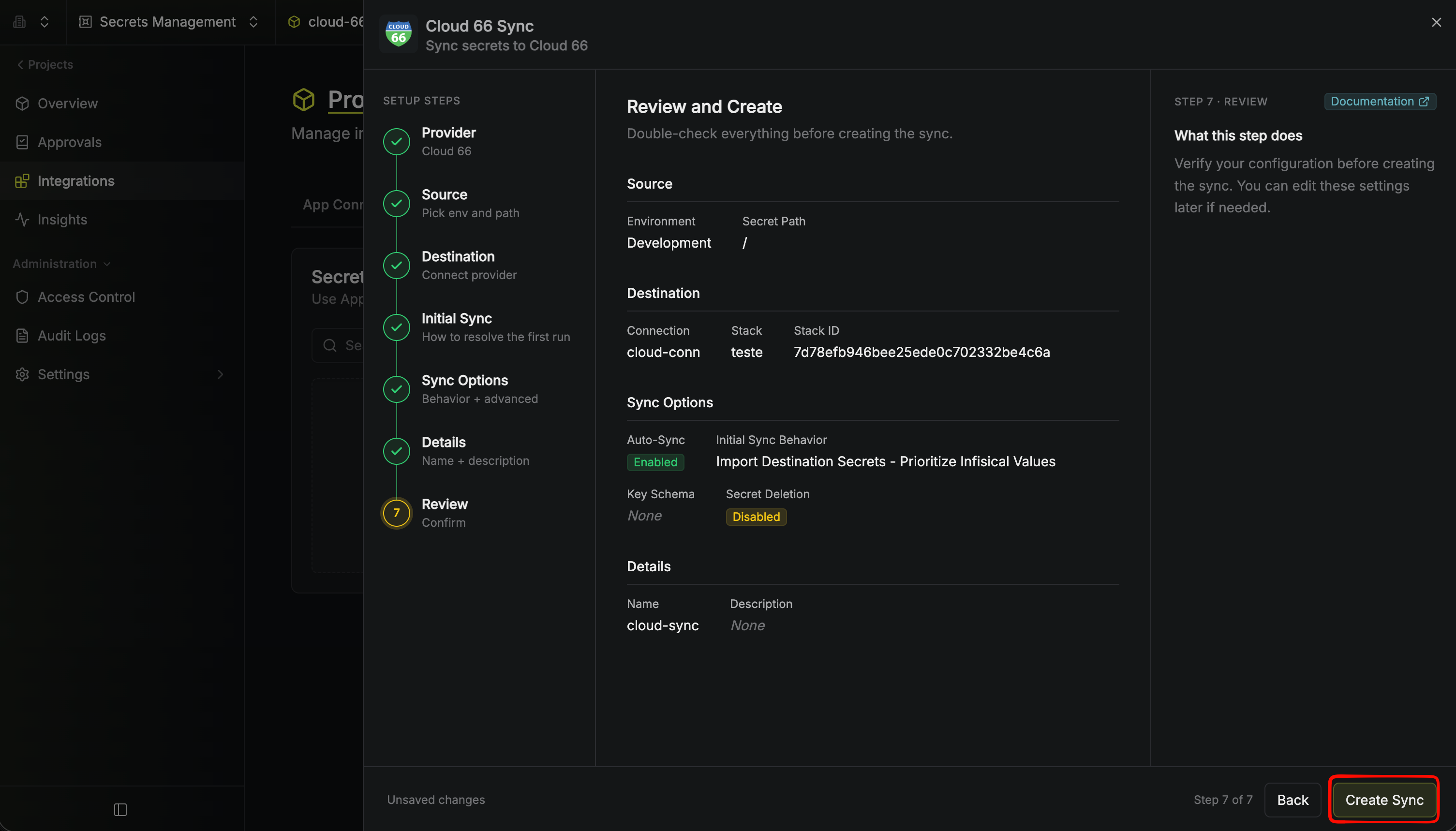 9. If enabled, your Cloud 66 Sync will begin syncing your secrets to the destination endpoint.
 To create a **Cloud 66 Sync**, make an API request to the [Create Cloud 66 Sync](/api-reference/endpoints/secret-syncs/cloud-66/create) API endpoint.
### Sample request
```bash Request theme={"dark"}
curl --request POST \
--url https://app.infisical.com/api/v1/secret-syncs/cloud-66 \
--header 'Content-Type: application/json' \
--data '{
"name": "my-cloud-66-sync",
"projectId": "3c90c3cc-0d44-4b50-8888-8dd25736052a",
"description": "an example sync",
"connectionId": "3c90c3cc-0d44-4b50-8888-8dd25736052a",
"environment": "dev",
"secretPath": "/my-secrets",
"isEnabled": true,
"syncOptions": {
"initialSyncBehavior": "overwrite-destination",
"disableSecretDeletion": true
},
"destinationConfig": {
"stackId": "stack-550e8400-e29b-41d4-a716",
"stackName": "my-stack"
}
}'
```
### Sample response
```bash Response theme={"dark"}
{
"secretSync": {
"id": "3c90c3cc-0d44-4b50-8888-8dd25736052a",
"name": "my-cloud-66-sync",
"description": "an example sync",
"isEnabled": true,
"version": 1,
"folderId": "3c90c3cc-0d44-4b50-8888-8dd25736052a",
"connectionId": "3c90c3cc-0d44-4b50-8888-8dd25736052a",
"createdAt": "2023-11-07T05:31:56Z",
"updatedAt": "2023-11-07T05:31:56Z",
"syncStatus": "succeeded",
"lastSyncJobId": "123",
"lastSyncMessage": null,
"lastSyncedAt": "2023-11-07T05:31:56Z",
"importStatus": null,
"lastImportJobId": null,
"lastImportMessage": null,
"lastImportedAt": null,
"removeStatus": null,
"lastRemoveJobId": null,
"lastRemoveMessage": null,
"lastRemovedAt": null,
"syncOptions": {
"initialSyncBehavior": "overwrite-destination",
"disableSecretDeletion": true
},
"projectId": "3c90c3cc-0d44-4b50-8888-8dd25736052a",
"connection": {
"app": "cloud-66",
"name": "my-cloud-66-connection",
"id": "3c90c3cc-0d44-4b50-8888-8dd25736052a"
},
"environment": {
"slug": "dev",
"name": "Development",
"id": "3c90c3cc-0d44-4b50-8888-8dd25736052a"
},
"folder": {
"id": "3c90c3cc-0d44-4b50-8888-8dd25736052a",
"path": "/my-secrets"
},
"destination": "cloud-66",
"destinationConfig": {
"stackId": "stack-550e8400-e29b-41d4-a716",
"stackName": "my-stack"
}
}
}
```
To create a **Cloud 66 Sync**, make an API request to the [Create Cloud 66 Sync](/api-reference/endpoints/secret-syncs/cloud-66/create) API endpoint.
### Sample request
```bash Request theme={"dark"}
curl --request POST \
--url https://app.infisical.com/api/v1/secret-syncs/cloud-66 \
--header 'Content-Type: application/json' \
--data '{
"name": "my-cloud-66-sync",
"projectId": "3c90c3cc-0d44-4b50-8888-8dd25736052a",
"description": "an example sync",
"connectionId": "3c90c3cc-0d44-4b50-8888-8dd25736052a",
"environment": "dev",
"secretPath": "/my-secrets",
"isEnabled": true,
"syncOptions": {
"initialSyncBehavior": "overwrite-destination",
"disableSecretDeletion": true
},
"destinationConfig": {
"stackId": "stack-550e8400-e29b-41d4-a716",
"stackName": "my-stack"
}
}'
```
### Sample response
```bash Response theme={"dark"}
{
"secretSync": {
"id": "3c90c3cc-0d44-4b50-8888-8dd25736052a",
"name": "my-cloud-66-sync",
"description": "an example sync",
"isEnabled": true,
"version": 1,
"folderId": "3c90c3cc-0d44-4b50-8888-8dd25736052a",
"connectionId": "3c90c3cc-0d44-4b50-8888-8dd25736052a",
"createdAt": "2023-11-07T05:31:56Z",
"updatedAt": "2023-11-07T05:31:56Z",
"syncStatus": "succeeded",
"lastSyncJobId": "123",
"lastSyncMessage": null,
"lastSyncedAt": "2023-11-07T05:31:56Z",
"importStatus": null,
"lastImportJobId": null,
"lastImportMessage": null,
"lastImportedAt": null,
"removeStatus": null,
"lastRemoveJobId": null,
"lastRemoveMessage": null,
"lastRemovedAt": null,
"syncOptions": {
"initialSyncBehavior": "overwrite-destination",
"disableSecretDeletion": true
},
"projectId": "3c90c3cc-0d44-4b50-8888-8dd25736052a",
"connection": {
"app": "cloud-66",
"name": "my-cloud-66-connection",
"id": "3c90c3cc-0d44-4b50-8888-8dd25736052a"
},
"environment": {
"slug": "dev",
"name": "Development",
"id": "3c90c3cc-0d44-4b50-8888-8dd25736052a"
},
"folder": {
"id": "3c90c3cc-0d44-4b50-8888-8dd25736052a",
"path": "/my-secrets"
},
"destination": "cloud-66",
"destinationConfig": {
"stackId": "stack-550e8400-e29b-41d4-a716",
"stackName": "my-stack"
}
}
}
```