> ## Documentation Index
> Fetch the complete documentation index at: https://infisical.com/docs/llms.txt
> Use this file to discover all available pages before exploring further.
# Windmill Connection
> Learn how to configure a Windmill Connection for Infisical.
Infisical supports connecting to Windmill using Access Tokens.
## Get a Windmill Access Token
Ensure the user generating the access token has the required role and permissions based on your use-case:
The user generating the access token should be at least a `Developer` in the configured workspace and have `write` permissions for the workspace path secrets will be synced to.
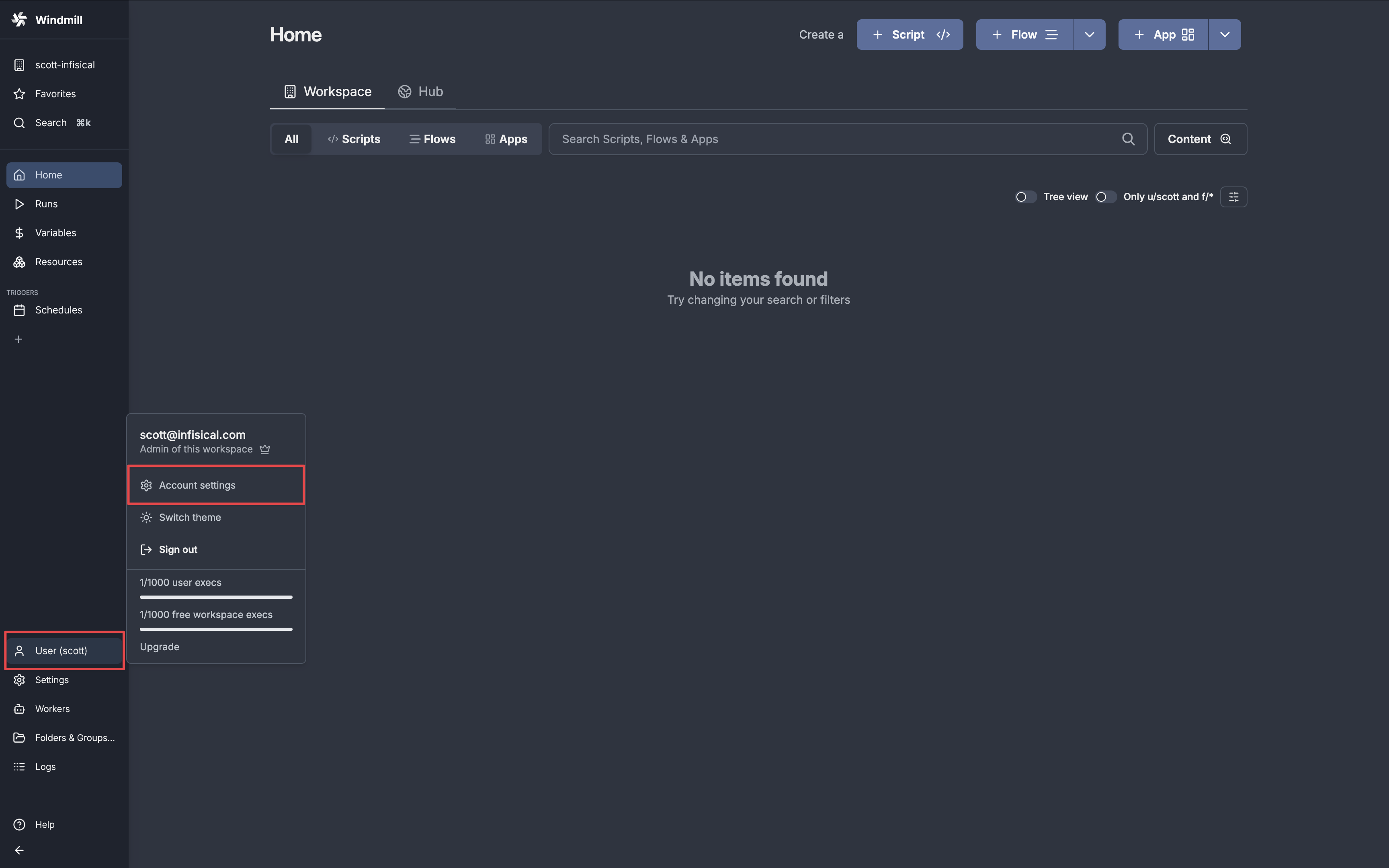
In Windmill, click on your user in the sidebar and select **Account Settings**.
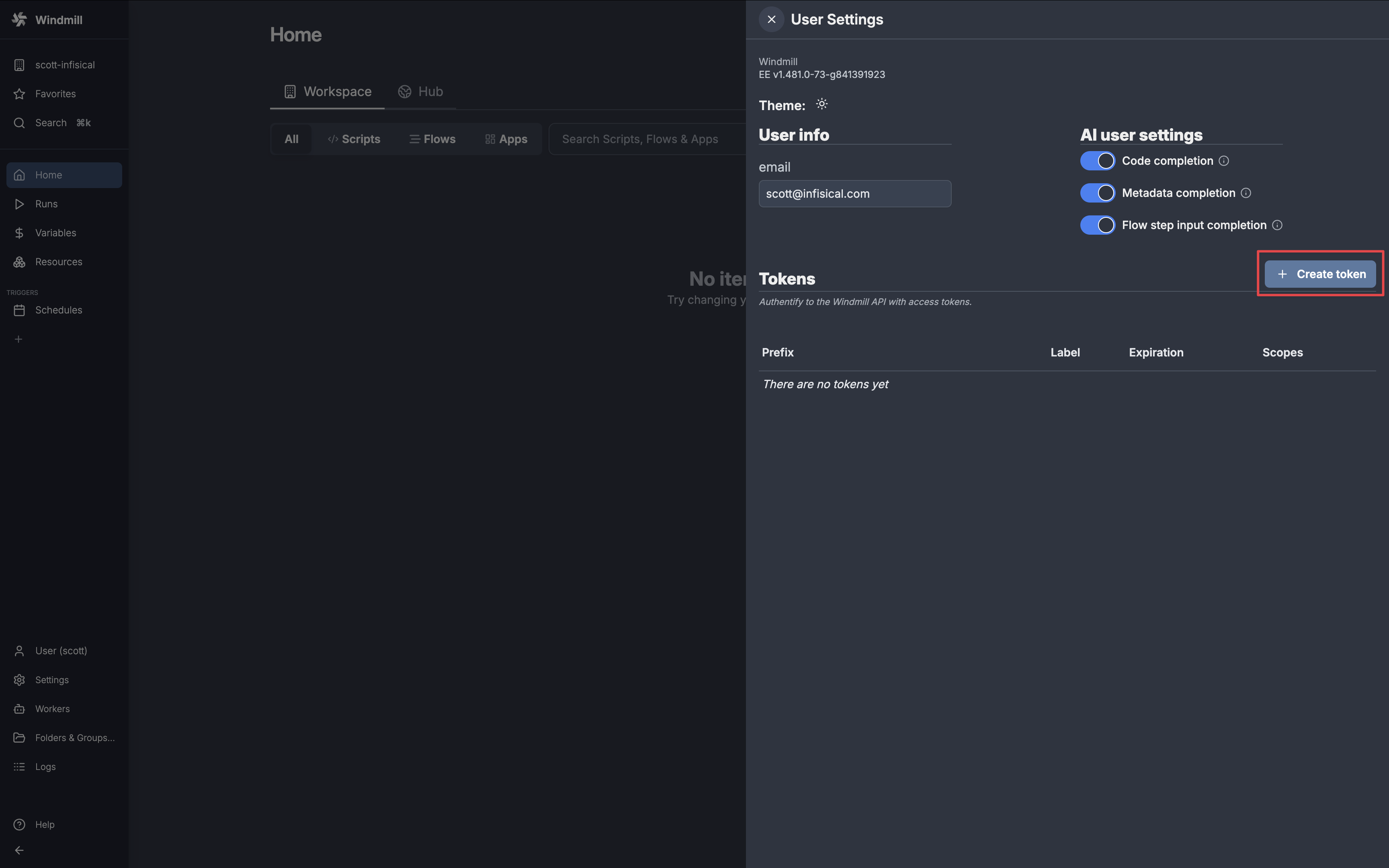
 In the **Tokens** section on the drawer, click **Create token**.
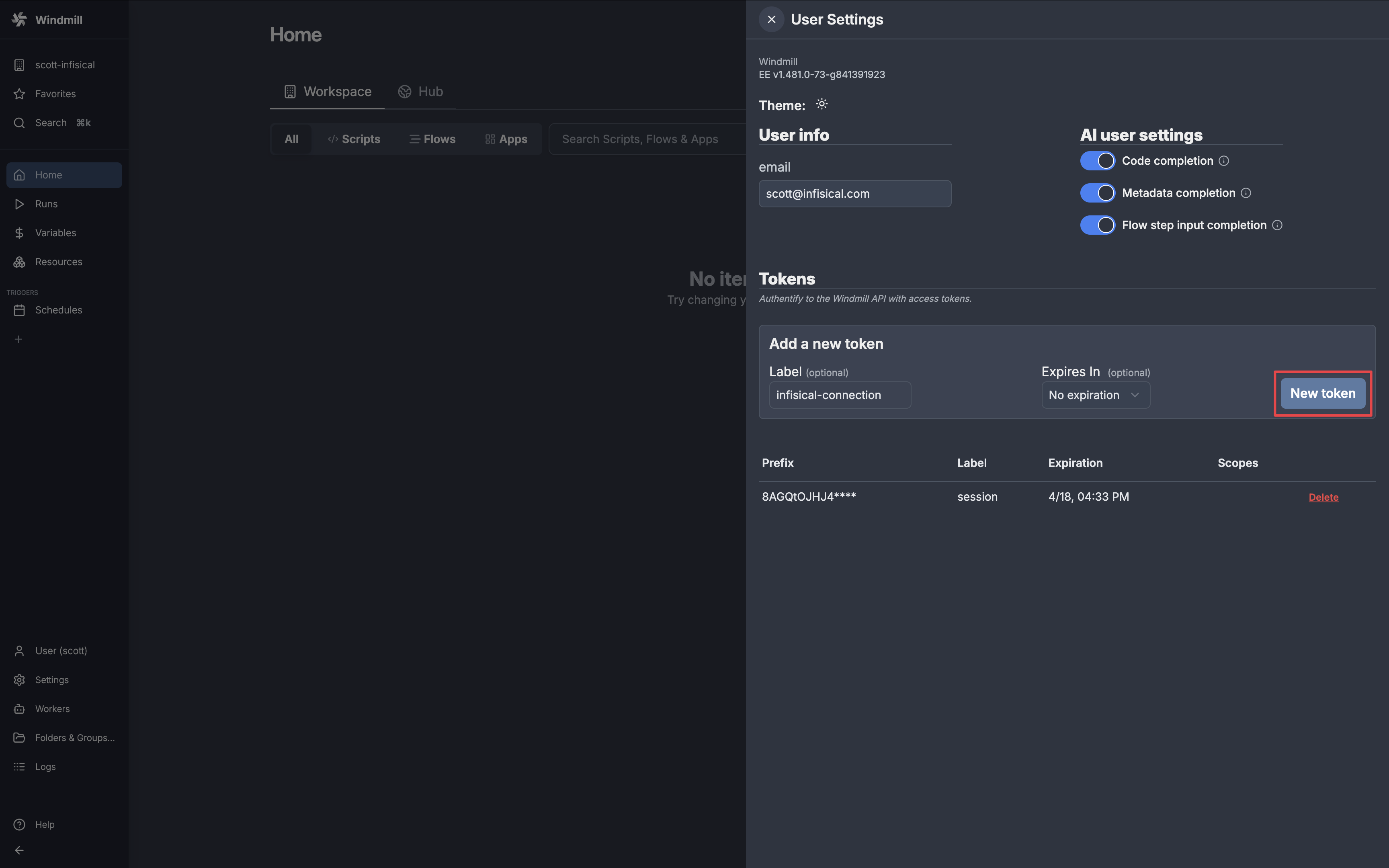
 Give your token a name and click **New token**.
If you configure an expiry date for your access token, you must manually rotate to a new token before the expiration date to prevent service interruption.
Give your token a name and click **New token**.
If you configure an expiry date for your access token, you must manually rotate to a new token before the expiration date to prevent service interruption.
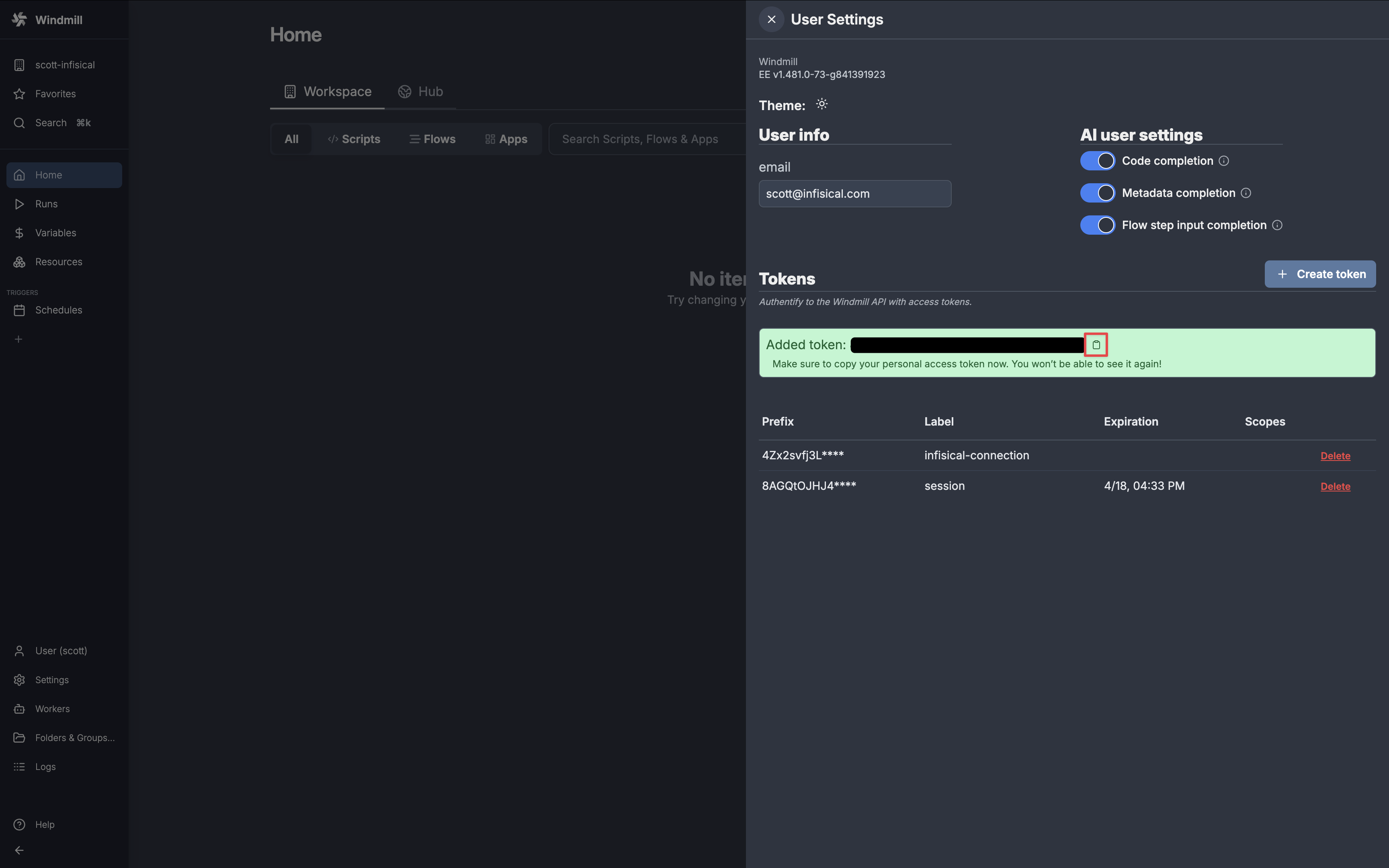
 Copy your new access token and save it for the steps below.
 ## Setup Windmill Connection in Infisical
In your Infisical dashboard, navigate to the **Integrations** tab in the desired project, then select **App Connections**.
## Setup Windmill Connection in Infisical
In your Infisical dashboard, navigate to the **Integrations** tab in the desired project, then select **App Connections**.
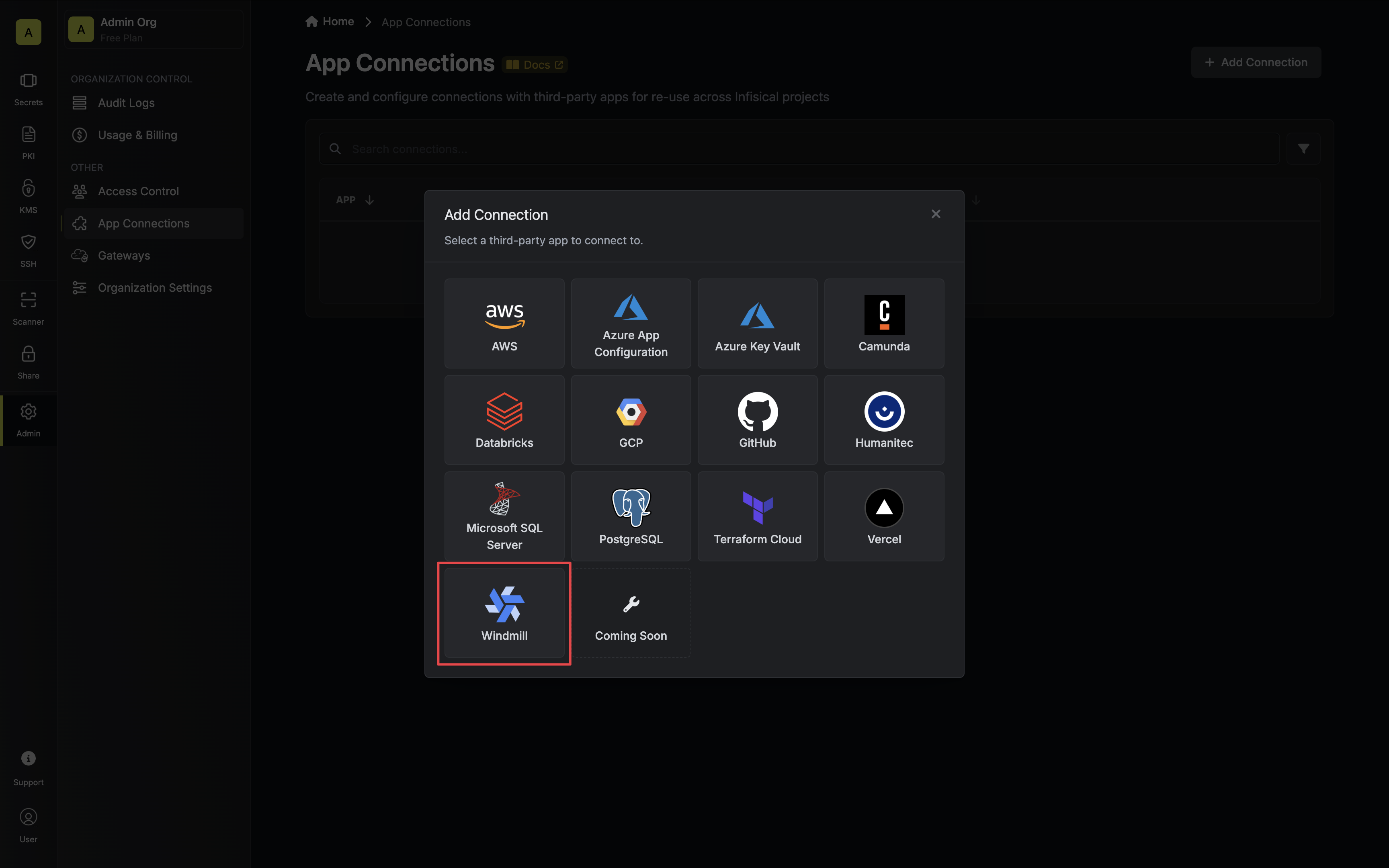
 Click the **+ Add Connection** button and select the **Windmill Connection** option.
 Configure your Windmill Connection using the access token generated in the steps above. Then click **Connect to Windmill**.
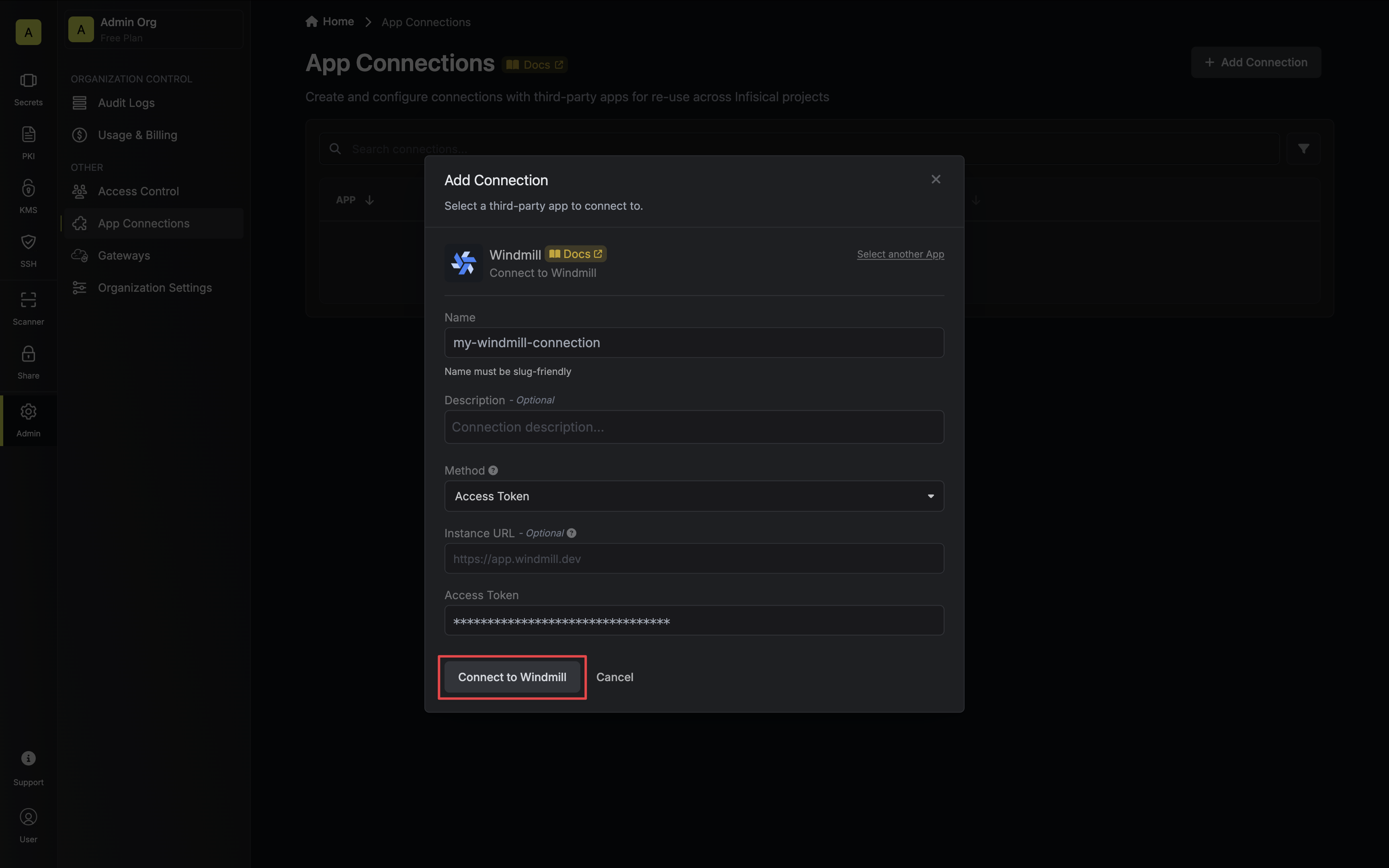 * **Name**: The name of the connection to be created. Must be slug-friendly.
* **Description**: An optional description to provide details about this connection.
* **Instance URL**: The URL of your Windmill instance. If you are not self-hosting Windmill you can leave this field blank.
* **Access Token**: The access token generated in the steps above.
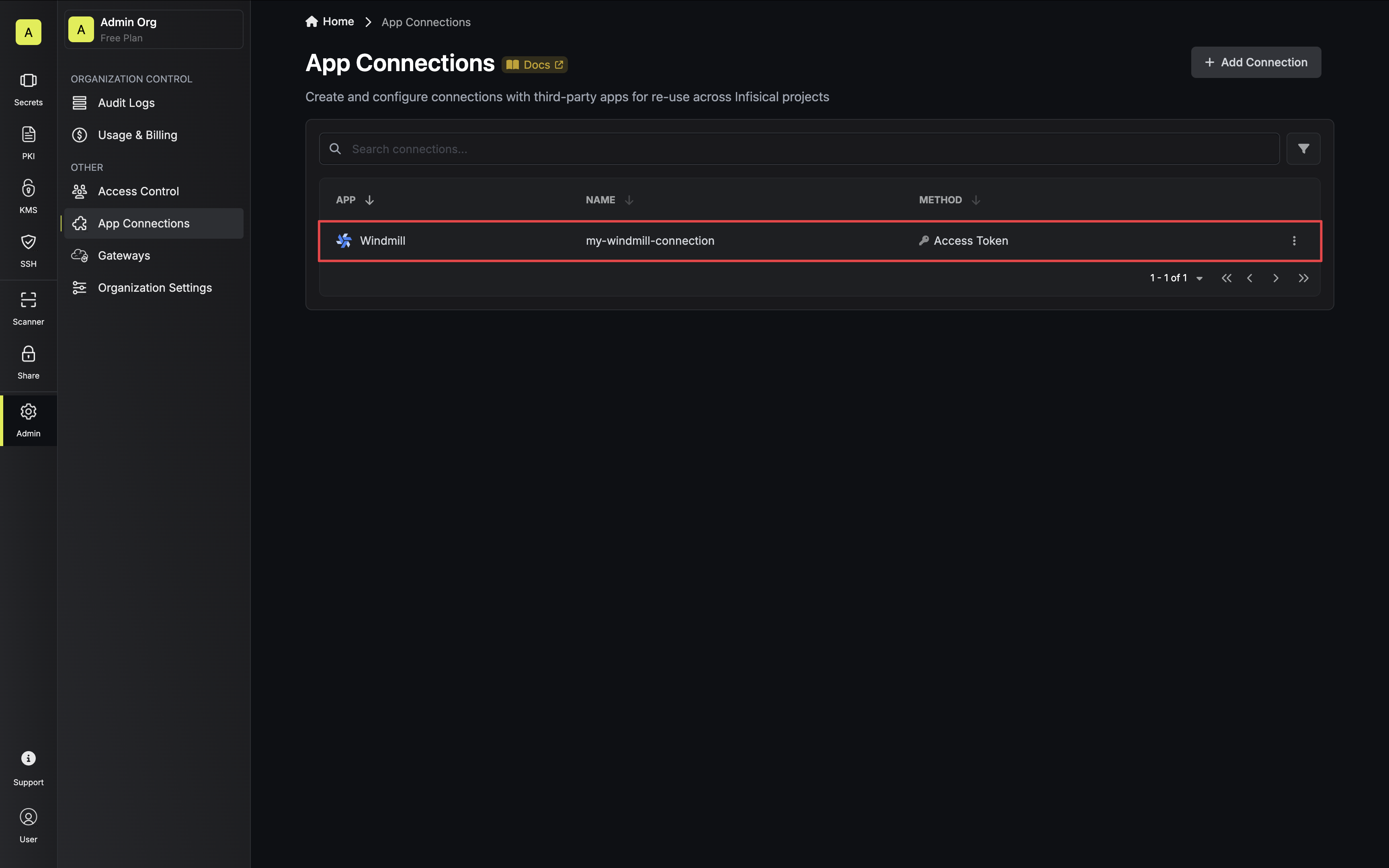
Your Windmill Connection is now available for use.
* **Name**: The name of the connection to be created. Must be slug-friendly.
* **Description**: An optional description to provide details about this connection.
* **Instance URL**: The URL of your Windmill instance. If you are not self-hosting Windmill you can leave this field blank.
* **Access Token**: The access token generated in the steps above.
Your Windmill Connection is now available for use.
 To create a Windmill Connection, make an API request to the [Create Windmill
Connection](/api-reference/endpoints/app-connections/windmill/create) API endpoint.
### Sample request
```bash Request theme={"dark"}
curl --request POST \
--url https://app.infisical.com/api/v1/app-connections/windmill \
--header 'Content-Type: application/json' \
--data '{
"name": "my-windmill-connection",
"method": "access-token",
"projectId": "7ffbb072-2575-495a-b5b0-127f88caef78",
"credentials": {
"token": "...",
"instanceUrl": "https://app.windmill.dev"
}
}'
```
### Sample response
```bash Response theme={"dark"}
{
"appConnection": {
"id": "3c90c3cc-0d44-4b50-8888-8dd25736052a",
"name": "my-windmill-connection",
"projectId": "7ffbb072-2575-495a-b5b0-127f88caef78",
"version": 123,
"orgId": "3c90c3cc-0d44-4b50-8888-8dd25736052a",
"createdAt": "2025-04-01T05:31:56Z",
"updatedAt": "2025-04-01T05:31:56Z",
"app": "windmill",
"method": "access-token",
"credentials": {
"instanceUrl": "https://app.windmill.dev"
}
}
}
```
To create a Windmill Connection, make an API request to the [Create Windmill
Connection](/api-reference/endpoints/app-connections/windmill/create) API endpoint.
### Sample request
```bash Request theme={"dark"}
curl --request POST \
--url https://app.infisical.com/api/v1/app-connections/windmill \
--header 'Content-Type: application/json' \
--data '{
"name": "my-windmill-connection",
"method": "access-token",
"projectId": "7ffbb072-2575-495a-b5b0-127f88caef78",
"credentials": {
"token": "...",
"instanceUrl": "https://app.windmill.dev"
}
}'
```
### Sample response
```bash Response theme={"dark"}
{
"appConnection": {
"id": "3c90c3cc-0d44-4b50-8888-8dd25736052a",
"name": "my-windmill-connection",
"projectId": "7ffbb072-2575-495a-b5b0-127f88caef78",
"version": 123,
"orgId": "3c90c3cc-0d44-4b50-8888-8dd25736052a",
"createdAt": "2025-04-01T05:31:56Z",
"updatedAt": "2025-04-01T05:31:56Z",
"app": "windmill",
"method": "access-token",
"credentials": {
"instanceUrl": "https://app.windmill.dev"
}
}
}
```