> ## Documentation Index
> Fetch the complete documentation index at: https://infisical.com/docs/llms.txt
> Use this file to discover all available pages before exploring further.
# Stripe connection
> Learn how to configure a Stripe Connection for Infisical.
Infisical supports connecting to Stripe through an installed Stripe App, so it can create and expire restricted API keys on your behalf for [Stripe API key rotation](/docs/documentation/platform/secret-rotation/stripe-api-key).
## Setup Stripe connection in Infisical
Navigate to the **Integrations** tab in the desired project, then select **App Connections**.
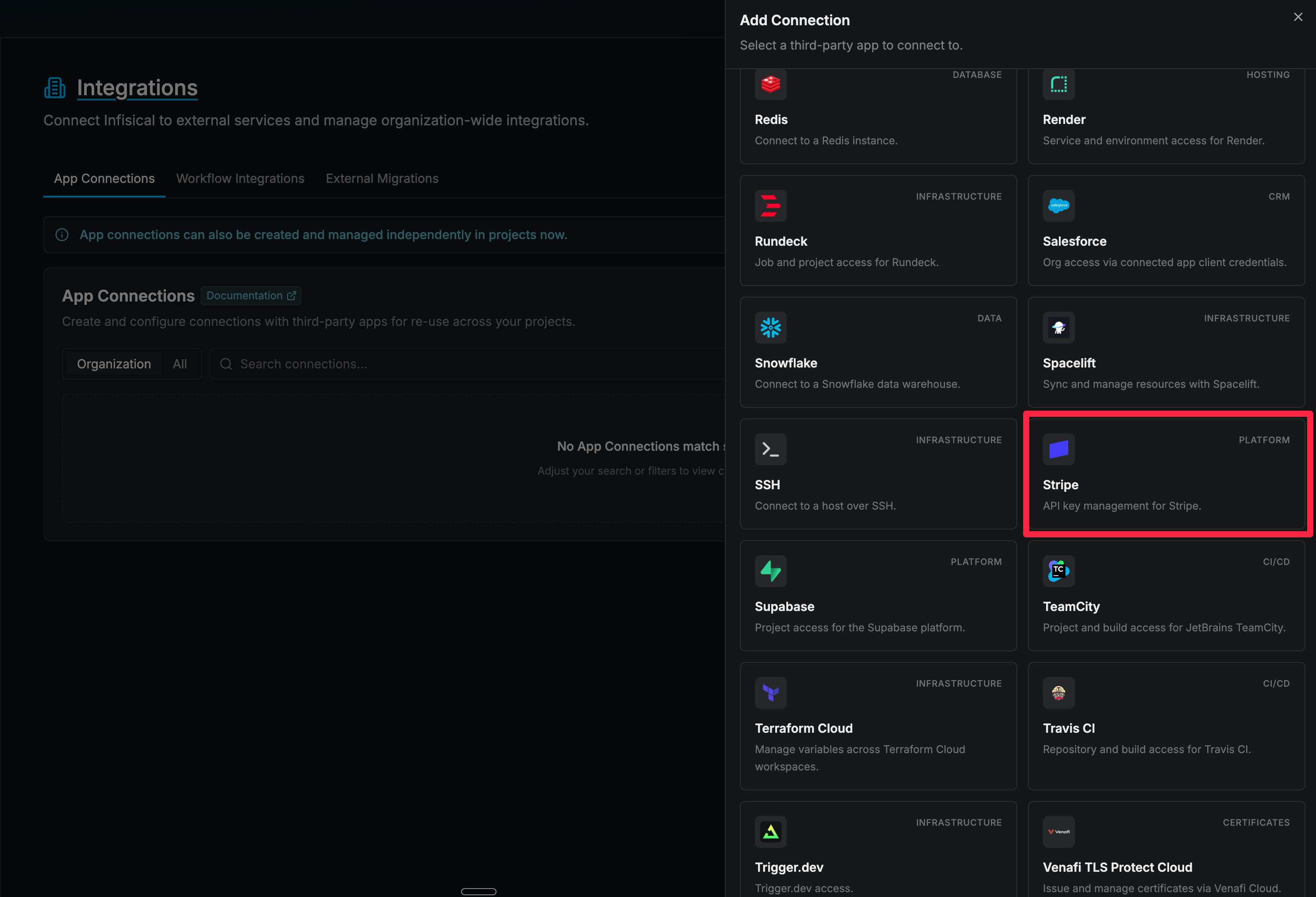
 Select the **Stripe** option from the connection options modal.
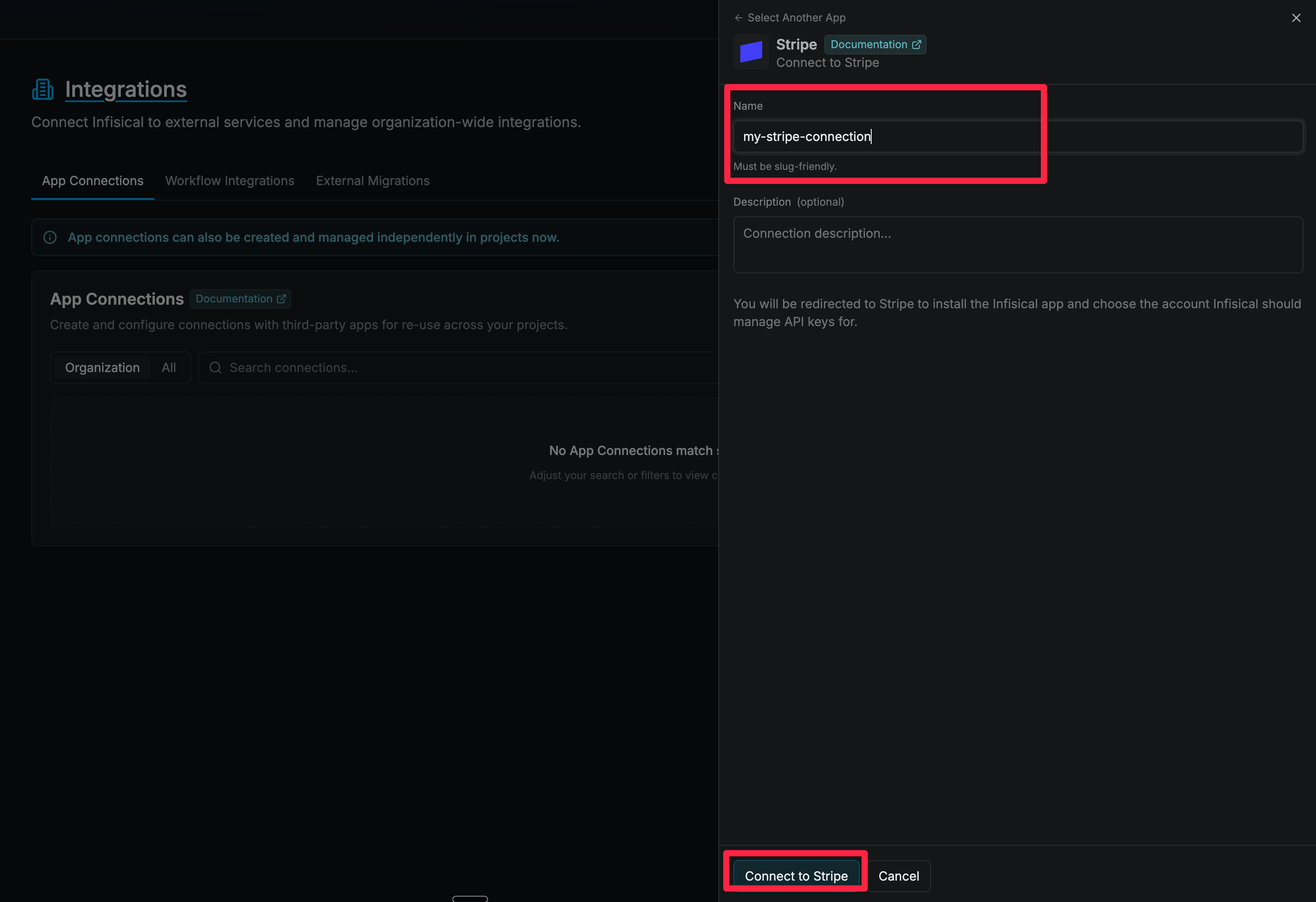
 Enter a **Name** for the connection, then select **Connect to Stripe**. You'll be redirected to Stripe to install the Infisical app and choose the account Infisical should manage API keys for.
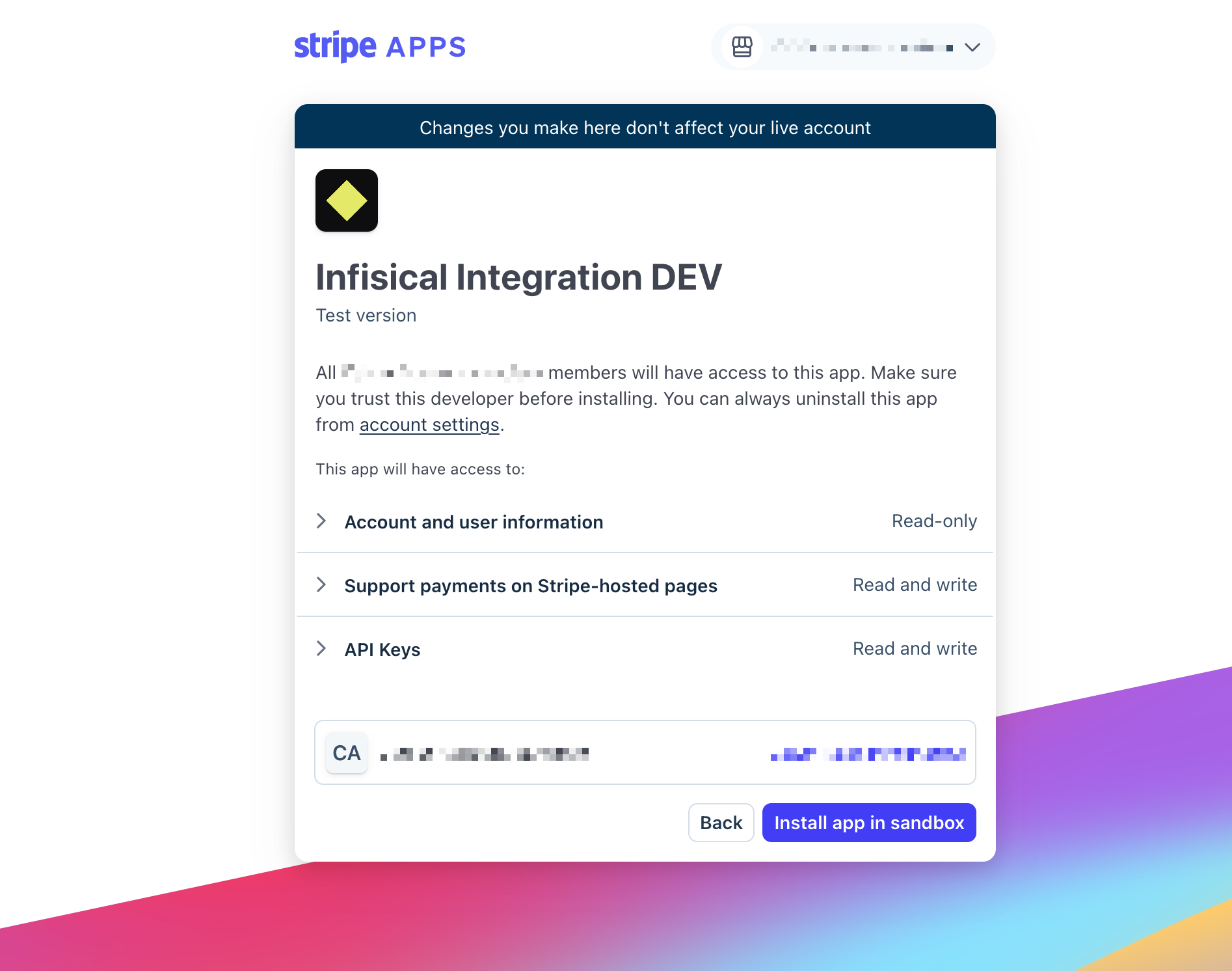
 Review the permissions and install the app on the Stripe account you want to connect. Stripe redirects you back to Infisical once you approve it.
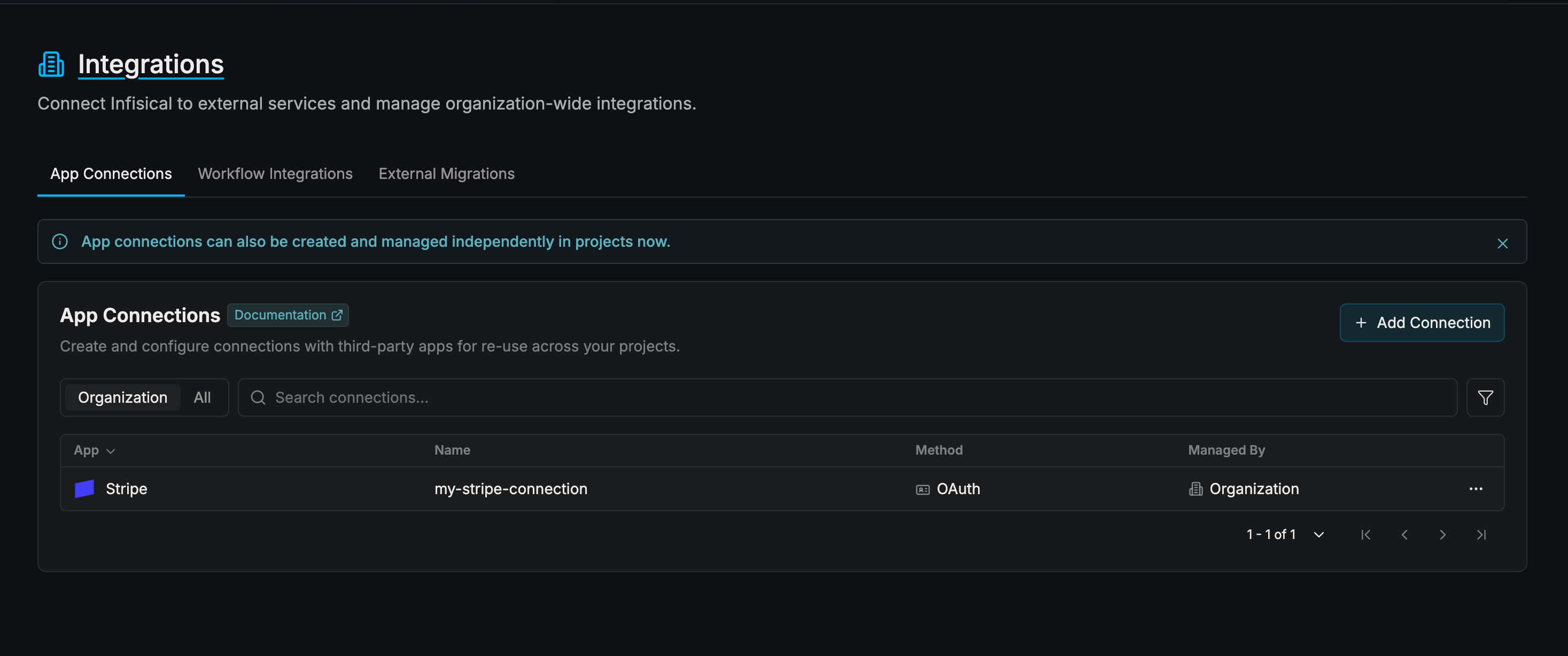
 Your **Stripe Connection** is now available for use in your Infisical projects.
 Uninstalling the app from the Stripe side, or having Stripe revoke it, breaks the connection. Reconnect from Infisical to restore it.