> ## Documentation Index
> Fetch the complete documentation index at: https://infisical.com/docs/llms.txt
> Use this file to discover all available pages before exploring further.
# Laravel Forge Connection
> Learn how to configure a Laravel Forge Connection for Infisical.
Infisical supports the use of [API Tokens](https://forge.laravel.com/docs/api#create-a-new-api-token) to connect with Laravel Forge.
## Create Laravel Forge API Token
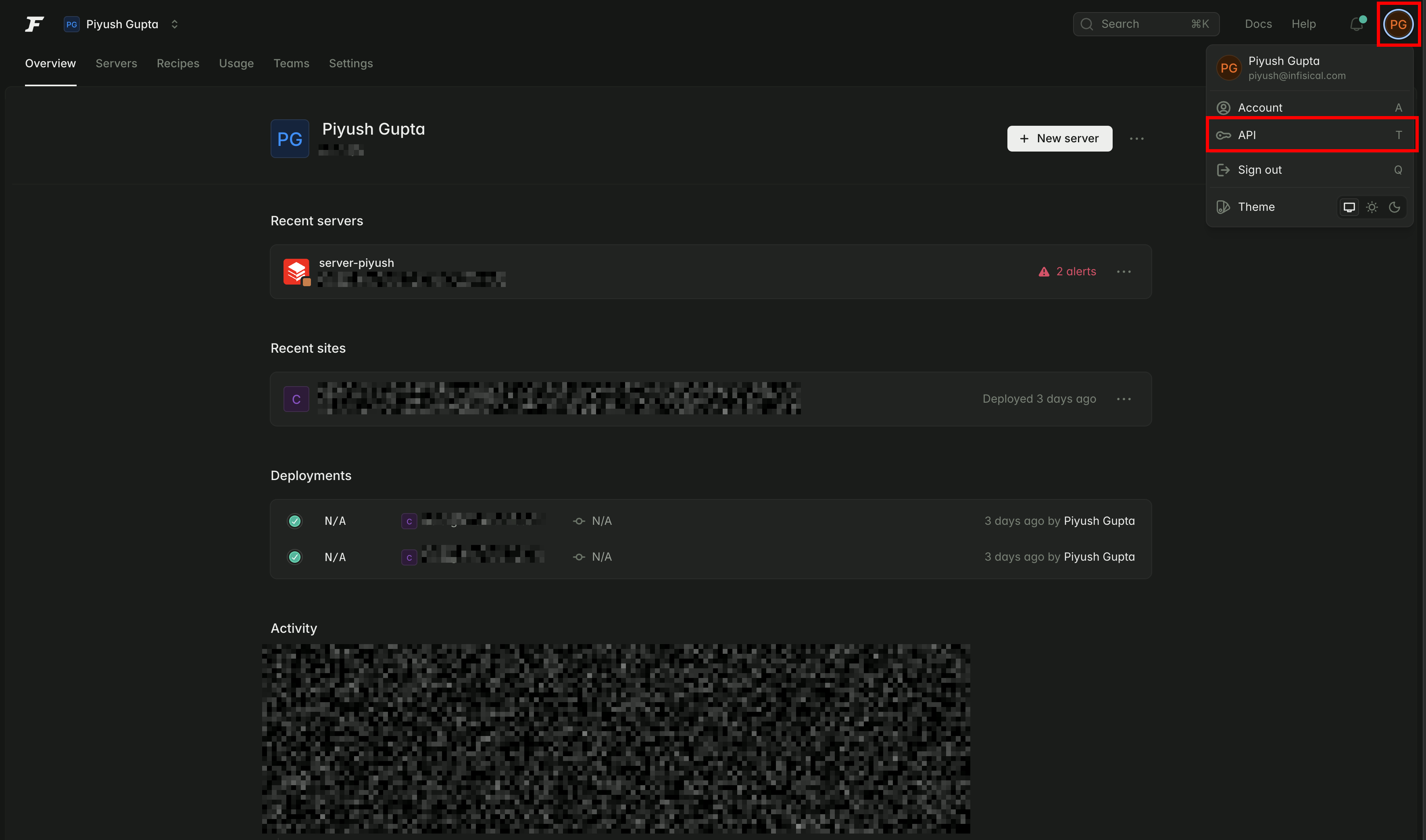
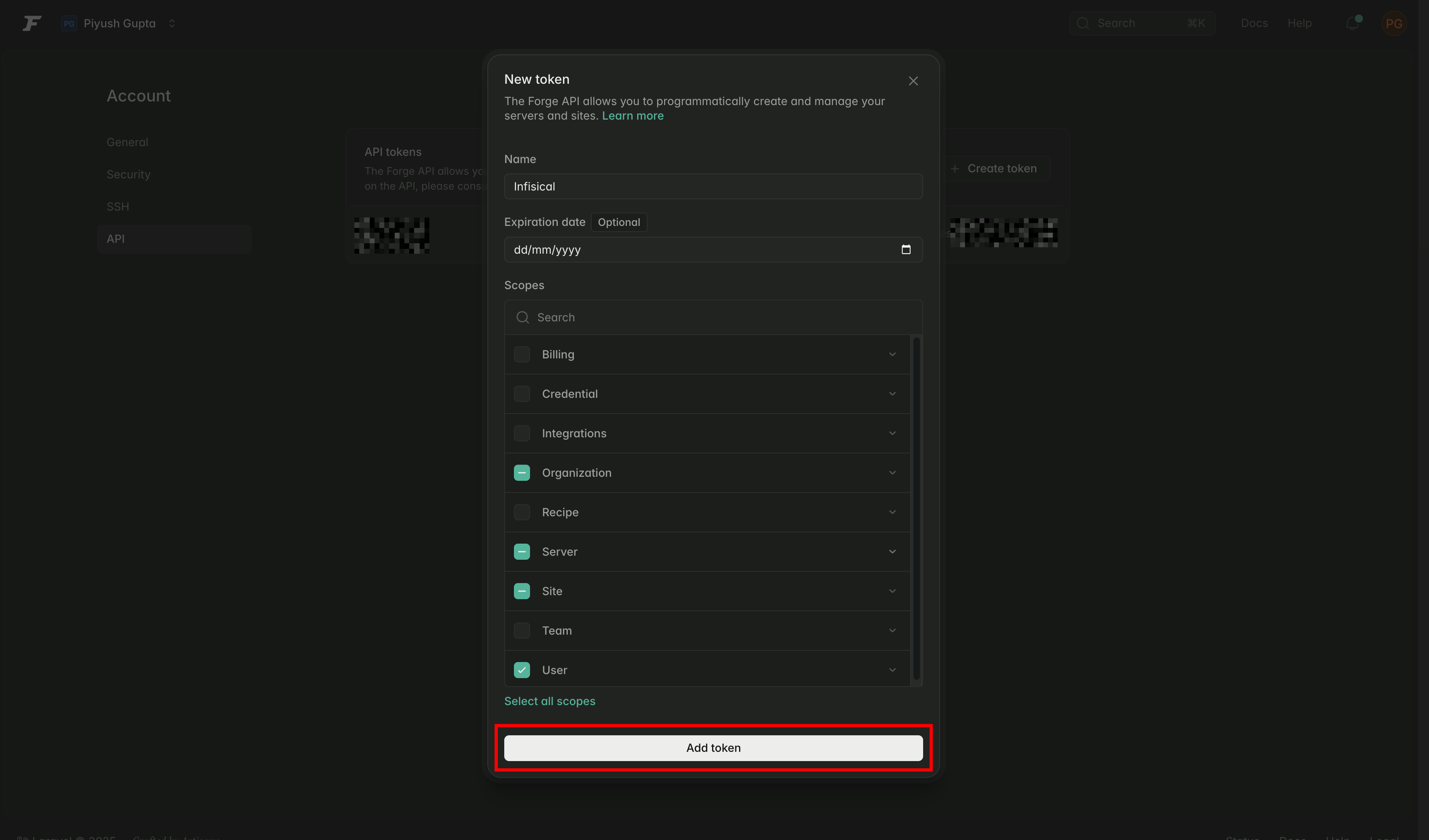
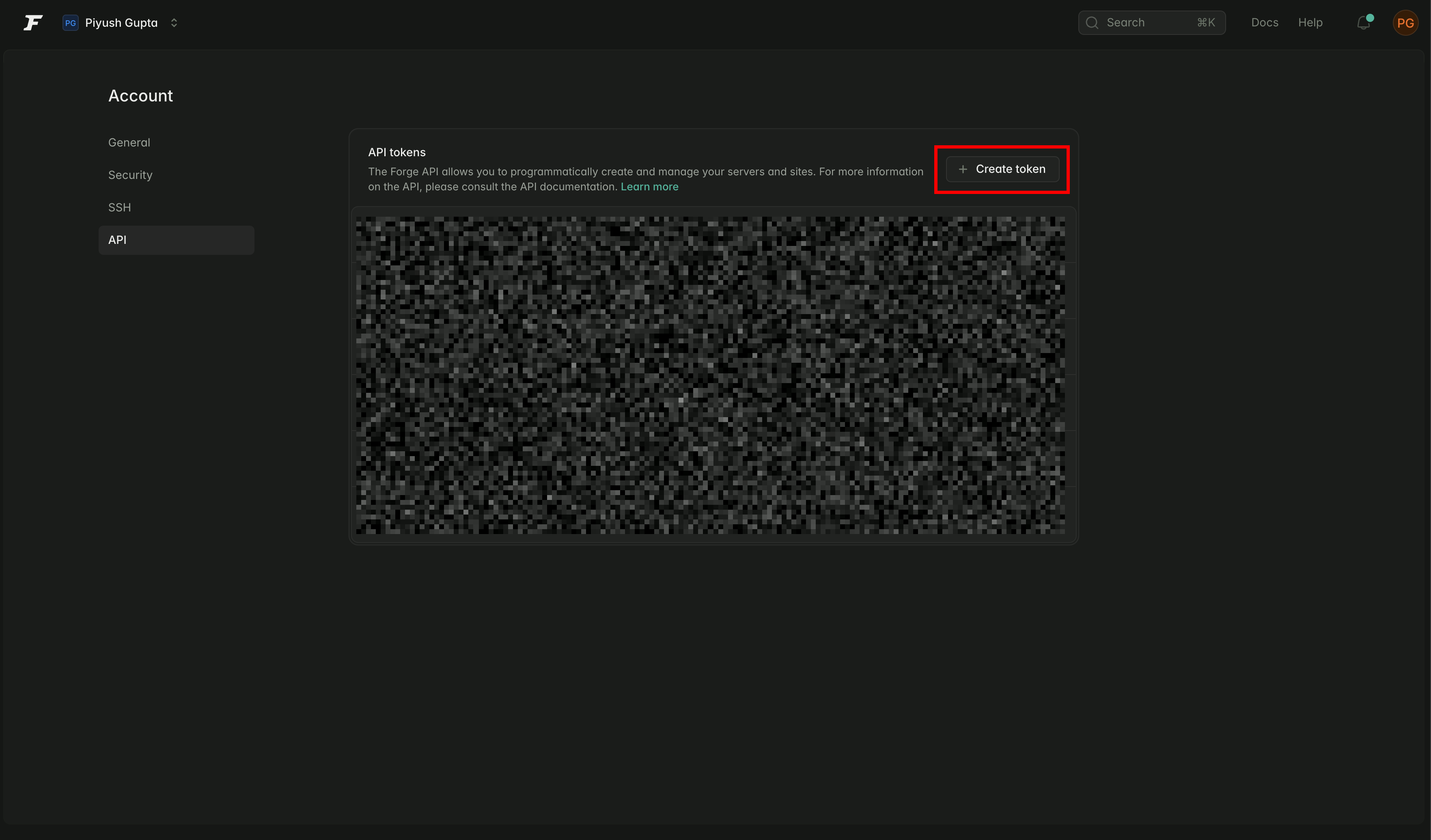 Provide a name for your token and select the following permissions:
* `user:view`
* `organization:view`
* `server:view`
* `site:manage-environment`
Then click 'Add token'.
Provide a name for your token and select the following permissions:
* `user:view`
* `organization:view`
* `server:view`
* `site:manage-environment`
Then click 'Add token'.
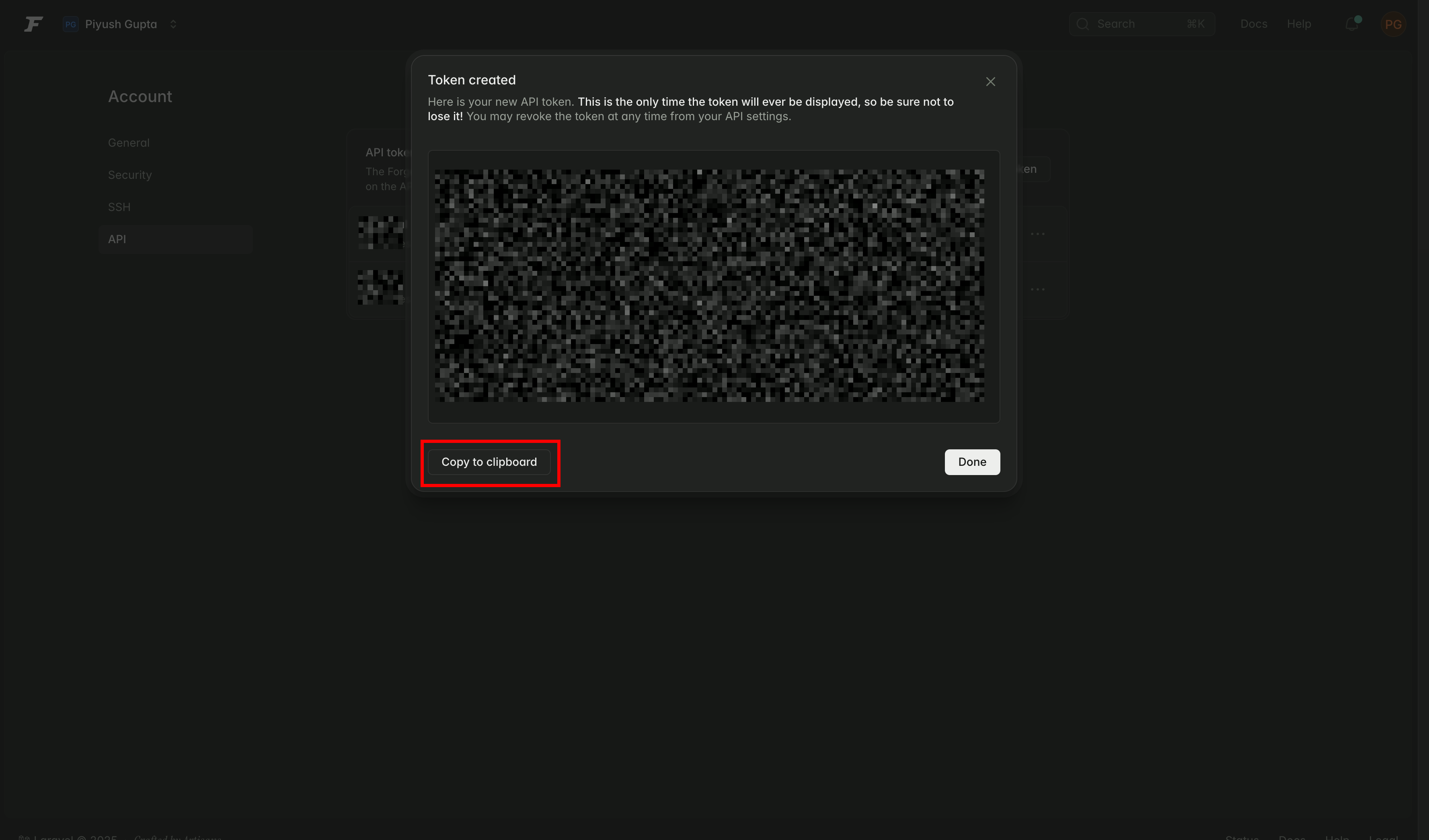
 Make sure to copy the token now—you won’t be able to access it again.
 ## Create a Laravel Forge Connection in Infisical
In your Infisical dashboard, navigate to the **Integrations** tab in the desired project, then select **App Connections**.
## Create a Laravel Forge Connection in Infisical
In your Infisical dashboard, navigate to the **Integrations** tab in the desired project, then select **App Connections**.
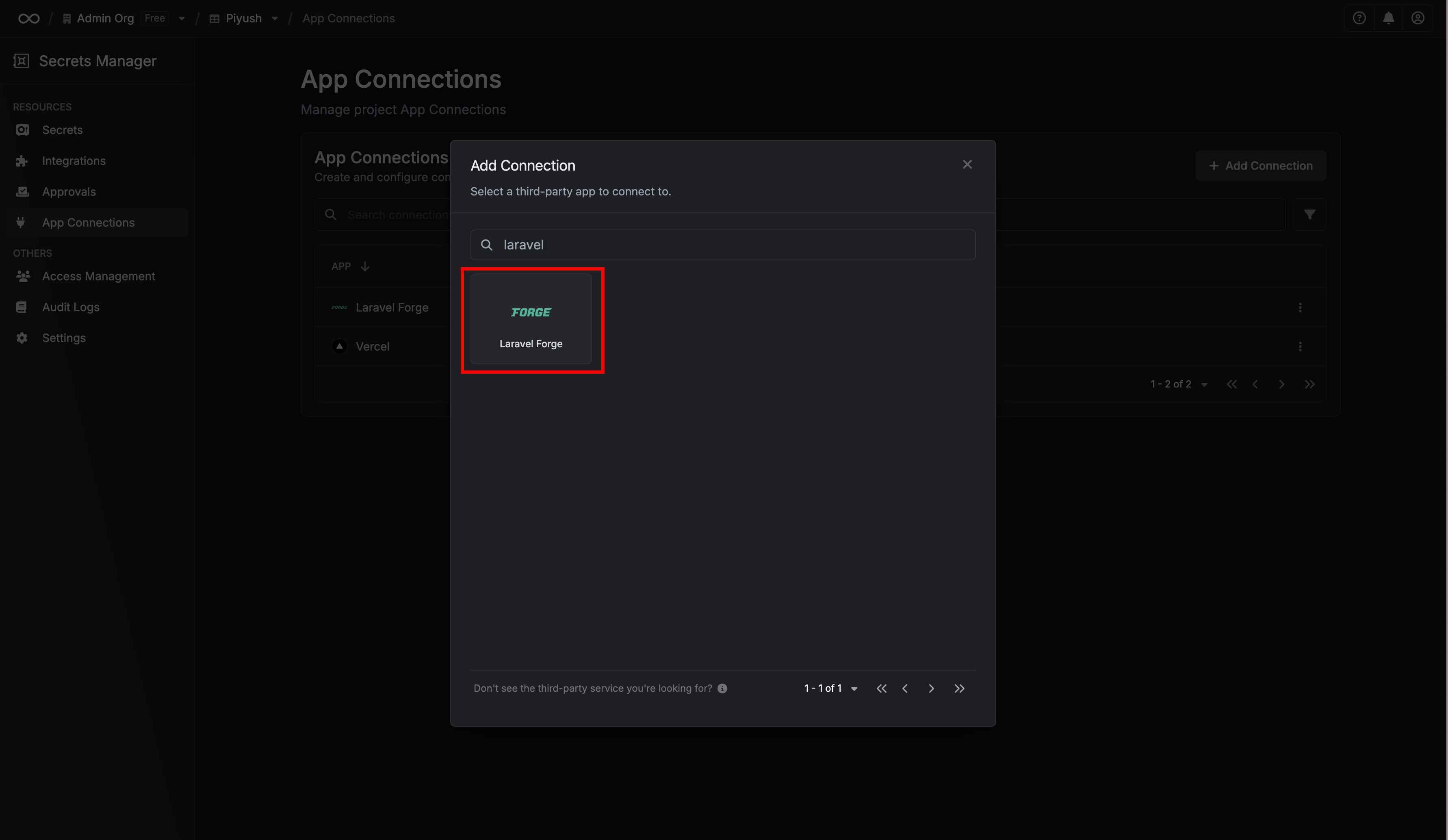
 Click **+ Add Connection** and choose **Laravel Forge** Connection from the list of integrations.
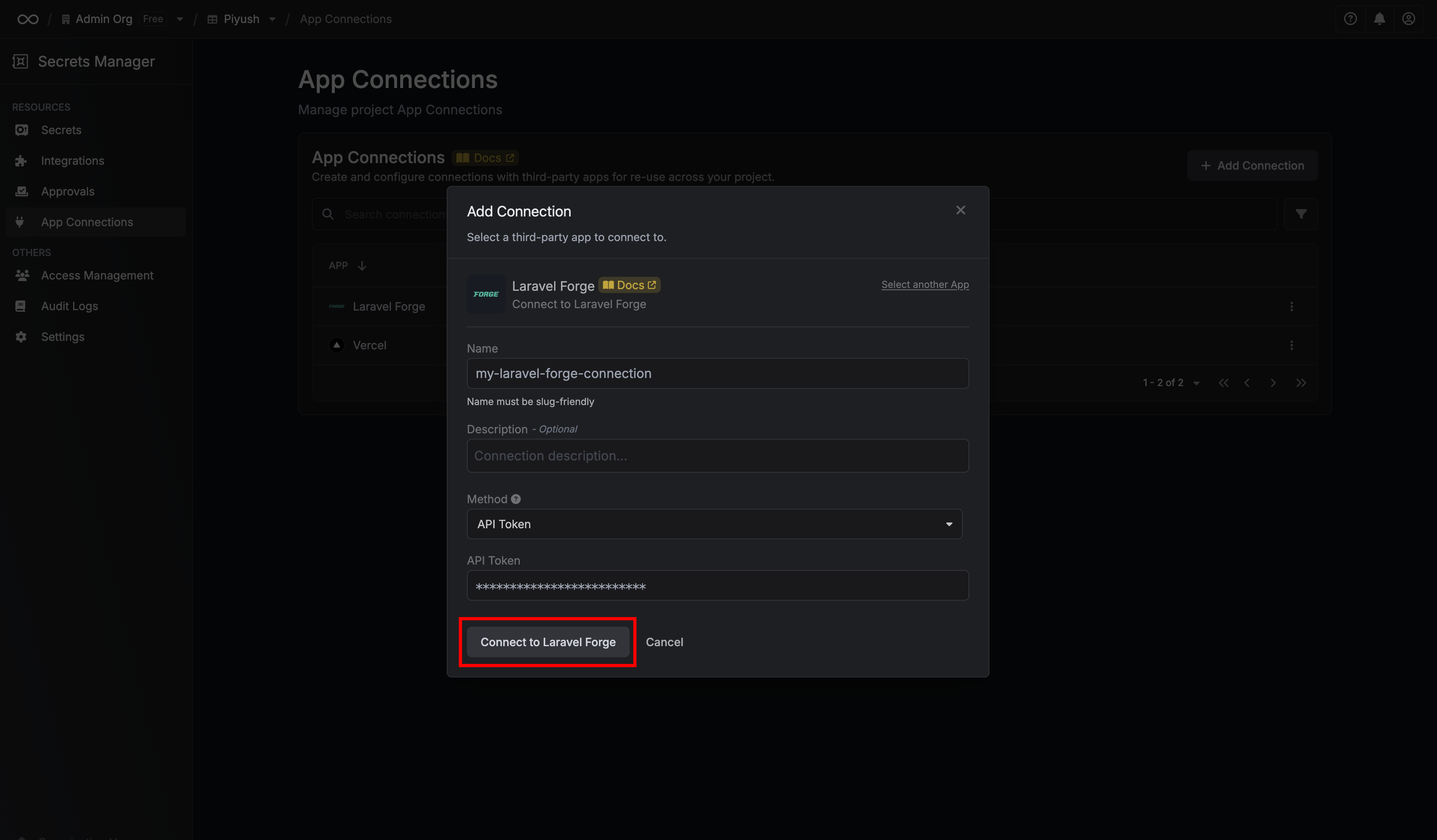
 Complete the form by providing:
* A descriptive name for the connection
* An optional description
* The API Token from the previous step
Complete the form by providing:
* A descriptive name for the connection
* An optional description
* The API Token from the previous step
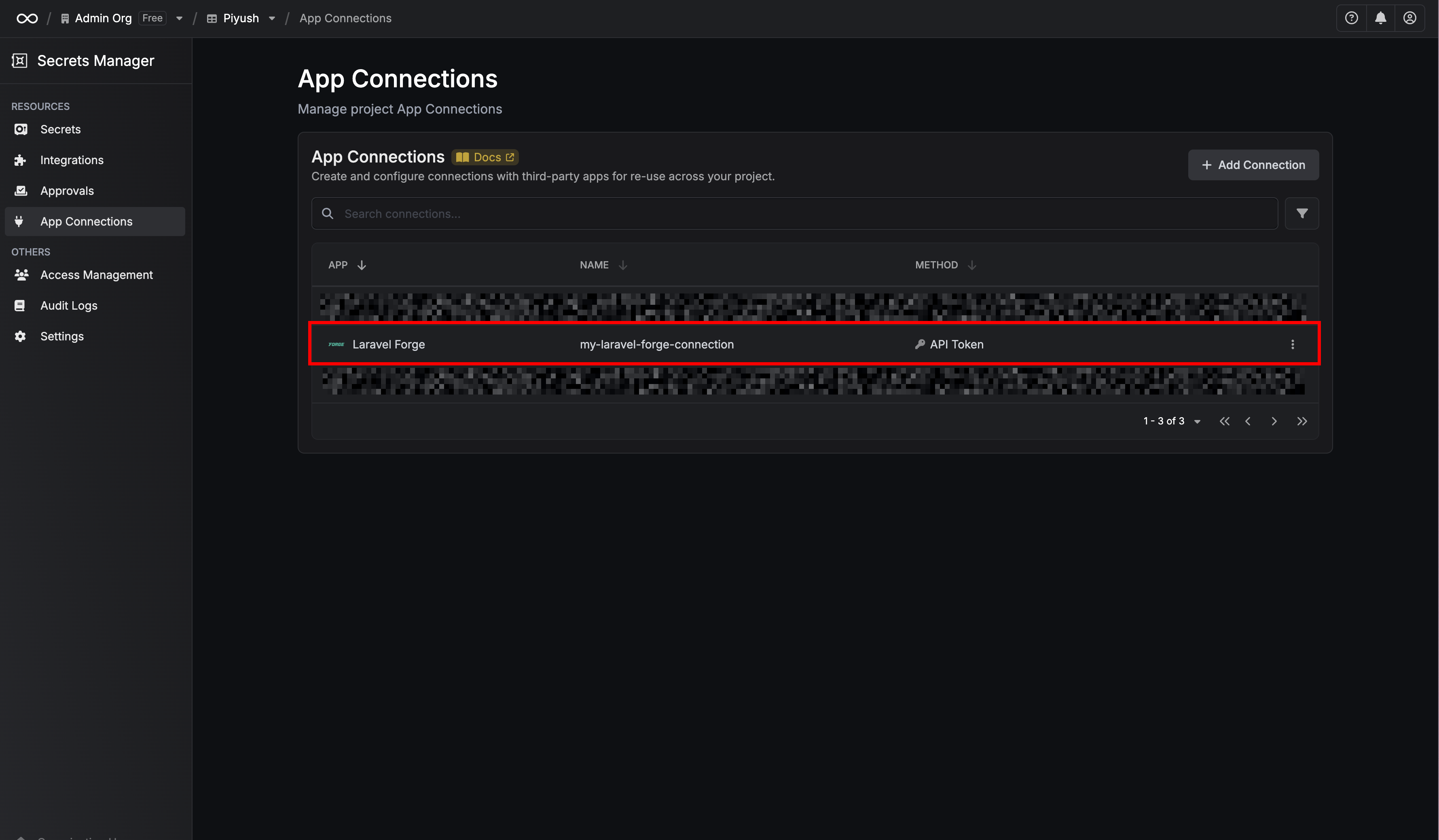
 After submitting the form, your **Laravel Forge Connection** will be successfully created and ready to use with your Infisical project.
 To create a Laravel Forge Connection via API, send a request to the [Create Laravel Forge Connection](/api-reference/endpoints/app-connections/laravel-forge/create) endpoint.
### Sample request
```bash Request theme={"dark"}
curl --request POST \
--url https://app.infisical.com/api/v1/app-connections/laravel-forge \
--header 'Content-Type: application/json' \
--data '{
"name": "my-laravel-forge-connection",
"method": "api-token",
"projectId": "7ffbb072-2575-495a-b5b0-127f88caef78",
"credentials": {
"apiToken": "[API TOKEN]"
}
}'
```
### Sample response
```bash Response theme={"dark"}
{
"appConnection": {
"id": "a1b2c3d4-5678-90ab-cdef-1234567890ab",
"name": "my-laravel-forge-connection",
"description": null,
"projectId": "7ffbb072-2575-495a-b5b0-127f88caef78",
"version": 1,
"orgId": "abcdef12-3456-7890-abcd-ef1234567890",
"createdAt": "2025-10-13T10:15:00.000Z",
"updatedAt": "2025-10-13T10:15:00.000Z",
"isPlatformManagedCredentials": false,
"credentialsHash": "d41d8cd98f00b204e9800998ecf8427e",
"app": "laravel-forge",
"method": "api-token",
"credentials": {}
}
}
```
To create a Laravel Forge Connection via API, send a request to the [Create Laravel Forge Connection](/api-reference/endpoints/app-connections/laravel-forge/create) endpoint.
### Sample request
```bash Request theme={"dark"}
curl --request POST \
--url https://app.infisical.com/api/v1/app-connections/laravel-forge \
--header 'Content-Type: application/json' \
--data '{
"name": "my-laravel-forge-connection",
"method": "api-token",
"projectId": "7ffbb072-2575-495a-b5b0-127f88caef78",
"credentials": {
"apiToken": "[API TOKEN]"
}
}'
```
### Sample response
```bash Response theme={"dark"}
{
"appConnection": {
"id": "a1b2c3d4-5678-90ab-cdef-1234567890ab",
"name": "my-laravel-forge-connection",
"description": null,
"projectId": "7ffbb072-2575-495a-b5b0-127f88caef78",
"version": 1,
"orgId": "abcdef12-3456-7890-abcd-ef1234567890",
"createdAt": "2025-10-13T10:15:00.000Z",
"updatedAt": "2025-10-13T10:15:00.000Z",
"isPlatformManagedCredentials": false,
"credentialsHash": "d41d8cd98f00b204e9800998ecf8427e",
"app": "laravel-forge",
"method": "api-token",
"credentials": {}
}
}
```