> ## Documentation Index
> Fetch the complete documentation index at: https://infisical.com/docs/llms.txt
> Use this file to discover all available pages before exploring further.
# Keycloak OIDC Group Membership Mapping
> Learn how to sync Keycloak group members to matching groups in Infisical.
You can have Infisical automatically sync group
memberships between Keycloak and Infisical by configuring a group membership mapper in Keycloak.
When a user logs in via OIDC, they will be added to Infisical groups that match their Keycloak groups names, and removed from any
Infisical groups not present in their groups claim.
When enabled, manual
management of Infisical group memberships will be disabled.
Group membership changes in the Keycloak only sync with Infisical when a
user logs in via OIDC. For example, if you remove a user from a group in Keycloak, this change will not be reflected in Infisical until their next OIDC login. To ensure this behavior, Infisical recommends enabling Enforce OIDC
SSO in the OIDC settings.
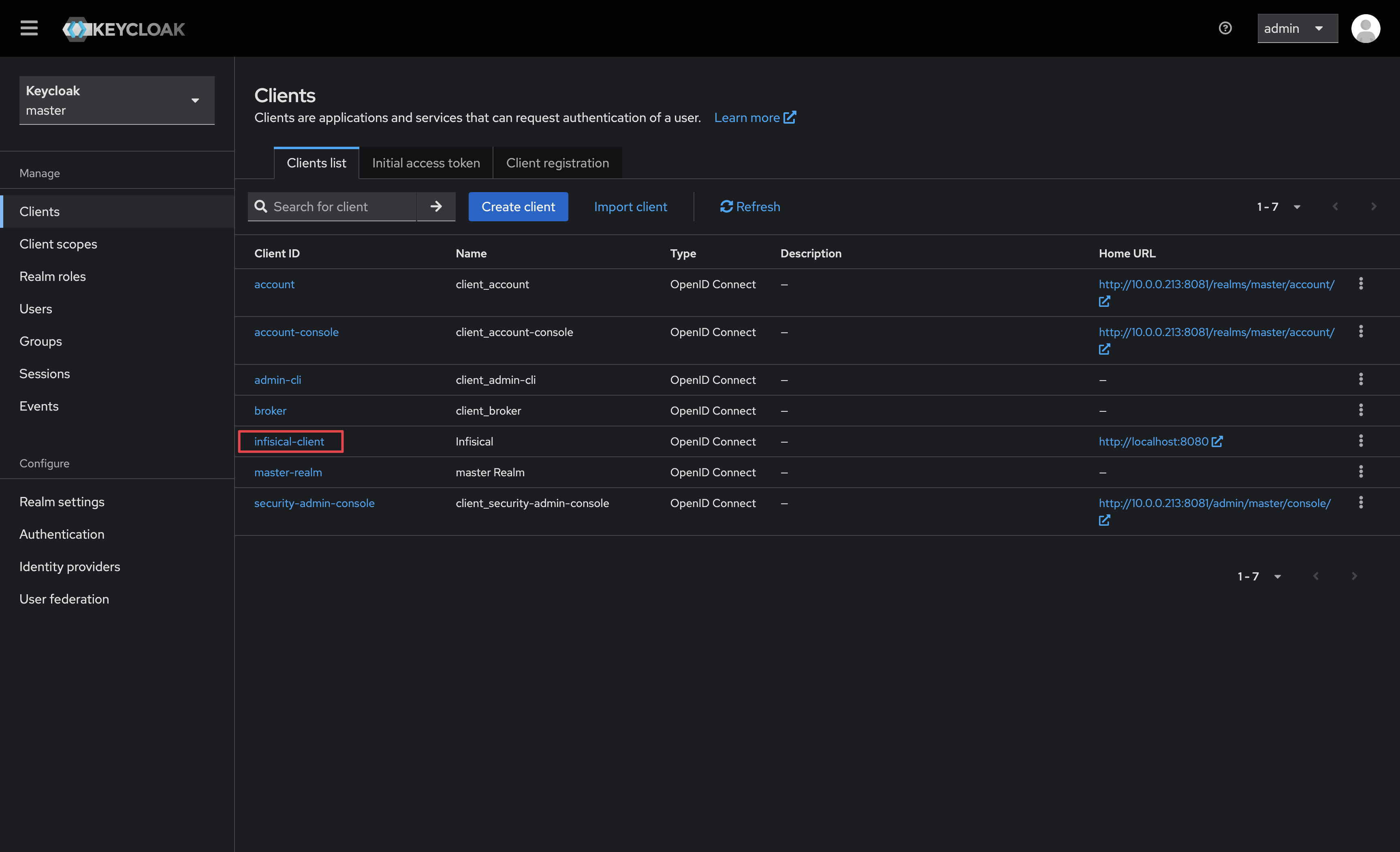
1.1. In your realm, navigate to the **Clients** tab and select your Infisical client.
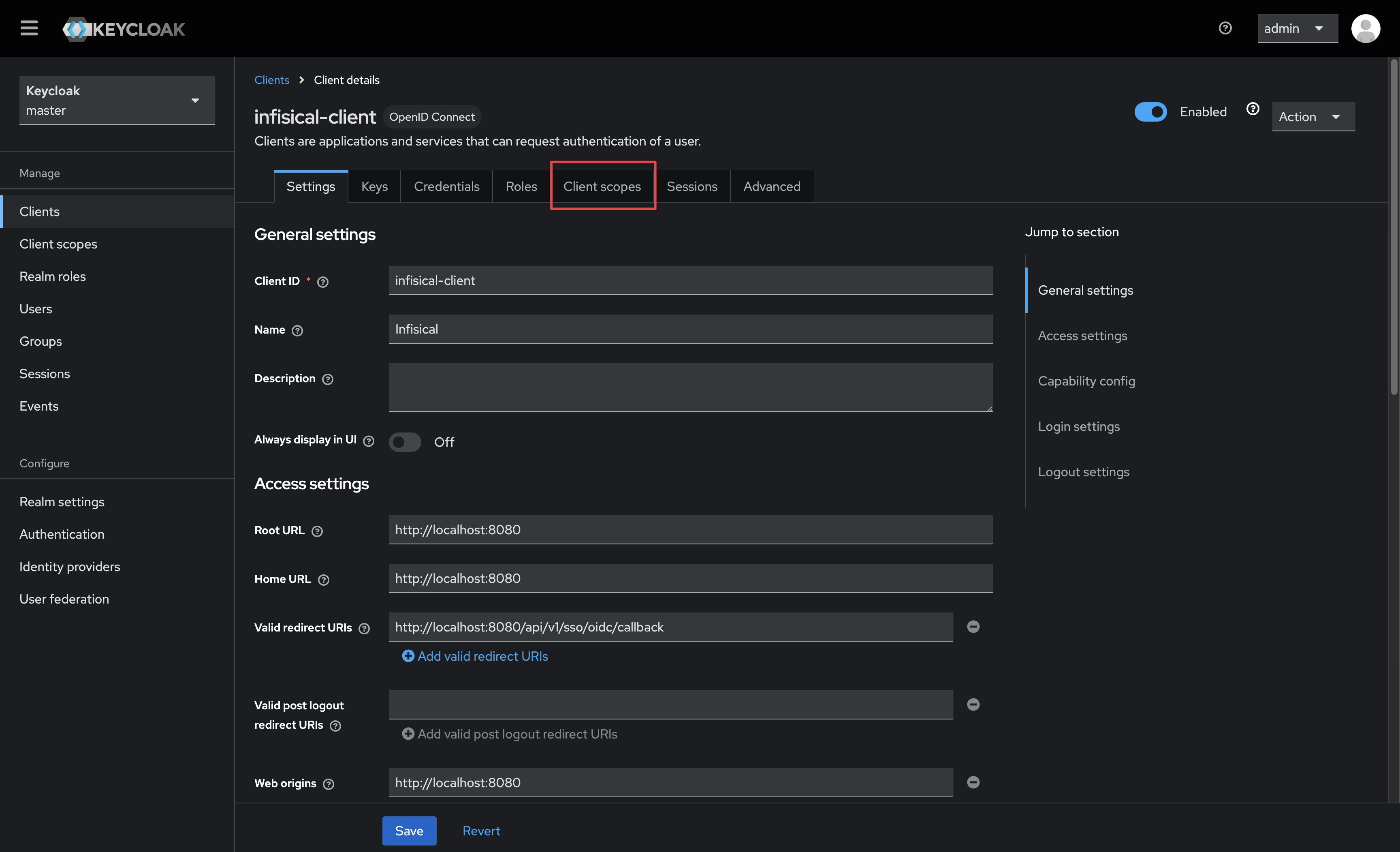
 1.2. Select the **Client Scopes** tab.
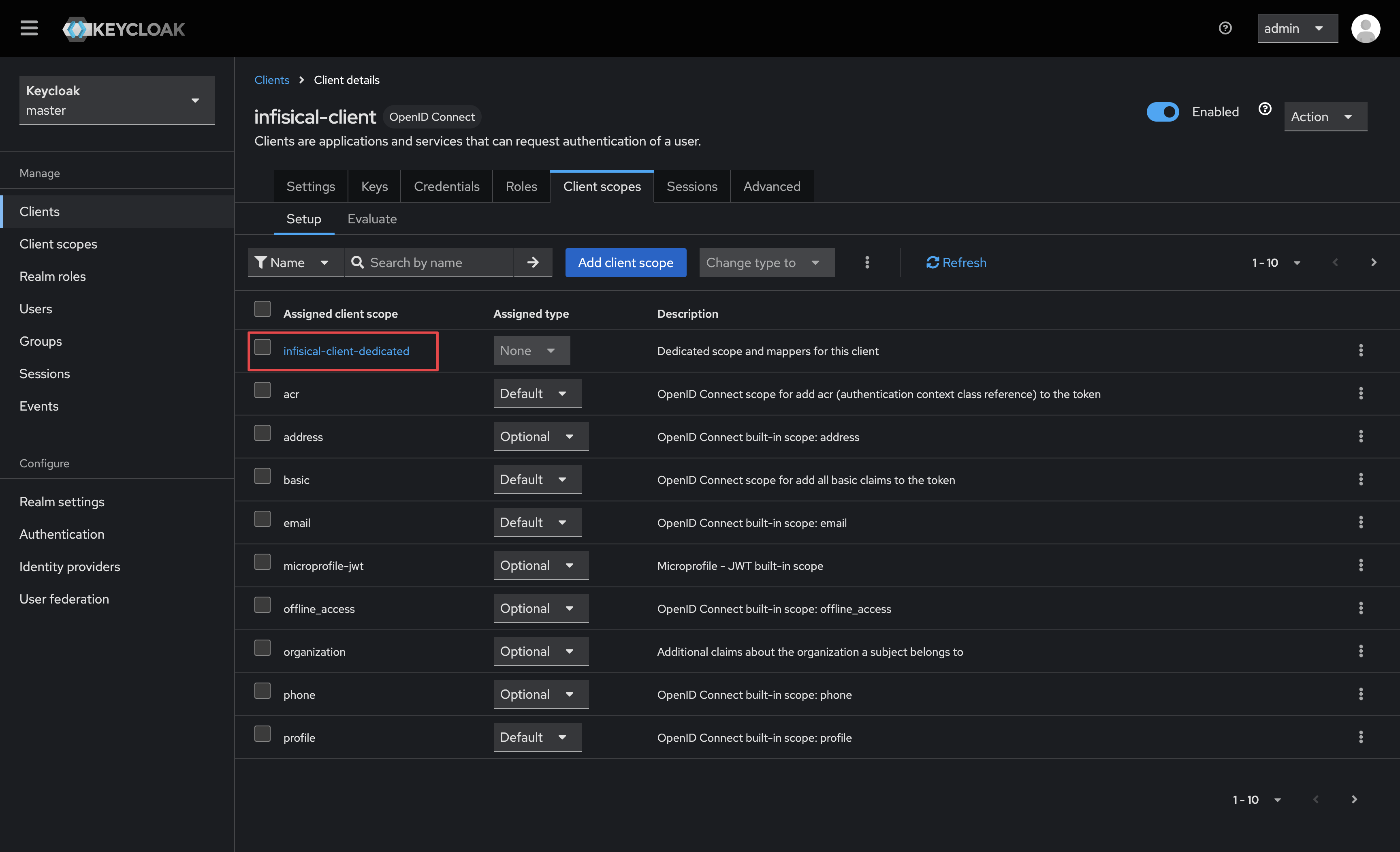
 1.3. Next, select the dedicated scope for your Infisical client.
 1.4. Click on the **Add mapper** button, and select the **By configuration** option.
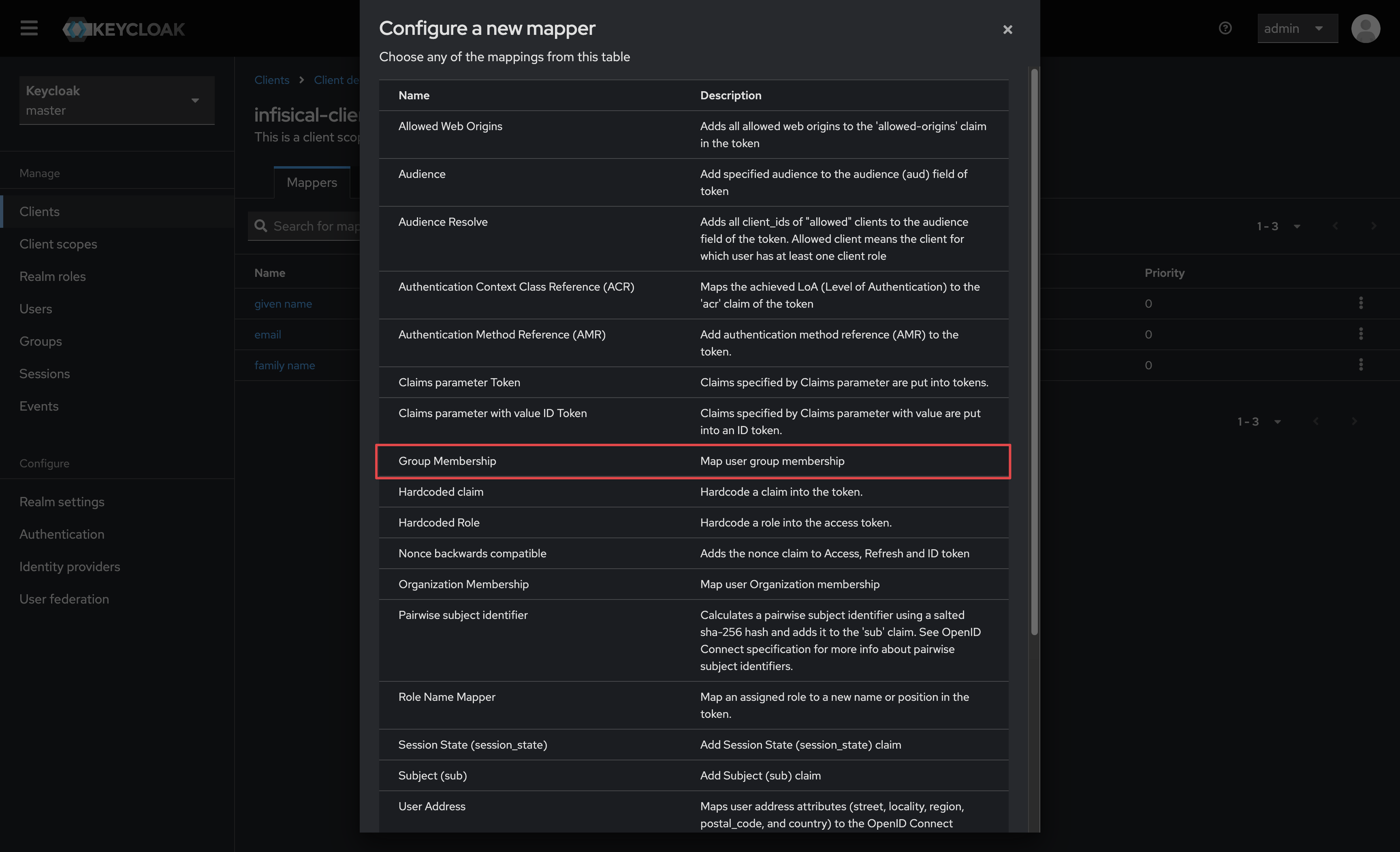
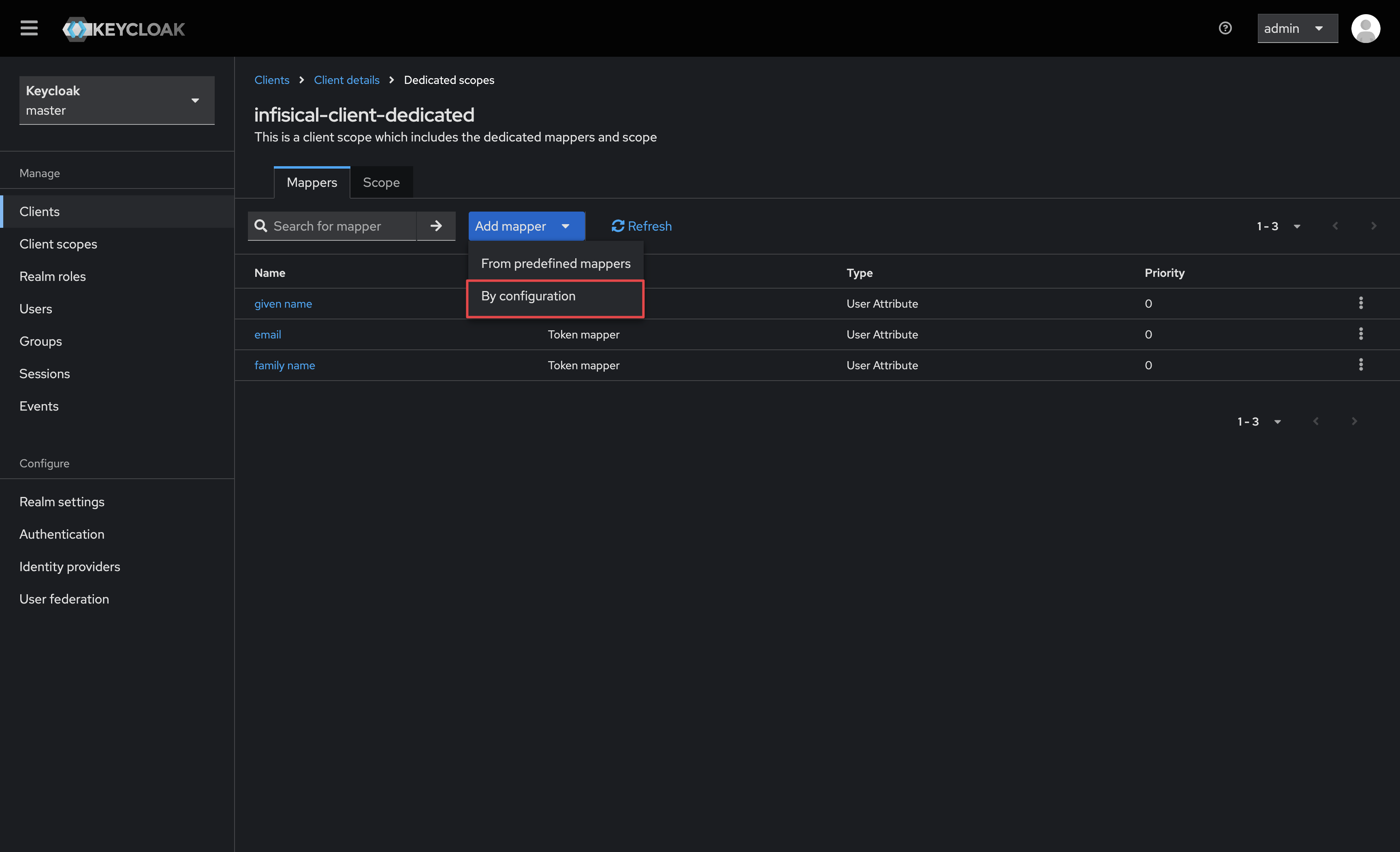 1.5. Select the **Group Membership** option.
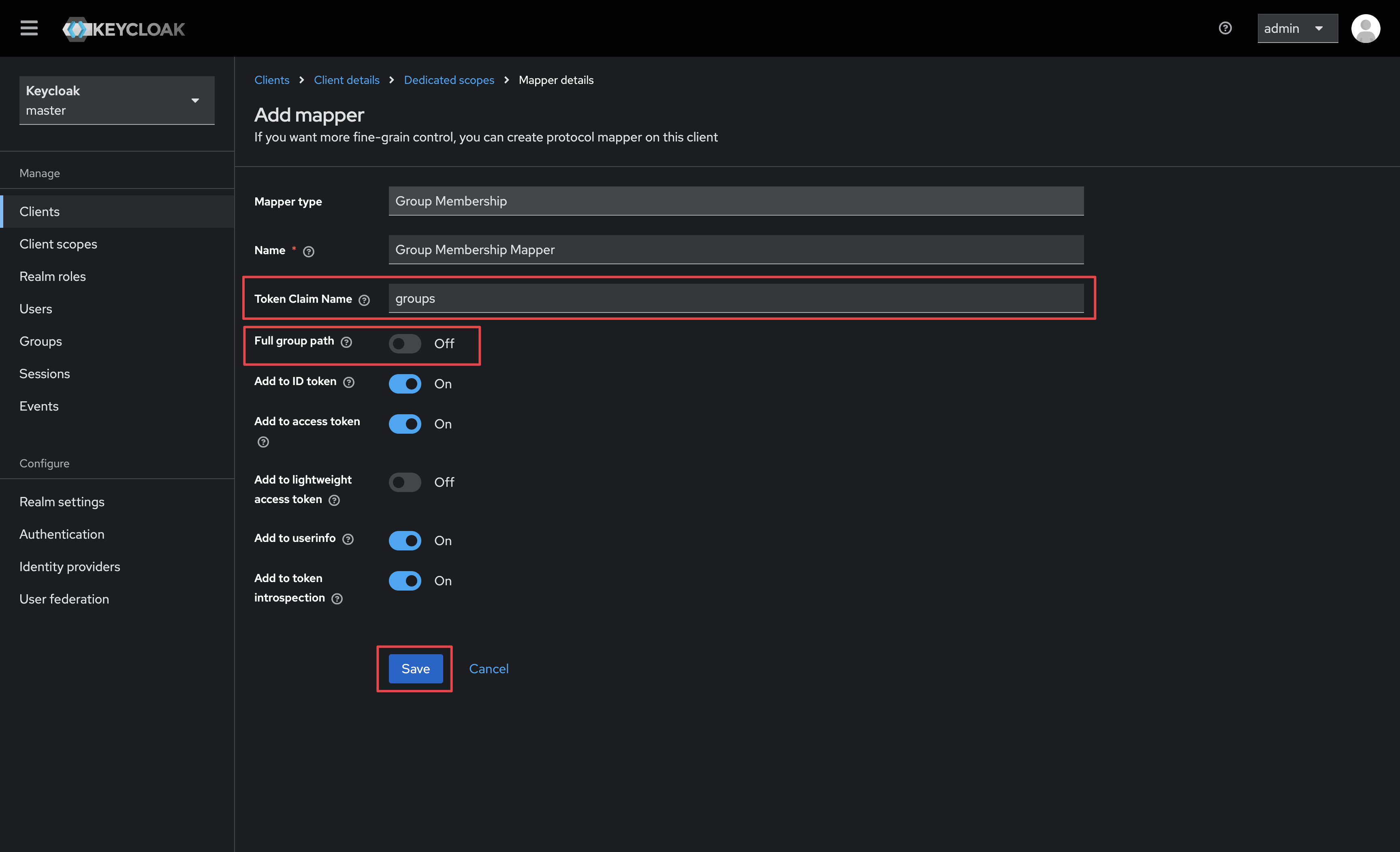
 1.6. Give your mapper a name and ensure the following properties are set to the following before saving:
* **Token Claim Name** is set to `groups`
* **Full group path** is disabled
1.6. Give your mapper a name and ensure the following properties are set to the following before saving:
* **Token Claim Name** is set to `groups`
* **Full group path** is disabled
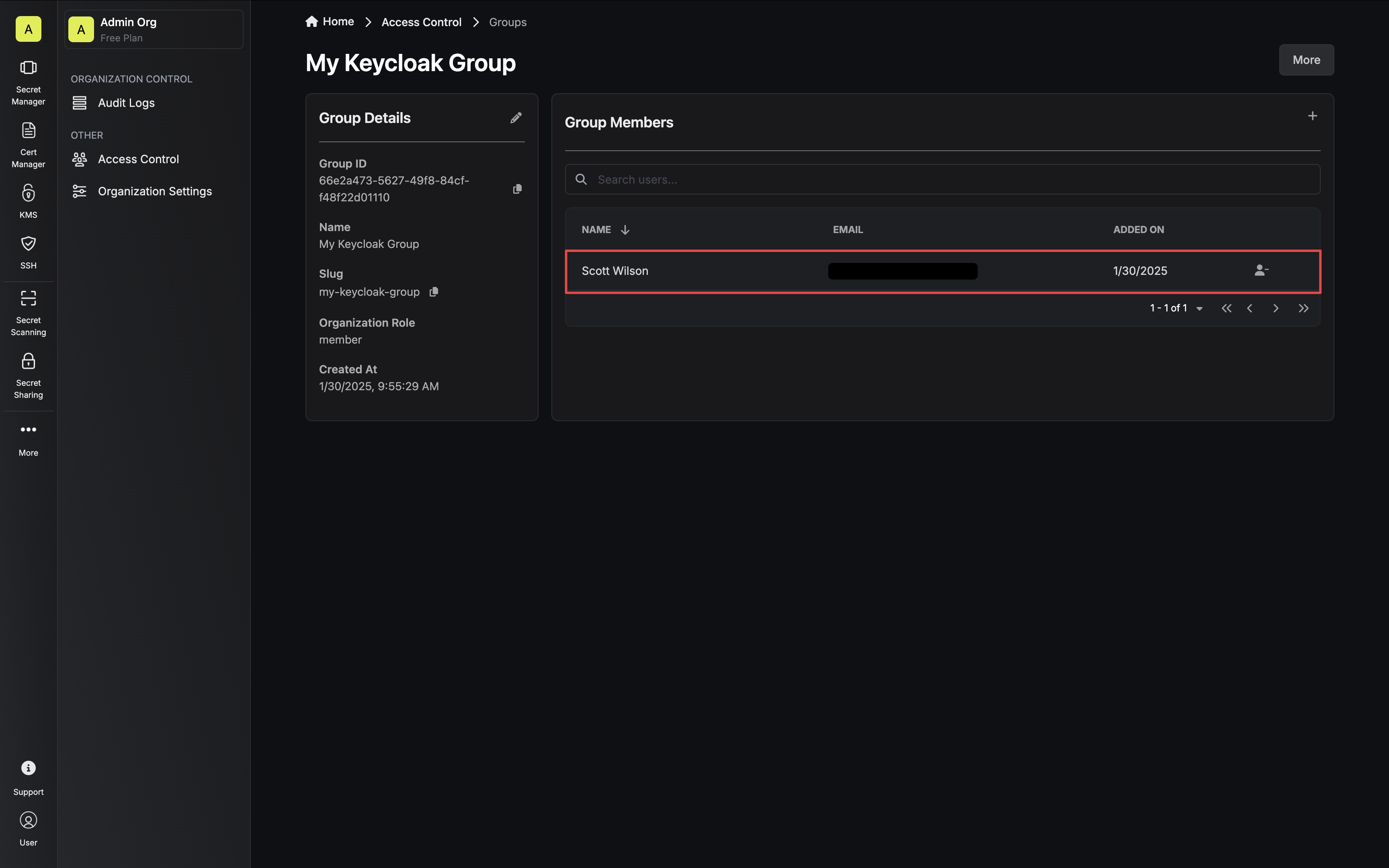
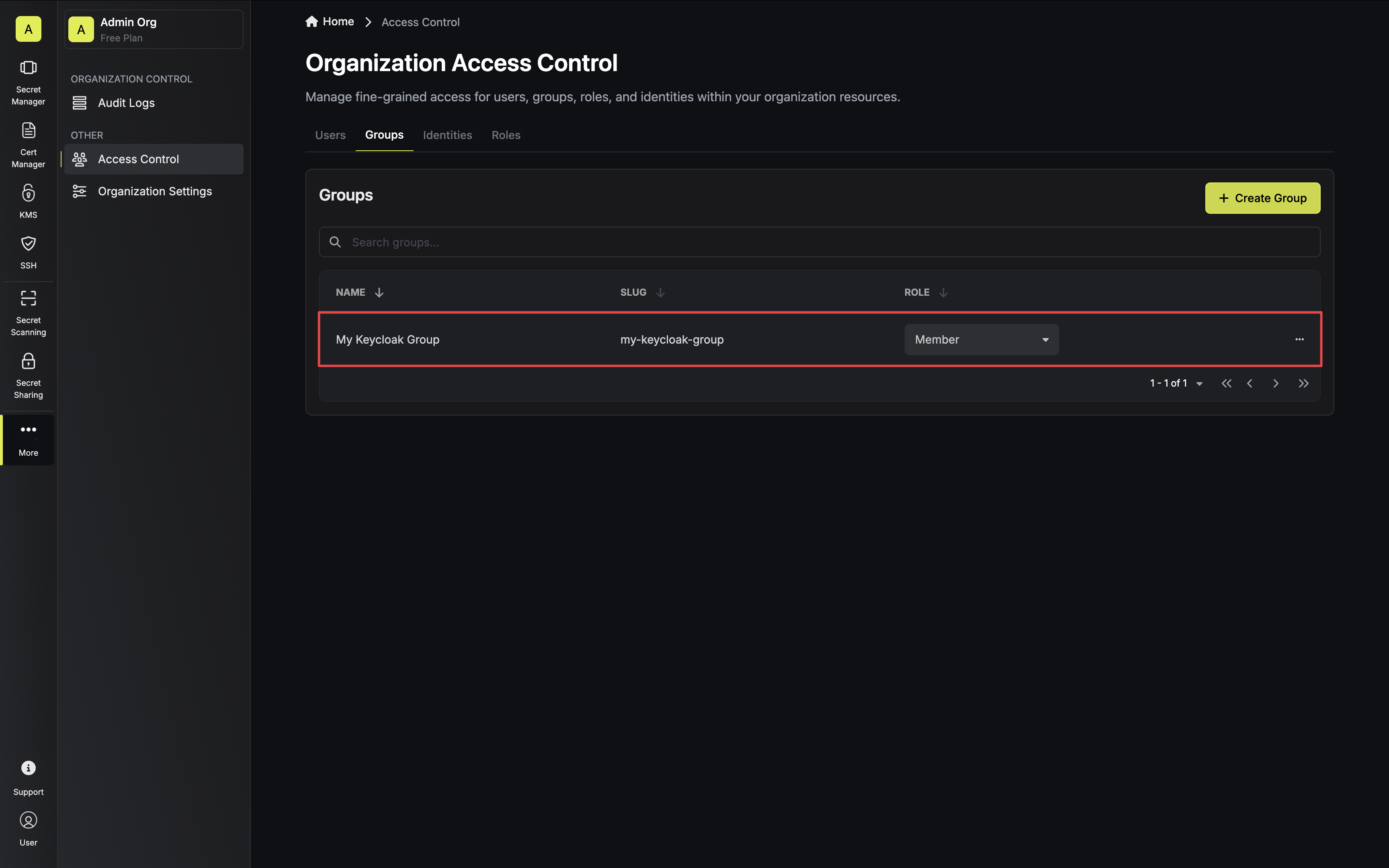
 2.1. In Infisical, create any groups you would like to sync users to. Make sure the name of the Infisical group is an exact match of the Keycloak group name.
 2.2. Next, enable **OIDC Group Membership Mapping** on the **Single Sign-On (SSO)** page under the **General** tab.
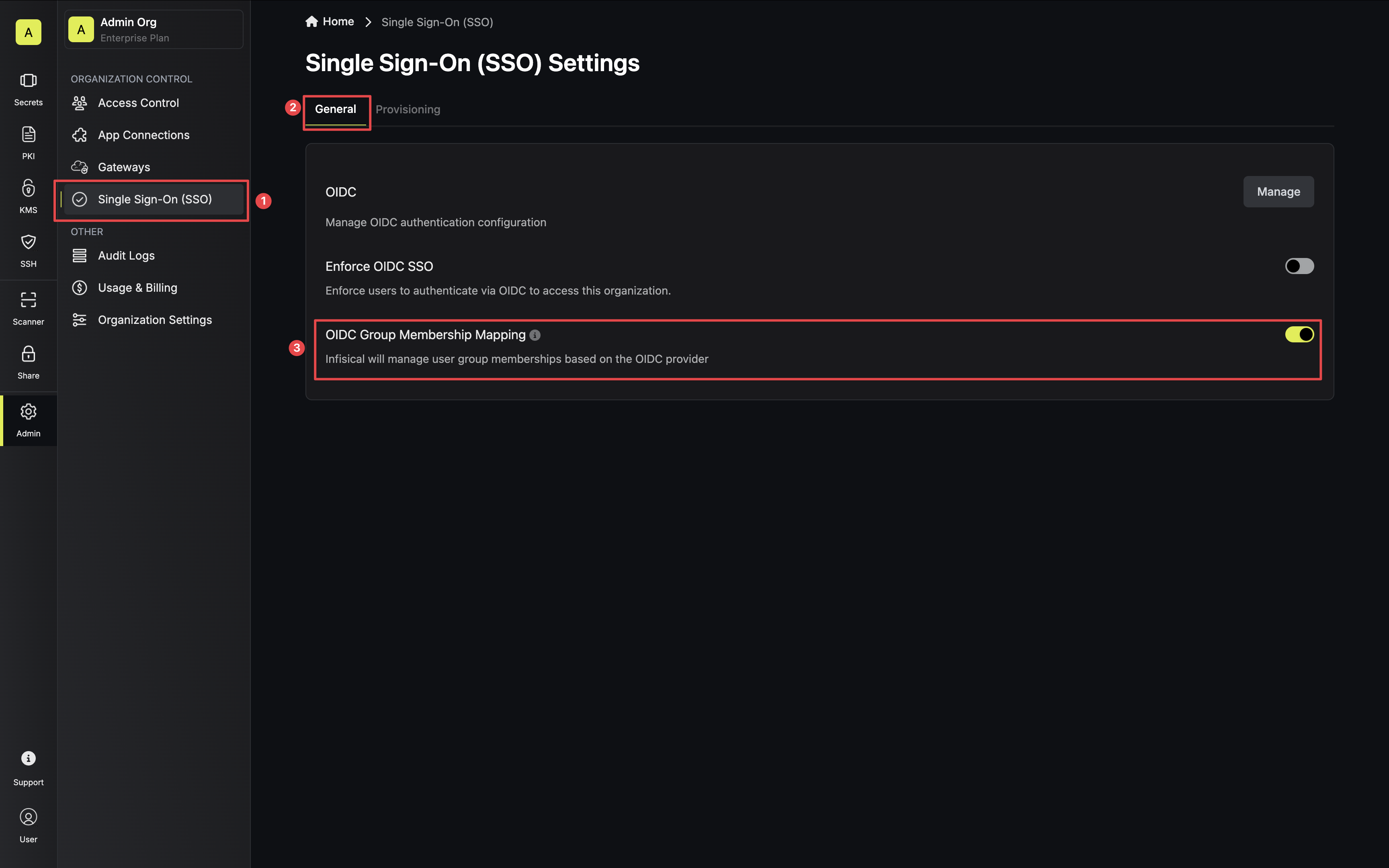 2.3. The next time a user logs in they will be synced to their matching Keycloak groups.