> ## Documentation Index
> Fetch the complete documentation index at: https://infisical.com/docs/llms.txt
> Use this file to discover all available pages before exploring further.
# Auth0 Client Secret Rotation
> Learn how to automatically rotate Auth0 Client Secrets.
**Rotation Type: [Single-Phase](/documentation/platform/secret-rotation/overview#single-phase-rotation)**
This rotation updates a single credential set in place. Old credentials become invalid immediately upon rotation. This means that clients using the previous credentials will fail to authenticate until they retrieve the new credentials.
This is a limitation of the Auth0 platform and cannot be rectified by Infisical.
## Prerequisites
* Create an [Auth0 Connection](/integrations/app-connections/auth0) with the required **Secret Rotation** audience and permissions
## Create an Auth0 Client Secret Rotation in Infisical
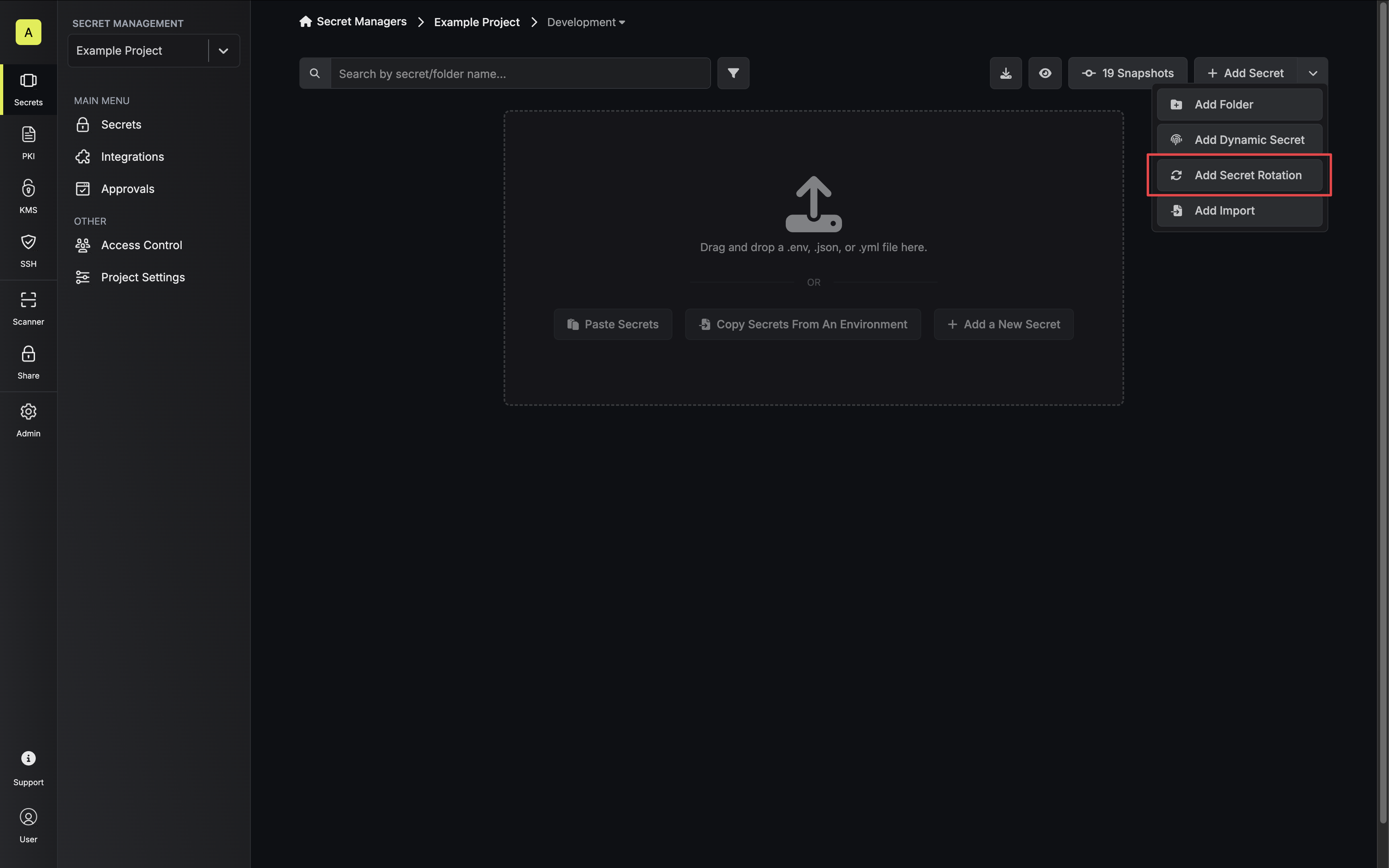
1. Navigate to your Secret Manager Project's Dashboard and select **Add Secret Rotation** from the actions dropdown.
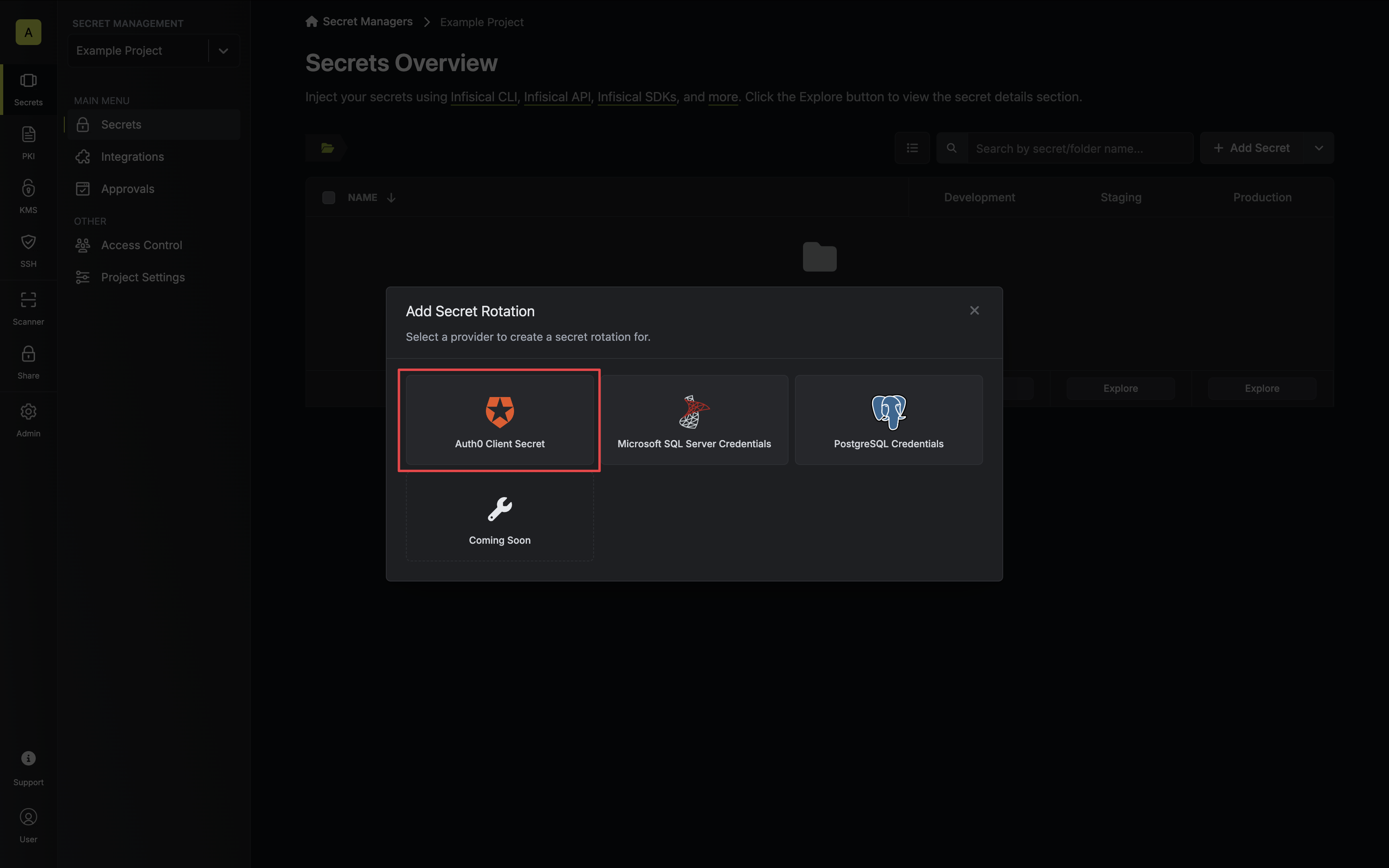
 2. Select the **Auth0 Client Secret** option.
 3. Select the **Auth0 Connection** to use and configure the rotation behavior. Then click **Next**.
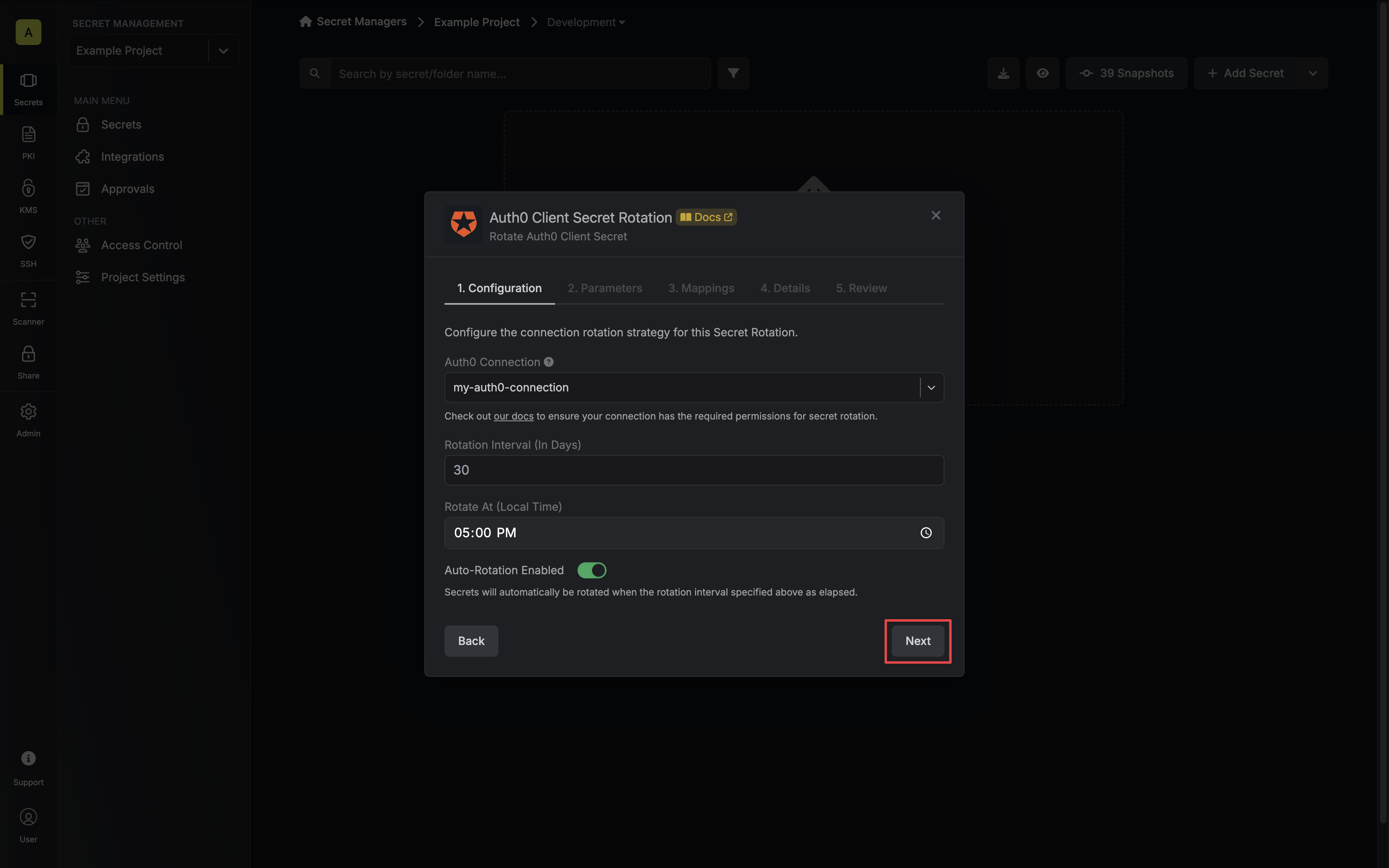 * **Auth0 Connection** - the connection that will perform the rotation of the specified application's Client Secret.
* **Rotation Interval** - the interval, in days, that once elapsed will trigger a rotation.
* **Rotate At** - the local time of day when rotation should occur once the interval has elapsed.
* **Auto-Rotation Enabled** - whether secrets should automatically be rotated once the rotation interval has elapsed. Disable this option to manually rotate secrets or pause secret rotation.
Due to Auth0 Client Secret Rotations rotating a single credential set, auto-rotation may result in service interruptions. If you need to ensure service continuity, we recommend disabling this option.
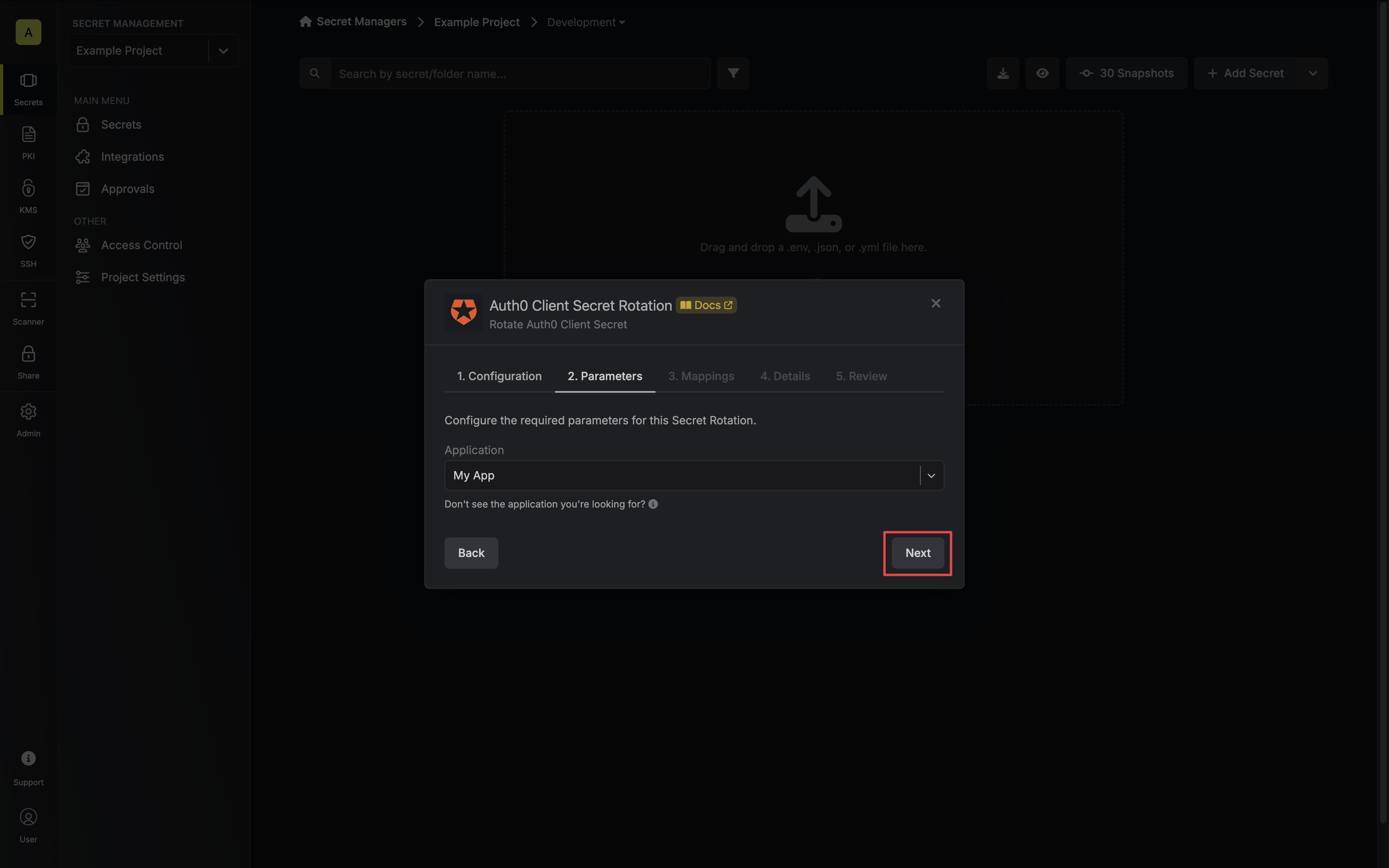
4. Select the Auth0 application whose Client Secret you want to rotate. Then click **Next**.
* **Auth0 Connection** - the connection that will perform the rotation of the specified application's Client Secret.
* **Rotation Interval** - the interval, in days, that once elapsed will trigger a rotation.
* **Rotate At** - the local time of day when rotation should occur once the interval has elapsed.
* **Auto-Rotation Enabled** - whether secrets should automatically be rotated once the rotation interval has elapsed. Disable this option to manually rotate secrets or pause secret rotation.
Due to Auth0 Client Secret Rotations rotating a single credential set, auto-rotation may result in service interruptions. If you need to ensure service continuity, we recommend disabling this option.
4. Select the Auth0 application whose Client Secret you want to rotate. Then click **Next**.
 5. Specify the secret names that the client credentials should be mapped to. Then click **Next**.
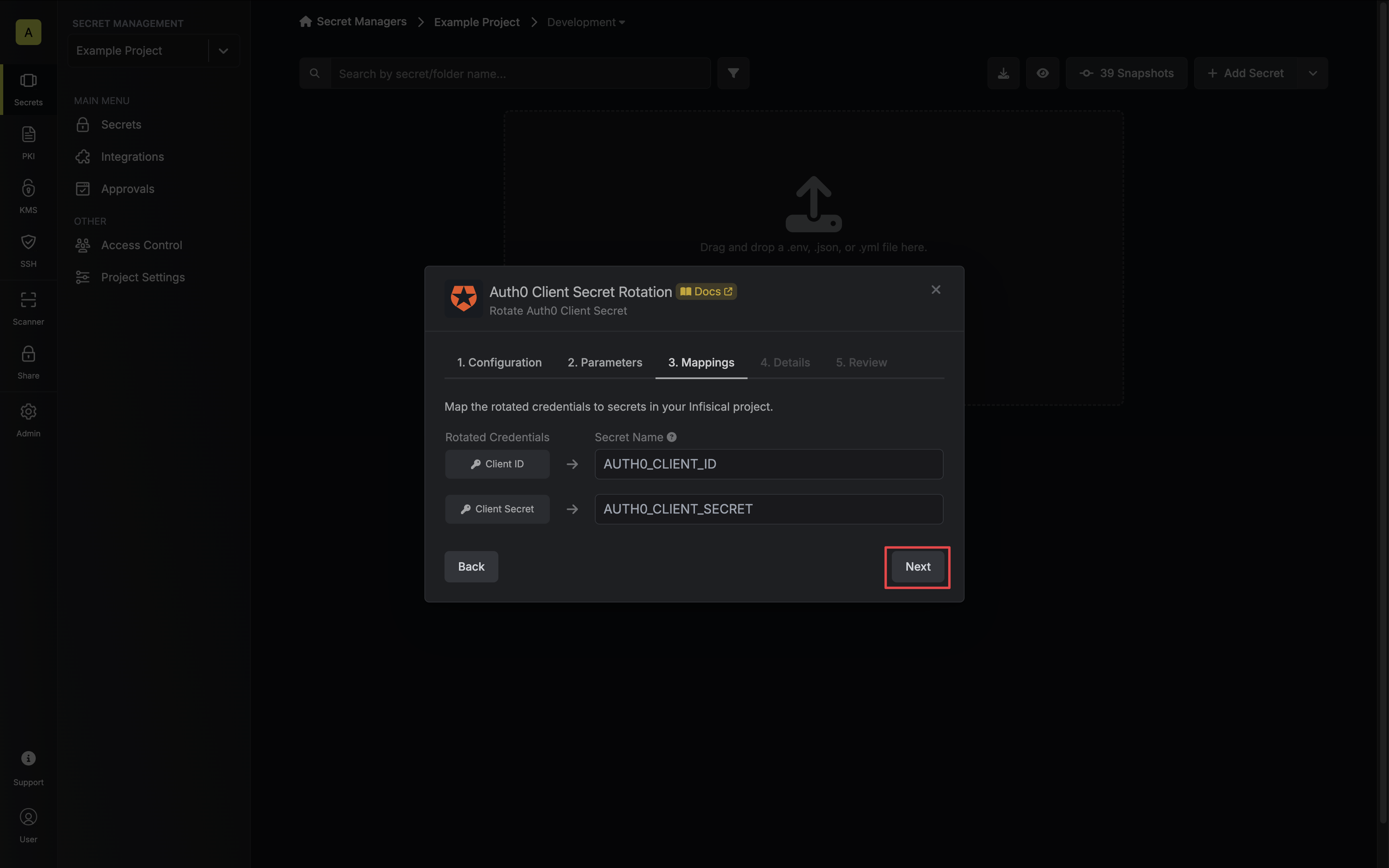 * **Client ID** - the name of the secret that the application Client ID will be mapped to.
* **Client Secret** - the name of the secret that the rotated Client Secret will be mapped to.
6. Give your rotation a name and description (optional). Then click **Next**.
* **Client ID** - the name of the secret that the application Client ID will be mapped to.
* **Client Secret** - the name of the secret that the rotated Client Secret will be mapped to.
6. Give your rotation a name and description (optional). Then click **Next**.
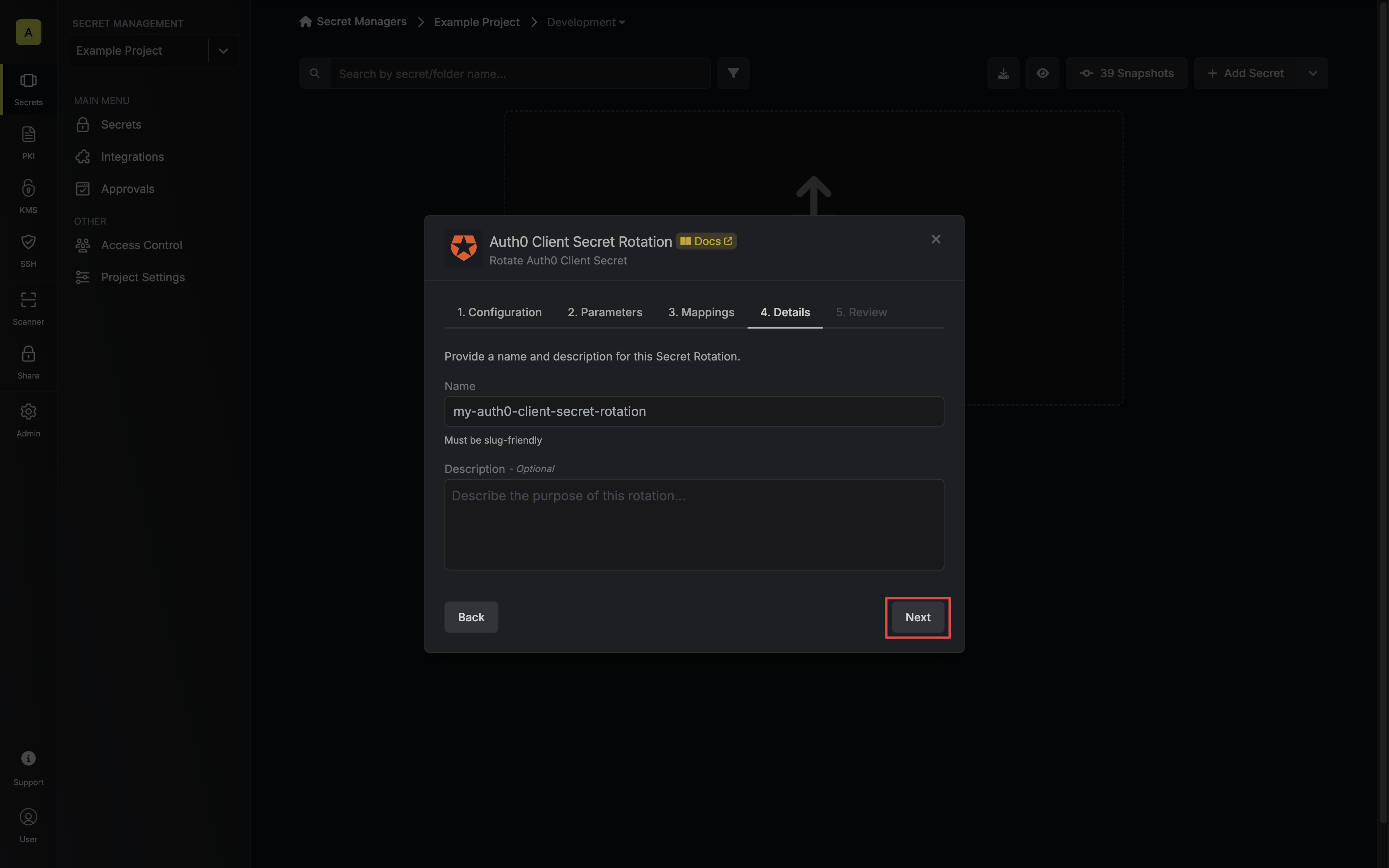 * **Name** - the name of the secret rotation configuration. Must be slug-friendly.
* **Description** (optional) - a description of this rotation configuration.
7. Review your configuration, then click **Create Secret Rotation**.
* **Name** - the name of the secret rotation configuration. Must be slug-friendly.
* **Description** (optional) - a description of this rotation configuration.
7. Review your configuration, then click **Create Secret Rotation**.
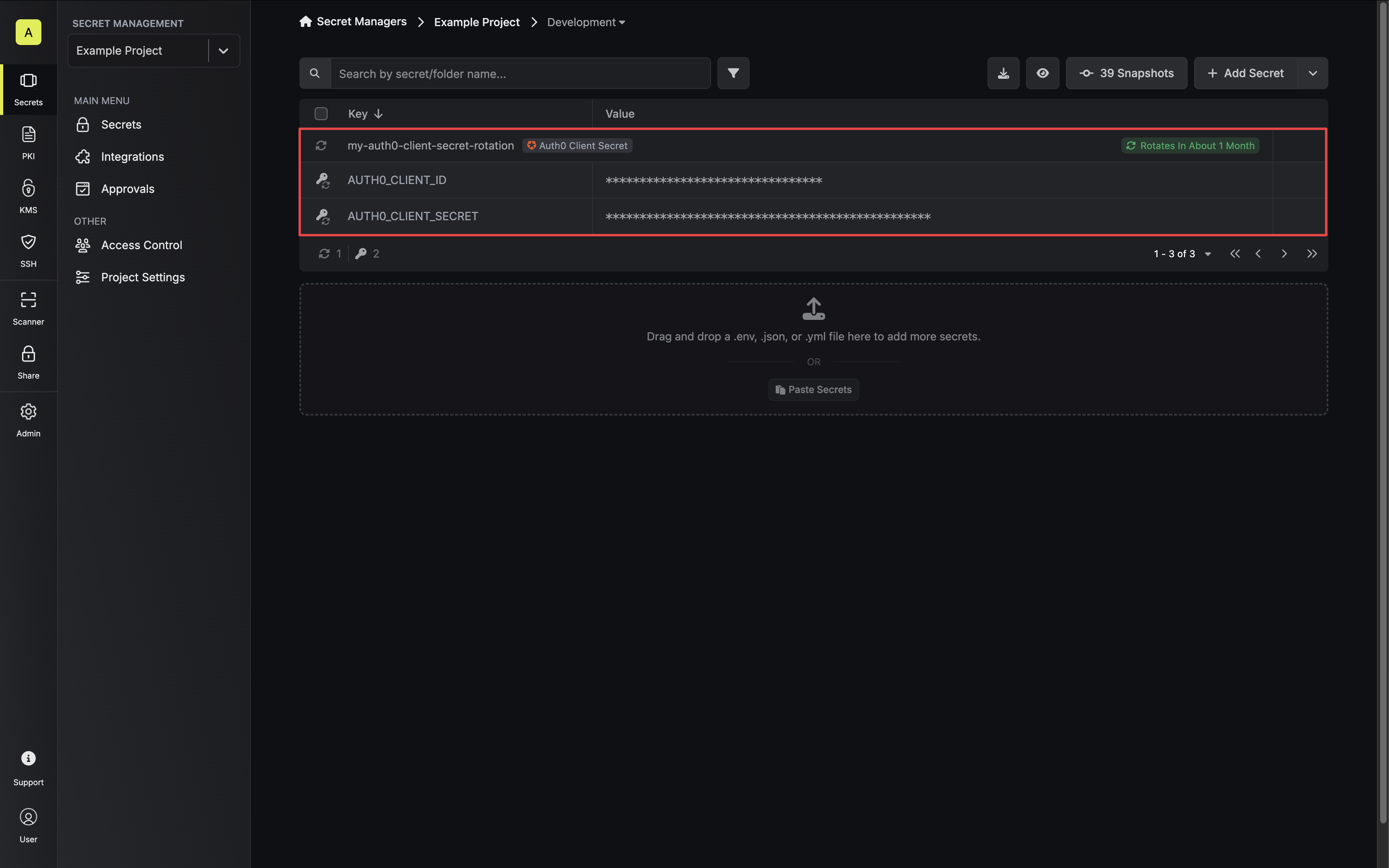
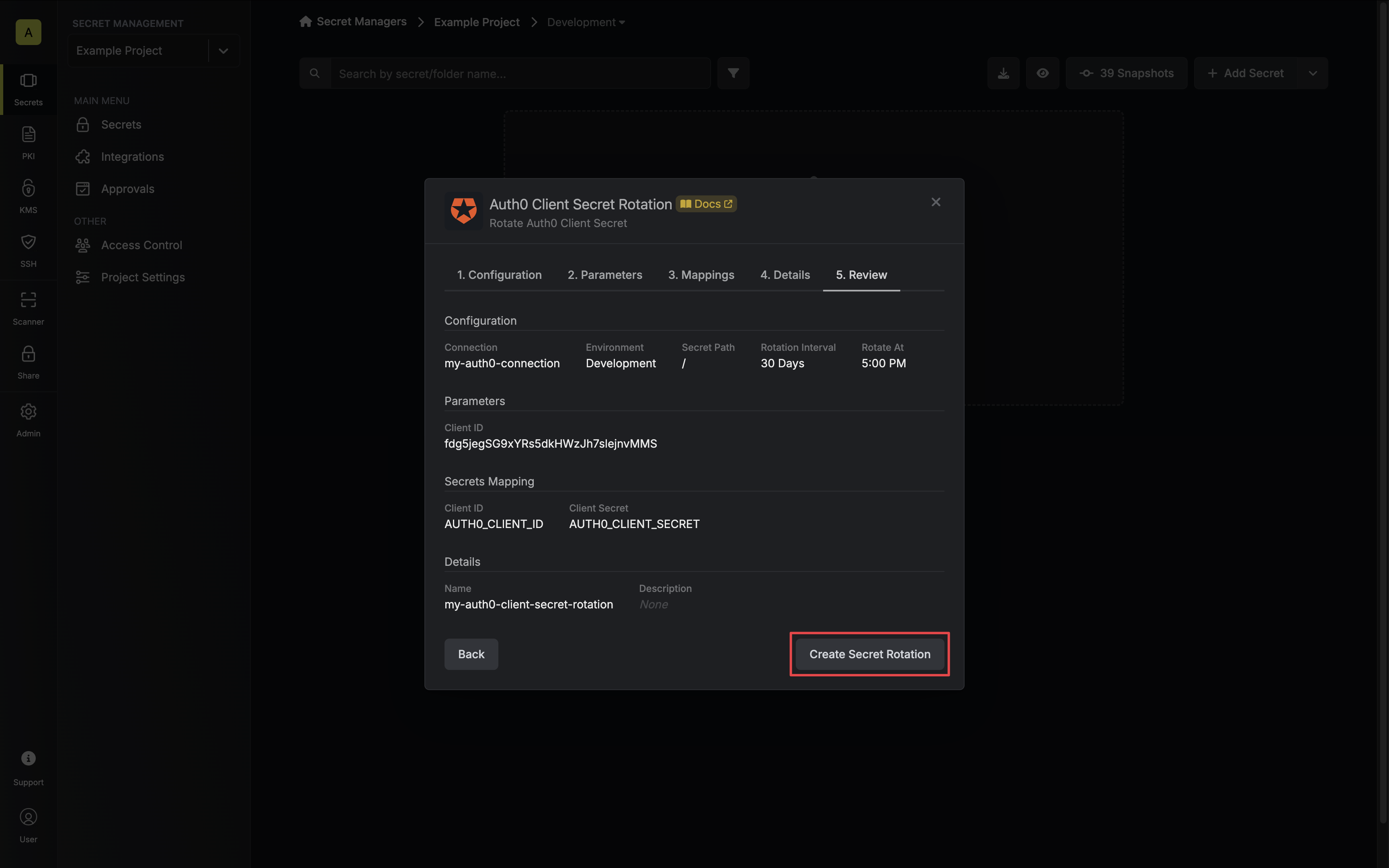 8. Your **Auth0 Client Secret** credentials are now available for use via the mapped secrets.
 To create an Auth0 Client Secret Rotation, make an API request to the [Create Auth0
Client Secret Rotation](/api-reference/endpoints/secret-rotations/auth0-client-secret/create) API endpoint.
You will first need the **Client ID** of the Auth0 application you want to rotate the secret for. This can be obtained from the Applications dashboard.
To create an Auth0 Client Secret Rotation, make an API request to the [Create Auth0
Client Secret Rotation](/api-reference/endpoints/secret-rotations/auth0-client-secret/create) API endpoint.
You will first need the **Client ID** of the Auth0 application you want to rotate the secret for. This can be obtained from the Applications dashboard.
 ### Sample request
```bash Request theme={"dark"}
curl --request POST \
--url https://us.infisical.com/api/v2/secret-rotations/auth0-client-secret \
--header 'Content-Type: application/json' \
--data '{
"name": "my-auth0-rotation",
"projectId": "3c90c3cc-0d44-4b50-8888-8dd25736052a",
"description": "my client secret rotation",
"connectionId": "3c90c3cc-0d44-4b50-8888-8dd25736052a",
"environment": "dev",
"secretPath": "/",
"isAutoRotationEnabled": true,
"rotationInterval": 30,
"rotateAtUtc": {
"hours": 0,
"minutes": 0
},
"parameters": {
"clientId": "...",
},
"secretsMapping": {
"clientId": "AUTH0_CLIENT_ID",
"clientSecret": "AUTH0_CLIENT_SECRET"
}
}'
```
Due to Auth0 Client Secret Rotations rotating a single credential set, auto-rotation may result in service interruptions. If you need to ensure service continuity, we recommend disabling this option.
### Sample response
```bash Response theme={"dark"}
{
"secretRotation": {
"id": "3c90c3cc-0d44-4b50-8888-8dd25736052a",
"name": "my-auth0-rotation",
"description": "my client secret rotation",
"secretsMapping": {
"clientId": "AUTH0_CLIENT_ID",
"clientSecret": "AUTH0_CLIENT_SECRET"
},
"isAutoRotationEnabled": true,
"activeIndex": 0,
"folderId": "3c90c3cc-0d44-4b50-8888-8dd25736052a",
"connectionId": "3c90c3cc-0d44-4b50-8888-8dd25736052a",
"createdAt": "2023-11-07T05:31:56Z",
"updatedAt": "2023-11-07T05:31:56Z",
"rotationInterval": 30,
"rotationStatus": "success",
"lastRotationAttemptedAt": "2023-11-07T05:31:56Z",
"lastRotatedAt": "2023-11-07T05:31:56Z",
"lastRotationJobId": "3c90c3cc-0d44-4b50-8888-8dd25736052a",
"nextRotationAt": "2023-11-07T05:31:56Z",
"connection": {
"app": "auth0",
"name": "my-auth0-connection",
"id": "3c90c3cc-0d44-4b50-8888-8dd25736052a"
},
"environment": {
"slug": "dev",
"name": "Development",
"id": "3c90c3cc-0d44-4b50-8888-8dd25736052a"
},
"projectId": "3c90c3cc-0d44-4b50-8888-8dd25736052a",
"folder": {
"id": "3c90c3cc-0d44-4b50-8888-8dd25736052a",
"path": "/"
},
"rotateAtUtc": {
"hours": 0,
"minutes": 0
},
"lastRotationMessage": null,
"type": "auth0-client-secret",
"parameters": {
"clientId": "...",
}
}
}
```
### Sample request
```bash Request theme={"dark"}
curl --request POST \
--url https://us.infisical.com/api/v2/secret-rotations/auth0-client-secret \
--header 'Content-Type: application/json' \
--data '{
"name": "my-auth0-rotation",
"projectId": "3c90c3cc-0d44-4b50-8888-8dd25736052a",
"description": "my client secret rotation",
"connectionId": "3c90c3cc-0d44-4b50-8888-8dd25736052a",
"environment": "dev",
"secretPath": "/",
"isAutoRotationEnabled": true,
"rotationInterval": 30,
"rotateAtUtc": {
"hours": 0,
"minutes": 0
},
"parameters": {
"clientId": "...",
},
"secretsMapping": {
"clientId": "AUTH0_CLIENT_ID",
"clientSecret": "AUTH0_CLIENT_SECRET"
}
}'
```
Due to Auth0 Client Secret Rotations rotating a single credential set, auto-rotation may result in service interruptions. If you need to ensure service continuity, we recommend disabling this option.
### Sample response
```bash Response theme={"dark"}
{
"secretRotation": {
"id": "3c90c3cc-0d44-4b50-8888-8dd25736052a",
"name": "my-auth0-rotation",
"description": "my client secret rotation",
"secretsMapping": {
"clientId": "AUTH0_CLIENT_ID",
"clientSecret": "AUTH0_CLIENT_SECRET"
},
"isAutoRotationEnabled": true,
"activeIndex": 0,
"folderId": "3c90c3cc-0d44-4b50-8888-8dd25736052a",
"connectionId": "3c90c3cc-0d44-4b50-8888-8dd25736052a",
"createdAt": "2023-11-07T05:31:56Z",
"updatedAt": "2023-11-07T05:31:56Z",
"rotationInterval": 30,
"rotationStatus": "success",
"lastRotationAttemptedAt": "2023-11-07T05:31:56Z",
"lastRotatedAt": "2023-11-07T05:31:56Z",
"lastRotationJobId": "3c90c3cc-0d44-4b50-8888-8dd25736052a",
"nextRotationAt": "2023-11-07T05:31:56Z",
"connection": {
"app": "auth0",
"name": "my-auth0-connection",
"id": "3c90c3cc-0d44-4b50-8888-8dd25736052a"
},
"environment": {
"slug": "dev",
"name": "Development",
"id": "3c90c3cc-0d44-4b50-8888-8dd25736052a"
},
"projectId": "3c90c3cc-0d44-4b50-8888-8dd25736052a",
"folder": {
"id": "3c90c3cc-0d44-4b50-8888-8dd25736052a",
"path": "/"
},
"rotateAtUtc": {
"hours": 0,
"minutes": 0
},
"lastRotationMessage": null,
"type": "auth0-client-secret",
"parameters": {
"clientId": "...",
}
}
}
```