> ## Documentation Index
> Fetch the complete documentation index at: https://infisical.com/docs/llms.txt
> Use this file to discover all available pages before exploring further.
# SCIM Group Mappings
> Learn how to enhance your SCIM implementation using group mappings
SCIM provisioning, and by extension group mapping, is a paid feature.
If you're using Infisical Cloud, then it is available under the **Enterprise Tier**. If you're self-hosting Infisical,
then you should contact [sales@infisical.com](mailto:sales@infisical.com) to purchase an enterprise license to use it.
## SCIM Group to Organization Role Mapping
By default, when users are provisioned via SCIM, they will be assigned the default organization role configured in [Organization General Settings](/documentation/platform/organization#settings).
For more precise control over membership roles, you can set up SCIM Group to Organization Role Mappings. This enables you to assign specific roles based on the group from which a user is provisioned.
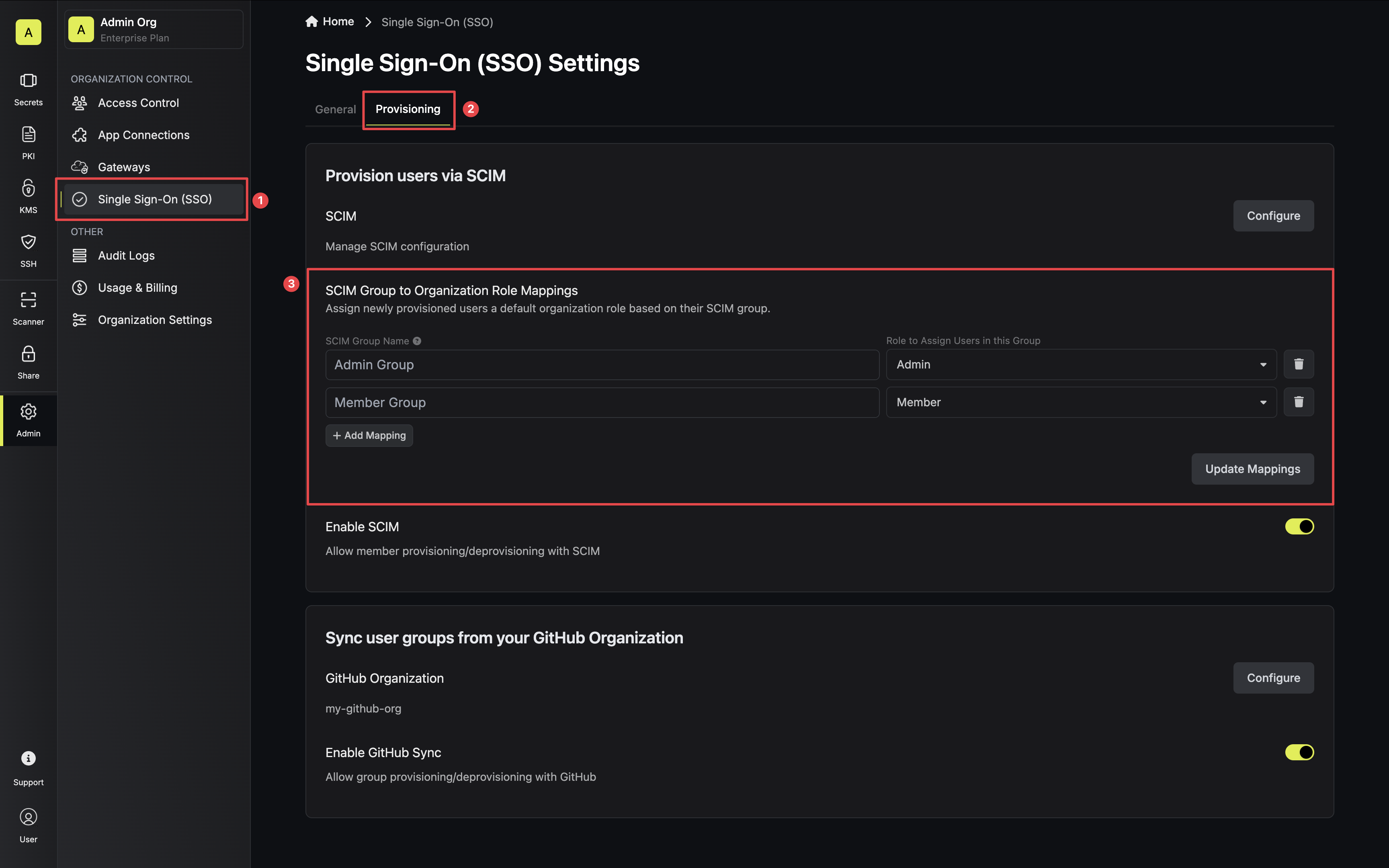 To configure a mapping, simply enter the SCIM group's name and select the role you would like users to be assigned from this group. Be sure
to tap **Update Mappings** once complete.
SCIM Group Mappings only apply when users are first provisioned. Previously provisioned users will not be affected, allowing you to customize user roles after they are added.
To configure a mapping, simply enter the SCIM group's name and select the role you would like users to be assigned from this group. Be sure
to tap **Update Mappings** once complete.
SCIM Group Mappings only apply when users are first provisioned. Previously provisioned users will not be affected, allowing you to customize user roles after they are added.