> ## Documentation Index
> Fetch the complete documentation index at: https://infisical.com/docs/llms.txt
> Use this file to discover all available pages before exploring further.
# View Credentials
> View the current password or private key for a PAM account directly from the Infisical dashboard.
When Infisical manages and [rotates](/documentation/platform/pam/product-reference/credential-rotation) an account's credentials, it becomes the source of truth for the current password. You can reveal the current password or private key from the account details page. Common use cases include:
* Retrieving the current password managed by Infisical as the source of truth, e.g. after a rotation.
* Entering credentials directly into systems or tooling that don't connect through the Gateway.
On the account details page, public fields like **username** are always visible. To reveal sensitive fields like **password** or **private key**, click the **View Credentials** button.
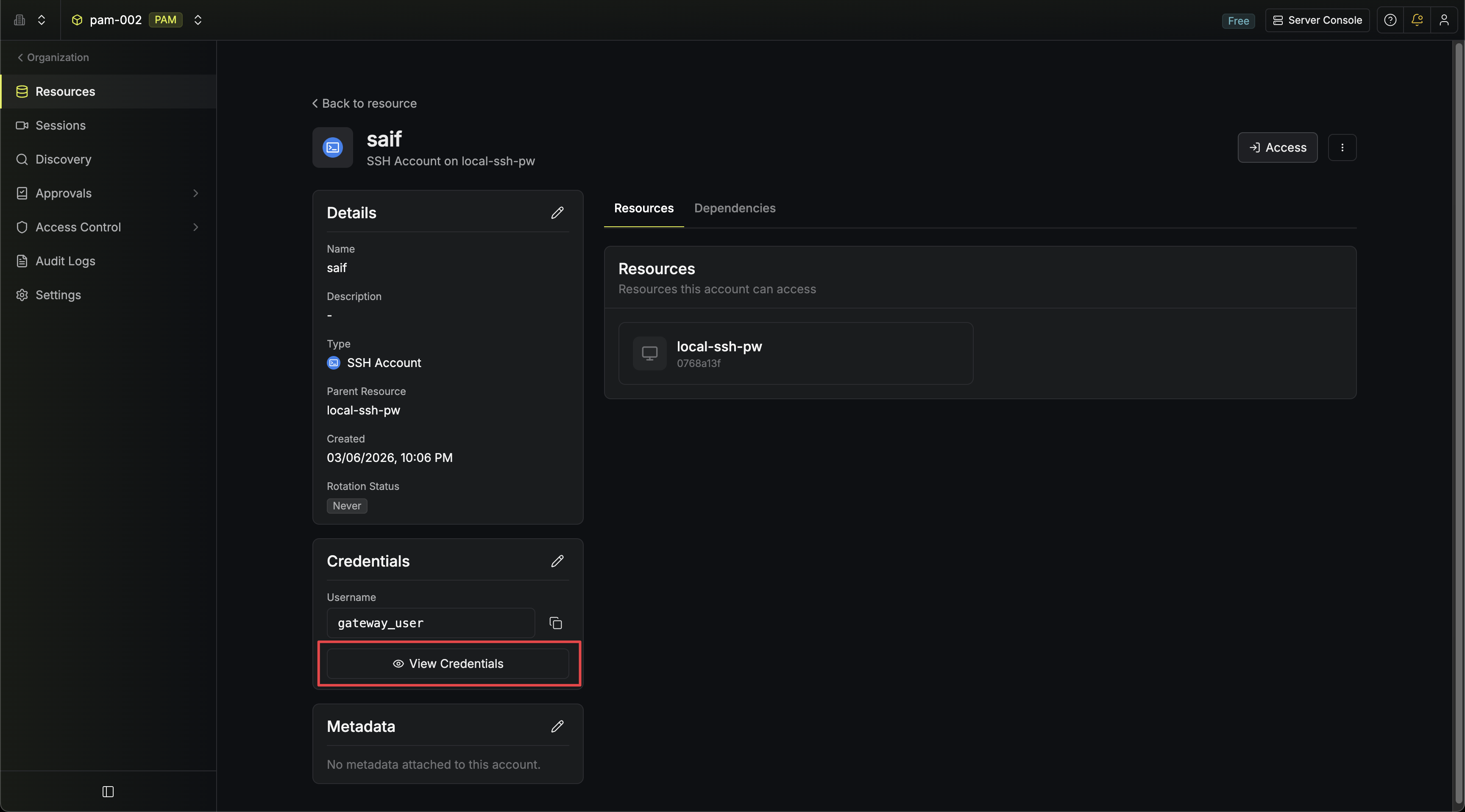
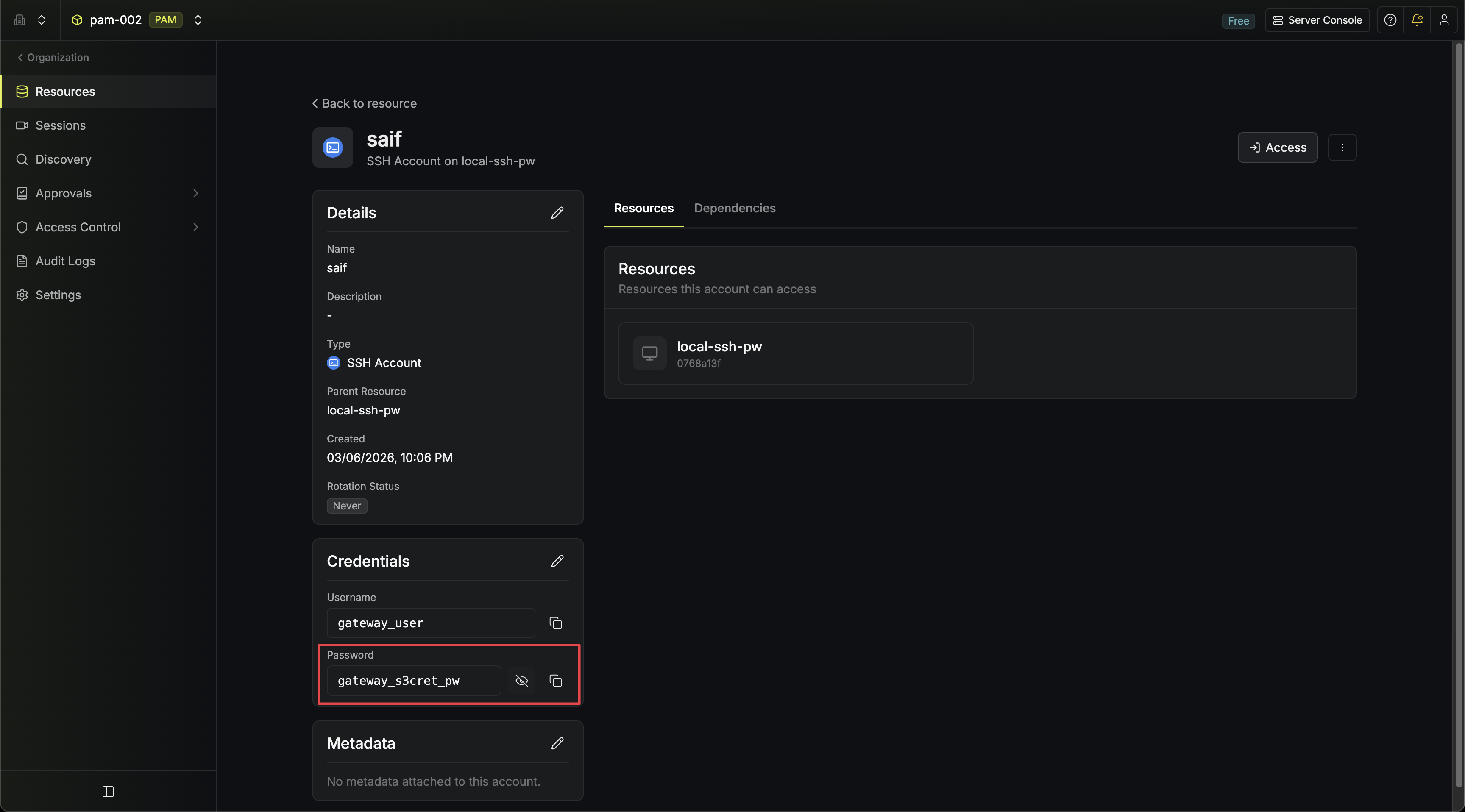 The button only appears for account types that have sensitive fields. Accounts like **SSH (certificate auth)** and **AWS IAM** don't have hidden credentials beyond what is already shown.
## Access Controls
Revealing credentials is gated by a dedicated permission and optionally by MFA:
* **Permission**: Requires the **Read Credentials** permission on PAM accounts. Without this permission, users with **Read** can still view account details and users with **Access** can still connect to resources through Infisical, but neither can see the raw password or private key. Add **Read Credentials** to the appropriate role in your project's role settings.
* **MFA**: Accounts with MFA enabled require users to complete MFA verification before credentials are revealed.
* **Audit Log**: Every reveal is recorded as a `pam-account-read-credentials` event with the account ID, account name, resource ID, and resource type.
The button only appears for account types that have sensitive fields. Accounts like **SSH (certificate auth)** and **AWS IAM** don't have hidden credentials beyond what is already shown.
## Access Controls
Revealing credentials is gated by a dedicated permission and optionally by MFA:
* **Permission**: Requires the **Read Credentials** permission on PAM accounts. Without this permission, users with **Read** can still view account details and users with **Access** can still connect to resources through Infisical, but neither can see the raw password or private key. Add **Read Credentials** to the appropriate role in your project's role settings.
* **MFA**: Accounts with MFA enabled require users to complete MFA verification before credentials are revealed.
* **Audit Log**: Every reveal is recorded as a `pam-account-read-credentials` event with the account ID, account name, resource ID, and resource type.