> ## Documentation Index
> Fetch the complete documentation index at: https://infisical.com/docs/llms.txt
> Use this file to discover all available pages before exploring further.
# AWS Honey Tokens Setup
> One-time organization setup for AWS honey tokens.
This setup is performed **once per organization** by an admin. After
completing these steps, any project member with the appropriate [permissions](/documentation/platform/honey-tokens/overview#permissions) can [create honey
tokens](/documentation/platform/honey-tokens/aws/usage) without repeating this
process.
## Prerequisites
* You must have the organization-level **Honey Tokens → Setup** permission. By default, only organization **Admins** have this permission.
* Create an [AWS App Connection](/integrations/app-connections/aws) at the organization level with the following IAM permissions:
```json theme={"dark"}
{
"Version": "2012-10-17",
"Statement": [
{
"Sid": "HoneyTokenIAMManagement",
"Effect": "Allow",
"Action": [
"iam:CreateUser",
"iam:DeleteUser",
"iam:CreateAccessKey",
"iam:DeleteAccessKey"
],
"Resource": "arn:aws:iam::*:user/inf_ht_*"
},
{
"Sid": "HoneyTokenStackVerification",
"Effect": "Allow",
"Action": ["cloudformation:DescribeStacks"],
"Resource": "*"
}
]
}
```
The IAM permissions are scoped to users prefixed with `inf_ht_`, which is the
naming convention Infisical uses for honey token IAM users.
## Connect
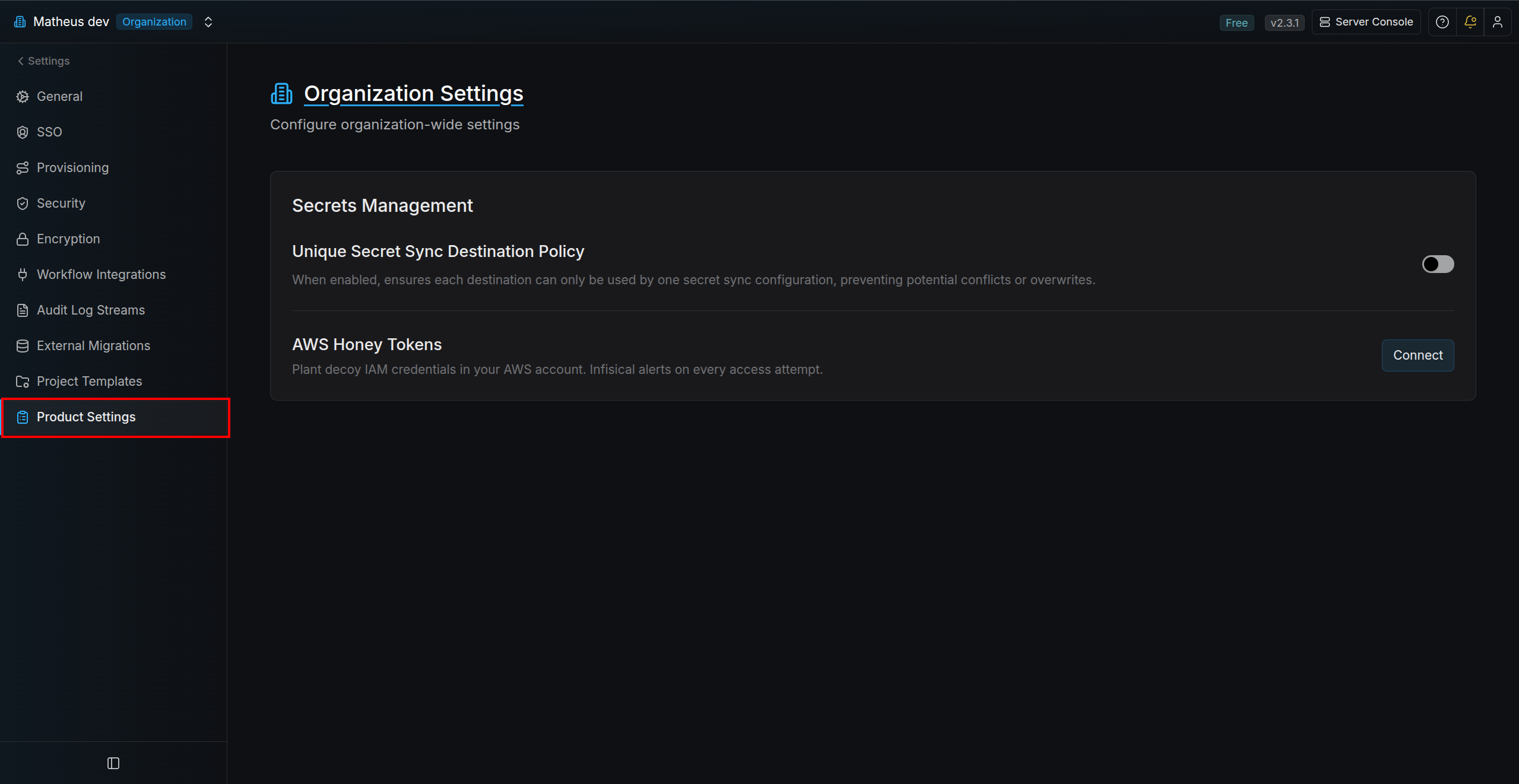
Go to **Organization Settings** → **Product Settings**.
 Click **Connect** to open the configuration modal.
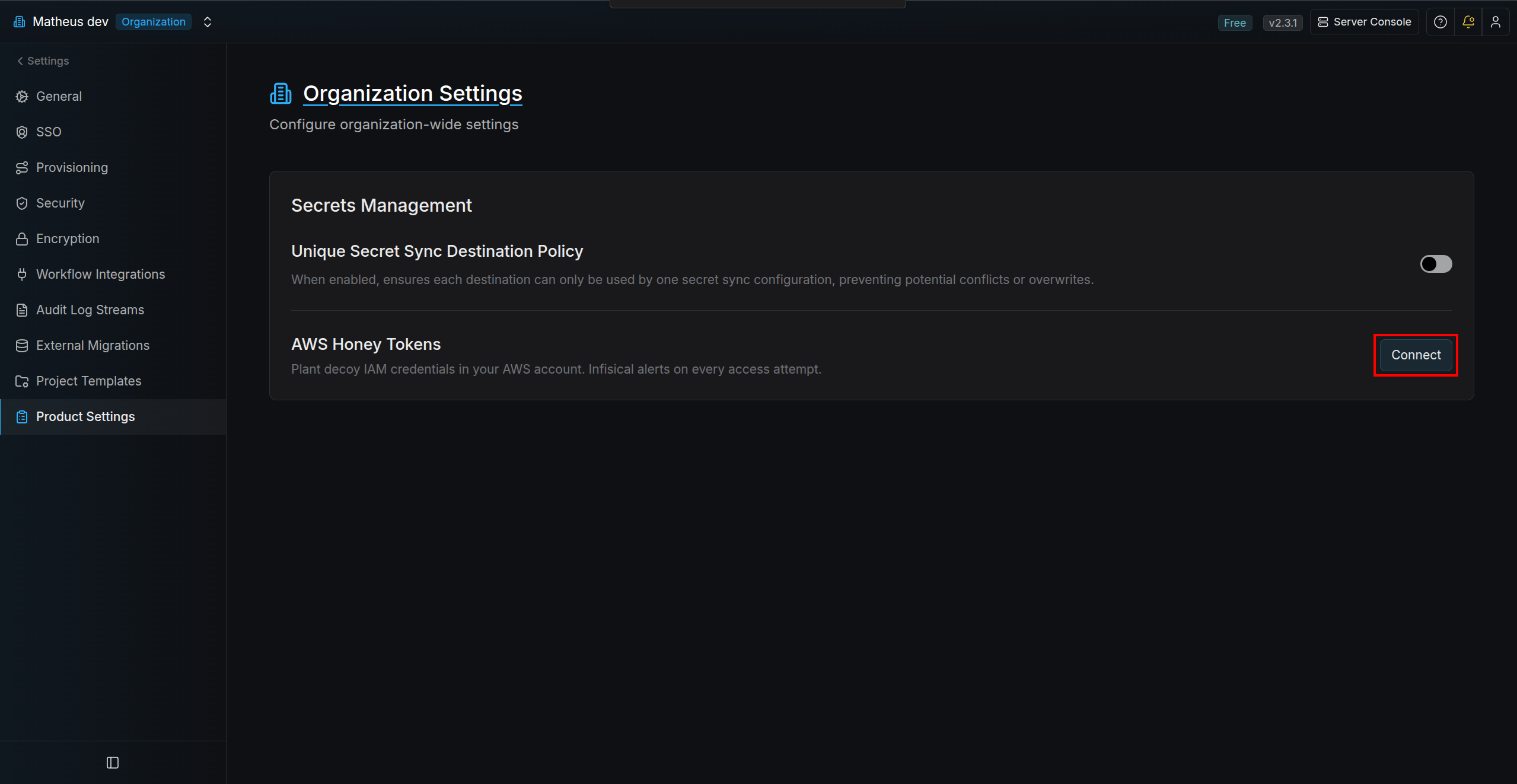 Configure:
* **App Connection** — select your AWS App Connection.
* **Webhook Signing Key** — auto-generated by default; customize it if needed. This key is used to validate webhook calls from AWS.
Optionally expand **Advanced Options**:
* **CloudFormation Stack Name** (default: `infisical-honey-tokens`)
* **AWS Region** (default: `us-east-1`)
Click **Save**.
Configure:
* **App Connection** — select your AWS App Connection.
* **Webhook Signing Key** — auto-generated by default; customize it if needed. This key is used to validate webhook calls from AWS.
Optionally expand **Advanced Options**:
* **CloudFormation Stack Name** (default: `infisical-honey-tokens`)
* **AWS Region** (default: `us-east-1`)
Click **Save**.
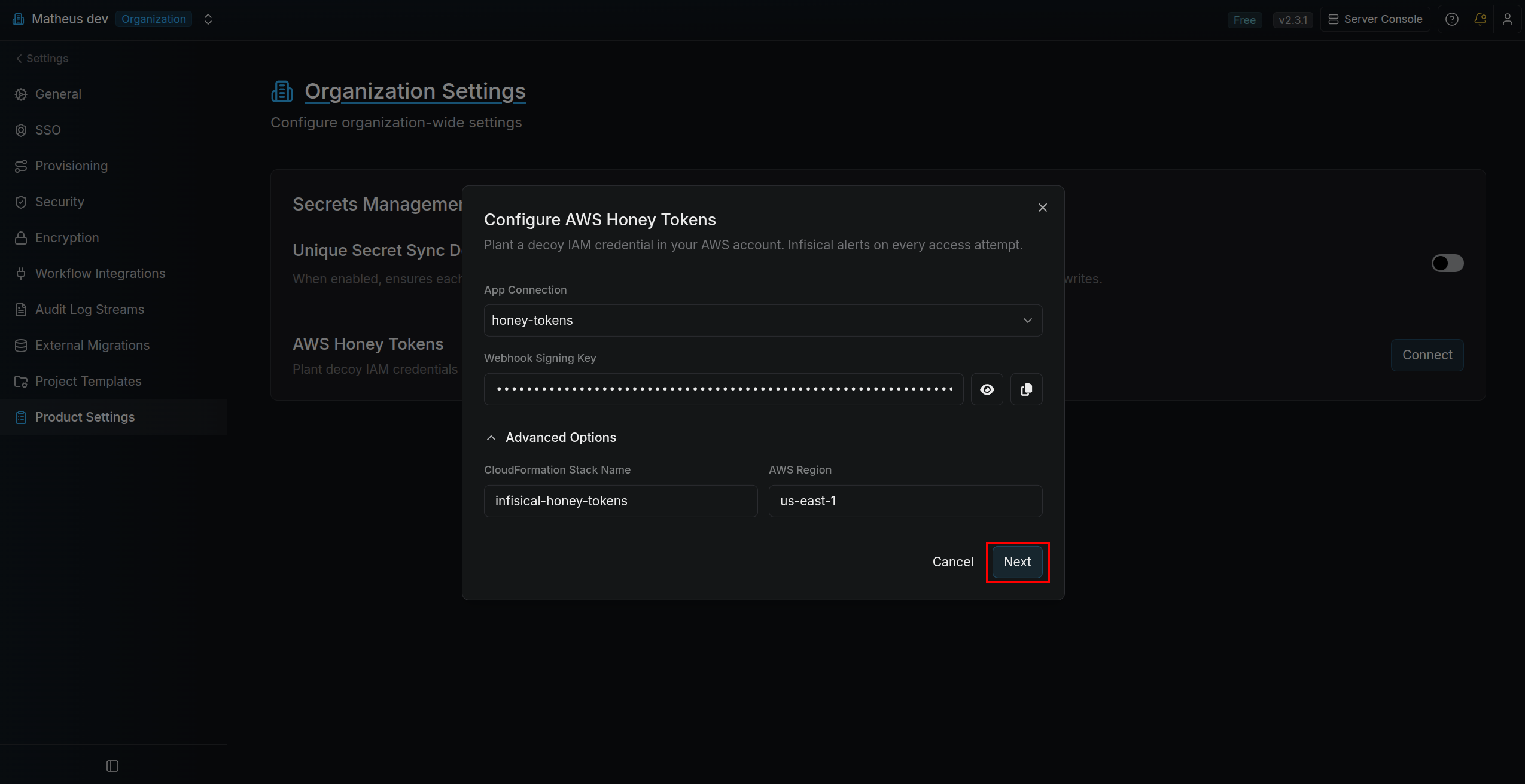 Copy the command shown under **Deploy CloudFormation Stack**.
Run the command in a terminal with AWS credentials that can deploy CloudFormation stacks in your target account and region.
Copy the command shown under **Deploy CloudFormation Stack**.
Run the command in a terminal with AWS credentials that can deploy CloudFormation stacks in your target account and region.
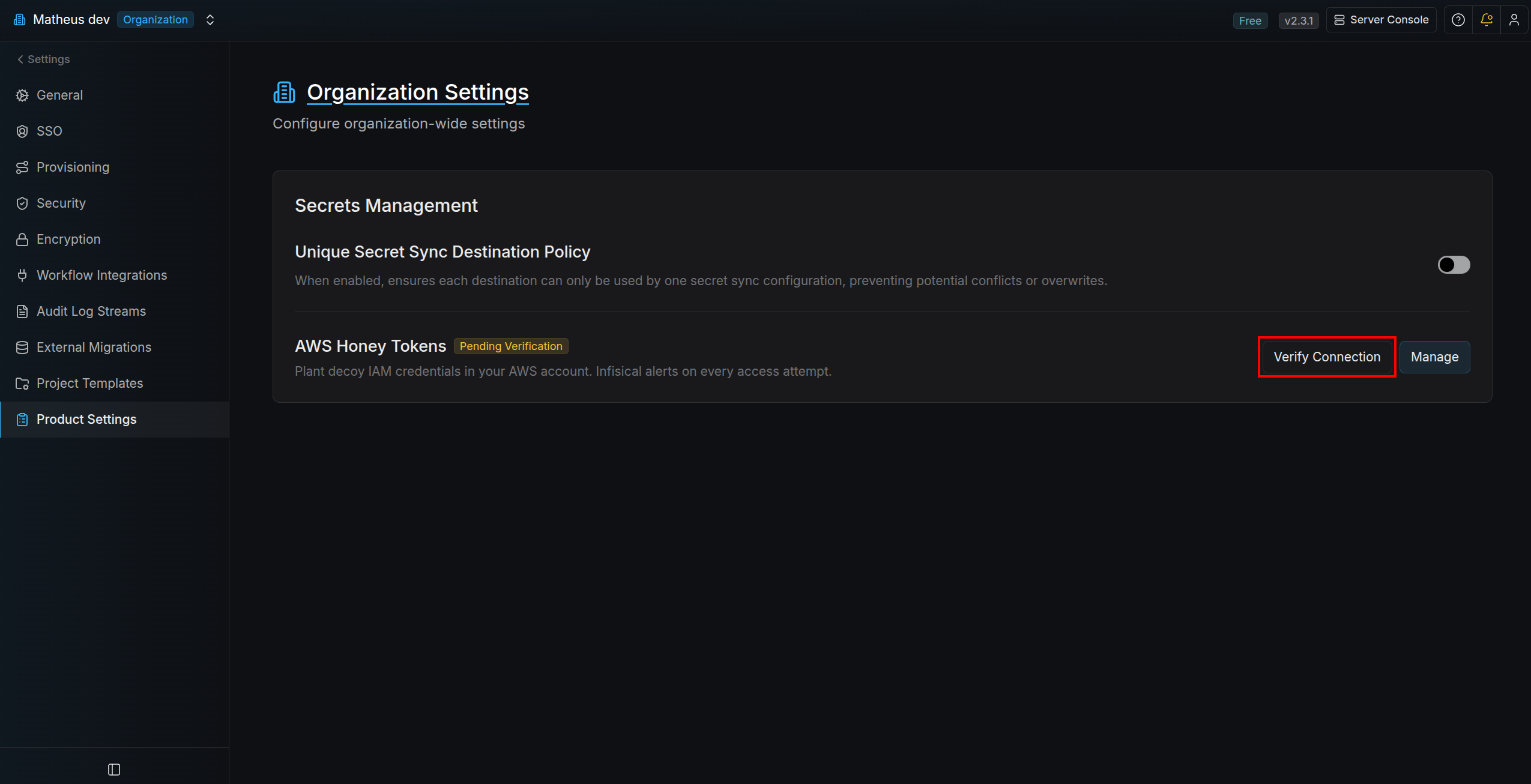
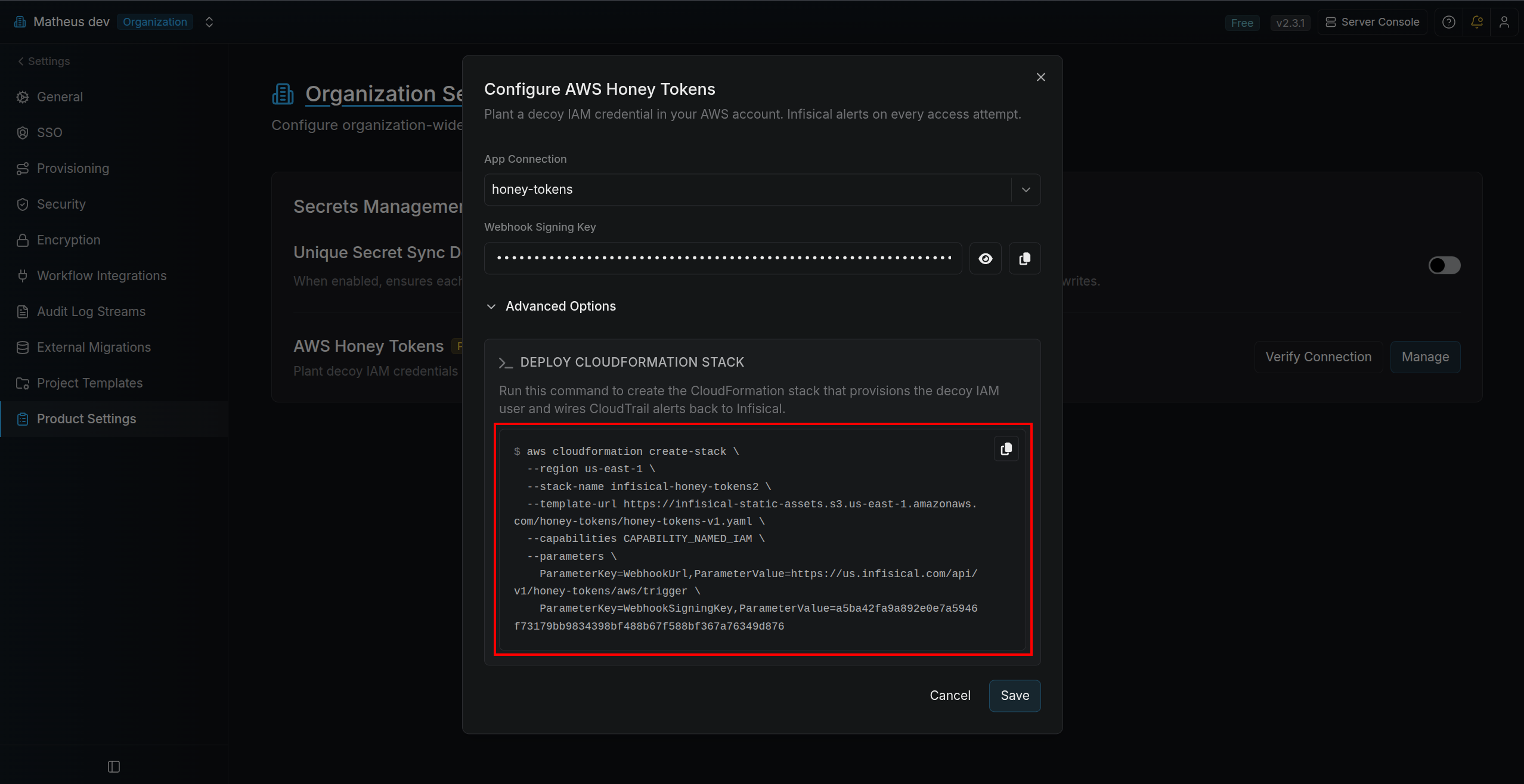 After the CloudFormation stack finishes deploying, click **Verify connection** in the **AWS Honey Tokens** section.
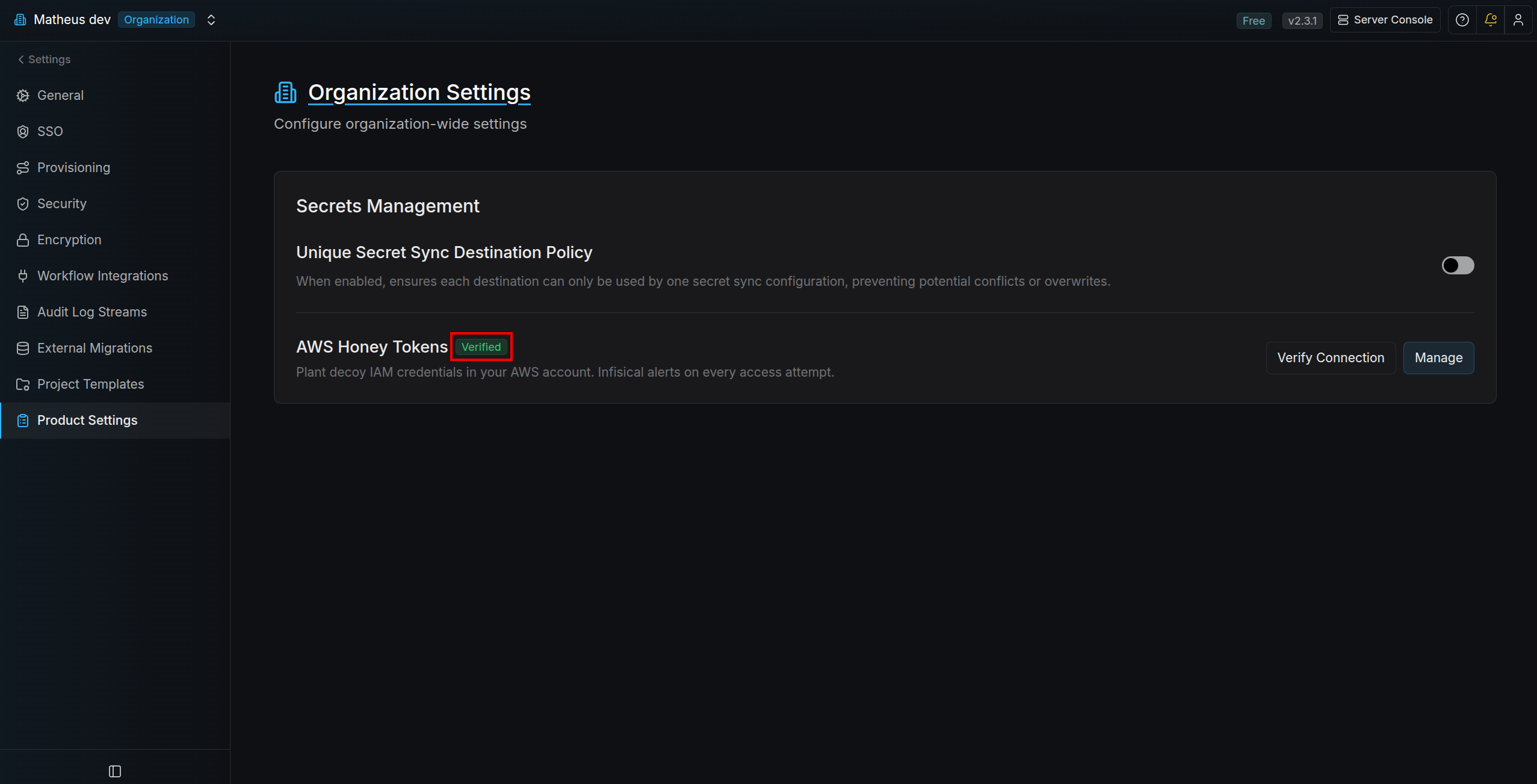
 Once verification succeeds, confirm the status badge is updated to **Verified**.
 ## Manage
After setup is saved, the **Connect** button changes to **Manage**.
Use **Manage** any time you need to update:
* AWS App Connection
* Webhook signing key
* CloudFormation stack name
* AWS region
In the modal, you can also copy the pre-filled AWS CLI command under **Deploy CloudFormation Stack** and run it to deploy the stack.
You can also verify directly in AWS CLI:
```bash theme={"dark"}
aws cloudformation describe-stacks \
--stack-name infisical-honey-tokens \
--query "Stacks[0].StackStatus"
```
You can only [create honey tokens](/documentation/platform/honey-tokens/aws/usage) after the stack status is **Verified**.
## Manage
After setup is saved, the **Connect** button changes to **Manage**.
Use **Manage** any time you need to update:
* AWS App Connection
* Webhook signing key
* CloudFormation stack name
* AWS region
In the modal, you can also copy the pre-filled AWS CLI command under **Deploy CloudFormation Stack** and run it to deploy the stack.
You can also verify directly in AWS CLI:
```bash theme={"dark"}
aws cloudformation describe-stacks \
--stack-name infisical-honey-tokens \
--query "Stacks[0].StackStatus"
```
You can only [create honey tokens](/documentation/platform/honey-tokens/aws/usage) after the stack status is **Verified**.