> ## Documentation Index
> Fetch the complete documentation index at: https://infisical.com/docs/llms.txt
> Use this file to discover all available pages before exploring further.
# Event Subscriptions
> Subscribe to events in Infisical for real-time updates
Event Subscriptions is a paid feature that is available under the Enterprise license.
Please contact [sales@infisical.com](mailto:sales@infisical.com).
Event Subscriptions allow you to receive real-time notifications when specific actions occur within your Infisical projects. You can subscribe to changes such as secret modifications, with support for additional resource types coming soon.
## How It Works
Event Subscriptions use [Server-Sent Events (SSE)](https://developer.mozilla.org/en-US/docs/Web/API/Server-sent_events) to deliver real-time updates to your applications:
1. Your application opens an SSE connection to the Infisical Events API.
2. When a subscribed event occurs (e.g., a secret is updated), Infisical pushes a notification through the connection.
3. Your application receives the event instantly and can take appropriate action.
Event Subscriptions are designed for real-time communication and do not include persistence or replay
capabilities—events are delivered once and are not stored for future retrieval. Ensure your application
maintains an active connection to receive events.
## Supported Events
You can subscribe to the following event types:
### Secrets
| Event | Description |
| ------------------------ | --------------------------------------------- |
| `secret:create` | Triggered when a new secret is created |
| `secret:update` | Triggered when an existing secret is modified |
| `secret:delete` | Triggered when a secret is removed |
| `secret:import-mutation` | Triggered when a secret changes via an import |
## Permissions Setup
To receive events, the machine identity must have the **Secret Events** permission with the appropriate actions enabled.
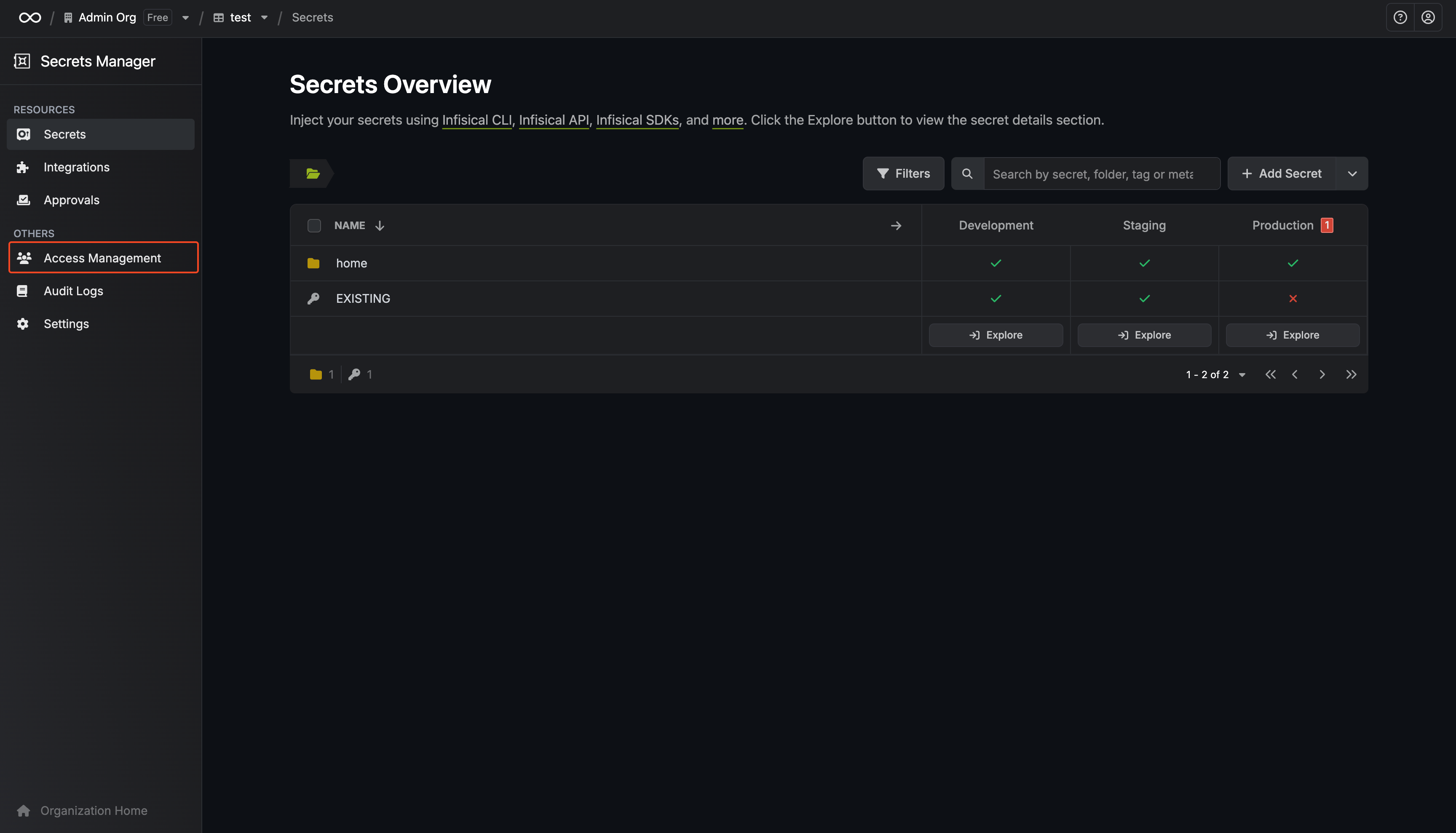
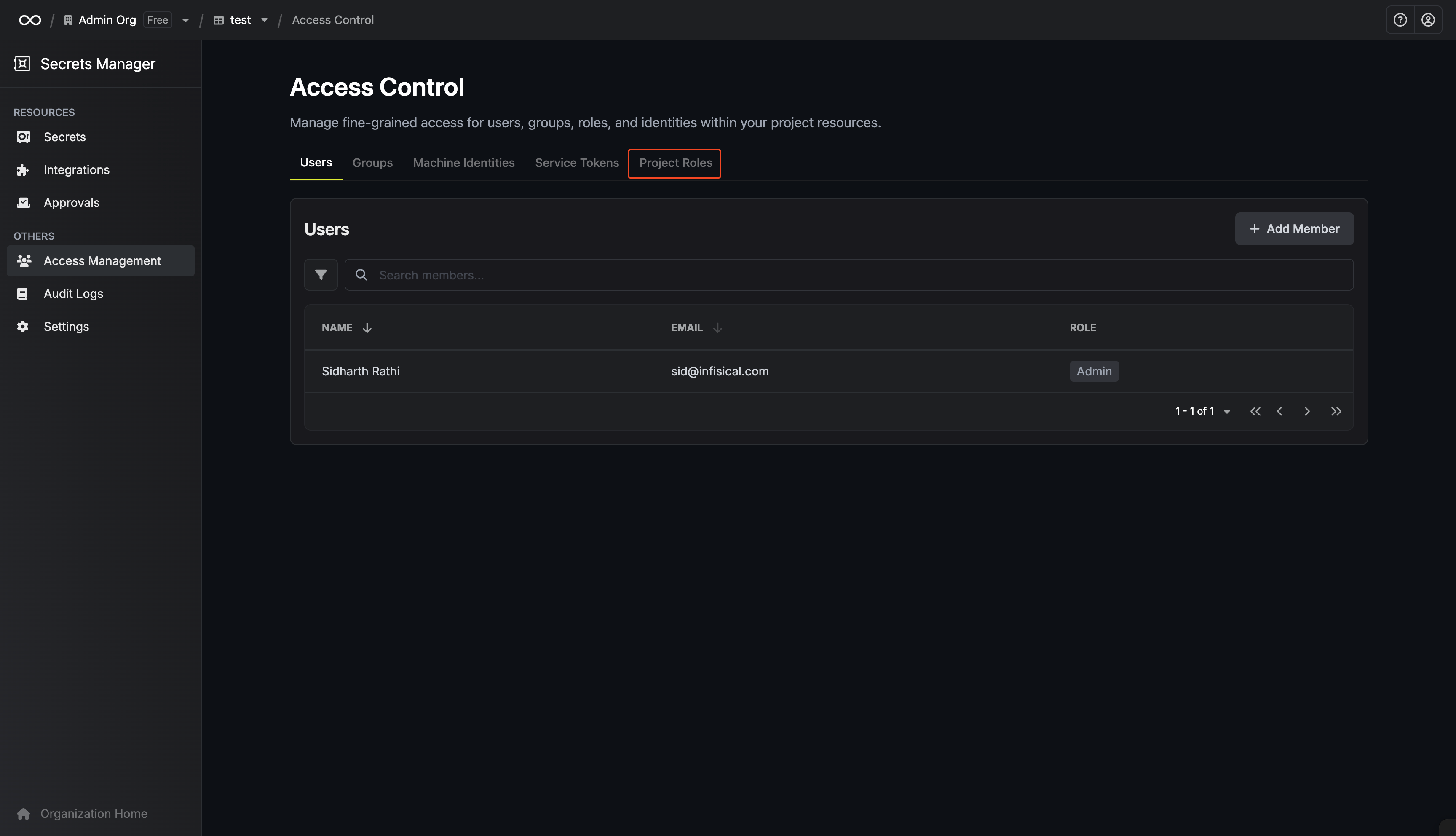 Go to **Access Management** and select **Project Roles**.
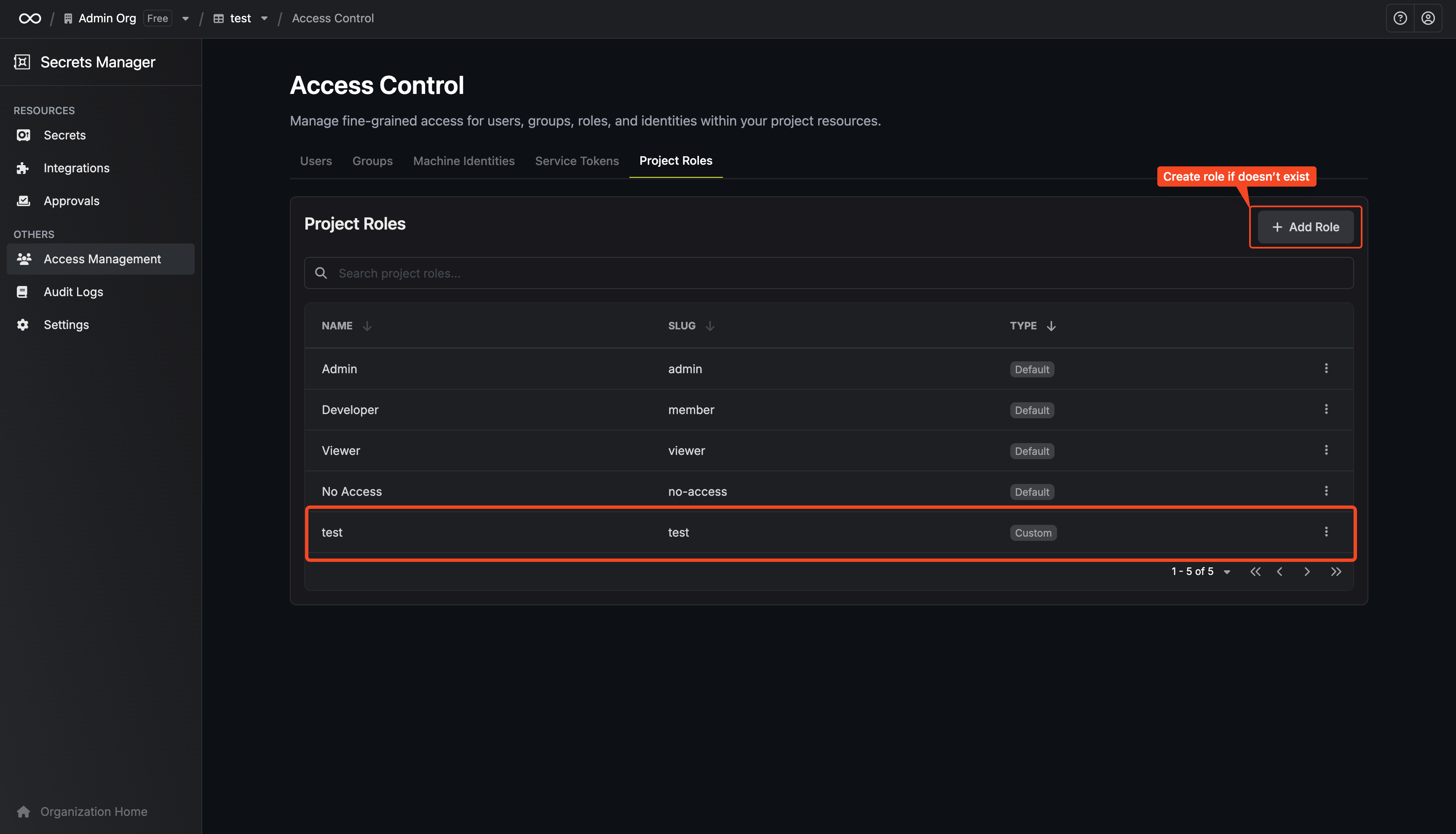 Create a new role for event subscriptions, or edit an existing one.
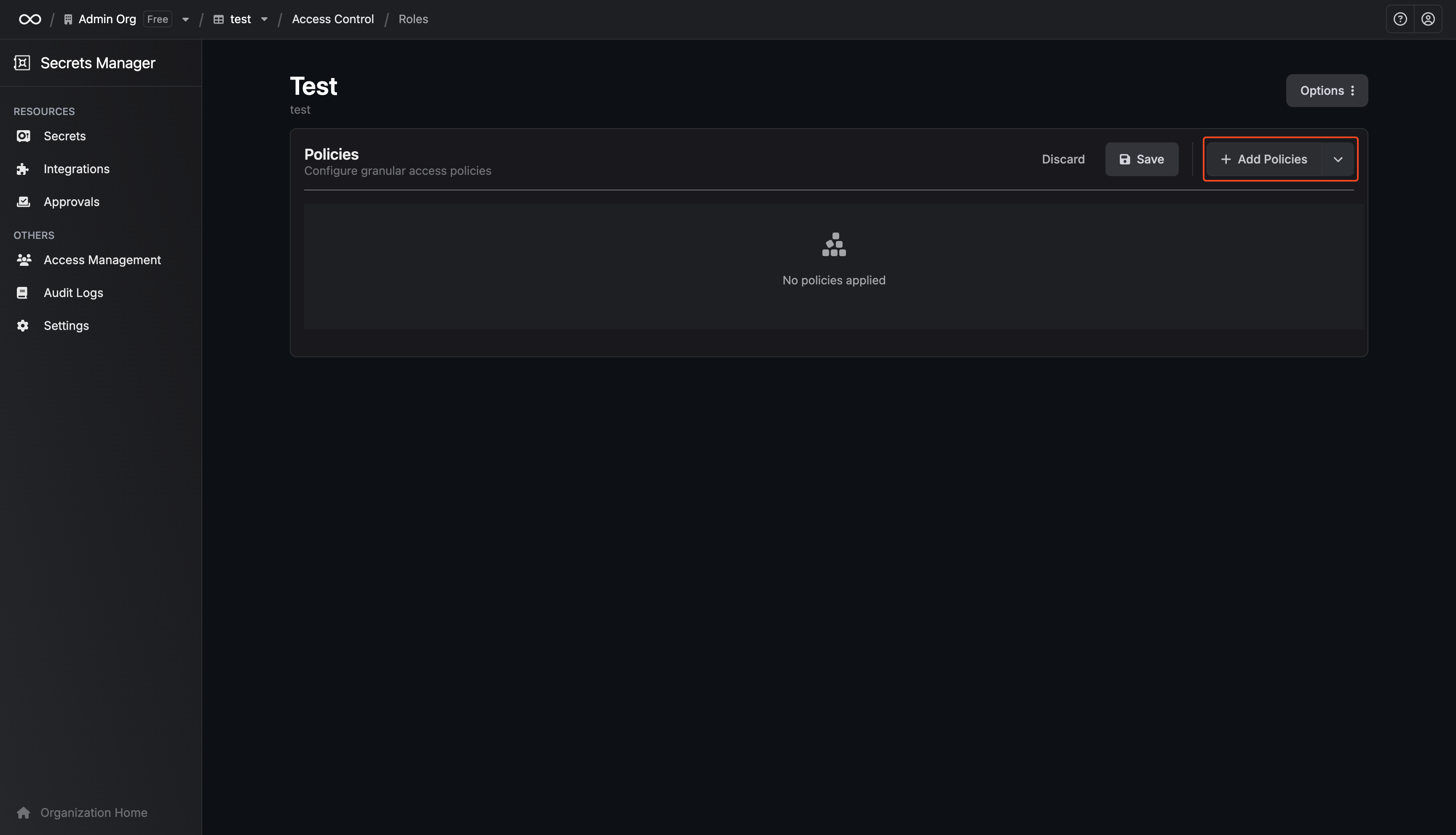 Select the resources the role should have access to.
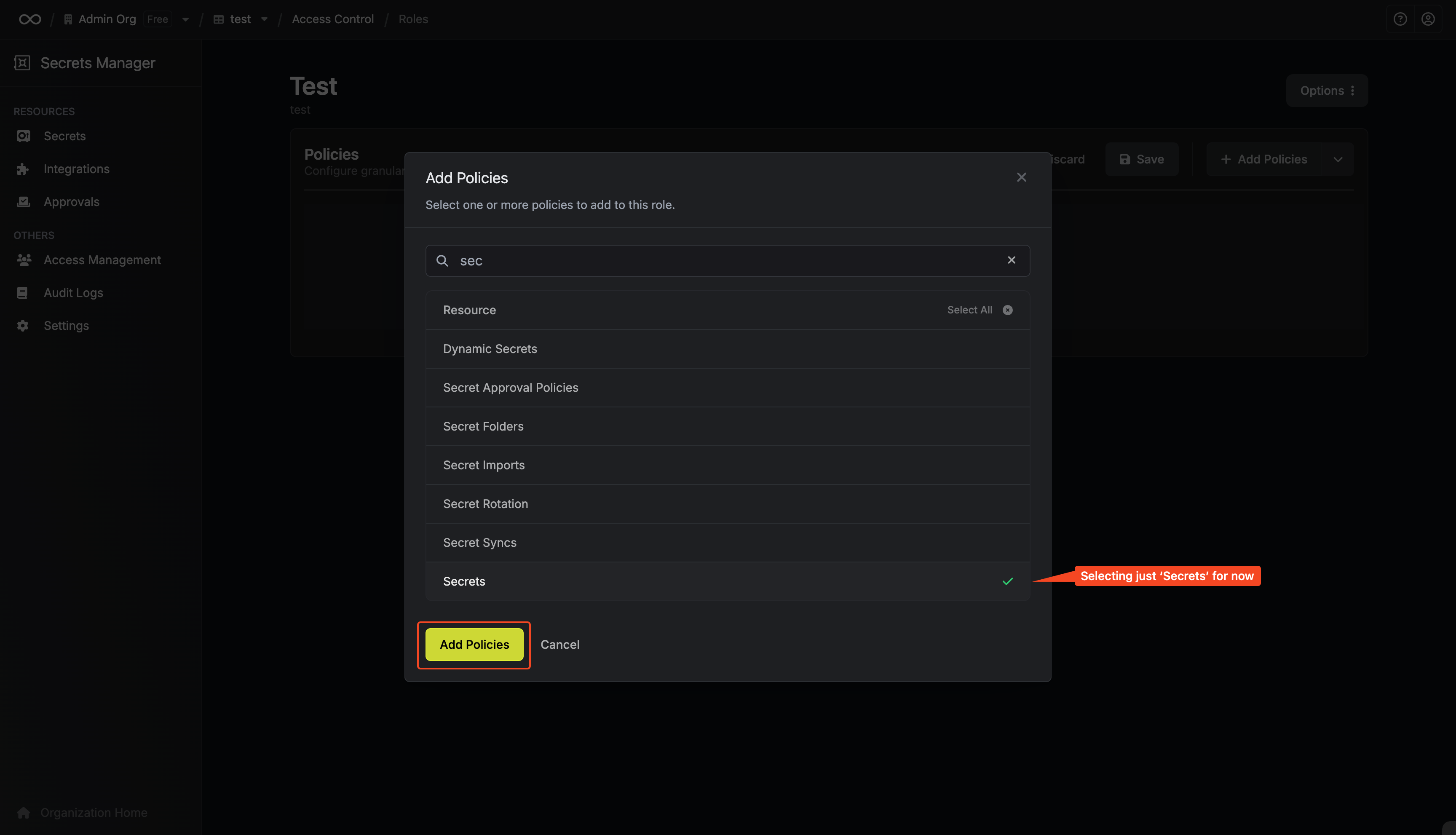
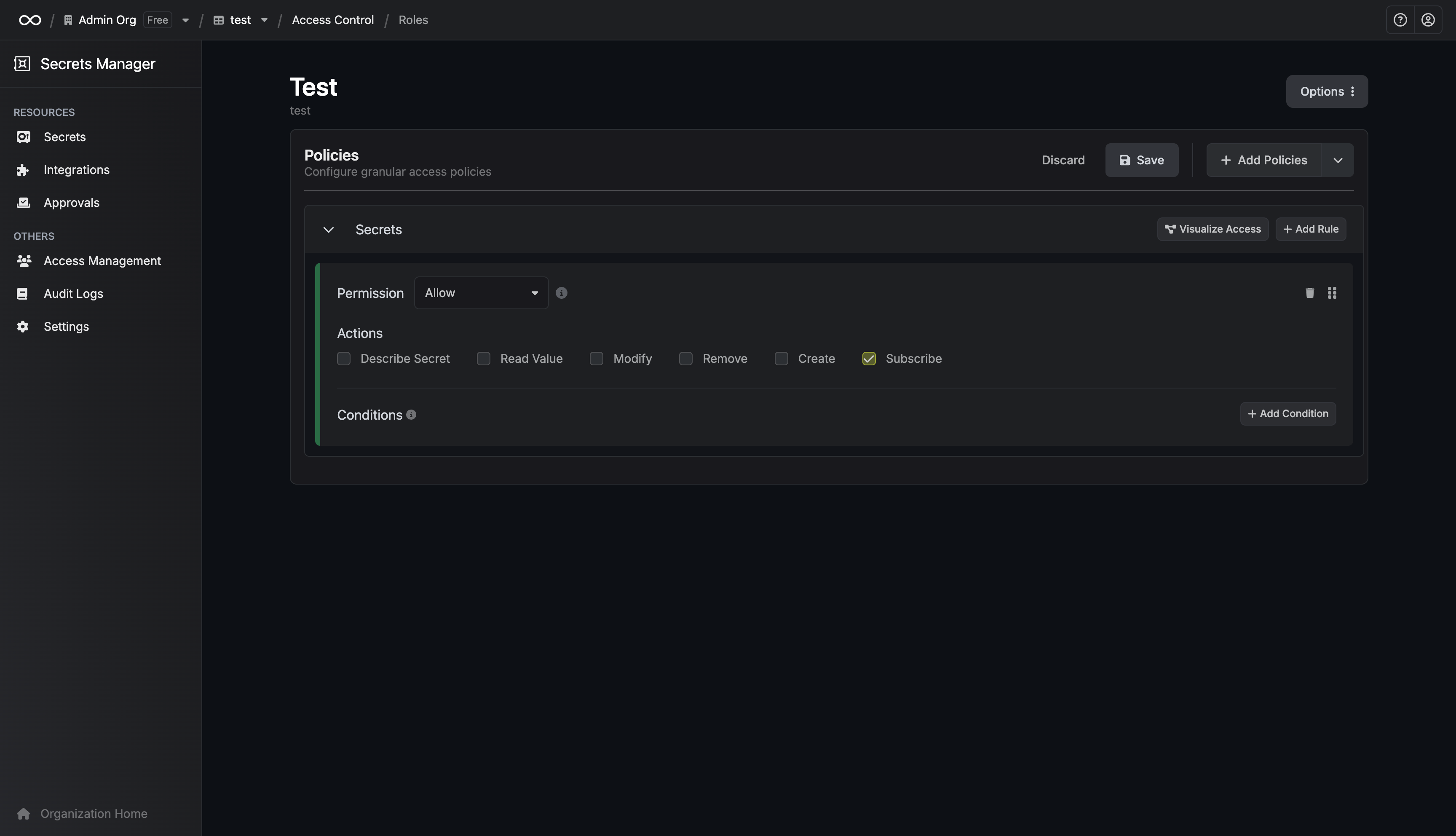 Enable the actions corresponding to the events you want to receive (e.g., read, create, update, delete).
### Filtering Events with Conditions
You can scope events to specific secret paths, environments, or other conditions.
Enable the actions corresponding to the events you want to receive (e.g., read, create, update, delete).
### Filtering Events with Conditions
You can scope events to specific secret paths, environments, or other conditions.
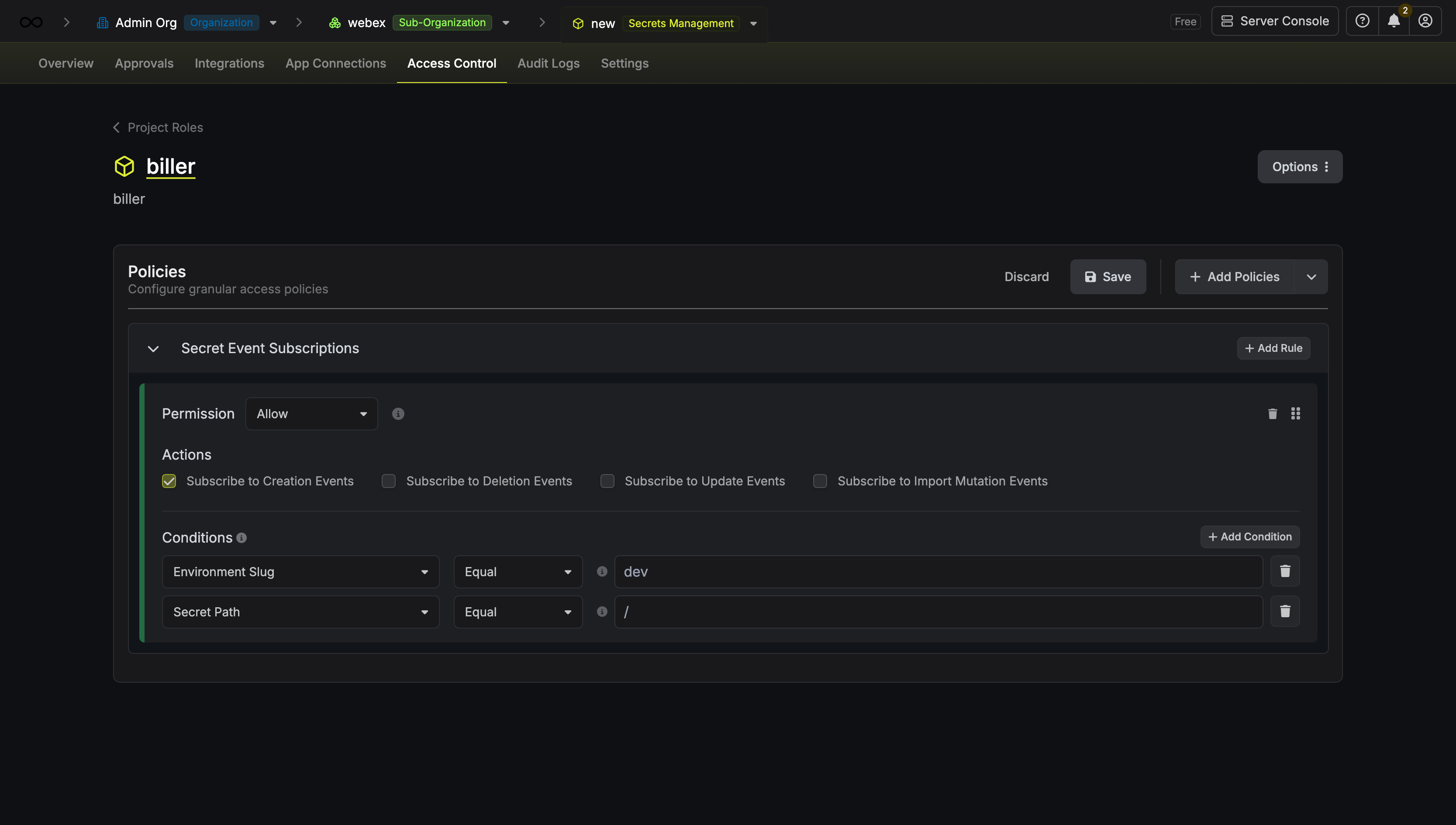 This allows you to receive only the events relevant to your use case, reducing noise and improving efficiency.
## Getting Started
Event Subscriptions are currently available via the [Events API](/api-reference/endpoints/events). Support for SDKs, Kubernetes Operator, and other integrations is coming soon.
### Prerequisites
You need an authentication token from a machine identity. Follow the [machine identities documentation](/documentation/platform/identities/machine-identities#authentication-methods) to set up authentication.
### Subscribing to Events
To subscribe to events, make a request to the events endpoint with your project ID and optional filters.
This allows you to receive only the events relevant to your use case, reducing noise and improving efficiency.
## Getting Started
Event Subscriptions are currently available via the [Events API](/api-reference/endpoints/events). Support for SDKs, Kubernetes Operator, and other integrations is coming soon.
### Prerequisites
You need an authentication token from a machine identity. Follow the [machine identities documentation](/documentation/platform/identities/machine-identities#authentication-methods) to set up authentication.
### Subscribing to Events
To subscribe to events, make a request to the events endpoint with your project ID and optional filters.
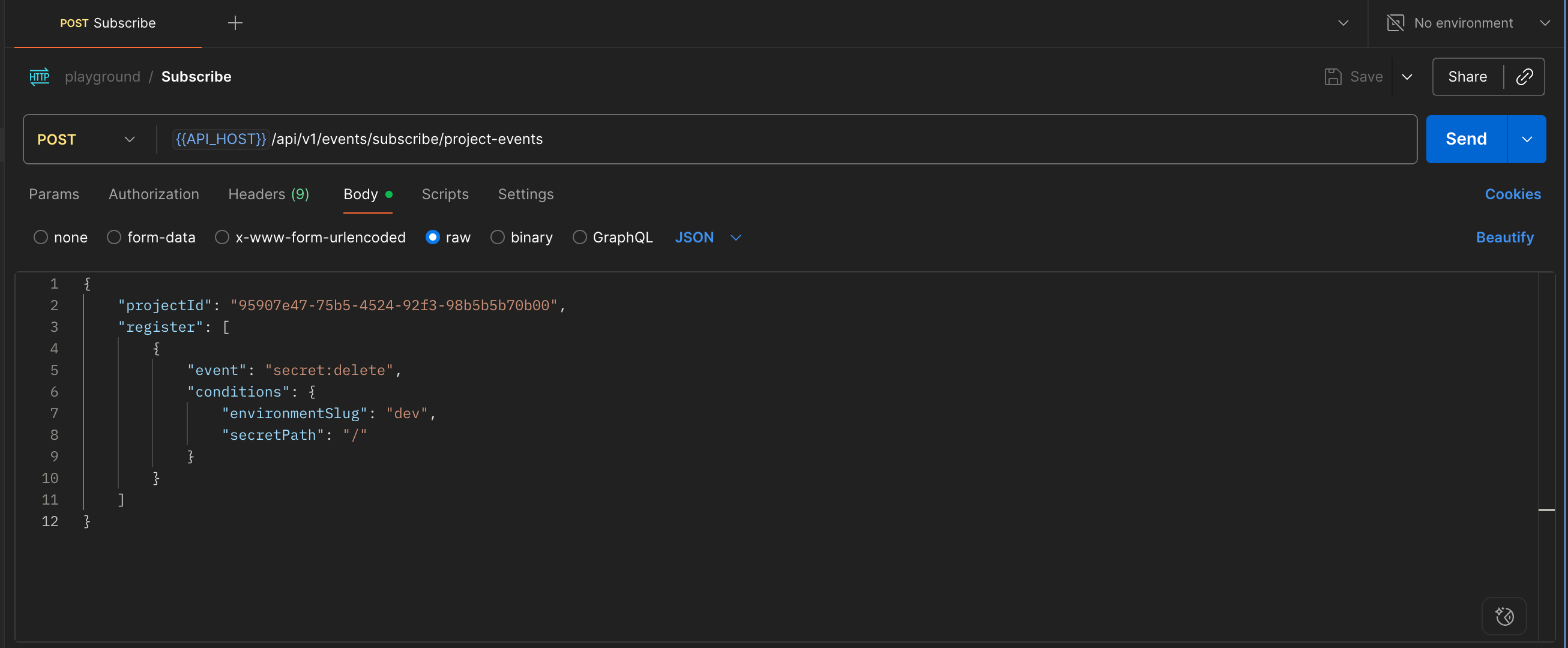 #### Request Parameters
| Parameter | Type | Description |
| --------------------------------------- | ------ | ------------------------------------------------------ |
| `projectId` | string | The ID of the project to subscribe to |
| `register` | array | List of event filters |
| `register[].conditions` | object | Optional conditions to filter events |
| `register[].conditions.environmentSlug` | string | Filter by environment (e.g., `dev`, `staging`, `prod`) |
| `register[].conditions.secretPath` | string | Filter by secret path (e.g., `/api/keys`) |
The endpoint responds with `Content-Type: text/event-stream` to initiate an SSE connection. In the cURL example below, we use the `-N` flag to keep the connection open to receive incoming events from Infisical.
```bash theme={"dark"}
curl -X POST -N --location \
'https://app.infisical.com/api/v1/events/subscribe/project-events' \
--header 'Content-Type: application/json' \
--header "Authorization: Bearer " \
--data '{
"projectId": "",
"register": [
{
"event": "secret:create",
"conditions": {
"environmentSlug": "dev",
"secretPath": "/micro_service1"
}
},
{
"event": "secret:update",
"conditions": {
"environmentSlug": "staging",
"secretPath": "/**"
}
},
{
"event": "secret:delete",
"conditions": {
"environmentSlug": "prod",
"secretPath": "/database"
}
},
{
"event": "secret:import-mutation",
"conditions": {
"environmentSlug": "prod",
"secretPath": "/database"
}
}
]
}'
```
### Response Format
* Event triggered on a secret change
```json theme={"dark"}
{
"projectType": "secret-manager",
"data": {
"eventType": "secret:create|update|delete",
"payload": [
{
"environment": "staging",
"secretPath": "/",
"secretKey": "SECRET_KEY1"
},
{
"environment": "staging",
"secretPath": "/",
"secretKey": "SECRET_KEY2"
}
],
}
}
```
* Event triggered on a secret change in an import
```json theme={"dark"}
{
"projectType": "secret-manager",
"data": {
"eventType": "secret:import-mutation",
"payload": {
"environment": "staging",
"secretPath": "/"
}
}
}
```
For complete API specifications and additional examples, see the [API Reference](/api-reference/endpoints/events).
#### Request Parameters
| Parameter | Type | Description |
| --------------------------------------- | ------ | ------------------------------------------------------ |
| `projectId` | string | The ID of the project to subscribe to |
| `register` | array | List of event filters |
| `register[].conditions` | object | Optional conditions to filter events |
| `register[].conditions.environmentSlug` | string | Filter by environment (e.g., `dev`, `staging`, `prod`) |
| `register[].conditions.secretPath` | string | Filter by secret path (e.g., `/api/keys`) |
The endpoint responds with `Content-Type: text/event-stream` to initiate an SSE connection. In the cURL example below, we use the `-N` flag to keep the connection open to receive incoming events from Infisical.
```bash theme={"dark"}
curl -X POST -N --location \
'https://app.infisical.com/api/v1/events/subscribe/project-events' \
--header 'Content-Type: application/json' \
--header "Authorization: Bearer " \
--data '{
"projectId": "",
"register": [
{
"event": "secret:create",
"conditions": {
"environmentSlug": "dev",
"secretPath": "/micro_service1"
}
},
{
"event": "secret:update",
"conditions": {
"environmentSlug": "staging",
"secretPath": "/**"
}
},
{
"event": "secret:delete",
"conditions": {
"environmentSlug": "prod",
"secretPath": "/database"
}
},
{
"event": "secret:import-mutation",
"conditions": {
"environmentSlug": "prod",
"secretPath": "/database"
}
}
]
}'
```
### Response Format
* Event triggered on a secret change
```json theme={"dark"}
{
"projectType": "secret-manager",
"data": {
"eventType": "secret:create|update|delete",
"payload": [
{
"environment": "staging",
"secretPath": "/",
"secretKey": "SECRET_KEY1"
},
{
"environment": "staging",
"secretPath": "/",
"secretKey": "SECRET_KEY2"
}
],
}
}
```
* Event triggered on a secret change in an import
```json theme={"dark"}
{
"projectType": "secret-manager",
"data": {
"eventType": "secret:import-mutation",
"payload": {
"environment": "staging",
"secretPath": "/"
}
}
}
```
For complete API specifications and additional examples, see the [API Reference](/api-reference/endpoints/events).