> ## Documentation Index
> Fetch the complete documentation index at: https://infisical.com/docs/llms.txt
> Use this file to discover all available pages before exploring further.
# Set up credentials
> Add the secret and the proxied service the Agent Proxy brokers, then pick where the proxy runs.
Every Agent Proxy setup starts with the same two things in Infisical: a secret holding the real credential, and a proxied service saying which host that credential is applied to. This page creates both, then points you at the setup that matches where your agent runs.
GitHub is this guide's running example. Any other API works the same way, and the steps are identical.
## Before you begin
* An Infisical Secrets Management project.
* A GitHub account, to create the token you will broker.
## 1. Add a secret
First, get a GitHub personal access token to broker:
1. Go to [GitHub → Settings → Developer settings → Personal access tokens → Fine-grained tokens](https://github.com/settings/personal-access-tokens).
2. Click **Generate new token**, give it a name, set an expiration, and choose the resource owner.
3. Leave the permissions at their defaults. The check at the end of this guide calls `GET /user`, which any valid token can reach, so no permissions are needed here; later, grant only what your agent actually does.
4. Click **Generate token** and copy the `github_pat_…` value. GitHub only shows it once.
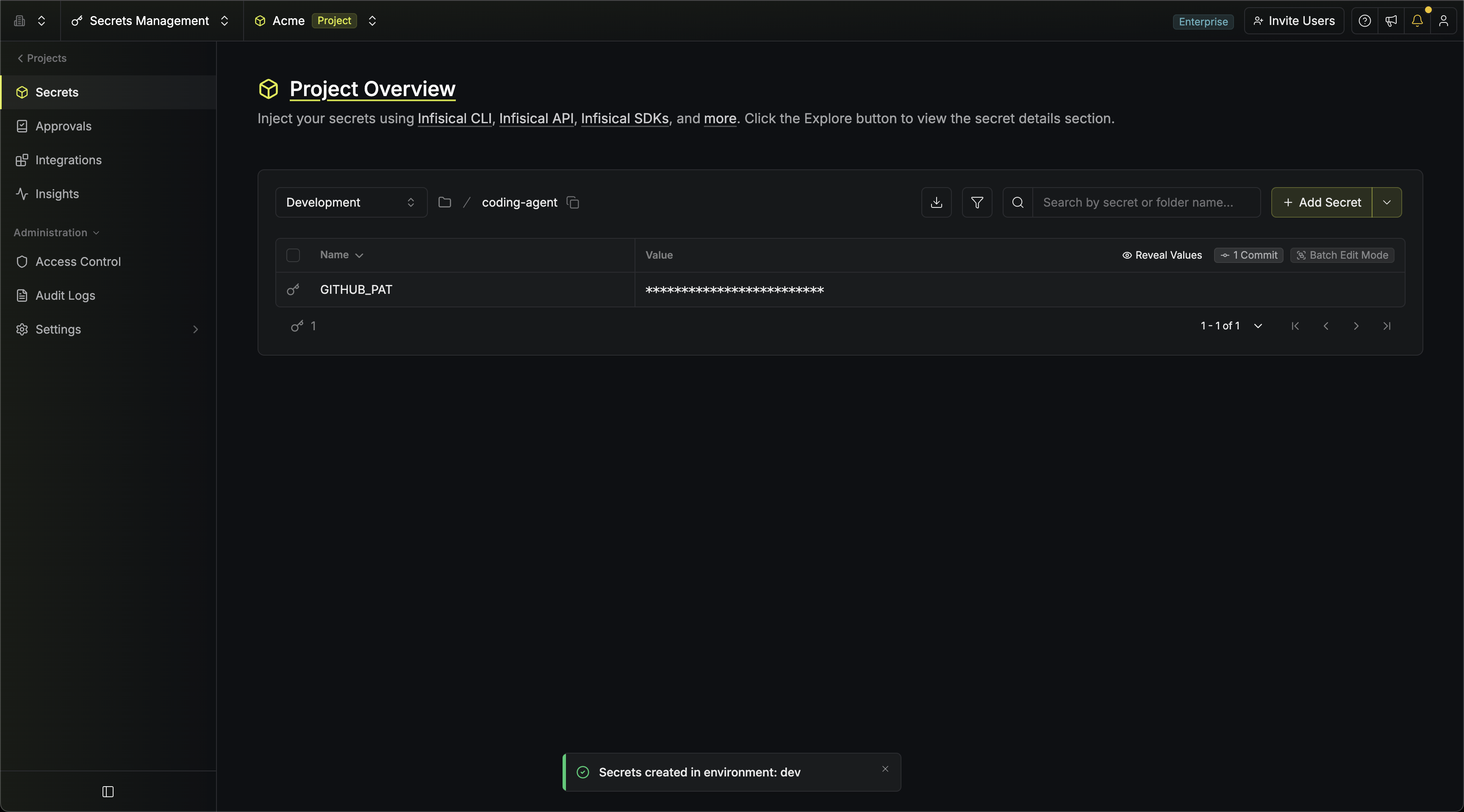
Then, in your Infisical project, create a folder for the agent (for example `/coding-agent` in the `dev` environment) and add a secret named `GITHUB_PAT` with that token as its value. It is a regular Infisical secret.
 ## 2. Create a proxied service
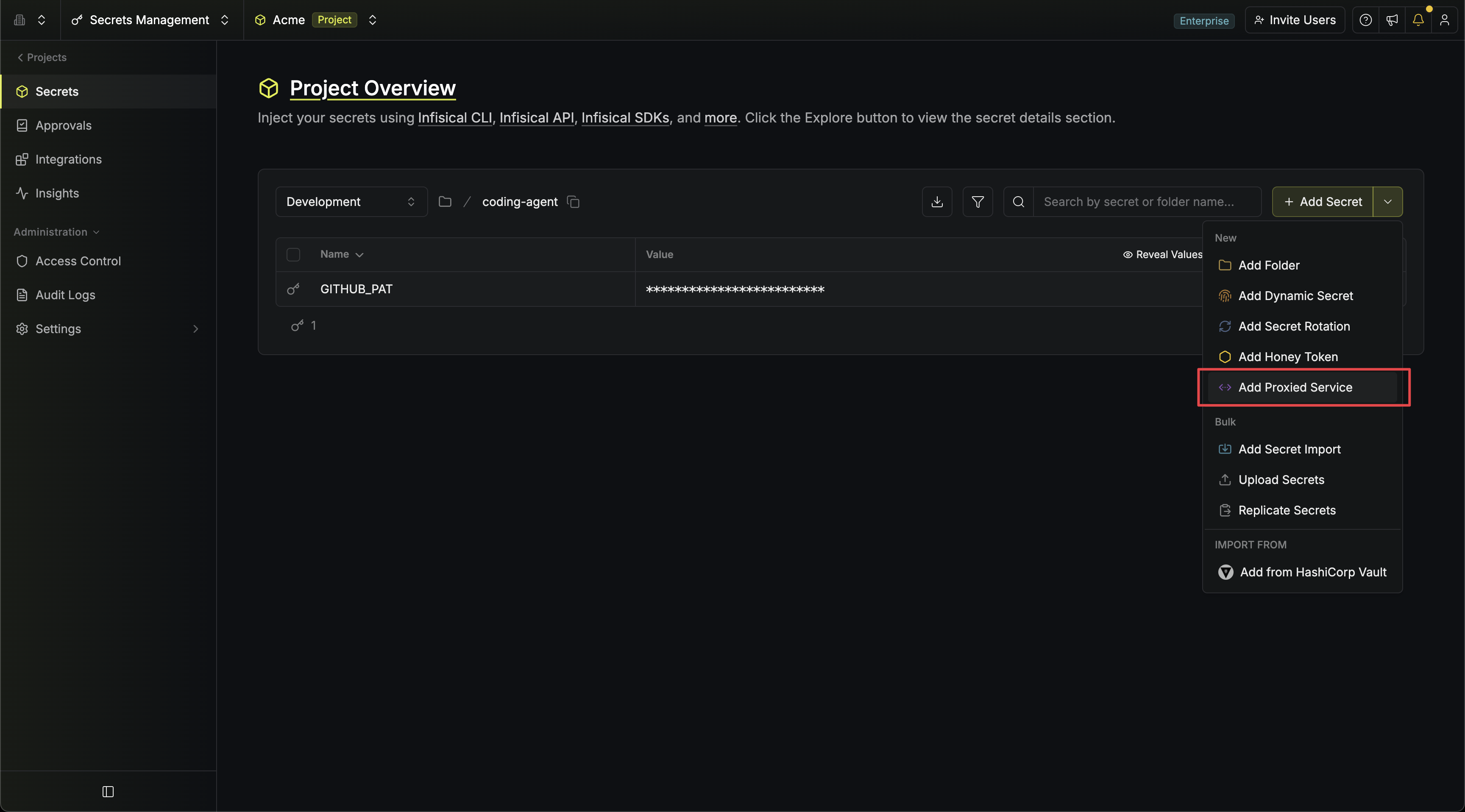
A proxied service maps a host to the secret the proxy applies. In the same folder, open the **Add Secret** dropdown and select **Add Proxied Service**, then work through the steps:
## 2. Create a proxied service
A proxied service maps a host to the secret the proxy applies. In the same folder, open the **Add Secret** dropdown and select **Add Proxied Service**, then work through the steps:
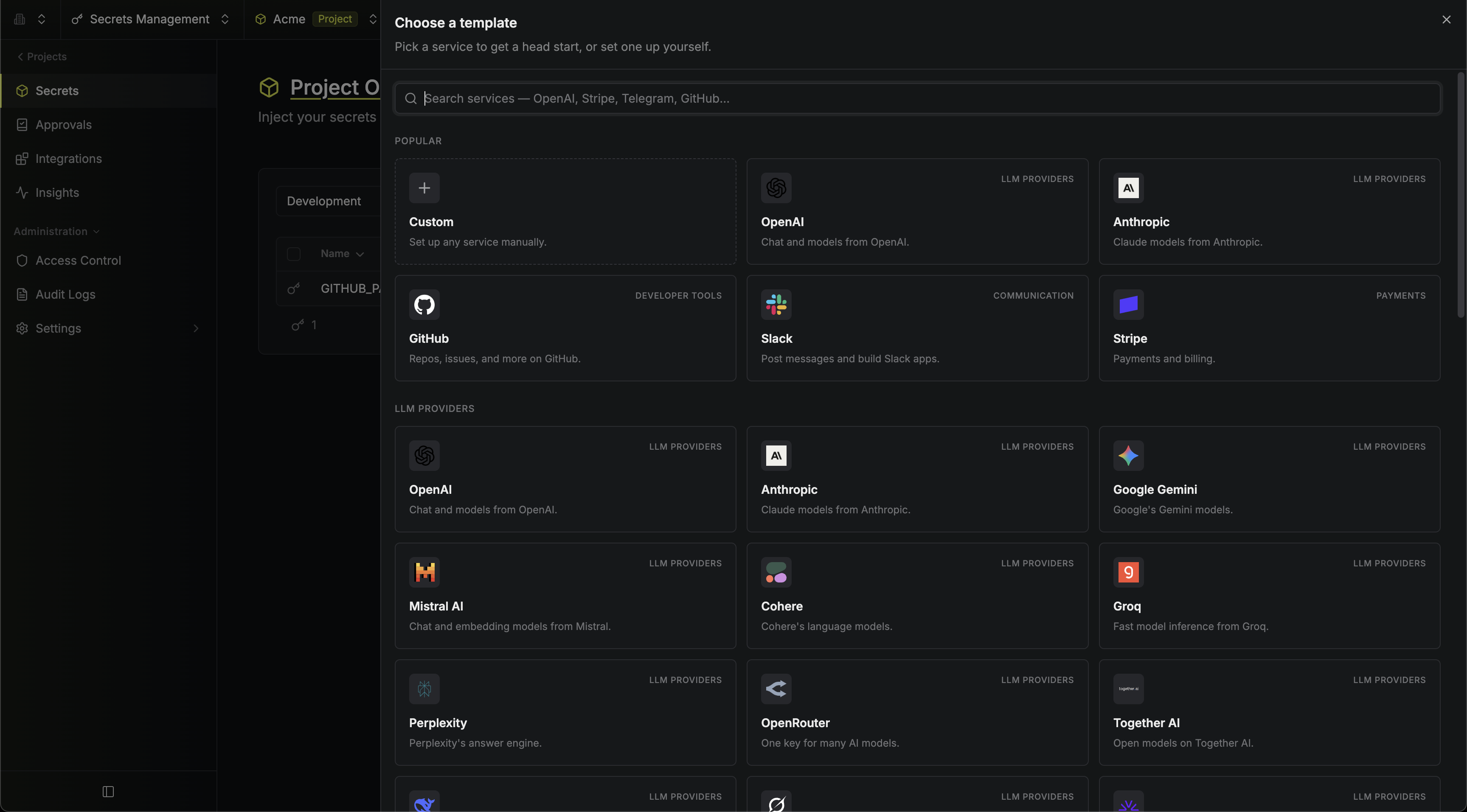
 The template fills everything in for you: the host `api.github.com` and a **Secret Substitution** rule that hands the agent a realistic `ghp_…` placeholder and swaps in the real token on the way out.
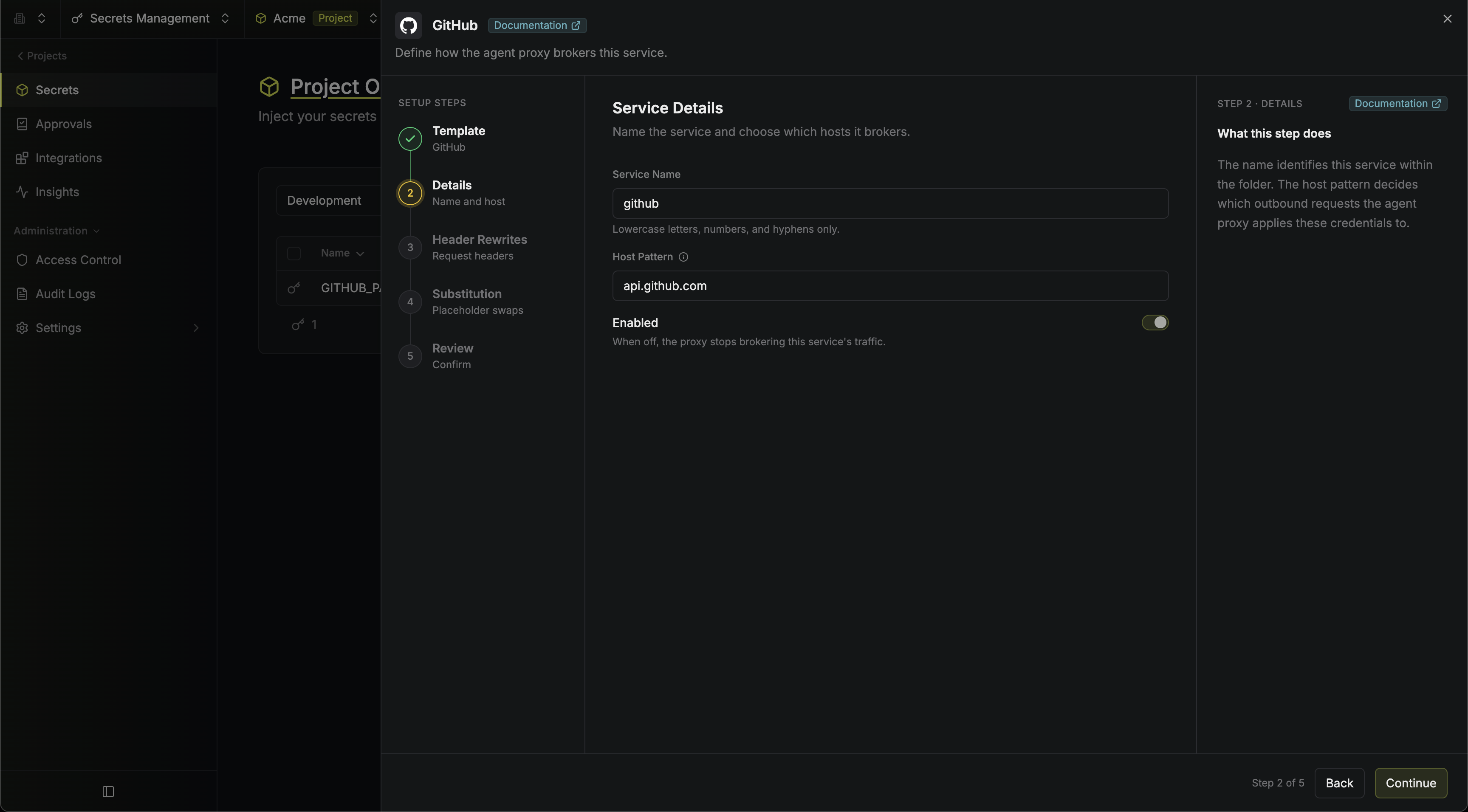
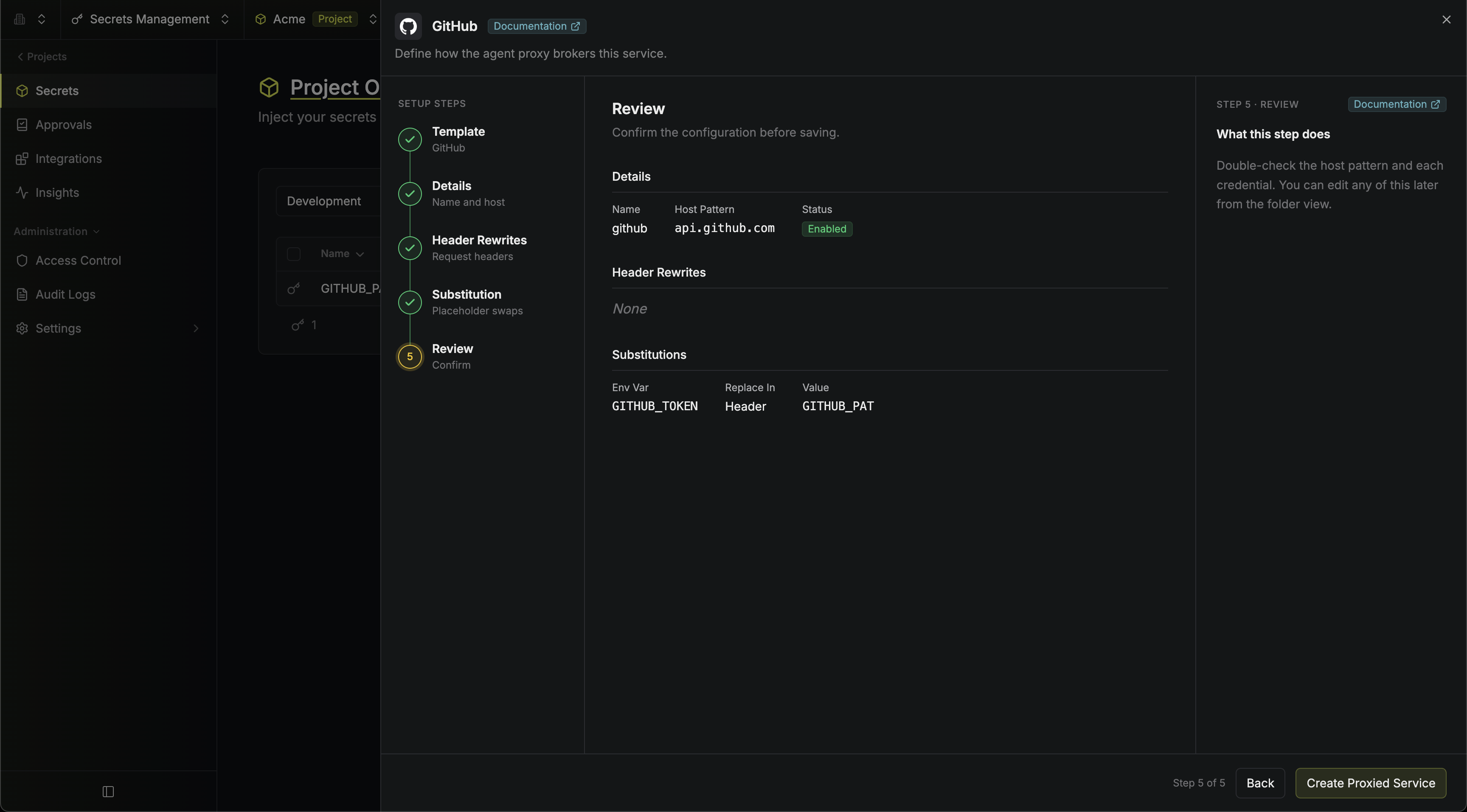
 Keep the service name `github` and the host pattern `api.github.com`.
 This step is skipped automatically for GitHub. The token does travel in the `Authorization` header, but this template handles that with **Secret Substitution** (next step): the agent itself puts a placeholder in the header, and the proxy swaps it for the real token.
Select `GITHUB_PAT` as the secret holding the real value.
Here is how the pieces fit together. When your agent connects, it gets an environment variable `GITHUB_TOKEN` (the placeholder name the GitHub template uses) set to the fake `ghp_…` placeholder. The agent uses it like any GitHub token and sends `Authorization: Bearer `. As the request passes through the proxy, the placeholder is replaced with the real value of your `GITHUB_PAT` secret. The template scopes this swap to headers, since that is where GitHub expects the token; a substitution can also target the URL path, query, or body.
This step is skipped automatically for GitHub. The token does travel in the `Authorization` header, but this template handles that with **Secret Substitution** (next step): the agent itself puts a placeholder in the header, and the proxy swaps it for the real token.
Select `GITHUB_PAT` as the secret holding the real value.
Here is how the pieces fit together. When your agent connects, it gets an environment variable `GITHUB_TOKEN` (the placeholder name the GitHub template uses) set to the fake `ghp_…` placeholder. The agent uses it like any GitHub token and sends `Authorization: Bearer `. As the request passes through the proxy, the placeholder is replaced with the real value of your `GITHUB_PAT` secret. The template scopes this swap to headers, since that is where GitHub expects the token; a substitution can also target the URL path, query, or body.
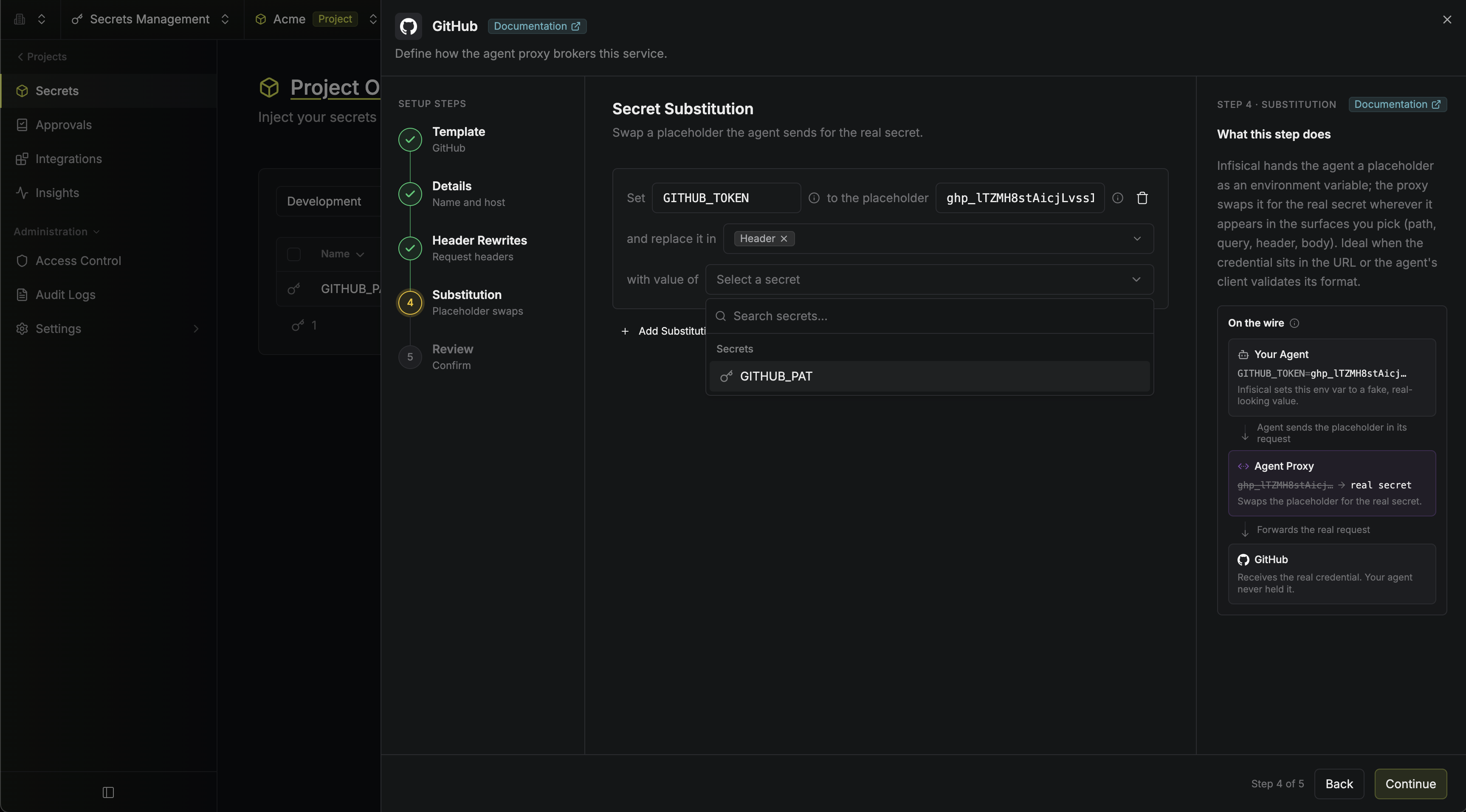 Double-check the host pattern and the substitution rule, then click **Create Proxied Service**.
 Not on the template list? Pick **Custom** and configure a [header rewrite or secret substitution](/docs/documentation/platform/agent-proxy/proxied-services) by hand.
## 3. Pick where the proxy runs
The proxy has to sit between your agent and the internet, so where it runs follows from where your agent runs. Pick the one that matches yours and follow it to the end; each is a complete walkthrough that continues from here.
For agents that live as long as your terminal session: Claude Code, Codex, or a script you are iterating on.
For agents running on your infrastructure, unattended or shared across your team.
Not on the template list? Pick **Custom** and configure a [header rewrite or secret substitution](/docs/documentation/platform/agent-proxy/proxied-services) by hand.
## 3. Pick where the proxy runs
The proxy has to sit between your agent and the internet, so where it runs follows from where your agent runs. Pick the one that matches yours and follow it to the end; each is a complete walkthrough that continues from here.
For agents that live as long as your terminal session: Claude Code, Codex, or a script you are iterating on.
For agents running on your infrastructure, unattended or shared across your team.