> ## Documentation Index
> Fetch the complete documentation index at: https://infisical.com/docs/llms.txt
> Use this file to discover all available pages before exploring further.
# Additional Privileges
> Grant specific, scoped privileges to users and machine identities on top of their predefined roles.
Infisical's [role-based access controls](./role-based-access-controls) let you define predefined permission sets for [users](/documentation/platform/identities/user-identities) and [machine identities](/documentation/platform/identities/machine-identities). However, there are cases where a specific user or machine identity needs access beyond what their assigned roles provide — without creating an entirely new role.
**Additional Privileges** let you grant scoped, fine-grained permissions to individual users or machine identities within a project. Use them when you need to:
* Grant access to a specific secret path that the member's current role doesn't cover.
* Provide temporary, time-bound access for a particular task or incident.
* Layer extra permissions on top of existing roles without affecting other members who share those roles.
If you find yourself assigning the same additional privileges repeatedly, consider creating a [custom role](./role-based-access-controls) instead.
## Adding Additional Privileges
Additional privileges can be configured through the Infisical Dashboard or the API. The steps below apply to both users and machine identities.
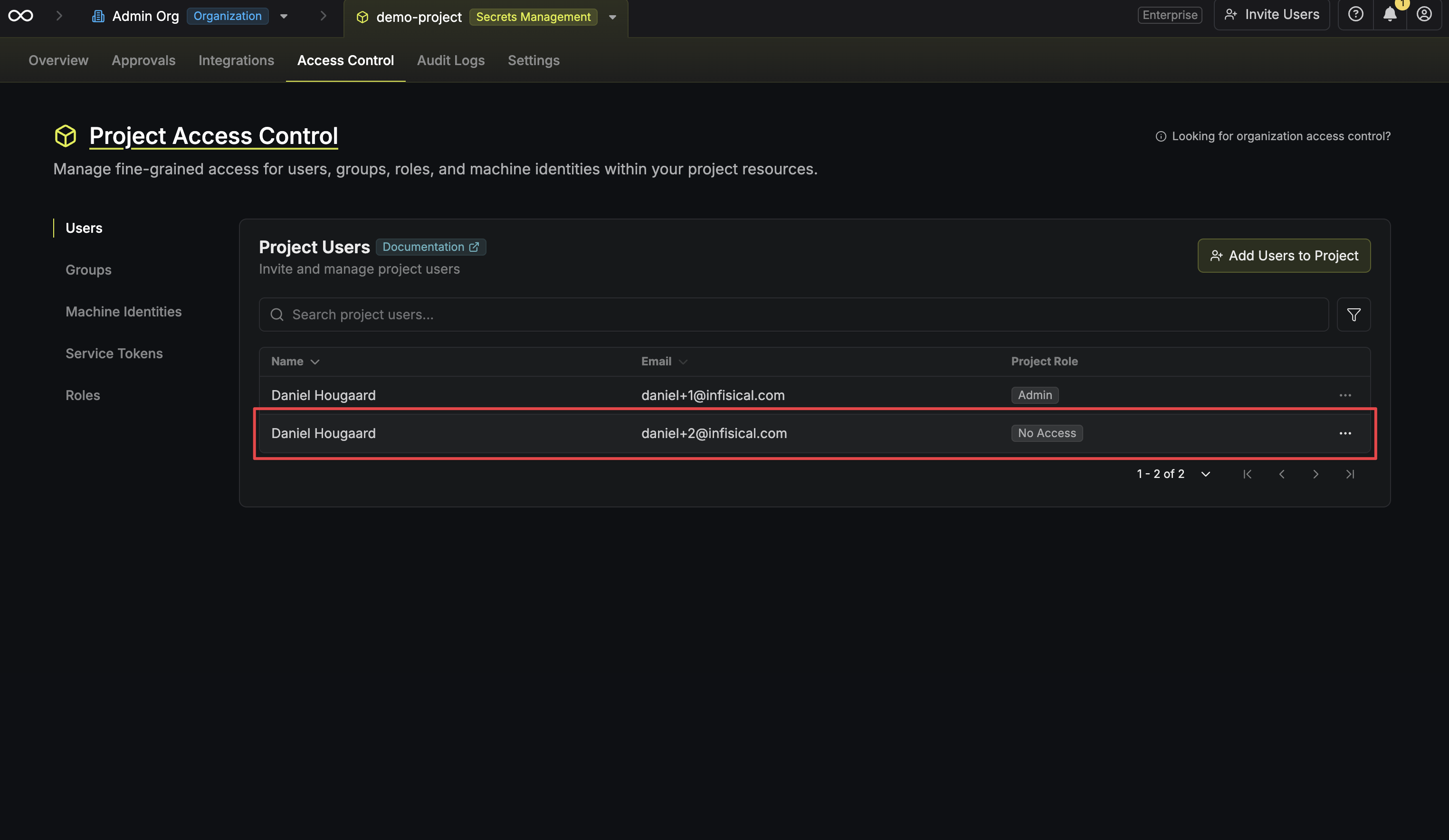
Navigate to the **Access Controls** page of your project and click on the user or machine identity you want to grant additional privileges to.
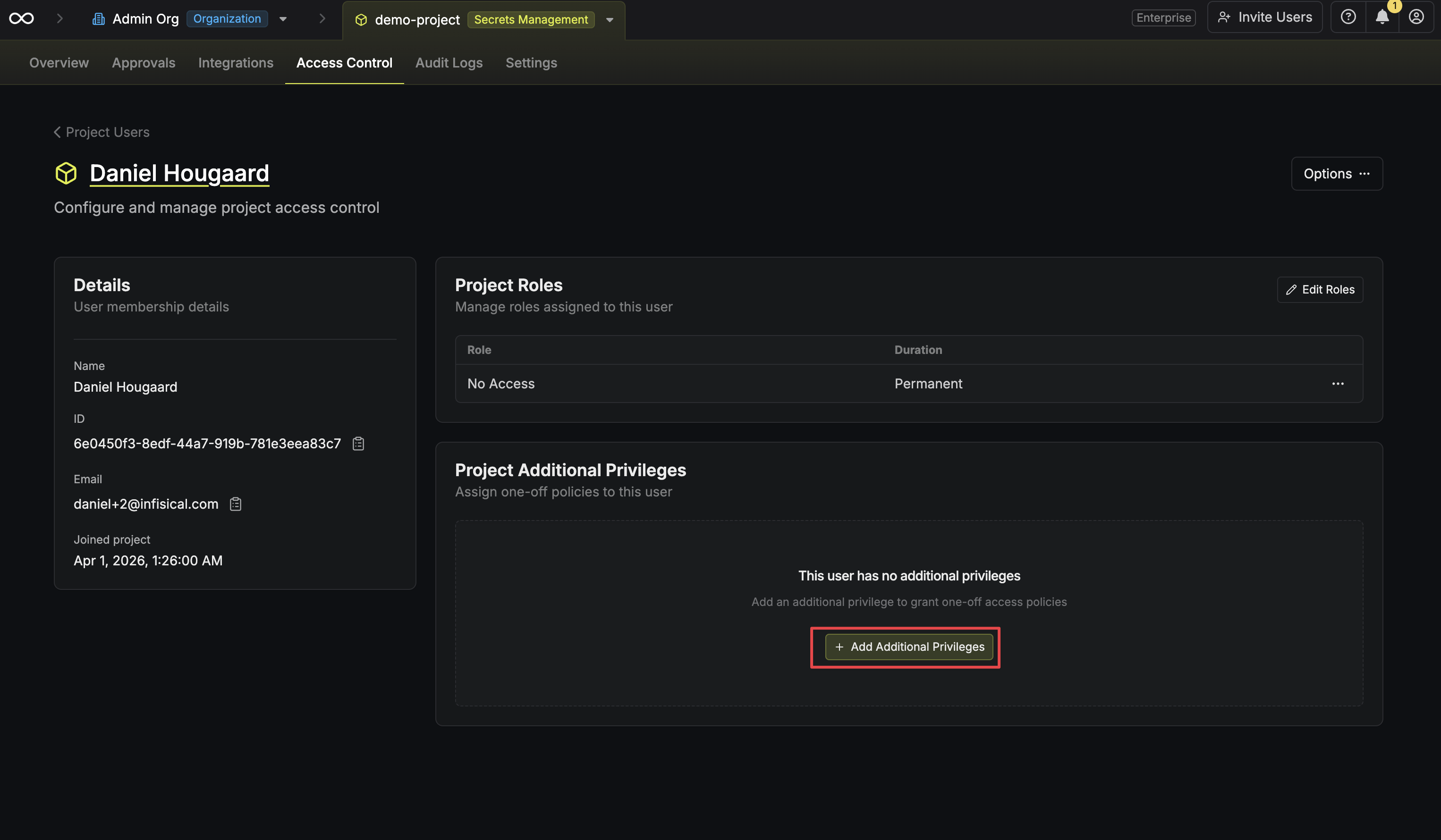
 In the member detail view, click the **Add Additional Privileges** button. This opens a configuration panel for the new privilege.
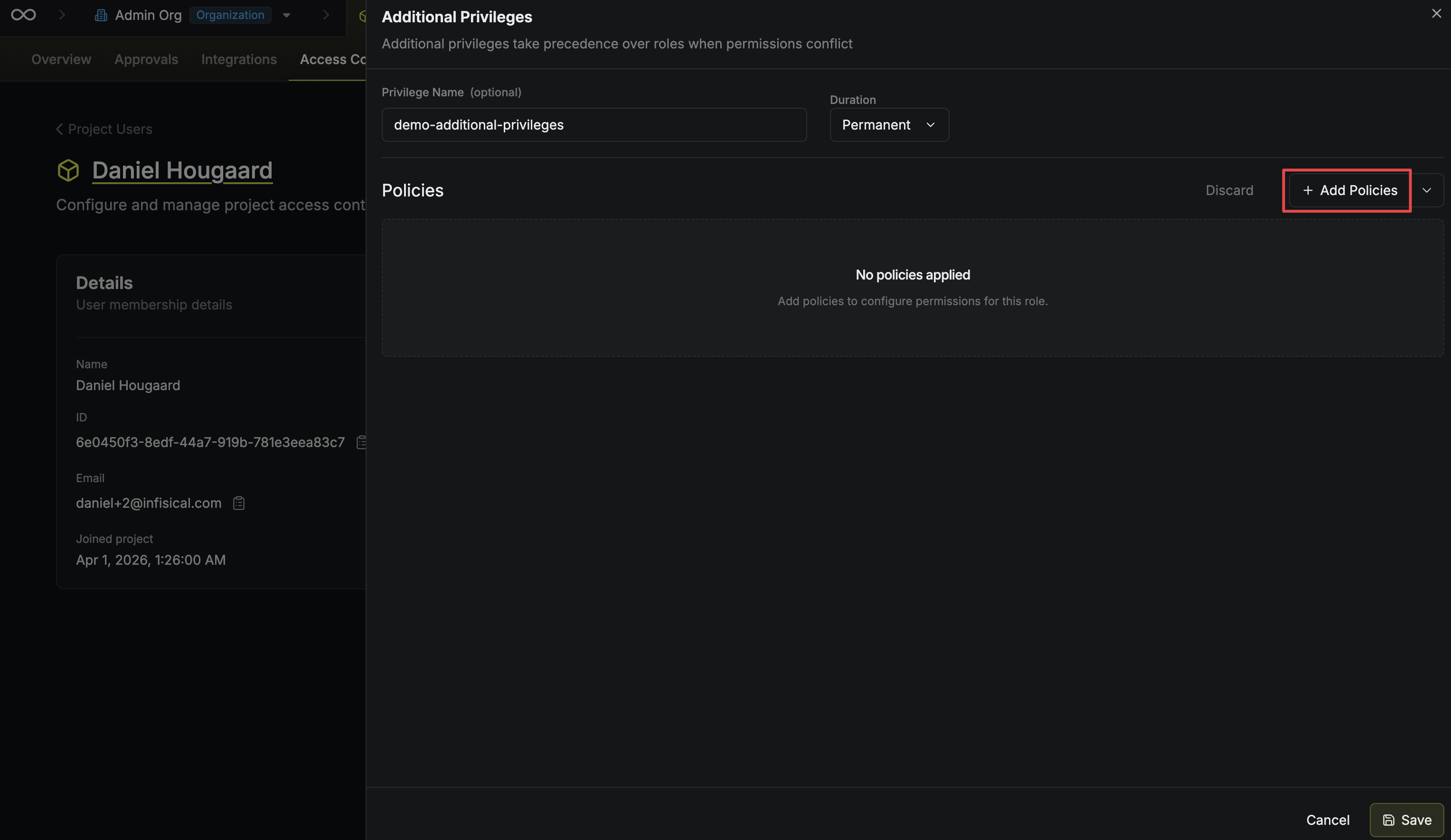
 Click the **Add Policies** button to open the policy selector dropdown.
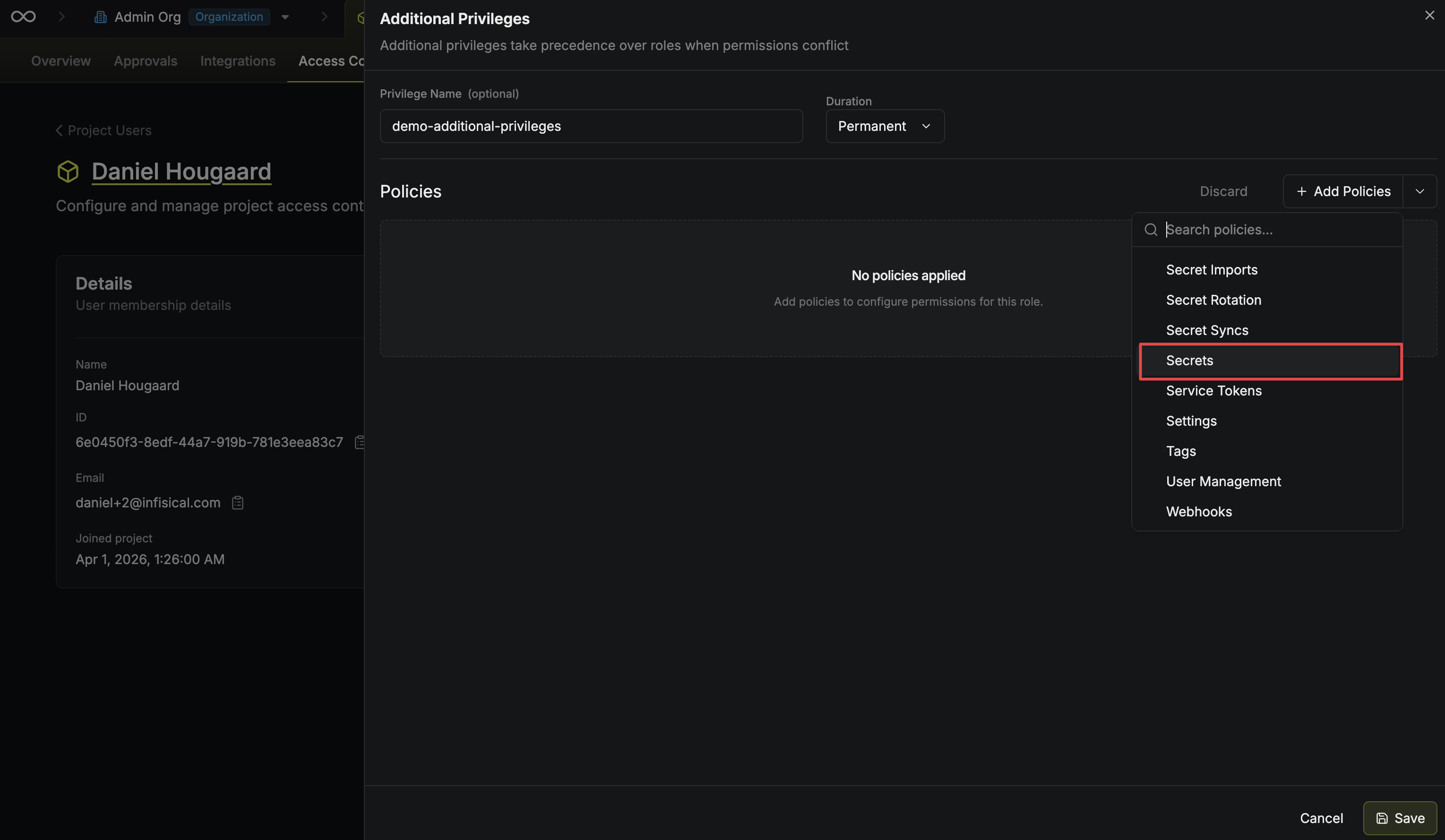
 Choose the policies you want to include in this additional privilege from the dropdown.
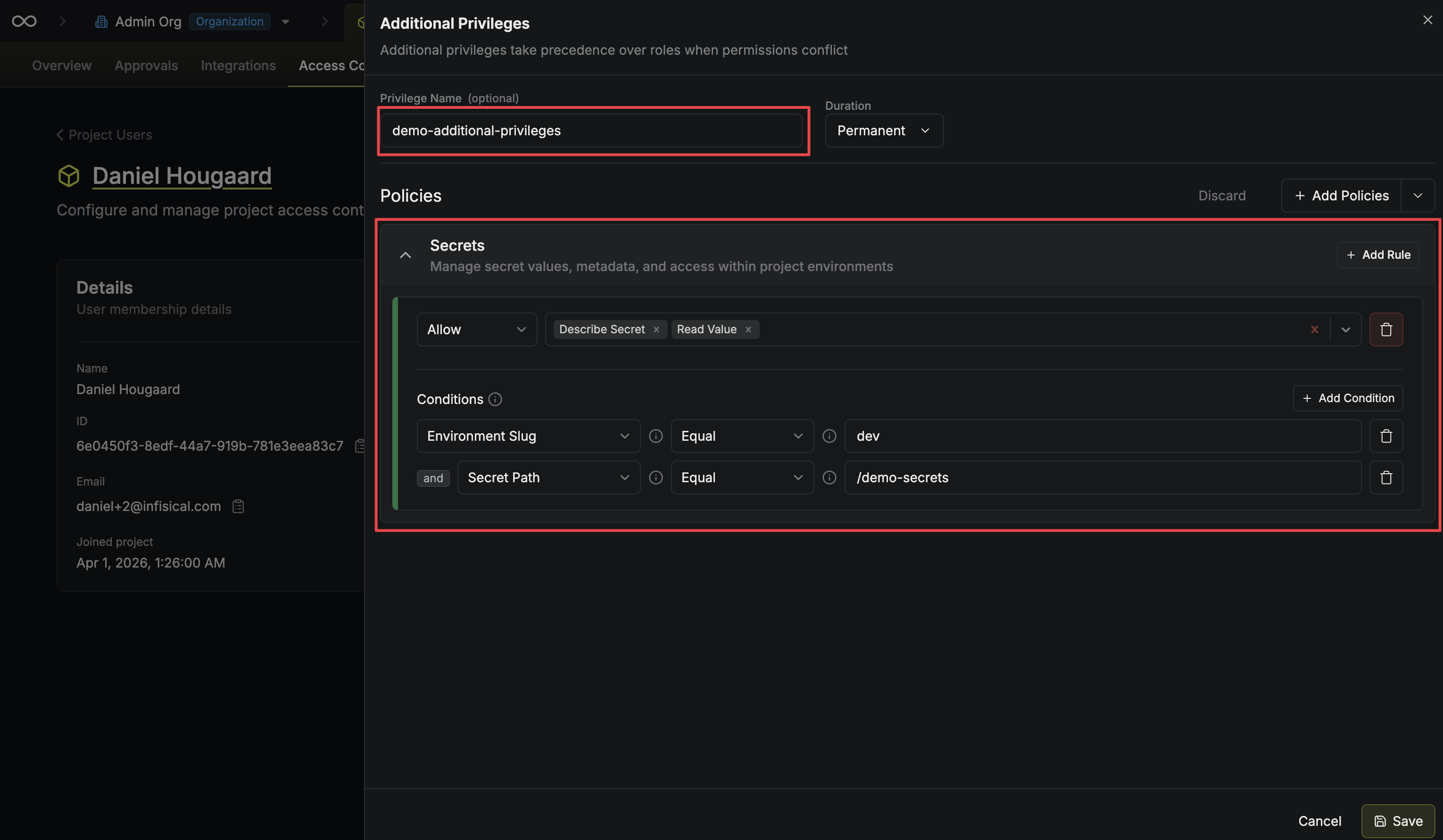
 Fill in the privilege details and configure each policy you selected:
* **Privilege Name** — A slug-friendly identifier for the privilege.
* **Duration** — How long the privilege remains active. Defaults to **Permanent**. Set a limited duration for [temporary access](/documentation/platform/access-controls/temporary-access) grants.
* **Policies** — The specific permission policies (e.g., read/write access to certain secret paths) included in this privilege.
Fill in the privilege details and configure each policy you selected:
* **Privilege Name** — A slug-friendly identifier for the privilege.
* **Duration** — How long the privilege remains active. Defaults to **Permanent**. Set a limited duration for [temporary access](/documentation/platform/access-controls/temporary-access) grants.
* **Policies** — The specific permission policies (e.g., read/write access to certain secret paths) included in this privilege.
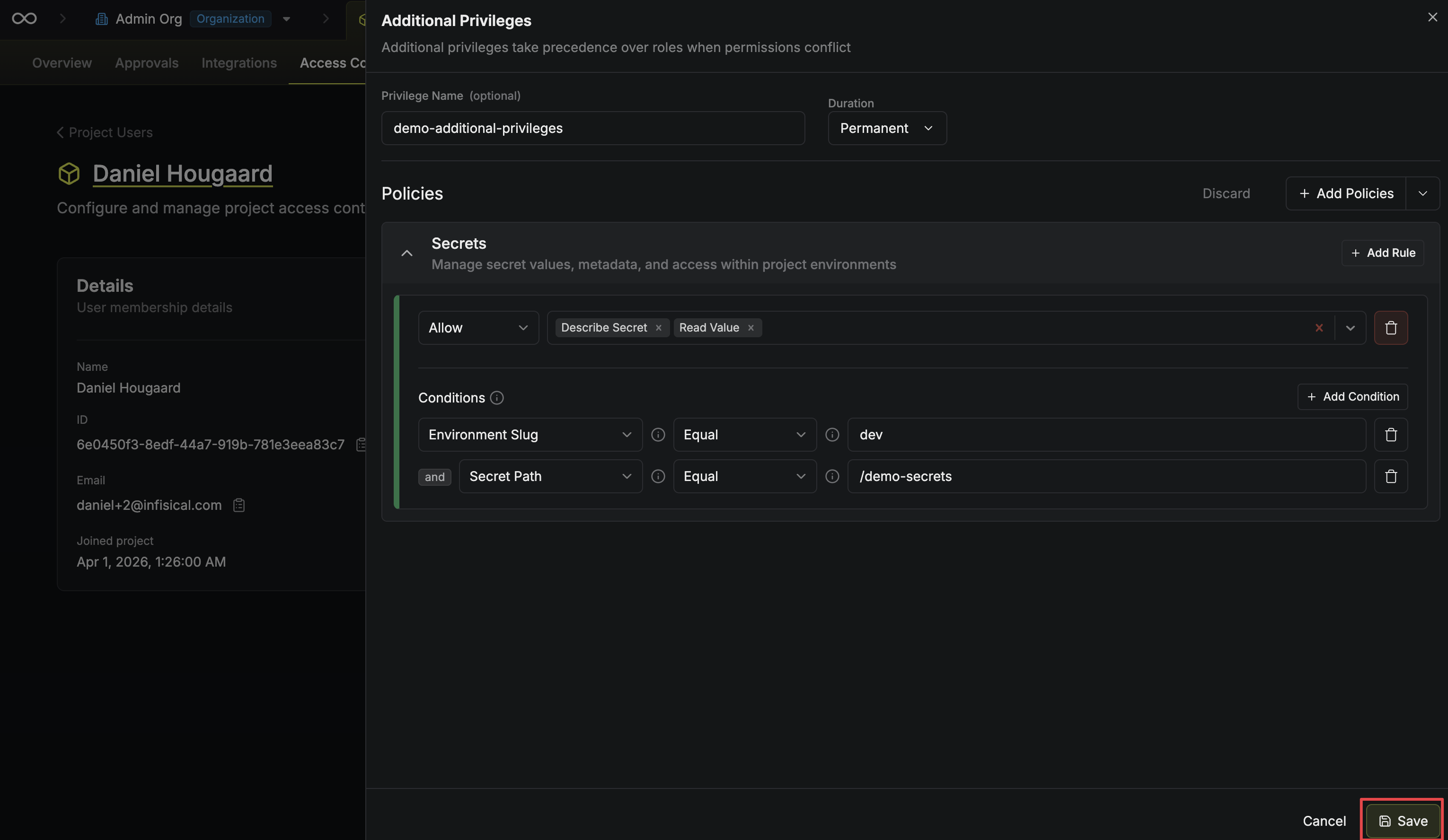
 Click **Save** to apply the additional privilege. It takes effect immediately.
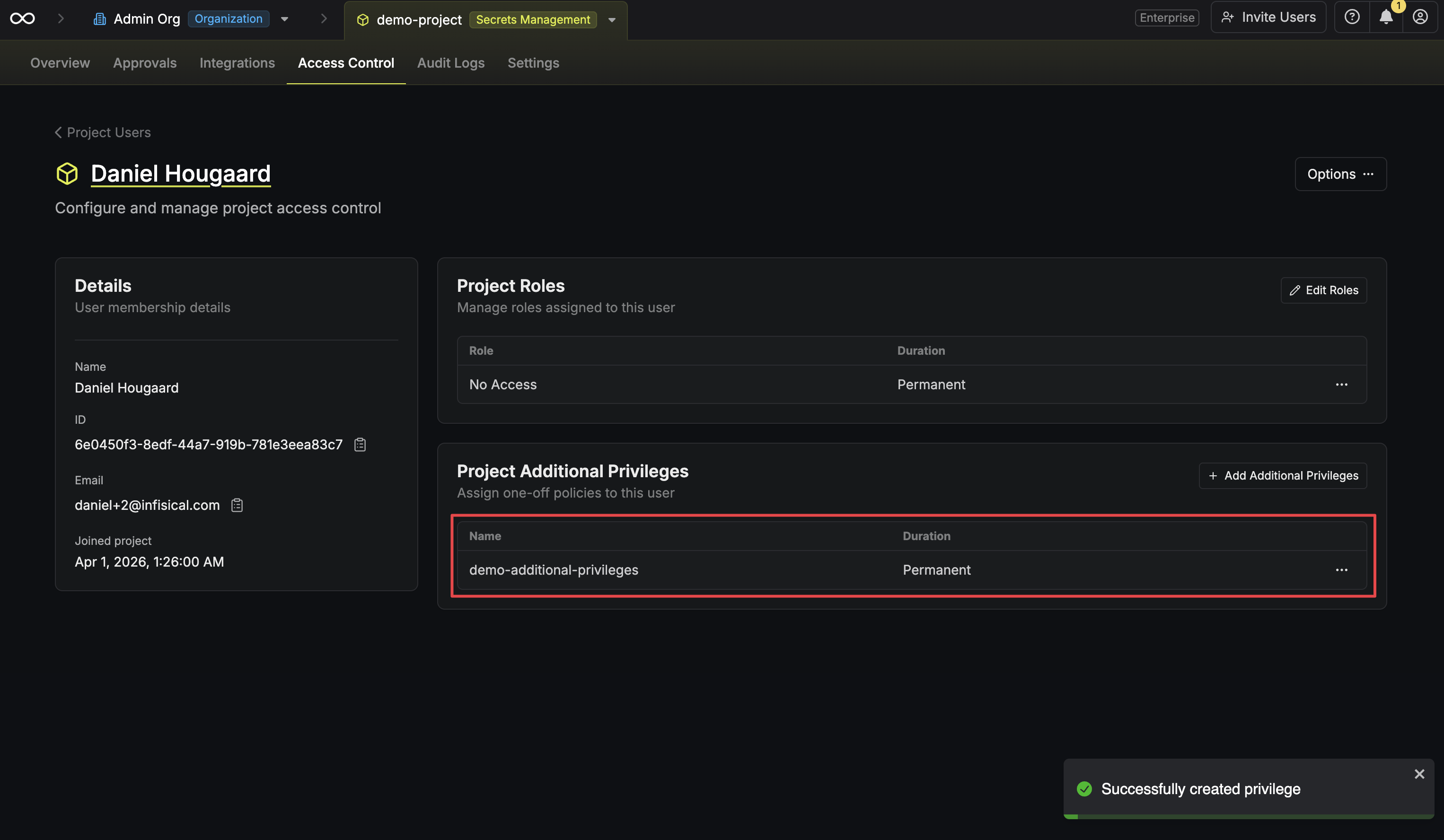
 The new additional privilege now appears in the member's detail page. You can edit or remove it at any time from here.
 The API for managing additional privileges is only supported for machine identities. To manage additional privileges for users, use the Infisical UI.
To create an additional privilege for a machine identity, make a `POST` request to the [Create Identity Privilege](/api-reference/endpoints/identity-specific-privilege/v2/create) endpoint:
```bash theme={"dark"}
curl --request POST \
--url https://us.infisical.com/api/v2/identity-project-additional-privilege \
--header 'Authorization: Bearer ' \
--header 'Content-Type: application/json' \
--data '{
"identityId": "",
"projectId": "",
"slug": "read-secrets-prod",
"permissions": [
{
"subject": "secrets",
"action": ["read", "readValue"],
"conditions": {
"environment": {
"$eq": "production"
}
}
}
]
}'
```
### Sample Response
```json theme={"dark"}
{
"privilege": {
"id": "3fa85f64-5717-4562-b3fc-2c963f66afa6",
"slug": "read-secrets-prod",
"isTemporary": false,
"temporaryMode": null,
"temporaryRange": null,
"temporaryAccessStartTime": null,
"temporaryAccessEndTime": null,
"permissions": [
{
"subject": "secrets",
"action": ["read", "readValue"],
"conditions": {
"environment": {
"$eq": "production"
}
}
}
],
"createdAt": "2024-09-01T12:00:00.000Z",
"updatedAt": "2024-09-01T12:00:00.000Z"
}
}
```
For the full list of request parameters, supported subjects, actions, and condition operators, see the [API reference](/api-reference/endpoints/identity-specific-privilege/v2/create).
The API for managing additional privileges is only supported for machine identities. To manage additional privileges for users, use the Infisical UI.
To create an additional privilege for a machine identity, make a `POST` request to the [Create Identity Privilege](/api-reference/endpoints/identity-specific-privilege/v2/create) endpoint:
```bash theme={"dark"}
curl --request POST \
--url https://us.infisical.com/api/v2/identity-project-additional-privilege \
--header 'Authorization: Bearer ' \
--header 'Content-Type: application/json' \
--data '{
"identityId": "",
"projectId": "",
"slug": "read-secrets-prod",
"permissions": [
{
"subject": "secrets",
"action": ["read", "readValue"],
"conditions": {
"environment": {
"$eq": "production"
}
}
}
]
}'
```
### Sample Response
```json theme={"dark"}
{
"privilege": {
"id": "3fa85f64-5717-4562-b3fc-2c963f66afa6",
"slug": "read-secrets-prod",
"isTemporary": false,
"temporaryMode": null,
"temporaryRange": null,
"temporaryAccessStartTime": null,
"temporaryAccessEndTime": null,
"permissions": [
{
"subject": "secrets",
"action": ["read", "readValue"],
"conditions": {
"environment": {
"$eq": "production"
}
}
}
],
"createdAt": "2024-09-01T12:00:00.000Z",
"updatedAt": "2024-09-01T12:00:00.000Z"
}
}
```
For the full list of request parameters, supported subjects, actions, and condition operators, see the [API reference](/api-reference/endpoints/identity-specific-privilege/v2/create).